


Radu Dumitrescu

As Head of Digital Transformation, Radu looks over multiple departments across the company, providing visibility over what happens in product, and what are the needs of customers. With more than 8 years in the Technology era, and part of BlueTweak since the beginning, Radu shifted from a developer (addressing end-customer needs) to a more business oriented role, to have an influence and touch base with people who use the actual technology.
Recent articles
15 Best Omnichannel Contact Centre Software Solutions in 2026
Customers don't think in channels. They start a conversation over live chat, follow up by email, then call your support team expecting everything to continue seamlessly. Too often, they're forced to repeat themselves because the systems behind the scenes don't communicate.
That's exactly why organizations are replacing disconnected phone systems, help desks, and messaging tools with omnichannel contact centre software. Instead of juggling multiple vendors, modern platforms bring voice, email, chat, SMS, social media, AI automation, workforce management, and reporting together in one place.
Whether you're running inbound call centers, managing high volumes of outbound calls, or simply want a modern call center software platform that strengthens your contact center infrastructure over time, choosing the right provider matters. In this guide, we compare the best call center software and top contact center solutions for 2026, including BlueTweak, to help you find a call center software solution that lets your team provide quality customer service and personalized service at scale.
In this guide, we compare the best omnichannel contact centre software platforms for 2026, including BlueTweak, to help you choose the right solution for your team.
From Channels to a Continuous Customer Conversations
Choosing omnichannel contact centre software isn't about how many boxes a vendor can tick. It's about whether the platform treats every customer interaction as part of one continuous conversation or as a collection of disconnected messages stitched together behind the scenes. Many organizations still describe this category as multichannel contact centre software, but true unification requires more than parallel channels bolted onto the same dashboard; it requires shared context, intelligent routing, and AI that understands what customers are trying to achieve.
Today, the term omnichannel is used to describe everything from traditional phone systems with basic digital add-ons to genuinely unified customer engagement platforms. The difference lies in how well they connect voice, chat, email, SMS, social media, and web messaging into a single customer journey, supported by intelligent routing, shared context, and AI that understands what customers are trying to achieve.
The 15 platforms below cut through that marketing noise. We've evaluated each solution based on the capabilities that matter most to modern contact centres, including omnichannel coverage, AI, workforce management, knowledge management, security, and total cost of ownership, so you can identify the best fit for your organization.
Quick Comparison: Top 5 Contact Centre Software Platforms
Choosing the right contact centre software often means balancing functionality, scalability, and total cost of ownership. Some platforms specialise in enterprise-scale routing and workforce optimisation, while others focus on delivering unified customer support with built-in AI and faster deployment.
The table below compares five of the leading omnichannel contact centre platforms at a glance, highlighting who they're best suited for, their starting pricing, and whether they include key capabilities like AI, workforce management, and native voice. Use it as a quick way to narrow your shortlist before exploring the full vendor breakdowns further down the page.
*Available from Genesys Cloud CX 3 ($155/user/month) and Talkdesk CX Cloud Elite ($145/user/month); not included in the entry-level tiers shown here
While these platforms represent some of the most recognised names in the market, they're only part of the picture. Below, we've reviewed 15 leading contact centre software solutions in detail, covering their features, pricing, strengths, limitations, and the types of organizations they're best suited for, helping you find the right platform for your operational requirements, customer experience goals, and budget.
Comparison tables are a great starting point, but the best way to evaluate contact centre software is to see how it fits your own workflows.
Book a personalized demo to explore BlueTweak's omnichannel platform, AI-powered automation, workforce management, and quality assurance tools, or calculate your potential savings with our ROI Calculator.
The 15 Best Contact Centre Software Platforms in 2026
Every organization has different priorities when choosing contact centre software. Some need enterprise-grade routing and workforce optimisation, while others prioritise faster deployment, multilingual AI, or transparent pricing without expensive add-ons.
Below, we've reviewed 15 of the best contact centre software platforms available in 2026, comparing their features, pricing, strengths, limitations, and ideal use cases. Whether you're running a growing support operation, a multi-site contact centre, or a global BPO, these detailed reviews will help you identify the platform that best fits your customer experience goals and operational requirements.
Where pricing transparency is lacking, we note “Contact sales”, “Custom pricing” or “Varies by plan.”
1. BlueTweak: Best for Unified Omnichannel Customer Support

BlueTweak is a mid-market CCaaS help desk software that that combines native voice, omnichannel customer support, AI-powered automation, workforce management, and quality assurance without the complexity of managing multiple vendors or costly add-ons. Designed specifically for growing support teams and BPOs, it brings every customer interaction into a single workspace while using knowledge base-grounded AI to help agents deliver faster, more accurate responses.
Unlike many contact centre platforms that require separate products for voice, workforce management, quality assurance, or AI, BlueTweak includes these capabilities in one unified solution with transparent pricing. This makes it particularly well suited to organizations that want enterprise-grade functionality without enterprise-level complexity or implementation timelines.
Best for: Teams that want true omnichannel customer support, KB-grounded AI, and integrated WFM, without stitching together multiple vendors.
Key features:
- Native telephony infrastructure (call center, IVR, multilingual AI voicebot, call recording, transcription, translation)
- Chat powered by an AI customer service chatbot with real-time language translation
- Email with AI-powered reply suggestions, canned responses templates, and automatic summaries
- KB-grounded AI assistance using a centralized knowledge base with hierarchical organization
- Ticketing system with sentiment analysis, AI-driven classification, and customizable fields
- Built-in customer service workforce management (forecasting, scheduling, adherence monitoring) and quality assurance module
- Prebuilt and custom analytics dashboards tracking customer support metrics
- Enterprise security (audit trails, role management, MFA, data residency controls)
- Open APIs with a sandbox environment
"The best customer experiences don't happen because organizations add more communication channels. They happen when every conversation, regardless of whether it starts over voice, chat, email, or social media, feels like one continuous interaction. That's what a truly unified contact centre platform should deliver." — Radu Dumitrescu, Head of Presale & Digital Transformation at BlueTweak
Pricing:
- €65/agent/month (all features included)
- No feature gating; unlimited users and integrations
- AI usage priced separately per customer interaction (transparent, predictable)
Pros:
- Unified voice, digital channels, AI, workforce management, and quality assurance reduce vendor sprawl and simplify operations
- KB-grounded AI prevents agents from providing incorrect information by citing actual documentation
- Workforce management and quality assurance are included, avoiding the additional per-agent costs common with competing platforms
- Transparent pricing without surprise usage fees or feature unlocks
- Rapid deployment (weeks rather than quarters) with dedicated implementation support
- Comprehensive multilingual support (35+ languages) across voice and digital channels
- Multi-tenant architecture designed for BPO operations managing multiple clients
Cons:
- Newer entrant versus established brands like Genesys or NICE
- Optimized for mid-market (20-100 agents); massive enterprises may need customization
- AI usage scales with volume, requiring forecasting for budget accuracy
BlueTweak in Action:
Global BPO Conectys chose BlueTweak to unify its customer support operations and streamline reporting across multiple client programmes. Following implementation, the organization increased CSAT by 35%, reduced resolution times by 25%, accelerated data retrieval by 30%, and improved reporting efficiency by 40%. The results demonstrate the impact of consolidating omnichannel customer support, AI, workforce management, and reporting into a single, unified platform.
If you're looking for a contact centre platform that combines omnichannel customer support, AI, workforce management, and quality assurance in one solution, BlueTweak is well worth exploring. Book a personalized demo to see how BlueTweak supports modern customer service teams, or start your free 14-day trial to experience the platform for yourself.
2. Genesys Cloud CX: Best for Enterprise Contact Centres with Complex Routing
Genesys Cloud CX provides a cloud-native contact center platform with voice, digital channels, and AI capabilities. Long-standing presence in enterprise contact center software with extensive feature depth across customer engagement scenarios.
Best for: Genesys Cloud CX is best for large enterprises managing high interaction volumes, advanced routing requirements, and complex CRM integrations.
Key features:
- Voice channel with call routing, IVR, and call recording
- Digital channels (chat, email, SMS, social media messaging)
- Omnichannel routing and workflow orchestration
- AI virtual agents and predictive routing
- Agent Copilot for real-time assistance
- Speech and text analytics
- Knowledge base with AI grounding
- Workforce management (forecasting, scheduling, performance management)
- Quality management and compliance tools
- Journey management and analytics
Pricing:
- Genesys Cloud CX 1: $75 per user/month (billed annually), including voice, call routing, IVR, outbound campaigns, analytics, recording, knowledge, native bots, predictive engagement, predictive routing, and Agent Copilot.
- Genesys Cloud CX 2: $115 per user/month (billed annually), adding digital channels plus built-in quality assurance and compliance.
- Genesys Cloud CX 3: $155 per user/month (billed annually), including employee performance, resource management, AI-powered forecasting and scheduling, and speech and text analytics.
- Genesys Cloud CX 4: $240 per user/month (billed annually), including journey management, virtual agents, Supervisor Copilot, Virtual Supervisor, social listening, and 30 AI Experience tokens per named agent.
Pros:
- Mature platform with extensive feature depth
- Strong AI capabilities, including predictive routing
- Comprehensive workforce management in upper tiers
- Deep integration ecosystem
- Enterprise-grade security and compliance
Cons:
- Complex pricing with usage charges on top of seat fees
- Steep learning curve requiring specialized expertise
- Implementation timelines are measured in months
- Can be overkill for small to mid-sized operations
- Costs escalate quickly with full feature adoption
3. NICE CXone: Best for Workforce Optimisation at Enterprise Scale
NICE CXone offers a cloud contact center platform emphasizing workforce optimization, quality management, and analytics. Strong pedigree in enterprise call center software with a focus on operational efficiency and agent performance.
Best for: Large contact centres that prioritise workforce engagement, quality management, and operational analytics.
Key features:
- Omnichannel routing across voice and digital channels
- Workflow orchestration
- Workforce engagement management (WEM)
- Quality assurance automation
- Performance analytics
- Voice of Customer (VoC) tools
- AI-powered automation
- Speech and text analytics
- Agent desktop with unified interface
Pricing:
- Omnichannel Suite: $110 per agent/month
- Essential Suite: $135 per agent/month
- Core Suite: $169 per agent/month
- Complete Suite: $209 per agent/month
- Ultimate Suite: $249 per agent/month, plus $0.25 per session for certain AI-powered interactions
Pros:
- Industry-leading WEM and quality management
- Sophisticated analytics and reporting
- Strong compliance and recording capabilities
- Proven enterprise scalability
- Comprehensive VoC integration
Cons:
- Premium pricing across all tiers
- A complex feature set requires extensive training
- Implementation requires significant time investment
- The best features are only available in the expensive top-tier
- Can feel overwhelming for smaller operations
4. Five9: Best for AI-Driven Inbound and Outbound Operations

Five9 delivers cloud contact center software with voice, digital channels, and AI-powered routing. Focus on intelligent automation and predictive engagement for improving customer satisfaction.
Best for: Five9 is best for mid to large contact centers emphasizing AI-driven routing and blended inbound/outbound operations.
Key features:
- Voice and digital channels (chat, email, messaging)
- AI-powered routing and automation
- Predictive dialers for outbound
- Workforce management tools
- Quality management capabilities
- Analytics and reporting
- CRM integrations
- IVR with natural language understanding
Pricing:
- Digital: $119 per seat/month, covering channels such as chat, email, SMS/MMS, and social messaging
- Core: $159 per seat/month for all channels plus essential AI capabilities.
- Plus: custom pricing for teams that want all channels with more advanced AI functionality
- Pro: custom pricing for teams that need all channels, AI essentials, and workforce engagement management (WEM)
- Enterprise: custom pricing for larger operations that want all channels, advanced AI, and WEM in a single package
Pros:
- Strong AI routing capabilities
- Good blend of inbound and outbound features
- Solid CRM integrations
- Reliable platform performance
- Predictive engagement tools
Cons:
- Minimum seat requirements exclude smaller teams
- Custom pricing for advanced features
- WFM and QM only in upper tiers
- Implementation complexity for full feature adoption
- Higher per-seat costs than some competitors
5. Talkdesk: Best for Fast Cloud Contact Centre Deployment
Talkdesk provides a cloud contact center platform with voice, digital channels, and AI automation. Emphasizes rapid deployment and modern user experience for contact center agents.
Best for: Talkdesk is best for contact centers wanting faster implementation timelines with a modern agent desktop experience.
Key features:
- Voice and digital omnichannel support
- AI-powered routing and automation
- Virtual agents and self-service tools
- Workforce management
- Quality management
- Real-time and historical analytics
- CRM integrations
- AppConnect marketplace
Pricing:
- CX Cloud Digital Essentials: $85 per user/month, including digital engagement, quality management, API access, dashboards, and automation tools
- CX Cloud Essentials: $85 per user/month, including voice engagement, routing, workspace tools, and integrations
- CX Cloud Elevate: $115 per user/month, plus quality management, screen recording, feedback, and automated notifications
- CX Cloud Elite: $145 per user/month, adding workforce management, performance management, custom reporting, and customer experience analytics
- Industry Experience Clouds: custom pricing for vertical-specific deployments in sectors such as healthcare, financial services, retail, and government
Pros:
- Faster implementation than legacy platforms
- Modern, intuitive agent interface
- Flexible pricing tiers
- Good AI automation capabilities
- Strong marketplace ecosystem
Cons:
- Full feature set only in the Elite tier
- WFM and advanced AI require the highest pricing
- Smaller brand than Genesys or NICE
- Limited public pricing transparency
- Some integrations require marketplace apps
6. Cisco Webex Contact Center: Best for Large Hybrid Enterprise Environments
Cisco Webex Contact Center offers a cloud contact center solution with omnichannel routing, journey analytics, and integration with Cisco's collaboration tools. Leverages Cisco's telephony heritage.
Best for: Large enterprises already invested in the Cisco ecosystem that need secure omnichannel customer engagement, advanced call routing, and tight integration with Webex collaboration tools. Cisco Webex Contact Center is particularly well suited to organizations managing distributed teams, complex telephony environments, and enterprise-grade security requirements.
Key features:
- Native omnichannel routing
- Agent desktop
- Journey analytics
- Bot builder
- CRM integrations
- Reporting and analytics
- Digital engagement capabilities
- Workforce optimization (add-on)
- Webex Calling integration (add-on)
Pricing:
- Webex Contact Center: Custom pricing (contact sales)
- Workforce Optimization: From $40/user/month
- Webex Calling Integration: From $8/user/month
- Digital Engagement and AI capabilities: Available as optional add-ons with custom or usage-based pricing, depending on deployment and selected services
Pros:
- Strong Cisco ecosystem integration
- Reliable telephony infrastructure
- Good journey analytics
- Flexible bot builder
- Enterprise security standards
Cons:
- Pricing lacks transparency
- Add-ons required for WFO and calling
- Best for existing Cisco customers
- Complex licensing model
- Usage-based digital pricing is unpredictable
7. RingCentral Contact Center: Best for UCaaS and Contact Centre Integration

RingCentral Contact Center layers contact center capabilities on top of the RingEX unified communications platform. Combines UCaaS foundation with contact center features.
Best for: Businesses already using RingCentral's unified communications platform that want to extend voice services into a fully featured cloud contact centre. RingCentral Contact Center combines omnichannel engagement, workforce optimisation, and AI capabilities while providing a familiar experience for organizations standardising on the RingCentral ecosystem.
Key features:
- Omnichannel routing
- AI-powered automation
- Workforce management
- Quality assurance
- Analytics and reporting
- Integration with RingEX UCaaS
- CRM connectors
- Agent desktop
Pricing:
- RingCX Contact Center: From $65/user/month, includes unlimited minutes, core contact centre features, and built-in AI
- Enterprise deployments and tailored requirements: Contact sales for a custom quote
Pros:
- Unified UCaaS and contact center approach
- Good for businesses wanting a single vendor
- Decent AI capabilities
- Comprehensive feature set
- Strong reliability
Cons:
- Contact center pricing is not transparent
- Requires UCaaS subscription baseline
- Features split across multiple SKUs
- Implementation complexity
- Custom pricing for the contact center layer
8. 8×8 Contact Center: Best for Global Business Communications

8×8 Contact Center delivers bundled unified communications and contact center solutions. Long history in cloud communications with an integrated approach.
Best for: Organizations operating across multiple countries that need unified business communications and contact centre capabilities within a single cloud platform. 8×8 is particularly attractive for businesses managing international teams, global telephony, and customer interactions across multiple regions
Key features:
- Omnichannel routing across voice and digital channels
- AI-powered automation
- Quality management
- Analytics and reporting
- Integration with 8×8 UCaaS
- CRM connectors
- Global telephony coverage
Pricing:
- X2 / X4 (UCaaS): Contact sales
- X6 Contact Center: Contact sales
- X7 Contact Center: Contact sales
- X8 Contact Center: Contact sales
Pros:
- Bundled UC and contact center
- Global telephony reach
- Integrated approach reduces vendor complexity
- Decent feature breadth
- Unified billing
Cons:
- Zero pricing transparency
- All tiers require sales engagement
- Feature differentiation unclear
- Bundling may force unnecessary UC licenses
- Implementation timelines vary widely
9. Zoom Contact Center: Best for Zoom-Centric Customer Service Teams

Zoom Contact Center extends Zoom's video collaboration platform into the contact center domain. Newer entrant leveraging Zoom's brand recognition.
Best for: Organizations already using Zoom Workplace that want to expand into omnichannel customer support without introducing an entirely new communications platform. Zoom Contact Center offers voice, video, messaging, and AI capabilities through a familiar interface, making it a natural progression for existing Zoom customers.
Key features:
- Inbound and outbound omnichannel
- IVR and routing
- Voice of Customer tools
- Call transcription
- Social media channels
- Cobrowse for visual assistance
- AI Expert Assist
- Workforce engagement management
- Integration with Zoom Phone
Pricing:
- Contact Center Essentials: $69/user/month (annual)
- Contact Center Premium: $99/user/month (annual)
- Contact Center Elite: $149/user/month (annual)
Note: Requires Zoom Phone or Zoom Workplace subscription; PSTN metered
Pros:
- Competitive pricing for features offered
- Leverages familiar Zoom interface
- Good transcription capabilities
- Integrated with the Zoom ecosystem
- Relatively fast deployment
Cons:
- Requires a separate Zoom subscription
- PSTN charges add unpredictability
- Newer platform with a limited track record
- WEM is only in the Elite tier
- Smaller ecosystem than established players
10. Zendesk: Best for Existing Zendesk Support Teams
Zendesk extends its helpdesk ticketing platform into the contact center with the Talk voice add-on and omnichannel suite. Strong in digital channels, voice through partnerships.
Best for: Customer support teams already using Zendesk for ticketing that want to add voice and digital engagement while maintaining a familiar workflow. Zendesk's contact centre capabilities integrate closely with its customer service platform, although advanced voice, AI, workforce management, and quality assurance functionality often requires additional products or higher-tier plans.
Key features:
- Omnichannel ticketing across channels
- Help center and knowledge base
- AI agents for automation
- Voice via Zendesk Talk
- Basic analytics and reporting
- Advanced routing in upper tiers
- Multi-brand support
- CRM integrations
Pricing:
- Suite Team: $55/agent/month (billed annually)
- Suite Professional: $115/agent/month (billed annually)
- Suite Enterprise + Copilot: Contact sales
- Contact Center add-on: From $83/agent/month (billed annually)
- Workforce Engagement Bundle: From $50/agent/month (billed annually)
Note: While Zendesk includes omnichannel messaging and telephony within its Suite plans, advanced contact centre capabilities, workforce management, and AI functionality can require additional paid add-ons, increasing the overall cost of ownership.
Pros:
- Strong digital channel foundation
- Good for helpdesk evolution to contact center
- Extensive integration marketplace
- Familiar interface for existing users
- Multi-brand capabilities
Cons:
- Voice is partner-based, not native
- Contact center features require add-ons
- WFM sold separately
- Costs accumulate with essential features
- Better as a helpdesk than a contact center
11. Freshdesk Omni (Freshworks): Best for Growing Omnichannel Support Teams
Freshdesk Omni extends Freshworks' helpdesk platform with omnichannel ticketing across voice and digital. Emphasizes affordability and ease of use.
Best for: Small to mid-sized organizations looking for an accessible omnichannel customer support platform with built-in AI and automation. Freshdesk Omni combines ticketing, messaging, voice, and self-service capabilities, making it well suited to businesses transitioning from basic help desk software to more comprehensive customer support operations.
Key features:
- Omnichannel ticketing (email, web, SMS, messaging)
- AI agents for automation
- Knowledge base
- Custom portals
- Skills-based routing (Enterprise)
- Custom reporting
- Security and compliance (Enterprise)
- Freddy AI Agent integration
Pricing:
- Growth: $29/agent/month (billed annually)
- Pro: $79/agent/month (billed annually)
- Enterprise: $119/agent/month (billed annually)
- Freddy AI Agent: Included with all plans; additional AI Agent sessions $49 per 100 sessions
- Freddy AI Copilot: $29/agent/month (Pro and Enterprise add-on)
Pros:
- Affordable entry and mid-tier pricing
- Good for helpdesk to omnichannel evolution
- Decent AI capabilities with Freddy
- Straightforward implementation
- Clean interface
Cons:
- Voice capabilities limited
- Skills-based routing is only available in Enterprise
- Better for support tickets than the contact center
- Reporting less robust than specialized platforms
- WFM capabilities limited
12. Dialpad AI Contact Center: Best for AI-Driven Voice Operations

Dialpad AI Contact Center emphasizes AI throughout the platform with voice intelligence, real-time transcription, and AI-powered assistance for agents.
Best for: Sales and support teams that want AI-powered voice intelligence, real-time coaching, and conversation analytics built directly into their contact centre platform. Dialpad is particularly strong for organizations looking to improve agent performance through AI-assisted conversations and post-call insights.
Key features:
- Inbound and outbound routing
- IVR and call flows
- Real-time transcription
- AI-powered coaching
- Analytics and reporting
- CRM integrations
- Workforce engagement management
- Quality assurance tools
Pricing:
- Essentials: $80/user/month
- Advanced: $115/user/month
- Premium: $150/user/month
- Workforce Management: Available as an add-on to the Premium plan
Note: Dialpad Contact Center offers three pricing tiers, with advanced AI capabilities, analytics, and omnichannel support increasing across each plan. Workforce Management is available as an optional add-on for Premium customers.
Pros:
- Strong AI and voice intelligence
- Real-time transcription included
- Good AI coaching capabilities
- Modern interface
- Competitive pricing for AI features
Cons:
- UC subscription required as baseline
- Usage-based pricing for minutes
- Smaller brand than established players
- WEM features less comprehensive
- Limited public pricing details
13. Twilio Flex: Best for Highly Customisable Contact Centres

Twilio Flex provides a programmable contact center platform built on Twilio's communications APIs. A developer-first approach allows extensive customization.
Best for: Enterprises with in-house development resources that want complete flexibility over how their contact centre is built and integrated. Twilio Flex provides a programmable platform that allows organizations to create bespoke customer engagement workflows, although implementation typically requires greater technical expertise than turnkey SaaS alternatives.
Key features:
- Programmable routing and workflows
- Omnichannel support
- Agent desktop customization
- Integration with Twilio communications services
- APIs for custom development
- Analytics and reporting
- CRM and business system integrations
- Agent Copilot AI (add-on)
Pricing:
- Free trial: 5,000 free active user hours for new Twilio Flex accounts
- User + Usage: From $35 per monthly active user, plus metered usage based on customer engagement and agent activity
- Named User: From $150 per named user/month
- Active User Hour: From $1 per active user hour
Note: Twilio Flex offers three pricing models, allowing organizations to choose between usage-based billing for fluctuating workloads or predictable per-user pricing. Additional communication services, integrations, and AI capabilities are priced separately based on usage and configuration.
Pros:
- Highly customizable and programmable
- Flexible pricing models (hourly or monthly)
- Strong developer ecosystem
- Deep integration capabilities
- Pay-as-you-go option for variable usage
Cons:
- Requires significant development expertise
- Costs are unpredictable with a usage-based model
- All communications APIs are billed separately
- Limited out-of-box features
- Not suitable for non-technical organizations
14. Vonage Contact Center: Best for Salesforce-Centric Contact Centres
Vonage Contact Center extends Vonage's business communications platform with contact center capabilities. Combines UCaaS foundation with contact center features.
Best for: Organizations that rely heavily on Salesforce and want embedded contact centre capabilities without forcing agents to switch between applications. Vonage Contact Center focuses on CRM-driven workflows, intelligent call routing, and productivity tools that help sales and customer service teams work more efficiently.
Key features:
- Omnichannel routing
- Quality assurance
- Workforce management
- Analytics and reporting
- CRM integrations
- IVR and call flows
- Recording and compliance
- Agent desktop
Pricing:
- Dedicated contact center features (like omnichannel routing, supervisor dashboards, and advanced CRM integrations) do not have fixed public rates and quotes are provided on speaking with sales.
- Extra capabilities like call recording, specialized AI transcriptions, or high-volume API usage incur additional monthly fees.
Pros:
- Bundled UC and contact center approach
- Established communications provider
- Good telephony infrastructure
- Decent feature breadth
- Unified billing potential
Cons:
- Contact center pricing is not transparent
- Requires sales engagement
- Features are split across multiple tiers
- Implementation complexity varies
- Better known for UCaaS than contact center
15. Dixa: Best for Customer Experience-Focused Support Teams

Dixa delivers a conversational customer service platform with omnichannel support, emphasizing conversation quality across customer interactions.
Best for: Digital-first customer support teams that prioritise personalised customer experiences across voice, chat, email, and messaging channels. Dixa's unified conversation view and AI-powered routing make it particularly well suited to organizations looking to deliver consistent, context-rich customer journeys without overwhelming agents with multiple systems.
Key features:
- Omnichannel (voice, chat, social)
- Smart routing and automation
- Knowledge base integration
- Quality monitoring
- Analytics and reporting
- Third-party integrations
- AI capabilities (add-ons)
Pricing:
- Growth: €89 per agent/month, including omnichannel support across phone, email, forms, chat, and social, plus a knowledge base, AI Agent (Mim), intelligent routing, IVR, call recording, callbacks, SLAs, and native integrations.
- Ultimate: €139 per agent/month, adding features such as routing with external data, knowledge-centered service, standard AI intent detection, advanced automations, skills-based routing, sandbox access, and third-party AI integrations.
- Prime: €179 per agent/month, adding SSO, advanced AI intent detection, advanced insights, custom user roles, multiple organizations, queue and claim restrictions, enterprise API limits, and outbound email templates.
Pros:
- Conversation-centric design philosophy
- True omnichannel with native voice
- Modern agent interface
- Good analytics capabilities
- Flexible AI add-ons
Cons:
- Higher pricing than some alternatives
- 7-seat minimum requirement
- AI features require add-ons
- Smaller brand recognition
- Limited ecosystem compared to legacy platforms
What to Look for in Contact Centre Software

The best contact centre software doesn't just add more communication channels. It should help your team deliver faster, more consistent customer experiences while giving managers the visibility they need to optimize performance, improve service quality, and scale efficiently.
As you compare the platforms above, look beyond feature lists and focus on how each solution supports your day-to-day operations. The following considerations will help you separate platforms that simply offer multiple channels from those that deliver a truly unified customer experience.
Common Challenges Modern Contact Centres Face
Many organizations begin searching for new contact centre software because their existing tools can no longer keep pace with changing customer expectations. If any of the following challenges sound familiar, it's probably time to evaluate a more capable platform.
Telephony Add-On Chaos
Managing separate systems for voice, chat, email, SMS, and social media creates unnecessary complexity. Agents waste valuable time switching between applications, customer context becomes fragmented, and reporting is spread across multiple platforms instead of providing a single view of performance.
Disconnected Customer Journeys
Customers increasingly move between communication channels during a single enquiry. Without true omnichannel support, they have to repeat information every time they switch from chat to email or phone, leading to frustration and longer resolution times.
Limited AI Capabilities
Basic IVRs and chatbots are no longer enough. Modern contact centres benefit from AI-powered reply suggestions, knowledge base-grounded responses, automated summaries, intelligent routing, and real-time coaching that helps agents resolve issues more quickly and accurately.
Manual Quality Assurance
Reviewing a small sample of calls weeks after they happen makes coaching reactive rather than proactive. Automated quality assurance, speech analytics, and real-time performance insights enable supervisors to identify trends earlier and support agents more effectively.
Workforce Planning Challenges
Forecasting demand across multiple communication channels has become increasingly complex. Without integrated workforce management, organizations often experience overstaffing during quieter periods and understaffing when customer demand peaks.
Key Features to Evaluate
When comparing contact centre software, prioritize platforms that offer depth across the capabilities that have the biggest impact on customer experience and operational efficiency.
Voice and Omnichannel Coverage
Look for native support for voice, chat, email, SMS, WhatsApp, and social messaging, with seamless handoffs that preserve customer context across every interaction.
AI for Agents and Supervisors
The strongest platforms go beyond transcription to provide AI-generated summaries, knowledge base-grounded suggested replies, sentiment analysis, real-time coaching, and intelligent conversation classification.
Intelligent Routing and Automation
Effective routing should combine IVR, skills-based routing, intent recognition, workflow automation, and priority management to ensure customers reach the right person as quickly as possible.
Knowledge Management
A centralised knowledge base should support both customer self-service and agent assistance, with version control, approval workflows, and AI grounded in approved content rather than generating unsupported answers.
Workforce Management and Quality Assurance
Integrated forecasting, scheduling, adherence monitoring, quality scorecards, and performance analytics help managers optimize staffing while maintaining consistent service standards.
Security and Compliance
Choose platforms that include role-based access controls, audit logs, encryption, data residency options, multi-factor authentication, PCI compliance, and other governance features appropriate for your industry.
KPIs That Demonstrate Success
The right contact centre software should deliver measurable improvements, not just additional functionality. Before implementing a new platform, establish baseline metrics so you can accurately measure the impact after deployment.
Key metrics to monitor include:
- Average Speed to Answer (ASA)
- Service Level
- First Call Resolution (FCR)
- Average Handle Time (AHT)
- Containment and Deflection Rates
- Abandonment Rate
- Transfer Rate
- Occupancy
- Schedule Adherence
- Customer Satisfaction (CSAT)
- Net Promoter Score (NPS)
- Customer Sentiment Trends
- Mean Opinion Score (MOS) for voice quality
These metrics provide a clear picture of how effectively your platform supports both customers and agents, while highlighting opportunities for ongoing optimization.
Finally, if you're operating a multi-brand customer service organization or a BPO, look for native multi-tenant capabilities, data isolation, and per-brand reporting that keeps customer information securely separated while giving managers complete visibility across every operation.
What Features Matter Most in Contact Centre Software?

Not every contact centre software platform delivers the same depth of functionality. While most vendors offer voice, digital channels, and AI in some form, the quality and maturity of those capabilities can vary significantly. As you compare vendors, these are the areas that have the biggest impact on customer experience, operational efficiency, and long-term value.
Voice and Digital Channel Coverage
Evaluate PSTN/SIP support, global number provisioning, call recording quality, voicemail-to-ticket workflows, callback scheduling, voice quality monitoring (MOS), and QoS/SBC options for reliability. Digital channels should include native chat, email, SMS/WhatsApp, and social media channels with seamless bot-to-agent and voice-to-agent handoffs.
AI for Agents and Supervisors
Basic transcription barely scratches the surface. Look for automated call summaries reducing after-call work, knowledge base-grounded suggested replies helping agents respond accurately, real-time coaching detecting long silences and suggesting next best actions, sentiment analysis flagging frustrated customers before issues escalate, and automatic classification tagging conversations for searchable insights.
Routing Sophistication and Workflow Automation
Interactive voice response should be table stakes. Evaluate skills-based routing matching customer inquiries to agent expertise, intent-based routing understanding customer needs from their opening question, priority queue management balancing SLA requirements across multiple channels, and no/low-code workflow builders letting business users automate actions across channels without developer dependency.
Knowledge Management Depth
Self-service options fail when knowledge isn't centralized, governed, and accessible. Look for a single knowledge base serving both agent desktop suggestions and customer self-service portals, with versioning and approval workflows to maintain accuracy, feedback loops to identify knowledge gaps from failed interactions, and RAG grounding to prevent AI from hallucinating answers.
Workforce Management and Quality Assurance
Forecasting tools should account for multiple communication channels and historical patterns, scheduling optimization should balance agent availability with customer preferences across time zones, and real-time adherence monitoring should identify when coverage gaps emerge.
Security, Compliance, and Governance
SSO/MFA should be standard, not add-ons. Role-based access control should let you define permissions granularly. Comprehensive audit logs should track all system changes. Encryption at rest and in transit should protect customer data. Data residency options should meet regional requirements. Retention policies should automate compliance. HIPAA/BAA support should be available for healthcare contexts.
Integration Ecosystem and APIs
Deep integrations with CRM systems, ticketing and helpdesk platforms, ecommerce systems, BI and data warehouse tools, and RPA/iPaaS platforms extending automation. Open APIs and webhooks enabling custom integrations beyond marketplace offerings. Marketplace maturity indicating established ecosystem. Verify integration reliability through customer references, not just integration counts.
Transparent Pricing and Realistic TCO
Understand whether pricing is per-seat or usage-based (minutes, SMS, monthly active users, automation runs). Identify which features require add-ons and factor those into comparisons. Account for implementation and support tier costs. Avoid platforms paywalling essential voice or AI functionality behind enterprise tiers when those capabilities matter for your use case from day one.
How We Evaluated These Contact Centre Platforms
We reviewed public vendor websites, pricing pages, official documentation, help centers, trust pages, and marketplace listings. Features were verified against vendor sites and cross-referenced with published customer logos and case studies, where available on vendor properties.
Pricing reflects publicly listed rates as of January 2026. “Contact sales” indicates custom pricing requiring vendor engagement.
Pros and cons derive from documented capabilities, verified user feedback patterns, and evidence from public sources. This evaluation relies on publicly available information, which is subject to change; always verify directly with vendors and request trials before committing.
Contact Centre Software Buyer's Checklist
Before committing to a platform, use this checklist to make sure you've covered the capabilities that have the greatest impact on customer experience, agent productivity, and long-term operating costs.
- Voice plus digital channels with clean handoffs: Native telephony (PSTN/SIP), chat, email, SMS, WhatsApp, social media channels; smooth bot-to-agent and voice-to-agent transitions with full context, transcripts, and customer history flowing into a unified interface.
- AI throughout the stack: Transcription, automated summaries, knowledge base-grounded suggested replies, real-time coaching, sentiment analysis, automatic classification, and post-call QA automation.
- Intelligent routing and automation: IVR, skills-based routing, intent detection, priority balancing, and no/low-code workflow builders automating actions across channels.
- Comprehensive analytics, WFM, and QA: Forecasting accounting for various communication channels, schedule optimization, adherence, and occupancy tracking, QA scorecards with calibration, and SLA dashboards breaking down performance by channel, queue, and brand.
- Centralized knowledge management: Single knowledge base with governance (versioning, approvals), serving both agent assistance and customer self-service portals, with RAG grounding anchoring responses to the knowledge base.
- Security and compliance fundamentals: SSO/MFA, RBAC, audit logs, encryption, PCI-DSS with PCI-pause, PII redaction, data residency options, retention automation, and HIPAA/BAA where applicable.
- Integration depth and openness: Deep CRM, ticketing, commerce, and BI integrations; telephony integrations; webhooks; open APIs; and a mature marketplace indicating ecosystem health.
- Honest pricing without paywalls: Core voice and AI capabilities included in reasonable tiers, not locked behind enterprise pricing; transparent seat vs. usage models; clear add-on costs for WFM, QA, and advanced AI.
BlueTweak combines native voice, omnichannel messaging, AI-powered automation, workforce management, and quality assurance in one unified platform, with transparent pricing from €65 per agent/month. Book a personalised demo or start your free 14-day trial to see it in action.
How to Compare Contact Centre Software
Once you've narrowed your shortlist, compare each platform using the same evaluation criteria. This helps you focus on long-term value rather than feature lists or headline pricing alone.
Scoring Rubric
Evaluate each contact centre software platform on:
How to Choose the Best Contact Centre Software for Your Business
Choosing the best contact centre software comes down to more than comparing feature lists. The right contact centre management software should support the way your team works today while giving you the flexibility to scale as customer expectations evolve, and it should be backed by contact centre knowledge management software that keeps agents and customers working from the same accurate, up to date information.
As you finalise your shortlist, consider how each platform performs across the areas that have the biggest impact on long-term success: omnichannel communication, AI capabilities, intelligent routing, workforce management, quality assurance, security, and total cost of ownership.
Just as importantly, ask vendors to demonstrate how their platform improves the metrics that matter most, such as First Call Resolution (FCR), Average Handle Time (AHT), customer satisfaction (CSAT), and service levels.
If you're evaluating solutions for a growing support team or contact centre, look beyond headline pricing. Many platforms charge extra for voice, workforce management, quality assurance, or advanced AI features, significantly increasing the total cost over time. Transparent pricing, rapid implementation, and a unified platform often deliver greater long-term value than assembling multiple point solutions.
For organizations that need native voice, email, chat, SMS, social messaging, AI-powered automation, knowledge base-grounded assistance, workforce management, and quality assurance in one platform, BlueTweak is well worth shortlisting. Its unified approach helps teams simplify operations, improve customer experiences, and reduce the complexity of managing multiple vendors.
Ready to see BlueTweak in action? Book a personalized demo with one of our customer experience specialists and explore what the platform can do for you.

What Matters in a Modern Customer Support Platform (And What Doesn’t)
Why Features Alone Don't Drive Better Support
Most customer support platforms promise the same things: omnichannel, automation, AI, and reporting. On paper, they look almost identical. But in practice, very few of these features create a meaningful impact on their own.
The difference comes down to how well they work together and whether they genuinely reduce effort for your team and your customers. As Radu Dumitrescu, Head of Presale & Digital Transformation at BlueTweak, puts it:
"Most organisations don't struggle with choosing features; they struggle with connecting them in a way that actually improves outcomes. That's where modern platforms either create leverage or add complexity."
According to Deloitte's 2026 State of AI in the Enterprise report, organisations across industries are increasingly moving from experimentation to broader deployment of AI, with two-thirds reporting productivity and efficiency gains and many prioritising AI to enhance customer relationships and operational performance.
In practice, this is where many customer support software investments fall short. Platforms may offer advanced features like automation tools, AI capabilities, and integrated ticketing systems, but without a clear strategy, they often add friction instead of removing it. Support teams still find themselves handling repetitive tasks, switching between communication channels, and relying on manual processes that limit agent productivity and slow down customer conversations. The result is a gap between what the technology promises and what it actually delivers.
So instead of asking "what features does this platform have?", the better question is, "what outcomes will these features actually drive?"
Ultimately, the value of customer support software depends less on individual features and more on how well AI customer service, automation, and customer data are connected to improve real-world outcomes.
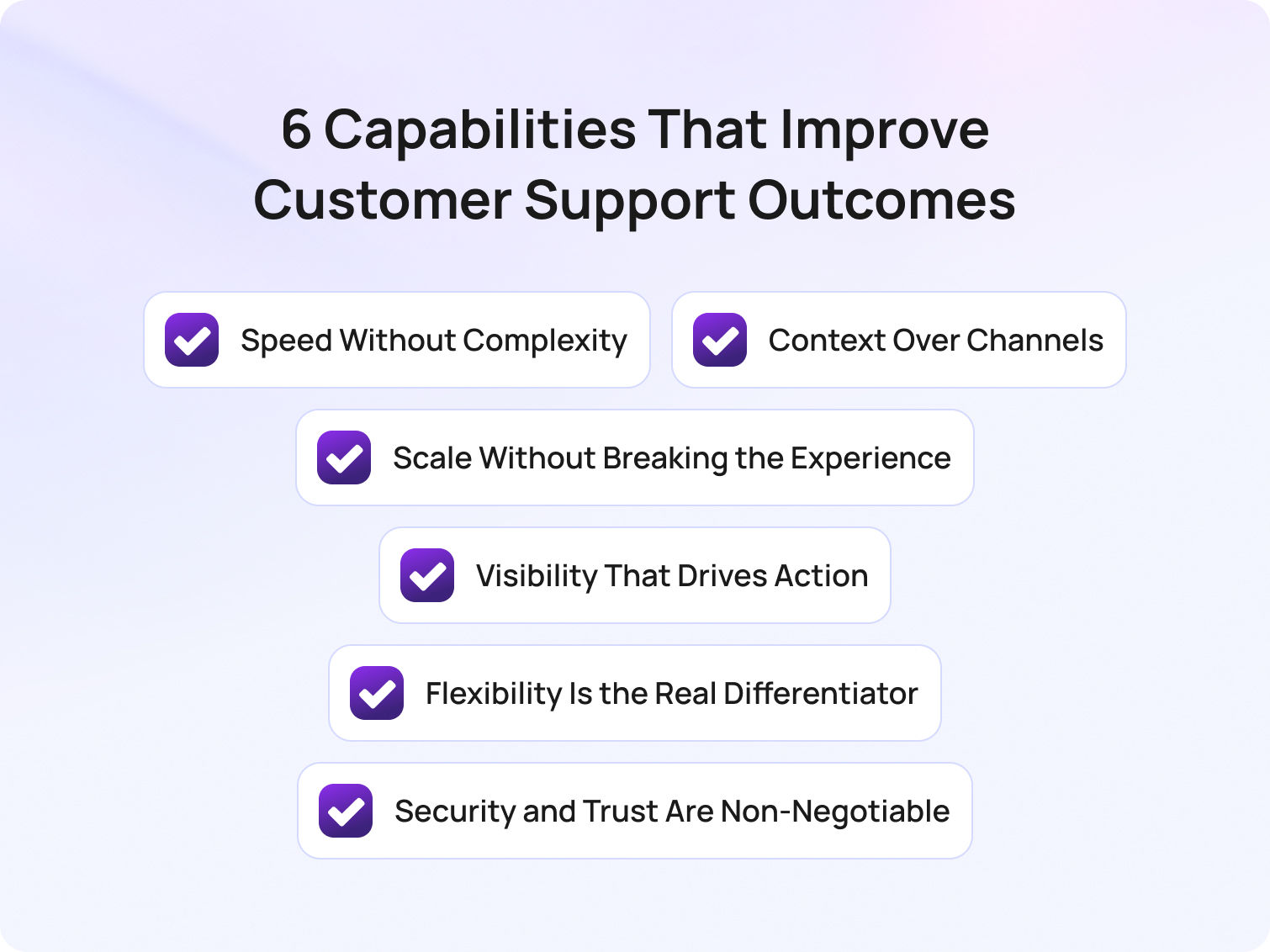
6 Capabilities That Actually Improve Customer Support Outcomes
When evaluating the key features of AI customer support platforms for enterprises, it's easy to get lost in long feature lists that promise everything but deliver little in practice. The reality is that the most effective platforms don't just offer more functionality; they also focus on the key features enterprises need in AI customer support platforms to drive efficiency, consistency, and better outcomes at scale.
Rather than comparing surface-level capabilities, it's more useful to understand the features of efficient customer support platforms and how they work together in real environments. In a recent BlueTweak implementation, teams using AI-powered automation saw measurable improvements in response times and agent efficiency within the first rollout phase.
Below are the six capabilities that consistently separate high-performing teams from the rest.
1. Speed Without Complexity
Omnichannel support, automation, and AI are often positioned as separate capabilities. In reality, they only create value when they work together to deliver one outcome: faster support without added complexity.
Most platforms today technically tick the boxes: they offer email, live chat, social, and voice. They include routing rules, workflows, and even AI-powered chatbots. But simply layering these features on top of each other doesn't guarantee efficiency. In many cases, it does the opposite, creating fragmented workflows, duplicated effort, and systems that feel harder to navigate as they scale.
The real differentiator is how seamlessly these elements are connected behind the scenes. What high-performing teams look for isn't more functionality, it's less friction. That means a genuinely unified inbox rather than loosely connected channels. It means automation that removes decisions from agents, not adds new ones. And it means AI that works alongside agents in real-time, surfacing relevant information and next steps, rather than simply deflecting tickets at the front door.
To understand how speed translates into real value, it helps to break it down into specific capabilities that reduce friction for both agents and customers:
- A truly unified inbox (not stitched-together channels)
- Automation that simplifies workflows rather than complicates them
- AI that enhances agent performance in the moment
The simplest way to evaluate this is by looking at how your team feels using it. If handling more tickets makes the system feel heavier, not lighter, something isn't working.
2. Context Over Channels
Customers don't think in channels; they think in conversations. They expect to start a query on live chat, follow up via email, and, if needed, pick up the conversation on the phone without losing momentum.
But many platforms still treat these as separate interactions. The result is a fragmented experience where customers repeat themselves, and agents waste time reconstructing context from multiple systems.
This is why CRM integration shouldn't be viewed as an add-on feature. It's foundational to delivering any kind of consistent, high-quality support experience.
When done properly, it creates a single, continuous view of the customer, bringing together interaction history, behavioural data, and transactional insight in one place. This allows agents to move from reactive problem-solving to informed, personalised support.
Bridging into practical application, here are the elements that ensure context is preserved:
- A single view of the customer across all touchpoints
- Real-time access to history, behaviour, and purchases
- Continuity between conversations, regardless of channel
The impact is immediate. Conversations become faster, more relevant, and far less frustrating. Customers feel recognised, not processed, and agents spend less time searching for answers and more time delivering them. Ultimately, if your platform can't maintain context, it doesn't matter how many channels it supports.
3. Scale Without Breaking the Experience
Scaling customer support is where most platforms (and processes) start to break down.
Handling 100 tickets a day is manageable. Handling 10,000 is where cracks begin to show: response times slip, quality becomes inconsistent, and agents quickly become overwhelmed. At this point, adding more people is no longer a sustainable solution.
This is where self-service, automation, and AI are meant to step in. But their success depends entirely on how well they've been implemented.
Too often, self-service takes the form of static FAQs that customers ignore. Chatbots prioritise speed over accuracy, leading to frustration rather than resolution. And automation handles tasks, but not decisions, meaning complexity still sits with the agent.
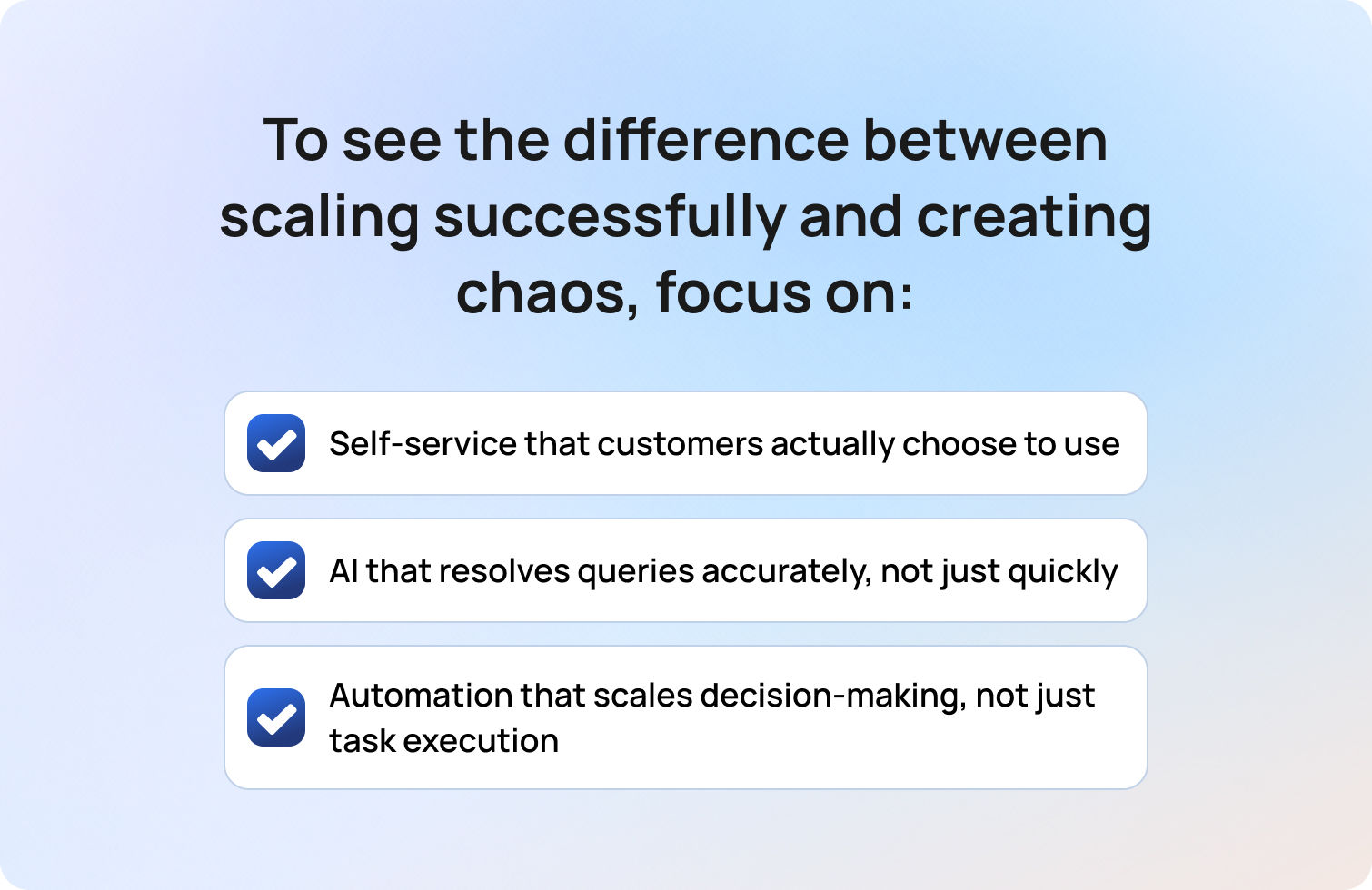
What matters is whether these tools genuinely absorb demand in a way that maintains or improves the customer experience. To see the difference between scaling successfully and creating chaos, focus on these areas:
- Self-service that customers actually choose to use
- AI that resolves queries accurately, not just quickly
- Automation that scales decision-making, not just task execution
There's a growing gap between AI adoption and AI effectiveness. Many organisations are investing heavily, but seeing limited returns because the experience hasn't been designed around real customer behaviour.
The real test is simple: as your volume increases, does your support experience improve or quietly degrade?
4. Visibility That Drives Action
Most customer support platforms offer reporting, but not many actually offer clarity.
It's easy to build dashboards filled with metrics — response times, ticket volumes, satisfaction scores — but without context or direction, these numbers rarely lead to meaningful change. They become something teams review, rather than something they act on.
The value of reporting lies in its ability to highlight where effort should be focused. Where are the bottlenecks? Which issues are driving repeat tickets? Where is time being lost? High-performing teams use data not just to measure performance, but to continuously refine it.
To turn reporting into real insight, focus on the metrics that inform decisions:
- Real-time visibility into bottlenecks and inefficiencies
- Metrics tied to outcomes, not just activity
- Reporting that informs decisions across the business
Core metrics like first response time, resolution time, CSAT, and ticket deflection rates still matter, but only when they're connected to action. For example, a drop in CSAT should trigger investigation, not just observation.
Essentially, insight isn't about what's happening; it's about what you do next.
5. Flexibility Is the Real Differentiator

This is often the most overlooked aspect of a customer support platform, and the one that matters most over time. At a glance, many platforms appear similar — they offer comparable features, interfaces, and integrations — but the real difference emerges once they're embedded into your organisation.
Out-of-the-box functionality is rarely the issue. The challenge is whether the platform can adapt to your specific workflows, team structures, and customer needs without forcing compromise.
As your business evolves, your support operation will too. New products, new markets, new processes — all of these place new demands on your systems. A rigid platform can quickly become a constraint.
Here are some key areas where flexibility truly makes a difference:
- Customisable workflows and ticket structures
- Role-based permissions tailored to different teams
- Seamless integration with your wider tech stack
Flexibility is what allows a platform to grow with you, rather than hold you back. Without it, even the most feature-rich solution will eventually feel limiting.
6. Security and Trust Are Non-Negotiable
As customer support becomes more data-driven, the stakes around security continue to rise. Every interaction now carries sensitive customer data — transaction history, behavioural insight, and more. Protecting that information isn't just a compliance requirement; it's fundamental to maintaining customer trust.
While most platforms will highlight their security credentials, the real consideration is how these measures are implemented in practice and whether they support, rather than hinder, day-to-day operations.
To ensure security works for your team and your customers, focus on:
- End-to-end data encryption
- Multi-factor authentication across all users
- Compliance with standards such as GDPR and SOC 2
But beyond certifications, security is about confidence. Your team needs to know that customer data is protected, without navigating unnecessary friction to access it. Trust, once lost, is far harder to rebuild than any system.
These six capabilities represent the key features enterprises need in AI customer support platforms to improve efficiency, enhance customer interactions, and streamline support operations at scale.
Why Some Features Don't Move the Needle (And What Actually Does)
Not every feature on a platform creates a meaningful impact. In fact, many of the "bells and whistles" found in modern customer support software are simply table stakes — expected functionality that won't differentiate your customer experience or improve performance on their own.
As Radu Dumitrescu, Head of Automation & Digital Transformation at BlueTweak, explains:
"The real challenge isn't access to features, it's whether those features are actually aligned to the way support teams work day to day. Without that alignment, even the most advanced tools end up creating more complexity than clarity."
The challenge isn't a lack of capability, but a lack of cohesion. Many customer support tools offer similar functionality, but without the right implementation, these service tools operate in isolation, creating fragmented workflows and limiting the effectiveness of both automation and AI customer service.
What truly sets high-performing platforms apart is how these features are applied in practice. The focus should always be on whether they reduce friction, support better customer conversations, and ultimately lead to stronger customer satisfaction outcomes.
To make this more tangible, here's how these capabilities show up in real platforms, and what to look for when evaluating them.
Omnichannel Capabilities
Customers expect support through multiple channels. A robust customer support platform should provide seamless communication across email, live chat, social media, phone, and even SMS. These customer support features allow agents to handle inquiries from any channel within the same interface, ensuring faster response times and higher customer satisfaction.
What to look for:
- Support for the channels your customers actually use
- A unified inbox where conversations don't fragment across systems
- The ability for agents to switch channels without losing context
Automation for Efficiency
Automation is essential for reducing repetitive tasks and enabling support teams to operate at scale. However, not all automation features are created equal, and poorly implemented workflows can add complexity rather than remove it.
What to look for:
- Automation that eliminates routine tasks, rather than shifting them elsewhere
- Intelligent routing that reduces manual effort and speeds up resolution
- Workflows that simplify decision-making for agents, not complicate it
- Workflows that can adapt dynamically to different types of customer requests without requiring constant manual intervention
AI and Chatbot Integration
AI customer service tools are increasingly central to modern platforms, but their effectiveness depends on how well they integrate into real workflows. Chatbots can manage common customer inquiries, freeing agents to address more complicated issues. Additionally, AI can assist agents by providing relevant information in real-time. A solution that serves both speed and accuracy is essential.
What to look for:
- AI agents that can handle routine queries with a high degree of accuracy
- AI tools that support agents in real-time during live customer conversations
- Seamless handoff between AI and human agents when human intervention is needed
CRM Integration
Personalised support depends on access to complete, real-time customer data. Without strong integration between systems, agents are forced to piece together a customer's history manually, slowing down interactions and reducing quality.
What to look for:
- Seamless integration with CRM systems and other service tools
- Real-time access to customer history, behaviour, and past interactions
- A single, unified view of the customer across all touchpoints
Self-Service Options
A comprehensive customer support platform should include self-service tools such as a knowledge base, FAQs, and community forums. This empowers customers to find solutions to their problems independently, reducing the load on your support team.
What to look for:
- Customer portals and knowledge bases that are easy to navigate and regularly updated
- AI customer service capabilities that improve search and recommendation accuracy
- Self-service options that genuinely reduce inbound service requests and improve overall customer satisfaction
Advanced Reporting and Analytics
A high-quality customer support platform should offer advanced reporting capabilities to track and analyse interactions, team performance, and customer satisfaction metrics. Reports should be customisable and easy to share across teams.
What to look for:
- Visibility into support metrics that directly impact performance, including trends in customer satisfaction
- Reporting that connects activity to outcomes, not just volume
- Insights that help teams continuously improve operational efficiency
Scalability
As your business grows, so will your customer support needs. Ensure the platform you choose can scale effortlessly with your team. This includes the ability to add new agents, support more customers, and introduce additional channels without overhauling the system.
What to look for:
- The ability to handle increased ticket volumes without slowing down workflows
- Flexible pricing and infrastructure that supports scaling support teams
- AI customer service tools and automation features that absorb demand effectively
Customisation and Flexibility
Customisation is crucial for adapting the platform to your specific workflows and preferences. Whether it's modifying ticket fields, creating custom reports, or adjusting agent permissions, your customer support platform should offer the flexibility to match your business processes.
What to look for:
- Customisable ticketing systems and workflows that reflect your processes
- Role-based permissions tailored to different service teams
- Integration capabilities that allow the platform to fit into your wider tech stack
Security and Compliance
Security is non-negotiable when dealing with customer data. A reliable platform should include strong security measures like data encryption, two-factor authentication, and compliance with industry standards such as GDPR, HIPAA, or SOC 2, depending on your region and industry.
What to look for:
- Strong data protection measures, including encryption and access controls
- Compliance with relevant standards such as GDPR or SOC 2
- Security practices that support both operational efficiency and customer trust
The real differentiator in customer support tools is not feature volume, but whether AI capabilities, automation, and customer data work together to improve customer experience and service efficiency.
How to Evaluate a Customer Support Platform (Without Getting Distracted by Features)
Once you move beyond feature checklists, evaluating customer support software becomes a very different exercise. The goal isn't to compare how many tools a platform offers, but to understand how effectively it supports your customer service operations in practice.
Start by looking at how the platform handles real workflows. Does it reduce repetitive tasks and routine tasks for your support teams, or simply shift them into different parts of the process? The best customer support tools use AI capabilities and advanced automation to remove friction entirely, allowing support teams to focus on higher-value customer conversations rather than simple queries.
It's also important to assess how well the platform connects your systems. Strong integration with CRM platforms, ticketing systems, and other service tools ensures that customer data, history, and service requests flow seamlessly across the business. Without this, even the most advanced features will struggle to deliver consistent outcomes.
Finally, focus on impact. Look beyond surface-level metrics and evaluate how the platform improves agent productivity, supports agents in real-time, and contributes to key support metrics like resolution time and customer satisfaction. The right platform should make support operations feel simpler, faster, and more scalable, not more complex.
Effective evaluation of customer support software should focus on outcomes such as improved agent productivity, better handling of customer requests, and stronger alignment between service tools and business operations.
The Shift from Tools to Outcomes
The way organisations think about customer support technology is changing. Where teams once focused on implementing more tools, today the emphasis is on how those tools work together to deliver measurable outcomes.
This shift is being driven by the rapid evolution of AI customer service. Modern platforms are no longer just collections of disconnected service tools; they are increasingly built around AI-powered systems that combine automation features, machine learning, and intelligent orchestration. AI tools and AI agents now play a central role in managing customer interactions, resolving routine queries, and supporting human agents in real-time.
As a result, the conversation is moving away from individual features and towards performance. Businesses are asking how their customer support tools contribute to faster resolutions, better customer experiences, and more efficient support operations. This includes everything from how customer portals deflect demand to how AI customer service tools enhance decision-making during live interactions.
Ultimately, success comes down to alignment. The most effective platforms aren't the ones with the most features, but the ones where every capability — from automation to AI — works together to improve outcomes across the entire customer journey.
Modern AI customer service platforms succeed when they unify customer data, automation, and AI tools into a single system that improves both customer interactions and operational efficiency.
Final Thoughts: From Features to Real-World Impact
As rising customer expectations continue to reshape how businesses approach support, the role of modern customer service platforms is evolving rapidly. It's no longer enough to manage customer inquiries or resolve support tickets; customer service teams today need to deliver seamless, personalised experiences across every interaction.
This is where the features of today's customer support platforms truly come into play. When implemented effectively, they don't just support customer service functions; they transform them. By combining AI customer service tools, intelligent automation, and strong integration capabilities, organisations can reduce human effort while improving human agent productivity and create more meaningful customer interactions at scale.
A key part of this shift is the move towards omnichannel support, where businesses unify communication across multiple touchpoints to create a consistent and connected experience. When done well, this approach ensures that customer data, context, and customer history flow seamlessly between channels.
But success doesn't come from technology alone. It comes from how well those tools are aligned to your workflows, your teams, and your customers. The right platform should help service teams streamline support operations, surface insights from analysing customer data, and continuously improve operational efficiency.
Implementing better customer support software isn't enough. In 2026, teams need to deliver exceptional customer experiences that drive long-term business outcomes. The future of customer support software lies in integrated AI customer service systems that combine automation, customer data, and service tools to deliver consistent, scalable, and high-quality customer experiences.
If you're evaluating customer support software and want to understand how these capabilities come together in a real environment, book a demo with BlueTweak and start exploring how modern customer support platforms translate into measurable outcomes for your team.
Book a BlueTweak Demo
Book Demo
Best AI Customer Support Software: 15 Platforms Compared for 2026
Finding the best AI customer support software isn't easy anymore. Nearly every platform now promises AI agents, copilots, and automation, but many still require multiple add-ons for voice, workforce management, analytics, or quality assurance. The result is rising costs, disconnected workflows, and AI that struggles to deliver accurate answers.
BlueTweak takes a different approach by combining AI chatbots, voicebots, omnichannel support, workforce management, quality assurance, and analytics into one platform. In this guide, we compare the leading AI customer support software platforms to help you find the right fit for your team.
Why Businesses Are Investing in the Best AI Customer Support Software in 2026
Finding the best AI customer support software is about more than adding a chatbot to your support stack. Modern platforms combine large language models (LLMs), AI agents, and machine learning to automate customer service workflows, assist agents in real time, and deliver faster, more personalized support across every channel.
Today's leading platforms don't just answer questions. They engage customers with knowledge-grounded AI, connect seamlessly with CRM and business systems, and use intelligent automation to predict intent, recommend next steps, and resolve routine requests without agent intervention. As AI adoption matures, buying decisions are shifting away from individual features and toward measurable business outcomes, with leaders placing greater emphasis on total cost of ownership, implementation speed, and AI accuracy.
As Radu Dumitrescu, Head of Automation & Digital Transformation at BlueTweak, explains:
“The shift we're seeing isn't just about automating customer service; it's about giving businesses access to AI agents that can resolve requests end-to-end, while continuously learning from every interaction. The real value comes when AI connects data, context, and intent in one place to enhance the entire customer experience.”
The best AI customer support software typically includes:
- AI chatbots and voicebots that resolve routine customer enquiries autonomously.
- AI copilot tools such as ticket summaries, suggested replies, and intelligent routing to help agents work more efficiently.
- Knowledge-grounded AI that pulls accurate information from your knowledge base, CRM, and connected business systems.
- Omnichannel support across email, live chat, voice, WhatsApp, social messaging, and SMS.
- Built-in workforce management, quality assurance, analytics, and reporting to improve team performance.
Customer expectations continue to rise while support volumes grow across more channels. As a result, many businesses are replacing disconnected point solutions with unified AI customer support platforms that combine automation, analytics, and customer engagement in a single system.
In the sections below, we compare the best AI customer support software platforms available in 2026, evaluating each solution on AI capabilities, omnichannel support, workforce management, security, pricing, and overall value.
At a Glance: Best AI Customer Support Software Choices in 2026
Choosing the best AI customer support software means balancing AI capabilities, omnichannel coverage, pricing, and operational features like workforce management and quality assurance. Some platforms specialize in chatbot automation, while others deliver a complete customer support platform with native voice, analytics, and AI-powered agent assistance.
The comparison table below highlights our top five AI customer support software choices for 2026, giving you a quick snapshot of how the leading platforms compare. If you're evaluating a broader range of options, keep reading for our in-depth reviews of 15 leading AI customer support software platforms, including their features, pricing, strengths, limitations, and ideal use cases.
* Voice available through integrations or additional products rather than as a fully native capability.
These five platforms represent our strongest overall recommendations, but they're not the only solutions worth considering. Below, you'll find a comprehensive breakdown of all 15 AI customer support software vendors featured in this guide, helping you compare each platform in more detail before making your shortlist.
Ready to see how an all-in-one AI customer support platform compares? Book a personalized BlueTweak demo or start your 14-day free trial with no credit card required.
15 Best AI Customer Support Software to Consider in 2026
These platforms pair knowledge-grounded chatbots and voicebots with agent copilots to deflect routine work and speed resolution.
1. BlueTweak: Best for Unified AI Customer Support
BlueTweak is an AI-native omnichannel platform built for contact centers and CX teams that want everything in one place. It combines automated ticket routing with conversational AI, providing agents with real-time assistance through call transcription, ticket summaries, and suggested replies.
The platform includes native workforce management for forecasting and scheduling, quality assurance tools for scoring and coaching, and granular analytics to track SLA, CSAT, and agent performance across every channel. Native voice and telephony options, no separate vendor for WFM, no bolt-on QA tool. It's a true that handles email, chat, SMS, WhatsApp, Facebook Messenger, and phone in one unified inbox with customer profiles administration controls.
Best for: Mid-market support teams looking for AI-powered omnichannel customer support, native voice, workforce management, quality assurance, and transparent pricing.
Who Uses It: BPO providers and internal CX teams (20–100+ agents) across e-commerce, telecom, finance, and healthcare.
Key Features:
- Intelligent routing, auto-classification, sentiment analysis.
- AI voicebot & chatbot: Multilingual, KB-grounded conversations and seamless agent handoff.
- Copilot assist: Call transcription, ticket summaries, suggested replies in under 10 seconds.
- Omnichannel inbox: Email, chat, voice, SMS, WhatsApp, Facebook Messenger unified.
- Native WFM & QA: Forecasting, real-time dashboards, shift planning, scoring, feedback loops.
- Multilingual AI: Translation across all channels (voice + text).
- Analytics: Live SLA, CSAT, NPS, FCR, AHT by agent/channel/topic; custom reports.
- Security: Role-based permissions, MFA, audit logs, data-location options (cloud or on-prem).
- Integrations: Unlimited API access; pre-built connectors for Amazon, Shopify, ChatGPT, and more.
- Knowledge base: Self-service portal + agent assist; embeddings + LLM for accurate answers.
"The biggest challenge we see isn't getting AI to answer customer questions… it's making sure every interaction has the right context. When AI, voice, omnichannel support, workforce management, and analytics work together in one platform, support teams can resolve issues faster, improve customer satisfaction, and scale without adding unnecessary complexity." — Radu Dumitrescu, Head of Presale & Digital Transformation at BlueTweak
Pricing:
- €65/agent/month all-in (ticketing, omnichannel, AI features, WFM, QA, analytics, integrations)
Curious what AI customer support could save your business? See how much time, cost, and agent capacity you could recover with the BlueTweak ROI Calculator.
Pros:
- Only platform bundling agentic AI (voicebot + chatbot), copilot tools, native WFM/QA, and full omnichannel
- No feature gating
- Transparent tier-based pricing; unlimited users and integrations included
- Fast time-to-value (weeks, not months); onboarding support from the BlueTweak team
- Multilingual across voice and text with KB-grounding to prevent hallucinations
- Built for BPOs: multi-tenant, multi-brand configuration in one instance
Cons:
- Newer brand compared to Zendesk/Salesforce legacy
- AI usage scales with volume; per-interaction pricing available
BlueTweak in Action:
To see this in practice, BlueTweak's work with Conectys (a global outsourcing provider handling customer experience across 35+ clients) demonstrates how AI customer service software can operate at scale. By implementing BlueTweak, the business reduced resolution time by 25% while managing millions of customer interactions across regions.
Similarly, in an e-commerce transformation project, BlueTweak helped a fast-growing retailer automate high volumes of repetitive support requests, improving efficiency, increasing deflection rates, and enabling the team to scale without increasing headcount.
Book a demo to see how BlueTweak's unified AI customer support software handles voicebot deflection, agent copilot workflows, and real-time workforce analytics in one subscription.
2. Zendesk: Best for Scalable AI Help Desk Software
Zendesk is a cloud-based helpdesk software AI customer support platform with AI add-ons for ticket summarization, intent detection, and chatbot automation. Its processes cover email, chat, voice (via partner integrations), and messaging, but charges separately for advanced AI and WFM features.
Best for: SMBs and enterprise businesses that want a mature help desk platform with AI-powered ticketing and a large integration marketplace.
Who Uses It: SMBs to enterprises across industries; strong in SaaS, e-commerce, and tech support.
Key Features:
- Omnichannel ticketing with macros and automation
- Answer Bot (knowledge-base chatbot, text-only)
- AI-powered workflow automation
- Basic reporting dashboards
- Zendesk Talk (voice via Twilio partnership)
Pricing:
- Suite Team: $55/agent/month (billed annually)
- Suite Growth: $89/agent/month (billed annually)
- Suite Professional: $115/agent/month (billed annually)
- Suite Enterprise: $150+/agent/month (billed annually)
- Voice, WFM ($25/agent/month), QA ($35/agent/month), and premium AI cost extra
Pros:
- Mature ecosystem with an extensive app marketplace
- Familiar UI for many teams
- Decent integration library
Cons:
- Voice is partner-dependent (Twilio); not native
- WFM and advanced AI are gated behind enterprise tiers
- TCO climbs quickly with add-ons
- No native voicebot—only text-based Answer Bot
3. Intercom: Best for SaaS and Product-Led Support Teams

Intercom mixes live chat, chatbot (Fin AI), and help desk ticketing with a focus on proactive engagement, best practices, and sales conversations. It includes basic email/messaging but limited native voice support.
Best for: SaaS and product-led businesses focused on conversational support, proactive customer engagement, and in-app messaging.
Who Uses It: SaaS companies, product-led growth teams, and digital-first businesses that engage with in-app chat.
Key Features:
- Fin AI chatbot (GPT-powered, KB-grounded, text-only)
- Live chat and messaging
- Product tours and proactive campaigns (Series)
- Basic ticketing system
- Reporting dashboards
Pricing:
- Essential: $29/seat/month (billed annually); monthly pricing starts ~$39/seat/month
- Advanced: $85/seat/month (billed annually)
- Expert: $132/seat/month (billed annually)
- Fin AI Agent: $0.99 per resolution (minimum 50 resolutions/month = $49.50 baseline)
- Copilot add-on: $35/seat/month for unlimited agent assist
- No native voice; integrations required for telephony and video
Pros:
- Strong chatbot UX with modern interface
- Proactive messaging capabilities
- Quick setup for digital channels
Cons:
- Expensive at scale (per-resolution AI fees add up fast)
- No native voice or voicebot
- Analytics is limited compared to contact-center platforms
4. Freshdesk: Best for Growing SMB Support Teams
Freshdesk offers ticketing, email, chat, phone (Freshcaller), and Freddy AI for chatbot and agent assist. WFM and advanced analytics are available in higher tiers or separate Freshworks products.
Best for: Small and growing support teams looking for an affordable help desk with built-in AI and straightforward deployment.
Who Uses It: SMBs and mid-market teams; popular in retail, hospitality, and education.
Key Features:
- Omnichannel ticketing (email, chat, phone, social)
- Freddy AI chatbot (text-only)
- Ticket automation and workflow rules
- Freshcaller (cloud telephony add-on)
- Team collaboration tools
- Basic reporting
Pricing:
- Free: $0 for up to 2 agents (6 months, then requires upgrade)
- Growth: $15/agent/month
- Pro: $49/agent/month
- Enterprise: $79/agent/month
- Freddy AI Copilot: $29/agent/month (add-on)
- Freddy AI Agent: Usage-based pricing per resolution
- WFM via separate Freshworks suite
Pros:
- Affordable entry point
- Easy onboarding with an intuitive interface
- Decent AI chatbot for text channels
Cons:
- Voice and WFM bolt-ons inflate TCO
- Freddy AI is less advanced than LLM-native platforms
5. Salesforce Service Cloud: Best for CRM-Driven Enterprise Support
Salesforce Service Cloud‘s website integrates CRM data with omnichannel case management and Einstein AI for predictive routing, chatbots, and sentiment analysis. Voice via third-party CTI or Amazon Connect integration.
Who Uses It: Enterprise companies already in the Salesforce ecosystem; finance, healthcare, and B2B services.
Key Features:
- Einstein Bots (text chatbot, no voicebot)
- Omnichannel case management
- Einstein AI for case classification and routing
- Field service management
- Einstein analytics and dashboards
- Workflow automation
- Secure CRM integration
Pricing:
- Service Cloud Essentials: ~$75/user/month
- Enterprise Edition: ~$165/user/month
- Unlimited Edition: ~$330/user/month
- Einstein AI add-on: $50/user/month (requires Enterprise or Unlimited Edition)
- Agentforce add-on (newer AI): $125/user/month
- Voice, WFM, and advanced features require higher tiers or additional products
Pros:
- Deep CRM context for Salesforce-native organizations
- Powerful for teams already invested in Salesforce
Cons:
- Complex setup requiring months of implementation
- High TCO with layered licensing
- Voice not native; requires third-party integration to communicate
- Einstein Bots text-only (no voicebot)
- WFM via separate products
6. Genesys Cloud CX: Best for Large Enterprise Contact Centers
Genesys Cloud CX is a contact-center platform with native voice, digital channels, WFM, QA, and solutions for predictive routing, sentiment analysis, and agent assist.
Best for: Large contact centers that need enterprise-grade voice, omnichannel routing, workforce management, and AI-powered customer engagement.
Who Uses It: Large contact centers (100+ agents) in telecom, financial services, healthcare, utilities.
Key Features:
- Omnichannel (voice, chat, email, SMS, messaging)
- Genesys AI (routing, bots, transcription, analytics)
- Native WFM and QA tools
- Real-time analytics and performance monitoring
- Workforce engagement management
Pricing:
- Genesys Cloud CX 1: ~$75/user/month
- Genesys Cloud CX 2: ~$110/user/month (includes AI features)
- Genesys Cloud CX 3: ~$140/user/month
- Enterprise contracts often require custom quotes
Pros:
- Full contact-center stack with robust voice
- Native WFM/QA included
- Strong compliance controls for regulated industries
Cons:
- Overkill for <100 agents
- Steep learning curve
- Slower time-to-value
- High total investment
7. Ada: Best for AI Chatbot Automation
Ada is a no-code AI chatbot platform (text-only) that automatically handles customer service inquiries via chat and messaging. No native ticketing, voice, or WFM. It integrates with external helpdesks.
Best for: Businesses that want to automate high volumes of customer enquiries with a no-code, AI-powered chatbot.
Who Uses It: E-commerce, fintech, SaaS; companies seeking chatbot-first automation with low IT overhead.
Key Features:
- GPT-powered chatbot (text-only)
- Knowledge-base grounding
- Multilingual support (45+ languages)
- Analytics dashboard
- Integrations (Zendesk, Salesforce, Shopify)
Pricing:
- Custom pricing; typically starts ~$500–$1,000/month base
- Per-resolution fees apply
- No public pricing available
Pros:
- Fast chatbot deployment
- Strong text automation
- Multilingual capabilities
- Easy for non-technical companies
Cons:
- Text-only (no voice or voicebot)
- No native ticketing or WFM
- Must integrate with a separate helpdesk
- Limited visibility into agent workflows or quality assurance
8. Forethought: Best for AI-Powered Support Automation

Forethought is a generative AI platform that focuses on automating customer support, featuring multi-agent capabilities (Discover, Solve, Triage, Assist). It trains on historical tickets to power agentic workflows and agent copilot features.
Best for: Mid-market and enterprise organizations looking to layer generative AI automation onto their existing help desk platform.
Who Uses It: E-commerce, SaaS, and technology companies (mid-market to enterprise) with 20,000+ historical tickets; brands like D2L and Lime.
Key Features:
- Multi-agent system (Discover for insights, Solve for automation, Triage for routing, Assist for agent copilot)
- Omnichannel AI Agent (chat, email, voice)
- Autoflows (no-code workflow automation using natural language)
- AI-powered insights and knowledge gap detection
- Integrates with Zendesk, Salesforce, ServiceNow, Freshdesk, Kustomer, Talkdesk
- Multilingual support (100+ languages)
Pricing:
- Custom pricing based on ticket volume and agents
- Tiered plans: Basic, Professional, Enterprise
- No public pricing; requires sales quote
- Solve/Triage priced by ticket volume; Assist priced per agent
Pros:
- Strong for teams with large historical ticket datasets
- Natural language workflow builder (Autoflows)
- Multi-agent approach covers discovery, automation, routing, and assistance
- High reported ROI (15x average)
Cons:
- Requires ~20,000 past tickets for optimal AI performance
- No public pricing transparency
- Complex implementation for smaller teams
- No native ticketing, voice, or WFM—integrates with external helpdesks
9. Gorgias: Best for Shopify and E-commerce Customer Support
Gorgias is an e-commerce-focused helpdesk with deep integrations for Shopify/BigCommerce/Magento, as well as AI Agent capabilities for order management, refunds, and product recommendations.
Best for: Shopify and e-commerce brands that want AI-powered customer support tightly integrated with order management
Who Uses It: E-commerce brands (especially Shopify stores) with moderate to high order volumes; trusted by 15,000+ brands.
Key Features:
- Deep e-commerce integrations (Shopify, BigCommerce, Magento)
- AI Agent (text-only chatbot) for order tracking, cancellations, and refunds
- Omnichannel inbox (email, chat, SMS, social, voice)
- Automated workflows and macros
- Revenue-driving features (upsells, product recommendations)
- 100+ e-commerce app integrations
Pricing:
- Starter: $10/month (50 tickets included)
- Basic: $60/month (300 tickets included)
- Pro: $360/month (2,000 tickets included)
- Advanced: Custom pricing
- AI Agent resolutions: $0.90 each (annual) or $1.00 each (monthly)
- Overage fees apply beyond plan limits
Pros:
- Best-in-class for Shopify/e-commerce stores
- Order management directly in Helpdesk
- Revenue-focused features (product recommendations, cart recovery)
- Affordable entry point for small e-commerce teams
Cons:
- Primarily Shopify-focused; limited value for non-e-commerce
- AI Agent text-only (no voicebot)
- Double-billing concern (AI resolutions count as both AI charges and billable tickets)
- No native WFM or QA tools
10. Help Scout: Best for Email-First Customer Support
Help Scout is an email-first helpdesk with a shared inbox, knowledge base, and live chat. It has recently shifted to a contact-based pricing model (unlimited users) and includes basic AI features in all plans.
Best for: Customer support teams that prioritize a simple, email-first help desk with built-in AI assistance and unlimited users.
Who Uses It: SMBs and mid-market teams prioritizing simplicity and collaboration; popular with SaaS, professional services, and non-profits.
Key Features:
- Shared inbox with collaboration tools
- Knowledge base (Docs) with AI-powered search
- Live chat (Beacon) with proactive messaging
- AI Assistant (included): summaries, reply drafts, translation, tone adjustment
- Automated workflows and saved replies
- 100+ integrations (Salesforce, Jira, HubSpot, Zapier)
Pricing:
- Free: $0 (up to 2 mailboxes, 25 contacts, 30-day data retention)
- Standard: $50/month base (includes 1,000 contacts, unlimited users)
- Plus: $100/month base (includes 2,000 contacts, unlimited users)
- Pro: $200/month base (includes 5,000 contacts, unlimited users)
- Pricing scales by 3-month average contacts, helped (not per-seat)
Pros:
- Unlimited users on all paid plans
- AI features included (no usage fees)
- Simple, email-centric interface
- Strong for teams valuing ease of use over feature depth
- 24/6 support included
Cons:
- Contact-based pricing is unpredictable for growing or seasonal teams
- No native voice or voicebot
- No native WFM or QA
- Limited AI customization (only trains on Help Scout content)
- Analytics limited (2-year data retention on Standard)
11. Ultimate (Ultimate.ai): Best for Automating Existing Support Platforms

Ultimate.ai is an AI-powered customer support automation platform specializing in virtual agents for chat, email, and social channels. It integrates with existing helpdesks (Zendesk, Salesforce, Freshdesk) to automate support requests.
Best for: Businesses that want to automate repetitive support requests without replacing their existing help desk platform.
Who Uses It: E-commerce, SaaS, and enterprise brands seeking to automate 60-80% of repetitive support inquiries across digital channels.
Key Features:
- AI-powered virtual agents (chat, email, social media)
- No-code conversation builder
- Seamless CRM integration (Zendesk, Salesforce, Intercom, Freshdesk)
- Multilingual support (20+ languages with native fluency)
- Analytics and reporting (automation rates, resolution tracking)
- Knowledge base integration
- Automated ticket triage and routing
Pricing:
- Custom pricing only (no public plans)
- Average annual cost: ~$47,000 (based on industry data)
- Range: $47,000–$200,000 annually, depending on scale
- Priced by automated resolution (AR)
- No free plan; contact sales for a quote
Pros:
- Strong automation rates (60-80% of inquiries)
- No-code platform accessible to non-technical teams
- Multilingual capabilities with native fluency
- Integrates with major helpdesks without replacing them
- Fast deployment (minutes to hours)
Cons:
- No public pricing transparency
- No native ticketing, voice, or WFM—requires external helpdesk
- Text-only (no voicebot capability)
- Limited to augmenting existing platforms rather than replacing them
- Smaller feature set compared to full CCaaS platforms
12. NICE CXone: Best for Enterprise Contact Centers at Scale
NICE CXone (formerly NICE inContact) is an enterprise cloud contact center platform with omnichannel routing, AI-powered automation (Enlighten AI), native WFM, QA, and analytics.
Best for: Large enterprise contact centers that require advanced AI, compliance, workforce management, and omnichannel customer engagement.
Who Uses It: Enterprise contact centers (500+ agents) across healthcare, finance, retail, telecom, and government requiring compliance and scale.
Key Features:
- Omnichannel (voice, digital, social, SMS, chat, email)
- Enlighten AI (routing, sentiment analysis, agent assist, real-time guidance)
- Native WFM and QA with automated evaluation scoring
- CXone Mpower (unified AI + CXone platform)
- Real-time and historical analytics with dashboards
- Agent Assist Hub with in-conversation coaching
- Compliance tools (GDPR, HIPAA, PCI DSS)
- Journey orchestration across touchpoints
Pricing:
- Digital Agent: $71/user/month (digital channels only)
- Voice Agent: $94/user/month (voice + basic digital)
- Omnichannel Agent: $110/user/month
- Essential Suite: $135/user/month (adds WFM/QA)
- Core Suite: $169/user/month
- Advanced Suite: $209/user/month
- Ultimate Suite (Mpower): $249/user/month
- Custom enterprise pricing available
Pros:
- Gartner Magic Quadrant Leader (11+ consecutive years)
- Full CCaaS stack with robust voice and AI
- Native WFM/QA included in higher tiers
- Substantial compliance and security for regulated industries
- Proven scalability (handles billions of interactions)
Cons:
- Overkill and expensive for <500 agents
- Complex configuration; steep learning curve
- Slow implementation (months)
- High TCO with a tiered pricing model
- Users report pricing complexity and unexpected costs
13. Sprinklr Service: Best for Enterprise Social Customer Service

Sprinklr Service is an enterprise unified CXM platform designed for large organizations managing customer service across 30+ digital and social channels with AI automation and analytics.
Best for: Global enterprises managing customer service across social media, messaging apps, and digital channels.
Who Uses It: Enterprise brands (Fortune 500) across retail, telecom, hospitality, and financial services, managing high-volume social/digital support.
Key Features:
- Omnichannel (30+ channels: email, voice, social media, messaging, review sites)
- Conversational AI bots (handle complex scenarios)
- Unified agent desktop with case management
- Blended contact center (voice + digital)
- LiveChat and self-service tools
- Premium analytics with custom dashboards
- Social listening and sentiment analysis
- Integration with Sprinklr Social, Marketing, and Insights suites
Pricing:
- Advanced (Self-Serve): $249/seat/month (billed annually)
- Enterprise: Custom pricing (contact sales)
- Average annual cost: ~$61,000+ based on enterprise deals
- No free plan; 30-day free trial available
- Setup/onboarding fees apply
Pros:
- Best for enterprise teams managing high-volume social/digital support
- Deep social media and review site integrations
- Unified CXM approach (service, social, marketing, insights)
- Strong analytics and reporting
- Handles complex, multi-brand operations
Cons:
- No transparent pricing (requires sales contact)
- Expensive for mid-market ($249/seat minimum)
- Complex setup and onboarding
- Primarily digital/social-focused; voice is an add-on
- Long sales cycles; 90-day contract change notice
14. Talkdesk CX Cloud: Best for Voice-First Enterprise Contact Centers
Talkdesk is an enterprise cloud contact center platform with native voice, omnichannel routing, AI automation, WFM, and industry-specific solutions for healthcare, retail, and financial services.
Best for: Mid-market and enterprise contact centers that prioritize AI-powered voice support, workforce optimization, and industry-specific solutions.
Who Uses It: Mid-market to enterprise contact centers (100+ agents) across healthcare, retail, financial services, and hospitality.
Key Features:
- Native voice with advanced telephony
- Omnichannel (voice, email, chat, SMS, WhatsApp, social)
- AI-powered routing and sentiment analysis
- Agent Assist with real-time recommendations
- Native WFM (forecasting, scheduling, adherence monitoring)
- Native QA (automated scoring, feedback)
- Industry-specific solutions (healthcare, retail, finance)
- Real-time and historical analytics
- Compliance (HIPAA, PCI, GDPR)
Pricing:
- CX Cloud Essentials: ~$75/user/month
- CX Cloud Elevate: ~$95/user/month
- CX Cloud Elite: ~$125/user/month
- Custom enterprise pricing
- Industry add-ons are priced separately
Pros:
- Full enterprise CCaaS with strong voice
- Native WFM/QA in all tiers
- Industry-specific pre-built solutions
- Strong compliance for regulated industries
- Flexible integrations (Salesforce, Zendesk, Microsoft)
Cons:
- Expensive for <100 agents
- Complex implementation
- Steep learning curve
- High TCO at enterprise scale
15. LivePerson: Best for Messaging-First Customer Engagement
LivePerson is a conversational AI platform that specializes in messaging-first customer engagement across web, mobile, SMS, and social channels, utilizing generative AI and LLM orchestration.
Best for: Enterprise organizations focused on AI-powered messaging, conversational commerce, and digital customer engagement.
Who Uses It: Enterprise brands (retail, telecom, finance, hospitality) prioritizing digital-first, messaging-based customer engagement over voice.
Key Features:
- Conversational Cloud platform (messaging-first)
- Omnichannel messaging (SMS, WhatsApp, Apple Business Chat, Facebook, web, app)
- Generative AI and LLM orchestration (Bring Your Own AI)
- Intent Manager and Conversation Builder (no-code bot builder)
- Agent Assist and Conversation Copilot
- Analytics Studio (voice + text conversation analysis)
- Integration with Apple Pay for in-chat transactions
- Compliance (GDPR, HIPAA, PCI DSS, CCPA)
Pricing:
- Custom pricing only (no public plans)
- Average annual cost: ~$61,000 (based on Vendr data)
- Range: $61,000–$110,000 annually, depending on scale
- Usage-based fees for AI resolutions
- No free plan; free trial available
Pros:
- Messaging-first platform (ideal for digital-first brands)
- Handles 1 billion+ conversations monthly
- Strong LLM/generative AI capabilities
- BYOAI (Bring Your Own AI) flexibility
- Deep social and messaging integrations
Cons:
- No transparent pricing (requires sales contact)
- Expensive for SMBs
- Messaging-focused; limited native voice
- Complex setup and navigation
- Not ideal for voice-heavy contact centers
How We Evaluated Each AI Customer Support Platform
We evaluated each platform using publicly available documentation, product demonstrations, pricing pages, analyst reports, and customer case studies. Our goal was to identify the best AI customer support software for businesses that need scalable automation, omnichannel support, and transparent pricing.
Our ranking criteria will help you find the right solution with confidence. We focused on identifying software that meets basic requirements, deciding to focus on the following:
- Features: Checked against the must-have checklist below; marked Meets / Partial / Not evident using public documentation and demos.
- Who uses it: Drawn from public case studies and customer logos; noted TBD if unclear.
- Pricing: From published pricing pages; if absent, we note the stated model and flag contact sales.
- Pros/cons: Evidence-based strengths and gaps tied to checklist criteria. No marketing superlatives, just what teams at 20–100 agents will encounter.
Must-Have Capability Checklist

- Omnichannel: Email, chat, voice, web forms, social messaging (WhatsApp, Facebook Messenger), AI chatbot, and AI voicebot on the same AI agent platform.
- Multilingual AI (voice + text) & grounding: Conversations in multiple languages; KB-aware answers using embeddings + LLM; API pulls for external data.
- WFM & QA: Native workforce management (forecasting, real-time monitoring, shift scheduling) and quality assurance (scoring, feedback loops, performance reviews).
- Analytics & dashboards: Real-time KPIs (SLA, CSAT, NPS, FCR, AHT) with drill-down by agent, channel, or topic; role-based access.
- Security & compliance: MFA, audit logs, role-based permissions, data-location options (on-prem or regional cloud).
- APIs & integrations: Unlimited SaaS connectors (Salesforce, SAP, Outlook/Teams, WhatsApp/Messenger, Power BI, UiPath); chatbot API hooks for external databases.
- Pricing clarity: Single all-in price covering ticketing, messaging, help center, voice, AI features, analytics, integrations, and SLAs—no hidden add-ons.
- AI voicebot: Full conversational IVR replacement with LLM-powered intent recognition, dynamic responses, and seamless agent handoff.
- Suggested reply: Contextual reply drafts (email/chat) pulled from KB and past tickets to accelerate agent responses.
Scoring Rubric
- Fit for 20–100 agents: Pricing and complexity scaled for mid-market; not SMB-only or enterprise-mandatory.
- Omnichannel depth (incl. voice): Native telephony/voice channel, not bolted-on partner integrations.
- AI coverage (agentic + copilot + KB-grounding): Both autonomous bots and agent-assist tools; solve problems tied to your content.
- WFM/QA native: Built-in workforce planning and quality scoring—no third-party add-ons required.
- Time-to-value: Weeks to go live, not months of professional services.
- Total cost to operate (TCO): Transparent per-agent or tiered pricing; minimal hidden fees.
- Security & control: MFA, granular permissions, audit trails, data residency options.
Technology Overview: From Point Tools to AI-Assisted CX Platforms (2018→2026)
What changed: Teams transitioned from using separate helpdesk, bot, QA, and WFM vendors to a unified customer service software that combines LLM-assisted workflows (agent copilot, summaries, and canned responses) with knowledge-grounded automation and omnichannel coverage.
Why it changed: Rising volumes in messaging and voice, multi-brand complexity for BPOs, and CFOs focusing on TCO rather than business feature checklists. Older stacks required custom connectors, siloed analytics, slow handoffs, and inconsistent tagging.
How older stacks worked: One vendor for ticketing, another for chat, a third for voice/telephony, separate QA scorecards, and spreadsheet-based workforce forecasting. Data rarely flowed cleanly, agents toggled between five tabs, and analytics lagged by days.
Buyer implications in 2026: Prioritize KB-grounded AI (voice + text), clean handoffs into your ticketing system, native WFM and quality assurance, role-based analytics, and transparent pricing. Confirm security controls (MFA, audit logs, data-location options) and avoid platforms that gate voice or AI features behind enterprise SKUs.
[/fus[/fusion_text]
The Best AI Customer Support Software for 2026
Choosing the best AI customer support software for 2026 comes down to more than comparing features. The right platform should help your customer support team automate repetitive support tasks, improve customer satisfaction, and give support agents the tools they need to deliver faster, more personalized support across every customer touchpoint.
While some AI customer support tools excel in specific areas such as chatbot automation, enterprise contact centers, or e-commerce support, many businesses are now looking for unified AI customer support solutions that combine omnichannel communications, advanced AI capabilities, workforce management, quality assurance, analytics, and seamless integrations in a single platform. This approach helps optimize support operations, improve agent productivity, and maintain high service quality as customer expectations continue to grow.
For mid-market organizations managing increasingly complex support operations, BlueTweak stands out as the best AI customer support software because it brings together AI chatbots, AI voicebots, agent assist, omnichannel ticketing, workforce management, quality assurance, and real-time analytics without relying on multiple vendors or costly add-ons. The result is a platform that helps support teams resolve customer inquiries faster, gain better visibility into key support metrics, and deliver exceptional customer experiences at a predictable cost.
Ready to see BlueTweak in action? Book a demo and learn how one platform helps you connect systems, streamline processes, and deliver measurable improvements across your customer service operations.
13 Airline Customer Support Software Options To Choose In 2026
Why Airlines Need Specialized Customer Support Software in 2026
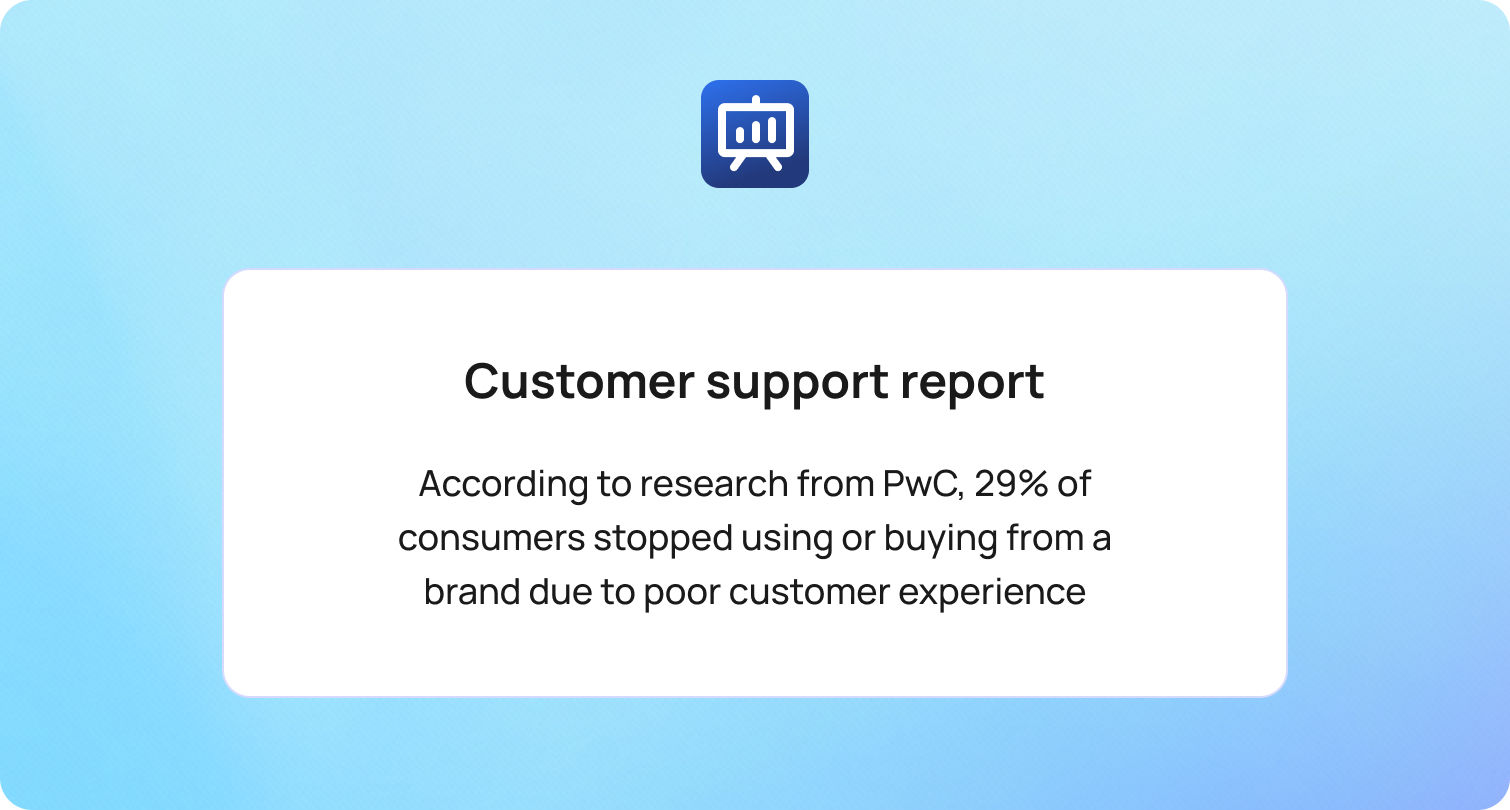
Airline support operations look very different from those in most other industries. A weather event, operational delay, or airport disruption can generate thousands of support requests within minutes.
Customer support teams must handle these spikes without sacrificing accuracy, compliance, or customer experience.
According to research from PwC, 29% of consumers stopped using or buying from a brand due to poor customer experience, highlighting how quickly service failures can translate into lost revenue. For airlines, where disruption events and operational delays are inevitable, the ability to deliver fast, accurate support during high-stress moments can be the difference between maintaining customer loyalty and losing it.
This is why many airlines are moving toward purpose-built airline customer support software that supports disruption workflows, omnichannel messaging, and operational analytics.
What Airlines Need in 2026 That Most Support Tools Miss
Most generic helpdesk platforms weren’t designed for the realities of airline operations. Traditional customer support tools are typically optimized for steady ticket volumes and predictable service environments. Airlines, by contrast, operate in a world where customer demand can spike dramatically within minutes, triggered by events such as weather disruptions, air traffic control issues, strikes, or technical delays.
When these disruption events occur, support teams must respond at scale while maintaining consistent messaging across every channel passengers use, from voice calls and email to chat, social media, and messaging apps. At the same time, agents must work with constantly evolving operational information, including flight status updates, policy adjustments, and rebooking rules. Without the right systems in place, this complexity can quickly overwhelm traditional support workflows.
There is also a higher level of accuracy and compliance required in airline customer service. Passengers often contact support teams about baggage policies, refund eligibility, loyalty accounts, schedule changes, and payment-related issues, all of which involve sensitive personal data and strict policy adherence. This means the software supporting these teams must provide both speed and guardrails, ensuring agents can respond quickly while staying aligned with approved policies and procedures.
For this reason, airlines increasingly look for airline customer support software that goes beyond simple ticket management. Modern platforms must support disruption workflows, integrate with operational systems, and provide real-time visibility into support performance during high-pressure events.
Airlines typically require the following capabilities to support both everyday inquiries and large-scale disruptions:
- IROPS readiness: sudden spikes in rebooking requests, refund inquiries, policy updates, and “where is my flight?” questions.
- High-stakes accuracy: baggage rules, cancellation policies, and fees must be consistent, compliant, and auditable.
- Omnichannel communication: voice, chat, email, messaging apps, and social media — with seamless context transfer between channels.
- Identity and privacy protection: airlines manage sensitive passenger data and must guard against account takeover risks.
- Always-on reporting: live dashboards tracking SLAs, abandonment rates, containment, and agent workloads during disruption events.
The right airline customer service software acts less like a traditional helpdesk and more like an operational control layer for customer communication.
The 13 Best Airline Customer Support Software Platforms for 2026
Before diving into individual platforms, it’s important to understand how airlines typically structure their support stack. Most carriers use a mix of capabilities, including:
- Ticketing and case management
- Voice and contact center infrastructure (CCaaS)
- Messaging and chatbot automation
- Knowledge base management
- Workforce management and analytics
The platforms below represent different strengths across that stack.
1) BlueTweak — Editor’s Choice (Mid-Market All-in-One)

Best for: Airlines seeking a unified omnichannel platform with built-in operations and analytics.
BlueTweak combines chat, voice, and email support with shared customer context, within a single environment, making it well-suited for airline support teams managing high-volume communication across channels. This approach has already been applied in real-world airline environments, where features like custom notifications help teams proactively manage disruption updates and reduce inbound support volume during peak periods.
Airline fit: Designed for organizations that need centralized support operations with minimal tool sprawl, which is particularly valuable for airline groups operating multiple brands.
Channels / voice: Chat, email, and voice are integrated within one platform.
Automation & AI: AI supports agent workflows with features like conversation summaries and suggested replies, helping teams respond faster during peak demand.
Knowledge base: A smart knowledge base supports policy consistency, enabling airlines to keep messaging aligned during disruptions or operational changes.
Ops (analytics / WFM): Built-in analytics and workforce management help teams forecast spikes, track SLAs, and manage staffing during high-volume disruption windows.
Integrations: Supports integrations with CRM systems and operational tools.
Security note: Role-based permissions and administrative controls support enterprise environments.
Pricing note: BlueTweak offers a transparent pricing structure starting at €65 per agent per month, which includes core omnichannel channels such as email, chat, and voice within a single platform. The base plan also includes features like a ticketing system, public knowledge base, analytics dashboards, workforce management, CSAT surveys, and automation rules. Pricing may vary depending on configuration, integrations, or additional AI capabilities, so airlines should verify details directly with the vendor.
2) Genesys Cloud CX
Best for: Enterprise airlines prioritizing deep contact center capabilities.
Genesys Cloud CX focuses heavily on voice infrastructure and advanced routing, which can be valuable for large airlines operating complex global contact centers.
Airline fit: Large carriers with significant call volumes and multi-region support teams.
Channels / voice: Strong voice support alongside digital channels.
Automation & AI: AI-powered routing and interaction analysis.
Knowledge base: Supports agent assistance and knowledge integrations.
Ops: Advanced workforce management and analytics.
Integrations: Extensive marketplace integrations.
Security note: Enterprise-grade security features.
Pricing note: Genesys Cloud CX uses tiered pricing based on feature depth. Entry-level plans start at around $75 per user per month (billed annually) for voice-focused contact centers, while higher tiers with full omnichannel support, workforce engagement tools, and advanced AI capabilities can reach around $240 per user per month. Additional add-ons and usage-based costs may apply depending on configuration, so verify details directly with the vendor.
3) NICE CXone
Best for: Enterprise-scale customer service operations.
NICE CXone offers a comprehensive contact center-as-a-service (CCaaS) platform designed for large support teams with complex workflows.
Airline fit: Global airlines need advanced analytics and quality management.
Channels / voice: Full omnichannel support with strong voice capabilities.
Automation & AI: AI-powered routing and automation tools.
Knowledge base: Integrates with external knowledge systems.
Ops: Workforce optimization and performance analytics.
Integrations: Wide integration ecosystem.
Security note: Enterprise compliance features.
Pricing note: NICE CXone uses a tiered, per-agent pricing model. Published packages start at around $110 per agent per month for the Omnichannel Suite, with higher tiers such as Core ($169), Complete ($209), and Ultimate ($249) adding capabilities like workforce engagement tools, analytics, and AI-powered automation. Some advanced features and AI services are available as add-ons or usage-based components depending on configuration, so verify details directly with the vendor.
4) Five9
Best for: Voice-heavy airline support environments.
Five9 is widely known for its contact center routing capabilities and voice infrastructure, which makes it a popular option for organizations that still handle a large volume of phone inquiries.
Airline fit: Airlines with significant inbound call volumes.
Channels / voice: Strong voice-first platform with digital support channels.
Automation & AI: AI-assisted routing and automation tools.
Knowledge base: Integration-based.
Ops: Analytics and workforce tools.
Integrations: CRM and contact center integrations.
Security note: Enterprise security controls.
Pricing note: Five9 offers tiered pricing bundles starting at around $119 per seat per month for digital-first contact center capabilities, with higher tiers such as Core at around $159 per seat per month, adding full voice and omnichannel functionality. Plans typically include features like inbound and outbound call handling, call recording, AI tools such as agent assist and live transcription, and workforce engagement options, including quality management and workforce management. Verify details directly with the vendor, as pricing is usually based on concurrent users with a minimum seat requirement, and additional AI usage or messaging costs may apply depending on configuration.
5) Zendesk
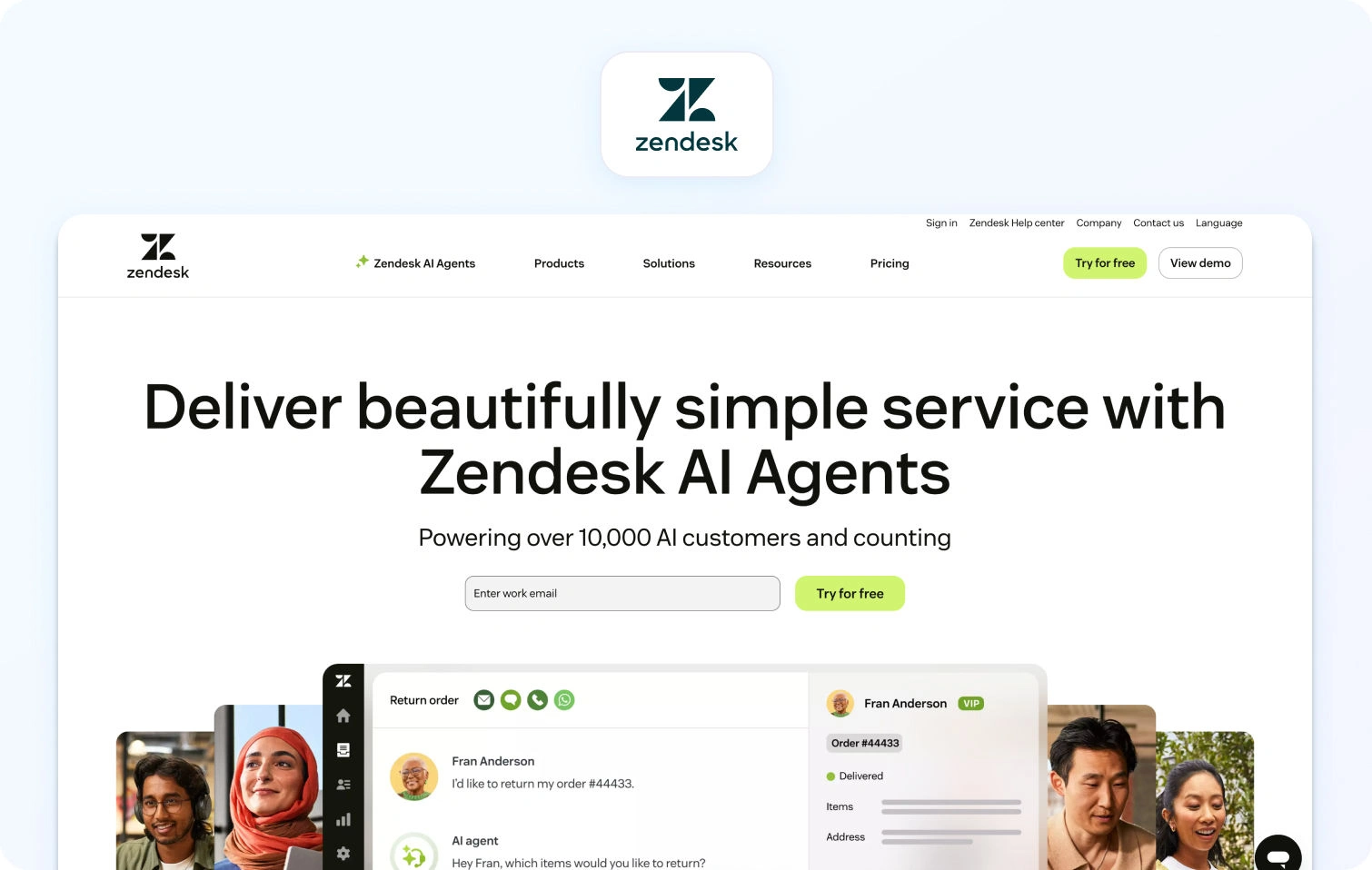
Best for: Ticketing-first support ecosystems.
Zendesk is one of the most widely used customer support software platforms, offering strong ticketing and ecosystem integrations.
Airline fit: Airlines prioritizing structured ticket management.
Channels / voice: Email, chat, messaging, and optional voice.
Automation & AI: Automation workflows and AI support tools.
Knowledge base: Robust help center and self-service capabilities.
Ops: Reporting dashboards.
Integrations: Large marketplace ecosystem.
Security note: Enterprise security and compliance features.
Pricing note: Pricing varies by plan and configuration. Zendesk offers a 14-day free trial for teams to explore its ticketing, messaging, and automation features before committing to a subscription. Specific pricing tiers should be verified directly with the vendor.
6) Salesforce Service Cloud
Best for: Airlines with a Salesforce-centric tech stack.
Salesforce Service Cloud is built around CRM-driven case management, making it particularly useful when customer support needs to connect deeply with loyalty programs and passenger data.
Airline fit: Airlines already using Salesforce for CRM or marketing.
Channels / voice: Omnichannel support through integrations.
Automation & AI: AI-powered case routing and insights.
Knowledge base: Integrated knowledge management.
Ops: Advanced reporting and analytics.
Integrations: Deep ecosystem via the Salesforce platform.
Security note: Enterprise-grade governance.
Pricing note: Salesforce Service Cloud uses tiered per-user pricing. Entry-level CRM suites start at around €25 per user per month, while more advanced Service Cloud tiers such as Enterprise (€165 per user/month) and Unlimited (€330 per user/month) add capabilities like AI-powered customer service, workflow automation, knowledge management, chatbots, and advanced support features. Higher-tier packages with expanded AI and data capabilities are also available, with pricing varying by configuration; pricing should be verified directly with the vendor.
7) ServiceNow Customer Service Management
Best for: Enterprise service workflows.
ServiceNow’s CSM platform focuses on complex service operations and workflow orchestration.
Airline fit: Large airlines managing complex internal service processes.
Channels / voice: Digital channels with integration-based voice.
Automation & AI: Workflow automation.
Knowledge base: Enterprise knowledge management.
Ops: Service operations analytics.
Integrations: Broad enterprise integrations.
Security note: Strong governance and compliance capabilities.
Pricing note: Custom pricing, verify with vendor.
8) Intercom
Best for: Messenger-first support strategies.
Intercom focuses on real-time messaging and automation, which can be useful for digital-first airline support.
Airline fit: Airlines emphasizing mobile or web-based customer communication.
Channels / voice: Chat and messaging-first approach.
Automation & AI: Bots and automation flows.
Knowledge base: Help center integration.
Ops: Reporting dashboards.
Integrations: Third-party integrations available.
Security note: Standard enterprise controls.
Pricing note: Intercom uses a tiered subscription model starting at $74 per user per month for the Essentials plan, which includes messaging, email, and basic automation. Higher tiers, such as Pro ($149 per user/month) and Premium (custom pricing), add advanced automation, AI-powered chat, multilingual support, and workflow capabilities. Pricing should be verified directly with the vendor, as it may vary depending on add-ons, team size, or custom configuration.
9) Freshdesk
Best for: Fast deployment ticketing platforms.
Freshdesk offers a ticketing-first help desk designed for teams seeking quick rollout and approachable workflows.
Airline fit: Regional airlines or growing support teams.
Channels / voice: Email, chat, and optional voice.
Automation & AI: Automation rules and AI support tools.
Knowledge base: Integrated help center.
Ops: Reporting and dashboards.
Integrations: Large marketplace.
Security note: Standard security features.
Pricing note: Freshdesk uses tiered per-agent pricing, starting at $19 per agent per month (Growth plan, billed annually), with higher tiers such as Pro ($55 per agent/month) and Enterprise ($89 per agent/month) adding capabilities like advanced ticket routing, custom reporting, approval workflows, and additional security features. A 14-day free trial is available for teams to test the platform before committing, but exact pricing should be verified directly with the vendor.
10) Talkdesk
Best for: Cloud contact center environments.
Talkdesk offers contact center infrastructure with AI capabilities, focusing on automation and voice routing.
Airline fit: Airlines prioritizing CCaaS features.
Channels / voice: Strong voice capabilities with digital channels.
Automation & AI: AI-based automation tools.
Knowledge base: Integration-based knowledge systems.
Ops: Analytics and workforce management.
Integrations: Contact center integrations.
Security note: Enterprise controls.
Pricing note: Talkdesk offers tiered per-user pricing depending on channel and feature depth. Plans start at around $85 per user per month for Digital Essentials, with higher tiers such as Voice Essentials ($105 per user/month) and Elite ($165 per user/month) adding voice capabilities, advanced reporting, workforce management, and AI-powered automation features. Additional industry-specific packages and add-ons are available depending on configuration, so exact pricing should be verified directly with the vendor.
11) Sprinklr Service
Best for: Social media-driven customer care.
Sprinklr Service focuses heavily on social support and digital engagement, making it useful for airlines that receive high volumes of social inquiries.
Airline fit: Airlines with large social care teams.
Channels / voice: Social media, messaging, and digital channels.
Automation & AI: AI for social engagement.
Knowledge base: Integrated content management.
Ops: Digital analytics.
Integrations: Marketing and CRM integrations.
Security note: Enterprise governance features.
Pricing note: Custom pricing, verify with vendor.
12) Twilio Flex

Best for: Engineering-heavy organizations building custom support stacks.
Twilio Flex is a programmable contact center platform, allowing organizations to design their own workflows.
Airline fit: Airlines with strong engineering teams.
Channels / voice: Programmable omnichannel.
Automation & AI: Developer-driven automation.
Knowledge base: Integration-based.
Ops: Custom analytics and reporting.
Integrations: Extensive API ecosystem.
Security note: Enterprise security infrastructure.
Pricing note: Twilio Flex uses a usage-based or per-user pricing model. Teams can pay around $1 per active user hour for usage-based billing or around $150 per named user per month for predictable monthly costs; pricing should be verified directly with the vendor. Twilio also offers a free trial with 5,000 active user hours to test the platform before committing.
13) Kustomer
Best for: Customer conversation timelines.
Kustomer focuses on customer timelines and conversation-centric support, which can help agents maintain context across channels.
Airline fit: Airlines emphasizing unified customer histories.
Channels / voice: Omnichannel messaging.
Automation & AI: Automation workflows.
Knowledge base: Help center support.
Ops: Customer experience analytics.
Integrations: CRM integrations.
Security note: Enterprise controls.
Pricing note: Pricing is custom and varies by plan, with Kustomer offering tailored packages depending on support volume, automation needs, and integrations. Plans typically include capabilities such as omnichannel messaging, conversation timelines, workflow automation, and analytics, with additional AI and advanced features available depending on configuration. Pricing should be verified directly with the vendor.
Key Use Cases for Airline Customer Support Software
Airline support platforms must handle unique operational challenges. The most effective tools support workflows designed specifically for aviation customer service.
Key use cases include:
- Flight disruption triage (delays or cancellations): Automated routing, macros, and AI-assisted replies help support teams manage sudden spikes in passenger inquiries during operational disruptions.
- Rebooking and schedule changes: Integrations with reservation systems and guided workflows enable agents to assist passengers quickly when itineraries need to change.
- Baggage claim updates: Case management tools allow teams to track baggage issues while sending automated notifications and status updates to passengers.
- Loyalty program support: Identity verification and CRM integrations help agents securely access frequent flyer accounts and resolve points or status inquiries.
- Refund and chargeback workflows: Structured approval chains and audit trails ensure refund requests follow the correct policies and remain compliant.
- Multilingual support at scale: Translation tools and localized knowledge bases allow airlines to support passengers across multiple languages and regions.
- Proactive communication: Outbound messaging can notify passengers about gate changes, delays, cancellations, or other operational updates before they contact support.
- High-volume peak events: Workforce management, real-time dashboards, and self-service options help teams handle demand spikes caused by weather events, strikes, or large-scale disruptions.
Together, these capabilities allow airlines to manage support as an operational function, not just a customer service channel.
What to Look For in Airline Customer Support Software in 2026
Choosing the right platform requires evaluating capabilities specific to airline operations. Below are the key areas to assess when comparing airline customer service software solutions.
Disruption Workflows (IROPS)
The platform should support disruption-specific routing and workflows, including surge handling, routing by disruption type, and templates for refunds or rebooking scenarios. During irregular operations (IROPS), passenger inquiries can surge dramatically, so systems must automatically prioritize requests related to cancellations, delays, and missed connections.
Airline-ready platforms should also allow support teams to quickly deploy updated macros, knowledge base articles, and communication templates to ensure messaging stays consistent across agents. This helps teams maintain accuracy when policies change quickly during major disruption events.
Omnichannel + Voice Handoff
Airline support often moves between channels. Voice calls should link to tickets and conversations, while agents should retain context across email, chat, and messaging. When a passenger begins a conversation through chat or social media and later escalates to a phone call, agents should be able to access the full conversation history instantly.
This continuity reduces friction for passengers, who shouldn’t have to repeat their issue across multiple channels. It also helps support teams resolve cases faster while maintaining consistent customer context.
Automation and AI (With Guardrails)
Automation should help triage tickets, summarize conversations, suggest responses, and translate messages, while ensuring responses remain grounded in approved knowledge base content. AI can significantly reduce agent workload by automatically categorizing requests, recommending next actions, and generating draft responses for review.
However, in airline operations, accuracy is critical. Automation systems must include guardrails that ensure responses align with approved policies and operational data, particularly when addressing refunds, baggage policies, or schedule changes.
Knowledge Base Governance
Airline policies change frequently. Knowledge base systems should support version control, multilingual content, and restricted access for regulated topics. This ensures agents always reference the most current information when responding to passengers.
Strong governance also helps maintain consistency across global support teams, particularly when airlines operate in multiple regions and languages. With structured content management, teams can update policies quickly and ensure changes are reflected across support channels.
Operations and Workforce Management
Real-time dashboards, disruption monitoring, and workforce forecasting help teams staff appropriately during peak events. During major disruption periods, support leaders need immediate visibility into metrics like queue volumes, wait times, and abandonment rates.
Workforce management tools allow airlines to forecast demand based on historical patterns and operational triggers, such as seasonal travel spikes or weather disruptions. This helps teams allocate resources efficiently and maintain service levels even during unpredictable events.
Security and Compliance
Airlines handle sensitive passenger data. Platforms should support multi-factor authentication, audit logs, role permissions, and data retention controls. These features help protect personally identifiable information (PII) and reduce the risk of account takeover or unauthorized data access.
In addition, detailed audit trails and permission controls allow organizations to monitor how data is accessed and modified across the support environment. This level of governance is essential for maintaining compliance with global data protection regulations and internal security policies.
Integrations
Customer support platforms must integrate with core airline systems, including:
- Passenger reservation systems (PSS) such as Amadeus, Sabre, or Travelport
- CRM and loyalty platforms
- Payment and refund systems
- Baggage management tools
- Flight status feeds and operational systems
- Business intelligence platforms
Pricing Transparency
Pricing models often combine seat licenses, usage costs, voice minutes, messaging volume, and AI features. Understanding these factors early helps prevent unexpected cost growth.
How We Evaluated Airline Customer Support Software
To ensure an objective comparison, we reviewed vendor product documentation, pricing pages, help centers, and marketplace listings rather than relying on third-party rankings.
We evaluated platforms based on their ability to support airline-specific operational needs, including omnichannel communication, disruption workflows, automation capabilities, knowledge management, analytics, and integrations.
Must-Have Capability Checklist
Airline-ready platforms should provide:
- Omnichannel support with voice integration
- Disruption routing and surge-ready SLAs
- AI features like summaries and suggested replies
- Multilingual support and localized knowledge bases
- Analytics dashboards and workforce forecasting
- Security controls, including MFA and audit logs
- Integrations and APIs for airline operational systems
- Transparent pricing models and governance for add-ons
- CSAT measurement and quality assurance workflows
Scoring Rubric
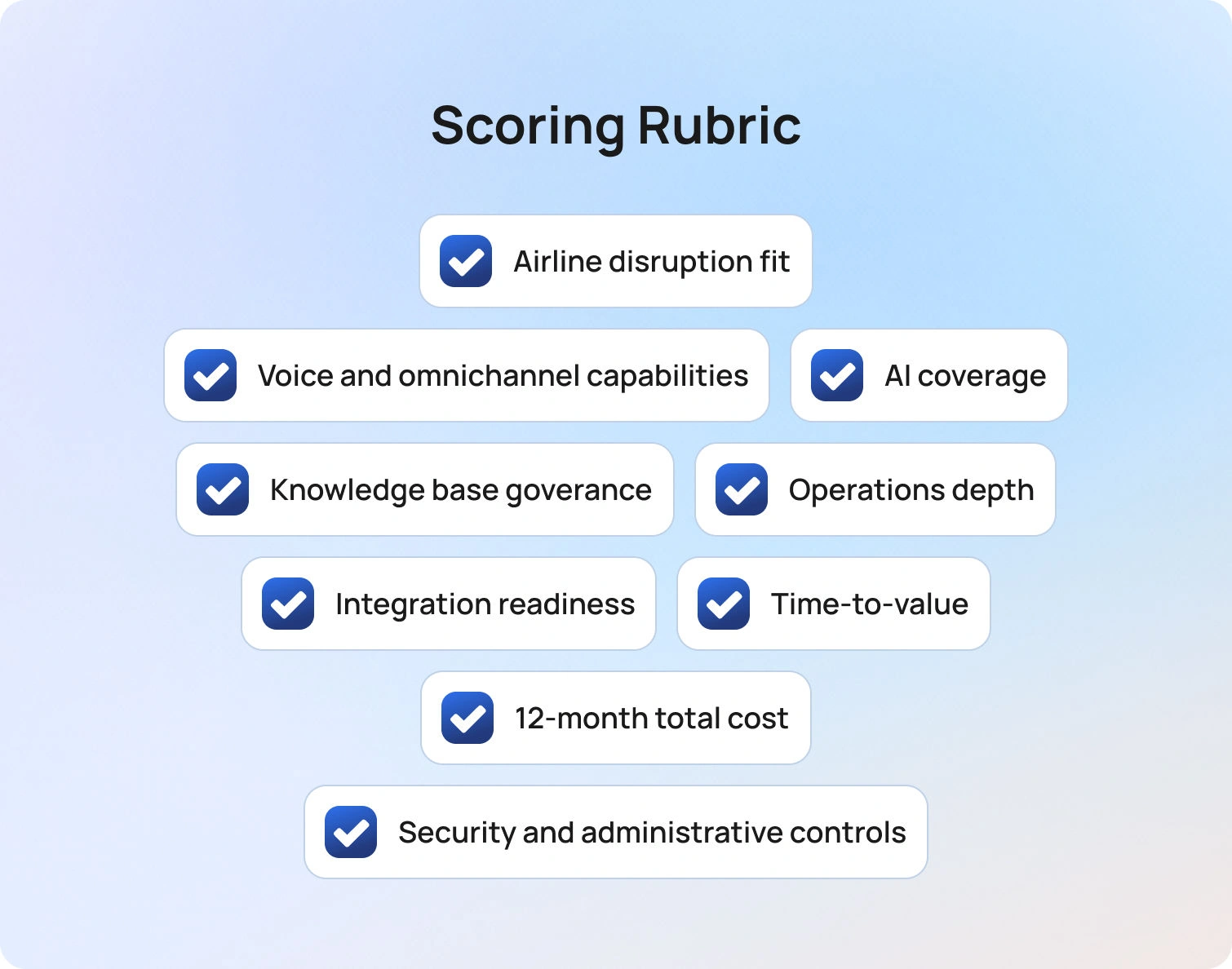
Each platform can be evaluated across the following dimensions:
- Airline disruption fit
- Voice and omnichannel capabilities
- AI coverage with guardrails
- Knowledge base governance
- Operations depth (analytics and workforce management)
- Integration readiness
- Time-to-value
- 12-month total cost of ownership clarity
- Security and administrative controls
Implementation Playbook for Airlines
Adopting customer support software for airlines requires careful planning to ensure the system performs well during real operational events.
Phase 1 (2–4 weeks)
Integrate core communication channels and flight status feeds. Build support workflows for the most common requests, such as flight delays, cancellations, baggage claims, refunds, and loyalty inquiries. Clean up and version control the knowledge base.
Phase 2 (4–6 weeks)
Introduce AI-powered capabilities, including conversation summaries and suggested responses. Implement multilingual workflows and automation for top customer intents. Establish quality assurance sampling.
Phase 3 (6–10 weeks)
Optimize voice routing and IVR workflows. Implement workforce management forecasting for disruption periods. Build dashboards segmented by airport location, language, or operational region.
Successful pilots should measure metrics such as average handle time, abandonment rates, containment, first-contact resolution, and CSAT during peak demand periods.
Pricing and ROI Modeling for Airlines
Evaluating the ROI of airline customer support software requires modeling the full operational cost structure. Typical cost components include:
- Agent seats
- Voice minutes and telephony infrastructure
- Messaging volumes
- AI usage (translation or transcription)
- Data storage and retention
- Integration costs
- Professional services
- Quality assurance and language review time
Potential ROI improvements may come from lower cost per contact, improved self-service containment, reduced abandonment during disruption events, and higher first-contact resolution.
However, airlines should carefully evaluate pricing structures. Voice services, AI capabilities, and workforce management modules are often priced separately, which can significantly impact the total cost of ownership.
Final Thoughts: Choosing the Right Airline Customer Support Software
Selecting the right customer support software for airlines ultimately comes down to how well a platform supports the realities of airline operations while improving the overall customer experience. Airlines must manage thousands of customer interactions every day, often under challenging conditions such as weather events, operational delays, or large-scale disruptions that can quickly turn into flight disruption chaos if support systems aren’t prepared.
The strongest platforms combine several capabilities that allow airlines to respond effectively during these high-pressure moments:
- Disruption workflows designed for IROPS scenarios
- Omnichannel communication with seamless voice handoff
- AI automation supported by knowledge-based guardrails
- Reliable knowledge base governance
- Workforce management and operational analytics
- Deep integrations with airline systems and integrated workflows
- Enterprise-grade security and compliance
- Transparent pricing and total cost visibility
When these capabilities work together, airlines can reduce passenger frustration, respond to customer interactions faster, and maintain service levels even during disruption events. Modern platforms increasingly combine AI agents and human agents to handle routine requests, assist with flight updates, and help airport staff and customer support teams manage growing volumes of passenger inquiries.
Beyond improving support response times, the right platform can also help airlines reduce costs by automating repetitive tasks, improving staffing efficiency, and offering insights from support data that help teams continuously improve operations. With stronger analytics and automation, airlines can better understand trends in customer interactions, optimize staffing during peak travel periods, and deliver more consistent service across the entire passenger journey.
For airlines looking to simplify their support stack, platforms that combine automation, analytics, omnichannel communication, and AI agents in a single environment can significantly improve operational resilience. By enabling smarter workflows and faster responses, these systems help airlines manage disruption events more effectively while maintaining a high-quality customer experience.
If your airline is evaluating modern customer support software for airlines, consider exploring BlueTweak to see how a unified platform can streamline customer interactions, support airport staff, and improve response times during disruption events.
Request a demo to learn how BlueTweak can support airline customer service operations.
10 Telecom Customer Service Software Options To Choose In 2026
What Telecom Support Needs in 2026

Telecom customer service has fundamentally shifted. What was once a cost center focused on call handling is now a frontline driver of retention, revenue protection, and brand perception. In an industry where switching providers is easier than ever, support quality is often the deciding factor between churn and loyalty.
This shift is being accelerated by rising customer expectations and increasing operational complexity. Customers don’t just want fast answers; they expect context-aware, personalized support across every channel, with zero friction.
At the same time, telecom providers are managing growing service portfolios, more frequent outages tied to infrastructure strain, and higher volumes of interactions driven by digital-first behaviors.
Against this backdrop, telecom customer service software must evolve beyond traditional help desk functionality and deliver capabilities that are purpose-built for the realities of the industry:
- Outage readiness: Support teams must handle sudden, large-scale spikes in demand without collapsing under volume. This means priority routing, real-time dashboards, and status-page-driven messaging that proactively informs customers before they even reach out.
- Omnichannel reality: Customers move fluidly between voice, chat, email, and social, and expect your support team to keep up. The ability to transition seamlessly from a phone call to a ticket, or from chat to follow-up email, is no longer a “nice-to-have,” it’s essential.
- First-contact resolution pressure: Every repeat call or transfer increases cost and frustration. Modern platforms need to equip agents with the right context, knowledge, and AI assistance to resolve issues the first time, not escalate them.
- Multilingual scale: Telecom providers operate across regions, often supporting diverse customer bases. Instant language switching, both for chat and voice, is critical for delivering consistent experiences globally.
Operational rigor: High-performing telecom support teams run like well-oiled machines. That requires real-time SLA dashboards, visibility into abandonment and concurrency rates, and accurate forecasting to ensure the right staffing at the right time.
Security and compliance: Telecom support involves sensitive customer data, from billing details to identity verification. Robust PII controls, audit trails, role-based access, and data governance are non-negotiable.
Platforms in 2026 need to do more than simply handle tickets; they must orchestrate complex support operations at scale. Telecom providers are not choosing software based on features alone, but on how effectively those tools reduce operational strain, improve resolution speed, and ultimately protect revenue in a high-churn environment.
The 10 Best Telecom Customer Service Software Platforms for 2026

Below are the top platforms to consider when evaluating telecom customer service software in 2026. Each option is assessed based on how well it supports telecom-specific needs, from outage management to omnichannel engagement and operational scale. Rather than listing features in isolation, we’ve broken each platform down into the areas that matter most when making a buying decision.
BlueTweak — Editor’s Choice
BlueTweak positions itself as an AI-first, omnichannel customer service platform designed to unify fragmented support environments and give teams greater control over complex operations. Rather than layering automation onto legacy systems, it takes a more integrated approach, bringing together channels, workflows, and data into a single operational view.
This is reflected in real-world deployments. For example, in its work with Conectys, BlueTweak helped streamline high-volume, multilingual support operations, delivering measurable improvements in both efficiency and customer outcomes, including a 25% reduction in resolution times and a 35% uplift in customer satisfaction.
Best for: Telecom teams looking to consolidate chat, voice, and email into one platform with fast time-to-value.
Telecom fit: Strong alignment with telecom needs, including multi-brand routing, high-volume support, and structured workflows.
Channels/voice: Native support for chat, voice, and email with seamless handoffs across channels.
AI/automation: Knowledge-base-grounded AI for summaries and suggested replies; automation capabilities vary by setup.
Ops/WFM: Built-in analytics and workforce management tools for forecasting, performance tracking, and SLA visibility.
Pricing note: Starts at €65 per agent/month for an all-in-one platform including ticketing, voice, AI, analytics, and integrations; notably offered as a single bundled package rather than modular add-ons.
Genesys Cloud CX
Genesys Cloud CX is a long-standing leader in the CCaaS space, known for its enterprise-grade routing, scalability, and deep contact center functionality. It’s particularly strong in complex, high-volume environments.
Best for: Large telecom enterprises needing advanced routing and global-scale contact center operations.
Telecom fit: Well-suited to telecoms with complex queue structures, high call volumes, and distributed teams.
Channels/voice: Strong voice capabilities with omnichannel support across digital channels.
AI/automation: Offers AI-driven routing, virtual agents, and predictive engagement (Verify by plan).
Ops/WFM: Advanced workforce engagement management, including forecasting and quality assurance.
Pricing note: Starts from £52.50/user/month for voice-only, but digital channels, WFM, analytics, and many AI capabilities are only available in higher tiers or as add-ons, depending on plan; verify for details.
NICE CXone
NICE CXone is an enterprise CCaaS platform with a strong reputation for workforce management and operational depth. It’s designed for organizations where performance optimization is as important as customer experience.
Best for: Telecom providers prioritizing workforce optimization and quality management at scale.
Telecom fit: Strong fit for large, structured support environments with strict SLA and compliance requirements.
Channels/voice: Omnichannel support, including robust voice capabilities.
AI/automation: AI-powered automation, analytics, and agent assist tools (Verify by module).
Ops/WFM: Industry-leading WFM and QA capabilities with deep analytics.
Pricing note: Modular pricing structure where WFM, analytics, and AI capabilities are typically packaged as separate modules or add-ons, depending on deployment; verify for details.
Five9
Five9 is a cloud contact center platform known for its IVR, routing, and outbound capabilities. It’s widely used in high-volume service environments.
Best for: Telecom teams focused on optimizing call routing and IVR experiences.
Telecom fit: Strong for inbound/outbound call-heavy telecom operations.
Channels/voice: Voice-first platform with additional digital channels supported.
AI/automation: Intelligent virtual agents and workflow automation available (Verify by plan).
Ops/WFM: Includes analytics and WFM features, though depth may vary.
Pricing note: Typically seat- and usage-based, with advanced automation, AI, and workforce optimization capabilities often priced separately or bundled into higher tiers; verify for details.
Zendesk
Zendesk is a widely adopted, ticketing-first platform with a large ecosystem of integrations. It’s often used as a flexible foundation for customer support operations.
Best for: Telecom teams wanting a flexible, extensible support platform with strong ticketing capabilities.
Telecom fit: Suitable for telecoms with moderate complexity; deeper telecom workflows may require customization.
Channels/voice: Omnichannel support; voice and advanced channels often require add-ons or higher-tier plans.
AI/automation: AI features like bots and suggested replies are typically available in premium tiers.
Ops/WFM: Reporting included; WFM usually requires integrations or additional tools.
Pricing note: Starts at lower per-agent tiers, but core capabilities like AI, voice, and advanced automation are frequently gated behind higher plans or add-ons, increasing as you scale; verify for details.
ServiceNow CSM
ServiceNow Customer Service Management is designed for enterprise service operations, connecting customer support with backend workflows and systems.
Best for: Telecom enterprises with complex service operations and cross-department workflows.
Telecom fit: Strong fit for managing structured processes like provisioning, billing disputes, and escalations.
Channels/voice: Digital channels supported; voice typically handled via integrations.
AI/automation: Workflow automation and AI capabilities embedded across the platform (Verify).
Ops/WFM: Strong operational visibility and process management.
Pricing note: Enterprise pricing model where capabilities such as advanced automation, AI, and integrations are often licensed separately or customized per deployment; verify for details.
Salesforce Service Cloud
Salesforce Service Cloud combines customer support with CRM data, making it a powerful option for organizations already embedded in the Salesforce ecosystem.
Best for: Telecom companies leveraging Salesforce for customer data and lifecycle management.
Telecom fit: Good fit where support is tightly linked to sales, billing, and account management.
Channels/voice: Omnichannel capabilities, but voice typically requires Service Cloud Voice as an additional product.
AI/automation: Einstein AI provides automation and agent assistance (Verify by edition).
Ops/WFM: Reporting included; advanced WFM often requires add-ons or integrations.
Pricing note: Per-user pricing by edition, but key capabilities like voice, AI, and advanced analytics are often separate add-ons; verify for details.
Talkdesk
Talkdesk is a modern CCaaS platform focused on usability, integrations, and rapid deployment.
Best for: Telecom teams looking for a balance between enterprise capability and ease of implementation.
Telecom fit: Suitable for mid-to-large telecom teams needing flexibility without heavy customization.
Channels/voice: Strong voice capabilities with omnichannel support.
AI/automation: AI-powered automation and virtual agents available (Verify by package).
Ops/WFM: Includes analytics and workforce engagement tools.
Pricing note: Packaged pricing tiers, but advanced AI, automation, and workforce tools may be bundled into higher tiers or offered as add-ons; verify for details.
Freshdesk
Freshdesk is an approachable help desk platform known for ease of use and quick setup, often favored by smaller or growing teams.
Best for: Smaller telecom providers or teams prioritizing simplicity and fast onboarding.
Telecom fit: Suitable for lower-complexity environments; may require upgrades for advanced telecom use cases.
Channels/voice: Omnichannel support available, but voice and advanced channel support depend on plan tier.
AI/automation: Freddy AI is available in higher tiers.
Ops/WFM: Basic reporting included; advanced capabilities limited.
Pricing note: Freemium entry point, but AI, automation, and advanced support capabilities are typically only available in higher-tier plans; verify for details.
Intercom
Intercom is a messenger-first platform focused on conversational support and proactive engagement.
Best for: Telecom teams prioritizing chat-led, proactive customer engagement.
Telecom fit: Better suited for digital-first telecom brands rather than call-heavy environments.
Channels/voice: Strong chat capabilities; voice is typically handled via integrations.
AI/automation: AI chatbot and automation tools available (Verify).
Ops/WFM: Reporting available; limited native WFM.
Pricing note: Modular pricing where core messaging is supplemented by add-ons for AI, automation, and advanced functionality, leading to variable total cost; verify for details.
Why This Matters: The Reality Behind Pricing Models
What becomes clear across these platforms is a consistent pattern: the headline price is rarely the true cost. While many vendors position their entry-level pricing as accessible, the capabilities telecom teams actually rely on (such as omnichannel support, AI-driven automation, and workforce management) are often not included as standard.
Instead, these features are typically introduced through higher-tier plans or layered on as additional modules. As a result, what begins as a seemingly straightforward investment can quickly expand as requirements evolve. For telecom providers operating at scale, where multiple channels, high interaction volumes, and operational complexity are the norm, this can significantly increase the total cost of ownership over time.
This is where differentiation in pricing philosophy becomes important. Some platforms are designed around modular expansion, while others, like BlueTweak, aim to deliver a more unified, all-in-one approach from the outset. For buyers, the key consideration is not just what a platform can do, but how predictably and efficiently it delivers those capabilities as your support operation grows.
Core Telecom Use Cases

Telecom support is not a generic function. It sits at the intersection of infrastructure, billing, compliance, and customer experience, which means the underlying software must support a wide range of high-stakes, high-volume scenarios.
Rather than thinking in terms of features, it’s more useful to look at the real-world use cases your platform needs to handle day in, day out, and how effectively it enables your team to manage them.
- Outage triage and mass routing: When outages hit, support demand spikes instantly. The right platform allows teams to triage by severity, automatically route customers into the appropriate queues, and deploy proactive messaging that reduces inbound volume before it overwhelms agents.
- Billing queries and plan changes: Billing remains one of the most common and sensitive support interactions. Telecom teams need structured workflows, approval layers, and secure data handling to ensure changes are processed accurately and compliantly, without adding friction.
- Device troubleshooting: From connectivity issues to configuration problems, device support requires consistency. Knowledge-base-guided workflows and AI-assisted responses help agents diagnose and resolve issues faster, while maintaining a standardized approach.
- Number porting and activation: These processes involve multiple systems and status dependencies. Effective case management, combined with clear status tracking and proactive updates, is essential to prevent delays and reduce repeat contacts.
- Fraud and SIM swap reporting: These are high-priority, high-risk interactions. Platforms must support rapid escalation, clear audit trails, and strict access controls to ensure both speed and compliance in handling sensitive cases.
- Multilingual customer support: Telecom providers often operate across multiple regions and languages. Real-time translation and localized knowledge bases enable teams to deliver consistent support without requiring fully native-speaking agent coverage in every market.
- Improving agent efficiency: With interaction volumes continuing to rise, efficiency gains are critical. Features such as AI-generated summaries and next-best reply suggestions reduce after-call work and help agents focus on resolving issues, not documenting them.
Taken together, these use cases highlight a broader truth: telecom support software must handle more than conversations; it must actively orchestrate complex service operations at scale.
What to Look For in Telecom Customer Service Software

Once you understand the core use cases, the next step is translating them into a clear set of evaluation criteria. Choosing the right telecom customer service software is about assessing how well a platform supports the operational realities of your team, especially under pressure.
- Voice and omnichannel continuity: Telecom support still relies heavily on voice, but it cannot exist in isolation. Look for platforms that connect voice interactions with tickets and digital conversations, ensuring agents have full context before, during, and after every interaction.
- Outage and surge management: Not all platforms are built for volatility. Priority routing, templated responses, and real-time operational dashboards are essential for maintaining control during spikes in demand.
- AI with meaningful guardrails: AI is only valuable if it is accurate and trustworthy. The strongest platforms ground automation in your knowledge base, enabling reliable summaries, suggested replies, and translations that reflect your actual processes.
- Knowledge base governance: A knowledge base is only as useful as it is consistent. Version control, approval workflows, and structured content management ensure that agents and AI alike are working from a single source of truth.
- Operational depth: Telecom support requires more than surface-level reporting. Look for robust analytics, workforce management, quality assurance tooling, and SLA tracking to maintain performance at scale.
- Security and administrative control: Given the sensitivity of telecom data, platforms must offer enterprise-grade security. This includes multi-factor authentication, audit logs, granular permissions, and clear data governance controls.
- Integration flexibility: Support teams don’t operate in isolation. Your platform should integrate seamlessly with CRM systems, billing platforms, network status tools, identity providers, and BI solutions to create a unified operational view.
- Pricing transparency: Finally, it’s important to understand not just the entry price, but how costs scale. Platforms that rely heavily on add-ons can quickly become expensive as you expand into voice, AI, or advanced analytics.
Ultimately, the goal is to find a platform that aligns with how your team already works and improves it, rather than forcing operational compromises.
How We Evaluated Customer Service Software
With a crowded market and overlapping feature sets, evaluating telecom support platforms requires a consistent and transparent methodology.
For this guide, we focused exclusively on vendor-published product, pricing, and documentation pages, avoiding third-party review sites to ensure all claims are verifiable and up to date. Each platform was assessed across the areas that matter most to telecom teams, including channel support and voice capabilities, AI and automation, knowledge base functionality, analytics and workforce management, security controls, and integration flexibility.
Where pricing information was publicly available, it has been referenced. In cases where details were unclear or dependent on configuration, we have indicated this with “verify”.
This approach ensures that comparisons are grounded in what vendors actually offer, not assumptions or aggregated ratings.
Must-Have Capability Checklist
While every telecom provider has slightly different requirements, there are certain capabilities that consistently separate high-performing support teams from the rest.
- Commerce and subscription integrations: Support for billing systems, subscriptions, and multi-account structures is critical for handling real-world telecom queries effectively.
- Routing and SLA automation: Automated routing, prioritization, and SLA management ensure that the most urgent issues are handled first, without manual intervention.
- AI-assisted workflows: Summaries and suggested replies, ideally grounded in your knowledge base, help reduce handling time while maintaining accuracy.
- Self-service and deflection: Bots and help center experiences that can resolve common queries, such as billing questions or service status, reduce pressure on agents.
- Operational visibility and planning: Analytics dashboards, workforce management, and quality assurance tooling enable teams to plan for peak demand and continuously improve performance.
- Security and compliance controls: Role-based access, audit logs, and data protection measures are essential for maintaining trust and meeting regulatory requirements.
- Integration and extensibility: APIs and native integrations allow your support platform to connect with the broader telecom ecosystem, from network systems to customer data platforms.
- Transparent pricing models: Clear, predictable pricing ensures that growth in usage or capability does not lead to unexpected cost increases.
- Customer feedback and sentiment tracking: Understanding how customers feel about their support experience provides a critical feedback loop for continuous improvement.
Scoring Rubric
To ensure consistency across vendors, each platform was evaluated against a set of core criteria that reflect both capability and commercial viability.
We assessed how well each tool supports omnichannel engagement, including voice where required, alongside the breadth of its automation capabilities, from routing to workflow management. AI functionality was evaluated based on coverage, multilingual support, and whether it is grounded in a knowledge base.
We also considered how effectively each platform enables self-service and deflection, as well as the depth of its operational tooling, including analytics, workforce management, and quality assurance. Beyond functionality, we looked at time-to-value, total cost of ownership over a 12-month period, and the strength of security and administrative controls.
This balanced approach ensures that recommendations reflect not just what a platform can do, but how well it performs in a real telecom environment.
Final Thoughts: Choosing Telecom Customer Service Software That Scales With You
Selecting the right telecom customer service software today is a strategic investment in how your business delivers service, builds trust, and retains customers in an increasingly competitive market.
Today’s telecom call center environment is defined by complexity. Customers expect instant, personalized service across every channel, from voice to SMS to web chat, while support teams must manage high volumes, sensitive information, and increasingly complex issues. This is where modern, cloud-based call center software becomes essential, not just to handle interactions, but to connect systems, departments, and data into one complete, unified experience.
The most effective platforms go beyond basic ticketing or routing. They create a foundation where AI agents and human call center agents work together, using shared context to resolve customer issues quickly and accurately. Features like smart routing, AI-powered summaries, and omnichannel routing are essential to improving productivity, increasing first call resolution, and delivering consistent customer experiences at scale.
At the same time, pricing structure and operational design matter just as much as functionality. A solution that appears cost-effective upfront can quickly become fragmented if key capabilities are locked behind add-ons. For telecom teams, this often leads to disconnected workflows, reduced visibility, and slower time-to-value. The platforms that stand out in 2026 are those that deliver a complete, cloud-based AI platform from day one, helping businesses create better customer experiences without unnecessary complexity.
If you’re looking for a solution that brings together omnichannel support, AI-driven efficiency, and operational control in one place, it may be time to take the next step.
Request a demo to see how BlueTweak can help you create better customer experiences, improve productivity, and power your telecom support operation with confidence.

11 Use Cases for Suggest Reply AI That Drive Results (2026)
From Blank Page to Confident Send
Queues do not slow down to let agents write. A short question arises, yet the correct answer depends on policies, entitlements, and context that span multiple systems. The result is hesitation at the keyboard and inconsistent replies that stretch resolution times. This is the gap where suggested reply AI earns its keep, not by taking over the conversation, but by removing the blank page, making it a less daunting task.
"The blank page is where most handle time is lost. When an agent opens a ticket and has to construct a reply from scratch — cross-referencing policy docs, checking order data, recalling the right tone — that cognitive overhead compounds across hundreds of interactions a day. Suggested reply AI doesn't replace the agent's judgment; it eliminates the retrieval work so that judgment is the only thing left to apply."— Radu Dumitrescu, Head of Presale & Digital Transformation, BlueTweak
When a ticket opens, an advanced AI response generator assembles a grounded first draft from the knowledge base
, conversation history, and current case data. Agents stay in control. They review, edit, add a link or file, adjust tone to match brand identity, and send. The work shifts from "write from scratch" to "finish well," which reduces cognitive load, keeps messages accurate and polite, and gives humans more time for judgment on complex issues.
This article explains how AI-powered reply suggestions
for support work, where they deliver quick wins, what key features matter, and how to roll them out responsibly.
How Reply Suggestion AI Actually Works
Under the hood,generative AI
performs two key functions: retrieval and generation. Retrieval collects conversation history, relevant articles from the knowledge base, and any approved reference snippets. Generation then uses a large language model to understand the context and write a reply that follows your style and tone.The system can display a few options, such as a concise, thoughtful reply for simple questions or a more detailed draft for complex messages. Safeguards route sensitive cases to a person. Nothing is sent automatically. An agent constantly reviews and approves suggestions before they are sent out.
11 Use Cases That Consistently Drive Results

Suggested reply AI excels in repeatable moments where speed, clarity, and brand consistency are most crucial, ensuring a prompt response to customer queries. The use cases below demonstrate how AI-suggested replies eliminate the blank page, enabling agents to complete tasks efficiently, customers to receive relevant answers more quickly, and operations to remain stable at scale.
1) Order Status and Logistics Updates
An incoming message asks, "Where is my order?" The suggested reply AI pulls carrier scans, dates, and policy wording, then drafts a thoughtful reply with the next step and a friendly sign-off. Agents edit a detail and send it immediately. It is a small win repeated on a larger scale. Response times decrease, rework decreases, and service remains consistent.
2) Account Access and Verification
When accounts lock or MFA fails, accuracy matters. AI suggested responses guide agents through verification steps, edge-case branches, and privacy language. The draft includes only the details that the process permits and proposes a transparent fallback if the user cannot verify. The team maintains compliance while moving at a faster pace.
3) Returns, Eligibility, and Warranties
Policies can be dense. A good response generator turns them into plain-language steps, including eligibility criteria, conditions, and the following steps to take. If the product qualifies, the draft includes the correct link and the single piece of data still needed. If not, the model suggests empathetic language that preserves the relationship.
4) How-To Setup and Configuration
For step-by-step guidance, the AI text response generator provides numbered instructions that avoid jargon and include a quick validation step, ensuring the customer knows the issue has been resolved. Agents can add a short video or article link when helpful, then send a version that fits the user's specific needs and device.
5) Outage and Incident Communication
During incidents, clarity and tone are crucial, especially when addressing customer inquiries effectively. Suggested reply AI assembles a calm, factual update with the current status, scope, and next checkpoint. It helps teams maintain a steady cadence without having to hand-type each message, which reduces duplicated work and keeps communications consistent across all channels.
6) Billing Questions and Plan Changes
Money conversations can escalate. Suggested replies acknowledge the concern, summarize charges in plain language, and direct the user to the exact self-service path or the verified policy. Agents keep control and can edit for nuance, which leads to more positive outcomes and improved customer satisfaction.
7) B2B Technical Triage
In technical contexts, the AI tool proposes a minimal, reproducible checklist, requests logs with the necessary redactions, and offers a concise hypothesis based on conversation data. That keeps the ticket moving toward the correct queue with all prerequisites captured, so engineers spend less time asking for the same information.
8) Multilingual Support at the Same Quality
Global teams often face a language mismatch. With guardrails and an approved glossary, AI-suggested replies can propose the same accurate answer in a different language while preserving brand identity and tone. Agents confirm intent and send a localized reply that feels native to the customer.
9) De-escalation and Empathy at Tense Moments
When sentiment turns, a high-level, on-brand template helps. The system suggests language that names the impact, commits to a timeline, and avoids defensive phrasing. Humans add context that only they can see. The blend of speed and care improves customer satisfaction without sounding robotic.
10) Knowledge Gaps and Unknowns
Sometimes the perfect reply is an honest one. A good model will generate a short acknowledgment, a clarifying question, and a commitment to follow up. It also tags the missing articles, allowing the knowledge base to be updated. That loop makes future suggestions better.
11) Post-Resolution Follow-ups
After closing, an on-brand follow-up confirms the fix, invites quick feedback, and provides a link to helpful resources. Consistent, considerate closers build stronger customer relationships and reduce reopen rates.

What Good Looks Like: Key Features That Matter
Great AI-powered suggested reply for support
share a few traits. They understand context from the whole conversation, not just the last line. They stay grounded in verified knowledge, which keeps replies accurate and aligned with policy. They let admins define tone rules and brand identity so every reply sounds like your team on its best day. They offer multiple options, ranging from a concise, thoughtful reply to a more comprehensive pathway draft. Finally, they make maintenance simple. Owners can update content and immediately see the responses generated change for the better.Equally important are guardrails. Sensitive flows such as refunds, identity checks, and legal notices should route to human-only playbooks due to the challenges in implementing AI for customer support
. Reply suggestions should "know what it does not know," flagging low confidence and proposing questions instead of overconfident answers. That is how teams maintain quality and trust while gaining speed.
Where BlueTweak Helps
BlueTweakcombines tickets, the knowledge base, and reply suggestions in one workspace, reducing context switching for agents. The system can surface the right article, propose relevant replies based on case metadata and conversation history, and allow agents to review and send them in real-time. Program owners define tone, align suggestions with procedures, and track usage and impact (e.g., handle time, first-contact outcomes, and customer satisfaction) from the same workspace. It functions as an AI-powered drafting layer designed to maintain control while increasing speed.
From SOPs to Running Workflows
Speed without structure is brittle. Teams get the best from suggested reply AI when standard operating procedures exist for the top ticket types. Those straightforward procedures become the source of truth for the model and the agent: what to ask, what to check, and how to close. Once captured, the SOP is linked to the knowledge base and stored alongside the ticket. The model can then generate replies that reflect the exact process, rather than relying on improvisation. Over time, feedback from agents and end users refines each SOP, keeping the suggested replies aligned with reality.
BlueTweak Keeps SOPs Alive in the Flow
With BlueTweak, SOP steps appear as guided actions within the case, so AI-generated responses follow the same steps agents use, rather than being stored in a separate document elsewhere. When an SOP is updated and published, the feature reflects the change immediately, helping the team stay aligned without the need for additional meetings.
How To Roll It Out

Follow these steps to launch suggested reply AI effectively — starting small, validating quality, then expanding with confidence.
| Phase | Action | Goal |
|---|---|---|
| 1. Prepare | Define your most common ticket types in writing; add verified KB articles and tone examples for apologies, denials, and follow-ups | Give the model a grounded source of truth before it generates anything |
| 2. Launch | Enable suggested replies for one channel or region only; review a sample of drafts each week | Validate quality in a controlled scope before scaling |
| 3. Refine | Encourage agents to mark suggestions helpful or not and leave a one-line note when something sounds off; use that signal to update content and rules | Continuously improve accuracy without tweaking prompts endlessly |
| 4. Expand | Roll out to additional channels, languages, or queues; for multilingual needs, start with one language and an approved glossary | Scale what works while keeping terminology consistent |
| 5. Launch prep | During new product launches, seed the model with the launch FAQ and the three most likely failure paths | Clarity first, automation second |
Measuring the Impact That Actually Matters
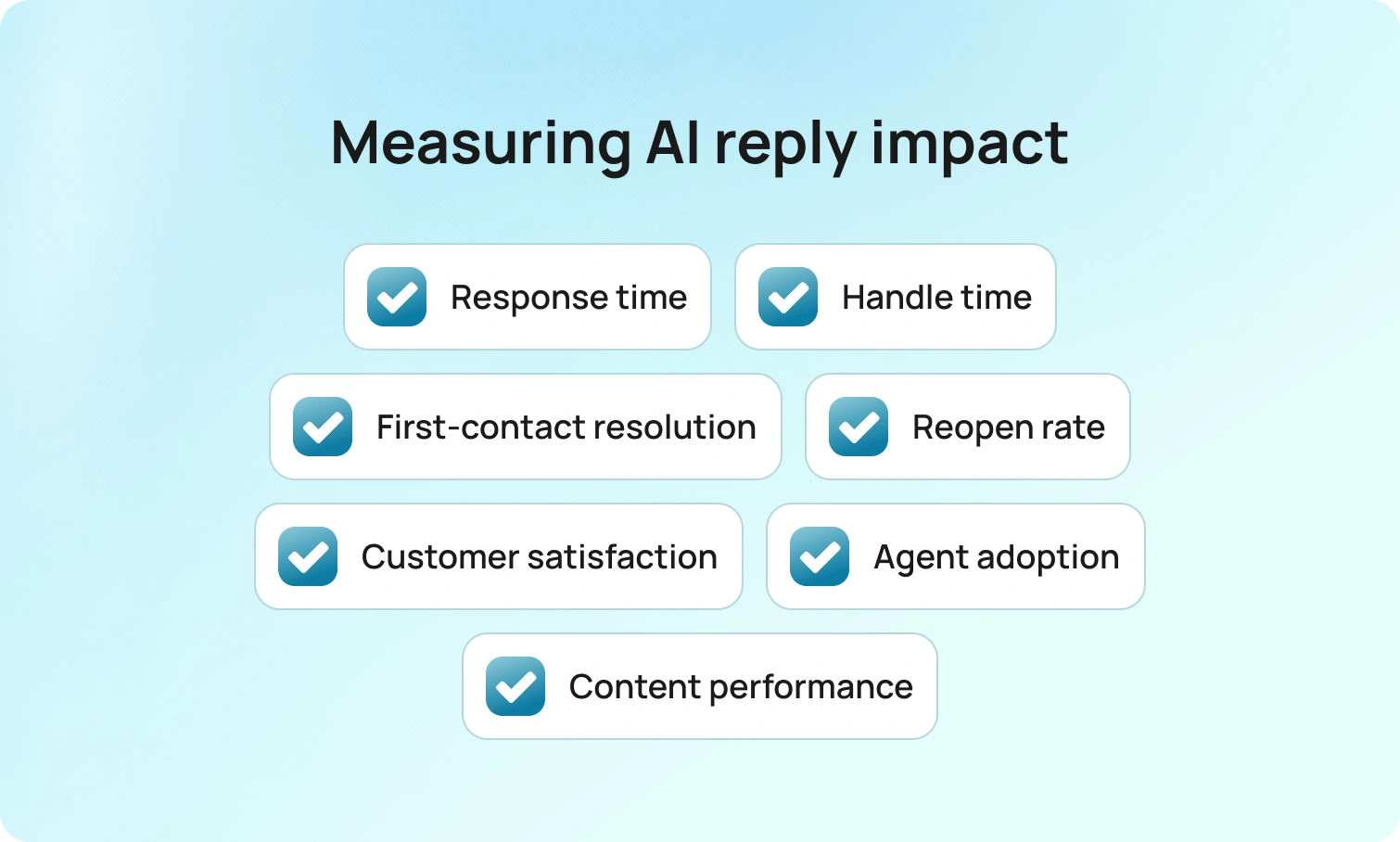
Dashboards do not answer customers. Messages do. Track this short set of metrics to know whether your suggested reply AI is working.
| Metric | What to Watch | Expected Direction |
|---|---|---|
| Time to first response | How quickly agents send the first reply after a ticket opens | ↓ Drops — first draft appears immediately |
| Handle time | Total time spent per ticket, including writing and review | ↓ Falls for routine tasks — agents edit, not write |
| First-contact resolution | Tickets resolved without a follow-up message from the customer | ↑ Rises in SOP-covered cases |
| Reopen rate | Tickets reopened because the first reply missed something | ↓ Declines as drafts include the missing step |
| Customer satisfaction | CSAT scores across AI-assisted interactions | → Holds or improves — replies stay relevant and polite |
| Suggestion acceptance rate | How often agents use a suggestion vs. writing from scratch | ↑ Rises as content and tone rules improve |
Program signals matter too. Watch where agents edit most frequently and which articles drive the best outcomes. Those insights tell you which content to refine and where to expand coverage next. BlueTweak presents that view in the same place agents work, which shortens the path from insight to action.
Guardrails, Governance, and Brand Voice
Trust comes from consistency. Establish clear guidelines for tone and wording, including how to effectively acknowledge frustration and decline requests without causing harm. Keep knowledge articles concise and up-to-date, using the exact wording the organization is comfortable with. Maintain audit trails so leaders can see how a particular answer was produced. Ensure nothing auto-sends by default. AI-suggested replies should always serve as a drafting layer, requiring human approval. Do these things well, and the team can move fast while staying accurate.
Conclusion: Faster Replies, Still Human
Suggested reply AI is not about replacing people. It is about removing the blank page so humans can focus on judgment, empathy, and complex issues. When a model can understand context, propose relevant responses, and stay grounded in a knowledge base, teams respond more quickly, write more accurate messages, and maintain a consistent brand identity across channels and languages.That combination leads to improved customer satisfaction and calmer operations within the business, as the process moves with less friction and greater clarity. BlueTweak helps teams reach that state by consolidating tickets, knowledge, and AI-suggested replies in one workspace, where control and speed can coexist.Request a BlueTweak walkthrough
to observe a ticket's progress from intake to resolution, including reply suggestions, knowledge grounding, and guided steps that work together. Discover how your team can save time, reduce costs, and deliver a better experience in every reply.
FAQ

Zendesk vs Twilio vs BlueTweak: Which To Implement In 2026?
Zendesk vs Twilio Flex in 2026: What’s Changed in Buyer Expectations?
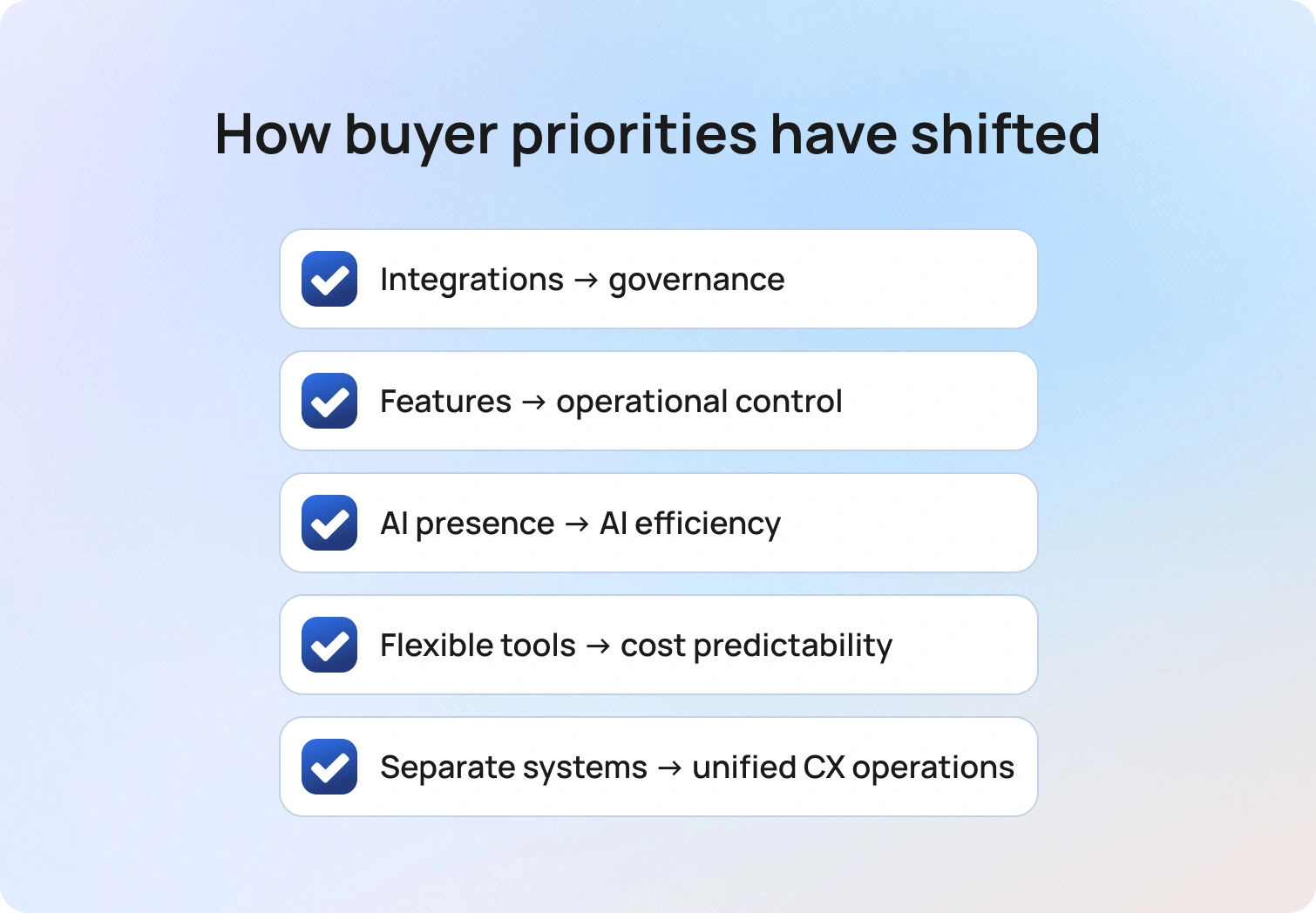
The conversation around Zendesk vs Twilio Flex has shifted significantly in the past few years. In 2023, buyers focused on channels and integrations; in 2026, they are focused on governance, cost predictability, and operational clarity.
According to the Deloitte Digital “Future of Service” report (2026), 43% of surveyed organisations believe AI will enable contact centre cost reductions of 30% or more within the next three years. That expectation changes how platforms are evaluated. Leaders are not simply asking which tool has AI, but which one can deliver measurable efficiency without creating governance risk or unpredictable usage costs. They’re asking how it will improve outcomes for customers without increasing operational risk.
This is why most mid-market teams evaluating Twilio Flex vs Zendesk find themselves at a strategic fork.
Do you adopt a ticketing-first suite and layer voice and automation on top? Do you build a programmable contact centre with engineering ownership? Or do you consolidate into a unified CX operating system designed to reduce system sprawl while maintaining operational control?
In 2026, the right decision is less about feature parity and more about how you want to run your operation over the next five years. For many teams, that means rethinking not just their contact centre, but their broader call center strategy and how voice, messaging, and digital support connect into one coherent operating model. While this discussion is often framed as Twilio Flex vs Zendesk, many teams are also exploring unified platforms, like BlueTweak, that aim to replace both the ticketing-first and build-your-own approaches altogether.
At a Glance: Twilio Flex, Zendesk, and BlueTweak
Before diving deeper into the nuances of Zendesk and Twilio Flex, it helps to step back and look at how each platform positions itself at a high level. This includes newer unified platforms like BlueTweak, which are designed to consolidate multiple systems into a single operating model.
The comparison below summarizes where they differ in operating model, strength, and cost structure, which is often where the real decision is made.
| Category | Zendesk | Twilio Flex | BlueTweak |
|---|---|---|---|
| Who it’s for | Structured support teams | Engineering-led teams | 20–100 agent ops teams |
| Core strength | Mature ticketing workflows | Programmable CCaaS | Unified CX OS |
| Voice | Plan/add-on dependent | Highly customizable | Native & integrated |
| Omnichannel | Strong ticket-led case management | Custom-built orchestration | Unified queue across channels |
| AI | Tier-based AI capabilities | Composable AI stack | KB-grounded, outcome-focused AI |
| KB / Self-Service | Mature Help Center | Integration-led knowledge layer | Single-source, multi-brand KB |
| WFM / QA | Add-ons or partners (plan dependent) | Integration-led / custom | Built-in operations layer |
| Security / Admin | Plan-based controls | Architecture-driven governance | Ops-focused governance model |
| Pricing note | Varies by plan / Verify | Usage-based / Verify | €65 per agent/month (full stack) |
What Each Platform Is (and What It’s Not)
Before comparing features, it’s important to understand the operating philosophy behind each platform. In the Zendesk vs Twilio Flex debate, the differences start with what each system was originally designed to do… and what it was not.
Zendesk
Zendesk started as a help desk platform, and its strength remains structured ticket workflows, SLA management, and Help Center publishing. It is particularly effective for teams whose support model is built around case resolution and escalation patterns. Voice capabilities can be layered in, but depth and flexibility depend on plan level and configuration choices.
Zendesk is not inherently a programmable contact center. While it integrates widely and offers AI features, buyers must confirm what is included at their chosen tier, especially around voice, WFM, and AI automation.
Twilio Flex
In contrast, Twilio Flex was never built as a ticketing suite. It was designed as a programmable communications platform that can become whatever your architecture requires.
Twilio Flex is fundamentally different. It is a programmable contact center platform that allows teams to design their own routing logic, agent desktop, and workflows. For organisations with engineering resources, this provides significant flexibility and architectural control.
However, Flex assumes technical ownership. Knowledge bases, analytics layers, and advanced automation often require integrations or custom development. It excels when you want to build your own experience, not when you want an out-of-the-box operating system.
BlueTweak
BlueTweak enters the conversation from a different angle. Rather than starting with a standalone ticketing system or heavy programmability, it starts with operational consolidation.
BlueTweak is positioned as a unified CX operating system and end-to-end customer service solution for mid-market operations. Rather than assembling components, it combines voice,omnichannel customer support case management, bots, WFM, QA, and analytics into a single workspace.
The focus is on operational clarity: one queue, shared reporting aligned to core customer support metrics, knowledge-grounded AI, such as AI proposed replies and built-in call transcription software, and multi-brand routing within the same admin model. It is not a developer toolkit; it is designed for operations leaders who want to reduce system sprawl while maintaining governance.
Feature-by-Feature Comparison
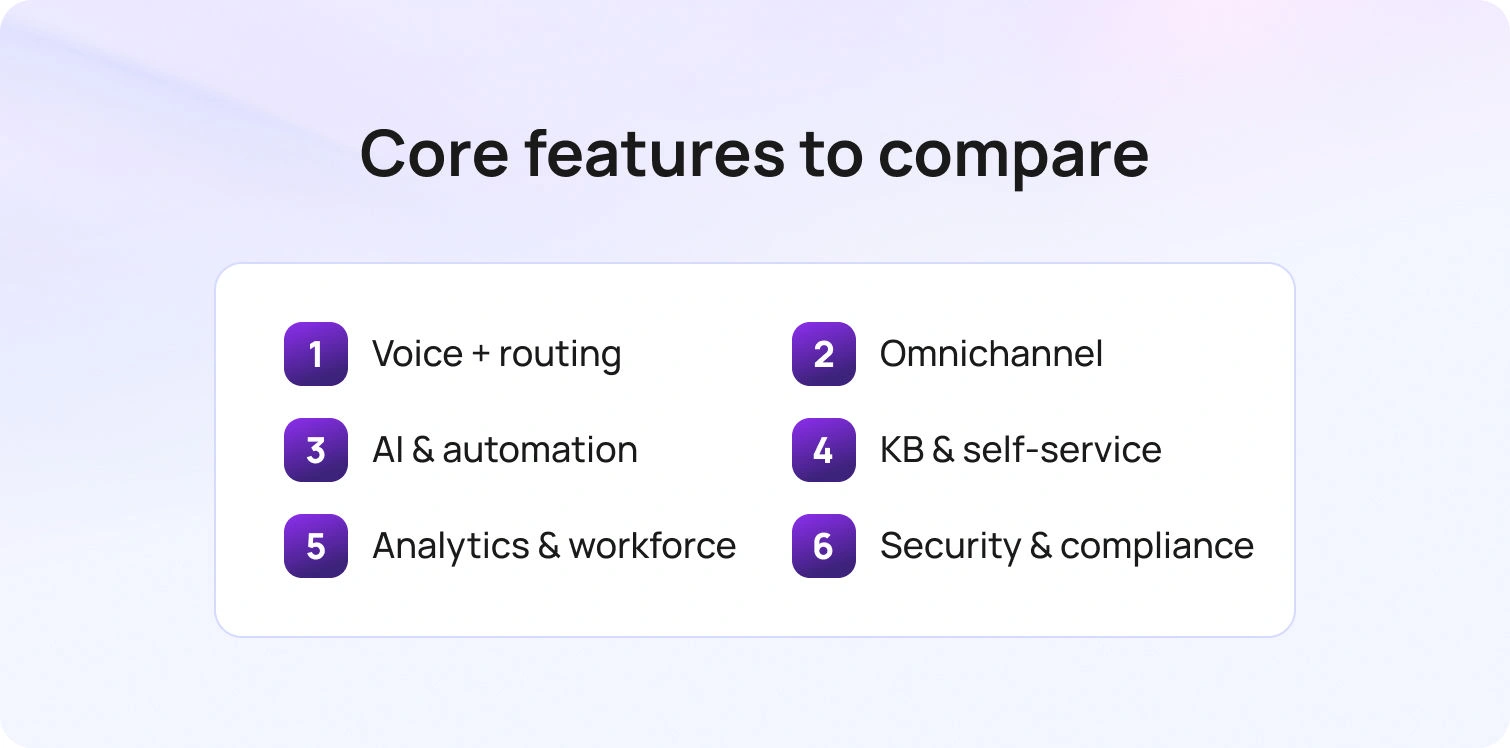
When people compare Twilio Flex to Zendesk, or bring alternatives like BlueTweak into the conversation, the real questions usually surface once you get past positioning and into the day-to-day reality: What will agents actually use? How complex will routing become? And how much admin work sits behind the scenes to keep everything running smoothly?
This is where operating philosophy translates into day-to-day agent experience and administrative complexity in practical ways, like workflows, reporting, governance, and the overall operational load on your team.
Voice + Routing
Voice architecture is often where a decision between Twilio and BlueTweak becomes tangible. The differences shape how calls flow, how agents work, and how much control your team really has.
Twilio Flex is built for programmability. Teams can design routing logic, queues, and agent interfaces around highly specific operational needs. That flexibility is powerful, but it assumes engineering ownership and ongoing technical management. It also means the end user experience, both for agents and supervisors, depends heavily on how well the environment is configured.
Zendesk approaches voice from a suite perspective. Voice functionality can support blended support teams and integrate into ticket workflows, but depth and configuration vary by plan and add-ons. It works well when voice is important, but not the architectural centre of your customer experience (CX) operation. However, forecasting call volumes and reducing customer waiting times may require additional configuration depending on your setup.
BlueTweak integrates native voice directly into the same agent workspace and ticket record. Routing, multilingual support, and handoffs between brands sit within one operational layer. This makes it easier to direct each interaction to the right agent without adding complex routing logic. For teams focused on clarity and speed rather than custom build complexity, this can significantly reduce friction.
Omnichannel Case Management
When evaluating vendors, remember, omnichannel isn’t just about how many channels are supported. It’s about how interactions are orchestrated and how much context agents retain across conversations.
Twilio Flex allows you to design a fully customised omnichannel desktop. You can orchestrate flows across voice, messaging, and digital channels using integrations and bespoke logic. This often includes connecting website chat, social messaging, and backend systems into one orchestrated workflow. The trade-off is that orchestration has to be built and maintained; it gives you the tools, but you have to decide how everything fits together.
Zendesk approaches omnichannel through a ticket-first lens. Every interaction becomes part of a structured case workflow, complete with SLAs, escalation rules, and collaboration patterns. This suits teams that rely on formalised support processes and documented resolution paths.
BlueTweak centres on a unified queue across channels, designed to keep context intact without forcing agents to switch systems. Multi-brand routing and reporting are built into the same environment, which can reduce operational noise in growing teams.
AI, Automation & Deflection
AI has become central to the Twilio Flex vs Zendesk conversation, but the real differentiator in 2026 is governance and measurable impact, not novelty.
Twilio Flex typically follows a composable AI model. You combine Twilio capabilities, third-party tools, and your own workflows to create automation. This offers flexibility, but it increases implementation effort and governance responsibility.
Zendesk provides AI features suited to ticket-led environments, including automation and assistance capabilities that vary by tier. For many teams, it delivers incremental efficiency gains, but buyers should confirm exactly what’s included around summaries, suggested replies, and routing intelligence.
BlueTweak focuses on knowledge-grounded assistance and outcome-driven automation. AI is embedded into the same operational layer as voice, tickets, and reporting, with an emphasis on human oversight. The focus isn’t just on automation, but consistent, auditable workload reduction. That consistency ultimately improves response quality for customers across every channel.
KB & Self-Service
Knowledge strategy often becomes the quiet driver of deflection, agent speed, and AI quality.
Twilio Flex generally relies on integrated knowledge bases and bot layers. This provides architectural freedom, but it means self-service and agent assistance often live across multiple systems.
Zendesk offers a mature Help Center and publishing workflow that supports structured content operations. For organisations investing heavily in deflection through articles and self-service portals, this ecosystem is well established. It allows customers to resolve common issues independently before reaching an agent
BlueTweak positions its knowledge base as a single source of truth powering both bots and agent assistance. In multi-brand environments, keeping content, routing, and reporting aligned inside one system can simplify both governance and performance tracking.
Analytics, Workforce Management & Quality Assurance
Reporting and workforce visibility are often underestimated during evaluation. Yet over 12 months, operational insight can matter more than channel breadth.
Twilio Flex can support advanced analytics and workforce management through integrations or custom builds. This allows deep customisation, but each additional layer adds vendor coordination and administrative overhead.
Zendesk delivers strong reporting around ticket metrics and performance KPIs. Workforce management and quality assurance capabilities typically depend on plan-level or partner solutions, so buyers should verify what is native versus add-on.
BlueTweak includes analytics, WFM, and QA within the same operational layer as case management and voice. For 20–100 agent teams, this unified visibility can reduce reconciliation work across systems and simplify forecasting.
Security, Admin & Compliance
As AI adoption increases, governance and auditability are becoming board-level concerns.
Twilio Flex is well-suited for organisations that want security controls aligned to a custom architecture. However, responsibility for compliance design spans all integrated components, meaning oversight must be intentional and ongoing.
Zendesk provides admin and security controls that scale by plan. Features such as MFA, audit logs, and data controls should be confirmed at the appropriate tier, particularly if AI governance is a priority.
BlueTweak focuses on mid-market governance, offering role controls, MFA, and audit logs within a unified admin model. For multi-brand operations, consistent oversight across queues, content, and reporting can reduce compliance complexity.
Pricing & 12-Month TCO Modeling
A serious Zendesk versus Twilio Flex comparison requires modelling the full 12-month cost of running your contact centre, not just comparing seat prices. The headline number rarely reflects the true operational cost once voice minutes, AI usage, analytics, and admin overhead are layered in.
With Zendesk, pricing typically starts with a seat-based model tied to your ticketing system, then expands. Voice (often via Zendesk Talk), advanced AI, workforce management, and deeper analytics features may depend on plan tier or add-ons. If you’re running multiple channels or operating more than one Zendesk instance, clarity around what’s native versus extra becomes critical.
With Twilio Flex, the structure is different. Pricing may combine seat or active user hour models with communications usage, including interactive voice response (IVR), call recording, and messaging. In a Twilio Flex vs Zendesk cost model, Flex can look flexible on paper, but forecasting usage across voice and digital contact volumes requires discipline. The ability to customize your contact center comes with shared responsibility for cost control.
BlueTweak anchors pricing at €65 per agent per month, paying monthly for a fully integrated environment. That includes voice, case management, bots, WFM, and analytics in one system. For business leaders evaluating market options, the question becomes less about the lowest entry cost and more about predictable service spend over 12 months.
Before signing with any company, check the details around:
- Voice minutes, recording, transcription, & interactive voice response charges
- AI usage metering and overage rules
- Sandbox or staging environment fees
- Support tiers and implementation services
- Multi-brand reporting and admin access model
Today, cost transparency is a competitive differentiator. But pricing alone doesn’t determine success; operational fit does. The platform that looks affordable on a pricing page can become expensive if it adds administrative load, integration overhead, or governance complexity over time. That’s why the next step isn’t just comparing numbers, it’s understanding which model aligns with how your contact centre actually runs.
When Each One Fits
At a strategic level, the debate between Twilio Flex and Zendesk often reflects how your business prefers to operate.
Choose Twilio Flex if your goal is to build a highly customized contact center and you have technical ownership in-house. The real strength of Flex lies in how far you’re willing (and able) to customize your environment. It’s particularly suited to organisations that want granular control over routing logic, user interface design, and how customer interactions flow across different channels. If you are comparing Twilio Flex, consider options in the enterprise market. Flex appeals when flexibility and architecture control outweigh simplicity.
Choose Zendesk if you are fundamentally ticketing-first and want a mature ticketing system at the core of your customer support model. Zendesk stands strongest where structured workflows, SLAs, and help content drive service consistency. Many Zendesk customers expand into voice and digital contact over time, often layering Zendesk Talk or additional Zendesk integration tools as their needs grow.
Choose BlueTweak if you want one platform to manage customer conversations across voice, chat, and digital channels without stitching multiple tools together. It’s designed for mid-market teams that want to control operations, unify data, and reduce complexity without building a custom stack. For 20–100 agents, especially across multi-brand environments, consolidation often becomes more valuable than customization.
Implementation Considerations

Implementation effort varies significantly depending on the platform’s philosophy. With Zendesk, you’re typically migrating customer data into a new Zendesk instance, configuring workflows, and refining your Help Center structure. If you’re layering voice or expanding into deeper automation, governance around add-ons and Zendesk integration decisions becomes part of the rollout.
With Twilio Flex, implementation begins with architecture. You define routing, interactive voice response (IVR) logic, and the user interface for agents. You’ll also set up integration layers, for example, a Flex Zendesk integration or data sync if you’re connecting to an existing ticketing system. Additionally, you might need to import customer data from legacy platforms and decide how conversations flow between systems. This approach is highly flexible, but it does require ongoing technical ownership.
With BlueTweak, implementation centres on unifying channels inside a single contact centre environment. That means importing knowledge content, configuring multi-brand routing, aligning dashboards, and ensuring agents can access customer data in one place. That shared visibility helps teams respond to customers faster and with more context. The emphasis is less on building from scratch and more on operational alignment.
The real difference boils down to whether you're assembling solutions or deploying a system designed to manage customer experience end-to-end.
How We Evaluated
This Zendesk vs Twilio Flex comparison is based exclusively on vendor-owned documentation. We reviewed official product pages, pricing details, help centres, integration listings, and public case studies across the market.
We assessed each platform across channels, voice capabilities, interactive voice response options, AI functionality (including transcription and summarisation), knowledge base structure, analytics, workforce management, security controls, and API access. Where Twilio and Zendesk's positioning overlaps, particularly around integration and omnichannel service, we focused on documented capabilities rather than third-party opinion.
We also reviewed public examples of how companies manage customer interactions and conversations using each system.
Final Thoughts: Choosing the Right Contact Center for 2026
When evaluating Twilio Flex, Zendesk, or any alternative contact center, the decision is rarely about features alone. It’s about choosing the call center foundation that will support your customers, agents, and growth strategy over the next several years. It’s about how a platform shapes the day-to-day customer experience, how it lets your agents manage conversations, and how your business can scale operations without adding unnecessary complexity.
A Twilio Flex compare exercise shows that Twilio is powerful for companies that want maximum flexibility and control over routing, interactive voice response, and integrations. It can create highly customised workflows, but doing so often requires ongoing technical ownership and investment in tools to keep everything aligned. For teams without a dedicated engineering function, the risk is that the operational complexity of Twilio Flex outweighs the benefits of its flexibility.
Alternatives like Zendesk focus on structured ticketing systems and predictable workflows, which can streamline customer support and help resolve customer issues quickly. This structure can work well for companies serving high volumes of customers with repeatable queries.
Platforms such as BlueTweak combine voice, chat, analytics, and WFM into a unified environment, enabling companies to manage multiple channels and maintain a high-quality contact experience without juggling disparate tools.
Ultimately, the right choice depends on your company, your employees, and how you want to balance flexibility, operational control, and cost. A short pilot test can help you see how each solution performs with real customers, ensuring you choose the platform that truly supports the right user experience, keeps your agents productive, and aligns with your broader business goals.
Ready to see how a unified contact center can simplify operations, improve customer experience, and empower your agents?
Request a BlueTweak demo today to explore voice, chat, analytics features, and multi-channel workflows in action.

Zendesk vs Zoho vs BlueTweak: Which To Implement In 2026?
Zendesk vs Zoho vs BlueTweak: Why support teams are re-evaluating their CX platforms in 2026
Comparisons like Zendesk vs Zoho Desk (previously known as Zoho Support) used to be relatively simple; one platform handled tickets, another added a few channels, and most teams could run their support operation from a single help desk system.
But that’s no longer the reality for most customer support organizations.
Today’s buyers are evaluating platforms through a much wider operational lens. Support leaders now have to think about tool sprawl, voice and messaging channels, AI governance, and multi-brand operations, all while keeping total cost and time-to-value under control.
Customer expectations are rising at the same time. According to PwC’s 2025 Customer Experience Survey, 70% of executives say customer expectations are evolving faster than their company can adapt. This pressure is forcing support teams to modernize their technology stacks.
Meeting increasing demands and expectations with fragmented tools (one system for tickets, another for voice, another for analytics) quickly becomes difficult to manage. As a result, when organizations evaluate Zoho Support vs Zendesk, they’re often solving a bigger question than “which help desk is better?”
They’re asking which platform architecture will support modern customer operations, including:
- Reducing tool sprawl and administrative overhead
- Expanding voice and messaging channels
- Introducing AI with proper governance and oversight
- Managing multi-brand environments or BPO operations
- Maintaining predictable total cost and operational simplicity
This is also why newer platforms like BlueTweak are entering the conversation. Rather than focusing purely on ticketing, they aim to combine omnichannel support, voice, workforce management, analytics, and knowledge-driven AI into one operational platform.
So when comparing Zoho Support vs Zendesk, the real decision is less about individual features and more about how each platform fits into the future of your support operation.
At a glance: Zendesk vs Zoho vs BlueTweak
Before diving deeper into the Zoho vs Zendesk debate, here’s a simplified overview of how the platforms position themselves.
| Feature | Zendesk | Zoho Desk | BlueTweak |
|---|---|---|---|
| Who it’s for | Mid-to-large teams that want powerful ticketing and customization | SMB teams already using Zoho apps | 20–100 agent teams and multi-brand environments |
| Core strength | Mature workflows and a large marketplace ecosystem | Value-focused help desk within the Zoho ecosystem | Unified CX platform (tickets, voice, WFM, analytics) |
| Voice | Native or add-ons depending on suite tier (Verify) | Telephony integrations or add-ons (Verify) | Native voice integrated with tickets |
| Omnichannel | Strong omnichannel ticketing foundation | Omnichannel support with plan limits (Verify) | Full omnichannel workspace |
| AI | Features vary by suite tier or add-ons (Verify) | AI capabilities vary by plan (Verify) | KB-grounded AI with human oversight |
| KB / Self-service | Mature Help Center capabilities | Integrated help center | Single knowledge source powering agents and bots |
| WFM / QA | Often handled via add-ons or partners (Verify) | Usually handled via integrations (Verify) | Built-in WFM and QA tools |
| Security / Admin | Enterprise-grade admin controls | Standard roles and security features | Centralized multi-brand admin controls |
| Pricing note | Tiered suite pricing plus add-ons | Lower entry price with feature tiers | €65 per agent/month |
What each platform is (and what it isn’t)
Before comparing features, it’s worth clarifying what these platforms were originally designed to do. Each platform has evolved differently, which explains many of the architectural trade-offs buyers encounter.
Zoho Desk (formerly Zoho Support)
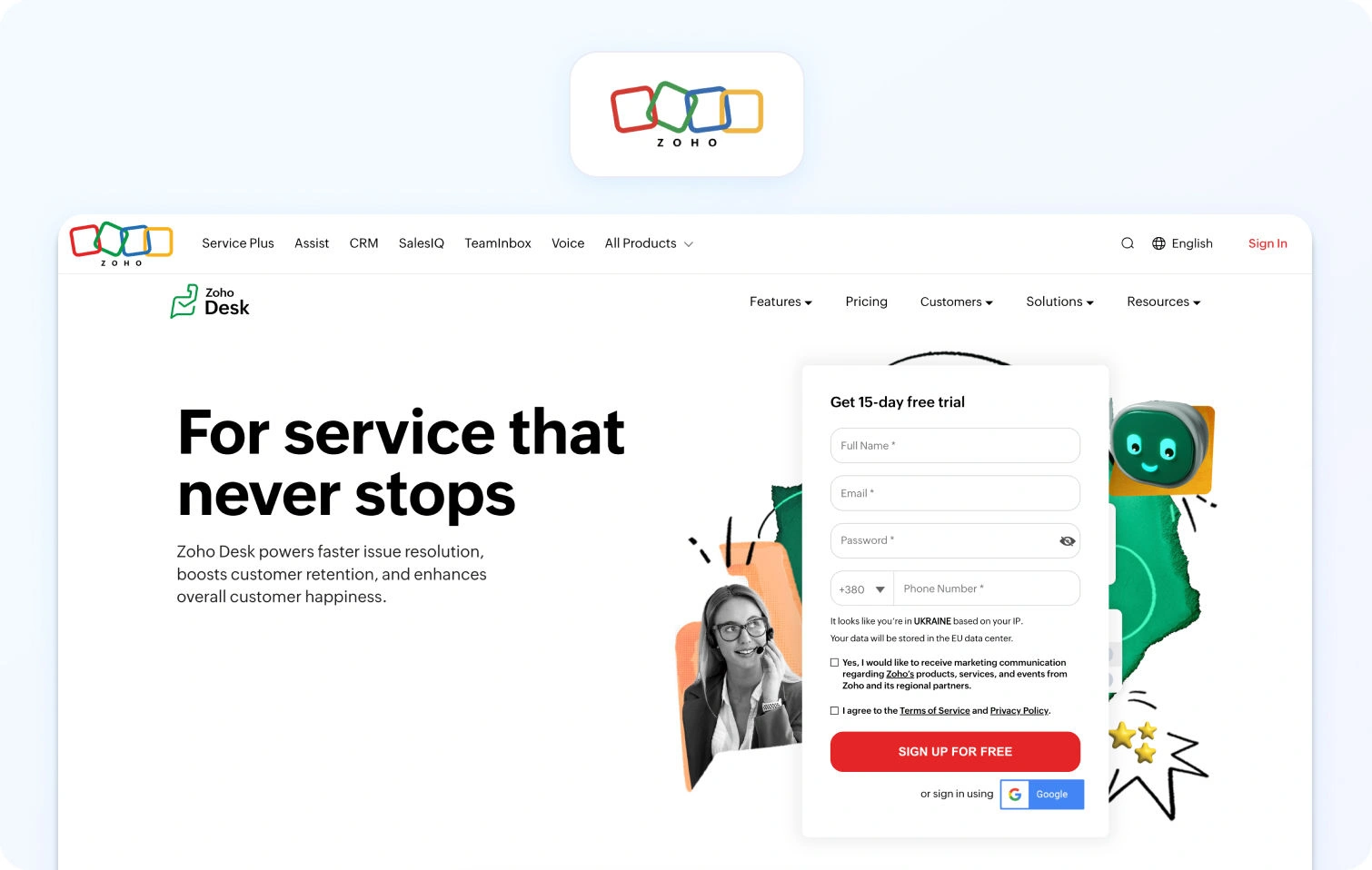
When people search Zoho vs Zendesk, they’re often comparing two ticketing systems. Zoho Desk is fundamentally a help desk platform designed to integrate deeply with the broader Zoho ecosystem.
Strengths include:
- Tight integration with Zoho CRM and other Zoho apps
- Solid ticketing automation
- Strong value for SMB teams
However, more advanced operational layers, like telephony, workforce management, or deeper analytics, may rely on additional Zoho products or integrations, depending on the plan.
For organizations already committed to Zoho tools, this ecosystem alignment can be a major advantage.
Zendesk
Zendesk is widely considered the gold standard for ticketing workflows. The platform’s architecture focuses on:
- Powerful automation rules
- Mature escalation patterns
- Extensive marketplace integrations
Voice, AI features, and advanced operational tooling can vary by suite tier or add-ons, which means the final architecture often looks different from company to company.
Zendesk’s strength is flexibility, but that flexibility can sometimes translate into operational complexity as systems grow.
BlueTweak
BlueTweak takes a different approach. Rather than starting with a ticketing system and expanding outward, the platform is designed as a unified customer experience (CX) operating system.
That means bringing together:
- Ticketing
- Voice
- Messaging channels
- Bots
- Workforce management
- Analytics
- Knowledge-grounded AI
This architecture is particularly tuned for teams of 20–100 agents and organizations managing multiple brands or support environments.
The core goal BlueTweak is focused on addressing is reducing the number of tools needed to run customer operations.
Feature-by-Feature Comparison
The differences between Zendesk vs Zoho Desk vs BlueTweak become clearer when evaluating specific operational areas. Most customer support solutions can appear similar at a high level; ticketing, automation, knowledge bases, and reporting are now standard features across the industry. But once teams move beyond marketing pages and begin evaluating real workflows, meaningful differences start to emerge.
To make the comparison clearer, we’ve broken the platforms down into the operational layers that typically matter most to modern support teams. These include core ticketing workflows, omnichannel case management, voice support, knowledge base capabilities, AI and automation, analytics and workforce management, security and administration, and ecosystem integrations.
Looking at Zoho Desk and Zendesk through these practical lenses helps highlight where each platform excels, and where organizations may need to rely on additional tools or integrations. It also provides a clearer view of how platforms like BlueTweak approach the same operational challenges through a more unified architecture.
Ticketing workflows, SLAs, and escalation
Ticketing is the backbone of most support platforms.
Zoho Desk
Zoho Desk offers a strong ticketing engine with automation, SLAs, and workflow customization.
Strengths include:
- Automated ticket assignment
- SLA tracking and escalation rules
- Integration with Zoho CRM data
More advanced routing or operational workflows may require higher-tier plans or integration with other Zoho applications (Verify).
Zendesk
Zendesk remains one of the strongest ticketing platforms on the market.
Capabilities include:
- Advanced triggers and automations
- Macro libraries for response consistency
- Escalation frameworks across departments
Some capabilities (particularly advanced automation layers) can vary by suite tier or add-ons (Verify).
BlueTweak
BlueTweak approaches ticketing from a unified queue perspective.
Instead of separating channels, all interactions (voice, messaging, chat, and email) feed into one operational queue.
This reduces context switching for agents and simplifies multi-brand routing and reporting.
Omnichannel case management (email, chat, social, messaging)
Customer interactions now span many channels. The question isn’t whether platforms support them, but how well they unify them.
Zoho Desk
Zoho Desk supports multiple channels, including email, chat, and social messaging.
Cases from these channels can be consolidated into ticket records, though channel availability and depth may vary by plan (Verify).
Zendesk
Zendesk provides a strong omnichannel foundation with extensive integrations.
Organizations can extend channel support using the Zendesk marketplace, allowing them to add messaging apps and other communication tools.
BlueTweak
BlueTweak brings all channels into one workspace designed for faster handoffs and consistent customer context.
The goal is to reduce friction when agents switch between messaging platforms or escalate conversations between channels.
Voice (native vs add-on) and context preservation
Voice remains critical for many support operations, yet voice support varies widely across platforms.
Zoho Desk
Voice functionality is typically enabled through telephony integrations or add-ons (Verify).
Whether transcripts automatically link to ticket records may depend on the telephony integration being used.
Zendesk
Zendesk offers voice capabilities through its Zendesk Voice product and related add-ons (Verify).
Call recordings, transcripts, and reporting can integrate with ticket workflows depending on configuration.
BlueTweak
BlueTweak includes native voice integrated directly with ticketing.
Calls generate transcripts that attach to cases, allowing agents to review conversation history and maintain context across channels.
This can be particularly valuable for multilingual operations or high-volume voice environments.
Knowledge base and self-service
Self-service plays an increasingly important role in customer experience. According to Gartner research, 55% of service leaders are actively exploring customer-facing generative AI chatbots as part of their support strategy, highlighting the growing investment in automated and self-service experiences.
Platforms, therefore, need knowledge bases that are easy to maintain and govern.
Zoho Desk
Zoho Desk includes help center capabilities with:
- Article publishing
- Categorization and organization
- Localization support
Feature depth may vary by plan (verify).
Zendesk
Zendesk’s Help Center is one of the platform’s strongest components. Due to its maturity, content teams can manage:
- Multi-language documentation
- Content governance
- Advance article organization
BlueTweak
BlueTweak positions the knowledge base as the single source of truth for support operations.
Articles can power:
- Agent assistance
- Customer self-service
- Automation and bots
This helps maintain consistency across multiple brands or support channels.
AI, automation, and deflection
AI has become central to modern support platforms—but governance is increasingly important.
Zoho Desk
Zoho Desk includes AI capabilities depending on the plan, often focused on:
- Response suggestions
- Automation
- Customer interaction insights
Availability and governance features may vary by tier (Verify).
Zendesk
Zendesk offers several AI features, such as:
- Conversation summarization
- Suggested replies
- Automated bots
Capabilities vary by suite tier and add-ons (Verify).
BlueTweak
BlueTweak focuses on knowledge-grounded AI with human oversight. Key capabilities include:
- Automation that references the knowledge base to maintain consistency and accuracy
- Context-aware AI suggested replies to assist agents with faster, relevant responses
- Reduced reliance on purely generative AI, ensuring that all interactions reflect company knowledge and previous customer history
Analytics, WFM, and QA
Operational insight is critical for scaling support teams and tracking key customer support metrics.
Zoho Desk
Zoho Desk offers reporting dashboards and analytics.
More advanced workforce management or QA capabilities may require adjacent tools or integrations (Verify).
Zendesk
Zendesk provides strong analytics capabilities through its reporting framework.
However, workforce management and QA functions are often handled through add-ons or partner integrations (Verify).
BlueTweak
BlueTweak includes built-in analytics, WFM, and QA capabilities, designed specifically for support teams between 20 and 100 agents.
This allows managers to track performance without adding multiple operational tools.
Security, admin, and compliance readiness
Security and governance are essential for customer operations platforms.
Zoho Desk
Zoho Desk offers standard security controls, including:
- Role-based access
- MFA
- Audit logging
- Data retention controls
Availability may vary by plan (Verify).
Zendesk
Zendesk includes enterprise-grade security features such as:
- Role-based permissions
- MFA
- Audit logs
- Data residency options
Exact availability depends on the suite tier (Verify).
BlueTweak
BlueTweak focuses on simplified administration with:
- Multi-brand management
- Role-based access
- Audit logs
Some certifications may still be in progress, depending on deployment requirements.
Integrations and ecosystem
The ecosystem surrounding a platform often determines long-term flexibility.
Zoho Desk
Zoho Desk is particularly powerful when used within the Zoho ecosystem, integrating with CRM, marketing, and commerce tools.
External integrations are available but may require additional configuration.
Zendesk
Zendesk has one of the largest CX marketplaces in the industry.
Organizations can add hundreds of integrations, although this can create additional governance and administration overhead as systems grow.
BlueTweak
BlueTweak offers an API-open architecture, but emphasizes pre-configured capabilities designed to reduce setup complexity.
This can accelerate time-to-value, especially for multi-brand support environments.
Pricing and 12-month TCO modeling
When comparing customer support software, most buyers initially focus on the monthly license price. But in practice, the subscription fee is only one piece of the overall cost equation.
As support operations expand across channels, introduce AI features, or integrate additional tools, the true cost of running a customer support platform becomes much broader than seat pricing alone.
This is why experienced support leaders increasingly evaluate platforms based on total cost of ownership (TCO) over a 12-month period. Instead of asking “what does the license cost?”, the better question is: what does it take to actually run this platform in a real support environment?
For a typical 50-agent team supporting customers across 3–5 channels, the full cost picture often includes several operational components.
- Seat licenses - the baseline cost of the platform itself, usually calculated as a monthly fee per agent. This is the most visible line item, but rarely the only one.
- Voice and telephony usage - if the support operation includes phone support, additional costs may apply for minutes, call recordings, transcription, and storage.
- AI capabilities and automation usage - many platforms now offer AI-powered tools such as response suggestions, summarization, and chatbots. These features may be bundled into higher tiers or priced separately based on usage.
- Workforce management and quality assurance tools - scheduling, forecasting, and QA capabilities are sometimes included in CX platforms but are often sold as separate modules or handled through integrations.
- Implementation and migration services - initial setup can include ticket migration, knowledge base structure, workflow configuration, and channel onboarding. Depending on the platform, this may require professional services or internal resources.
- Marketplace applications and integrations - many support teams rely on integrations with CRM systems, telephony providers, analytics tools, or ecommerce platforms. These integrations can introduce additional subscription costs over time.
- Ongoing administrative overhead - finally, there’s the time cost associated with maintaining the platform; managing integrations, adjusting workflows, updating automations, and monitoring performance.
Taken together, these factors create the real operating cost of a support platform, which can look very different from the headline license price.
Vendor pricing notes:
Zoho Desk offers multiple pricing tiers that scale functionality across automation, analytics, and AI features. Many capabilities are unlocked at higher plan levels, so buyers evaluating Zoho vs Zendesk should confirm exactly which features are included in each tier (Verify).
Zendesk pricing typically follows suite tiers, with additional charges possible for voice capabilities, advanced AI features, and marketplace integrations, depending on the configuration.
BlueTweak pricing starts at €65 per agent per month, with some AI-related capabilities based on usage. The platform’s positioning focuses on combining multiple CX operational layers (ticketing, voice, WFM, and analytics) within a single environment.
Questions to ask sales
Before committing to any platform, buyers should clarify:
- What features are included in the base plan vs add-ons?
- Are there minimum seat counts or annual contracts?
- How are voice minutes, recordings, and transcripts priced?
- How is AI usage metered?
- Are sandbox or staging environments available?
- What support tiers and implementation packages exist?
- How does the platform handle multi-brand environments?
These questions often reveal the true total cost of ownership.
When each platform fits

Choosing between Zoho Desk, Zendesk, or BlueTweak ultimately depends on the structure, maturity, and operational priorities of your support organization. While all three platforms aim to help teams manage customer interactions more effectively, they take different architectural approaches to solving the problem.
Some platforms prioritize deep ticketing workflows and customization, others focus on ecosystem integration and affordability, while newer platforms aim to consolidate multiple CX capabilities into a single operational environment. As a result, the “best” platform is rarely universal; it depends on factors such as team size, channel mix, internal technical resources, and whether your organization prefers assembling a stack of specialized tools or running support operations from a more unified system.
The following scenarios highlight where each platform tends to fit best based on those operational considerations.
- Choose Zoho Desk if you want a cost-effective help desk with strong fundamentals and already rely heavily on Zoho applications.
- Choose Zendesk if you want highly customizable ticketing workflows and the flexibility of a large marketplace ecosystem.
- Choose BlueTweak if you want one platform that combines omnichannel support, voice, WFM, and analytics, particularly for teams between 20 and 100 agents or organizations supporting multiple brands.
Implementation considerations
Implementation complexity can vary significantly depending on how each platform is structured and how your current support environment operates. Migrating from an existing help desk or deploying a new CX platform typically involves more than simply importing tickets; it requires configuring workflows, structuring knowledge bases, onboarding channels, and ensuring reporting aligns with operational KPIs.
When comparing Zendesk, Zoho Desk, and BlueTweak, buyers should consider not only feature sets but also how much time and internal expertise may be required to deploy and maintain the platform.
Zoho Desk
Implementing Zoho Desk typically begins with migrating existing tickets, customers, and support data into the new system. Teams also need to structure the knowledge base so that articles are properly categorized for both agents and customers.
Workflow automation is another key part of the deployment process, including configuring ticket routing rules, SLAs, and escalation paths. If the organization uses other Zoho products, such as Zoho CRM, integrations may also need to be configured to ensure customer data flows smoothly between systems.
For teams already operating within the Zoho ecosystem, implementation is often relatively straightforward. However, organizations relying on external tools may need additional integration work to connect telephony platforms, analytics tools, or messaging channels.
Zendesk
Zendesk implementations often involve a deeper level of workflow configuration due to the platform’s flexible automation framework. In addition to migrating tickets and knowledge base content, teams typically spend time configuring triggers, automations, and macros that standardize how agents respond to different types of requests.
Because Zendesk relies heavily on its marketplace ecosystem, implementation may also include installing and configuring third-party integrations for capabilities such as voice support, analytics, or workforce management. As the number of integrations grows, organizations often establish governance practices to ensure apps remain compatible and workflows remain manageable.
This flexibility is one of Zendesk’s strengths, but it also means that implementation timelines can vary depending on how customized the environment becomes.
BlueTweak
BlueTweak deployments generally focus on consolidating support channels and operational workflows into a unified environment. Instead of connecting multiple external tools, the implementation process typically centers on bringing channels such as email, chat, messaging apps, and voice into a single workspace.
Knowledge base content is also structured early in the deployment so it can support both agent workflows and AI-powered assistance. For organizations managing multiple brands or support environments, routing rules and reporting structures are configured to ensure tickets and conversations are correctly segmented.
Implementation often concludes with configuring dashboards, analytics views, and workforce management settings so support leaders can monitor performance and staffing from day one.
How we evaluated Zendesk vs Zoho vs BlueTweak
This comparison is based on information from vendor documentation and publicly available product pages. The goal is to present a practical overview of how each platform approaches common customer support challenges rather than relying on third-party review sites.
Where platform capabilities vary depending on plan tiers or configuration, they are labeled “Varies by plan” or “Verify.” Buyers should confirm these details directly with vendors during the evaluation process for relevant specifics for their needs.
Final thoughts: the verdict for modern support operations
When comparing customer support solutions, the real decision isn’t just about ticket management features or pricing tiers. Each platform approaches customer support from a different architectural perspective, which affects how easily teams can scale, automate workflows, and manage multiple channels over time.
Zoho Desk is often the logical choice for organizations already invested in the Zoho suite, particularly those already using Zoho CRM, Zoho Analytics, and other Zoho apps to manage customer relations. The platform offers strong automation capabilities, customizable ticket forms, and an intuitive interface that works well for smaller or mid-sized teams.
Zendesk, on the other hand, remains one of the most mature platforms in the market. With tools like Zendesk Explore, Zendesk Talk, and the broader Zendesk Support Suite, it offers customization options, advanced reporting, and an ecosystem of third-party apps. For organizations willing to manage integrations and configuration complexity, it is a powerful and scalable customer service platform.
BlueTweak represents a newer architectural approach, designed to consolidate support tools into a unified environment. Instead of relying on multiple integrations, the platform focuses on combining ticket management, voice, analytics, workforce management, and AI tools in one system to help teams streamline customer support.
Ultimately, the right choice depends on the maturity of your support operations, the size of your team, and whether your organization prefers assembling a flexible support stack or running customer support from a more unified platform.
For many organizations evaluating Zoho Desk and Zendesk, the most practical next step is a short pilot with identical workflows and KPIs. Testing each platform with real incoming tickets, automation rules, and reporting needs will provide the clearest view of which system best supports your long-term customer experience strategy.
If you'd like to see how a unified CX platform works in practice, you can book a BlueTweak demo to explore how ticketing, voice, analytics, and automation can operate within a single support environment.

13 Help Scout Alternatives To Choose From In 2026
Help Scout is a popular choice for small teams thanks to its simple shared inbox and intuitive help desk. But as customer expectations rise and support operations become more complex, many businesses begin looking for platforms that offer AI, omnichannel support, automation, and deeper operational visibility.
If you're comparing Help Scout alternatives, this guide breaks down the best options for 2026, from lightweight inbox tools to enterprise platforms. If your team needs a unified customer support platform with built-in AI, voice, workforce management, and analytics, BlueTweak stands out as one of the strongest choices for growing support teams.
Why More Teams Are Evaluating Help Scout Alternatives
Help Scout built its reputation on simplicity, and for many small teams, that's exactly what makes it such a good fit. However, as support operations grow, businesses often need more than an email-first shared inbox. Omnichannel conversations, AI-assisted workflows, multilingual support, and operational reporting become essential for delivering fast, consistent customer service.
Recent research reflects this shift. A 2025 PwC customer experience survey found that 73% of consumers say experience is a key factor in purchasing decisions, making customer support a strategic driver of revenue and retention rather than simply a cost centre.
As a result, more organizations are evaluating Help Scout alternatives that can support larger teams, more channels, and increasingly sophisticated service operations.
When You Need a Help Scout Alternative (And When You Don't)

Before switching platforms, it's worth understanding whether your team actually needs an alternative to Help Scout or simply better internal processes.
Many teams stay happily on Help Scout for years. But there are clear signals when the platform starts to show its limits.
Signs You May Need a Help Scout Alternative
Teams typically begin exploring Help Scout competitors when operational complexity increases.
- You need omnichannel support beyond email: Help Scout excels at email-based support, but many organizations eventually need to manage conversations across chat, messaging apps, and voice in a single workflow.
- Routing and escalation become operational priorities: as teams grow, support requests must be routed based on skills, priority, brand, language, or SLA rules. Basic assignment workflows often aren't enough.
- Reporting moves from occasional insight to weekly operations: leadership teams increasingly expect dashboards tracking backlog aging, response times, and agent productivity as part of operational reviews.
- AI adoption requires governance: many support teams now use AI to summarize conversations, generate replies, or surface knowledge base content. That shift introduces new governance needs around auditing and data usage.
- Multi-brand support becomes the operating model: companies supporting multiple brands, regions, or clients need systems designed for structured routing and reporting across several support environments.
- Cost predictability becomes critical: as support tooling expands into multiple add-ons and integrations, finance teams often push for clearer pricing models that reduce surprise costs.
When Help Scout Still Makes Sense
Help Scout remains a strong choice if:
- Your support team is small and email-first
- Routing and escalation are relatively simple
- Reporting needs are light
- Most interactions come from a single brand or product
- Budget is restricted to Help Scout’s basic plans starting at $25/user/month
In those cases, the simplicity that makes Help Scout attractive may still be the right fit.
If your support team is outgrowing a shared inbox, it may be time to explore a platform built for modern customer support. Book a personalized BlueTweak demo to see how AI, omnichannel support, workforce management, and analytics come together in one unified solution.
13 Best Help Scout Alternatives To Choose From In 2026
The landscape of Help Scout alternatives is broad. Some tools focus on inbox collaboration, others emphasize automation or enterprise service workflows.
Below are several of the most widely adopted Help Scout competitors, grouped by their strongest use case.
Best For Unified CX Operations (Omnichannel + Ops)
Some organizations want a single platform that consolidates multiple support functions.
BlueTweak: Best for Scaling Omnichannel Customer Support
Best for: Mid-market support teams that want AI-powered omnichannel customer support without managing multiple disconnected tools.
BlueTweak is designed for growing customer support teams that have outgrown traditional shared inbox platforms like Help Scout. Instead of combining separate products for ticketing, live chat, voice, workforce management, QA, and AI, BlueTweak brings everything together in one unified customer support platform.
This is particularly evident in complex, multi-client environments, where structured routing, visibility, and performance management are critical, as demonstrated by how Conectys scaled and standardized its support operations using BlueTweak's unified platform.
Teams can manage email, live chat, voice, messaging apps, and social channels from a single workspace while using AI-powered features such as suggested replies, ticket summaries, knowledge-grounded chatbots, multilingual voicebots, and agent copilots to improve productivity.
Unlike many competitors that charge separately for core operational capabilities, BlueTweak includes workforce management, quality assurance, analytics, and omnichannel routing within a predictable pricing model, making it particularly attractive for mid-market support teams.
Why pick it?
- Unified omnichannel inbox for email, chat, voice, and messaging
- Native AI chatbots, voicebots, ticket summaries, and agent copilot
- Built-in workforce management and quality assurance
- Strong multilingual and multi-brand support
- Predictable pricing with fewer add-on costs
"Support platforms shouldn't force teams to stitch together separate tools just to deliver great service. The biggest gains come when AI, voice, messaging, workforce management, and analytics work together in a single operational platform." — Radu Dumitrescu, Head of Presales & Digital Transformation at BlueTweak
Pricing note: Starts at €65 per agent/month, including ticketing, omnichannel support, workforce management, quality assurance, analytics, and AI tools. Usage-based pricing applies to selected AI and communication services.
Top integrations: Salesforce, Shopify, Microsoft Teams, Slack, HubSpot
Migration tip: Run a short pilot environment before fully migrating live support queues.
Want to see what unified customer support looks like? Start a 14-day free trial (no credit card required), or calculate your potential savings using BlueTweak's ROI Calculator.
LiveAgent

Best for: Teams wanting omnichannel support with built-in call center capabilities
LiveAgent focuses on consolidating multiple support channels into a single platform, with particular strength in voice and call center functionality.
Why pick it?
- Unified ticketing system, live chat, email, and social channels
- Built-in call center capabilities
- Multiple communication channels in one platform
Pricing note: Tiered seat pricing
Top integrations: Slack, Shopify, WordPress, Zapier
Migration tip: Validate telephony configuration before migration.
Watch-outs:
- Confirm reporting capabilities for larger teams
HappyFox

Best for: Operations-led teams focused on structured workflows
HappyFox emphasizes structured ticket workflows and operational visibility, making it popular with support leaders who prioritize process control and reporting.
Why pick it?
- Workflow rules designed for operational control
- Reporting tools built around performance monitoring
Pricing note: Tiered seat pricing
Top integrations: Slack, Salesforce, Jira
Migration tip: Rebuild automation rules during migration.
Watch-outs:
- Confirm channel availability and add-on requirements
Best “Shared Inbox” and Lightweight Workflow Alternatives
Some organizations still prefer the shared inbox model, but need stronger collaboration features or workflow controls than Help Scout provides.
Front
Best for: Shared inbox collaboration across support, sales, and operations teams
Front positions itself closer to collaborative inbox management than traditional help desk software.
Why pick it?
- Strong internal collaboration features around conversations
- Works well for teams managing customer emails across multiple departments
- Familiar email-style workflows reduce onboarding friction
Pricing note: Seat-based pricing with tiered features
Top integrations: Slack, Salesforce, HubSpot, Aircall
Migration tip: Map existing Help Scout mailboxes to Front inbox structures before importing conversations.
Watch-outs:
- May require additional tools if you need deeper help desk workflows
- Confirm automation capabilities for more complex support operations
Zendesk
Best for: Teams moving from simple inbox support to a full help desk ecosystem
Zendesk is one of the most widely adopted Help Scout competitors for organizations scaling their support operations.
Why pick it?
- Deep ticketing and automation capabilities
- Large marketplace of integrations and extensions
- Mature help center and knowledge base functionality
Pricing note: Zendesk’s Suite Team plans starts at $55/agent/month, with higher-tier plans and optional add-ons available.
Top integrations: Slack, Salesforce, Shopify, Jira
Migration tip: Start with Zendesk's ticket import tools and recreate automation workflows after migration.
Watch-outs:
- Pricing tiers and add-ons can increase the total cost of ownership
- Governance is often needed as integrations accumulate
Freshdesk (Freshworks)
Best for: Budget-conscious teams needing a full help desk foundation
Freshdesk is often evaluated as an accessible Help Scout alternative that still offers ticketing, automation, and omnichannel capabilities.
Why pick it?
- Solid ticketing and automation features
- Broad integration ecosystem
- Relatively approachable onboarding for new support teams
Pricing note: Freshdesk’s Growth plan starts at $19/user/month, with a free plan available for basic functionality. Freddy AI is available for AI-powered automation and assisted responses.
Top integrations: Slack, Shopify, Jira, Salesforce
Migration tip: Export Help Scout tags and workflows early to simplify rule recreation.
Watch-outs:
- Confirm which advanced operational features exist at your pricing tier
Zoho Desk

Best for: Companies already using the Zoho ecosystem
Zoho Desk appeals to organizations that want a lower-cost help desk integrated into a broader software suite.
Why pick it?
- Cost-effective help desk fundamentals
- Strong fit if your organization already runs Zoho CRM or other Zoho apps
Pricing note: Zoho Desk’s Standard plan starts at $14/user/month, with higher-tier plans adding advanced automation and AI capabilities.
Top integrations: Zoho CRM, Slack, Jira, Microsoft Teams
Migration tip: Align customer records between Help Scout and Zoho CRM before migrating tickets.
Watch-outs
- Confirm omnichannel and automation features available in your plan
Best For Chat-First Support And Automation-Led CX
Some modern support teams prioritize real-time messaging and automation over traditional email ticketing.
Intercom
Best for: Product-led companies where chat and automation drive support
Intercom has built its platform around conversational support and automation.
Why pick it?
- Highly polished chat and messaging experiences
- Automation workflows designed for product-led growth companies
- Strong AI roadmap
Pricing note: Hybrid seat and usage pricing
Top integrations: Slack, HubSpot, Stripe, Segment
Migration tip: Review conversation tagging structures before importing tickets.
Watch-outs:
- Costs can scale quickly depending on usage and add-ons
Best For E-commerce Support Teams
Support needs often look very different in e-commerce environments.
Gorgias
Best for: Shopify-heavy ecommerce support teams
Gorgias is widely considered one of the strongest alternatives to Help Scout for e-commerce brands.
Why pick it?
- E-commerce-specific workflows for order issues
- Automation built around refunds, shipping, and order management
Pricing note: Usage-based pricing tied to ticket volume
Top integrations: Shopify, Magento, BigCommerce, Stripe
Migration tip: Map customer order data before importing tickets.
Watch-outs:
- Verify how pricing scales with ticket volume
Best For IT-Style Workflows And Complex Service Operations
Some companies require support tools that operate more like service management platforms.
Jira Service Management
Best for: Organizations aligning customer service with engineering workflows
Jira Service Management extends Atlassian's project management ecosystem into customer service, making it particularly appealing for teams already working closely with engineering and product teams.
Why pick it?
- Extremely flexible workflow engine
- Native integration with Jira and Confluence ecosystems
Pricing note: Seat-based pricing
Top integrations: Jira, Confluence, Slack, Opsgenie
Migration tip: Rebuild SLA workflows carefully during migration.
Watch-outs:
- Configuration complexity can be higher than that of traditional help desks
Salesforce Service Cloud
Best for: Enterprises already standardized on Salesforce
Salesforce Service Cloud is designed to extend the Salesforce CRM into full customer service operations, giving teams deep visibility into customer data and service performance.
Why pick it?
- Deep customization capabilities
- Strong governance and reporting features
- Native connection to Salesforce CRM data
Pricing note: Enterprise-tier seat pricing
Top integrations: Salesforce ecosystem apps, Slack, MuleSoft
Migration tip: Align customer records between systems before ticket imports.
Watch-outs:
- Implementation complexity and administrative overhead
Best For Inbox-To-Helpdesk Transition
Some tools focus on helping teams move gradually from inbox-style support to more structured ticketing.
HubSpot Service Hub

Best for: Teams already using HubSpot CRM
HubSpot Service Hub extends the HubSpot CRM into support operations, allowing companies to manage service conversations alongside marketing and sales data.
Why pick it?
- CRM-native customer context
- Unified customer records across sales and support
Pricing note: Tiered seat pricing
Top integrations: HubSpot CRM, Slack, Shopify
Migration tip: Sync contact records before importing tickets.
Watch-outs:
- Confirm help desk feature depth at higher support volumes
Kayako
Best for: Teams wanting conversational support with traditional help desk foundations
Kayako blends conversational support experiences with a more traditional ticketing system, aiming to keep customer interactions feeling personal while maintaining structure.
Why pick it?
- Conversation-oriented support workflows
- Straightforward deployment for smaller teams
Pricing note: Verify with vendor
Top integrations: Slack, Salesforce, Zapier
Migration tip: Rebuild help center structures after migration.
Watch-outs:
- Confirm the current feature roadmap and packaging
How We Evaluated Help Scout Alternatives
To keep this guide objective, each Help Scout alternative was assessed using publicly available product documentation, pricing pages, integration marketplaces, and case studies. This approach ensures that comparisons focus on confirmed capabilities rather than marketing claims.
Must-Have Capability Checklist
When evaluating alternatives to Help Scout, most support leaders prioritize several core capabilities:
- Voice and messaging channels integrated with help desk workflows
- Knowledge-base grounded answers or strong knowledge integrations
- AI features for transcription, summarization, and reply suggestions
- Operational analytics and performance reporting
- Workforce management or quality assurance modules
- Security controls such as MFA, audit logs, and role-based permissions
- Integration ecosystem and developer APIs
- Pricing that includes core AI capabilities rather than only add-ons
- Built-in surveys or CSAT tracking
Platforms that meet all of these requirements generally provide a stronger operational foundation for growing support teams.
Scoring Rubric
Each Help Scout competitor was also evaluated using the following operational criteria:
- Fit for teams with 20–100 agents
- Depth of omnichannel support, including voice
- AI coverage, including agent assistance and knowledge grounding
- Workforce management and quality assurance tools
- Time-to-value during implementation
- Total cost to operate over time
- Security and governance features such as roles, audit logs, and MFA
Looking for a platform that combines AI, omnichannel support, workforce management, and analytics in one place? Book a personalized BlueTweak demo to see how it performs against the evaluation criteria that matter most to growing support teams.
How to Choose the Right Help Scout Alternative
With so many Help Scout competitors, selecting the right platform often depends on how your support organization is evolving. Below is a simple way to narrow your options.
Before committing to a platform, most teams also review a few practical factors. Key considerations include:
- Channels you support today and those planned within 12 months
- Ownership of knowledge base content and self-service maturity
- AI governance requirements, including auditing and approvals
- Reporting KPIs reviewed during weekly operational meetings
- Whether workforce management or quality assurance must be built in
- Budget preference between seat-based and usage-based pricing
- Internal administrative capacity to manage the platform
Pricing and 12-month TCO Checklist
When evaluating alternatives to Help Scout, support leaders are increasingly looking beyond seat pricing and instead are evaluating the total cost of ownership over a 12-month period. Channels, AI features, integrations, and operational overhead can all influence the real cost of a support platform.
A simple worksheet can help estimate real costs. An operational cost worksheet should consider:
- Number of agent seats
- Add-ons such as AI features, channels, or WFM modules
- Telephony or messaging usage (if applicable)
- Implementation or onboarding services
- Marketplace integrations or third-party apps
- Administrative time required each month
- Premium support tiers
During vendor conversations, it also helps to ask a consistent set of questions.
Questions to Ask Sales Teams
- Which features are included versus paid add-ons?
- How are AI capabilities priced?
- Are there limits on inboxes, brands, help centers, or APIs?
- What are the data retention and export policies?
- Are sandbox environments available?
- What contract minimums or renewal terms apply?
These details often shape the long-term viability of a platform more than headline pricing.
The worksheet below can help estimate your expected annual investment when comparing Help Scout alternatives.
12-Month Support Platform Cost Worksheet
This type of structured comparison often reveals that some platforms with lower headline pricing can become significantly more expensive once add-ons and usage costs are included.
If you're evaluating Help Scout alternatives, seeing a platform in action can make it much easier to compare AI capabilities, omnichannel workflows, reporting, and automation.
Book a personalized BlueTweak demo to explore how growing support teams unify customer conversations, workforce management, and analytics in a single platform.
Migration Notes
Switching Help Desk platforms can feel disruptive, but structured migrations typically reduce risk significantly. Most teams follow a similar migration process.
- First, export and import tickets, users, and customer records from Help Scout into the new system.
- Next, recreate operational logic such as tags, macros, automation rules, and SLA workflows.
- Knowledge base structures often need to be rebuilt as well, along with URL redirects to preserve search traffic.
Many teams also run a 2–4 week pilot period, operating both systems in parallel before fully switching. During this time, it's useful to track baseline performance metrics such as:
- First response time
- SLA compliance
- Ticket backlog aging
- Customer satisfaction scores
Those benchmarks make it easier to measure improvements after migration.
Final Thoughts: Choosing The Right Help Scout Alternative For Your Support Operation
Exploring Help Scout alternatives isn't necessarily about replacing it because it's failing. For many small businesses, the platform remains a reliable help desk software option for managing email-based customer communications through a simple shared inbox and integrated knowledge base.
However, as customer service teams grow, their operational needs often change.
Support leaders begin thinking less about individual support tickets and more about overall customer experience, operational efficiency, and the systems required to manage rising ticket volume. At that stage, teams often need a more comprehensive customer support platform capable of coordinating customer interactions across multiple channels.
The best Help Scout alternatives tend to fall into several categories:
- Collaborative inbox platforms that extend the familiar shared inbox model while improving team collaboration
- Full help desk solutions with deeper ticket management, automation, and SLA management
- Messaging-first platforms designed for real-time customer conversations through live chat support
- Specialized customer service software built for e-commerce or enterprise workflows
- Unified customer communication platforms that combine tickets, voice, messaging, analytics, and workforce operations
For many teams, switching from Help Scout is less about adding complexity and more about creating a system capable of supporting modern customer service processes. That might include:
- Scaling self-service through a stronger knowledge base and self-service portal
- Managing customer requests across multiple channels
- Reducing response times through smarter ticket routing
- Improving visibility into customer data and support tickets
- Enabling support agents to handle higher ticket volume without sacrificing quality
The most effective way to evaluate Scout alternatives is to run a short pilot and compare how different help desk solutions handle your real support processes, ticket management, and customer queries.
If your goal is to unify customer communications, reduce tool sprawl, and deliver superior customer experiences, a platform that combines tickets, messaging, voice, automation, and analytics in a single customer service platform may offer the strongest long-term foundation.
For teams looking to move beyond a shared inbox while maintaining a clear operational structure, exploring modern Help Scout alternatives can reveal solutions that better align with how customer support teams operate today.



