



TL;DR
Five9 is a powerful enterprise contact center platform, but many mid-market teams find its implementation timelines, pricing model, and modular licensing difficult to justify. Platforms like BlueTweak deliver omnichannel support, AI powered by your knowledge base, workforce management, and quality assurance in one transparent subscription. This guide compares 14 leading Five9 alternatives to help you find the best fit for your team.
Five9 is designed for large enterprise contact centers, but that often comes with enterprise complexity. Long implementations, modular pricing, seat minimums, and separate AI or workforce management add-ons make it difficult for many growing support teams to justify.
Today's mid-market contact centers need something different: true omnichannel support, AI grounded in company knowledge, workforce management, and quality assurance in one platform that can be deployed quickly.
BlueTweak is one example, combining these capabilities in a single platform with transparent pricing, but it's far from the only option. Below, we compare the best Five9 alternatives for teams evaluating their next contact center platform.
Five9 Alternatives for the Mid Market
Five9 is a strong choice for large enterprise contact centers, but many growing support teams don't need enterprise-level complexity. Long implementation timelines, modular pricing, and add-on costs for AI, workforce management, and quality assurance can quickly increase both cost and administrative overhead.
Instead, mid-market organizations often prioritize faster deployment, transparent pricing, and a unified platform that combines voice, email, chat, social messaging, AI, and workforce management without relying on multiple products or lengthy implementation projects.
This guide compares 14 Five9 alternatives built for customer support teams of 20–100 agents, highlighting each platform's strengths, pricing, AI capabilities, and overall value so you can find the best fit for your business.
Five9 Alternatives At a Glance
If you're short on time, here's a quick overview of how the leading Five9 alternatives compare. We've highlighted each platform's ideal use case, starting price, and whether it includes key capabilities like AI, workforce management (WFM), and omnichannel support. Then we'll dive into each solution in more detail.
*Starting prices reflect the lowest publicly advertised plans available at the time of writing. Enterprise features such as workforce management, advanced AI, omnichannel routing, and quality management may require higher-tier plans, add-ons, usage-based charges, or custom pricing.
While every platform here offers cloud contact center capabilities, they're built for different business needs. Some prioritize enterprise scalability, while others focus on faster deployment, transparent pricing, or AI-powered automation for growing support teams. Below, we'll take a closer look at each solution to help you find the best Five9 alternative for your organization.
14 Five9 Alternatives for 2026
We prioritized platforms that deploy in weeks, not months, built for teams of 20–100 agents, with true omnichannel capabilities, AI grounded in your knowledge base, and native WFM/QA. Expect transparent, all-in pricing and voice as a channel, not the center.
1. BlueTweak: Best for Unified Omnichannel Customer Support
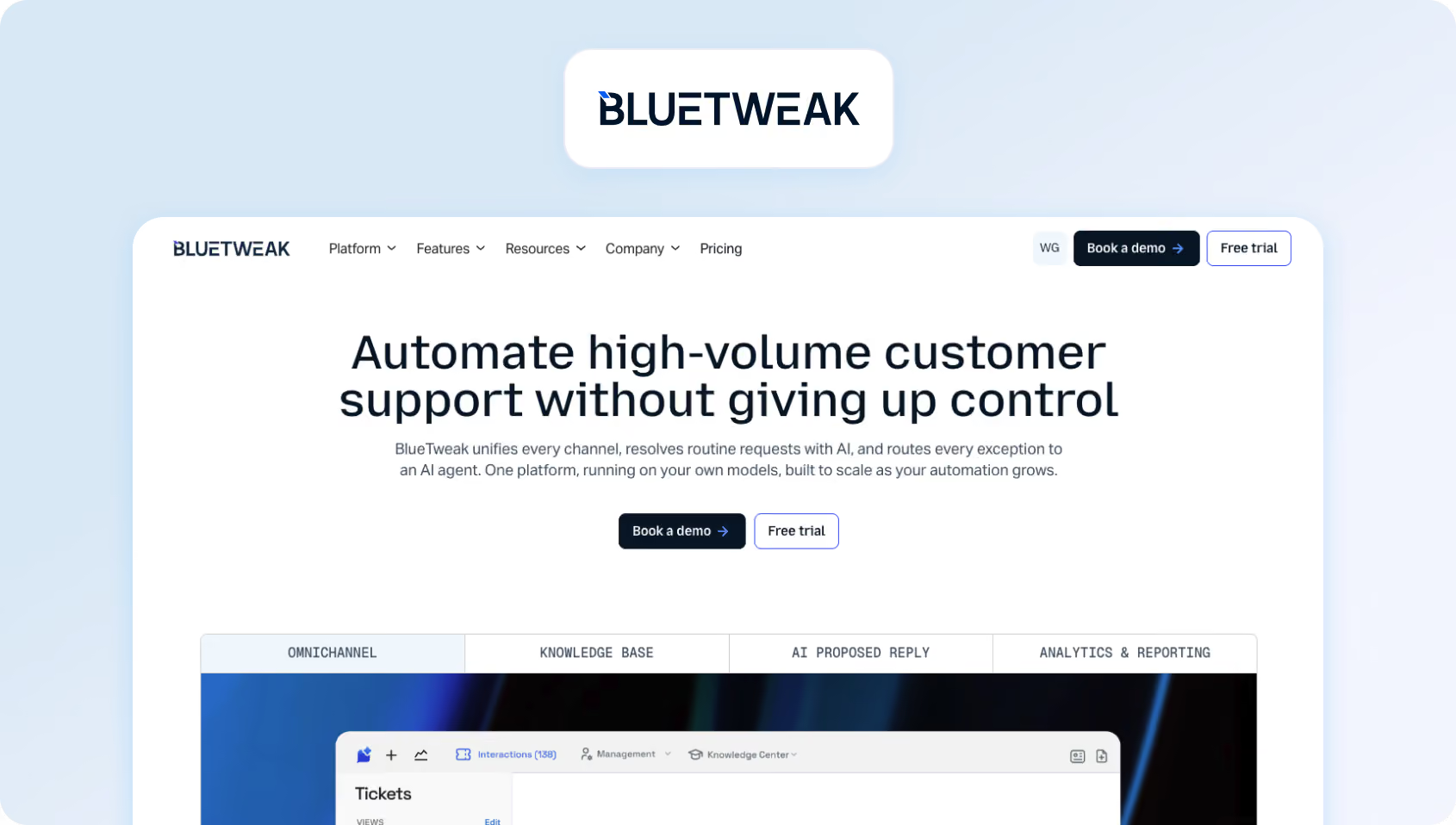
BlueTweak delivers comprehensive customer service on a single platform; omnichannel ticketing, voice, chat, email, social, AI automation, workforce management, and quality assurance. You get all of this without the module sprawl that defines enterprise alternatives. It's built specifically for mid-market teams and eliminates the implementation complexity and cost escalation that push Five9 beyond reach for operations with fewer than 100 agents.
Best for: BlueTweak is best for growing customer support teams that want to unify voice, ticketing, AI, workforce management, and quality assurance in one platform without paying separately for every capability.
Features:
- Ticketing system with intelligent routing by skills, language, priority, and customer history
- AI voicebot handling routine inquiries with warm handoffs, preserving full context
- Call transcription software providing real-time transcription and searchable call records
- Suggested reply and canned responses grounded in the knowledge base for consistency
- AI ticket summary condensing lengthy interactions into actionable briefings
- Call center workforce management with forecasting, scheduling, and adherence tracking
- Customer service quality assurance, providing scorecards, calibration, and coaching
- Customer service analytics tracking sentiment, SLA performance, and outcomes
- Multilingual customer support with real-time translation preserving context
- Customer profile displaying complete interaction history regardless of channel origin
- Customer support automation with KB-grounded chatbot and voicebot
Who uses it: Mid-market contact centers managing 20–100 agents who need complete omnichannel capabilities with AI features and predictable costs without enterprise contracts.
"Many companies evaluating Five9 don't actually need enterprise complexity. They need a platform that unifies every customer conversation, gives agents AI grounded in trusted knowledge, and helps managers improve performance without stitching together multiple vendors. That's exactly what we built BlueTweak to do." — Radu Dumitrescu, Head of Presale & Digital Transformation at BlueTweak
Pricing:
- All-in plan: €65/agent/month includes ticketing, omnichannel (voice, email, chat, social), AI features, workforce management, quality assurance, analytics, and APIs
Note: Single transparent plan instead of tiered bundles. See pricing for details.
Pros:
- Complete platform eliminates module fragmentation and vendor coordination overhead
- KB-grounded AI ensures consistent, policy-compliant responses across all channels
- Native workforce management and quality assurance avoid third-party integration costs
- Implementation measured in weeks with guided deployment versus months of professional services
- Transparent pricing bundles all features without usage surprises or seat minimums
- API-open architecture enables seamless integration with existing CRM and business systems
- Multilingual support with real-time translation scales global operations efficiently
Cons:
- Newer platform with a smaller third-party app marketplace than established providers
- Less brand recognition compared to enterprise-focused Five9 competitors
- Some advanced security features are scheduled for upcoming releases
BlueTweak in Action:
Global BPO provider Conectys implemented BlueTweak's platform to consolidate customer support operations, improve reporting, and give agents faster access to the information they needed. The results included a 30% reduction in data retrieval time, a 40% increase in reporting efficiency, a 35% improvement in customer satisfaction (CSAT), a 25% reduction in resolution times, and a 20% reduction in operational costs, demonstrating how a unified customer support platform can improve both agent productivity and customer experience.
Want to see how BlueTweak compares with Five9? Book a personalized demo and explore omnichannel support, AI automation, workforce management, and quality assurance in one platform.
2. Genesys Cloud CX: Best for Large Enterprise Contact Centers
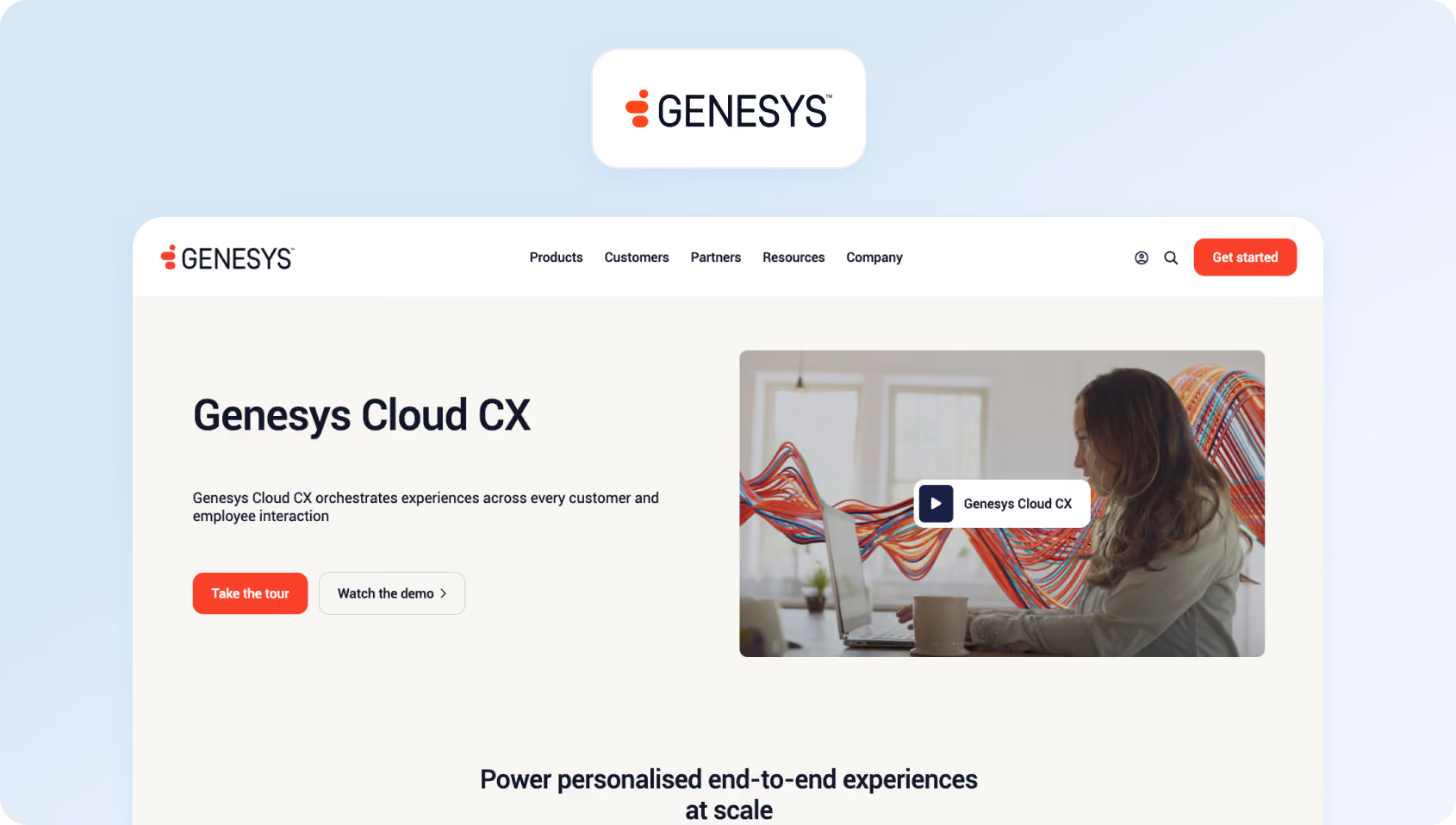
Genesys Cloud CX competes directly with Five9 at enterprise scale, offering comparable depth in workforce optimization, journey analytics, and AI capabilities across massive agent populations. The platform targets organizations that run global operations, where customization needs justify longer implementation cycles.
Best for: Genesys Cloud CX is best for large enterprises managing complex, global customer service operations. Its advanced journey orchestration, AI, and workforce optimization capabilities are well suited to organizations with hundreds or thousands of agents and the resources to support enterprise-scale deployments.
Features:
- Omnichannel routing across voice, digital channels, and social media
- Journey management connecting customer interactions across touchpoints and departments
- AI-powered features for workforce engagement management
- Quality management with automated evaluations and compliance recording
- Predictive routing using customer data and agent skills
Who uses it: Enterprise contact centers managing hundreds of agents across multiple regions requiring sophisticated journey orchestration and workforce optimization.
Pricing:
- Genesys Cloud CX 1: $75/user/month (billed annually) for voice-first contact centers, including call routing, speech-enabled IVR, outbound campaigns, interaction recording, analytics, native bots, predictive routing, and Agent Copilot.
- Genesys Cloud CX 2: $115/user/month (billed annually) adds digital channels, omnichannel routing, quality assurance and compliance, making it suitable for omnichannel contact centers.
- Genesys Cloud CX 3: $155/user/month (billed annually) adds full workforce engagement management (WEM), including employee performance management, AI-powered forecasting and scheduling, resource management, and speech and text analytics.
- Genesys Cloud CX 4: $240/user/month (billed annually) includes journey management, virtual agents, Supervisor Copilot, Virtual Supervisor, social listening, and 30 AI Experience tokens per named agent for organizations looking to maximize AI-powered customer experiences.
Pros:
- Enterprise-grade scalability supporting thousands of concurrent agents globally
- Deep workforce optimization with advanced forecasting and scheduling algorithms
- Comprehensive journey analytics tracking customer interactions across business units
- Mature integration ecosystem connecting major CRM and business systems
- Strong compliance key features for regulated industries
Cons:
- Extremely expensive for mid-market teams under 100 agents
- Complex implementation requiring months of professional services and technical expertise
- Pricing structure with four tiers plus add-ons creates budget unpredictability
- Steep learning curve demands extensive agent training and ongoing support
- Overkill for straightforward contact center operations focused on customer service
3. NICE CXone: Best for Workforce Optimization and Analytics
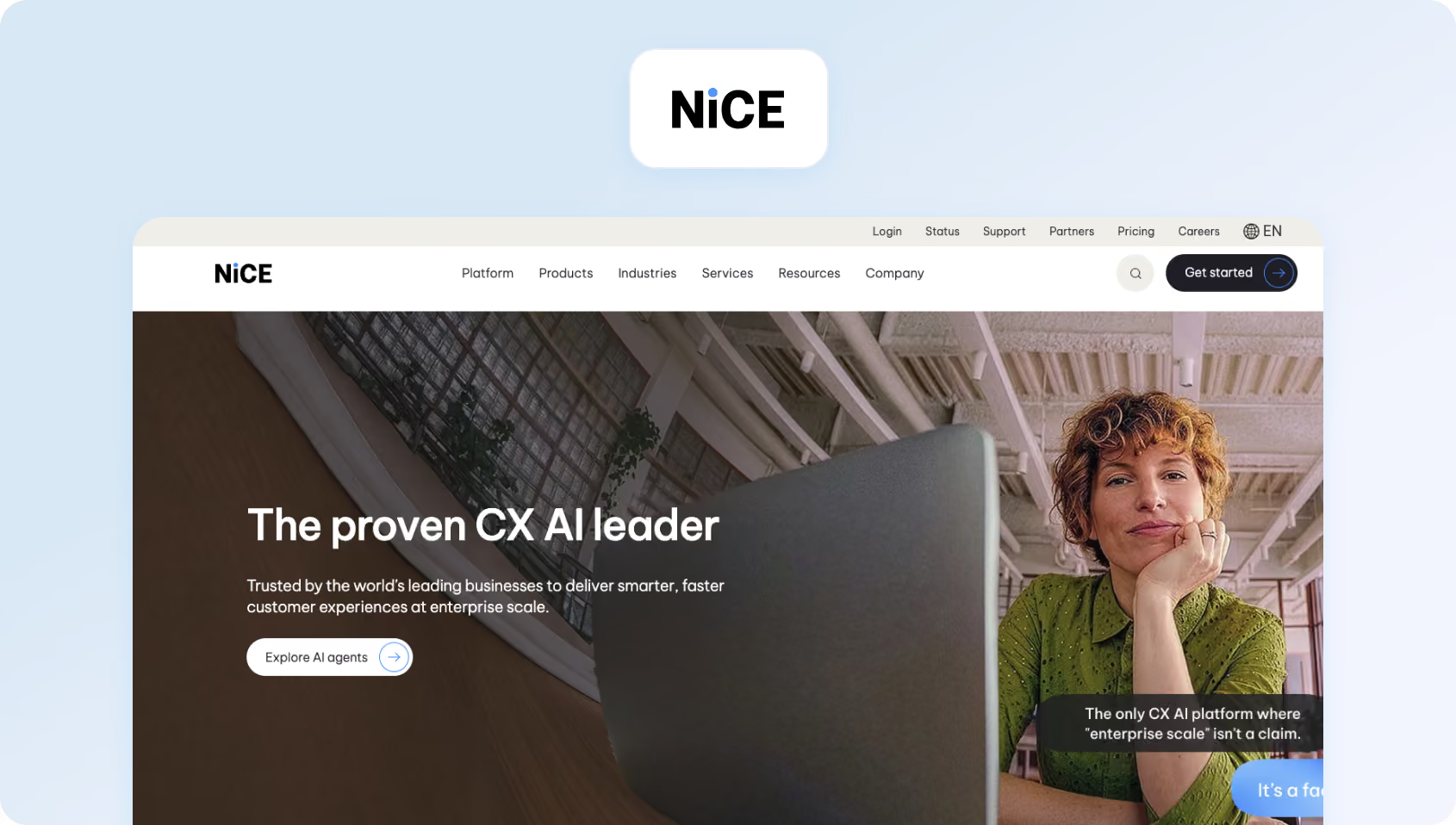
NICE CXone delivers enterprise contact center capabilities with particular strength in workforce optimization, quality management, and customer experience analytics. The platform serves organizations prioritizing data-driven performance improvement across large agent populations.
Best for: NICE CXone is best for enterprises that prioritize workforce management, quality assurance, and customer experience analytics. It's a strong choice for organizations looking to optimize large support teams through AI-driven forecasting, coaching, and performance insights.
Features:
- Omnichannel routing with unified customer data across all interaction types
- Advanced workforce management with AI-powered forecasting and scheduling
- Quality management provides automated evaluations and coaching recommendations
- Customer experience analytics tracking behavior patterns and sentiment trends
- Voice of the Customer programs collect and analyze feedback systematically
Who uses it: Large enterprises managing complex contact center operations requiring sophisticated analytics and workforce optimization across hundreds of agents.
Pricing:
- CXone Mpower Omnichannel Suite: $110/agent/month for core omnichannel contact center capabilities, including voice and digital channels, omnichannel routing, recording, analytics, and AI-ready workflows.
- CXone Mpower Essential Suite: $135/agent/month adds workforce engagement features such as screen recording, quality management, supervisor tools, and performance reporting.
- CXone Mpower Core Suite: $169/agent/month adds AI-powered workforce management, including forecasting, scheduling, adherence, performance management, and speech and text analytics.
- CXone Mpower Complete Suite: $209/agent/month adds advanced AI-driven analytics, Voice of the Customer capabilities, interaction analytics, AI copilots, and broader customer experience insights.
- CXone Mpower Ultimate Suite: $249/agent/month plus $0.25 per AI session adds agentic AI capabilities, including AI agents for self-service and proactive engagement, AI-powered automation, and industry-specific AI experiences.
Pros:
- Industry-leading workforce optimization capabilities reduce operational costs significantly
- Comprehensive quality management automates agent evaluation and coaching workflows
- Deep customer experience analytics provide actionable insights for service improvement
- Robust security and compliance features meet stringent regulatory requirements
- Mature platform with proven reliability at enterprise scale
Cons:
- Prohibitively expensive for mid-market operations with limited budgets
- Implementation complexity requires dedicated project teams and external consultants
- Feature richness creates overwhelming options for teams needing straightforward solutions
- Best value requires enterprise-scale deployments across multiple departments
- Pricing tiers and add-ons make the total cost difficult to predict accurately
4. Talkdesk: Best for AI-Powered Contact Center Automation
Talkdesk positions itself as the AI-first alternative to Five9, emphasizing automation, self-service, and visual workflow builders that reduce technical dependencies. The platform targets mid-market to enterprise teams seeking modern interfaces and faster deployment than legacy providers offer.
Best for: Talkdesk is best for organizations looking to automate customer service with AI-powered workflows, virtual agents, and visual routing tools. Its modern interface and rapid innovation appeal to mid-market and enterprise teams embracing AI-first customer support.
Features:
- Visual workflow designer enabling non-technical teams to configure routing and automation
- AI-powered virtual agents handling self-service interactions with natural language understanding
- Agent assists in surfacing knowledge articles and suggested responses during live interactions
- Industry-specific solution packages pre-configured for healthcare, retail, and financial services
- Quality management with automated call evaluations and performance scoring
Who uses it: Mid-market to enterprise contact centers seeking AI-powered automation with faster implementation than traditional CCaaS platforms.
Pricing:
- CX Cloud Digital Essentials: $85/user/month for digital customer engagement, including email, live chat, SMS, social messaging, routing, dashboards, reporting, and API access.
- CX Cloud Voice Essentials: $105/user/month for voice-first contact centers, adding voice engagement, speech recognition, voicemail transcription, routing, business intelligence, and API access.
- CX Cloud Elite: $165/user/month includes all Essentials features plus workforce management, performance management, screen recording, custom reporting, and automated notifications for omnichannel contact centers.
- Industry Experience Clouds: $225/user/month builds on the Elite plan with industry-specific capabilities for sectors including financial services, healthcare, retail, travel, utilities, and government (custom pricing).
Pros:
- Modern, intuitive interface reduces agent training time compared to legacy platforms
- Visual workflow builder empowers business users to configure routing
- Strong AI capabilities, including virtual agents and real-time agent assist
- Industry-specific pre-built solutions accelerate deployment for vertical markets
- Active product development with frequent feature releases and updates
Cons:
- Pricing escalates quickly when adding workforce management and advanced AI
- Workforce optimization capabilities are less comprehensive than Five9 or NICE CXone
- Some enterprise features require moving to top-tier plans with significant cost increases
- Integration depth varies by third-party system compared to established platforms
- Customer support responsiveness is inconsistent according to user reviews
5. RingCentral (MVP + Contact Center): Best for Unified Communications and Customer Support
RingCentral built its business on unified communications and progressively added contact center software capabilities through RingCX. The platform works for organizations that want internal collaboration tools and customer-facing support, and business operations managed through a single vendor.
Best for: RingCentral is best for businesses that want to manage internal communications and customer interactions through a single provider. Organizations already using RingCentral's UC platform can extend into contact center capabilities without switching ecosystems.
Features:
- Unified communications platform integrating phone, messaging, and contact center
- Video conferencing enables agents to escalate customer interactions
- CRM integrations providing customer context within agent workflows
- Quality management with call recording, monitoring, and evaluation tools
- Mobile apps supporting remote and distributed agent teams
Who uses it: Organizations prioritizing unified communications for internal teams alongside contact center capabilities for customer service operations.
Pricing:
- MVP Core: $30/user/month (billed annually) for unified business communications, including unlimited domestic calling, team messaging, HD video meetings, on-demand call recording, AI-powered call summaries, and intelligent IVR.
- MVP Advanced: $35/user/month (billed annually) adds CRM integrations, multi-site support, reporting and insights, increased toll-free minutes and SMS allowances, plus AI writing and productivity tools.
- MVP Ultra: $45/user/month (billed annually) includes everything in Advanced, plus webinars, historical and real-time analytics, unlimited storage, device analytics, and expanded AI capabilities.
- Customer Engagement Bundle: Contact sales for pricing. Builds on MVP Ultra with shared SMS inboxes, enhanced call queue management, business SMS tools, live reporting, and AI-powered customer engagement features.
- RingCX Contact Center: Custom pricing. Adds enterprise contact center capabilities, including omnichannel routing, IVR, workforce engagement, AI-powered agent assistance, analytics, and digital customer engagement.
Pros:
- Single-vendor solution for internal communications and customer-facing operations
- Strong video conferencing capabilities support visual customer engagement scenarios
- Familiar interface for organizations already using RingCentral for team collaboration
- A good mobile experience enables flexible work arrangements for agents
- Reliable voice infrastructure with global coverage and carrier redundancy
Cons:
- Contact center features are less mature than purpose-built CCaaS platforms like Five9
- Pricing complexity between UCaaS (MVP) and contact center (RingCX) tiers
- Workforce management requires additional licensing
- Advanced features are locked behind the enterprise tier with significant cost premiums
- Implementation timeline longer than advertised for complex contact center deployments
6. Dialpad: Best for Google Workspace Organizations
Dialpad started as a cloud phone system leveraging Google's infrastructure and AI capabilities, and it gradually expanded into contact center territory. The platform's differentiator is Vi, its AI assistant providing real-time transcription, coaching, and information surfacing during active calls.
Best for: Dialpad is best for businesses that rely heavily on Google Workspace and want AI-powered voice support. Its real-time transcription and coaching tools make it particularly attractive for distributed customer service and sales teams.
Features:
- Vi AI assistant providing real-time transcription and coaching during customer calls
- Integration with Google Workspace for Google-centric organizations
- Video meetings enabling visual collaboration for complex customer support scenarios
- Speech analytics identifies sentiment shifts and coaching opportunities automatically
- CRM integrations surfacing customer context within the agent desktop
Who uses it: Small to mid-sized businesses prioritizing AI-powered call assistance within the Google Workspace ecosystem.
Pricing:
- Essentials: $80/user/month for core contact center capabilities, including intelligent call routing and queuing, real-time agent monitoring, AI-powered call transcription, call recording, and CRM integrations.
- Advanced: $115/user/month adds AI-powered coaching with live coach cards, expanded digital channels, CRM event logging, and more advanced customer engagement tools.
- Premium: $150/user/month adds AI-powered quality management, advanced analytics, CSAT measurement, and workforce management (available as an included add-on) for larger customer support teams.
Note: Advanced AI capabilities, workforce management, and quality management are reserved for higher-tier plans, making the total cost of ownership significantly higher for teams that need enterprise-grade contact center functionality.
Pros:
- Real-time AI transcription and coaching provide immediate value for agent training
- Native Google Workspace integration eliminates friction for Google-first organizations
- User-friendly interface requires minimal training
- Modern architecture supports remote teams effectively with a cloud-first design
- Responsive customer support and an active product development cycle
Cons:
- Usage-based pricing for telephony and AI features creates unpredictable monthly costs
- Contact center capabilities are less comprehensive than dedicated CCaaS platforms
- Workforce optimization requires third-party tools or manual workarounds
- Voice quality inconsistencies are reported during network congestion or poor connectivity
- Limited customization options compared to enterprise-focused alternatives
7. 8×8: Best for Global Voice Communications
8×8 combines decades of telecommunications experience with cloud-based contact center capabilities, offering tiered X Series packages that scale from basic business phone to comprehensive omnichannel operations. The platform focuses on voice reliability and global coverage.
Best for: 8×8 is best for organizations that prioritize reliable global voice infrastructure alongside cloud contact center capabilities. Its international coverage makes it a good fit for businesses supporting customers across multiple countries.
Features:
- Global voice infrastructure with international calling and local number provisioning
- Omnichannel routing across voice, chat, email, SMS, and social channels
- Speech analytics identifies trends and agent performance patterns automatically
- CRM integrations connecting customer data across Salesforce and other platforms
- Quality management provides call recording, monitoring, and evaluation workflows
Who uses it: Small to mid-sized businesses needing reliable voice infrastructure with scalable contact center capabilities as operations grow.
Pricing:
- 8x8 Contact Center: Custom pricing. Includes omnichannel routing, AI-enabled self-service, workforce engagement management, analytics, Agent Workspace™, Supervisor Workspace™, and secure payment processing.
- 8x8 Engage: Custom pricing. Extends customer engagement beyond the contact center with advanced queue management, conversational intelligence, global communications, and team analytics.
- 8x8 Work: Custom pricing. Provides unified business communications with calling, messaging, video meetings, analytics, and global coverage for distributed teams.
- Communications APIs (CPaaS): Custom pricing. Enables developers to build customer engagement workflows with voice, SMS, messaging, video, authentication, and fraud prevention APIs.
Note: 8x8 no longer publishes public pricing for its contact center products. Businesses must contact the sales team for a customized quote based on deployment size, feature requirements, and support needs.
Pros:
- Established telecommunications infrastructure ensures reliable voice quality globally
- Tiered approach allows gradual scaling from UCaaS to a full contact center
- International calling capabilities support global customer bases effectively
- Mature platform with proven uptime and carrier-grade reliability
- Comprehensive feature set at mid-tier price points compared to premium providers
Cons:
- Pricing is completely opaque, requiring sales engagement for any cost information
- User interface feels dated compared to modern cloud-native alternatives
- Customer support quality varies significantly according to user feedback
- AI capabilities lag behind newer platforms focused on automation
- No public pricing, making it difficult for buyers to compare costs without engaging the sales team
8. Zoom Contact Center: Best for Video-Enabled Customer Support
Zoom Contact Center extends the company's video conferencing dominance into customer service operations, leveraging familiar interfaces and video capabilities to support visual scenarios. The platform targets organizations already invested in Zoom for meetings.
Best for: Zoom Contact Center is best for organizations already invested in the Zoom ecosystem that want to extend familiar collaboration tools into customer support. Its video capabilities make it especially useful for businesses where face-to-face interactions improve the customer experience.
Features:
- Video engagement enabling face-to-face customer interactions
- Integration with the Zoom meetings platform for seamless escalation to specialists
- Real-time transcription providing searchable call records and agent assist
- Quality management with call monitoring and performance evaluation
- Pre-built integrations with popular CRM and ticketing systems
Who uses it: Organizations that use Zoom for internal meetings and want integrated contact center capabilities, particularly for video-enabled customer support.
Pricing:
- Contact Center Essentials: $69/user/month (billed annually) for inbound omnichannel customer support, including voice, video, chat, and SMS, Flow Editor with IVR, real-time transcription, CRM integrations, customer surveys (VoC), and AI-powered features.
- Contact Center Premium: $99/user/month (billed annually) adds outbound dialing, email and social media channels, and co-browsing for more advanced omnichannel customer engagement.
- Contact Center Elite: $149/user/month (billed annually) includes AI Expert Assist, advanced quality management, and workforce engagement management (WEM) for larger contact center operations.
Note: Zoom Contact Center is licensed separately from Zoom Workplace. Additional AI capabilities, telephony services, and other optional features may require add-ons or incur additional usage-based charges.
Pros:
- Strong video capabilities differentiate from voice-only competitors for visual support
- Familiar interface reduces training time for organizations already using Zoom
- Quick deployment for existing Zoom customers leveraging established accounts
- Seamless escalation from contact center to specialist consultations via Zoom meetings
- Reliable infrastructure benefits from Zoom's massive scale and investment
Cons:
- Contact center features are less mature than purpose-built CCaaS platforms
- Usage-based voice pricing creates unpredictable monthly costs
- Workforce optimization capabilities are limited compared to Five9 or NICE CXone
- Best value requires existing Zoom investment for full feature access
- AI capabilities are trailing specialized contact center platforms in sophistication
9. Amazon Connect: Best for AWS-Based Contact Centers
Amazon Connect eliminates per-agent licensing in favor of usage-based pricing calculated by the minute. The platform leverages AWS infrastructure and services, appealing to technically sophisticated organizations comfortable with cloud architecture.
Best for: Amazon Connect is best for technically mature organizations already using AWS infrastructure. Its flexible, usage-based pricing and extensive customization options suit businesses with in-house development resources and highly variable contact volumes.
Features:
- Pay-per-use pricing model charging only for actual contact minutes consumed
- Deep AWS integration enabling custom workflows via Lambda functions
- Contact Lens provides AI-powered conversation analytics and sentiment tracking
- Scalability handling variable call volumes without pre-committed agent licenses
- Programmable contact flows using visual designers or code-level customization
Who uses it: Organizations with technical teams comfortable managing AWS infrastructure, especially those with highly variable contact volumes or existing AWS investments.
Pricing:
- Amazon Connect: Usage-based pricing with no per-agent licensing or seat minimums.
- Voice: $0.038 per voice minute (standard telephony charges apply).
- Chat: $0.010 per message sent or received.
- Email: $0.080 per email sent or received.
- SMS and third-party messaging: $0.014 per message sent or received.
Note: Total costs vary based on communication volumes, telephony usage, AI features, and AWS services, making monthly expenses less predictable than platforms with fixed per-agent pricing.
Pros:
- Usage-based pricing is potentially cost-effective for operations with variable call volumes
- No minimum seat commitments or long-term contracts provide deployment flexibility
- Deep AWS integration enables sophisticated custom workflows and automation
- Highly scalable architecture handles sudden volume spikes
- A programmable platform allows customization for unique business requirements
Cons:
- Requires significant technical expertise to configure, manage, and optimize effectively
- Consumption-based pricing can make monthly costs difficult to forecast, especially as interaction volumes and AI usage increase.
- Workforce management requires third-party solutions, adding cost and complexity
- Steeper learning curve compared to turnkey CCaaS platforms with guided setup
- Best suited for technically sophisticated organizations with dedicated AWS resources
10. Zendesk: Best for Existing Zendesk Customers
Zendesk built its reputation on ticketing and help desk software, later adding voice capabilities through Zendesk Talk and contact center features via add-ons. The platform makes sense for teams already invested in the Zendesk Suite who want to consolidate voice support.
Best for: Zendesk is best for organizations that already use Zendesk Suite for ticketing and want to add voice and contact center capabilities without replacing their existing help desk platform.
Features:
- Unified ticketing across email, chat, voice, and social communication channels
- Self-service knowledge base reduces contact volume through customer self-help
- Marketplace with extensive third-party integrations and custom apps
- Workflow automation reduces manual agent tasks through triggers and macros
- Reporting and analytics tracking team performance and customer satisfaction
Who uses it: Organizations with existing Zendesk investments adding voice and contact center capabilities to established help desk operations.
Pricing:
- Zendesk Suite Team: $55/agent/month (billed annually) for teams that need omnichannel customer support with AI Agents, knowledge base capabilities, messaging, live chat, telephony, and workflow automation.
- Zendesk Suite Professional: $115/agent/month (billed annually) adds advanced AI tools, skills-based routing, IVR, reporting improvements, writing assistance, and deeper support operations management.
- Zendesk Suite Enterprise + Copilot: Custom pricing. Adds advanced AI capabilities including intelligent triage, Auto Assist, generative AI for voice, approval workflows, custom agent roles, and enterprise governance controls.
Note: Zendesk's contact center capabilities are included within Suite plans rather than sold as a standalone Five9-style CCaaS platform. Advanced voice, workforce management, and AI functionality may require higher-tier plans or additional add-ons.
Pros:
- Strong ticketing foundation if already using Zendesk for help desk operations
- Extensive marketplace with thousands of integrations and pre-built apps
- Self-service knowledge base reduces contact volume through effective deflection
- Familiar interface for teams already trained on Zendesk workflows
- Good documentation and active community support forums
Cons:
- Contact center capabilities require stacking multiple add-ons, increasing complexity
- Pricing escalates when adding voice, workforce management, and advanced AI
- Voice features are less mature than purpose-built contact center platforms
- Best value requires a full Zendesk Suite investment across the support organization
- Interface feels dated compared to modern cloud-native alternatives
11. UJET: Best for Mobile-First Customer Support
UJET targets mid-market teams looking for modern, mobile-first customer support experiences, combining voice, digital channels, CRM integrations, and rapid deployment without the complexity of traditional enterprise contact center platforms.
Best for: UJET is best for businesses that prioritize mobile customer experiences and fast deployment. Its mobile-first architecture and straightforward implementation make it a strong option for growing support teams that want modern omnichannel capabilities without enterprise complexity.
Features:
- Mobile SDK enabling in-app voice and messaging without leaving the customer's app
- Omnichannel routing across voice, chat, email, SMS, and social media
- CRM integrations providing customer context within agent workflows
- Smart Actions automates routine tasks based on customer intent
- Advanced reporting, tracking performance metrics across channels
Who uses it: Mid-market companies prioritizing mobile customer experiences and rapid deployment without lengthy implementation projects.
Pricing:
- Basic: $65/user/month for core voice support, including PSTN voice, CRM integrations, standard reports and dashboards, single sign-on, web SDK access, and standard support.
- Pro: $99/user/month adds enhanced agent capabilities, including Agent Desktop Experience, SMS blending, Smart Actions, mobile SDK support, advanced reporting, APIs, data export tools, and premium support.
- Enterprise: $120/user/month adds full omnichannel engagement with chat, email, SMS, and social channels alongside voice capabilities and premium support.
- Digital: $69/user/month for standalone digital customer engagement, including chat, email, SMS, social messaging, in-app voice, agent desktop tools, analytics, APIs, and web/mobile SDKs.
Pros:
- Mobile-first architecture enables innovative in-app customer support experiences
- Faster implementation timeline compared to enterprise platforms like Five9
- Transparent pricing with clear tier differentiation and no hidden fees
- Modern interface requires minimal agent training compared to legacy systems
- Strong focus on customer experience rather than just operational efficiency
Cons:
- Smaller platform with a less mature feature set than established Five9 competitors
- Limited workforce optimization capabilities compared to enterprise-focused providers
- Fewer integrations are available compared to platforms with larger ecosystems
- Less brand recognition may create procurement friction in risk-averse organizations
- Quality management features are less comprehensive than dedicated QA platforms
12. Sprinklr Service: Best for Digital Customer Experience Management
Sprinklr Service approaches contact center operations through a customer experience management lens, unifying social media monitoring, digital engagement, and traditional contact center capabilities. The platform targets enterprises managing brand reputation across digital channels.
Best for: Sprinklr Service is best for large enterprises managing customer engagement across social media, messaging apps, and traditional support channels. It excels in organizations that want to unify customer experience management across multiple departments.
Features:
- Unified console managing social media, messaging apps, and traditional channels
- AI-powered routing assigning interactions based on topic, sentiment, and customer
- Social listening monitoring brand mentions and customer sentiment across platforms
- Workflow automation reduces manual tasks across marketing, sales, and service teams
- Enterprise-grade security and compliance features for regulated industries
Who uses it: Large enterprises prioritizing social media engagement and brand management alongside traditional contact center operations.
Pricing:
- Sprinklr Service Enterprise: Custom pricing. Includes AI-powered omnichannel customer service, unified agent workspace, workflow automation, case management, analytics, quality management, and enterprise governance capabilities.
- Enterprise CXM Platform: Custom pricing. Extends customer service with social media management, conversational AI, customer insights, and cross-functional customer experience management.
Note: Sprinklr no longer publishes self-service pricing for new customers. Organizations must contact the sales team for a tailored enterprise quote based on deployment size, channels, AI requirements, and implementation needs.
Pros:
- Unified platform managing social media, digital channels, and contact center operations
- Strong social listening capabilities monitor brand reputation proactively
- Enterprise-grade security and compliance features
- AI-powered routing optimizes interactions across all engagement channels
- Comprehensive reporting provides a unified view across marketing, sales, and service
Cons:
- No public pricing, making it difficult to compare costs before engaging with sales
- Complex platform with a steep learning curve requiring extensive training
- Overkill for organizations focused primarily on voice and digital customer service
- Best value requires enterprise-wide deployment across multiple departments
- Implementation complexity demands significant internal resources and time commitment
13. CloudTalk: Best for Voice-Focused Small Businesses
CloudTalk provides simple cloud phone and call center capabilities targeting small to mid-sized businesses, prioritizing voice support. The platform emphasizes ease of use and affordable pricing over depth of enterprise features.
Best for: CloudTalk is best for small businesses that primarily handle customer interactions over the phone. It offers an affordable cloud phone solution with core call center features, making it a good choice for teams that don't require advanced omnichannel capabilities.
Features:
- Cloud phone system with advanced call routing and queue management
- Power dialer for outbound sales and follow-up campaigns
- Call analytics tracking volumes, wait times, and agent performance
- CRM integrations connect calls to customer records automatically
- International numbers in 160+ countries supporting global operations
Who uses it: Small to mid-sized businesses focused primarily on voice support without requiring comprehensive omnichannel contact center capabilities.
Pricing:
- Starter: $25/user/month (billed annually) for cloud calling, including AI Voice Agents, global calling, IVR, call routing, power dialer, basic reporting, live monitoring, and standard support.
- Essential: $29/user/month (billed annually) adds unlimited domestic calling, CRM and help desk integrations, workflow automation, advanced call handling, and real-time analytics.
- Expert: $49/user/month (billed annually) adds parallel dialing, advanced monitoring and coaching tools, enhanced outbound calling capabilities, and more comprehensive reporting for growing support and sales teams.
Note: AI Conversation Intelligence, branded caller ID, parallel dialing (on lower tiers), and some advanced calling features are available as paid add-ons.
Pros:
- Significantly more affordable than Five9 for voice-focused operations
- Simple setup and intuitive interface minimize implementation time
- Good integration with popular CRM systems for small business users
- International number provisioning supports global customer bases
- Reliable voice quality with minimal technical configuration required
Cons:
- Limited digital channel capabilities compared to omnichannel platforms
- Basic workforce management features are insufficient for complex operations
- AI capabilities are minimal compared to platforms focused on automation
- Not suitable for teams requiring comprehensive contact center operations
- Smaller ecosystem with fewer integrations than established platforms
14. Vonage: Best for Scalable Business Communications
Vonage combines unified communications with contact center capabilities, leveraging decades of telecommunications experience. The platform serves organizations seeking business phone systems that scale to full contact center operations as needs evolve.
Best for: Vonage is best for businesses that want a cloud phone system capable of growing into a contact center over time. Its unified communications platform provides flexibility for organizations planning to expand customer service operations as they scale.
Features:
- Unified communications platform with voice, video, and team messaging
- Programmable APIs enabling custom integrations and workflows
- Global voice infrastructure with international calling and local numbers
- Contact center capabilities, including routing, IVR, and analytics
- CRM integrations connecting customer data across business systems
Who uses it: Small to mid-sized businesses wanting unified communications with optional contact center capabilities as operations scale.
Pricing:
- Mobile: $19.99/user/month for business calling, SMS/MMS, voicemail, desktop and mobile apps, and unlimited domestic calling.
- Premium: $29.99/user/month adds video meetings, team messaging, VoIP desk phone support, single sign-on, analytics, and business app integrations.
- Advanced: $39.99/user/month adds call recording, visual voicemail with transcription, call groups, and more advanced business communications features.
- Vonage Contact Center (VCC): Custom pricing. Adds omnichannel customer engagement, intelligent routing, workforce optimization, CRM integrations, analytics, and AI-powered contact center capabilities.
Note: The Mobile, Premium, and Advanced plans are part of Vonage Business Communications (UCaaS). Organizations evaluating Vonage as a Five9 alternative will typically require Vonage Contact Center, which is priced separately through a custom quote.
Pros:
- Established telecommunications company with reliable voice infrastructure
- Scalable from a basic phone system to a full contact center as needs grow
- Programmable APIs enable custom integrations for unique requirements
- Good integration with popular CRM and business systems
- Unlimited calling on most plans reduces usage cost concerns
Cons:
- Advanced contact center capabilities require Vonage Contact Center, which is sold separately through custom pricing
- Limited AI capabilities in standard plans compared to modern alternatives
- The interface is less modern than the cloud-native competitors built recently
- Best contact center features locked behind expensive enterprise packages
- Customer support quality is inconsistent according to user feedback
Why Teams Look for Five9 Alternatives in 2026
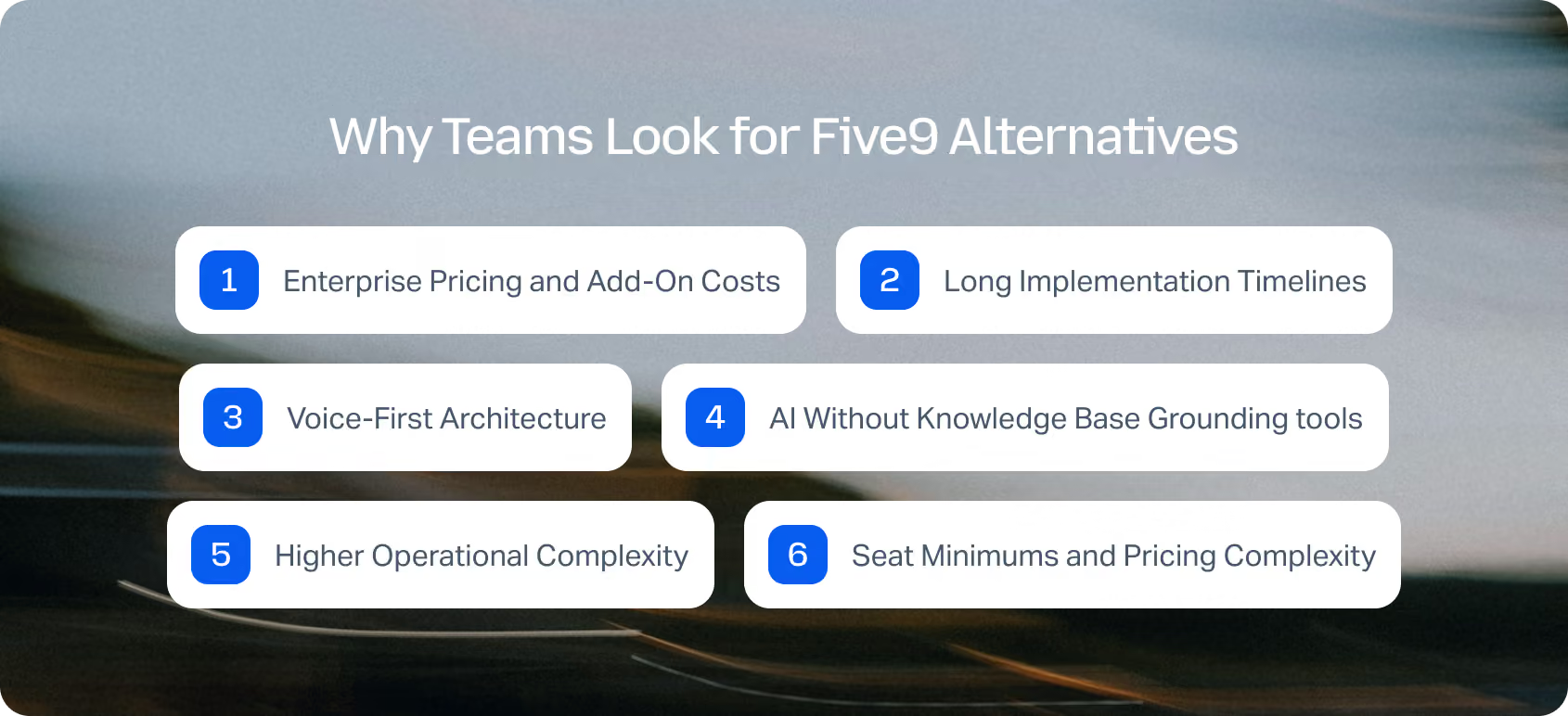
Five9 remains one of the leading enterprise contact center platforms, but it isn't the right fit for every organization. Many growing support teams find that the platform's enterprise-first approach introduces unnecessary complexity, longer deployment times, and higher total costs than they need.
The most common reasons organizations evaluate Five9 alternatives include:
Enterprise Pricing and Add-On Costs
Five9's base platform often requires additional licensing for AI, workforce optimization, quality management, and advanced analytics. As requirements grow, costs can increase significantly, making budgeting more difficult for mid-market organizations.
Long Implementation Timelines
Enterprise deployments frequently require professional services, custom integrations, and extensive configuration before teams can go live. Organizations looking for faster time-to-value often prefer platforms that can be deployed in weeks rather than months.
Voice-First Architecture
While Five9 excels at voice interactions, many modern support teams prioritize true omnichannel customer service where voice, email, chat, SMS, and social messaging are managed from a single workspace with complete customer context.
AI Without Knowledge Base Grounding
Many organizations now expect AI to generate responses using approved company documentation rather than generic language models. Knowledge-grounded AI helps reduce hallucinations, improve consistency, and support compliance requirements.
Higher Operational Complexity
Advanced workforce management, reporting, integrations, and administration are valuable for enterprise organizations, but can introduce unnecessary complexity for smaller customer support teams looking for an easier-to-manage platform.
Seat Minimums and Pricing Complexity
Many Five9 deployments involve annual commitments, enterprise contracts, and pricing that varies depending on licensing, AI features, and add-on modules. For growing teams, transparent per-agent pricing can make budgeting far easier.
What to Look for in a Five9 Alternative
Before choosing a replacement, make sure the platform supports the capabilities your team actually needs.
Curious how much you could save by consolidating your support stack? Try BlueTweak's ROI Calculator to estimate your potential savings before switching.
How We Evaluated These Five9 Alternatives
This comparison is based on publicly available vendor documentation, product pages, feature announcements, and pricing information available as of July 2026. Where vendors do not publish pricing, plans are listed as custom quote. We also considered each platform's AI capabilities, omnichannel functionality, workforce management, implementation requirements, and suitability for mid-market customer support teams.
Must-Have Capability Checklist
When comparing alternatives to Five9 , we recommend prioritizing platforms that offer:
- Omnichannel support across voice, email, chat, SMS, and social
- AI grounded in your knowledge base to reduce hallucinations
- AI-powered transcription, summaries, suggested replies, and agent assistance
- Native workforce management and quality assurance
- Reporting and analytics covering KPIs such as CSAT, FCR, AHT, SLA performance, and sentiment
- Integrations with CRM, ecommerce, help desk, and BI platforms
- Enterprise-grade security, including MFA, audit logs, and role-based permissions
- Transparent pricing without hidden AI, workforce management, or usage-based add-ons
Scoring Rubric
Each platform was evaluated using the following criteria:
- Fit for growing teams: Suitability for organizations of around 20–100 agents, while recognising where platforms are better suited to enterprise deployments.
- Omnichannel capabilities: Support for voice, email, chat, SMS, and social from a unified workspace.
- AI functionality: Breadth of AI features, including knowledge-grounded assistance, automation, and agent support.
- Workforce management and quality assurance: Availability of native scheduling, forecasting, adherence tracking, coaching, and QA tools.
- Time to value: Expected implementation effort, onboarding complexity, and deployment timelines.
- Total cost of ownership: Overall licensing, add-ons, implementation, support, and operational costs.
- Security and administration: Governance, compliance, access controls, and enterprise security capabilities.
Choosing the Right Five9 Alternative
The best Five9 alternative ultimately depends on your team size, customer engagement channels, AI requirements, and long-term growth plans.
For large enterprise contact centers supporting hundreds or thousands of agents, platforms like Genesys Cloud CX and NICE CXone provide the advanced workforce optimization, customization, and global scalability those organizations often require.
However, many growing support teams need something different. If you're looking for an omnichannel platform that's faster to deploy, easier to manage, and doesn't require separate licensing for AI, workforce management, and quality assurance, BlueTweak offers a compelling alternative.
BlueTweak brings together voice, email, live chat, SMS, social messaging, AI automation, workforce management, quality assurance, and reporting in a single platform with transparent pricing and no enterprise seat minimums. Whether you're supporting a growing ecommerce business, a multi-brand customer service operation, or an international contact center, it's designed to scale alongside your team without adding unnecessary complexity.
BlueTweak is a good fit if you:
- Want to manage voice and digital channels from one unified platform
- Need AI powered by your knowledge base rather than generic language models
- Prefer native workforce management and quality assurance instead of third-party tools
- Support multiple brands, products, or regions from a single workspace
- Want to deploy in weeks rather than months
- Need predictable pricing without hidden AI, WFM, or usage-based fees
Ready to see BlueTweak in action? Start your free 14-day trial to explore the platform for yourself (no credit card required). Experience omnichannel customer support, AI-powered automation, workforce management, and quality assurance in one place, and see how quickly your team can get up and running.

As Head of Digital Transformation, Radu looks over multiple departments across the company, providing visibility over what happens in product, and what are the needs of customers. With more than 8 years in the Technology era, and part of BlueTweak since the beginning, Radu shifted from a developer (addressing end-customer needs) to a more business oriented role, to have an influence and touch base with people who use the actual technology.



