




AI Workflow Automation
Prepare every interaction before it reaches an agent, with AI that summarises, routes, and applies macros automatically.
Trusted by customer first companies worldwide






Why support workflows slow down at scale
When volume grows, it is not the conversations that break first, it is the operational steps around them.

Slow Catch-Up
Agents waste time reading long threads just to understand what is going on.
Misrouted Interactions
Interactions land in the wrong queue, creating delays and reroutes.
Manual Repetition
Repetitive steps, like tags, replies, and follow-ups, get handled manually every time.
Inconsistent Enforcement
Managers struggle to enforce consistency across teams and channels.
The BlueTweak approach to AI workflow automation:
prepare, route, execute
AI workflow automation should work at the operational layer before the agent even starts.
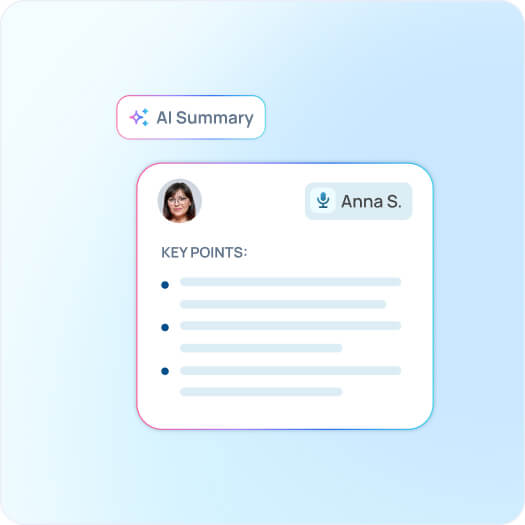
AI interaction summaries
BlueTweak generates a clear, structured summary before the agent opens every interaction. Agents start with full context without reading back through long threads, saving up to 1 minute per interaction.
Smart routing
Interactions are automatically routed based on configurable rules and signals including channel, language, category, customer type, and priority. The right interaction reaches the right team without manual assignment.

Macros and next actions
Repetitive handling steps are standardised using macros, from structured replies to internal actions. Teams stay fast and consistent across shifts, regions, and channels.

One workflow across channels
AI workflow automation works the same way across voice, chat, and email. Processes stay consistent regardless of channel so volume spikes do not create inconsistency.

Why teams choose BlueTweak for AI workflow automation

Operational from the start
AI workflow automation works at the layer before the agent, preparing the interaction, not just recording it.
Routing that reduces rework
Interactions reach the right team the first time, cutting queue bouncing and the delays that come with it.
Macros that enforce consistency
Teams stay aligned across shifts, regions, and high-volume periods without relying on individual agents to remember every step.
Less administration, more resolution
Agents spend time solving problems rather than setting up context, tagging interactions, or writing the same replies repeatedly.
What support teams say about BlueTweak

“Transitioning to this customer support platform was seamless for our team. The solution not only met but exceeded our expectations, resulting in a seamless multi-channel communication system that delivered real-time updates to our passengers.”
FAQ
What is AI workflow automation in customer support?
AI workflow automation uses AI to handle the operational steps around every interaction before an agent starts work. This includes summarising the interaction history, routing it to the right team based on configurable rules, and applying macros to standardise handling steps. The goal is to reduce the manual setup work that slows agents down at scale.<br />
How does AI interaction summarisation work in BlueTweak?
BlueTweak automatically reads each interaction, whether a call, chat, or email thread, and generates a structured summary before the agent opens it. Agents start every interaction with full context instead of spending time reading back through a long conversation to understand what is going on.
How does smart routing work in BlueTweak?
BlueTweak routes interactions automatically based on configurable rules and signals, including channel, language, customer type, category, keywords, and priority. Interactions reach the right team or agent without manual assignment, reducing the manual effort and delays that come with queue management at scale.
What are macros in BlueTweak, and how do they support workflow consistency?
Macros are standardised action sets that apply structured replies, tags, or internal steps to an interaction automatically. Teams use macros to enforce consistent handling across agents, shifts, and regions, reducing the time spent on repetitive steps and minimising variation in how interactions are resolved.<br />
Does AI workflow automation work across all channels in BlueTweak?
Yes. Summaries, routing, and macros apply consistently across voice, chat, and email. The workflow does not change depending on how the customer reached out, which means processes stay consistent regardless of channel volume or mix.
How does AI workflow automation connect to the rest of BlueTweak?
AI workflow automation sits inside the same interaction timeline as every other BlueTweak capability. Summaries feed into agent workflows, routing connects to ownership and escalation rules, and macros align with the knowledge base and canned responses, so automation does not sit in isolation but works as part of a connected support operation.
Cut handling time before the first reply