


Radu Dumitrescu

As Head of Digital Transformation, Radu looks over multiple departments across the company, providing visibility over what happens in product, and what are the needs of customers. With more than 8 years in the Technology era, and part of BlueTweak since the beginning, Radu shifted from a developer (addressing end-customer needs) to a more business oriented role, to have an influence and touch base with people who use the actual technology.
Recent articles
14 Salesforce Service Cloud Alternatives To Consider In 2026
Salesforce Service Cloud Alternatives: How Modern Customer Service Teams Should Evaluate Their Options
Salesforce Service Cloud remains a powerful customer service platform, but it is no longer the default choice for every customer service team. As customer expectations rise, support volumes increase, and AI becomes table stakes, many organisations are actively evaluating Salesforce Service Cloud alternatives that offer faster rollout, clearer pricing, and stronger native capabilities across voice, AI, and workforce operations.
For some teams, the challenge isn’t a lack of features, but the steep learning curve, operational complexity, and total cost of ownership that come with maintaining a heavily customized service cloud environment.
While Salesforce CRM continues to play a central role in customer relationship management for sales teams, customer service teams often have different priorities. Increasingly, this means evaluating how well a platform functions as a modern service desk, including its ability to support AI chatbots and voicebots that automate routine tasks, provide a unified customer view, and enable personalised service experiences without introducing operational complexity.
They need tools that help them manage customer interactions across chat, email, and voice without relying on extensive configuration, third-party add-ons, or specialist technical expertise. Increasingly, support leaders are looking for platforms that unify customer data, automate routine tasks, and provide real-time visibility into agent performance and customer sentiment, all without slowing teams down.
Today’s customer service platforms are expected to do far more than manage tickets. They must support smart ticket routing, AI-powered automation, knowledge management, and advanced analytics that help teams deliver exceptional service at scale. This shift has blurred the lines between help desks, CCaaS platforms, and broader CX operating systems, reflecting how modern support teams actually work across channels and automation.
In this guide, we review 14 Salesforce Service Cloud alternatives, using vendor product pages, pricing documentation, and official help resources only. We intentionally included a mix of help desks, contact centre platforms, and CX operating systems to provide a realistic view of the options available to businesses seeking a modern, scalable alternative to Salesforce Service Cloud.
The 14 Best Salesforce Service Cloud Alternatives

If you’re evaluating Salesforce Service Cloud alternatives, the vendors below represent a wide range of approaches to customer support and contact-centre operations, from traditional help desks to unified contact centre platforms. We’ve pulled details from each provider’s official product and feature pages to give you a fair sense of where they compete and how they differ on core capabilities like omnichannel engagement, knowledge management, AI assistance, workforce tools, and integrations.
1) BlueTweak — Editor’s Choice

BlueTweak’s omnichannel customer support platform brings chat, email, voice, and social messaging together into a single ticketing system with built-in knowledge management and AI assistance. The platform emphasises unified workflows that reduce tool switching and give agents a complete view of each customer interaction from one interface.
Core capabilities:
- Omnichannel integration: Unifies email, live chat, voice, and social messaging in one workspace so agents can work without context switching or duplicate records.
- AI-assisted responses: Context-aware proposed reply functionality that reads the conversation and suggests reply drafts grounded in the knowledge base.
- Smart Knowledge Base: Centralised source for policies, procedures, and verified answers that surface contextually during interactions.
- Reporting & analytics: Real-time performance insights across channels and teams.
- Multilingual support & translation: Ability to manage conversations in multiple languages across channels.
Pricing: BlueTweak offers a transparent, all-in per-agent subscription with optional usage-based AI billing for advanced agent assist and automated conversational resolution.
- €65 / agent/month (billed annually). Core BlueTweak platform including omnichannel support (chat, email, voice), unified inbox, knowledge base, analytics, workforce management, QA, and multi-brand reporting.
- Conversational AI – Chat: €0.20 / per chat session. Billed only when BlueTweak’s conversational AI fully resolves a chat conversation without human intervention.
- AI Proposed Reply – Ticket: €0.40 / per email thread. Billed when agents use AI-generated proposed replies in email handling.
- Conversational AI – Voice: €0.09 / per minute. Billed only when BlueTweak’s conversational AI handles and completes a voice interaction without human agent intervention.
BlueTweak’s core stack covers essential channels and operational tools in a single plan, and usage-based AI charges are only incurred when AI autonomously completes interactions or directly assists agents.
Best for: 20–100 agent teams needing a unified workspace with native AI, analytics, and multilingual support without integrating multiple separate systems.
2) Zendesk
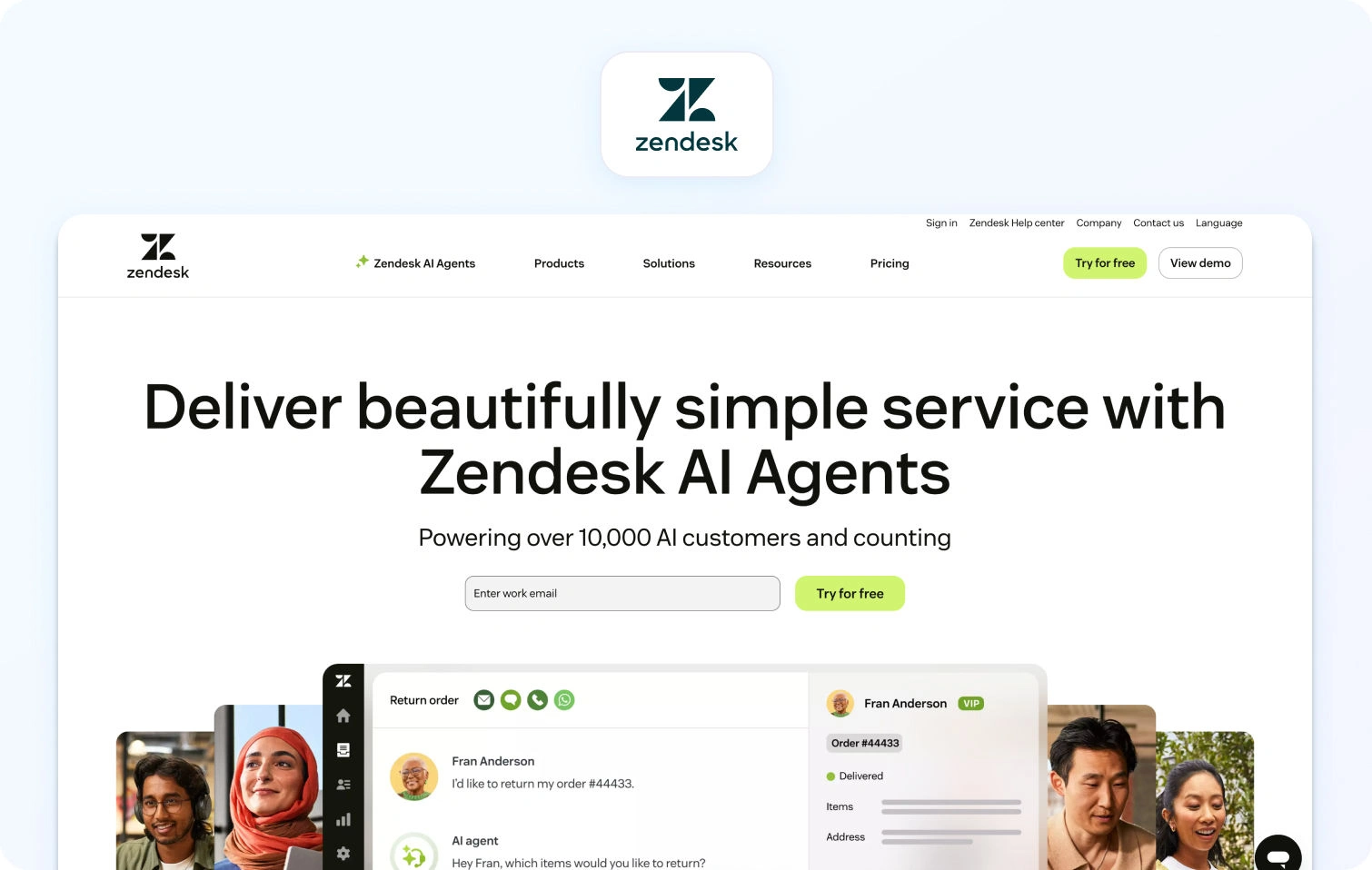
Zendesk’s customer service solution unifies customer conversations across email, messaging, voice, and social channels into a single agent workspace. AI and automation are built into workflows to help resolve tickets faster and reduce manual effort.
Core capabilities:
- Omnichannel support: Centralised ticketing for email, chat, voice, messaging, and social.
- AI & automation: Zendesk AI assists with ticket routing, suggested replies, and task automation.
- Workforce tools: Built-in workforce management and quality assurance for scheduling and performance monitoring.
- Reporting & dashboards: Pre-built analytics with the ability to customize and surface operational trends.
- Integrations: Extensive ecosystem with CRM, telephony, and third-party systems.
Pricing: Zendesk uses tiered per-agent pricing, billed annually. Prices and inclusions vary by plan.
- Suite Team: $55 / agent/month
- Suite Growth: $89 / agent/month
- Suite Professional: $115 / agent/month
- Suite Enterprise: $150+ / agent / month
Additional costs apply for voice, workforce management ($25/agent/month), quality assurance ($35/agent/month), and advanced AI features.
Best for: Teams that want a mature omnichannel service platform with broad integration coverage and scalable automation.
3) Freshdesk
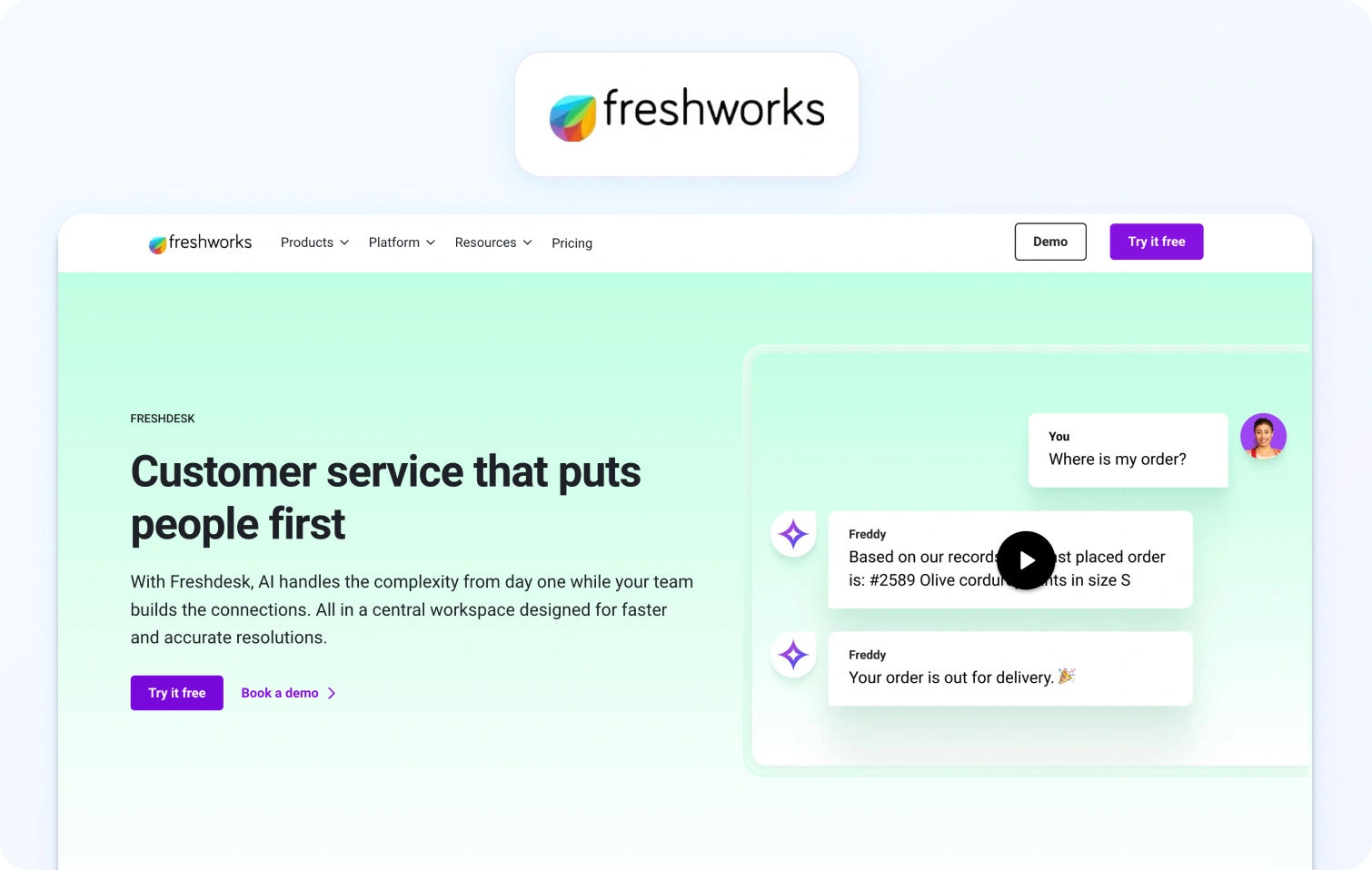
Freshdesk centralises support interactions in a cloud-based help desk platform that covers ticketing, automation, SLA management, and a knowledge base. It’s designed to help teams resolve customer issues efficiently across multiple channels.
Core capabilities:
- Ticketing & omnichannel: Capture and prioritise requests from email, chat, and social into a unified system.
- AI & automation: Freddy AI automates workflows and provides help with repetitive tasks.
- Knowledge base & self-service: Help centre for customers to find answers independently.
- Collaboration & reporting: Internal notes, SLAs, and dashboards for visibility into tickets
Pricing: Freshdesk offers three paid per‑agent plans (billed annually) plus a free option for small teams, with core help desk and ticketing features included in every tier.
- Growth: $19 per agent/month, billed annually. Ticketing, customer portal, reporting, automation, and essential help desk capabilities.
- Pro: $55 per agent/month, billed annually. Adds customised support portals, custom objects, advanced ticketing, custom reporting, and more sophisticated routing.
- Enterprise: $89 per agent/month, billed annually. Builds on Pro with audit logs, approval workflows, skills‑based assignments, extra security features, and enterprise‑grade controls.
All plans offer a “Try it free” option, allowing teams to evaluate features before committing. (Plan inclusions and add‑on options such as telephony or expanded AI usage may vary by region and billing term.)
Best for: SMB and mid-market teams seeking a straightforward help desk with automation and self-service tools.
4) Intercom
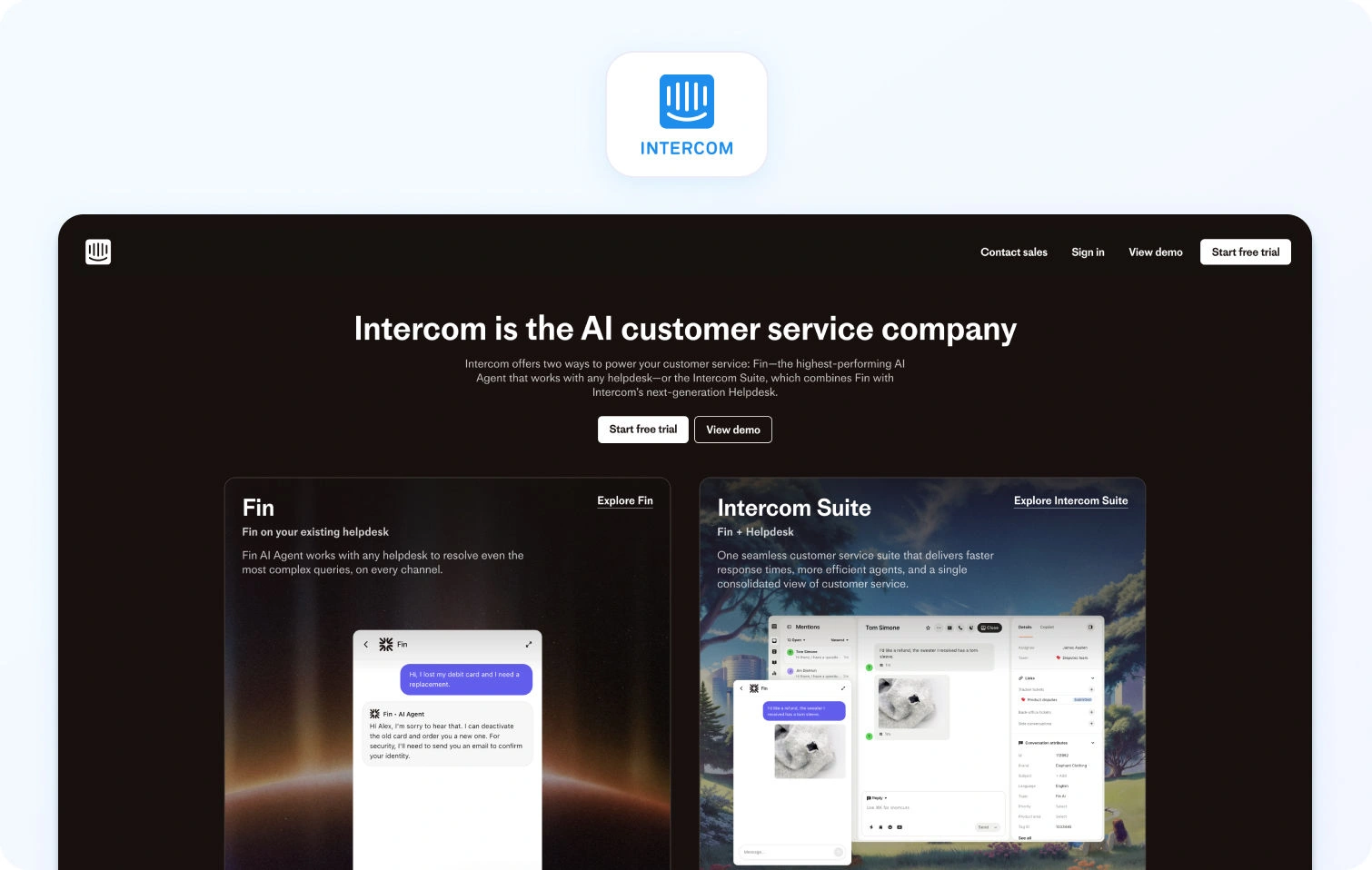
Intercom emphasises conversational support and customer engagement with a modern interface that blends messaging, automation, and bots. Its focus is on real-time customer communication and proactive engagement.
Core capabilities:
- Unified messaging inbox with real-time chat and automated workflows.
- Bots and automation to deflect common queries and route conversations.
- Contextual customer profiles that provide past interaction history.
Pricing: Intercom’s customer support platform offers three main plans (billed per seat, typically annually), each of which includes access to the Fin AI Agent. Intercom also offers a free 14‑day trial with access to each plan’s features.
- Essential: ~$29 per full seat/month. Core support features include shared inbox, live chat, ticketing, help center, and access to Fin AI Agent.
- Advanced: ~$85 per full seat/month. Adds stronger automation, multiple team inboxes, workflows builder, and expanded reporting.
- Expert: ~$132 per full seat/month. Includes multibrand Messenger & help center, advanced security (SSO, HIPAA), SLAs, and higher limits.
Fin AI Agent usage:
- $0.99 per resolution. Fin AI Agent resolves customer queries across channels and is charged only when a resolution occurs.
Other usage‑based charges:
- Messaging channels such as SMS, WhatsApp, and phone are billed based on usage.
Best for: Teams prioritising conversational support and proactive messaging.
5) Zoho Desk
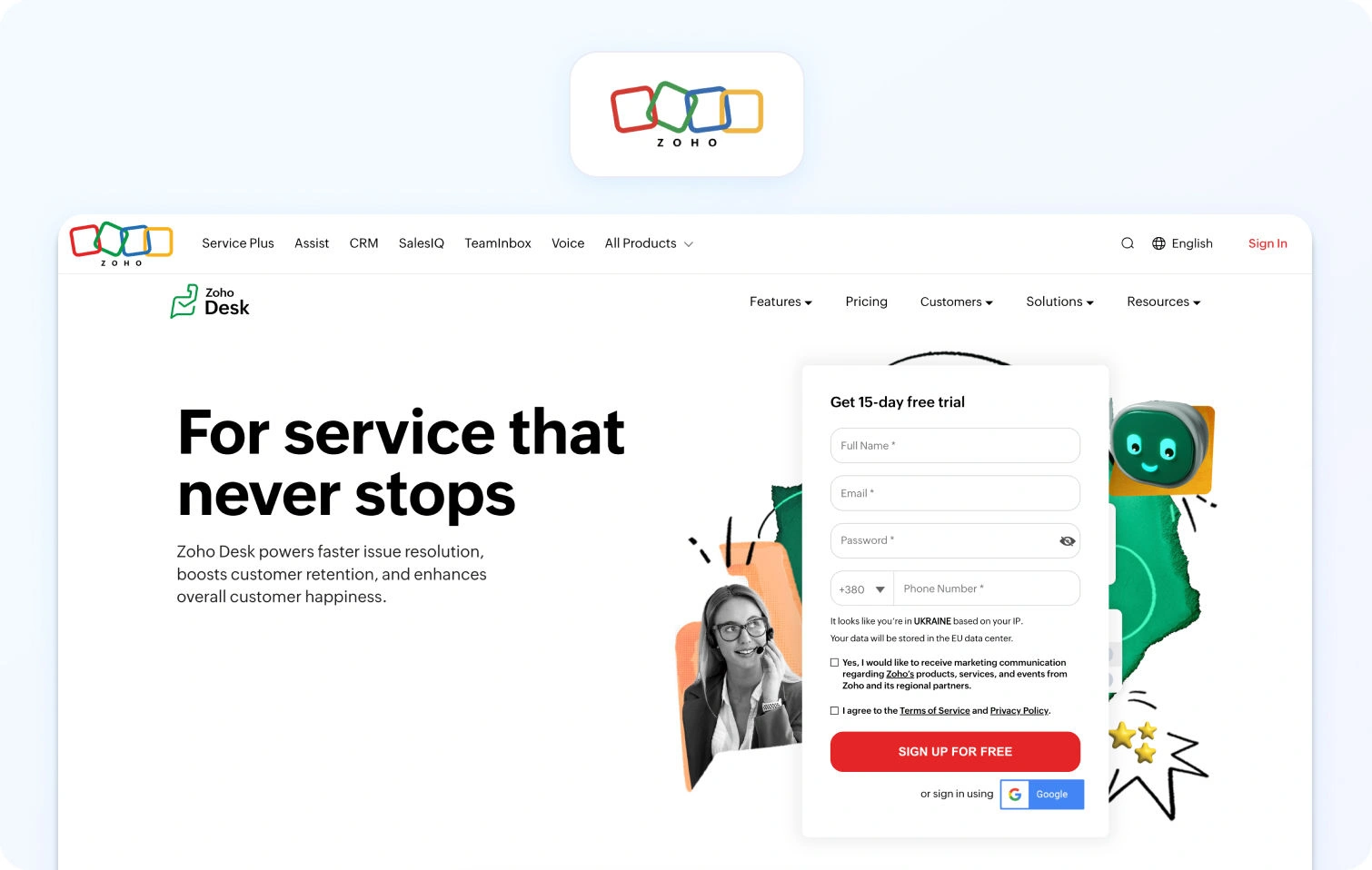
Zoho Desk provides a scalable help desk platform within the broader Zoho ecosystem. It supports email, chat, phone, and self-service with workflow automation and detailed analytics.
Core capabilities:
- Multichannel support including email, web forms, mobile, and social.
- AI assistant (Zia) for sentiment analysis and suggested responses.
- Custom workflows & analytics with the ability to track key metrics.
- Self-service portal & knowledge base for deflection and user education.
Pricing: Zoho Desk offers a range of plans from free to enterprise, billed per agent with increasing feature sets.
- Free: $0 for up to 3 agents (basic email ticketing and core help desk capabilities)
- Express: per agent/month (annual or monthly billing available), includes ticketing basics and social support via channels like Facebook and Instagram
- Standard: per agent/month, adds business messaging (WhatsApp, Instagram, Messenger, Telegram), community forums, and SLA dashboards
- Professional: per agent/month, extends multichannel ticketing, automation, workflows, telephony integrations, and more advanced dashboards
- Enterprise: per agent/month, further adds AI-powered Zia features (sentiment analysis, contextual summaries, suggested replies), multi-department support, and enhanced customisation
Best for: Teams already invested in Zoho apps or looking for flexible per-agent help desk pricing with staged feature lift as plan tiers increase.
6) Help Scout
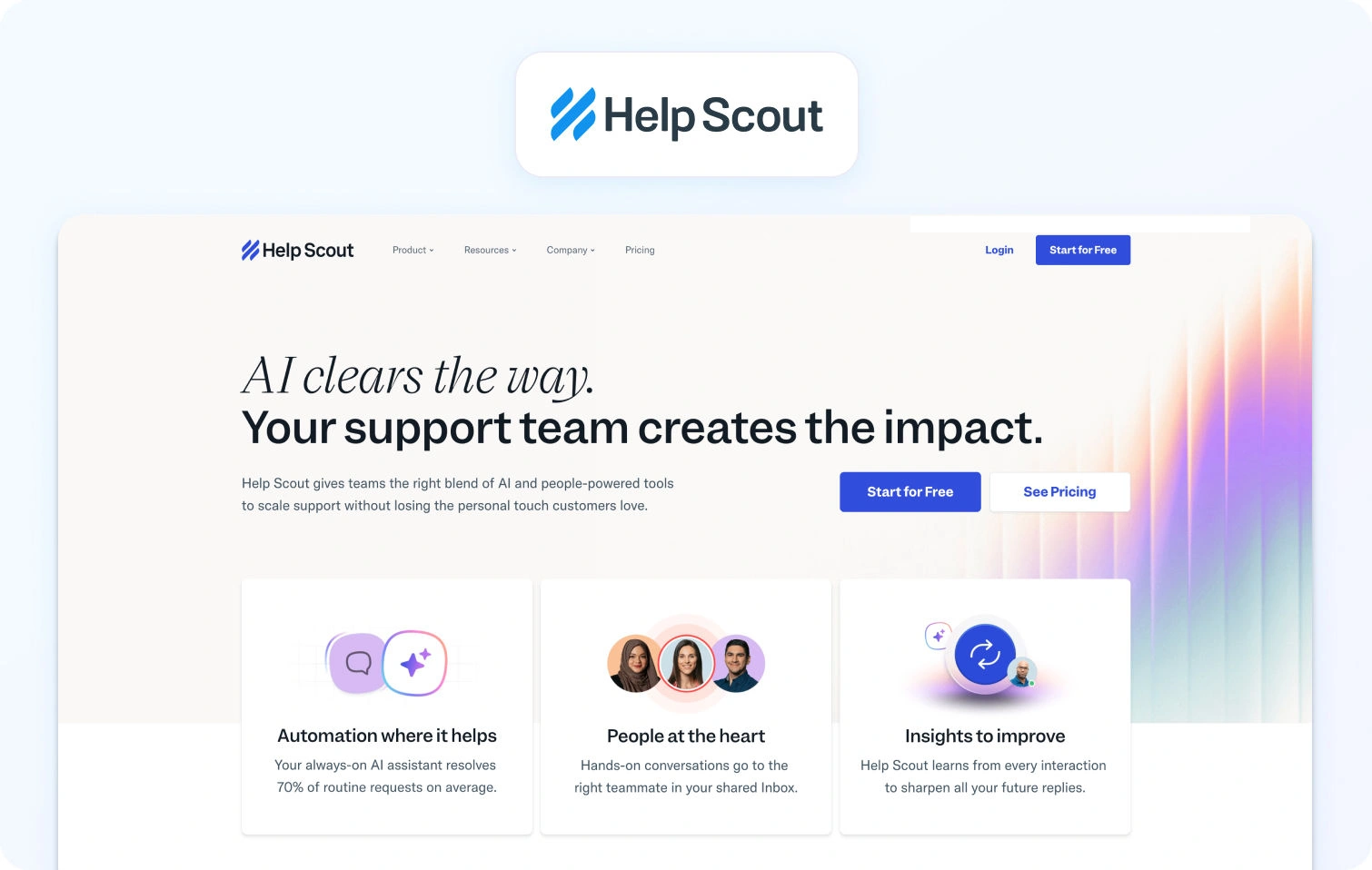
Help Scout’s shared inbox approach is designed around collaboration and simplicity, consolidating email, chat, and other messaging into a role-based workspace that teams can share.
Core capabilities:
- Centralised shared inbox, tagging, internal notes, and basic automation.
- Built-in help centre and live chat modules.
- Workflow automation and reporting dashboards.
Pricing: Help Scout offers straightforward per-user pricing, with plans designed to scale from small teams to more structured support organisations.
- Free: $0 up to 5 users with 1 shared inbox and 1 knowledge base
- Standard: $25 per user/month (billed annually). Multiple inboxes and knowledge bases, basic workflows, an AI inbox assistant, and reporting
- Plus: $45 per user/month (billed annually). Advanced workflows, unlimited AI drafts and summaries, round-robin routing, and third-party integrations
- Pro: $75 per user/month (billed annually). SSO/SAML, HIPAA compliance, advanced routing, onboarding support, and up to 50 light users
Additional costs to note:
- AI Answers are usage-based
- Extra inboxes and additional knowledge bases are priced separately
Best for: Smaller teams that value a clean shared inbox experience with light automation and AI assistance, rather than full contact-centre or workforce management depth.
7) Genesys Cloud CX
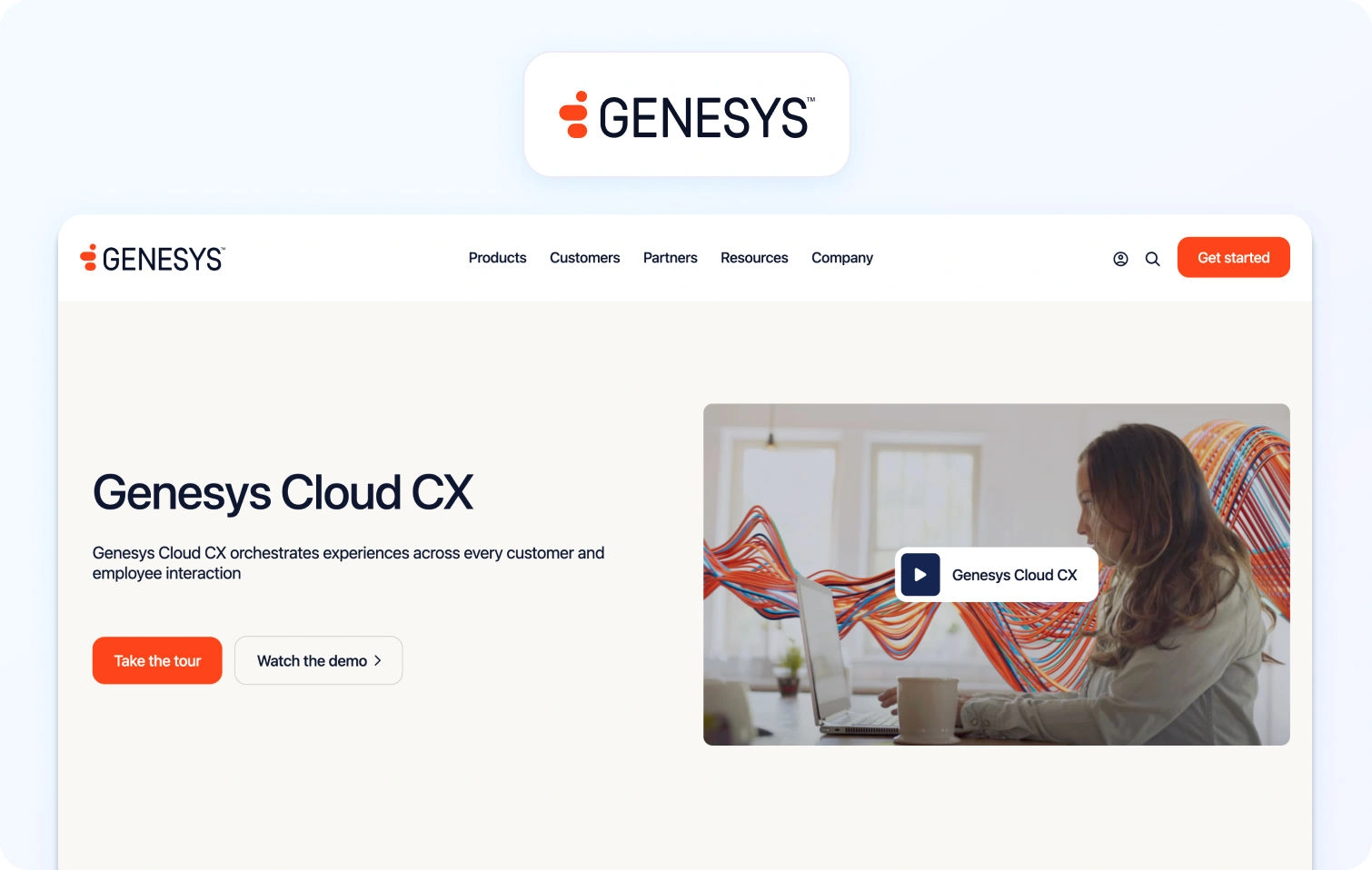
Genesys Cloud CX is a cloud contact centre platform focused on scalable voice and digital engagement with routing, analytics, and workforce management included in its core.
Core capabilities:
- Omnichannel routing with voice, chat, email, and SMS.
- Built-in workforce forecasting, scheduling, and quality monitoring.
- Analytics and AI-driven routing to match conversations with the right agents
Pricing: Genesys Cloud CX uses tiered, per-user pricing in GBP (billed annually), with each tier adding broader channel coverage and workforce capabilities.
- CX 1: £52.50 per user/month. Core voice, IVR, call routing, recording, analytics, and built-in AI assistance
- CX 2: £80.50 per user/month. Adds digital channels, omnichannel routing, quality assurance, and compliance tools
- CX 3: £108.50 per user/month. Adds workforce engagement management, forecasting and scheduling, and speech/text analytics
- CX 4: £168 per user/month. Full omnichannel suite with advanced AI, journey management, virtual agents, and supervisor tools
Best for: Contact centre teams that require a scalable omnichannel solution with strong voice routing, workforce engagement, and built-in analytics, particularly where telephony and quality assurance are core to operations rather than add-ons.
8) Five9
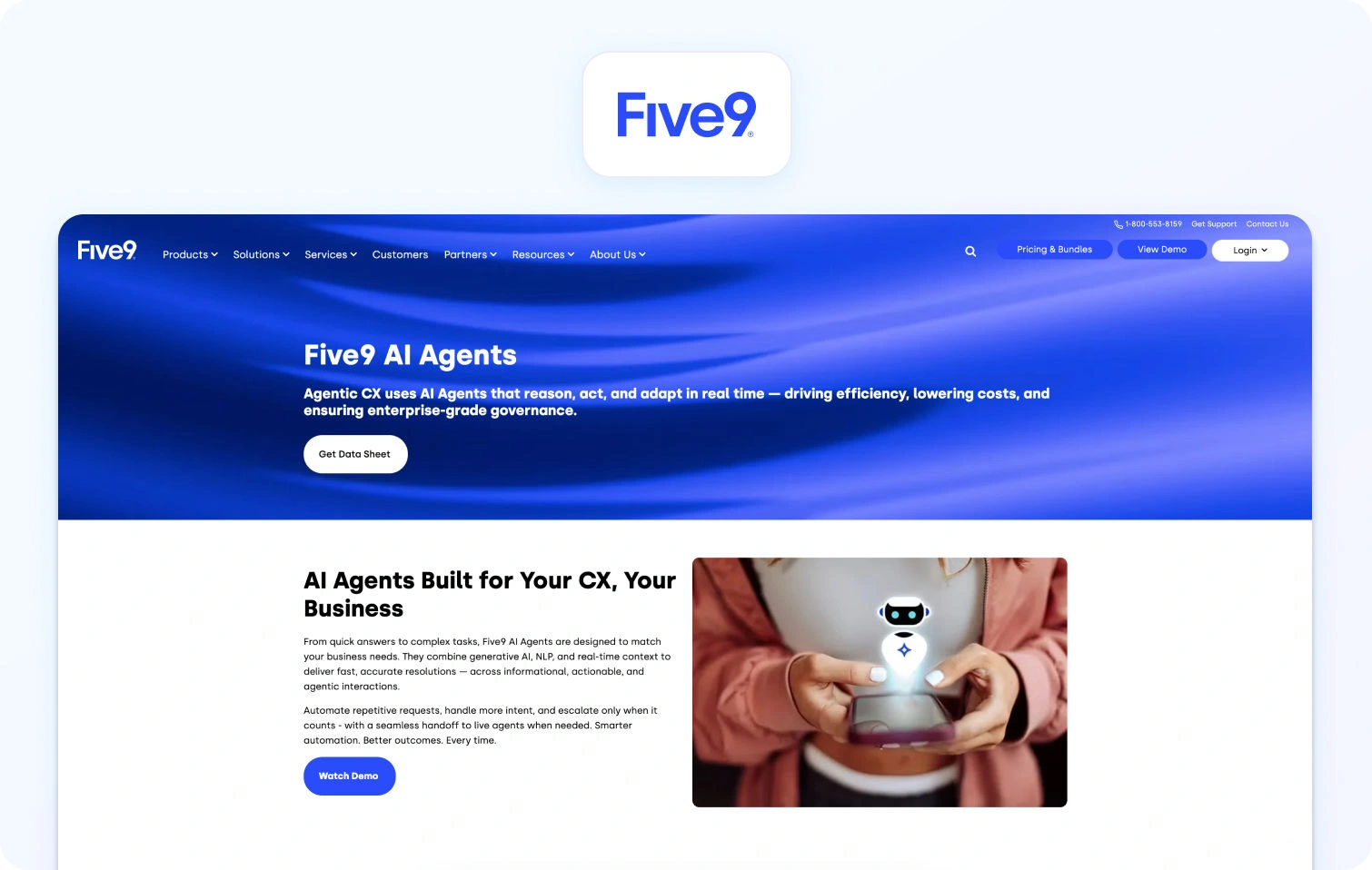
Five9 is a contact centre platform with deep telephony capabilities, including IVR, ACD, and outbound dialler functionality. Its core focus is on voice and performance optimisation.
Core capabilities:
- ACD & IVR for effective voice handling.
- Outbound and predictive dialling for proactive outreach.
- Integration options to connect with CRM and workflow tools.
Pricing: Five9 structures its contact centre pricing around five main solution bundles, with the base plans offering fixed per‑user pricing and higher tiers quoted on request.
- Digital: Starting at $119 per user/month. Digital channels only (chat, email, SMS/MMS, social messaging).
- Core: Starting at $119 per user/month. Voice‑first plan with blended inbound/outbound calling.
- Premium: Quote‑based. Combines voice and digital channels plus essential quality management.
- Optimum: Quote‑based. Adds workforce management and expanded quality tools.
- Ultimate: Quote‑based. Full enterprise bundle with workflow automation and interaction analytics.
Five9 does not list pricing publicly for the Premium, Optimum, and Ultimate bundles, and costs vary based on deployment scale and selected capabilities. Usage charges for certain channels and add‑ons may also apply.
Best for: Call-centre environments that require deep telephony capabilities and robust outbound functionality.
9) ServiceNow
ServiceNow is an enterprise workflow platform that includes customer service management with advanced case and incident handling, workflow automation, and self-service portals.
Core capabilities:
- Workflow and process automation to streamline support.
- Centralised knowledge management and incident tracking.
- Integration with ITSM and enterprise systems.
Pricing: ServiceNow Customer Service Management is custom-priced, offering flexible pricing tailored to each customer.
Best for: Large organisations seeking tightly integrated service and ITSM processes.
10) Kustomer
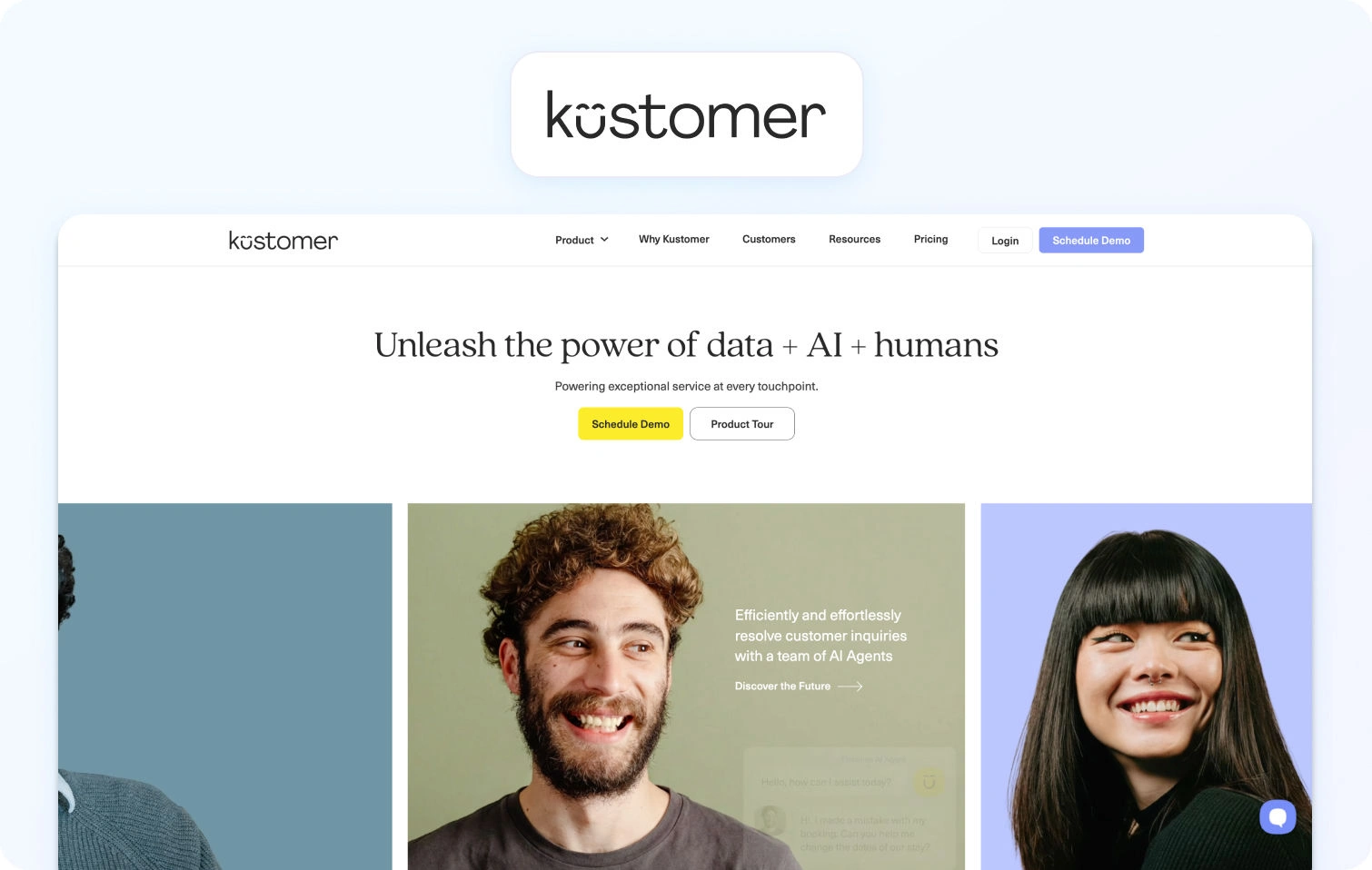
Kustomer’s service platform focuses on a CRM-style customer timeline, unifying support conversations and customer context into a single view.
Core capabilities:
- Unified customer timeline that aggregates interactions across channels.
- Automated workflows and routing for omni-channel engagement.
Pricing: Kustomer uses per-seat pricing with two primary support plans, alongside optional AI add-ons for customer-facing automation and agent assistance. Pricing is billed monthly per user, with final costs dependent on configuration and usage.
- Enterprise: $89 per seat/month. Positioned as Kustomer’s core customer support plan for small to mid-sized teams, including omnichannel support, CRM-style customer timelines, automation, and built-in AI capabilities.
- Ultimate: $139 per seat/month. Designed for larger or more complex support organisations, adding more advanced automation, deeper AI functionality, and greater flexibility for proactive customer engagement.
Both plans are listed as “Talk to Sales”, indicating that contract terms, usage limits, and deployment details are finalised during the sales process.
AI add-ons:
- AI for Customers: $0.60 per engaged conversation. Customer-facing AI agents are designed to automate issue resolution across digital channels. Charged based on AI-handled conversations rather than seats.
- AI for Reps: $40 per user/month. Agent-assist AI that surfaces relevant customer context, suggests responses, and helps speed up resolutions during live interactions.
Best for: Teams that prioritise deep customer context and lifecycle visibility in support.
11) Gladly
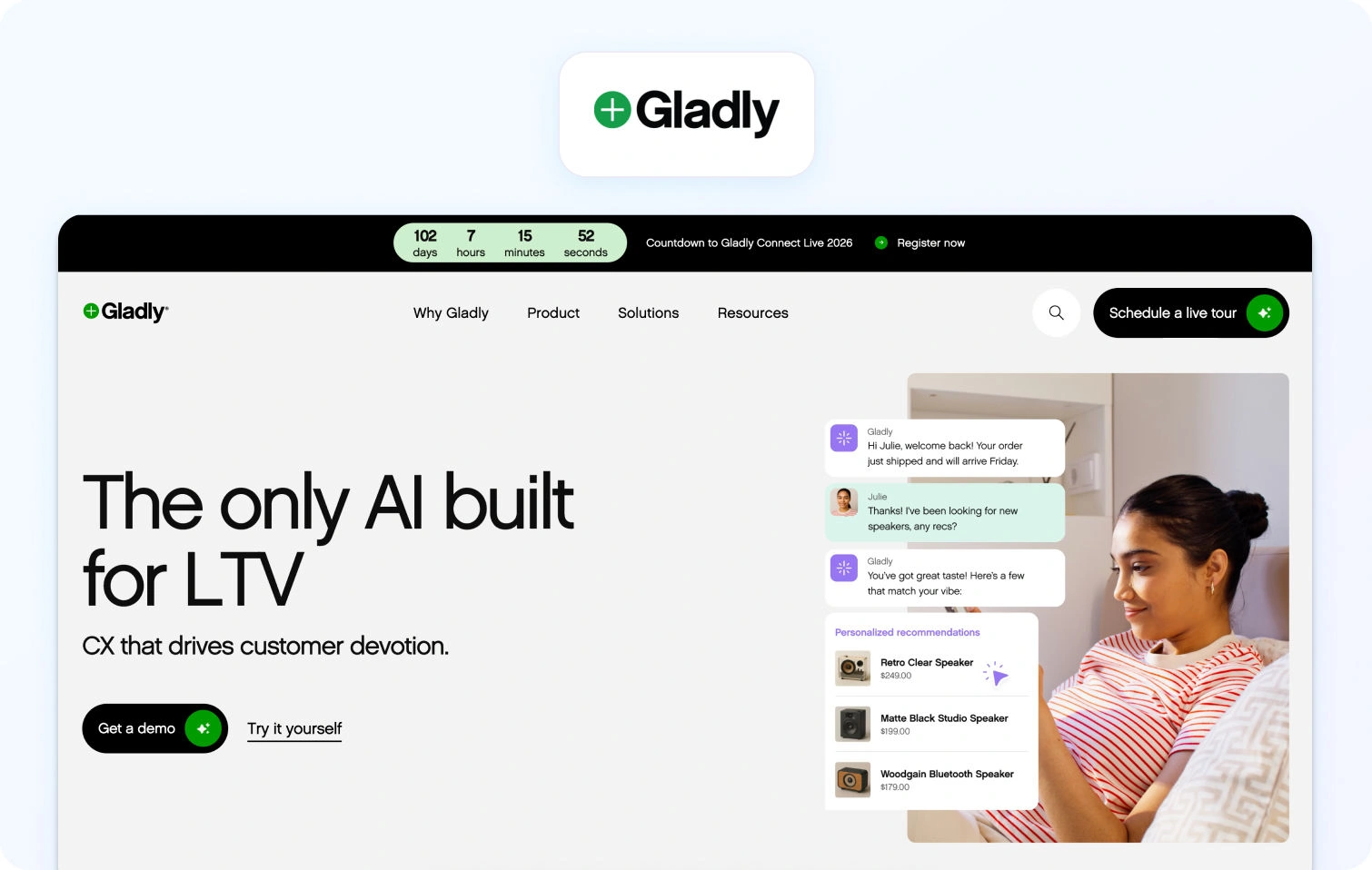
Gladly organises support around the customer rather than traditional tickets, emphasising a conversation-led experience that keeps all channels connected.
Core capabilities:
- Conversation history across channels with contextual continuity.
- Integrated messaging and routing to keep interactions connected.
Pricing: Pricing on request.
Best for: Brands that want personal, relationship-centric service experiences.
12) Dixa
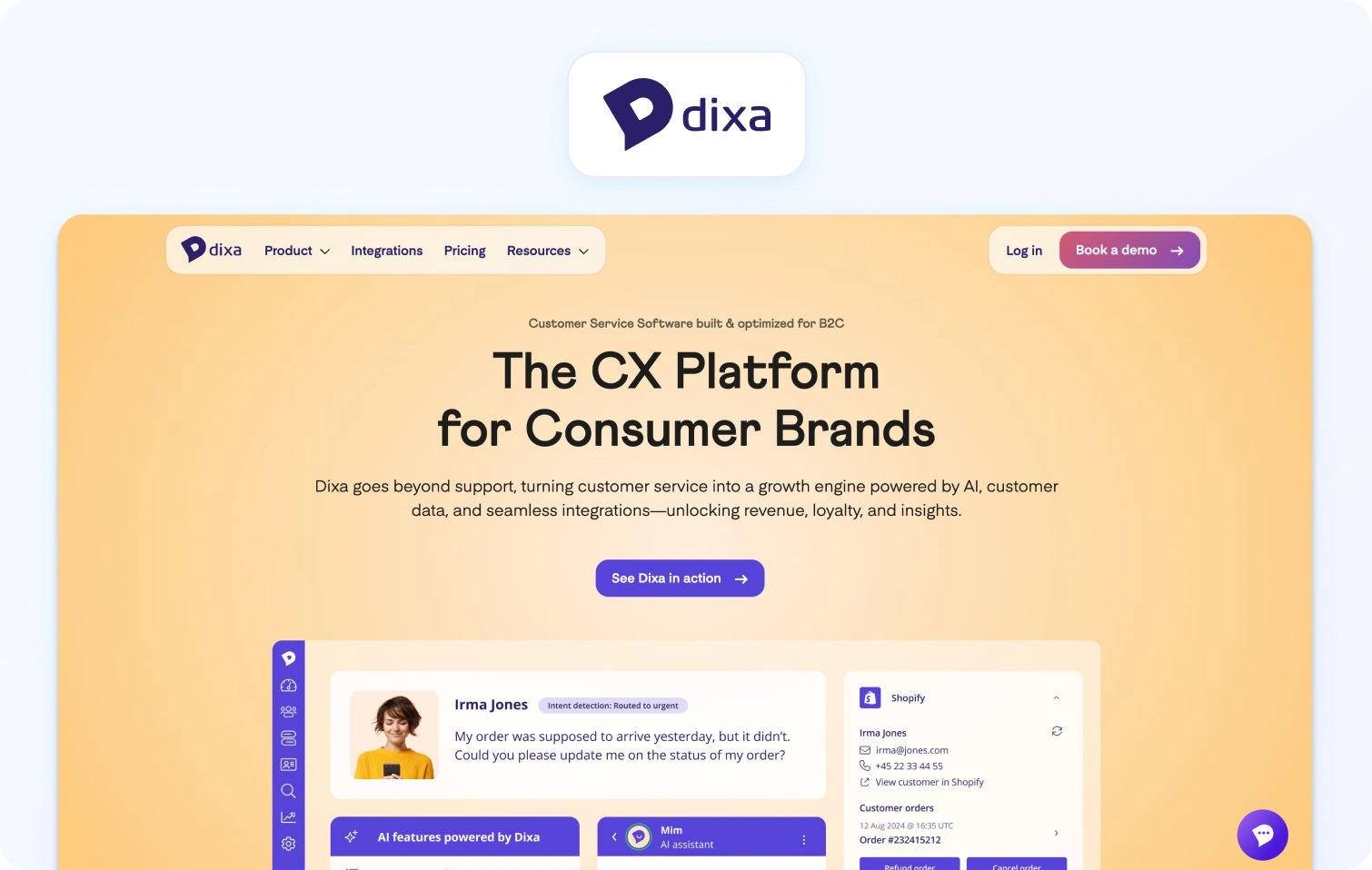
Dixa focuses on routing-led engagement with blended voice, chat, and messaging in a unified agent experience. It emphasises reducing channel-switching and keeping context across conversations.
Core capabilities:
- Real-time queue management with blended interaction handling.
- Unified agent workspace for voice, chat, email, and messaging.
Pricing: Dixa’s pricing is tiered per agent, with all plans including omnichannel support across phone, email, chat, and social messaging.
- Growth: €89 / agent/month (annually). Core omnichannel support, basic workflow routing, SLA handling, language detection, and dashboard reporting.
- Ultimate: €139 / agent/month (annually). Adds standard AI intent detection, advanced conversation automations, knowledge‑centered service, and sandbox access.
- Prime: €179 / agent/month (annually). Includes advanced AI intent, enhanced insights, custom user roles, and enterprise API limits.
All three plans cover basic channels and integrations. Additional AI‑related products (such as AI Co‑Pilot, AI voice transcription, AI quality assurance, and Mim AI Agent) can be added on top of base plans, with pricing depending on agent seats or usage. Annual and monthly billing are both available
Best for: Teams needing strong routing logic without separate telephony products.
13) Front

Front combines shared inbox workflows with automation and integrations, allowing teams to manage conversations like email, but with support features.
Core capabilities:
- Shared inbox with internal notes, tagging, and automation triggers.
- Integration with CRM and collaboration apps.
Pricing: Front does not publicly list per-agent pricing for its plans. Features such as automation, analytics, and integrations seem to vary and are provided upon enquiry.
- Front offers a “Try for free” option, suggesting a free trial is available to evaluate the platform.
Best for: Teams that want help desk features built around messaging workflows rather than traditional ticketing.
14) LiveAgent
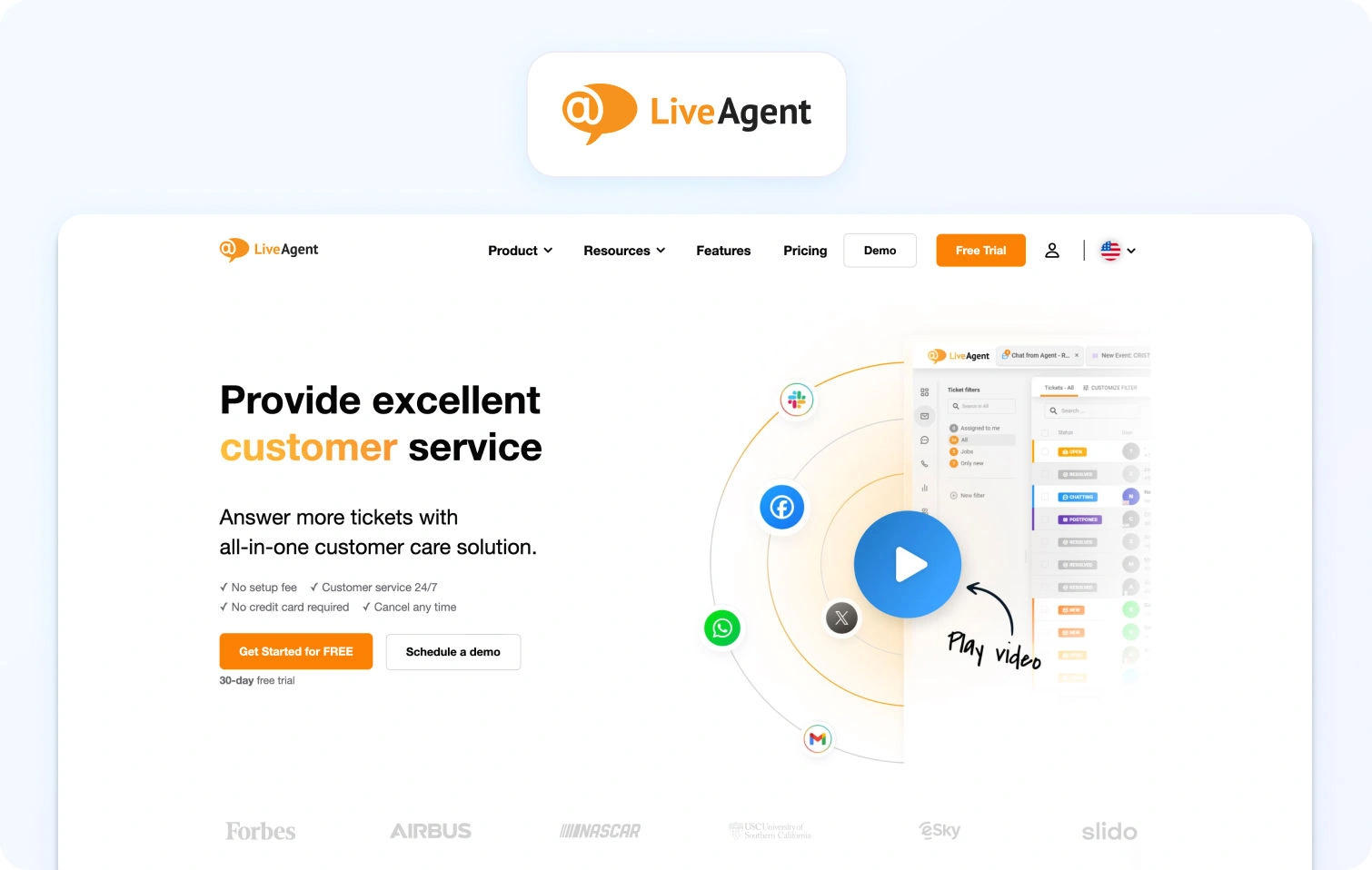
LiveAgent provides affordable omnichannel support with live chat, ticketing, and call features built into one platform.
Core capabilities:
- Email ticketing, live chat, voice, social messaging, and automation.
- Rules-based automation and integrations with third-party tools.
Pricing: LiveAgent offers four pricing plans billed per agent, with annual billing providing the lowest per‑seat rates and a 30‑day free trial available on all paid tiers.
- Small Business: $15 per agent/month. Core help desk features include ticketing, live chat, knowledge base, contact forms, automation, and integrations.
- Medium Business: $29 per agent/month. Adds call centre & IVR support, proactive chat, reporting, agent ratings, and SLA handling.
- Large Business: $49 per agent/month. Includes all Medium plan features plus SSO, custom roles, time tracking, audit logs, and expanded channel integrations (e.g., social messaging).
- Enterprise: $69 per agent/month. Full suite with dedicated account manager, priority support, assisted channel integration, branding‑free experience, and custom billing options.
Best for: SMBs looking for a cost-effective omnichannel help desk with included telephony.
Why Teams Look for an Alternative to Salesforce Service Cloud

Most teams don’t replace Salesforce Service Cloud because it fails outright. In fact, many start there for good reasons: ecosystem breadth, brand credibility, and flexibility. The problem tends to emerge later, once the system is live, scaled, and carrying real operational load.
At that point, Service Cloud often becomes misaligned with how modern support teams actually operate, particularly in mid-market environments where speed, cost control, and multilingual coverage matter as much as configurability.
Below are the most common reasons teams begin evaluating Salesforce Service Cloud alternatives, along with the operational impact each one creates.
Complexity and Total Cost of Ownership
Salesforce Service Cloud is modular by design. That flexibility is powerful, but it also means that core capabilities are frequently spread across multiple licenses, clouds, and third-party apps.
AI features, voice, workforce management, quality assurance, advanced reporting, and even knowledge enhancements are often:
- Sold as separate SKUs
- Dependent on marketplace apps
- Implemented or maintained by external consultants
Over time, this drives unpredictable total cost of ownership, both in licensing and ongoing admin effort. For teams that don’t need deep custom objects or bespoke workflows, the platform can feel disproportionately heavy relative to the value they extract.
This is often the first trigger for looking at a Salesforce Service Cloud alternative with more bundled, transparent pricing.
Long Implementation and Change Cycles
Service Cloud implementations are rarely “set and forget.” Even small changes (think: new queues, updated SLAs, reporting tweaks) can require admin time, regression testing, or consultancy support.
As a result:
- Time-to-value for new channels or markets slows
- Experimentation becomes expensive
- Ops teams spend more time maintaining the system than improving performance
By contrast, many Salesforce Service Cloud competitors prioritise configuration over customisation, allowing support leaders to iterate faster without risking system stability.
AI and Voice Add-On Sprawl
AI is no longer a nice-to-have. Teams expect summaries, suggested replies, transcription, and deflection to be native capabilities, not bolt-ons.
In Salesforce environments, those features often sit across:
- Einstein AI tiers
- Voice-specific products
- Separate WFM and QA tools
The result is fragmented agent experiences and inconsistent data. AI insights don’t always flow cleanly from chat to voice, or from self-service to assisted support, which directly impacts efficiency metrics like AHT and containment.
This is also where many teams encounter limitations with AI chatbots and voicebots. When automation is layered on through separate products, self-service bots, agent assist, and voice automation often operate in silos. That fragmentation makes it harder to deliver consistent experiences, apply intelligent ticket routing, or understand customer behavior across channels.
This fragmentation is a major reason teams evaluate alternatives to Salesforce Service Cloud that treat AI and voice as first-class, integrated capabilities.
Multilingual Support and Knowledge Gaps
For global or regional teams, multilingual support is where many Service Cloud setups begin to strain.
Common challenges include:
- Inconsistent language detection across channels
- Limited control over terminology and brand language
- Knowledge bases that don’t map cleanly by locale
- AI-generated responses without clear source attribution
Without strong KB governance and language-aware analytics, teams struggle to maintain quality at scale. That’s why multilingual-ready platforms (with translation, summaries, and KB grounding built in) are increasingly prioritised in Salesforce Service Cloud replacement projects.
Multi-Brand Administration and Reporting
As organisations add brands, regions, or product lines, Service Cloud environments often become structurally complex. Admin teams are forced to choose between:
- Over-segmented setups that are hard to manage
- Shared configurations that blur reporting and accountability
This makes it difficult to answer basic operational questions like:
- Which brand has the highest abandonment rate?
- Where is AHT improving or worsening by language?
- How does staffing efficiency compare across queues?
Platforms designed with multi-brand routing, analytics, and permissions from the outset tend to outperform here, particularly for mid-market teams without dedicated Salesforce admins.
KPIs That Matter During Migration
When teams move away from Salesforce Service Cloud, the goal isn’t just simplification; it’s measurable performance improvement. The strongest evaluations tie platform capabilities directly to outcomes:
- FCR (First Contact Resolution): A direct signal of KB quality and AI grounding. Poor FCR often points to fragmented knowledge or weak agent assistance.
- AHT (Average Handle Time): Influenced by transcription accuracy, summaries, routing logic, and how quickly agents can find the right answer.
- Containment / Deflection: Measures how effectively self-service, AI chatbots, and voicebots resolve issues before an agent is needed. Strong containment depends on accurate knowledge retrieval, conversational AI quality, and how well automation tools hand off context when escalation is required.
- Abandon Rate: Closely linked to voice queue design, forecasting accuracy, and real-time visibility.
- Concurrency: Determines how efficiently agents handle chat and messaging without sacrificing quality.
- Sentiment and CSAT (Customer Satisfaction Score): Especially important in multilingual environments, where tone, translation quality, and response consistency matter.
- MOS (Voice Quality) (Mean Opinion Score): A key indicator of telephony reliability, handoff quality, and overall call experience.
High-performing teams use these KPIs not just to compare tools, but to validate the business case for switching and track 30/60/90-day gains post-migration.
What to Look For in a Salesforce Service Cloud Alternative
Before comparing individual platforms, it’s worth defining how to evaluate a Salesforce Service Cloud alternative. Many tools look similar on the surface, but diverge quickly once you factor in voice handling, multilingual AI, operational depth, and the real cost of scaling. The criteria below reflect the most common gaps teams encounter when moving away from Service Cloud, and the areas that most directly impact frontline KPIs like First Contact Resolution (FCR), Average Handle Time (AHT), containment, abandonment, concurrency, sentiment, and voice quality (MOS).
Channels & Voice
A credible alternative to Salesforce Service Cloud should treat voice as a first-class channel, not an afterthought bolted on via integrations. This matters because fragmented voice workflows increase handle time, reduce agent context, and make reporting unreliable.
At a minimum, teams should look for:
- Native telephony rather than third-party-only voice add-ons
- Seamless handoff between voice calls and support tickets, so calls, chats, and emails share the same customer timeline
- IVR and queue management that supports skills-based routing and overflow logic
- Post-call notes and transcription, ideally generated automatically to reduce after-call work
This is especially important for teams operating across multiple business tools, where seamless collaboration between agents, supervisors, and systems like Microsoft Teams can significantly reduce handoff friction.
When voice is properly unified with digital channels, agents spend less time reorienting themselves, supervisors gain clearer insight into performance, and customers experience fewer handoffs.
AI Coverage
AI capability is now a major differentiator among Salesforce Service Cloud competitors, but not all AI is equally useful. The focus should be on practical agent assist and safe automation, not generic chatbot claims. Strong platforms typically support:
- Automatic language detection and real-time translation across chat, email, and (where available) voice
- ASR transcription and summarisation to reduce manual note-taking
- Knowledge-base-grounded proposed replies, so AI suggestions are accurate and on-brand
- Clear guardrails, including PII redaction and auditability of AI outputs
Crucially, AI should reduce average handle time (AHT) and increase containment without introducing risk. If agents can’t see why a response was suggested (or if AI outputs can’t be audited), adoption tends to stall.
Knowledge Base
The knowledge base (KB) underpins both self-service and AI effectiveness. During migrations away from Service Cloud, KB limitations are one of the most common sources of friction, particularly for multilingual or multi-brand teams.
Key capabilities to look for include:
- Per-locale content mapping, rather than relying on automatic translation alone
- Terminology and glossary control, ensuring consistent product language across regions
- Citations in AI-generated responses, so agents can verify and trust suggested answers
A well-structured KB directly improves FCR and containment, while poorly governed content often leads to longer conversations and repeat contacts.
Operational Depth (Analytics, WFM, QA)
Operational tooling is where many alternatives to Salesforce Service Cloud fall short. Reporting that looks sufficient at first can quickly become limiting once teams need to forecast volume, manage adherence, or compare performance across brands and languages.
Platforms with predictive analytics can also help teams anticipate volume spikes, staffing needs, and emerging customer behavior trends, rather than relying solely on historical reporting. Teams should assess whether the platform offers:
- Analytics with language, channel, and brand filters, not just aggregate dashboards
- Workforce management and quality assurance, including forecasting, scheduling, and QA forms
- SLA and performance dashboards that align with real support workflows
Without strong ops depth, leaders struggle to link tooling decisions back to outcomes like AHT reduction or improved concurrency.
Security & Administration
As teams consolidate tools, admin and security controls become more important, not less. A Salesforce Service Cloud alternative should support enterprise-grade governance even if it targets mid-market teams.
Baseline expectations include:
- Multi-factor authentication (MFA) and role-based access controls
- Audit logs covering agent actions and configuration changes
- Clear data residency options and permissions
- Transparency around AI usage, including what data is used and how outputs are generated
These controls are essential for regulated industries and any organisation operating across regions.
Integrations & APIs
No support platform exists in isolation. The ability to integrate cleanly with CRM, commerce, and analytics tooling often determines how quickly teams see value after switching.
Look for:
- Prebuilt integrations for CRM, ecommerce, telephony, and BI tools
- Open APIs and webhooks to support custom workflows
- Optional TMS or LSP connectors for teams managing multilingual support at scale
The goal is to avoid recreating the same integration sprawl that often drives teams away from Salesforce in the first place.
Pricing & Total Cost of Ownership (TCO)
Pricing models vary widely across Salesforce Service Cloud alternatives, and headline seat costs rarely tell the full story. Teams should understand not just what they pay, but how costs scale over time. Important considerations include:
- Seat-based vs usage-based pricing, particularly for voice and AI
- Whether essential AI features are locked behind premium tiers or add-ons
- Predictability of costs as volume grows
Transparent pricing makes it easier to forecast ROI and avoid surprises six months post-migration. This is particularly relevant for teams comparing an enterprise plan with lower-tier options, where advanced features such as AI tools, automation, and voice capabilities may be priced separately.
Pricing & 12-Month TCO Modeling
Once shortlisting Salesforce Service Cloud competitors, teams should move beyond list prices and build a like-for-like 12-month TCO model. This is where differences between platforms become most visible. A realistic comparison should include:
- Agent seat licenses
- Telephony minutes and call recording
- AI usage (translation, transcription, summarisation, automation)
- Data storage and retention
- Marketplace apps or integrations
- Professional services or onboarding costs
Many platforms appear cost-effective initially, only to become expensive once voice, AI, and reporting are added. Modelling these costs upfront helps teams avoid repeating the same budget issues that often triggered the move away from Salesforce Service Cloud.
Implementation Playbook (Switching from Service Cloud)

Migrating from Salesforce Service Cloud doesn’t need to be a drawn-out, multi-quarter project, provided scope is controlled, and success metrics are defined early.
Week 0–1: Foundations: Integrations, data export, knowledge base audit, glossary setup, SSO configuration, queues, and SLA definitions.
Week 1–2: AI & Pilot Queues: Enable translation, summarisation, and proposed replies. Pilot one or two queues. Run language quality assurance (LQA) on at least 2% of conversations per language.
Week 3–4: Voice & Operations: Expand to voice handoff, tune dashboards and WFM, and finalise reporting by brand, channel, and language.
Success should be measured against baseline performance across core support KPIs. A successful migration should deliver higher first contact resolution, shorter handling times, stronger containment, fewer abandoned interactions, and improved customer satisfaction and sentiment within the first 30–90 days.
How We Evaluated
To keep this comparison objective and verifiable, all assessments were based solely on vendor-owned sources:
- Product, pricing, help centre, and marketplace pages
- Publicly listed integrations, features, and security controls
- Published customer logos and case studies
We did not rely on third-party review sites or anecdotal feedback. Where information was unclear or plan-dependent, this is explicitly noted as “Varies by plan”.
Must-Have Capability Checklist
Any serious Salesforce Service Cloud alternative should meet the following baseline requirements:
- Voice and messaging with help desk handoff
- KB-grounded AI with citations
- Translation, transcription, and summarisation
- Analytics with language and brand filters
- Native or first-party WFM and QA
- Secure admin and audit controls
- Transparent AI pricing
BlueTweak meets all of the above.
Scoring Rubric
To ensure each Salesforce Service Cloud alternative was assessed consistently, we applied a weighted scoring rubric focused on the realities of mid-market support teams rather than theoretical feature depth. The goal was not to reward the longest feature lists, but to identify platforms that balance capability, speed of deployment, and operational control for teams making a real-world migration.
Each platform was evaluated across the following dimensions:
- Fit for 20–100 agent teams: We assessed how well the platform supports mid-sized support organisations, including licensing flexibility, administrative overhead, and whether core capabilities are accessible without enterprise-only contracts.
- Voice and omnichannel depth: We looked at the quality of native support for voice, chat, email, and messaging channels, as well as how seamlessly these channels share context, routing, and reporting.
- AI coverage: Platforms were scored on the practical usefulness of AI for agents and customers, including knowledge-base-grounded suggested replies, multilingual translation, transcription, summarisation, and the transparency of AI outputs.
- Workforce management and quality assurance: We evaluated the availability and maturity of forecasting, scheduling, adherence tracking, QA workflows, and performance monitoring, particularly across languages and channels.
- Time to value: This measured how quickly teams could expect to go live and see meaningful operational improvements, based on implementation complexity, configuration effort, and reliance on third-party add-ons.
- Total cost of ownership (12-month view): Rather than list pricing alone, we considered the expected total cost over the first year, including agent seats, voice usage, AI consumption, integrations, and professional services.
- Security and administrative control: Finally, we assessed baseline security features such as MFA, audit logs, role-based access, and data controls, along with the platform’s ability to govern AI usage and configuration changes.
This rubric was applied uniformly across all vendors to support fair, evidence-based comparisons and to reflect the priorities of teams actively replacing Salesforce Service Cloud.
Final Thoughts: Choosing the Best Salesforce Service Cloud Alternatives
As customer support continues its rapid evolution, one thing is clear: AI is no longer optional; it’s central to delivering efficient, consistent customer experiences. In fact, A recent study conducted by PartnerHero shows that about 65 % of organisations plan to expand their use of AI in support over the next year, underscoring how teams increasingly rely on AI to meet rising customer expectations and operational goals.
This shift parallels what we saw throughout our evaluation: the best Salesforce Service Cloud alternatives aren’t simply feature-rich; they are strategically designed to balance core operational capabilities with smart, practical AI that drives real outcomes.
What the Best Alternatives Share
A strong alternative to Salesforce Service Cloud consistently delivers on four core pillars:
- Channels and voice: Seamless support across chat, email, voice, and messaging, with context preserved across handoffs and histories.
- AI depth: Meaningful agent assist and automation that’s grounded in knowledge and designed to reduce handle time without sacrificing quality.
- Knowledge base grounding: A single source of truth that both agents and AI can trust, improving first contact resolution and reducing repeat work.
- Ops and workforce management: Built-in analytics, forecasting, scheduling, and quality assurance tools that empower teams to optimise performance rather than stitch together multiple systems.
These capabilities matter because they tie directly to outcomes teams actually care about, like higher FCR, lower AHT, stronger containment, and better sentiment, while controlling cost and complexity.
Among the Salesforce Service Cloud competitors reviewed here, BlueTweak surfaces as a particularly strong choice for teams of 20–100 agents for several reasons:
- It unifies omnichannel chat, email, and voice in a single platform without forcing expensive add-ons.
- Its AI is grounded in a shared knowledge base, giving agents contextual, accurate suggested replies and summaries rather than generic draft text.
- Built-in analytics and workforce management reduce the need for separate tools, simplifying reporting and lowering the total cost of ownership.
- Multi-brand routing and reporting are native, helping teams scale without tool sprawl.
In short, BlueTweak combines the practical strengths teams need today (clarity, predictability, and operational depth) with the AI capabilities required to keep pace with evolving customer expectations. If your priority is a platform that drives measurable improvements in support performance while reducing complexity and cost, BlueTweak merits serious consideration. Request a demo today to see how BlueTweak compares with Salesforce Service Cloud and other alternatives.
Gorgias vs Intercom vs BlueTweak: Which Platform to Use in 2026?
Intercom vs Gorgias vs BlueTweak: When You Need Ticketing, Chat, and Voice Together
Your customer support platform choice shapes how your team handles customer interactions daily. Two platforms consistently appear on shortlists: Intercom vs Gorgias.
Gorgias built its reputation serving ecommerce businesses, particularly those running on Shopify. It automates repetitive tasks like order lookups, shipping updates, and return processing through macros that pull customer data directly from your commerce platform. Support reps handle tickets efficiently because the order context appears automatically.
Intercom took a different path, focusing on in-app messaging and proactive customer communication. SaaS companies choose it when product-led growth drives their business model. The messenger interface enables targeted messaging based on user behavior, making it powerful for feature adoption and reducing support load through self-service.
The Gorgias vs Intercom comparison usually forces a choice between commerce-optimized workflows and messenger-first engagement. If your priority is processing refunds and tracking shipments, Gorgias makes sense. If you need proactive outreach and product tours, Intercom wins. But what if you need both structured ticketing and conversational experiences, plus native voice capabilities?
That's where BlueTweak can help.
BlueTweak provides a unified customer support platform combining ticketing, chat, voice, AI automation, and workforce management in one stack. It’s built for teams managing 20-100 agents across multiple brands and delivers professional contact center capabilities without forcing trade-offs between e-commerce support depth and conversational sophistication.
Below, we examine how Gorgias and Intercom differ, where each fits best, and when BlueTweak's unified approach makes more sense than managing separate platforms.
Customer Support Platforms at a Glance
The table compares Gorgias, Intercom, and BlueTweak across critical decision factors: target audience, core capabilities, channel coverage, AI depth, and knowledge
| Feature | Gorgias | Intercom | BlueTweak |
|---|---|---|---|
| Who It's For | E-commerce brands (Shopify, BigCommerce, Magento). | SaaS companies & product-led growth teams. | Mid-market (20–100 agents), BPOs, & multi-brand. |
| Core Strength | Deep commerce context; automated order edits/refunds. | Proactive engagement; in-app onboarding/tours. | Operational consolidation; native WFM & unified timeline. |
| Channels / Voice | Email, Chat, Social native; Voice usually via partners. | Chat/Messenger primary; Voice via integrations or Fin. | Native Chat, Voice, and Email in one linked workflow. |
| AI Capabilities | Macros/Rules; AI Agent resolves commerce FAQs. | Fin AI (Resolutions) + Copilot (Agent Assist). | KB-grounded AI (Drafts, Summaries, Transcription). |
| KB / Self-Service | Help Center with shipping & return templates. | Modern Help Center; in-app article suggestions. | Smart KB feeds both Agent Assist and AI Bot. |
| WFM / QA | Native Dashboards; WFM/QA usually via partners. | Conversation analytics; WFM via ecosystem partners. | Built-in WFM, QA, and real-time performance analytics. |
| Security & Admin | Roles/MFA; standard audit logs & data residency. | Advanced Roles/MFA; HIPAA & SOC 2 (Expert plan). | Granular Roles, MFA, Audit logs, & strict data controls. |
| Pricing Model | Ticket-based + seats + add-ons. | Seat-based + AI usage ($0.99/res) + volume. | Fixed seat price (€65/agent/mo) all-inclusive. |
Data from vendor websites as of February 2026; "Varies by plan / Verify" where specifics were unclear.
What Each Platform Is
Gorgias
E-commerce help desk built specifically for online stores selling through Shopify, BigCommerce, Magento, and WooCommerce. Automates order-related customer inquiries by pulling purchase history, shipping status, and customer data directly into support tickets. Macros handle common e-commerce scenarios: "Where's my order?" triggers shipping lookup, "I want a refund" pulls order details for instant processing. Voice support requires third-party integrations. Best for ecommerce brands where order management drives most customer queries.
Intercom
Messenger-first platform emphasizing proactive customer engagement and product-led support experiences. Enables businesses to send targeted messaging based on customer behavior: onboarding sequences for new users, feature announcements to specific segments, and support prompts when customers encounter friction. Fin AI agent handles routine customer asks autonomously before escalating complex customer issues to human agents. Voice capabilities require partner integrations. Ideal for SaaS companies where in-product communication and proactive outreach enhance efficiency.
BlueTweak
Comprehensivecustomer service solution unifyingticketing systems, chat, native voice withcall transcription software, AI-powered bots, workforce management, and analytics in one platform. Designed for mid-market support teams and BPO operations managing multiple brands without platform fragmentation. Delivers omnichannel support with KB-grounded AI preventing hallucinated responses, plusmultilingual customer support across voice and text. Faster deployment than enterprise systems, lower total cost than assembling point solutions.
Evaluation Criteria for 2026
See how Gorgias, Intercom, and BlueTweak handle critical platform capabilities determining operational fit.
Channels & Voice Integration: Gorgias covers email, chat, and social media channels with strong e-commerce platform integrations but requires partners for voice. Intercom excels at messenger and live chat with proactive campaigns; voice needs third-party tools. BlueTweak provides native voice, chat, and email with automatic ticket linking—no partner dependencies for core channels.
AI & Automation: Gorgias relies on macros and rules-based automation pulling commerce data; AI features vary by pricing tier. Intercom's Fin AI handles autonomous resolution with usage-based pricing ($0.99 per resolution); Copilot assists agents during conversations. BlueTweak includes KB-grounded suggested reply generation, real-time translation, summarization, and transcription without per-resolution fees.
Knowledge Management: Gorgias offers help center articles optimized for shipping, returns, and product FAQs common in e-commerce stores. Intercom provides a modern Help Center with articles surfacing in messenger conversations based on customer context. BlueTweak's smart KB powers both agent assistance and bot responses simultaneously, with multi-brand content routing ensuring customers see relevant articles automatically.
Operations Tools: Gorgias includes e-commerce dashboards tracking ticket volume and resolution; WFM typically requires partners. Intercom focuses on conversation metrics and bot performance; workforce management comes from existing tools in your tech stack. BlueTweak delivers built-in analytics, WFM, and quality assurance designed for 20-100 agent operations.
Security & Administration: All three provide roles, MFA, and audit capabilities. Verify data residency options and AI decision logging based on your compliance requirements. BlueTweak's administration includes workspace segmentation for multi-tenant operations without enterprise-tier requirements.
Integration Ecosystem: Gorgias prioritizes deep integration with e-commerce platforms (Shopify, BigCommerce, WooCommerce) and commerce tools. Intercom emphasizes product analytics, marketing automation, and growth platforms supporting product-led motions. BlueTweak seamlessly integrates core business systems (CRM, commerce, telephony, BI) with API-open architecture.
TCO & Implementation: Gorgias pricing combines tickets, seats, and add-ons, creating variable monthly costs. Intercom uses seat fees plus AI resolution charges that fluctuate with volume. BlueTweak offers transparentpricing at €65/agent/month, all-inclusive, simplifying budget forecasting.
Feature-by-Feature Comparison

Examine how Gorgias, Intercom, and BlueTweak differ across AI capabilities, knowledge management, channel coverage, case workflows, analytics depth, security controls, and integration breadth.
AI, Automation & Deflection
Gorgias: Macro-based automation pulls order data, customer history, and shipping information into tickets automatically. Rules route tickets based on keywords, tags, or customer segments. AI-driven support features vary by plan.
Intercom: Fin AI agent handles autonomous resolution for common scenarios like password resets, billing questions, and account updates. Proactive bots trigger based on user behavior, page visits, or custom events. Copilot suggests instant responses during live conversations. AI resolution costs ($0.99 per resolved conversation) create usage-based pricing that can spike during high-volume periods.
BlueTweak: KB-grounded ticket summaries condense conversation threads automatically. Proposed replies cite source articles to prevent inaccurate AI suggestions. Real-time translation across 35+ languages supports multilingual operations. Call transcription, post-call notes, and spam filtering work natively across all channels. Learn more aboutimplementing AI customer support challenges.
Knowledge Management & Self-Service
Gorgias: E-commerce help center with templates for shipping policies, return procedures, and product FAQs. Articles integrate with macros so agents insert standardized responses quickly.
Intercom: Modern Help Center with article versioning, publishing workflows, and multilingual support. Articles surface proactively in messenger conversations before customers ask questions.
BlueTweak: Smart knowledge base powers agent suggested replies and bot responses from unified content. Multi-brand article routing displays content relevant to each customer's product line automatically. KB grounding prevents AI from generating incorrect answers.
Omnichannel Support & Voice
Gorgias: Email, chat, SMS support, and social media channels (Facebook, Instagram) with a unified inbox consolidating customer conversations. Voice requires partner integrations. Verify handoff mechanics between voice calls and support tickets carefully.
Intercom: Messenger-first architecture prioritizing in-app chat and proactive outreach. WhatsApp and Facebook Messenger connect through integrations. Voice support via partner tools.
BlueTweak: Native chat, voice, and email with automatic ticket linking, preserving complete interaction history. IVR routes calls, records conversations for quality monitoring, and enables multilingual voicebots handling routine requests. Call transcripts are appended to tickets automatically. Addresses keycustomer pain points across channels.
Case Management & Collaboration
Gorgias: Ticket-based workflows with order context pulled from ecommerce platforms. Macros automate common actions like refund processing, shipping label creation, and inventory checks.
Intercom: Conversation-centric model maintaining continuous threads rather than discrete ticket numbers. Team inbox enables collaboration through internal notes, assignments, and conversation routing. Check whether structured escalation workflows suit your needs if customer journey complexity requires formal SLA tracking beyond conversational threads.
BlueTweak: Unified queue managing support tickets across brands with SLA monitoring, automatic linking of related customer requests, and team collaboration via internal notes and @mentions. Multi-brand workspace segmentation shows agents relevant cases while supervisors maintain cross-brand visibility. Collision detection prevents duplicate work. Supportscustomer support management best practices.
Analytics, WFM & QA
Gorgias: E-commerce dashboards tracking ticket volume, resolution times, customer satisfaction by channel, and agent performance. Integration with e-commerce platforms provides revenue impact analysis. WFM typically requires partner platforms for forecasting and scheduling.
Intercom: Conversation analytics showing resolution time, bot containment, and CSAT by team. Automation reports measure workflow effectiveness. Custom dashboards filter by date, team, and customer segments. Strong conversational metrics but limited traditional contact center KPIs (service levels, abandon rates, adherence).
BlueTweak: Built-in analytics, WFM, and QA tuned for 20-100 agent operations. Real-time dashboards show SLA compliance, sentiment trends, and outcome tracking. Forecasting predicts staffing needs by channel and language skill. Automated scheduling balances business requirements with agent preferences. Adherence monitoring ensures schedule compliance. QA scorecards measure agent performance with calibration workflows.
Security/Admin & Compliance
Gorgias: Role-based permissions and MFA protect account access. Integration with e-commerce platforms requires careful permission scoping. Verify audit logging capabilities and data residency options for your compliance requirements. GDPR compliance documented for European operations.
Intercom: Roles, MFA, and audit logs with GDPR support. SSO is available on higher tiers. API access controls and webhook security protect data. Session management and IP allowlisting on advanced plans. Data export enables portability. Verify data residency controls based on your regional requirements.
BlueTweak: MFA, comprehensive audit logs, and role-based access included inthe base platform without tier restrictions. Workspace segmentation isolates data by brand for multi-tenant BPO operations. ISO certification in progress. Custom roles define granular access. Data location controls support regional compliance. No enterprise tier required for advanced security.
Integrations & Ecosystem
Gorgias: Deep integration with Shopify, BigCommerce, Magento, and WooCommerce, pulling order data, customer history, and product information into tickets. Marketplace apps connect loyalty programs, subscription platforms, and shipping carriers. Optimized for e-commerce brands running unified commerce stacks.
Intercom: Extensive app marketplace covering marketing automation (HubSpot, Marketo), product analytics (Amplitude, Mixpanel), CRM systems (Salesforce), and development tools (Jira, GitHub). Strong for product-led teams running integrated growth stacks. Webhooks trigger external workflows; APIs enable custom builds.
BlueTweak: APIs and webhooks connecting CRM platforms, ecommerce systems (Shopify, WooCommerce), telephony providers, and BI tools. Integration assistance during onboarding accelerates deployment versus self-service marketplace navigation. Simpler multi-brand administration manages brands in a single instance rather than separate portals.
Pricing & 12-Month TCO Modeling
Total cost calculations require factoring in seat licenses, usage-based charges, add-on modules, marketplace subscriptions, and implementation beyond base pricing.
Gorgias pricing:
- Basic: $10/month (50 tickets, 1 user)
- Pro: $60/month (300 tickets, 3 users)
- Advanced: $360/month (2,000 tickets, unlimited users)
- Enterprise: Custom (unlimited tickets, advanced automation)
- Additional ticket packs: $40 per 300 tickets beyond plan limits
- Voice integration: Via partners (separate cost)
- Note: Usage-based tickets create variable monthly costs; overage fees apply
Intercom pricing:
- Essential: $39/seat/month (shared inbox, basic automation)
- Advanced: $99/seat/month (advanced workflows, analytics)
- Expert: $139/seat/month (enterprise controls, SLAs)
- Fin AI Agent: $0.99 per resolution (pay-as-you-go)
- Copilot add-on: $35/agent/month
- Proactive Support Plus: $99/month (flat fee)
- Note: AI resolution fees create unpredictable costs during volume spikes
BlueTweak pricing:
- All-in-One Plan: €65/agent/month (~$70 USD)
- Includes: Omnichannel ticketing, AI features, WFM, QA, knowledge base, analytics, call transcription, voicebot, chatbot
- No tiered plans or hidden fees
- AI usage is transparent and predictable
- For 50 agents: €3,250/month (~$3,500 USD) all-inclusive
12-month TCO for 50 agents:
- Gorgias (Advanced + overages): $50,000-$65,000 (tickets + users + voice partners + marketplace)
- Intercom (Advanced + AI): $85,000-$110,000 (seats + AI resolution volume + voice partners)
BlueTweak: €39,000 (~$42,000 USD) all-inclusive with predictable costs
When Each One Fits
Choose Gorgias if... you're running e commerce businesses on Shopify or similar platforms where order management automation drives support efficiency, most customer conversations involve shipping status, returns, refunds, or product questions that macros handle effectively, you're comfortable adding voice and WFM through partner platforms as needs grow, your team primarily handles transactional support rather than consultative conversations, and usage based pricing aligns with seasonal ticket volume fluctuations. Best for online stores where commerce platform integration and order context automation deliver immediate ROI. Supports effective written customer support workflows.
Choose Intercom if... you're a SaaS company where product-led growth drives business outcomes and in-app messaging shapes customer success, proactive campaigns based on user behavior reduce support load and increase feature adoption, conversational engagement matters more than traditional ticket workflows, you want elegant messenger interfaces customers recognize across products, and you can manage voice capabilities through partner integrations alongside your existing tools. Best for product teams where targeted messaging and bot automation drive retention and expansion. Helps deliverexceptional customer service through proactive engagement.
Choose BlueTweak if... you want omnichannel support (chat, voice, email) with KB-grounded AI and built-in analytics/WFM for mid-market teams (20-100 agents), you need multi-brand routing and reporting for BPO operations or managing multiple product lines, you prefer transparent pricing without decoding usage fees or tier-gated essential features, you want faster implementation (weeks versus months) with dedicated onboarding, and you need professional contact center capabilities without Gorgias's e-commerce-only focus or Intercom's messenger-first limitations. Best for operations seeking comprehensive features supporting both transactional and consultative support in one unified platform. Enables acustomer centric strategy across all channels.
Implementation Considerations

Gorgias: Shopify app installation connects customer data and order information automatically. Macro library setup for common e-commerce scenarios (shipping lookups, refund processing, return creation). Marketplace voice integration selection if telephony is required. Help center article migration for FAQs and policies. Team training focuses on macros and order management workflows. Implementation typically spans 1-3 weeks for straightforward e-commerce setups; longer when integrating multiple commerce platforms or custom workflows.
Intercom: Messenger widget installation in product interfaces. Help Center configuration with article creation and publishing workflows. Bot conversation design using Visual Builder, defining paths and fallback handling. Product event tracking connects user behavior to support triggers. Choose a voice partner and configure integration if phone support is needed. Team training emphasizes conversational engagement and proactive campaign management. Implementation ranges from days for basic messenger to weeks when deploying complex bot flows and product event tracking.
BlueTweak: Unified queue setup consolidating all channels from the start without separate chat/voice/email configuration. Knowledge base import enables KB-grounded AI to suggest replies immediately. Multi-brand routing is configured during onboarding with workspace segmentation. Light IVR setup for call flows and routing. Canned responses library creation for common scenarios. Guided rollout targets weeks with dedicated implementation support, knowledge transfer, and best practices. Built for 20-100 agent operations requiring faster go-live than enterprise platforms. Helps teams adapt to customer expectations efficiently.
How We Evaluated
We reviewed vendor product pages, pricing information, official documentation, help centers, marketplace listings, and trust pages as of February 2026. Features verified against vendor websites and cross-referenced with published case studies where available.
- Channels and voice: Confirmed native capabilities, whether voice requires partner integrations, and how phone conversations integrate with ticketing or messenger workflows.
- AI capabilities: Verified autonomous resolution, agent assistance, KB grounding, and whether AI features include source attribution, preventing hallucinated responses. Checked customer service automation balancing approaches.
- Knowledge base: Assessed whether KB powers both agent assistance and customer self-service simultaneously, multilingual support, and content governance capabilities.
- Analytics, WFM, QA: Confirmed whether workforce management and quality assurance are platform-native, paid add-ons, or require partner integrations, adding vendor complexity.
- Security and administration: Audited MFA, audit logs, custom roles, GDPR compliance, data residency options, and whether advanced security requires premium tier upgrades.
- Integrations: Reviewed marketplace breadth, native connectors for e-commerce platforms and SaaS tools, API quality, and webhook capabilities.
- Pricing transparency: Collected pricing from vendor pages. When usage fees, add-on costs, or tier gates were unclear, marked "Varies by plan / Verify" and recommended sales confirmation before decisions.
Evidence-based assessment: Pros and cons derive from documented capabilities only, excluding third-party ratings, unverified claims, and assumptions about undocumented features.
Must-Have Capability Checklist
- Voice + messaging with native integration (not just add-ons)
- KB-grounded answers with source citations
- AI stack: summarization, proposed replies, translation, transcription
- Analytics and WFM/QA (native preferred over partners)
- Security/admin: MFA, audit logs, custom roles, data controls
- Core platform integrations (ecommerce/CRM/telephony/BI)
- Transparent pricing for essential features
- CSAT and survey capabilities
BlueTweak meets all criteria with transparent €65/agent/month pricing covering omnichannel, AI, WFM, and QA without add-ons.
Scoring Rubric
Evaluate platforms on:
- Target fit: Serves your industry (e-commerce, SaaS, multi-vertical)
- Channel depth: Native voice, chat, email without partner dependencies
- AI coverage: Agent assist, KB grounding, multi-channel support
- Ops maturity: WFM, QA, analytics included versus add-ons
- Implementation speed: Time-to-value and onboarding support
- TCO clarity: Predictable costs versus usage surprises
- Security controls: Built-in compliance without tier upgrades
Final thoughts
Gorgias excels for e-commerce brands prioritizing Shopify integration and order management automation through macros pulling commerce data into support workflows. It streamlines repetitive tasks like shipping lookups and refund processing, but requires partners for voice and workforce management.
Intercom leads for SaaS companies emphasizing messenger-led engagement, proactive campaigns, and product-led growth motions where in-app communication drives customer success. Strong automation capabilities and elegant interfaces suit conversational support, but need partner tools for voice and WFM.
BlueTweak balances omnichannel support, KB-grounded AI, and built-in analytics/WFM for mid-market buyers seeking comprehensive capabilities without platform sprawl. It's positioned for 20-100 agent operations wanting Gorgias's automation depth and Intercom's conversational sophistication, plus native voice—all in one platform with transparent pricing.
When to shortlist BlueTweak: You need omnichannel (chat, voice, email) with KB-grounded AI, native WFM/QA, and multi-brand routing without juggling Gorgias's commerce focus, Intercom's messenger limitations, or managing multiple vendors for voice and workforce tools. Request a demo to see BlueTweak's omnichannel capabilities, AI assist features, and analytics in action.

14 Talkdesk Alternatives to Consider for Your Contact Center in 2026
Talkdesk Alternatives: A Practical Guide to Pricing, Omnichannel, and AI
Talkdesk built its reputation as a cloud contact center platform with quick deployment and solid integrations. But as operations scale, teams find limitations that force tough decisions: pay $165/agent/month for true omnichannel, add expensive AI modules, or piece together third-party tools to fill gaps.
If you're evaluating a Talkdesk alternative, you're likely facing one or more of these challenges: siloed digital and voice channels, unpredictable total costs with usage fees and add-ons, mandatory multi-year contracts, or AI features locked behind premium tiers. This guide walks through 14 competitors across different categories with transparent pricing, feature comparisons, and implementation guidance.
We'll cover what to look for in a contact center platform, how to model 12-month TCO, and what KPIs to track during trials. By the end, you'll have a clear shortlist based on your channels, AI needs, and ops depth.
Why Teams Look for an Alternative to Talkdesk in 2026
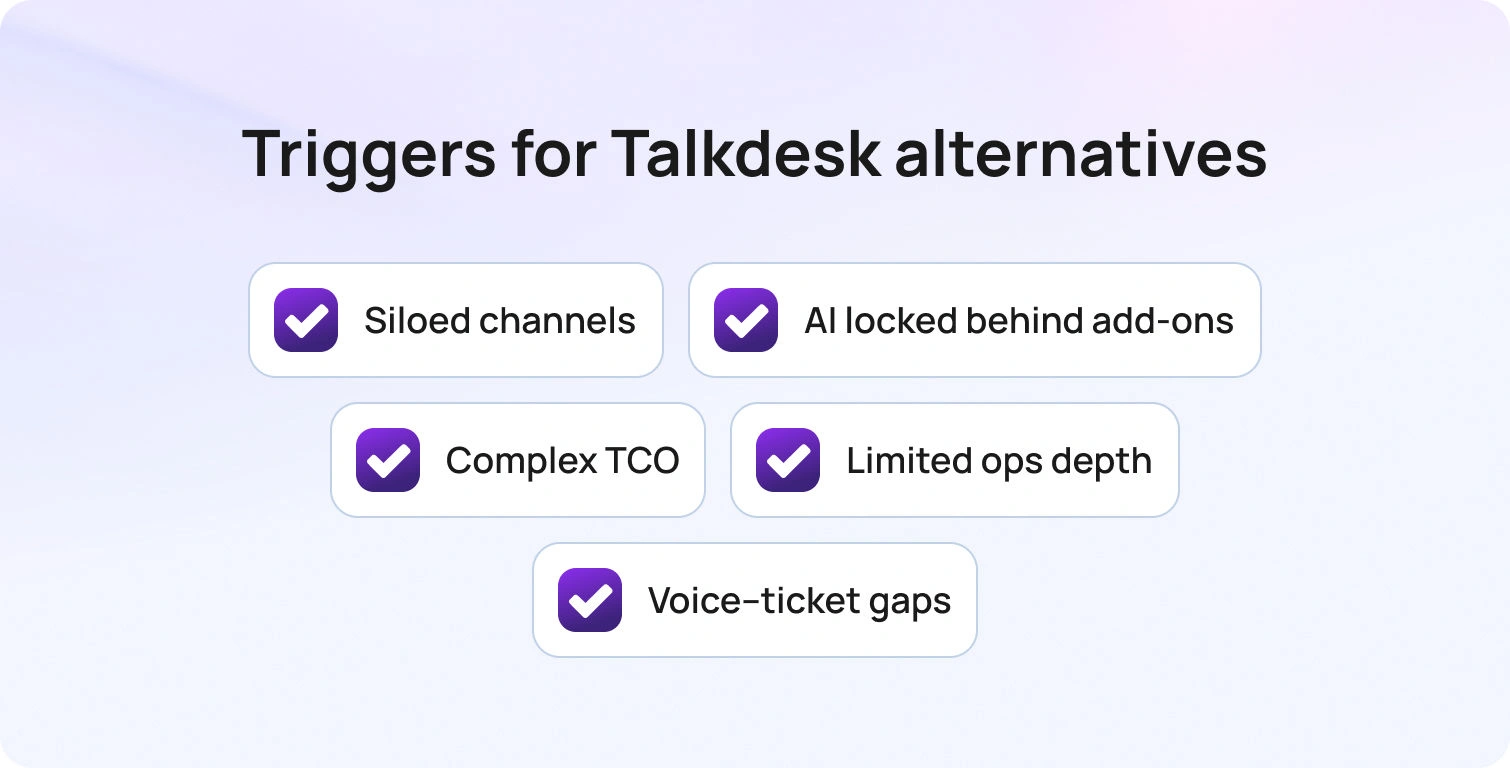
Talkdesk delivers solid voice capabilities and integrations, but growth exposes structural gaps that drive teams to explore alternatives to Talkdesk.
Common triggers:
Siloed channels: Talkdesk's Digital Essentials ($85/user/month) covers chat, email, and social but excludes voice entirely. Voice Essentials ($105/user/month) handles calling but requires a paid upgrade for digital. True omnichannel only arrives at Elite ($165/user/month).
AI locked behind add-ons: Core AI features like Talkdesk Autopilot (intelligent virtual agent) and Copilot (AI agent assist) cost extra even on the Elite plan. Teams exploring KB-grounded AI, real-time transcription, or multilingual support face unpredictable costs as usage scales.
Complex TCO: The base price is just the starting point. Mandatory 3-year contracts, separate PSTN/telecom fees, per-minute charges, and usage-based AI pricing make budgeting difficult. Essential workforce management and quality assurance tools are paid add-ons.
Limited ops depth: Teams managing 20-100 agents need native analytics with language and brand filters, WFM forecasting, QA modules with language-specific scorecards, and SLA dashboards. Talkdesk requires third-party integrations or premium tiers for comprehensive ops tools.
Voice ↔ ticket handoff complexity: Seamless escalation between voice calls and help desk tickets with full conversation history, transcripts, and customer context—requires additional integrations rather than native handoff.
Decision lens for evaluating competitors:
Channels & voice handoff: Native telephony, IVR, queues, post-call transcription, and seamless voice ticket escalation across chat, email, and social
AI coverage: Language detection, real-time translation, ASR transcription, summarization, KB-grounded proposed replies, and policy/PII redaction
Knowledge base: Per-locale KB mapping, terminology control, source citations in AI drafts, and robust search/retrieval
Ops tools: Analytics with language/brand filters, WFM (forecasting, adherence), QA forms by language, SLA dashboards
Security/admin: MFA, audit logs, granular roles, data residency, retention controls, AI suggestion logs
Integrations/APIs: CRM, commerce, telephony, BI, open APIs/webhooks, optional TMS/LSP connectors
Pricing/TCO: Transparent seat costs vs. usage fees (minutes, AI characters, storage); avoid essential contact center features behind add-ons
KPI frame to measure impact:
- First Call Resolution (FCR)
- Average Handle Time (AHT)
- Containment/Deflection Rate
- Abandon Rate
- Agent Concurrency
- Customer Sentiment Scores
- Mean Opinion Score (MOS) for voice quality
Map the total 12-month cost, including seats, telephony minutes, AI usage, WFM/QA modules, and professional services before shortlisting. Prioritize platforms with predictable pricing and faster time-to-value.
If you manage multiple brands or BPO clients, verify native multi-tenant routing and per-brand reporting without custom development.
The 14 Best Talkdesk Alternatives for Contact Center Solutions
Below are the 14 contact center platforms teams evaluate when searching for a Talkdesk alternative. Pricing and features come from public vendor documentation as of February 2026.
1. BlueTweak — Editor's Choice
BlueTweak is an all-in-one customer service solution that unifies voice, chat, email, and social messaging with KB-grounded AI assistance, built-in workforce management, and quality modules. Built for mid-market teams (20-100 agents) and BPO companies, it eliminates tool sprawl by delivering omnichannel support, real-time agent assistance, and ops depth in a single unified platform with transparent pricing.
Best for: Teams wanting native omnichannel support with KB-grounded AI and built-in analytics/WFM without paying for multiple add-ons.
Key features:
- Native voice with call center, IVR, multilingual AI VoiceBot, transcription, and translation
- Chat with an AI ChatBot and real-time translation
- Email with AI-suggested reply, canned responses, and ticket summary
- KB-grounded AI assistance preventing hallucinations with a public knowledge base hierarchy
- Ticketing system with sentiment analysis and custom fields
- Built-in workforce management and quality module
- Prebuilt and custom dashboards with advanced reporting
- Security features, including audit log, custom roles, MFA, and data location options
- Open APIs witha sandbox environment
Pricing:
- €65/agent/month (all features included)
- No feature gating or per-tier restrictions
- Unlimited users and integrations
- AI usage priced separately per customer interaction (transparent, predictable)
Pros:
- Single platform eliminates separate voice, chat, AI, and analytics tools
- KB-grounded AI provides accurate proposed replies and prevents hallucinations
- Built-in WFM and QA reduce add-on costs significantly
- Transparent pricing with no hidden fees or surprise add-ons
- Fast implementation with open APIs (weeks, not months)
- Multilingual across voice and text with real-time translation
- Built for BPOs with a multi-tenant, multi-brand configuration
Cons:
- Newer brand compared to enterprise incumbents like Genesys
- Best for mid-market (very large enterprises may need customization)
- AI usage scales with volume and requires volume forecasting
2. Genesys Cloud CX (voice-first CCaaS)
Genesys Cloud CX is an enterprise-grade cloud contact center platform with deep telephony capabilities, omnichannel routing, and workforce optimization tools. It targets large contact centers with complex IVR needs and extensive integrations.
Best for: Large enterprise business needs around advanced voice features and deep WFM capabilities.
Key features:
- Advanced IVR and call routing
- Omnichannel support (voice, chat, email, social)
- Predictive engagement and journey analytics
- Workforce management and quality management
- AI-powered automation and bots
- CRM integrations and open APIs
- Analytics and reporting dashboards
Pricing:
- CX 1: from $75/user/month
- CX 2: from $115/user/month
- CX 3: from $155/user/month
- CX 4: from $195/user/month
Pros:
- Robust voice and telephony capabilities
- Enterprise-grade security and compliance
- Comprehensive WFM and QA tools
- Strong integration ecosystem
- Scalable for very large deployments
Cons:
- Complex setup requiring specialized expertise
- Higher price point across all tiers
- Steep learning curve for administrators
- Many features require higher tiers or add-ons
- Overkill for teams under 100 agents
3. Five9 (telephony/IVR depth)
Five9 is a cloud contact center platform emphasizing voice quality, predictive dialing, and IVR automation. It serves mid-market and enterprise teams focused on outbound calling and blended operations, with flexible bundles that let you choose your mix of AI capabilities, CRM adapters, and workforce engagement management.
Best for: Contact centers prioritizing voice quality and outbound dialing with customizable AI tools and WEM options.
Key features:
- Predictive, progressive, and preview dialing
- Advanced IVR and automatic call distribution (ACD)
- Omnichannel routing (voice, chat, email, SMS, social messaging)
- AI summaries, live transcription, AI insights, agent assist, and AI knowledge
- CRM integrations (Salesforce, ServiceNow, Dynamics, Zendesk, Oracle)
- UC adapters (Microsoft Teams, Zoom, RingCentral)
- Workforce engagement management (QM, WFM, Analytics)
- Workflow automation and full platform support
- 24/7 support
Pricing:
- Digital: $119/seat/month (digital channels only, no voice)
- Core: $159/seat/month (all channels with AI essentials)
- Plus: Contact sales (all channels with advanced AI)
- Pro: Contact sales (all channels with AI essentials and WEM)
- Enterprise: Contact sales (all channels with advanced AI and WEM)
- Minimum 50 seats; usage-based pricing may apply
- AI includes 3,000 minutes per bundled seat + usage
Pros:
- Excellent voice quality and call reliability
- Strong outbound dialing features
- Deep CRM and UC integrations with a choice of adapters
- Flexible bundling options for AI and WEM
- Comprehensive reporting and analytics
- Proven at enterprise scale
Cons:
- Expensive compared to modern alternatives
- Complex pricing with usage fees and minimums
- 50-seat minimum excludes smaller teams
- Limited digital-first features on the entry Digital plan
- Implementation can take months
- Requires professional services for customization
4. Zendesk (ticketing-first)
Zendesk is a cloud-based help desk platform with AI add-ons for ticket summarization, customer intent detection, and chatbot automation. It covers email, chat, and messaging, with voice available via third-party integrations.
Best for: Teams starting with ticketing who need gradual omnichannel expansion.
Key features:
- Omnichannel ticketing with macros and automation
- Knowledge base with multilingual support
- Answer Bot (knowledge-base chatbot, text-only)
- AI-powered workflow automation and intelligent routing
- Zendesk Talk (voice via third-party integration)
- Marketplace with 1,200+ app integrations
- Advanced reporting and analytics
- Workforce management (add-on: $25/agent/month)
- Quality assurance (add-on: $25/agent/month)
Pricing:
- Support Team: $25/agent/month (monthly) | $19/agent/month (annual)
- Suite Team: $69/agent/month (monthly) | $55/agent/month (annual)
- Suite Professional: $149/agent/month (monthly) | $115/agent/month (annual)
- Suite Enterprise: $219/agent/month (monthly) | $169/agent/month (annual)
- Add-ons: Copilot $50/agent/month, QA $35/agent/month, WFM $25/agent/month, Contact Center $50/agent/month
Pros:
- Mature platform with deep integrations
- Strong marketplace ecosystem (1,200+ apps)
- Enterprise-grade security and compliance
- Familiar UI for many support teams
- Flexible ticketing workflows
Cons:
- High total cost once you add AI, WFM, and QA
- Voice is partner-dependent (not native)
- Per-agent pricing scales poorly as teams grow
- Steep learning curve and complex setup
- Many features are locked behind expensive tiers
5. Freshdesk (approachable omnichannel)
Freshdesk is a cloud-based help desk platform with ticketing, automation, and self-service contact center capabilities. It offers basic omnichannel support, with AI add-ons for chatbot automation and agent copilot.
Best for: Small to mid-sized teams wanting affordable ticketing with basic omnichannel.
Key features:
- Ticketing system with automation and SLA management
- Email and social ticketing
- Knowledge base with SEO-ready FAQ
- Team collaboration tools (collision detection, internal notes)
- Basic reporting and analytics
- Marketplace apps for integrations
- AI Copilot (add-on: $29/agent/month)
- AI Agent sessions (add-on: $100 per 1,000 sessions)
Pricing:
- Growth: $23/agent/month
- Pro: $66/agent/month
- Enterprise: $107/agent/month
- Freddy AI Agent: First 500 sessions free, then $49 per 100 sessions
Pros:
- Affordable entry-level pricing
- Easy to set up and use
- Good integration marketplace
- Generous free trial
- Modern, intuitive interface
Cons:
- Voice support not native (requires integrations or Omni upgrade)
- Advanced features and AI require add-ons
- Limited WFM capabilities
- Reporting is less robust than enterprise platforms
- AI costs can balloon with volume
6. Intercom (messenger-led)
Intercom combines live chat, a custom AI chatbot (Fin AI), and help desk ticketing, with a focus on proactive engagement and product tours. It includes basic email/messaging but limited native voice support.
Best for: SaaS companies focused on proactive engagement and in-app messaging.
Key features:
- Fin AI chatbot (GPT-powered, KB-grounded, text-only)
- Live chat and messaging
- Product tours and proactive campaigns
- Basic ticketing system
- Help center with articles
- Customer data platform
- Team inbox for collaboration
- Reporting dashboards
- Multilingual support (45+ languages)
Pricing:
- Essential: $39/seat/month + $0.99 per Fin resolution
- Advanced: $99/seat/month + $0.99 per Fin resolution
- Expert: $139/seat/month + $0.99 per Fin resolution
- Fin AI Agent (standalone): $0.99 per resolution (minimum commitments apply)
- Copilot add-on: $35/agent/month
Pros:
- Excellent for proactive, conversation-driven support
- Strong chatbot UX with modern interface
- Good for onboarding and product engagement
- Multilingual chatbot capabilities
- Fast implementation for SaaS teams
Cons:
- No native voice support or voicebot
- Pricing becomes expensive as contact volume grows
- Limited traditional ticketing features
- Not ideal for teams needing WFM or call center functionality
- Unpredictable costs as AI resolution fees balloon during peaks
7. Salesforce Service Cloud (enterprise CRM-centric)
Salesforce Service Cloud is an enterprise CRM-based platform with omnichannel support and AI-powered Einstein. It’s a competitor to Talkdesk that targets large organizations already invested in the Salesforce ecosystem.
Best for: Large enterprises using Salesforce CRM requiring deep integration.
Key features:
- Case management and omnichannel routing
- Knowledge base and AI Einstein
- WFM (add-on) and analytics dashboards
- Extensive customization with the Salesforce ecosystem
- Field service management
- Customer communities
- Mobile app for agents
Pricing:
- Enterprise: $175/user/month (annual)
- Unlimited: $350/user/month (annual)
- Agentforce 1 Service: $550/user/month (annual)
Pros:
- Deep integration with the Salesforce ecosystem
- Highly customizable and scalable
- Enterprise-grade security and compliance
- Comprehensive CRM capabilities
- AI-powered Einstein for automation
Cons:
- Expensive, especially with required add-ons
- Complex setup requiring specialized expertise
- Steep learning curve for administrators and agents
- Overkill for teams not using Salesforce CRM
- Implementation can take months and require consulting
8. Kustomer (CRM-style timeline)
Kustomer is a CRM-based customer service platform with a timeline view that displays full interaction history across all channels. It emphasizes a unified customer context for complex support journeys.
Best for: Teams needing a unified customer view across all interactions.
Key features:
- Customer timeline with full interaction history
- Omnichannel support (email, chat, voice, SMS, social)
- Workflow automation and routing
- Knowledge base
- Reporting and analytics
- API and integrations
Pricing:
- Enterprise: $89/seat/month (annual, 8-seat minimum)
- Ultimate: $139/seat/month (annual, 8-seat minimum)
- AI Agents for Customers: starting at $0.60 per engaged conversation
- AI Agents for Reps: $40/user/month
Pros:
- The unified customer timeline provides excellent context
- Strong for high-touch, complex customer journeys
- Omnichannel support included
- Good for relationship-driven support
- Modern interface
Cons:
- Higher price point than many alternatives
- Can be complex to set up and configure
- Smaller brand recognition than Zendesk
- Limited native WFM features
- Minimum seat requirements increase entry cost
9. Gladly (conversation-led)
Gladly is a radically personal customer service platform built around customer satisfaction, not tickets. It maintains lifelong conversation threads for each customer across all channels.
Best for: Brands focused on long-term relationships with personalized service.
Key features:
- Conversation-based (no ticket numbers)
- Omnichannel support (voice, SMS, email, chat, social)
- Customer profile with full conversation history
- Self-service options
- Reporting and analytics
- Integrations with e-commerce and CRM platforms
Pricing:
- Contact sales (Gladly does not publish contact center plan pricing publicly)
Pros:
- Unique customer-centric approach
- Lifelong conversation threads reduce fragmentation
- Strong for high-value, relationship-driven support
- True omnichannel with native voice
- Agent-friendly interface and contact center functions
Cons:
- Custom pricing can be expensive
- Smaller integration marketplace
- May require a mindset shift from traditional ticketing
- Limited automation compared to AI-first platforms
- Lack of transparent pricing
10. Dixa (routing-led)
Dixa is conversational customer service software with omnichannel support and a unified agent desktop emphasizing smart routing and queue management.
Best for: Teams focused on conversation-driven support with advanced routing.
Key features:
- Omnichannel (phone, email, chat, social)
- Unified agent desktop with smart routing
- Knowledge base and quality monitoring
- Reporting and integrations
- VoIP calling
- Automation rules
Pricing:
- Growth: $89/agent/month (annual, 7-seat minimum)
- Ultimate: $169/agent/month (annual, 7-seat minimum)
- Prime: $215/agent/month (annual, 7-seat minimum)
Pros:
- True omnichannel platform with native voice
- Conversation-centric approach
- Advanced analytics and reporting
- Modern interface for agent efficiency
- Quality monitoring tools built in
Cons:
- High pricing with minimum seat requirements
- Smaller brand recognition
- Limited public information on features
- May require higher commitment and longer contracts
- Smaller ecosystem of third-party integrations
11. Front (shared inbox + automation)
Front is a collaborative inbox platform for teams managing shared email, SMS, and social messages with modern workflow tools and automation.
Best for: Teams wanting email-centric collaboration with automation.
Key features:
- Shared inbox for email and messaging
- Collaboration tools (comments, assignments, mentions)
- Workflow automation and rules
- 100+ app integrations
- Basic analytics and API access
- Team performance metrics
Pricing:
- Starter: $35/seat/month (annual, up to 10 seats)
- Growth: $59/seat/month (annual)
- Scale: $99/seat/month (annual)
- Premier: $229/seat/month (annual)
- Enterprise: Contact sales
Pros:
- Excellent for email-heavy teams
- Strong collaboration features
- Modern, intuitive interface
- Good integration library
- Powerful workflow automation
Cons:
- No native voice support
- Limited traditional ticketing features
- Expensive at higher tiers
- Not built for contact center operations
- Per-seat pricing becomes costly as teams grow
12. Zoho Desk (suite value)
Zoho Desk is a context-aware help desk platform with ticketing, automation, and self-service capabilities. It integrates deeply with the Zoho ecosystem and includes an AI assistant (Zia) in higher tiers.
Best for: Teams in the Zoho ecosystem or needing affordable omnichannel.
Key features:
- Ticketing system with automation
- Multi-channel support (email, phone, chat, social)
- Knowledge base with community forums
- AI assistant (Zia) for automation and insights
- SLA management and custom workflows
- Reporting and analytics
Pricing:
- Free Edition: $0 (up to 3 agents)
- Express: $9/user/month
- Standard: $20/user/month
- Professional: $35/user/month
- Enterprise: $50/user/month
Pros:
- Very affordable pricing
- Deep integration with the Zoho suite
- AI assistant included in higher tiers
- Good value for small teams
- Free plan available
Cons:
- Interface feels dated
- Voice support requires Zoho PhoneBridge integration
- Limited WFM features
- Smaller third-party integration marketplace
- Less modern than competitors
13. Help Scout (simplicity)
Help Scout is an email-based help desk with a shared inbox, knowledge base (Docs), and live chat (Beacon widget). It prioritizes simple, human-centric customer conversations.
Best for: Small teams prioritizing email support with simplicity.
Key features:
- Shared inbox for email management
- Knowledge base (Docs)
- Live chat (Beacon widget)
- Customer profiles with conversation history
- Collision detection and internal notes
- Basic reporting and analytics
Pricing:
- Free: $0 (up to 5 users)
- Standard: $30/user/month
- Plus: $54/user/month
- Pro: $90/user/month
- AI Answers: $0.75 per resolution
Pros:
- Clean, straightforward interface
- Strong focus on personalized email support
- Affordable for small teams
- Easy to set up
- Human-centric philosophy
Cons:
- No native voice or SMS support
- Limited automation compared to platforms like Zendesk
- Basic reporting and analytics
- Not suitable for complex, multi-channel operations
- Lacks WFM and QA tools
14. LiveAgent (SMB omnichannel)
LiveAgent is a multi-channel help desk with ticketing, live chat, and call center features via VoIP integration. It targets budget-conscious teams needing basic omnichannel, including voice.
Best for: Budget-conscious teams needing basic omnichannel with voice.
Key features:
- Ticketing system and live chat
- Call center with IVR (VoIP integration)
- Knowledge base
- Email and social support
- Automation rules and reporting
- Time tracking
Pricing:
- Small: $15/agent/month (annual) | $19/agent/month (monthly)
- Medium: $29/agent/month (annual) | $35/agent/month (monthly)
- Large: $49/agent/month (annual) | $59/agent/month (monthly)
- Enterprise: $69/agent/month (annual) | $85/agent/month (monthly)
Pros:
- Very affordable pricing
- Native call center basic features with IVR
- All-in-one platform covering ticketing, chat, email, and voice
- Good value for budget-conscious teams
- Free plan available for testing
Cons:
- Interface feels dated
- Limited AI and automation (mostly rule-based)
- Smaller integration marketplace
- Less robust WFM and QA vs. enterprise platforms
- May require customization for complex workflows
What to Look For in a Talkdesk Alternative
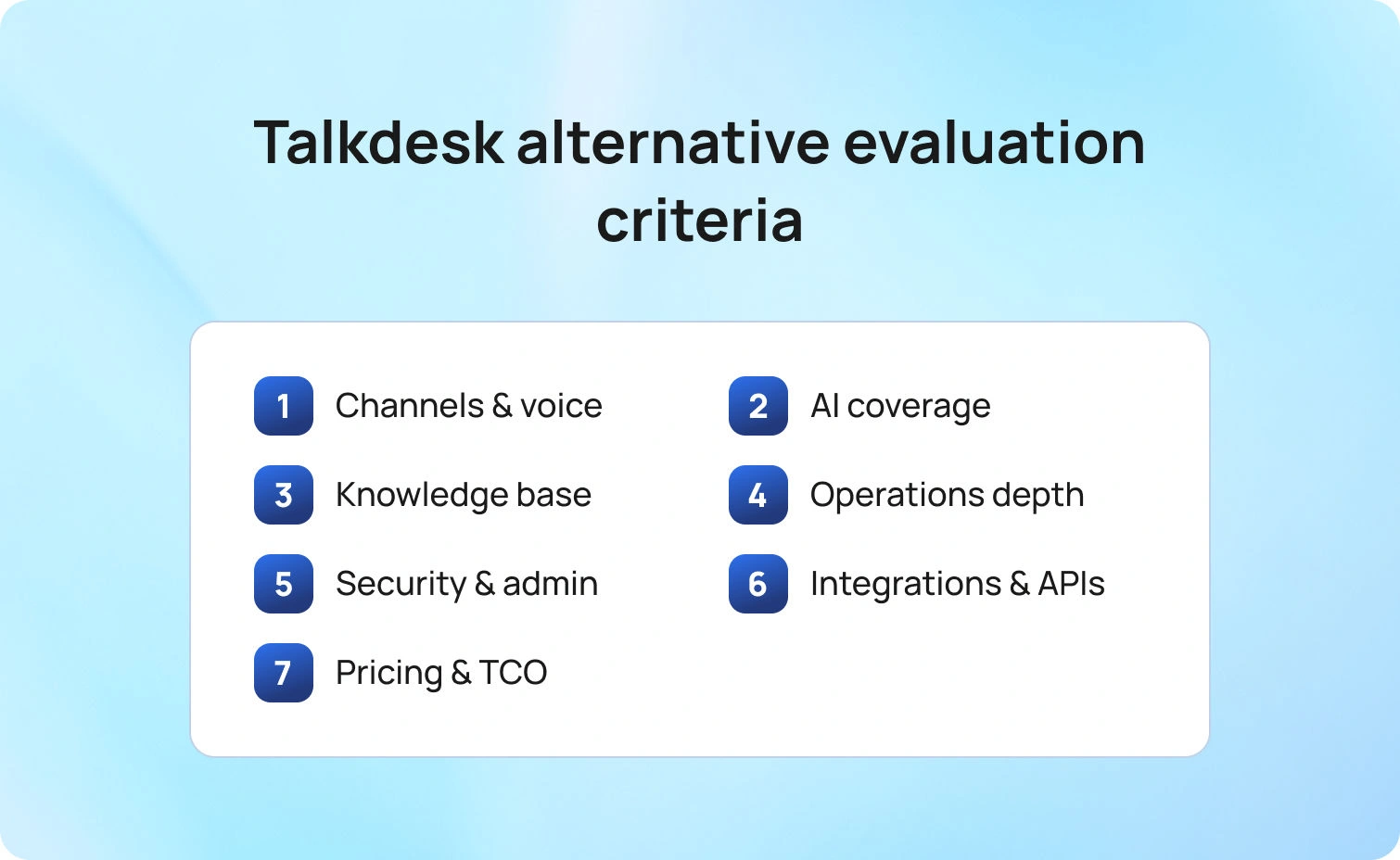
Channels & Voice: Native telephony with IVR, queues, and call routing ensures voice call quality. Verify seamless voice↔ticket handoff so escalations from chat or email to phone don't lose customer context. Post-call notes, transcription, and automated post-call summaries improve agent efficiency and reduce AHT.
AI Coverage (agent + automation): Look beyond rule-based automation. Evaluate language detection, real-time translation for multilingual customer support, ASR transcription, call transcription software, summarization, and KB-grounded proposed replies. Policy/PII redaction and auditability ensure compliance. Platforms withAI suggested replies grounded in your knowledge base (like BlueTweak's system) provide faster, more accurate agent responses without hallucinations.
Knowledge Base & Self-Service: Per-locale KB mapping ensures customers get answers in their language. Glossary/terminology control maintains brand voice across AI responses. Source citations in AI drafts let agents verify accuracy before sending. Robust search/retrieval reduces agent search time and improves customer support metrics.
Ops Depth: Analytics with language and brand filters let you measure agent performance by market and product line. WFM tools (forecasting, adherence tracking) optimize staffing. QA forms by language catch localization issues. SLA dashboards prevent breaches.
Security/Admin: MFA, audit logs, and granular roles protect sensitive data. Data residency controls meet compliance requirements. Configurable retention policies manage storage costs. AI suggestion logs provide transparency for audits.
Integrations/APIs: CRM, commerce, telephony, and BI integrations reduce manual work. Open APIs and webhooks enable custom workflows. Optional TMS/LSP connectors streamline localization for global sales teams. Platforms with omnichannel customer support capabilities unify these integrations in one place.
Pricing/TCO: Separate seat costs from usage fees (voice minutes, AI characters/minutes, storage, API limits). Avoid platforms that lock essential AI features behind add-ons that inflate cost. Transparent pricing (like BlueTweak's €65/agent/month with all features included) simplifies forecasting and prevents surprise bills.KPIs to measure in trials: Track FCR, AHT, Containment, Abandon rate, Concurrency, Sentiment, and MOS per language/brand. Platforms that improve these metrics directly impact your bottom line.
Pricing & 12-Month TCO Modeling
Let’s imagine a real-world use case:
- Seats: Number of named agents vs. concurrent users. Some platforms offer concurrent pricing that saves money if you have shift workers.
- Telephony minutes: Inbound/outbound call volume, toll-free charges, international calling rates
- AI usage: Translation characters, ASR minutes, summarization requests, AI chatbot sessions
- Storage: Ticket history, call recordings, attachment limits
- Marketplace apps: Third-party integrations, WFM/QA modules, BI connectors
- Professional services: Implementation, training, custom development, ongoing support
Example: A 50-agent team handling 10,000 monthly calls with multilingual AI voicebot support might pay:
- Talkdesk Elite: $165/agent/month + PSTN fees + Autopilot + Copilot + WFM = $10,000–$12,000/month
- BlueTweak: €65/agent/month ($69 USD) + AI usage = $3,500–$4,500/month
- Zendesk Suite Enterprise: $169/agent/month + Contact Center + WFM + QA + Copilot = $13,000–$15,000/month
Always request a detailed quote with usage breakdowns. Ask about overage fees, annual minimums, and auto-renewal terms.
Customer Support Software Implementation Playbook (Switching from Talkdesk)
In weeks 0 to 1, run discovery and audit. Inventory every channel in use (voice, chat, email, social, SMS). Export call flows, IVR trees, and routing logic from Talkdesk. Audit knowledge base articles and glossaries to confirm what will be migrated and what needs updating. Set up SSO, roles, and permissions in the new platform. Map queues, SLAs, and escalation paths, then document all integrations (CRM, commerce, BI, WFM) so configuration matches real workflows.
In weeks 1 to 2, configure a pilot. Connect chat, email, and voice channels, then enable translation, summarization, and suggested reply features. Configure voice to ticket notes with transcripts and validate formatting and accuracy. Pilot 1 to 2 queues with 5 to 10 agents using real ticket types. Run linguistic quality assurance on at least 2% of chats per language, and test canned responses plus ticketing workflows end-to-end.
In weeks 3 to 4, expand and go live. Roll out remaining languages and channels, then finalize analytics dashboards and WFM forecasting. Configure QA scorecards by language and confirm reporting aligns with KPIs. Run parallel operations for 1 to 2 weeks with both the new platform and Talkdesk, and prepare a rollback plan in case issues appear. Execute go-live using a cutover checklist.
Success metrics to track:
- FCR↑ (fewer repeat contacts)
- AHT↓ (faster resolution with how AI improves customer support)
- Containment↑ (more self-service completions)
- Abandon↓ (fewer customers dropping from the queue)
- CSAT/Sentiment↑ (higher satisfaction scores)
How We Evaluated
We reviewed vendor product pages, pricing pages, help documentation, and marketplace listings only. No third-party ratings or unverified claims. We double-check channels/voice capabilities, AI features (translation, transcription, summaries, proposed reply), knowledge base integration, analytics/WFM, security/admin, and integrations/APIs. We cross-referenced public customer logos and case studies where available.
Pricing information was pulled from vendor websites as of February 2026. Where pricing wasn't public, we noted "Contact sales" or "Varies by plan." For the pros and cons, we used evidence-based information only. We avoid hearsay and unverified claims, focusing on documented features and publicly available user feedback.
Must-Have Capability Checklist
- Voice + messaging with seamless help desk handoff
- KB-grounded answers with citations and terminology control
- AI for translation, transcription, summarization, and suggested reply
- Analytics with language filters and advanced reporting
- WFM/QA native or first-party module
- Security/admin: MFA, audit logs, custom roles, data controls
- Integrations + open APIs
- Transparent pricing for core AI (not only add-ons)
- Surveys/CSAT module
BlueTweak meets all criteria. Learn how to choose help desk software that fits your needs, or explorebest help desk software options.
Scoring Rubric
Score each platform on these dimensions:
- Fit for 20-100 agents: Scales without high cost or complexity
- Voice/omnichannel depth: Native calling, SMS, chat, email, social with seamless handoffs
- AI coverage: Agent assist tools (suggested replies, summarization) + KB grounding + multilingual voicebots
- WFM/QA: Built-in workforce management and quality assurance
- Time-to-value: Implementation speed and ROI
- TCO: Per-agent pricing, usage fees, add-on costs
Security & control: Roles, audit logs, MFA, data residency
Final thoughts
The best Talkdesk alternative balances channels/voice, AI depth, KB grounding, and ops/WFM with clear TCO. Use the scoring rubric above to finish your shortlist: map each tool by channels, AI customer support capabilities, and ops needs, then validate security/admin and integrations.
Keep KPI impact in view. Platforms that improve customer experience, FCR, AHT, Containment, and Sentiment directly affect your bottom line and reduce operational costs.
When to shortlist BlueTweak: You want omnichannel chat, voice, and email with KB-grounded AI and built-in analytics/WFM in one platform. For mid-market teams (20-100 agents) managing customer interactions across multiple channels and digital channels, BlueTweak delivers measurable ROI without tool sprawl. It's an AI contact center solution designed for agent efficiency, advanced AI features, and a unified communications experience.
Request a demo to see how BlueTweak handles voice, chat, and email with AI-powered assistance and built-in workforce management—no 3-year contract required.

Gorgias vs Zendesk vs BlueTweak: Which To Implement In 2026?
How to Choose Between Gorgias, Zendesk, and BlueTweak in 2026
Choosing between BlueTweak, Zendesk, and Gorgias in 2026 is less about which platform is “better” and more about how their features deliver value across channels, teams, and usage patterns. For modern e-commerce brands, that often means understanding how well a platform handles customer information, integrates with other e-commerce platforms, and supports increasingly complex operations as ticket volumes grow and VIP customers expect faster, more personalized responses.
Support used to be about resolving tickets. In 2026, it’s about handling messages from multiple channels, empowering agents with AI, reducing handling times, and enabling self-service, all while keeping costs predictable. According to HubSpot’s The State of Customer Service Report, 78% of customers now expect personalisation, and 64% of support leaders are increasing investment in self-service, pushing teams to rethink how customer questions, order tracking, ad comments, and post-purchase queries are handled across online stores.
Support teams today rarely operate in a single channel, a single language, or a single brand. They also can’t afford AI that operates independently of their knowledge base, or analytics that sit outside key performance indicators like resolution time, repeat purchases, and overall sales impact. The wrong choice isn’t a missing feature; it’s a platform that forces teams to stitch together e-commerce integrations, advanced tools, and workflows from multiple vendors, often introducing hidden fees and operational drag.
This guide evaluates Gorgias, Zendesk, and BlueTweak through the lens of depth, predictability, and operational scale; the areas that ultimately determine success beyond launch day, especially for Shopify users and ecommerce teams operating across multiple platforms.
Gorgias vs Zendesk vs BlueTweak Feature Comparison
| Feature | Gorgias | Zendesk | BlueHub |
|---|---|---|---|
| Core Strength | Shopify & E-commerce brands | Ticketing-first flexible ecosystems | Mid-market omnichannel support |
| Main Value | E-commerce helpdesk with order context | Mature platform with broad extensibility | Unified ticketing, AI, & WFM stack |
| Channels & Voice | Email, chat, social, SMS, & native voice | Workspace-based email, voice, & social | Native omnichannel (Chat, Email, Voice) |
| AI Highlights | Automates FAQs & order tasks (Add-on) | AI Copilot & generative workflows | KB-grounded summaries & auto-replies |
| Self-Service | Help Center & self-service portal | Help Center & community forums | Smart KB powering agents & bots |
| WFM / QA | Native analytics; deeper QA via partners | WFM & QA available as paid add-ons | Built-in analytics & WFM dashboards |
| Security / Admin | Roles, MFA, & audit logs | Enterprise controls & audit capabilities | MFA, Roles; ISO certification in progress |
| Pricing Note | Tiered plans + ticket-based usage | Seat-based with multiple paid add-ons | €65/agent/mo (All-inclusive core stack) |
What Is Gorgias, What Is Zendesk, and Where Does BlueTweak Fit?
At a surface level, Gorgias, Zendesk, and BlueTweak all describe themselves as customer support platforms. However, they reflect three different philosophies about how support teams should be structured, extended, and scaled over time.
Each product was built to solve a distinct first problem: Gorgias prioritised ecommerce efficiency, Zendesk prioritised ticketing standardisation, and BlueTweak prioritised operational consolidation. Those starting points still influence how naturally each platform handles voice, AI, workforce management, analytics, and multi-brand complexity today.
Understanding these foundations makes it easier to predict where each tool feels seamless, and where additional configuration, partners, or spend are likely to follow.
Gorgias
Gorgias is an e-commerce-focused help desk designed primarily for Shopify-based brands handling high volumes of order-related enquiries. Its core strength lies in making repetitive ecommerce workflows (think: order status checks, refunds, cancellations, and shipping issues) fast and low-friction for agents.
Because of this focus, Gorgias embeds order data directly into the ticket view and pairs it with powerful macros and rules. For e-commerce teams, this dramatically reduces handle time and training overhead, especially during peak periods like promotions or seasonal spikes.
However, that same focus also defines Gorgias’ boundaries. Voice support, advanced AI automation, workforce management, and QA are typically introduced via integrations or marketplace partners rather than as first-class, native capabilities. This isn’t inherently a weakness, but it does mean that as teams expand beyond chat and email, operational ownership shifts from a single platform to an ecosystem.
Gorgias works best when e-commerce speed is the dominant priority and when teams are comfortable layering additional tools as requirements mature.
Zendesk
Zendesk is one of the most established platforms in customer support, originally built to standardise ticketing across growing teams. Its design reflects this heritage: structured workflows, configurable SLAs, and a robust Help Center that supports self-service at scale.
Zendesk’s greatest strength is breadth. It supports a wide range of industries and use cases, and its marketplace enables teams to extend the platform into voice, CRM, ecommerce, analytics, and workforce tooling. For organisations with complex requirements or existing vendor relationships, this flexibility can be a major advantage.
However, the trade-off here is in assembly. Many of Zendesk’s most valuable capabilities, including advanced AI features, voice, WFM, and deeper analytics, are tied to specific tiers or add-ons. As a result, teams often arrive at a working setup gradually, combining native features with integrations over time.
Zendesk is best suited to organisations that value configurability and ecosystem choice, and that have the operational maturity to manage a more modular stack.
BlueTweak
BlueTweak was designed with a different assumption: that mid-market teams increasingly need the same functional coverage as enterprise support, but without the overhead of stitching together multiple platforms.
Instead of optimising for a single channel or workflow, BlueTweak brings ticketing, chat, voice, bots, KB-grounded AI, analytics, and workforce management into a single operational layer. This approach reduces handoffs between tools and makes capabilities like voice transcription, AI-assisted replies, and SLA reporting immediately usable rather than optional upgrades.
A defining feature of BlueTweak is its support for multi-brand and multi-queue environments, which makes it particularly relevant for BPOs, shared service teams, and organisations supporting multiple products or regions. Rather than treating these as edge cases, the platform assumes complexity from the outset.
BlueTweak fits teams that want to move quickly to a complete omnichannel setup, maintain predictable costs, and avoid long-term tool sprawl as volumes and expectations grow.
What This Comparison Reveals
Looking at these platforms side by side highlights an important pattern: the differences aren’t just about features, but about how much operational effort is required to reach and maintain a “complete” support setup.
- Gorgias minimises friction for e-commerce-first teams early on
- Zendesk maximises flexibility and ecosystem choice over time
- BlueTweak minimises long-term complexity by consolidating core capabilities upfront
That distinction becomes even clearer when comparing AI depth, workforce tooling, analytics, and total cost of ownership.
Gorgias vs Zendesk vs BlueTweak: Feature-by-Feature Analysis

A feature-by-feature comparison only becomes meaningful when it looks beyond availability and into depth, dependency, and operational impact. Most modern support platforms can technically “do” AI, voice, analytics, or automation, but the difference lies in whether those capabilities are native, how tightly they’re integrated into agent workflows, and what’s required to make them reliable at scale.
In the sections below, we assess Gorgias, Zendesk, and BlueTweak based on how each capability behaves in day-to-day operations, what tends to sit behind plan gates or integrations, and how easily teams can extend these features as volume, channels, and complexity increase.
AI, Automation & Deflection
The effectiveness of AI and automation depends heavily on how well they’re grounded in real knowledge and workflows. Superficial automation can reduce effort in the short term, while poorly grounded AI often increases review time and risk.
Gorgias relies heavily on macros and rules to automate common e-commerce interactions such as order status, refunds, and shipping updates. This works well in high-volume Shopify environments where intent is predictable and tightly linked to order data.
AI-assisted replies are available, but coverage and grounding should be verified by plan. More advanced deflection, such as bots or multilingual automation, is typically introduced through partners. As a result, automation in Gorgias is highly effective within e-commerce patterns, but less extensible outside them.
Zendesk offers a broader AI toolkit, including agent assist and bots, but access and depth depend on tier. Zendesk performs best when AI is tightly coupled with a well-maintained Help Center, as suggested replies and deflection are most effective when KB coverage is strong.
In practice, teams often need to invest time aligning content, training AI models, and validating plan eligibility before seeing consistent productivity gains.
BlueTweak approaches AI as an embedded layer rather than an add-on. KB-grounded summaries and proposed replies are designed to reflect existing content, reducing hallucination risk. Real-time translation for chat and transcription for voice extend AI benefits across channels without changing workflows. This makes AI immediately usable for agents, rather than something that requires separate enablement or oversight.
Knowledge Management & Self-Service
Knowledge bases are often evaluated on authoring features, but their real value lies in how consistently they power agents, bots, and self-service experiences.
Gorgias’ help centre is optimised for e-commerce FAQs, with templates tailored to order, shipping, and returns scenarios. This makes the initial setup fast for Shopify brands. However, multilingual controls, versioning, and advanced reporting vary by plan, which can limit scalability for international or multi-brand operations.
Zendesk’s Help Center is one of its strongest components, supporting dynamic content, multilingual sites, and contextual article recommendations. For organisations with a strong self-service strategy, this depth enables meaningful ticket deflection.
The trade-off is maintenance overhead: content governance becomes critical, as AI and automation quality are directly tied to KB hygiene.
BlueTweak treats the KB as a shared intelligence layer. Articles directly inform agent replies, bot answers, and reporting, with built-in support for multi-brand routing. This reduces duplication between “agent knowledge” and “customer knowledge” and makes it easier to see which content actually drives resolution.
Omnichannel & Voice
True omnichannel support is about maintaining context as conversations move between channels, especially when voice is involved.
For Gorgias, email, chat, and social channels are native and tightly integrated with ecommerce context. Voice is typically delivered through integrations, which means queueing, SLAs, and ticket linkage should be validated carefully. For chat-first ecommerce teams, this may be sufficient; for voice-heavy environments, it introduces additional coordination.
Zendesk supports omnichannel ticketing at scale, with voice available via specific tiers or add-ons. IVR, queue management, and post-call notes depend on configuration choices. When set up correctly, Zendesk handles complex routing well, but achieving that state often requires specialist configuration and ongoing administration.
BlueTweak unifies chat, voice, and email into a single workflow. Voice interactions automatically generate tickets with transcripts attached, preserving context without manual intervention. This is particularly valuable for teams handling escalations or blended agent roles.
Case Management, Escalation & Collaboration
Case management determines how well teams handle exceptions, not routine enquiries.
For Gorgias, strong ecommerce macros and order context simplify common escalations. SLA support should be verified by plan, and collaboration is largely focused on agent efficiency rather than cross-team workflows.
Zendesk excels here, with mature ticket hierarchies, SLAs, side conversations, and internal notes. It’s well-suited to organisations that require formal escalation paths and cross-functional collaboration.
BlueTweak provides unified queues across brands and teams, with SLAs and internal collaboration built in. This reduces handoffs and makes it easier to manage shared services or outsourced support models.
Analytics, WFM & QA
Analytics are only valuable when they connect performance, staffing, and service levels.
Reporting in Gorgias is tailored to e-commerce metrics. Workforce management and QA typically require third-party tools, which can fragment visibility between performance and staffing.
Zendesk Explore offers deep reporting capabilities, but WFM and QA depend on tier or integrations. Teams often achieve strong insights, but only after aligning multiple data sources.
BlueTweak includes analytics and WFM natively, with filters for language, brand, and live SLA status. This makes it easier to move from insight to action without exporting data.
Security/Admin & Compliance
Administrative control becomes more important as teams grow and data exposure increases.
- Gorgias focused on supporting roles and MFA; data residency and audit logging should be verified via documentation.
- Zendesk offers robust admin controls, MFA, and audit logs, with some security and AI logging features tied to higher tiers.
- BlueTweak provides MFA, audit logs, role-based access, and mid-market-focused data controls, with ISO certification in progress.
Integrations & Ecosystem
Ecosystems matter most when platforms don’t natively cover everything.
- Gorgias’ deep Shopify and ecommerce integrations are a clear strength, especially for payments and shipping providers.
- Zendesk benefits from one of the largest marketplaces in the category, covering telephony, CRM, ecommerce, and BI. This enables flexibility, but increases dependency on third-party vendors.
- BlueTweak offers APIs and webhooks, Shopify and CRM integrations, and simpler administration for multi-brand environments, reducing integration sprawl for mid-market teams.
Pricing Compared & 12-Month Total Cost of Ownership Modeling
Pricing comparisons between Zendesk vs Gorgias are often misleading because they focus on headline seat costs rather than the full operational stack teams end up paying for. In reality, most support organisations expand their tooling footprint within the first 6–12 months, adding voice, automation, analytics depth, QA, or workforce management as volumes and expectations grow.
To make this comparison meaningful, it’s more useful to look at the total cost of ownership (TCO) over a year: how pricing scales with usage, which capabilities are bundled versus bolted on, and how predictable costs remain as the support operation matures.
Gorgias uses a seat-based pricing model, typically combined with usage-based components and optional marketplace add-ons. For e-commerce teams focused on chat and email, initial costs can appear competitive, especially when core workflows are handled through macros and rules.
Over time, however, costs tend to increase as teams introduce voice support, more advanced automation, or third-party apps for QA, WFM, or bots. Because these capabilities are often delivered through partners, spend becomes distributed across vendors, making it harder to forecast a clean 12-month run rate. Gorgias pricing works best when e-commerce efficiency remains the primary goal and channel expansion is incremental.
Zendesk also follows a seat-based model, but with more pronounced tiering. Core ticketing and Help Center functionality are relatively straightforward to price, while voice, advanced AI features, WFM, and deeper analytics are commonly gated behind higher tiers or sold as add-ons.
In practice, many teams assembling a “complete” Zendesk setup incur additional marketplace costs for telephony, QA, or reporting extensions. This modularity provides flexibility, but it also means that 12-month TCO can vary significantly depending on configuration choices. Zendesk pricing tends to favour organisations with the budget and internal capability to manage a more composable stack.
BlueTweak takes a more consolidated approach to pricing. At €65 per agent per month, the core platform includes ticketing, chat, voice, AI assistance, analytics, and workforce management in a single licence. This simplifies budgeting by reducing the number of decisions required to reach full operational capability.
Telephony minutes and certain AI usage elements are modelled separately, but the foundational support stack remains predictable as teams scale. For mid-market organisations, this structure reduces the risk of incremental tooling spend and makes it easier to align costs with headcount planning rather than feature discovery.
When viewed through a 12-month lens, the key pricing difference isn’t who is cheaper on paper, but how much financial variability each platform introduces as requirements evolve.
- Gorgias spreads costs across seats and partners as complexity grows
- Zendesk centralises capability but often decentralises spend via tiers and add-ons
- BlueTweak front-loadsthe capability to keep ongoing costs clearer and easier to forecast
That distinction becomes especially important for teams planning to add voice, AI, or workforce tooling within the same year, where pricing predictability can matter as much as raw functionality.
When Gorgias, Zendesk, or BlueTweak Is the Right Choice
Choose Gorgias if…
You’re ecommerce-led, heavily invested in Shopify, want fast order-centric workflows, and are comfortable adding voice, AI, and WFM through partners over time.
Choose Zendesk if…
You’re ticketing-first, value a large marketplace, and are willing to assemble voice, AI, and WFM via tiers and integrations.
Choose BlueTweak if…
You want omnichannel support with KB-grounded AI, built-in analytics and WFM, multi-brand routing, and clearer 12-month TCO for a mid-market team.
Implementation Considerations: What It Takes to Get Each Platform Working Well
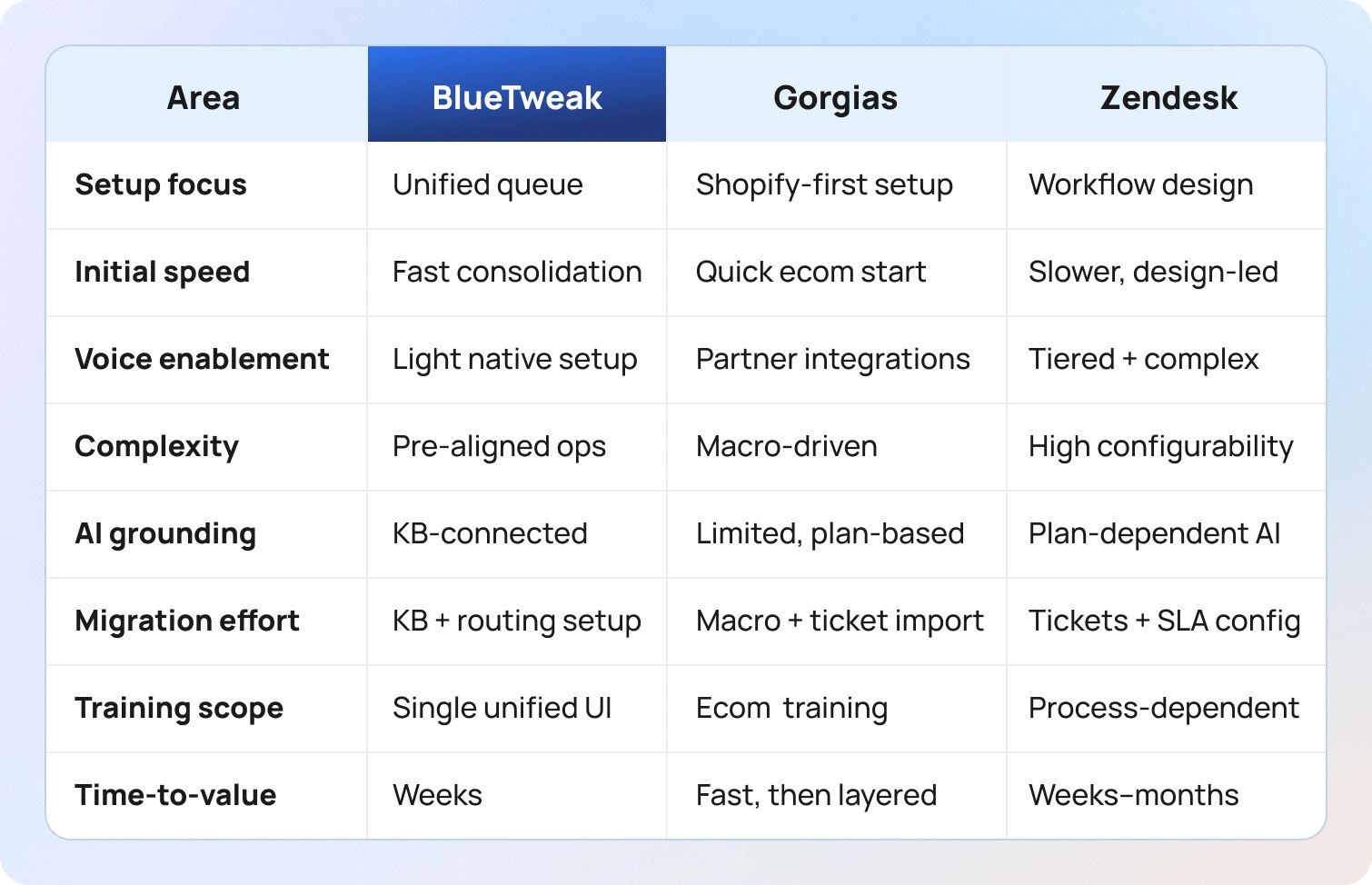
Implementation effort is often underestimated in Gorgias vs Zendesk comparisons because most platforms look similar during demos. The real differences appear after go-live, when teams begin layering channels, enforcing SLAs, onboarding agents, and adapting workflows to real customer behaviour.
Below, we look at what implementation typically involves for each platform, focusing not just on setup steps, but on where time, risk, and internal coordination are usually required.
Gorgias: implementations usually start quickly, particularly for Shopify-native teams. Connecting Shopify and importing existing macros and rules is relatively straightforward, and many teams see value early through faster handling of order-related enquiries.
Complexity tends to increase when teams move beyond chat and email. Selecting and configuring voice or bot partners introduces additional vendor coordination, while historical ticket migration and reporting continuity require planning. Agent training is typically focused on e-commerce workflows rather than broader case management, which works well for retail-led teams but can limit flexibility if support scope expands.
Gorgias implementations succeed most consistently when e-commerce efficiency is the primary goal and channel expansion is planned incrementally.
Zendesk: implementations are more structured, but also more involved. Importing tickets and knowledge base content is only the starting point; real effort goes into configuring SLAs, automations, roles, and views to reflect how teams actually work.
Voice enablement, advanced AI features, and workforce tooling often require activating specific tiers or add-ons, followed by additional configuration or integration work. Change management is a significant factor, particularly for larger teams, as Zendesk’s flexibility means processes must be clearly defined to avoid inconsistency.
Zendesk implementations work best when organisations have dedicated operational ownership and the appetite to invest time upfront in designing workflows.
BlueTweak: implementations are typically oriented around consolidation rather than assembly. Core setup focuses on configuring a unified queue, connecting the knowledge base so AI assistance is properly grounded, and defining multi-brand routing and permissions.
Telephony setup is intentionally lightweight compared to traditional contact-centre deployments, and agents are trained on a single interface that covers chat, voice, and tickets. Because analytics and WFM are built in, teams avoid a second phase of tooling once volumes increase.
BlueTweak tends to deliver faster time-to-value for mid-market teams that want a complete operational baseline without a prolonged configuration cycle.
How We Evaluated Gorgias vs Zendesk vs BlueTweak
To avoid superficial comparisons, this guide was evaluated using only verifiable, first-party sources and a consistent set of criteria across all three platforms. The goal was not to score features in isolation, but to understand how each platform behaves when deployed in a real support environment.
Our evaluation focused on capability depth, delivery model, and operational impact, rather than roadmap promises or third-party sentiment.
Specifically, we:
- Reviewed official product, pricing, help, and marketplace documentation. This ensured all claims could be traced back to vendor-owned sources rather than interpretation.
- Verified support for channels, voice, AI capabilities, knowledge management, analytics/WFM, security controls, and integrations. Where features depended on tiers, add-ons, or partners, this was explicitly noted as Varies by plan / Verify.
- Logged publicly available customer logos and case studies. These were used to validate typical use cases and organisational fit, not to infer satisfaction.
- Excluded third-party ratings, reviews, and hearsay. This avoids bias introduced by marketing incentives or outdated comparisons.
Must-Have Capability Checklist for Modern Support Teams
Rather than treating all features as equal, we assessed each platform against a baseline set of capabilities that most mid-market support teams now consider non-negotiable.
This checklist reflects operational expectations in 2026, not aspirational features.
- Voice and messaging handoff - whether context is preserved as conversations move between chat, email, and voice—and whether this is native or dependent on integrations.
- KB-grounded AI answers - the extent to which AI responses are anchored in approved knowledge, reducing hallucination and review time.
- AI coverage across workflows - including summarisation, proposed replies, translation, and transcription—and whether these are unified or fragmented across tools.
- Workforce management and QA - whether staffing, performance, and quality are handled natively or via partners, and how tightly they integrate with reporting.
- Security and administrative control - availability of MFA, audit logs, role-based access, and data governance features appropriate for growing teams.
- Integration depth - practical connectivity with Shopify, CRM systems, telephony providers, and BI tools, not just marketplace availability.
- Pricing transparency for core AI - clarity around what AI capabilities are included versus usage-based or premium add-ons.
- Customer feedback tooling - built-in CSAT or survey mechanisms that close the loop between support performance and customer sentiment.
Scoring Rubric Used in This Comparison
To keep the comparison consistent, each platform was assessed against the same high-level rubric. This wasn’t used to produce a numeric score, but to ensure trade-offs were evaluated evenly.
The rubric considered:
- Fit for teams with 20–100 agents
- Depth and reliability of omnichannel and voice support
- Breadth and maturity of AI assistance and multilingual coverage
- Availability and integration of WFM and QA
- Time-to-value, including configuration and training effort
- 12-month total cost of ownership, not just entry pricing
- Strength of security and administrative controls
Final Verdict: Gorgias vs Zendesk vs BlueTweak for Mid-Market Teams
In the Gorgias vs Zendesk conversation, both platforms largely deliver what they’re designed for. Gorgias excels for the ecommerce brand that lives inside Shopify, using purchase history and order context to respond faster, while Zendesk delivers a flexible ticketing foundation for teams willing to assemble advanced capabilities across other platforms and integrations.
However, unlike Zendesk’s modular approach, the industry’s shift toward integrated, AI-assisted service (65% of CX leaders report AI is already in daily use),has exposed the operational cost of stitching together point solutions. As teams scale and handle more customer interactions, regardless of how many tickets arrive each day, fragmented tooling can slow agents down, obscure key insights, and introduce unexpected costs.
For mid-market teams seeking:
- Unified omnichannel support (chat, email, voice),
- KB-grounded AI that reduces resolution time,
- Built-in analytics and workforce management,
- Predictable 12-month costs,
- And minimal tool sprawl…
BlueTweak’s platform offers a more balanced, operationally coherent alternative, combining core customer service capabilities with ecommerce integrations in a single environment, without forcing teams to create reminders, manage workflows, or reconcile data across multiple systems.
Customer service remains a decisive growth lever. When support teams can see full purchase history, respond with context, and operate from a single platform, they’re better positioned to protect customer experience, encourage repeat purchases, and turn support into a measurable contributor to long-term revenue.
Want to see how BlueTweak fits your setup? Request a demo today.

Intercom vs Freshdesk vs BlueTweak: Which Solution To Use In 2026?
The Real Choice: Chat-First, Ticket-First, or All-in-One CX
Your support operation has evolved beyond basic email queues. Two platforms dominate evaluation shortlists: Intercom vs Freshdesk.
Intercom built its reputation on conversational engagement: elegant messenger interfaces, proactive messaging campaigns, and chat-first customer experiences. It's the platform SaaS companies pick when in-app support and customer relationship building drive business outcomes.
Freshdesk emerged from traditional help desk foundations: structured ticketing, organized workflows, and approachable administration that growing teams can manage without dedicated system administrators. It's evolved to handle omnichannel support, though depth varies significantly across pricing tiers.
Then, there’s a third option: BlueTweak.
It delivers omnichannel support, AI-powered automation, native workforce management, and call transcription in one platform designed for mid-market teams managing 20-100 agents. It's built for operations needing Intercom's conversational sophistication and Freshdesk's structured workflows without juggling multiple vendors or decoding hidden costs.
Below, we break down everything you need to know about Freshdesk vs. Intercom vs. BlueTweak to find the right customer service solution for your support team.
Customer Service Solutions at a Glance
The table below compares Intercom, Freshdesk, and BlueTweak across the factors that matter most for support platform decisions: who each serves best, core strengths, channel capabilities, AI depth, knowledge management, workforce tools, security controls, and pricing models. Use this to quickly find the right fit before diving into detailed feature comparisons.
| Feature | Intercom | Freshdesk | BlueTweak |
| Who it's for | SaaS & product-led teams | Growing businesses | Mid-market (20-100 agents) & BPOs |
| Core strength | Messenger-led engagement | Ticketing-first help desk | Unified tickets + KB-grounded AI |
| Channels/Voice | Chat primary; Voice via partners | Email/Chat/Voice (plan-dependent) | Native Chat/Voice/Email unified |
| AI Capabilities | Fin AI bot + Copilot | Freddy AI (varies by tier) | Summaries, replies, transcription |
| KB/Self-Service | In-app articles & Help Center | Multilingual portals & widgets | Smart KB feeds agent/bot replies |
| WFM/QA | Reporting; WFM via partners | Solid reporting; WFM via tiers | Built-in Analytics + WFM + QA |
| Security/Admin | Roles/MFA; Data residency | Roles/MFA; Tiered data controls | MFA, audit logs, custom roles |
| Pricing Note | Seat + AI usage + Volume | Seat + add-ons (AI/Analytics) | Reporting: WFM via partners |
Claims from vendor pages; where unclear marked as "Varies by plan / Verify."
What Each Platform Is
Intercom
Messenger-led engagement platform emphasizing conversational support, proactive outreach, and in-product help experiences. Built for product-led growth motions where customer communication happens inside the application. Strong bot capabilities with Fin AI handling common queries autonomously. Help Center articles can be embedded directly in Messenger conversations. Voice support requires partner integrations. Best for teams where chat and in-app messaging dominate customer interactions.
Freshdesk
Ticketing-first help desk with organized workflows, SLA tracking, and administration interfaces that growing teams find intuitive. Omnichannel capabilities are available, though voice and advanced features vary by pricing tier. Marketplace ecosystem supports telephony integrations, e-commerce connectors, and specialized tools. Freddy AI provides automation and agent assistance on higher plans. Straightforward for teams transitioning from email-only support to multi-channel operations.
BlueTweak
Unified platform combiningticketing systems, chat, voice, AI-powered bots, WFM, analytics, and KB-grounded AI in one stack. Built specifically for mid-market teams and BPOs managing 20-100 agents across multiple brands. Native omnichannel support without fragmented tools or partner dependencies. Faster implementation than enterprise platforms, lower total cost than assembling separate point solutions.
Evaluation Criteria for 2026
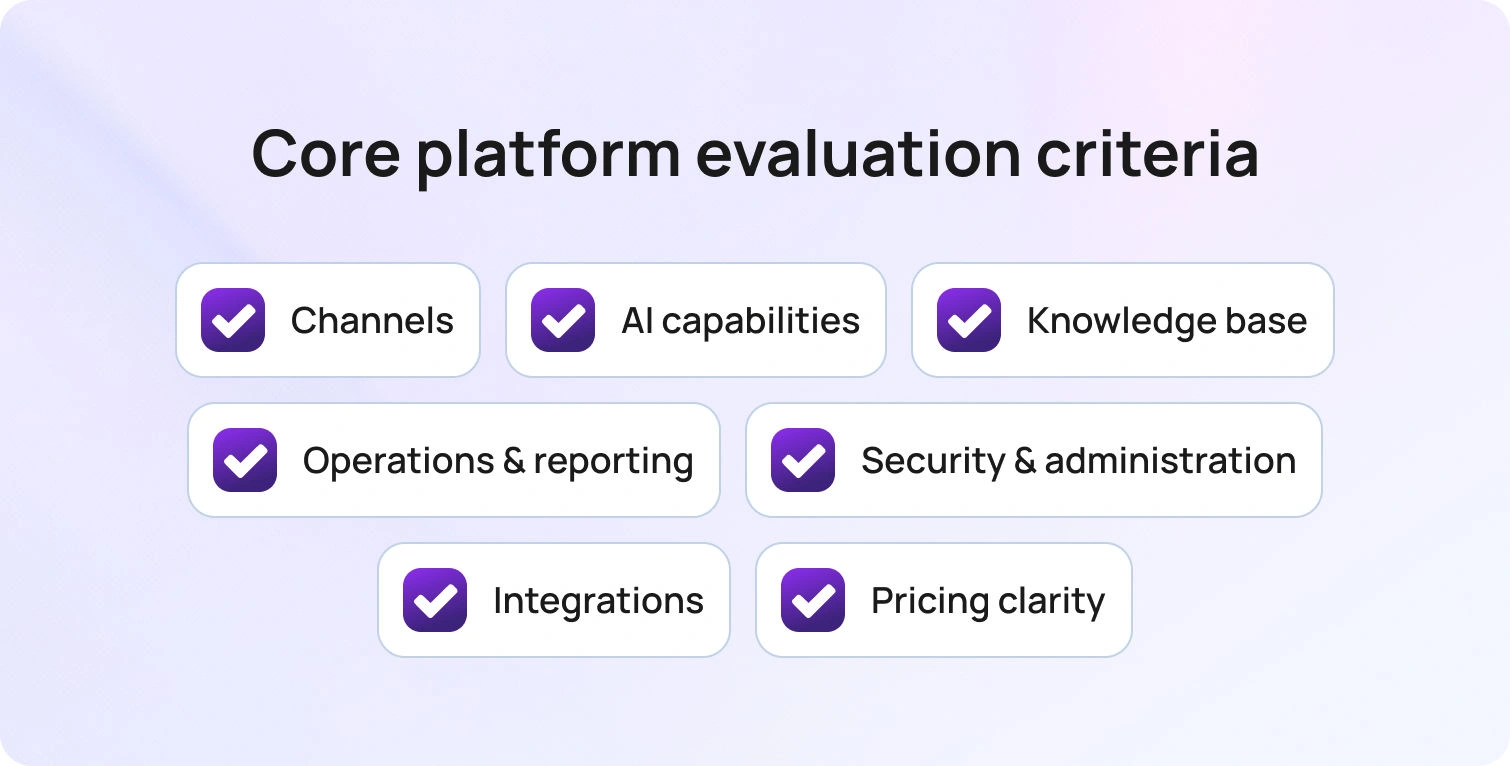
The highlights below compare Intercom, Freshdesk, and BlueTweak across seven factors that determine platform fit: channel depth, AI capabilities, knowledge management, operational tools, security controls, ecosystem breadth, and total cost.
Channels & Voice Handoff: Intercom delivers world-class chat and proactive messaging; voice requires partner integrations. Freshdesk provides a help desk with omnichannel capabilities; voice support often requires a Contact Center add-on. BlueTweak offers native chat/voice/email with unified ticket linking and post-call notes flowing automatically.
AI Coverage: Intercom provides Fin AI bots and Copilot for agent assist; verify KB-grounded drafting depth and source attribution. Freshdesk's Freddy AI varies by plan: basic automation is available on lower tiers, while advanced features require upgrades. BlueTweak includes KB-grounded summaries, proposed replies, real-time translation, and transcription in one stack without usage fees.
Knowledge Base & Self-Service: Intercom features a modern Help Center with in-app article embedding. Freshdesk offers multilingual support portals with SEO optimization. BlueTweak provides a smart KB that powers both agent-suggested replies and bot responses, with multi-brand article routing.
Ops Depth (Analytics/WFM/QA): Intercom focuses on conversation reporting; WFM typically requires external partners. Freshdesk delivers solid reporting; WFM/QA available via tiers or partner integrations. BlueTweak includes built-in analytics, WFM, and QA designed for 20-100 agent operations.
Security/Admin: All three provide roles, MFA, and audit logs. Compare data residency options, AI decision auditability, and brand/tenant controls—BlueTweak offers workspace segmentation for multi-brand operations without enterprise tiers.
Integrations/Ecosystem: Intercom and Freshdesk maintain large app marketplaces with hundreds of integrations. BlueTweak provides an API-open architecture with simpler multi-brand administration, managing all brands in a single instance.
TCO & Time-to-Value: Intercom deploys faster for messenger/chat-led teams, but costs vary with AI usage. Freshdesk offers a friendly setup, though add-on creep increases expenses. BlueTweak delivers fewer vendors, predictable pricing, and faster implementation for mid-market teams.
Freshdesk vs Intercom vs BlueTweak Feature-by-Feature Comparison
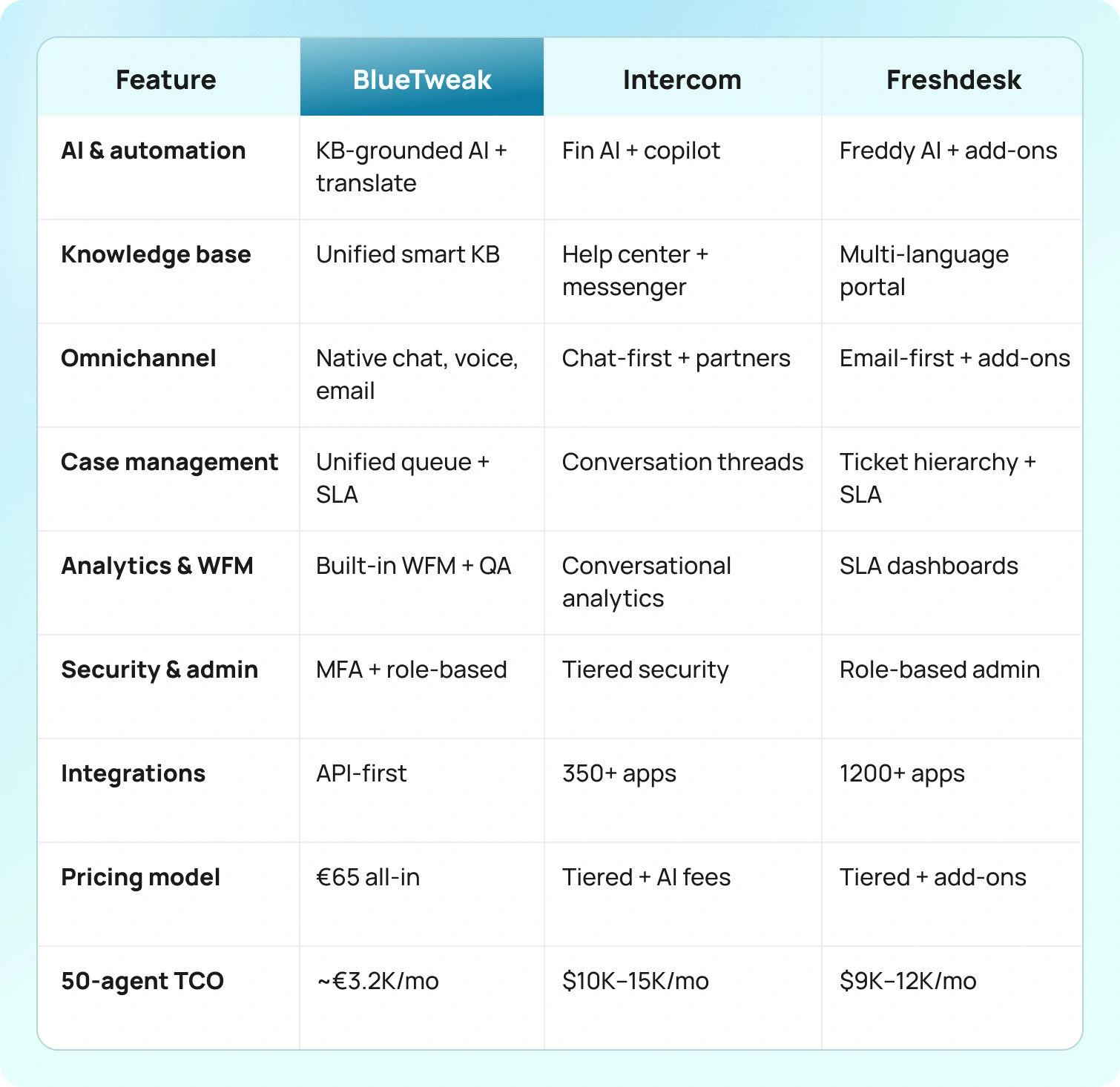
See in more detail how Intercom, Freshdesk, and BlueTweak stack up on AI, knowledge, channels, cases, analytics/WFM/QA, security, and integrations.
AI, Automation & Deflection
Intercom: Fin AI bots deliver autonomous customer support across common scenarios: password resets, billing questions, and account updates. Proactive triggers automatically send messages to users based on behavior patterns, page visits, or custom events defined by product teams. Fin AI Copilot assists agents with suggested responses during live conversations.
Freshdesk: Freddy AI Copilot on the Pro and Enterprise tiers suggests responses and summarizes ticket threads to improve agent efficiency. Freddy AI Agent handles autonomous ticket resolution with session-based billing. Automation depth gated by tiers: basic canned responses and assignment rules on lower plans, advanced workflow automation requiring upgrades.
BlueTweak: KB-grounded ticket summaries, proposed reply generation citing source articles preventing inaccurate suggestions, real-time translation across 35+ languages, call transcription, post-call notes, spam filtering, all working natively across chat, voice, and email without channel-specific feature gaps. Automation rules are route-based on content, sentiment, and language detected.
Knowledge Management & Self-Service
Intercom: Modern Help Center with article editor, version history, and publishing workflows. Articles surface proactively in Messenger based on customer questions before they ask. In-product help embeds contextual guidance directly in application interfaces.
Freshdesk: Multi-language support portals with SEO-optimized FAQ pages driving organic search traffic. Help widgets embed on websites to deflect tickets before customers submit them. Article suggestions during ticket creation guide agents toward documented answers
BlueTweak: Smart knowledge base feeding both agent-suggested replies and bot responses from a unified content source. Multi-brand article routing displays content relevant to each customer's brand or product line without manual filtering. KB grounding prevents AI from inventing answers, as every suggestion cites the source article with a verification link.
Omnichannel Support & Voice
Intercom: Chat-first architecture with Messenger as primary interface. Conversational continuity across channels, with threads started in-app continuing via email without breaking context. Messaging apps (WhatsApp, Facebook) connect through integrations. Voice support via partners; validate voice-to-ticket handoff mechanics carefully.
Freshdesk: Email foundation with chat and voice added through tiers or marketplace. Messaging apps connect via integrations. Voice capabilities often require the Freshdesk Contact Center add-on or third-party telephony integration, depending on the plan.
BlueTweak: Native chat, voice, and email with seamless ticket linking, preserving complete interaction history. Voice includes IVR for self-service routing, call recording for quality and training, and multilingual voicebot handling routine requests with instant human escalation when complexity exceeds automation. Call transcripts automatically append to tickets.
Case Management, Escalation & Collaboration
Intercom: Conversation-centric model maintains continuous threads rather than discrete ticket numbers. Team inbox enables collaboration with internal notes, assignments, and snooze functionality. Check escalation workflows if complex multi-touch customer journeys require structured ticketing beyond conversational threads.
Freshdesk: Structured ticketing with ticket numbers, status workflows (Open, Pending, Resolved, Closed), priority levels, and SLA policies tracking response and resolution commitments. Automation rules route tickets based on keywords, source, and priority.
BlueTweak: Unified queue managing support tickets across all brands with SLA tracking, automatic linking of related customer requests, agent collaboration through internal notes, and @mentions. Multi-brand workspace segmentation shows agents only relevant cases while supervisors maintain visibility across all brands. Escalation workflows route complex issues to specialized teams while preserving full interaction history from initial contact. Collision detection prevents agents from working the same ticket simultaneously.
Analytics, WFM & QA
Intercom: Reporting dashboards track conversation metrics: volume by channel, resolution time, bot containment rate, CSAT by team. Automation reports show workflow effectiveness. Custom reports filter by date ranges, teams, and tags. Intercom offers strong conversational analytics but limited traditional contact center metrics (service levels, abandon rates, agent adherence).
Freshdesk: Strong reporting with customizable dashboards visualizing ticket trends, agent performance, SLA compliance, and customer satisfaction across channels. Canned reports cover common scenarios; custom reports drill into specific metrics. Analytics dashboards track resolution patterns.
BlueTweak: Built-in analytics, WFM, and QA designed for 20-100 agent operations. Real-time dashboards show SLA compliance, sentiment analysis, ticket status distribution, and outcome tagging. Forecasting predicts staffing needs by channel and language skill. Automated scheduling balances business requirements with agent preferences. Adherence monitoring tracks whether agents follow schedules.
Security/Admin & Compliance
Intercom: Roles, MFA, audit logs with GDPR compliance for European operations. SSO on Advanced and Expert plans. API access controls. Webhook security. Data export for portability. Session management controls access duration. IP allowlisting restricts admin access to approved networks on higher tiers.
Freshdesk: Roles and permissions with custom roles on the Enterprise tier, enabling granular access control. MFA secures accounts. Audit logs track changes. GDPR compliance with data processing agreements. SSO typically requires higher tiers. IP restrictions control access by network. Session timeouts limit exposure. Data backup and disaster recovery are documented.
BlueTweak: MFA, audit logs, and role-based permissions are included in the base platform without tier restrictions. Workspace segmentation isolates data by brand for multi-tenant BPO operations managing multiple customers. ISO certification in progress. Custom roles define granular access without enterprise tier requirements. Data controls support regional compliance.
Integrations & Ecosystem
Intercom: Extensive app store covering marketing automation (HubSpot, Marketo), product analytics (Amplitude, Mixpanel), data platforms (Segment, mParticle), CRM systems (Salesforce), and development tools (Jira, GitHub). Strong for product-led teams running integrated stacks where customer intelligence flows between tools. Webhooks trigger external workflows. APIs enable custom integrations
Freshdesk: Large marketplace with telephony integrations (Twilio, RingCentral), e-commerce platforms (Shopify, WooCommerce, Magento), CRM connectors (Salesforce, HubSpot, Zoho), WFM tools, QA platforms, productivity apps. Freshworks ecosystem (Freshsales, Freshservice) shares customer data if adopting multiple products.
BlueTweak: APIs and webhooks connecting core business systems: CRM platforms (Salesforce, HubSpot), e-commerce (Shopify, WooCommerce), telephony providers, BI tools (Tableau, Power BI). Integration assistance during onboarding accelerates deployment versus self-service marketplace navigation. Simpler multi-brand administration manages all brands in a single instance rather than separate Freshdesk portals or Intercom workspaces.
Pricing & 12-Month TCO Modeling
Total cost calculations require factoring in seat licenses, AI usage fees, voice minutes, marketplace subscriptions, and implementation services beyond base platform pricing.
Intercom pricing:
- Essential: $39/seat/month (annual) — shared inbox, basic automation, messenger
- Advanced: $99/seat/month (annual) — advanced workflows, analytics, routing
- Expert: $139/seat/month (annual) — enterprise controls, SLAs
- AI add-ons: Fin AI Agent ($0.99 per resolution), Copilot ($35/agent/month), Proactive Support Plus ($99/month flat)
- Usage-based channels (SMS, voice via partners) are billed separately
Freshdesk pricing:
- Free: $0 (up to 2 agents, 6 months)
- Growth: $23/agent/month
- Pro: $66/agent/month
- Enterprise: $107/agent/month
- AI: First 500 Freddy AI sessions free, then $49 per 100 sessions
- Freddy AI Copilot: $29/agent/month (separate add-on)
BlueTweak pricing:
- All-in-One Plan: €65/agent/month (~$70 USD)
- Includes: omnichannel ticketing, AI features, WFM, QA, knowledge base, analytics, call transcription, voicebot, chatbot
- No tiered plans or feature gating
- AI usage is transparent and predictable
For 50 agents: €3,250/month (~$3,500 USD) all-inclusive. See pricing details.
12-month TCO comparison for 50 agents:
- Intercom (Advanced + AI): $140,000-$160,000 (seat + AI usage + voice partners + implementation)
- Freshdesk (Pro + add-ons): $65,000-$80,000 (seat + AI + voice/Contact Center + marketplace)
- BlueTweak: €39,000 (~$42,000 USD) all-inclusive with predictable costs
When Each One Fits
Choose Intercom if… you're messenger and proactive engagement focused, your product-led growth model relies on in-app customer communication, you want elegant conversational experiences customers recognize across products, bot containment and automated messaging drive support strategy, and you can add voice and WFM capabilities via partner integrations as operational needs grow. Best for SaaS companies where support happens inside the application and conversational continuity matters more than traditional ticketing workflows.
Choose Freshdesk if… you're ticketing-first with structured support operations, you need approachable administration interfaces, growing teams manage without dedicated system administrators, you value marketplace breadth offering specialized tools for unique workflows, you're comfortable assembling voice, advanced AI, and WFM via tier upgrades or marketplace integrations, and transparent pricing at entry tiers matters even if advanced features require add-ons. Best for growing businesses transitioning from email-only support to multi-channel operations with organized ticket management.
Choose BlueTweak if… you want omnichannel (chat, voice, email) with KB-grounded AI and built-in analytics/WFM for mid-market teams (20-100 agents), you need multi-brand routing and reporting for BPO operations or managing multiple product lines, you prefer cost predictability without decoding usage-based AI fees or tier-gated features, you want faster implementation (weeks versus months) with dedicated onboarding support, and you need professional contact center capabilities without enterprise complexity or vendor sprawl. Best for operations seeking comprehensive features in one unified platform.
Intercom vs. Freshdesk vs BlueTweak Comparison for Implementation Considerations

Intercom: Messenger and Help Center configuration emphasizing in-app experiences. Bot flow design using Visual Builder, defining conversation paths and fallback handling. Product event tracking connects customer behavior to support triggers. Smooth onboarding for chat-focused teams familiar with conversational interfaces. Verify voice partner integration if phone support is required. Confirm how calls route into the messenger workflow and whether context preservation meets requirements. Implementation is lighter when avoiding voice complexity.
Freshdesk: Ticket and knowledge base import from legacy systems using migration tools. SLA rules defining response and resolution commitments by priority and customer type. Macro creation for common bulk actions. Voice tier confirmation if telephony is required: Contact Center add-on versus marketplace integration path. Marketplace app selection and governance, preventing integration sprawl. Free tier enables testing before commitment. Free version supports small teams evaluating fit. Growing teams appreciate intuitive UI requiring minimal training for new users.
BlueTweak: Unified queue configuration consolidating all channels without separate chat/voice/email setup complexity. KB grounding enables AI-suggested replies immediately after knowledge import. Multi-brand routing is configured during onboarding with workspace segmentation. Light telephony setup for IVR and call flows. Guided rollout targeting weeks with dedicated support, implementation assistance, smooth onboarding experience, and knowledge transfer. Built for 20-100 agent operations requiring faster go-live than enterprise platforms without sacrificing professional capabilities.
How We Evaluated
We reviewed vendor product pages, pricing information, official documentation, help centers, trust pages, and marketplace listings as of January 2026. Features verified against vendor websites and cross-referenced with published documentation.
- Channels and voice: Confirmed native capabilities, partner integration requirements, and whether omnichannel support worked natively or required separate products and vendor relationships.
- AI capabilities: Verified autonomous resolution, agent assistance, KB grounding, translation, transcription, and whether AI features included source attribution, preventing hallucinated responses.
- Knowledge base: Checked whether KB powered both agent assistance and customer self-service simultaneously, multilingual workflows, versioning, approval processes, and content governance capabilities.
- Analytics, WFM, QA: Confirmed whether workforce management and quality assurance were platform-native, first-party add-ons, or required partner tool integrations, adding vendor relationships.
- Security and administration: Audited MFA, audit logs, custom roles, GDPR compliance, data residency options, and whether advanced security required premium tier upgrades.
- Integrations and ecosystem: Reviewed marketplace breadth, native connectors, API quality, webhook capabilities, and integration assistance during implementation.
- Pricing transparency: Collected pricing from vendor pages. When tier gates, usage fees, or add-on costs were unclear, marked "Varies by plan / Verify" and recommended sales confirmation before purchasing decisions.
- Evidence-based assessment: Derived insights from documented capabilities only, excluding third-party ratings, unverified claims, and assumptions about undocumented features.
The Bottom Line: Which Platform Fits Your Ops
Intercom excels at messenger-led engagement with elegant conversational interfaces, proactive customer outreach, and in-app help experiences. Intercom offers sophisticated bot capabilities and seamless product integration, ideal for SaaS companies and product-led growth teams. The main difference is usage-based AI cost,s creating unpredictable expenses during high-volume periods, plus voice requiring partner integrations.
Freshdesk delivers structured ticketing workflows with approachable administration, strong reporting capabilities, and a large marketplace supporting diverse business models. Freshdesk offers intuitive UI and a free plan for small teams, though advanced features like voice, premium AI, and WFM require tier upgrades or marketplace tools, potentially increasing support costs beyond initial estimates.
BlueTweak balances omnichannel support, KB-grounded AI, and built-in analytics/WFM in one platform for mid-market buyers seeking faster value and reduced vendor sprawl. It's positioned for 20-100 agent operations wanting comprehensive features without Intercom's unpredictable costs or Freshdesk's add-on accumulation, delivering professional contact center capabilities with transparent pricing and faster implementation.
When to shortlist BlueTweak: You need omnichannel (chat, voice, email) with KB-grounded AI, native WFM/QA, and multi-brand routing without juggling separate vendors. You want to reduce support costs through unified platforms while avoiding hidden costs from usage-based pricing or advanced feature paywalls that other competitors impose.
Request a demo to see BlueTweak's omnichannel capabilities, AI assist features, and analytics in action.

10 Best Multilingual Customer Support Software Platforms Compared for 2026
Supporting customers across multiple languages shouldn't mean juggling disconnected translation tools, fragmented channels, or inconsistent customer experiences. Today's global support teams need multilingual customer support software that combines AI, voice, chat, and email into one intelligent platform. BlueTweak is one of the leading AI-powered platforms designed to meet those demands, bringing multilingual support, omnichannel communication, and intelligent automation together in a single workspace.
This guide compares the best multilingual customer support platforms for 2026, evaluating multilingual AI capabilities, omnichannel coverage, analytics, workforce management, and pricing transparency. If you're looking for the best AI tools for multilingual customer service, we'll help you find the right platform for your team.
What to Look for in Multilingual Customer Support Software
Choosing the right multilingual customer support software goes beyond translating conversations. The best platforms help global support teams deliver fast, consistent service across every channel, while giving agents the AI tools and context they need to resolve issues efficiently.
As customer expectations continue to rise, support teams must communicate in customers' preferred languages across chat, email, and voice, without forcing them to repeat information or switch between disconnected systems. Foundational data from CSA Research suggests that 68% of consumers prefer to receive customer service in their native language.
As we move through 2026, meeting those expectations has become a strategic priority. According to Gartner, 91% of customer service leaders are under executive pressure to deploy AI that improves customer satisfaction and delivers measurable business value. For global organizations, that starts with removing language barriers and embedding AI directly into multilingual customer support workflows.
When evaluating multilingual customer support software, support leaders should ask:
- Can agents switch between channels without losing context?
- Does AI genuinely help resolve cases faster, rather than adding complexity?
- Can you measure KPIs such as First Call Resolution (FCR) and Abandon Rate by language and region?
This guide compares the best multilingual customer support software platforms for 2026, helping you identify the right solution for your team based on AI capabilities, omnichannel support, analytics, workforce management, and pricing transparency.
Not sure which capabilities matter most for your team? Book a personalized BlueTweak demo to see how AI-powered multilingual support, omnichannel communication, workforce management, and built-in analytics work together to help global support teams deliver faster, more consistent customer experiences.
The 10 Best Multilingual Customer Support Platforms for 2026
Every team has its own requirements varying by language coverage, channel mix, AI support, and reporting needs. We evaluated each platform in this list using publicly available product and pricing information, focusing on multilingual coverage, omnichannel depth, AI features embedded in agent workflows, reporting and workforce management capabilities, integration flexibility, and pricing transparency.
1) BlueTweak: Best for AI-Powered Multilingual Customer Support

Support teams looking to unify channels, reduce workload using AI, and maintain performance across multilingual conversations. Teams that need true omnichannel support with built-in AI and multilingual voice
BlueTweak is an omnichannel customer support app that unifies chat, voice, and email in a single workspace. Multilingual support is built into the agent workflow, rather than bolted on through third-party tools.
As a smart solution for global business support, BlueTweak enables customer support teams and the internal support team to manage conversations across chat, voice, email and social media using built-in translation tools and real-time context.
Key multilingual capabilities:
- Real-time chat translation
- Automatic language detection and routing
- Call transcription that links voice conversations to tickets
- Conversation summarization for faster handoffs
- Proposed replies grounded in a smart knowledge base
Because voice is native, agents can move from a call to chat or email without losing context. Transcripts and summaries are stored directly in the case record, reducing after-call work and improving First Call Resolution.
BlueTweak also includes built-in analytics and workforce management features, allowing managers to track KPIs such as Abandon Rate, Concurrency, and Sentiment by language and channel.
Strengths:
- True omnichannel support across chat, voice, and email
- AI features embedded directly in the agent workflow
- Smart knowledge base that powers proposed replies
- Open API and integration-friendly architecture
"Multilingual support shouldn't rely on disconnected translation tools... AI should work alongside agents by understanding language, preserving context, and helping teams resolve conversations faster across every channel. That's why we built BlueTweak with multilingual AI embedded directly into the workflow, rather than treating it as an add-on." — Radu Dumitrescu, Head of Presales & Digital Transformation at BlueTweak
Pricing:
BlueTweak is priced at €65 per agent per month, all-in, covering ticketing, omnichannel, AI chatbot, AI voicebot, copilot tools, workforce management, QA, analytics, and integrations. There is no feature gating, and the price includes unlimited users and integrations.
AI usage is priced separately per interaction, with a transparent and predictable model: conversational AI for chat is billed at €0.20 per resolved chat session, AI-proposed email replies at €0.40 per email thread when used by agents, and conversational AI for voice at €0.09 per minute, billed only when a call is completed without agent intervention.
Wondering what multilingual AI could save your support team? Use BlueTweak's ROI Calculator to estimate reductions in handling time, support costs, and operational overhead before booking a demo.
2) Zendesk
Zendesk offers global language support across chat, email, and help center content, with translation available through native features and integrations. Zendesk is often chosen by large or distributed customer support teams that need a proven ticketing system with broad language coverage and strong governance. For organisations prioritising stability, compliance, and ecosystem breadth over deep AI-driven workflow automation, Zendesk remains a familiar and trusted option.
AI features include automated replies, routing, and summarization, though some advanced capabilities depend on add-ons or higher-tier plans.
Voice support is available through Zendesk Talk, but handoff between voice and digital channels may require additional configuration.
Strengths
- Large integration marketplace
- Mature ticketing and reporting
- Widely adopted by global teams
Considerations
- Multilingual AI depth varies by plan
- Costs can increase with add-ons
Pricing
Zendesk’s most popular Suite Professional plan is priced at $115 per agent/month for Suite Professional (with more advanced routing and analytics). However, there are cheaper options for those who only want basic AI features. Enterprise-level pricing requires contacting sales for a custom quote.
3) Intercom

Intercom is known for chat-led customer support, with multilingual chatbot capabilities and automated responses. Translation and language handling are strongest in chat, while voice support is more limited compared to more traditional omnichannel platforms.
Intercom works best for product-led teams where chat is the primary customer interaction channel and response speed matters more than full omnichannel depth, particularly for SaaS companies with high inbound volumes in a limited number of languages.
Strengths
- Strong conversational AI
- Fast deployment for chat support
- Good for inbound automation
Considerations
- Limited native voice support
- Multichannel reporting can be constrained
Pricing
Intercom’s Customer Service Suite pricing is tiered by seat: Essential at $29 per seat/month, Advanced at ~$85 per seat/month, and Expert at ~$132 per seat/month, billed annually. A Fin AI Agent is included and priced at around $0.99 per resolution when used with supported helpdesks.
4) Freshworks
Freshworks supports multiple languages across email, chat, and phone, with built-in translation features and basic AI assistance. It offers a broad feature set at competitive pricing, though advanced AI and reporting features may require higher tiers.
Freshworks is often selected by growing teams that want multilingual coverage across core channels without the cost or complexity of enterprise platforms, making it a pragmatic choice for teams balancing budget, scale, and time-to-value.
Strengths
- Cost-effective entry point
- Supports multiple channels
- Easy to configure
Considerations
- AI capabilities are less deep than newer platforms
- Voice workflows may feel separated
Pricing
Freshworks offers multiple tiers, including a Free plan, a Blossom plan at $15 per agent/month, an Estate plan at $49 per agent/month, and a Forest plan at $79 per agent/month, all billed annually.
5) Salesforce Service Cloud
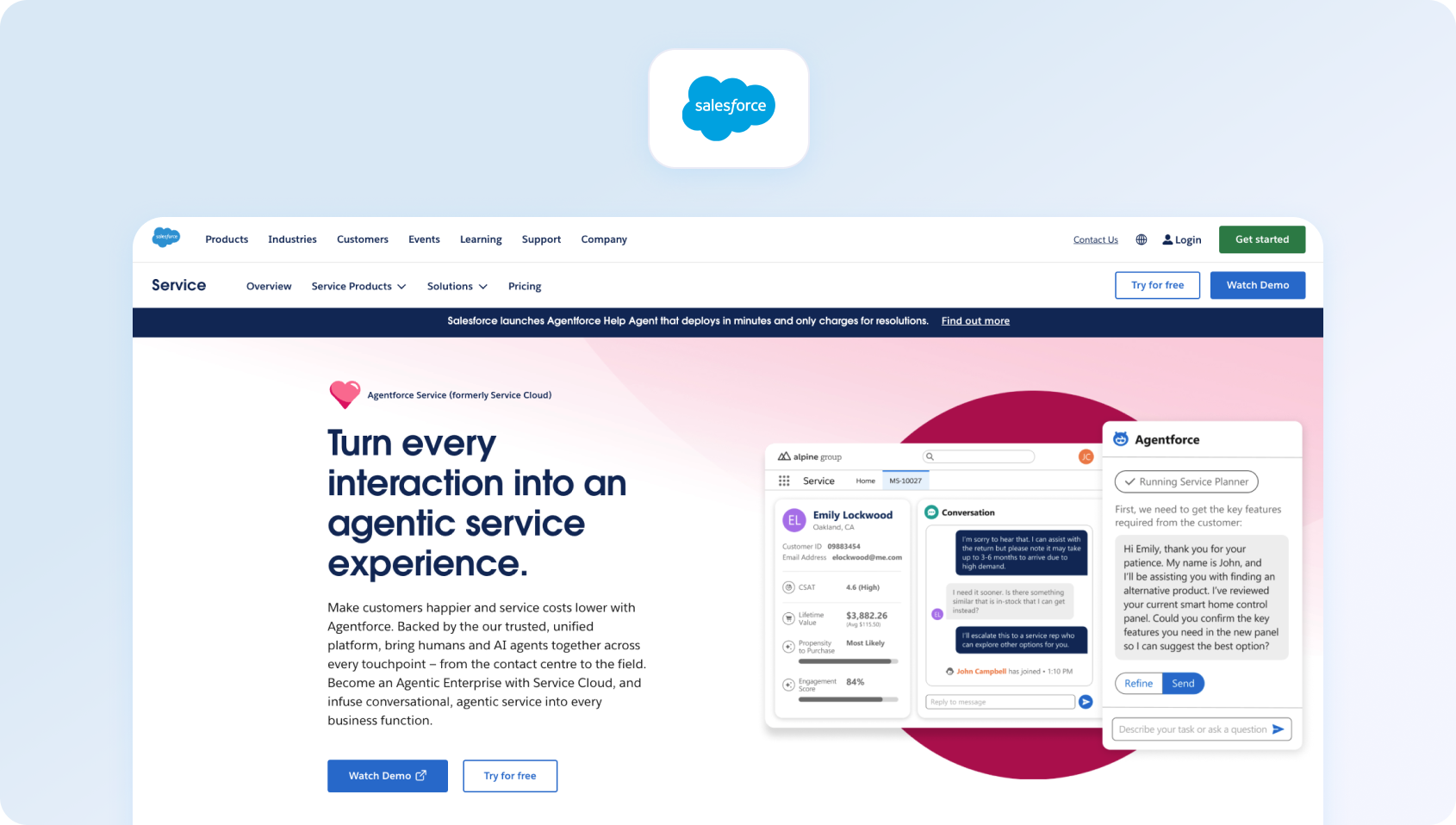
Salesforce Service Cloud offers global language support through its extensive CRM ecosystem, with AI features powered by Einstein. Multilingual functionality is strong, but configuration and time-to-value can be longer, especially for mid-market teams.
For enterprises already operating on Salesforce, Service Cloud’s multilingual capabilities benefit from shared customer data, automation, and reporting across the wider CRM, making it most compelling where service is tightly coupled to sales, marketing, and account management.
Strengths
- Deep CRM integration
- Advanced customization
- Enterprise-grade security
Considerations
- High complexity
- Longer implementation cycles
Pricing
Salesforce Service Cloud starts at $100 per user/month for the Starter Suite, with higher tiers including Enterprise at $175 per user/month and Unlimited at $350 per user/month, all billed annually. These tiers add deeper automation, real-time chat, AI features, and more advanced service intelligence.
6) Zoho Desk

Zoho Desk supports multilingual ticketing and customer portals, with AI assistance through Zia. Voice and chat are available, though omnichannel depth depends on how Zoho apps are combined.
Zoho Desk is particularly effective for teams already using Zoho CRM, telephony, or analytics, enabling multilingual support across departments without stitching together multiple vendors.
Strengths
- Competitive pricing
- Tight integration with Zoho tools
- Solid multilingual basics
Considerations
- AI and voice features vary by plan
- Reporting depth may be limited
Pricing
Zoho Desk’s pricing starts with a Free edition for up to three users, followed by paid plans with Express, Standard, Professional, and Enterprise packages at $9, $20, $35, and $50 per user per month, respectively. Feature access expands with higher tiers, including automation and multi-department support.
7) Kustomer

Kustomer focuses on customer timelines rather than tickets, with multilingual messaging and automation. Voice support exists, but some multilingual features depend on integrations.
Kustomer’s timeline-based approach can be valuable for multilingual support scenarios where historical context across languages matters, such as high-touch B2C or subscription businesses managing repeat interactions.
Strengths
- Unified customer view
- Strong automation
- Flexible data model
Considerations
- Can be complex to configure
- Pricing varies widely
Pricing
Kustomer’s pricing starts at $89 per seat/month for the Enterprise plan and $139 per seat/month for the Ultimate plan. Higher tiers unlock more advanced automation, analytics, and customization, and advanced AI capabilities are available as an add-on.
8) Dixa

Dixa offers omnichannel support with a particular emphasis on voice and real-time conversations. Multilingual routing and reporting are available, though AI translation features may require third-party tools.
Dixa is a strong fit for organisations where voice remains the dominant channel and real-time conversations matter more than advanced AI translation or automation depth.
Strengths
- Strong voice experience
- Real-time agent tools
- SLA-focused reporting
Considerations
- AI coverage varies
- Smaller ecosystem
Pricing
Dixa plans start at $39 per agent/month for Essential, $49 per agent/month for Professional, and $89 per agent/month for Enterprise (billed annually). Higher tiers unlock more advanced routing, analytics, and customization.
9) Language IO
Language IO specializes in instant translation for customer support and integrates with platforms such as Zendesk and Salesforce. It is not a full customer support platform, but an add-on for multilingual coverage.
Language IO is best suited to organisations that already have an established support platform and need enterprise-grade translation quality layered on top, rather than a full multilingual support system.
Strengths
- High-quality translation
- Designed for support workflows
- Enterprise-ready
Considerations
- Requires an existing help desk
- No native omnichannel support
Pricing
Language IO offers three tiers, Pilot, Economy, and Premium, with custom pricing based on translation volume and usage. Exact costs are determined by interaction volume and deployment needs, and require contacting sales for a quote.
10) Help Scout
Help Scout supports multilingual email and knowledge base content, with a focus on simplicity.
AI and voice capabilities are limited compared to more comprehensive multilingual customer support software.
Strengths
- Clean, easy-to-use interface
- Strong email workflows
- Good documentation tools
Considerations
- Limited voice support
- Not designed for complex omnichannel operations
Pricing
Help Scout offers three main pricing tiers billed annually: Standard at $25 per user/month, Plus at $50 per user/month, and Pro at $75 per user/month. Help Scout also offers an optional AI Answers add-on, priced at $0.75 per resolution, which uses AI to suggest responses and help teams resolve routine customer queries faster.
Why Multilingual Support Matters in 2026
Global customers now expect support that feels local. Based on a foundational study by CSA Research, data suggests that 76% of consumers across 29 countries prefer information in their own language, and language preferences strongly influence both buying behaviour and loyalty. That expectation touches every part of your operation. In the same research, many customers indicated they would abandon purchases or switch brands if they couldn't access information or assistance in their own language, underscoring how language barriers still directly impact customer experience and revenue potential.
Teams increasingly need multilingual support and native voice capabilities, not just chat translation, along with seamless voice-to-ticket-to-chat handoffs so context is never lost. At the same time, organisations are feeling capacity strain: in a 2025 study, nearly 45% of leaders said expanding team capacity with digital labour was a top priority, second only to upskilling existing staff, a clear signal that support workloads are growing faster than human teams can sustainably manage. To keep up, AI must go beyond simple macros to support real agent workflows, including real-time translation, automatic transcription, conversation summarisation, and proposed replies grounded in the knowledge base.
As support expands across regions, leaders also need deeper reporting to track Service Level Agreement (SLA) performance by language, region, and channel, not just at the aggregate level.
The decision lens most teams use when choosing new software
When evaluating these support platforms, teams should look beyond surface-level translation services and assess whether the system can scale across various languages without adding operational complexity. Many global teams now adopt a hybrid model, where AI handles high-volume, repetitive interactions and human agents focus on complex or sensitive cases. This approach balances efficiency with empathy, while keeping costs predictable as support scales across regions.
When evaluating new customer support software, buyers tend to focus on five areas:
- Channels and voice handoff Chat, email, and calling should live on a single platform, with transcripts and tickets linked automatically.
- Language detection, translation, transcription, summaries, and suggested replies should be integrated directly into the agent workflow.
- Reporting and workforce management
SLA adherence, forecasting, and QA need language-level filters. - Integrations and administration
CRM, commerce, and analytics integrations should be standard, with open APIs for flexibility. - Seats, telephony minutes, translation usage, and QA effort all add up. Core AI features should not be hidden behind expensive add-ons.
KPIs directly affected by strong multilingual support workflows
The right multilingual customer support solution helps improve several key KPIs that directly impact customer satisfaction and operational efficiency. In an AI-powered multilingual support environment, these KPIs reflect how well a global support system helps agents work efficiently across multiple languages, while maintaining quality for customers speaking their native language:
- First Call Resolution (FCR): Measures the percentage of issues resolved on the first contact. Higher FCR reduces repeat interactions, boosts customer satisfaction, and lowers operational costs.
- Average Handle Time (AHT): Tracks the average time agents spend resolving a case. Optimized multilingual workflows and AI-assisted replies help reduce AHT without sacrificing quality.
- Containment and Deflection Rates: Show how many inquiries are resolved through self-service or AI channels, such as multilingual chatbots or voicebots, rather than escalating to agents. High rates free up agent capacity for complex issues.
- Abandon Rate: The percentage of customers who hang up or leave the channel before resolution. Effective language support and real-time translation reduce frustration and prevent abandonments.
- Concurrency Across Channels: Measures how many interactions an agent or bot can handle simultaneously. Platforms that unify voice, chat, and email improve concurrency, increasing efficiency and reducing wait times.
- Sentiment Score: Analyzes customer sentiment during interactions. Monitoring sentiment across languages helps identify at-risk customers and informs agent coaching.
- MOS (Mean Opinion Score/Voice Quality): Evaluates call clarity and audio quality. Maintaining high MOS ensures multilingual voice support is effective, especially when routing calls across regions.
For CFOs and COOs, the goal is clear: optimize these metrics to improve customer experience and operational efficiency without increasing tool sprawl or hidden costs, using platforms where AI and multilingual capabilities are built into the workflow rather than added as expensive add-ons.
Ready to improve multilingual support without adding complexity? Book a free BlueTweak demo to see how AI-powered translation, native voice, omnichannel support, and built-in workforce management help global teams improve KPIs such as First Call Resolution, Average Handle Time, and customer satisfaction.
What Support to Look For in 2026
.png)
With dozens of platforms claiming to be “AI-powered” or “global-ready,” it's important to understand what actually matters when evaluating multilingual customer support tools. Ultimately, strong multilingual support is a core pillar of any scalable customer-centric strategy, helping global teams deliver consistent, empathetic experiences across every market.
Modern multilingual customer service is about more than simply covering multiple languages. It's about helping customers communicate in their native language, reducing language barriers, and giving customer support teams the tools they need to resolve issues quickly and confidently across regions.
The most effective multilingual support tools offer in-app messaging, voice, and email in multiple languages, clearly document the languages supported, and make it easy to understand how many languages are available out of the box versus via add-ons or integrations.
As demand grows, AI tools for multilingual support are increasingly used to handle large volumes of requests quickly and efficiently, while human agents step in when nuance, judgment, or empathy is required. This hybrid operating model is becoming the standard for global support teams today.
Based on these real operational needs, the criteria below outline the capabilities that will separate viable solutions from legacy platforms as we move into 2026.
Channels
Calling, chat, and email should operate as a single, connected support experience. To give agents full context and improve resolution speed, reporting accuracy, and overall customer experience, you need to enable seamless handoffs between voice and digital channels, automatically transcribe calls, and link conversations to support tickets. This is especially important for email-based workflows, where poorly handledmultilingual customer support emails can quickly lead to delays, miscommunication, and repeat contacts.
AI capabilities
Many teams underestimate the complexity involved, and common challenges of implementing AI in customer support include accuracy, trust, and integrating AI cleanly into agent workflows.
Many AI-powered multilingual support platforms can automatically detect the language a customer is using, route the interaction accordingly, and resolve common issues without agent involvement. AI agents can autonomously handle tasks such as answering FAQs, categorizing issues, and summarizing conversations, allowing teams to manage higher volumes without increasing headcount.
Modern AI multilingual customer support tools should include:
- Automatic language detection and routing
- Real-time translation
- Speech-to-text transcription
- Conversation summarization
- Proposed or suggested replies
- Agent coaching and post-call notes
When implemented correctly, these translation tools and translation services help agents resolve issues faster without forcing customers to switch channels or repeat themselves.
Knowledge base
A smart knowledge base is essential for delivering fast, consistent customer support. AI responses should be grounded in approved content, with terminology enforced and sources visible, ensuring accurate self-service, trustworthy AI answers, and consistent knowledge management across agents and support channels. This becomes even more critical when usingAI translation in customer support, where accuracy, terminology control, and approved source content directly affect customer trust. In-house multilingual support, backed by a centralized knowledge base, gives companies greater control over brand voice and customer experience while reducing reliance on external translation services.
Operations and reporting
For support leaders, operations, and reporting capabilities underpin day-to-day coaching, forecasting, and performance oversight, especially in multilingual environments where visibility by language and channel matters.
Strong multilingual customer support solutions offer:
- SLA dashboards
- Forecasting and scheduling
- QA workflows
- Language-level reporting
Security and administration
Look for MFA, audit logs, granular role-based access controls, and data residency controls, especially in regulated markets. Strong security and administration features are essential for enterprise customer support platforms that handle sensitive customer data, meet compliance requirements, and support global teams.
Integrations
CRM, commerce, BI, and open APIs matter. The best customer service solutions integrate seamlessly with your existing tech stack, supporting translation management systems, language service providers, and other tools that enable scalable, multilingual support operations.
This flexibility is especially important for teams running complex multilingual support platforms that must integrate translation, CRM, and analytics without slowing agents down.
Pricing clarity
Seats and usage should be clearly separated. Transparent pricing models make it easier to forecast costs, compare vendors, and avoid unexpected charges tied to translation volume, AI usage, speech-to-text minutes, or telephony add-ons.
Ready to experience AI-powered multilingual customer support firsthand? Start your free 14-day BlueTweak trial (no credit card required) and see how multilingual AI, native voice, omnichannel support, and built-in analytics help your team deliver faster, more consistent customer experiences.
How We Evaluated These Customer Support Software Solutions
To accurately compare these solutions, we reviewed a range of public product documentation, pricing pages, and help resources for each platform.
The evaluation focused on:
- Supported channels, including voice
- Multilingual AI features such as translation, transcription, summarization, and proposed replies
- Knowledge base integration
- Analytics, workforce management, and reporting
- Security, administration, and integrations
We also considered time-to-value, as most modern multilingual support platforms can be live in days rather than months, following a small number of core setup steps.
If a vendor does not clearly publish pricing or multilingual support details on their website, we've clearly disclosed this to reflect that availability and cost can change by tier, usage, or contract.
Must-Have Capability Checklist
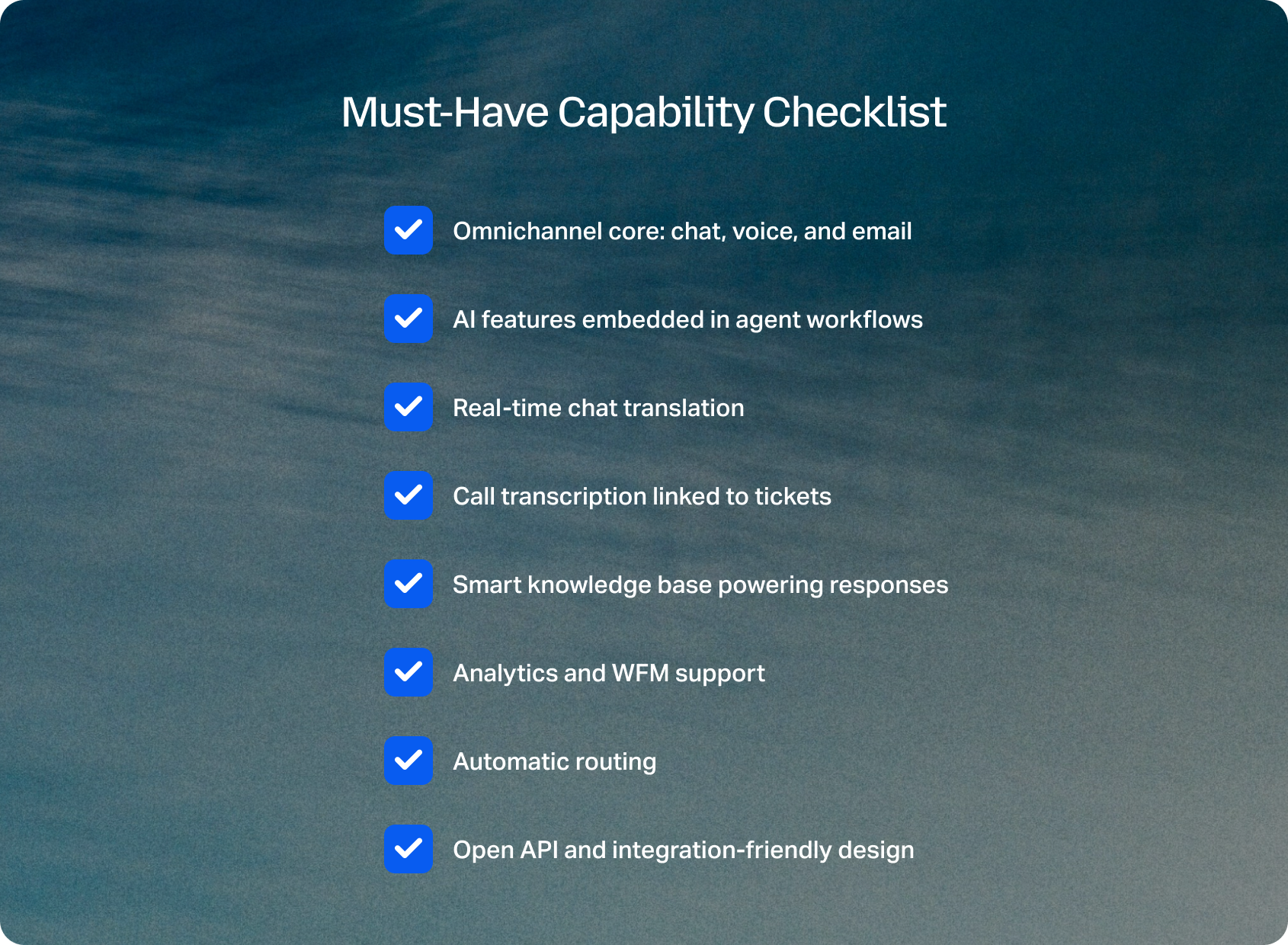
A multilingual support team is only as effective as the people behind it, and platforms that support diverse hiring and inclusive workflows give organizations a long-term advantage.
To evaluate each platform consistently, we assessed whether it met the following core requirements for modern, multilingual customer support operations:
- Omnichannel core: chat, voice, and email
- AI features embedded in agent workflows
- Real-time chat translation
- Call transcription linked to tickets
- Smart knowledge base powering responses
- Analytics and WFM support
- Automatic routing
- Open API and integration-friendly design
The BlueTweak app meets all of these requirements by combining multilingual support, omnichannel ticketing, and AI-powered automation into a single, unified platform. Removing feature gating and simplifying pricing enables global support teams to scale efficiently without compromising agent productivity, customer experience, or operational visibility.
Scoring Rubric
To ensure a fair, consistent comparison across all platforms, we assessed each solution against a clear set of operational, technical, and commercial criteria that matter most to modern, multilingual support teams:
- Fit for 20–100 agents
- Voice and omnichannel depth
- AI coverage for multilingual workflows
- WFM and QA capabilities
- Time-to-value
- Total cost to operate
- Security and administrative control
The Business Benefits of Native Language Support
Providing native-language support delivers measurable ROI by reducing friction in customer interactions and improving resolution speed across communication channels. When support is delivered in the customer's preferred language, conversations are clearer, response times improve, and issues are resolved faster, helping customers feel heard while lowering repeat contacts and support costs.
For teams serving a diverse customer base, native-language support also helps protect revenue as companies scale into new markets. Consistently speaking the customer's language across multilingual email, chat, and voice channels helps global teams deliver multilingual support that feels local, strengthening brand voice, increasing retention, and supporting expansion without proportional increases in headcount, even as global presence grows.
Modern platforms move beyond basic translation services or tools like Google Translate by embedding AI tools directly into the workflow. With instant translation, summaries, and intelligent routing, support teams can handle higher volumes of customer interaction across a global customer base more efficiently—improving agent productivity, maintaining accuracy and tone, and delivering operational efficiency at scale.
How Multilingual Support Has Evolved
Multilingual support is no longer about reacting to language gaps with delays; it's a core operational capability. Responding to customers in their native language has become a baseline expectation in 2026, directly improving customer retention by building trust and reducing confusion across languages.
Early approaches relied heavily on post-interaction translation or region-specific teams working in silos. That model struggled to scale and often created inconsistent customer experiences across markets.
In 2026, the focus has moved to real-time, AI-assisted multilingual support that allows global teams to operate as one. According to the World Economic Forum's 2025 Future of Jobs Report, organisations increasingly expect AI to improve human work rather than replace it, with customer-facing roles among those most impacted by real-time language, transcription, and summarization technologies.
This reflects a broader shift: businesses are no longer asking whether AI belongs in support workflows, but how deeply it should be embedded to improve speed, quality, and consistency across languages.
Looking beyond 2026, multilingual support is likely to become largely invisible to the customer. Language detection, translation, transcription, and summarization will increasingly happen automatically in the background, across voice and digital channels, without agents needing to manage separate tools or workflows. The differentiator won't be who offers multilingual support, but who can deliver it without friction, preserving tone, intent, and context at scale.
As global customer bases grow and support interactions become more complex, the next phase of multilingual support will be defined less by translation accuracy alone and more by how seamlessly language intelligence is woven into the entire customer experience, from first contact to resolution and reporting.
By embedding AI-powered translation and multilingual tools directly into daily workflows, support teams can offer multilingual support at scale and achieve true global coverage without sacrificing accuracy or efficiency. This evolution is pushing organizations to rethink how language, data, and customer experience work together, helping them foster loyalty and gain a competitive advantage in a particular market.
Turning Multilingual Support Into a Growth Advantage
The best multilingual customer support software in 2026 does more than translate conversations. It brings AI, omnichannel communication, and operational visibility together to help global teams deliver faster, more consistent customer experiences at scale. When comparing platforms, look beyond language coverage and evaluate how effectively they combine AI-powered translation, intelligent routing, call transcription, knowledge-based replies, and analytics within a single workflow.
For organizations that need chat, voice, and email to work seamlessly together, BlueTweak is a strong choice. As an AI-powered multilingual customer support platform, it reduces tool sprawl, accelerates time-to-value, and helps agents focus on what matters most: resolving customer issues with speed, accuracy, and empathy.
Whether you're expanding into new markets or improving support for an existing global customer base, investing in the right multilingual customer support software can strengthen customer loyalty, improve operational efficiency, and create a lasting competitive advantage.
Ready to experience AI-powered multilingual customer support for yourself? Start your free 14-day BlueTweak trial (no credit card required) and discover how multilingual AI, native voice, omnichannel support, workforce management, and built-in analytics help global support teams deliver exceptional customer experiences.

Five9 vs Zendesk vs BlueTweak: Which Contact Center to Implement In 2026?
Voice-First, Ticket-First, or Unified CX OS
Your contact center has outgrown basic ticketing. Two platforms dominate the conversation: Zendesk vs Five9.
Five9 built its reputation on voice-first operations: sophisticated IVR, automatic call distribution, and enterprise-grade workforce management. It's the platform contact centers pick when phone calls drive business value and routing complexity matters.
Zendesk came from help desk roots: structured ticketing, workflow automation, and a marketplace ecosystem supporting virtually any integration imaginable. It's evolved to cover omnichannel support, though voice and contact center depth vary significantly by tier.
The Zendesk vs Five9 choice usually forces trade-offs. If you want enterprise-grade voice, then prepare for higher implementation costs and telephony complexity. And if you need extensive integrations, you’ll have to accept that WFM and advanced features require add-ons or partner tools.
Fortunately, there's a third path: BlueTweak.
BlueTweak delivers omnichannel ticketing, AI-powered automation, native workforce management, and call transcription in one platform built for mid-market teams managing 20-100 agents. It's designed for operations needing both Five9's voice capabilities and Zendesk's ticketing workflows without managing multiple vendors or decoding complex pricing structures.Below, we break down everything you need to know about Five9, Zendesk, and BlueTweak to find the right customer service solution for your team.
Contact Center Software Comparison at a Glance
The table below compares Five9, Zendesk, and BlueTweak across the factors that matter most for contact center decisions: who each platform serves best, core strengths, voice capabilities, AI depth, knowledge management, workforce tools, security controls, and pricing models. Use this to quickly eliminate poor fits before diving into detailed feature comparisons.
| Feature | Five9 | Zendesk | BlueTweak |
| Who it's for | Enterprise centers (50+ agents) | Any size (Ticketing-first) | Mid-market & BPOs (20-100 agents) |
| Core strength | Voice-first CCaaS & IVR | Massive marketplace & Ticketing | Unified tickets + KB-grounded AI |
| Voice | Native telephony & predictive dialing | Via Talk add-on/tier | Native Voice + IVR + Voicebot |
| AI Capabilities | Voice AI, transcription, Agent Assist | Plan-dependent bots & AI assist | KB-grounded replies & Translation |
| KB/Self-Service | Via integrations | Mature Help Center & Localization | Smart KB for agents, bots, & brands |
| WFM/QA | Enterprise WFM (Optimum tier+) | Via partners or add-ons | Built-in Analytics + WFM + QA |
| Security/Admin | HIPAA/PCI & Enterprise controls | Roles/MFA & Residency by tier | MFA, audit logs, & custom data roles |
| Pricing Note | Seat + Minutes + Implementation | Seat + add-ons (Voice/AI/WFM) | €65/agent/month all-in |
Claims from vendor pages; where unclear marked as "Varies by plan / Verify."
What Each Platform Is
Five9

Contact center platform with deep native telephony capabilities, sophisticated IVR design, automatic call distribution, and global routing infrastructure. Built specifically for voice-first operations, managing high call volumes across inbound and outbound campaigns. Partner ecosystem supports integrations with CRM systems, workforce optimization tools, and quality management platforms. Typically requires 50-agent minimum and professional services for implementation.
Zendesk
Help desk platform at its core, built around ticketing workflows, email management, and Help Center knowledge base with a massive marketplace ecosystem (1,200+ apps). Voice and contact center capabilities are available through tiers and add-ons. Strong at structured ticket workflows and self-service content management. WFM and advanced analytics typically require partner integrations or higher-tier plans.
BlueTweak
Unified platform combiningticketing systems, chat, voice, AI-powered bots, WFM, analytics, and KB-grounded AI in one stack. Built specifically for mid-market teams and BPOs managing 20-100 agents across multiple brands. Nativeomnichannel customer support without fragmented tools. Faster time-to-value than enterprise CCaaS, lower TCO than stitching together separate platforms.
Evaluation Criteria for 2026
The comparison below breaks down how Five9, Zendesk, and BlueTweak differ across seven critical factors: voice and channel capabilities, AI depth, knowledge management, workforce optimization, security controls, integration ecosystems, and implementation costs.
Channels & Voice Handoff: Five9 delivers the strongest native telephony with advanced IVR, ACD, and predictive dialers; digital channels are available, but voice-centric. Zendesk provides omnichannel ticketing; voice is available through the Talk add-on with tier-dependent depth. BlueTweak offers native chat/voice/email unified with automatic ticket linking and seamless context preservation across channels.
AI Coverage: Five9 excels at voice AI—transcription, post-call notes, Agent Copilot, IVA automation; confirm digital AI scope for chat and messaging. Zendesk's AI features vary by plan; advanced capabilities like summarization and KB-grounded suggestions often require $50/agent/month add-ons. BlueTweak includes KB-grounded summaries, proposed replies, real-time translation, and voice transcription in the base platform without separate fees.
Knowledge Base & Self-Service: Five9 typically requires KB integration with partner platforms or CRM systems; verify multilingual workflows. Zendesk provides a mature Help Center with dynamic content and strong localization flows. BlueTweak delivers smart KB feeding both agent-suggested replies and bot responses with multi-brand article routing.
Ops Depth (Analytics/WFM/QA): Five9 includes enterprise WFM starting at the Optimum tier with forecasting, scheduling, and adherence monitoring. Zendesk offers solid reporting; WFM/QA requires partner integrations or add-ons ($25-35/agent/month). BlueTweak provides built-in analytics, WFM, and QA tuned for 20-100 agent operations with multi-brand views.
Security/Admin: All three offer enterprise-grade controls with roles, MFA, and audit logs. Five9 provides HIPAA/PCI compliance; Zendesk's data residency varies by tier; BlueTweak delivers workspace segmentation for multi-tenant operations without enterprise-tier requirements.
Integrations/Ecosystem: Five9 features a deep CCaaS ecosystem with 350+ AppFoundry integrations and flexible WEM vendor selection. Zendesk dominates with 1,200+ marketplace apps covering virtually any workflow. BlueTweak offers an API-open architecture with simpler multi-brand administration, managing brands in a single instance.
TCO & Time-to-Value: Five9 requires a higher investment ($10,000-15,000/month for 50 agents) with 3-6 month implementations. Zendesk costs escalate with add-ons ($11,000+/month fully loaded). BlueTweak delivers €3,250/month (~$3,500 USD) all-inclusive with weeks-long implementation.
Feature-by-Feature Comparison
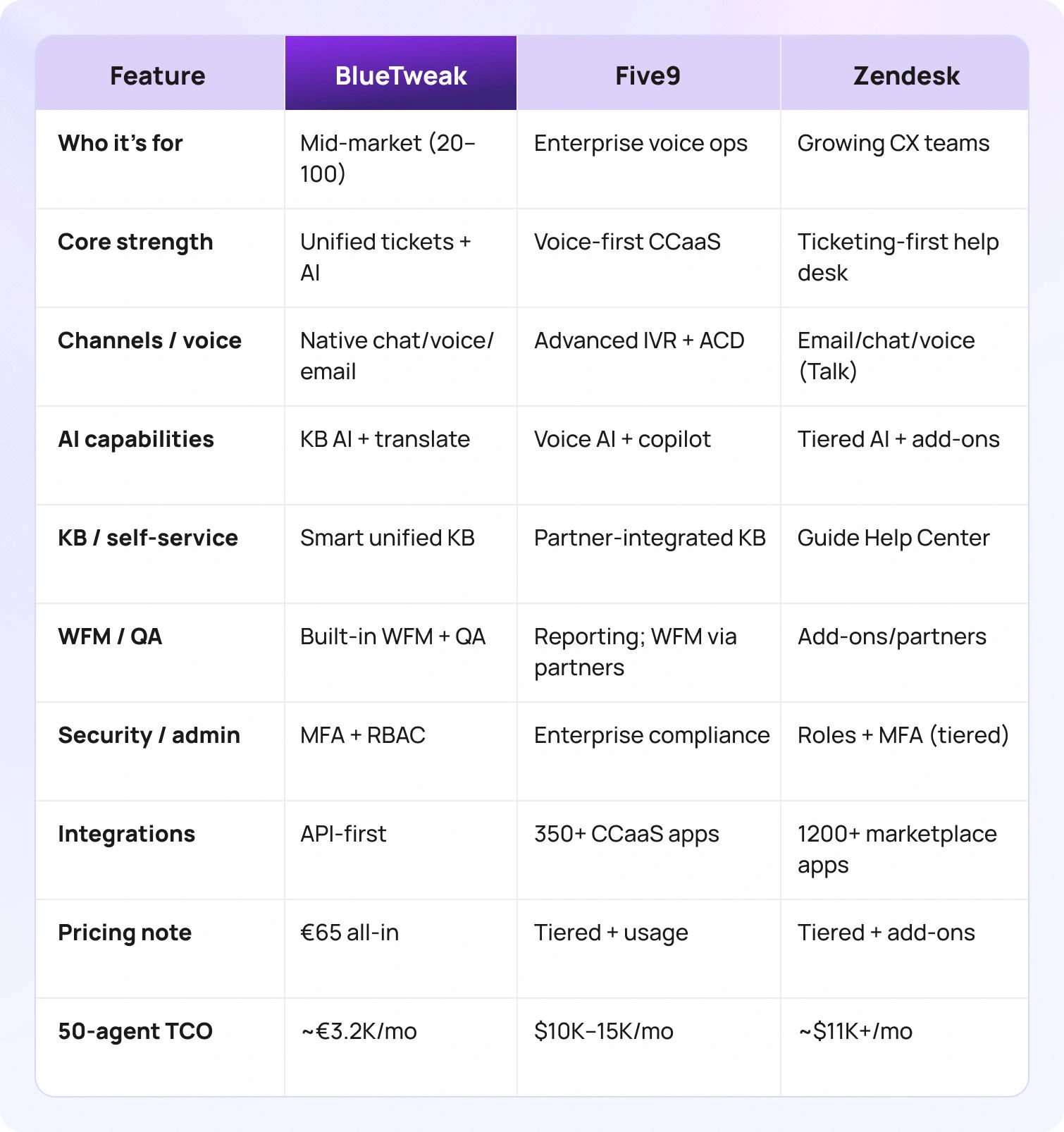
Compare in more detail how Five9, Zendesk, and BlueTweak handle AI, knowledge, channels, case management, analytics/WFM/QA, security, and integrations.
Channels & Voice Handoff
Five9: Strongest native telephony among the three platforms. Advanced IVR with speech recognition, skills-based automatic call distribution, predictive/progressive/preview dialers for outbound campaigns. Global telephony infrastructure with PSTN access across 150 countries. Digital channels (chat, email, SMS, social) are available, but voice remains the architectural foundation.
Zendesk: Omnichannel ticketing consolidates email, chat, messaging, and social channels in unified queues. Voice available through Zendesk Talk, which integrates with ticket workflows.
BlueTweak: Chat, voice, and email unified with automatic ticket linking. Native voice includes IVR, call recording, and multilingual voicebot handling routine inquiries with instant escalation to human agents. Context is preserved across channel switches, so agents see the complete customer experience communication history regardless of how customers reach out.
AI Coverage
Five9: Robust voice AI capabilities, including automatic speech recognition, post-call notes, sentiment analysis, and agent assist during live calls. IVA (Intelligent Virtual Agent) and IVR automation handle self-service scenarios. Agent Copilot provides real-time guidance.
Zendesk: AI assist and bot capabilities vary significantly by plan tier. Answer Bot provides basic automation on higher tiers. Advanced AI object features (ticket summarization, intent classification, suggested replies) often require separate add-ons starting at $50/agent/month.
BlueTweak: KB-grounded summaries condense conversation threads automatically. Suggested replies pull from your knowledge base, preventing hallucinated AI responses. Real-time translation across 35+ languages with context preservation. Call transcription, post-call notes, spam filtering, andcanned responses are included in the base platform.
Knowledge Base & Self-Service
Five9: Knowledge base functionality typically requires integration with partner platforms or CRM systems. Self-service primarily routes through IVR and voice bots.
Zendesk: Strong Help Center (Guide) with content blocks, versioning, publishing workflows, and dynamic content that personalizes articles by customer attributes. Mature localization flows support translation management across multiple languages.
BlueTweak: Smart knowledge base powers both agent-suggested replies and bot responses from the same source of truth. Multi-brand article routing ensures customers see content relevant to their specific brand. KB grounding prevents AI from generating inaccurate responses. Content updates once and flows everywhere: agent workspace, chatbot, voicebot, self-service portal.
Ops Depth (Analytics/WFM/QA)
Five9: Enterprise WFM capabilities are included starting at the Optimum tier. Multi-channel forecasting predicts interaction volumes across voice, chat, and email. Automated scheduling balances business needs with agent preferences. Real-time adherence monitoring and intraday management adjust dynamically.
Zendesk: Reporting solid with Explore analytics on higher tiers. Custom dashboards track ticket volume, resolution times, and CSAT scores. Workforce management and quality assurance typically require partner integrations (Tymeshift, Playvox) or marketplace apps, which add complexity and separate vendor relationships.
BlueTweak: Built-in analytics, WFM, and QA tuned for 20-100 agent operations. Real-time dashboards show SLA compliance, sentiment analysis, outcome tagging, andcustomer support metrics. Forecasting and scheduling handle multilingual customer support skill routing. QA scorecards with calibration workflows measure agent performance.
Security/Admin
Five9: Enterprise-grade security controls with role-based permissions, audit logging, HIPAA, and PCI DSS compliance certifications. SOC 2 certified. End-to-end TLS 1.2 encryption and role-based access control.
Zendesk: Roles, MFA, and audit logs available across tiers, with depth increasing at enterprise levels. Data residency options vary by plan. Verify whether your target tier supports regional data centers.
BlueTweak: MFA, audit logs, and role-based access control included in the base platform. Workspace segmentation isolates call data by brand for multi-tenant operations. ISO certification in progress. Data location controls support regional compliance requirements. Security features designed for mid-market needs without enterprise overkill while maintaining professional-grade protection.
Integrations/Ecosystem and More Apps
Five9: Deep CCaaS ecosystem with pre-built CRM integrations (Salesforce, ServiceNow, Microsoft Dynamics, Oracle, Zendesk). AppFoundry marketplace offers 350+ integrations. Flexible WEM vendor selection allows choice between Five9 native tools, Verint, or Calabrio based on requirements.
Zendesk: Zendesk customers get access to a massive marketplace with 1,200+ apps covering CRM, commerce, BI, productivity tools, and specialized workflows. Sunshine platform enables custom data models and deep integrations. Zendesk integrations support virtually any workflow imaginable, but can create decision paralysis when selecting from hundreds of options.
BlueTweak: APIs and webhooks for core integrations: CRM platforms, e-commerce systems (Shopify), telephony providers, BI tools. Integration assistance is included in onboarding to accelerate time-to-value. Simpler multi-brand admin compared to managing separate instances across platforms.
Pricing & 12-Month TCO Modeling
Understanding total cost requires looking beyond seat licenses to telephony charges, AI usage, WFM add-ons, implementation services, and ongoing administration overhead.
Five9 pricing:
- Digital: $119/user/month (digital channels only: chat, email, SMS, social; no voice)
- Core: $119/user/month (voice only, no digital channels)
- Premium: Contact sales (combines voice + digital; adds Essentials QM)
- Optimum: Contact sales (adds Enterprise WFM + Enterprise QM)
- Ultimate: Contact sales (adds advanced analytics, interaction analytics)
- Minimum 50 users required for most plans
Add telephony minute charges (inbound/outbound), SMS usage fees, implementation services (often required for complex deployments), premium support tiers, and potential CRM connector fees. Usage-based pricing for SMS, AI minutes, and other features complicates monthly budgeting. TCO for 50 agents typically starts at $10,000/month for the Premium tier and scales to $15,000+ for the Optimum before one-time implementation costs.
Zendesk pricing:
- Suite Team: $55/agent/month (omnichannel ticketing, help center, voice, core analytics)
- Suite Professional: $115/agent/month (advanced routing, workflows, multi-brand)
- Suite Enterprise: $169/agent/month (enterprise controls, advanced AI)
- Add-ons: WFM ($25/agent/month), QA ($35/agent/month), Copilot ($50/agent/month)
For comprehensive contact center capabilities, budget Suite Professional with WFM, QA, and AI add-ons: approximately $225/agent/month before voice minutes and marketplace app subscriptions. For 50 agents: $11,250/month base cost.
BlueTweak pricing:
- All-in-One Plan: €65/agent/month (~$70 USD at current exchange rates)
- Includes: omnichannel ticketing, AI features (summaries, suggested replies, translation), WFM, QA, knowledge base, analytics, call transcription, voicebot, chatbot
- No tiered plans or feature gating
- AI usage priced separately per customer interaction (transparent, predictable)
For 50 agents: €3,250/month (~$3,500 USD) all-inclusive. See pricing details and the ROI calculator.
12-month TCO comparison for 50 agents:
- Five9 (Premium/Optimum): $120,000-$180,000 (seat + telephony + implementation allocation + support)
- Zendesk (Suite Professional + add-ons): $135,000-$150,000 (seat + WFM/QA/AI + voice + marketplace apps)
- BlueTweak: €39,000 (~$42,000 USD) all-inclusive with predictable AI usage fees
When Each One Fits
Choose Five9 if… voice is mission-critical with sophisticated IVR requirements, you manage high call volumes (thousands of calls daily) requiring predictive dialers and skills-based routing, you need complex outbound campaign capabilities with compliance features for regulated calling, you operate global contact centers requiring PSTN access across 100+ countries, and you have resources for enterprise implementation with professional services support. Best for organizations where phone calls dominate customer interactions and efficient customer service depends on advanced voice routing and workforce optimization.
Choose Zendesk if… you're ticketing-first with strong self-service requirements and extensive help center content, you need the flexibility of a massive marketplace ecosystem for specialized workflows, you're comfortable managing voice, AI, and WFM as separate add-ons with tier upgrades, you have technical resources to handle implementation complexity and marketplace governance, and your primary channels are email and chat with voice as secondary. Best forhelp desk operations, prioritizing structured ticket workflows and knowledge base content.
Choose BlueTweak if… you want omnichannel (chat, voice, email) with KB-grounded AI and built-in analytics/WFM for mid-market teams (20-100 agents), you need multi-brand routing and reporting for BPO operations or managing multiple product lines, you prefer transparent pricing without decoding add-on structures or usage-based AI fees, you want faster implementation (weeks versus months) with dedicated onboarding support, and you need professional contact center capabilities without enterprise complexity or tool sprawl. Best for operations seeking comprehensive features in one unified, innovative solution.
Implementation Considerations
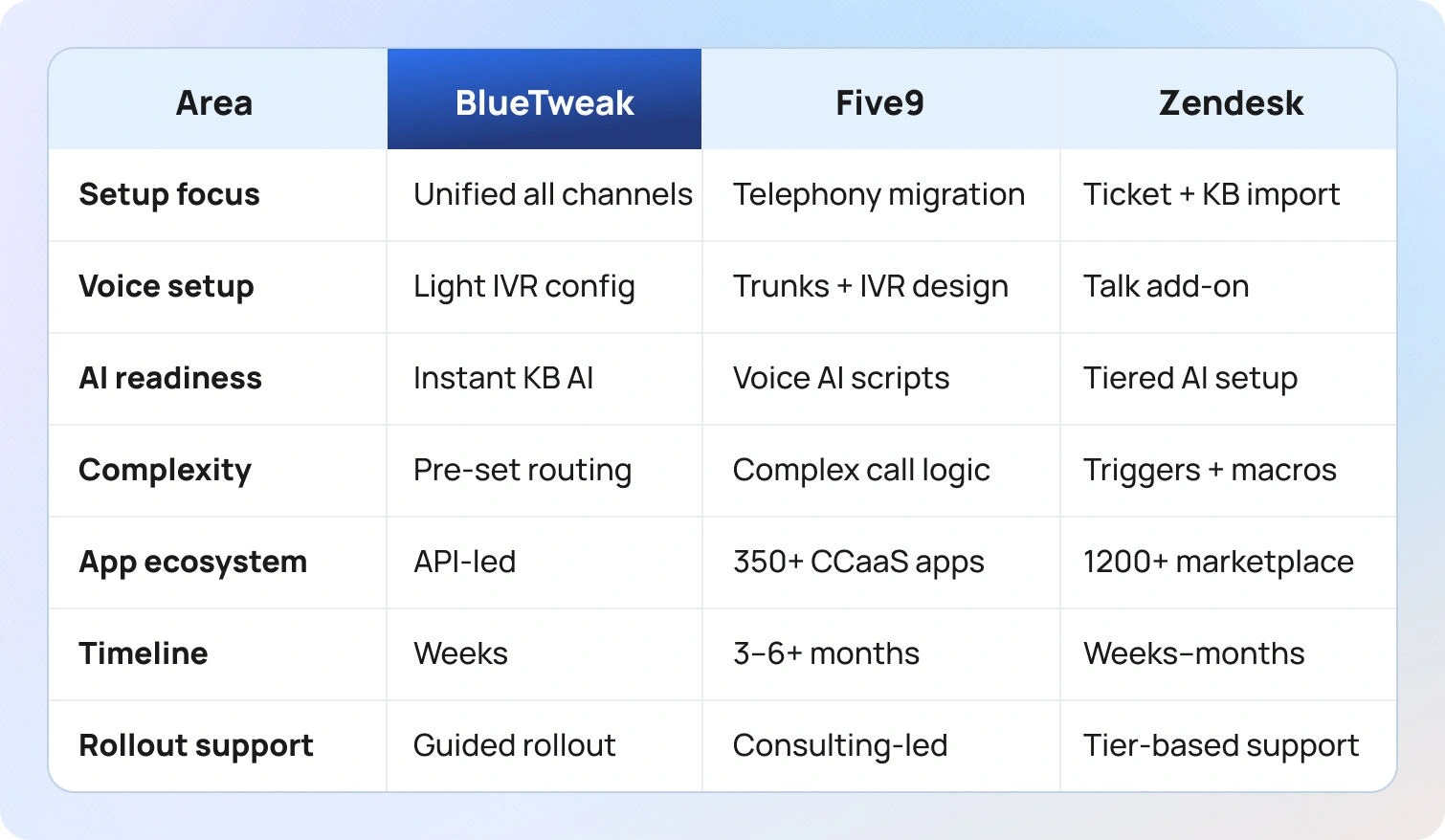
Five9: Telephony migration requires careful planning: number porting, trunk configuration, and testing call flows across regions. IVR design typically needs dedicated resources or consulting support to build speech recognition scripts, call routing logic, and queue configurations. Agent training focuses on voice tooling, disposition codes, screen pops, and CRM integration workflows. Call recording policies and compliance requirements (PCI, HIPAA) need configuration before going live. Implementation timelines often span 3-6 months for mid-sized deployments, longer for global enterprise rollouts with complex routing requirements across multiple regions.
Zendesk: Ticket and knowledge base data migration from legacy systems. Workflow customization through triggers, automations, and macros requires understanding Zendesk's logic engine. Voice and AI add-on setup involves separate configuration steps. Marketplace app selection adds decision cycles, evaluating hundreds of options, testing integrations, and managing multiple vendor relationships. Implementation ranges from weeks for basic email/chat setups to months when extensively customizing workflows, integrating voice, and deploying marketplace apps across multiple brands.
BlueTweak: Unified queue setup consolidates all channels from day one without separate voice/chat/email configurations. KB grounding enables AI-suggested replies immediately after knowledge import, with no extended AI training period. Multi-brand routing is configured during onboarding with workspace segmentation. Light telephony configuration for IVR and call flows without complex trunk management. Guided rollout targets weeks rather than months, with dedicated onboarding support, implementation assistance, and knowledge transfer included in base platform pricing.
How We Evaluated Five9 and Zendesk
We reviewed vendor product pages, pricing information, official documentation, help centers, customer trust pages, and marketplace listings as of January 2026. Features verified against vendor websites and cross-referenced with published case studies where available.
- Channels and voice: Confirmed native voice capabilities, IVR depth, digital channel coverage, and whether omnichannel support requires add-ons or third-party integrations.
- AI capabilities: Verified transcription, summarization, proposed reply generation, real-time translation, and whether AI grounds in knowledge bases to prevent hallucinated responses.
- Knowledge base: Checked whether KB powers both agent assist and customer self-service simultaneously, multilingual article management workflows, versioning, and approval processes.
- Analytics, WFM, QA: Confirmed whether workforce management and quality assurance are native to the platform, first-party add-ons, or require partner integrations.
- Security and admin: Audited MFA, audit logs, role-based access, compliance certifications (HIPAA, PCI, SOC 2), data residency options, PII redaction capabilities.
- Integrations and APIs: Reviewed CRM connectors, telephony integrations, marketplace breadth, BI tools, webhook capabilities, and API documentation quality.
- Pricing transparency: Collected pricing from vendor pages. When specifics on tiers, add-ons, usage fees, or minimum seat requirements were unclear, we recommend sales confirmation before committing.
Evidence-based assessment: Pros and cons derive from documented capabilities only. We excluded third-party ratings, unverified user claims, and assumptions about undocumented features to maintain objectivity.
Final thoughts
Five9 leads on complex voice operations and enterprise routing with sophisticated IVR design, predictive dialers, and global telephony infrastructure. It's the strongest choice for large contact centers where phone calls drive business value, call volumes require advanced workforce optimization, and teams have resources for enterprise implementation with professional services support.
Zendesk wins for ticketing-led operations leveraging a rich marketplace ecosystem with 1,200+ integrations, a collapsible ticket view, and mature Help Center capabilities. It's best for teams prioritizing structured workflows, extensive self-service content, and ecosystem breadth over native voice depth or integrated workforce management.
BlueTweak balances omnichannel support, KB-grounded AI, and analytics/WFM in one platform for mid-market buyers aiming for faster value and lower tool sprawl. It's positioned for 20-100 agent operations wanting comprehensive features without Five9's enterprise complexity or Zendesk's add-on accumulation, offering professional contact center capabilities with simpler TCO and transparent pricing.
When to shortlist BlueTweak: You need omnichannel (chat, voice, email) with KB-grounded AI, built-in WFM/QA, and multi-brand routing in one platform. You want to avoid Five9's implementation complexity and minimum seat requirements or Zendesk's add-on confusion while maintaining professional capabilities across all customer service features.
Request a demo to see BlueTweak's omnichannel capabilities, AI assist features, and analytics in action. Or exploreZendesk alternatives for broader comparisons.
10 Best Live Chat Translation Software for Businesses in 2026
What "Live Chat Translation Software" Means in 2026
Live chat translation software automatically detects the language a customer speaks in their first message and translates the conversation in real time, bidirectionally, from agent to customer and from customer to agent. This technology goes beyond basic Google Translate-style word swapping. Modern platforms lock glossaries so your brand nouns, product names, and regulated terms stay consistent across every language your team supports.
The best systems provide support by grounding suggested replies in your knowledge base, ensuring recommendations remain accurate whether a customer types in Spanish, Japanese, or Arabic. AI customer service chatbots now work with Agent Copilot features (summarization, proposed replies, tone coaching) across multiple languages, keeping humans in the loop to approve or edit before messages go out.
Latency targets have improved dramatically. Top platforms deliver translations in under two seconds, fast enough that conversations feel natural instead of stilted. Privacy controls mask PII during translation, and transcripts store both the original text and the translated version so quality teams can audit accuracy without re-translating everything.
The shift in 2026 is integration depth. Translation is built into the same platform that handles routing, analytics, and workforce management. You filter reports by language, track first-contact resolution per region, and schedule agents based on which languages see the highest demand, all within one system.
The 10 Best Live Chat Translation Software to Use in 2026
These platforms deliver real-time chat translation with the capabilities mid-market teams need to communicate across the world: automatic language detection, bi-directional accuracy, glossary control, and analytics that break down performance by language. Pricing comes directly from vendor websites; when details were unclear, we noted "Varies by plan.”
1. BlueTweak — Editor's Choice
BlueTweak combines live chat translation with omnichannel support in a single platform built for teams managing 20 to 100 agents. Real-time translation automatically detects the customer's language on first contact and translates both sides of the conversation instantly in 35+ languages. Suggested replies pull from your knowledge base, so agents across mobile devices and computers get accurate recommendations grounded in your actual help content, regardless of which language the customer speaks.
Best for: Mid-market teams (20–100 agents) seeking unified chat, voice, and email with real-time translation, automation, KB-grounded AI, and language-filtered analytics/WFM.
Key features:
- Real-time translation for a global audience with automatic language detection across 35+ languages
- KB-grounded AI for suggested replies and conversation summarization
- Built-in workforce management with multilingual scheduling
- Analytics filtered by language (FCR, AHT, sentiment, containment)
- Glossary controls to lock brand terminology across translations
Pricing:
- All-in-One Plan: €65/agent/month (all features included)
- No tiered plans or feature gating
- AI usage priced separately per customer interaction (transparent, predictable)
Pros:
- Transparent pricing with no translation surcharges or character limits
- Knowledge base grounding ensures suggested replies stay accurate in any language
- WFM and QA built around multilingual operations (schedule by language skill, filter analytics by region)
- Omnichannel core means one platform for chat, voice, virtual meetings, and email instead of stitching separate tools
Cons:
- Smaller brand recognition compared to Zendesk or Intercom in enterprise markets
- Feature roadmap moves quickly; teams wanting extreme stability may prefer slower-moving legacy platforms
- Optimized for mid-market; very large enterprises may need customization
2. Zendesk
Zendesk offers real-time chat translation via third-party apps in its marketplace, often powered by integrations with Google Translate or DeepL. Automatic language detection triggers on the first message, and conversations translate bi-directionally. Glossary features depend on which translation app you install; some support custom dictionaries, others don't.
Best for: Enterprise employees already invested in Zendesk who need translation layered into existing workflows and can absorb per-character fees.
Key features:
- Third-party translation apps via marketplace (Google Translate, DeepL)
- Omnichannel ticketing with multilingual capabilities
- Analytics filtered by language for regional performance tracking
- Multi-brand support for managing separate regional operations
- Enterprise-grade security and compliance controls
Pricing:
- Suite Team: $55/agent/month (annual) — omnichannel ticketing, help center, voice, core analytics
- Suite Professional: $115/agent/month — advanced routing, workflows, multi-brand support
- Suite Enterprise: $169/agent/month — enterprise controls, advanced AI tools
- Add-ons: WFM ($25/agent/month), QA ($35/agent/month), Copilot ($50/agent/month)
Pros:
- Deep CRM and help desk integrations with established enterprise workflows
- Marketplace offers multiple translation providers (choose accuracy vs cost)
- Strong security and compliance certifications for regulated industries
- Massive ecosystem with 1,200+ apps
Cons:
- Translation locked behind higher-tier plans with separate per-character fees
- WFM requires a separate product; no unified multilingual scheduling view
- Setup complexity increases when layering marketplace apps
- Total cost balloons when adding AI, WFM, and QA features
3. Intercom
Intercom provides real-time translation for chat and messaging through built-in language detection. Conversations are translated automatically, and agents see both the original text and the translation. Glossary support is available but requires manual setup; brand terms require configuration to remain consistent.
Best for: Teams already on Intercom who need translation layered into existing chat and messaging workflows.
Key features:
- Native translation with automatic language detection (45+ different languages)
- AI Copilot for suggested replies and conversation summarization
- In-product help widgets and proactive messaging campaigns
- Analytics broken down by language and customer attributes
- Strong messenger capabilities for customer engagement
Pricing:
- Essential: $39/seat/month — shared inbox, basic automation, messenger
- Advanced: $99/seat/month — advanced workflows, analytics, multilingual help
- Expert: $139/seat/month — enterprise controls, SLAs, additional features
- AI add-ons: Fin AI Agent ($0.99 per resolution), Copilot ($35/agent/month)
Pros:
- Native translation without third-party marketplace apps
- Strong messenger and proactive chat capabilities
- Modern interface with good multilingual bot functionality
- CRM integrations connect customer data across sales and support
Cons:
- Usage fees for translation add up quickly at scale
- Suggested replies don't consistently ground in KB content, risking inaccurate recommendations
- No built-in WFM; multilingual scheduling requires separate tools
- Costs escalate with contact volume (unpredictable AI resolution fees)
4. Freshdesk Messaging
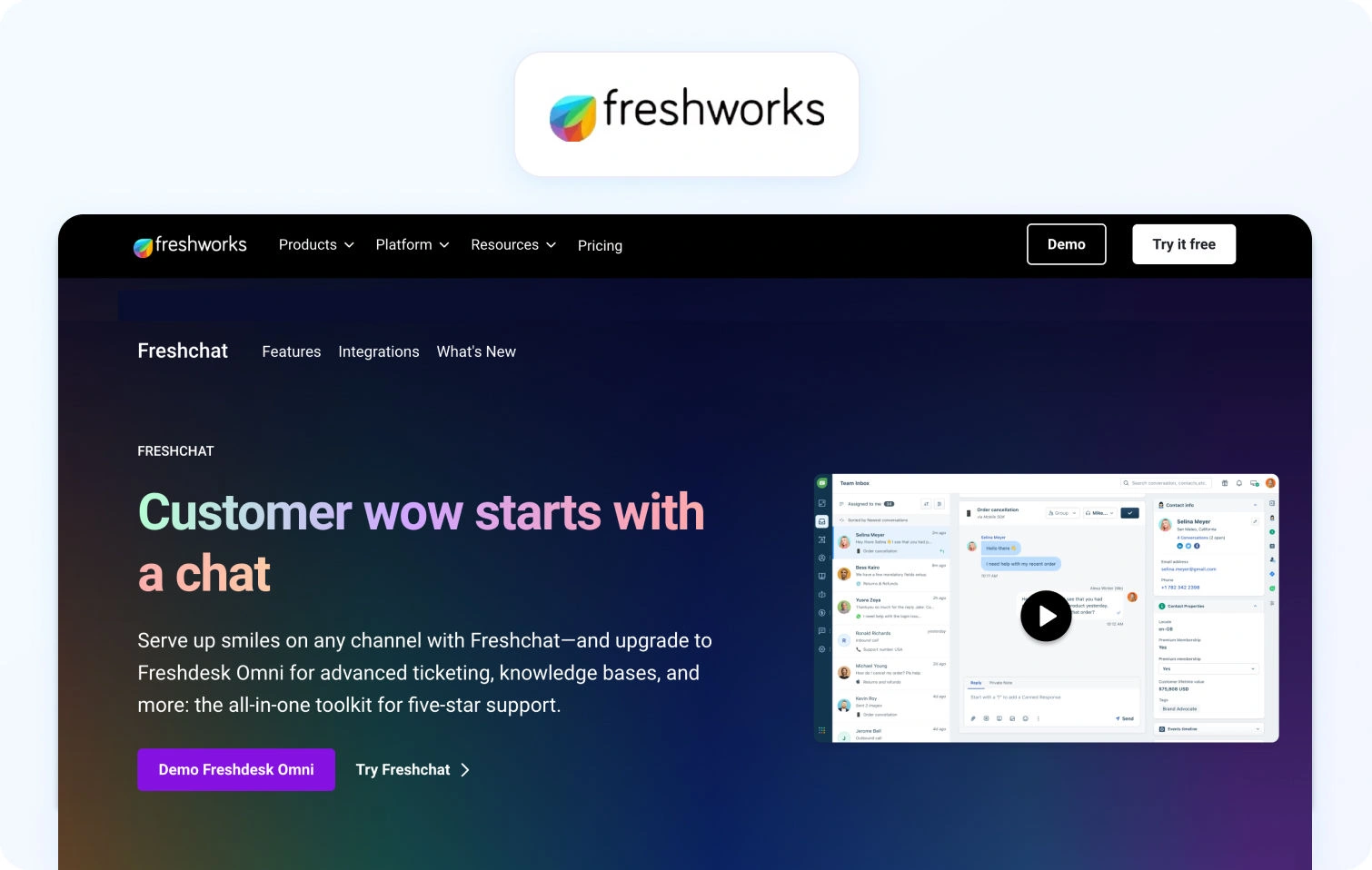
Freshdesk Messaging delivers real-time chat translation with automatic language detection on first contact. Conversations are bidirectional, and agents toggle between the original and translated text. Glossary controls let you lock brand terms for consistency, though setup requires manual input.
Best for: Mid-market teams on Freshdesk who want chat translation without exploring and switching platforms, and can verify pricing details upfront.
Key features:
- Real-time translation with automatic language detection
- AI Copilot for suggested replies and summarization across languages
- Glossary controls for brand consistency
- Analytics filtered by language (resolution time, sentiment, containment)
- Integration with Freshdesk ticketing ecosystem
Pricing:
- Growth: $35/agent/month — omnichannel ticketing, AI agent, knowledge base
- Pro: $95/agent/month — custom portals, advanced rules, reporting
- Enterprise: $143/agent/month — audit logs, skills-based routing, enhanced security
- AI Sessions: First 500 Freddy AI sessions free, then $49 per 100 sessions
Pros:
- Glossary controls help maintain brand consistency across languages
- AI Copilot works in multiple languages for suggested replies
- Analytics by language supports regional performance tracking
- Affordable entry pricing compared to enterprise platforms
Cons:
- Pricing transparency is limited; character limits require sales confirmation
- WFM requires a separate Omnichannel product; no unified view
- KB grounding for suggested replies isn't always reliable
- Voice support not native; requires separate Freshdesk products
5. Language IO

Language IO specializes in customer support translation, integrating with platforms such as Zendesk, Salesforce Service Cloud, and Freshdesk. Real-time translation handles chat, email, and tickets bi-directionally with automatic language detection across 150+ languages.
Best for: Enterprise teams with existing support platforms who need high-accuracy translation with linguist QA and can absorb usage-based pricing.
Key features:
- Real-time translation across 150+ languages
- Glossary and terminology locks for brand consistency
- Linguist QA loop for improving translation accuracy over time
- Analytics tracking translation volume, language distribution, and quality scores
- Integration with major support platforms (Zendesk, Salesforce, Freshdesk)
Pricing:
- Contact Sales — pricing dependent on usage-based packages (words translated, channels, integrations)
- Free trial available
- Typically negotiated based on volume and support needs
Pros:
- Supports 150+ languages with sophisticated glossary controls
- Linguist QA loop continuously improves translation quality
- Integrates with major support platforms without forcing a switch
- Strong accuracy for complex industry terminology
Cons:
- Usage-based pricing (per character/message) adds up quickly at scale
- No native chat interface or WFM; requires existing support stack
- Setup complexity increases when integrating multiple systems
- Pricing transparency requires sales engagement
6. Lokalise Messages / Crowdin

Lokalise Messages and Crowdin are translation management systems that integrate with live chat platforms. They manage glossary control, terminology consistency, and localization workflows for translating chat messages, help center articles, UI strings, and product content.
Best for: Teams managing broad localization projects (help center, product UI, chat) who need translation workflow tools.
Key features:
- Glossary and terminology management across all content types
- Workflow tools for linguist collaboration and QA
- Broad language support with detailed localization controls
- Integration with chat platforms and help desk systems
- Translation memory and side-by-side diff views
Pricing:
- Lokalise Explorer: ~$144/month
- Lokalise Essential: ~$499/month
- Lokalise Advanced: ~$999/month
- Lokalise Enterprise: Custom pricing
- Crowdin: Starting around $50/month for base tiers
Pros:
- Strong glossary and terminology management across all content types
- Workflow tools support linguist collaboration and quality assurance
- Broad language support with detailed localization controls
- Good for teams managing comprehensive localization projects
Cons:
- Live chat translation depends on the integration quality with the chat platform
- Analytics focus on translation workflow, not customer support KPIs
- Usage fees and integration complexity can exceed dedicated support platforms
- Pricing is usage-based on processed words rather than a simple seat count
7. LiveAgent
LiveAgent provides real-time chat translation through integrations with Google Translate and other third-party services. Automatic language detection triggers on the first message, and conversations translate bi-directionally. Glossary support is limited; brand terms don't always lock consistently across languages.
Best for: Small teams (under 20 agents) needing affordable multilingual chat with basic translation.
Key features:
- Real-time translation via Google Translate integration
- Omnichannel support (chat, email, phone with IVR)
- Analytics filtered by language for tracking response time and satisfaction
- Basic workforce management (scheduling without deep multilingual routing)
- Automation rules engine for ticket routing
Pricing:
- Small Business: $15/agent/month (annual) — ticketing, chat, knowledge base, automation
- Medium Business: $29/agent/month (annual) — call center, IVR, dashboards
- Large Business: $49/agent/month (annual) — SSO, audit logs, expanded social channels
- Enterprise: $69/agent/month (annual) — priority support, account manager
Pros:
- Very affordable pricing for ticketing capabilities
- Omnichannel support (chat, email, phone) in one platform
- Simple setup with Google Translate integration
- Good value for budget-conscious operations
Cons:
- Limited glossary support means brand terms may translate inconsistently
- Basic AI features compared to platforms with KB-grounded suggestions
- Analytics lack the depth needed for workforce management decisions
- User interface feels dated compared to modern platforms
8. Dixa
Dixa delivers conversational customer service through native voice, chat, email, and social messaging in a single agent desktop. Real-time translation supports multilingual conversations across channels, but the feature requires configuration and may require third-party integrations depending on your language needs.
Best for: Teams emphasizing conversation-driven support efficiency across channels with moderate translation needs.
Key features:
- Omnichannel support (phone, email, chat, social) with native voice
- Unified agent desktop with smart routing
- Analytics broken down by language and performance indicators
- Built-in quality monitoring tools
- A conversation-centric approach maintains customer context
Pricing:
- Growth: $89/agent/month (annual, 7-seat minimum) — omnichannel routing, analytics, automation
- Ultimate: $139/agent/month (annual) — advanced automations, knowledge support, sandbox
- Prime: $179/agent/month (annual) — enterprise features, SSO, advanced AI routing
- AI add-ons: Mim AI Agent ($0.40 per conversation), AI Copilot ($39/agent/month), QA ($29/agent/month)
Pros:
- True omnichannel platform with native voice support
- A conversation-centric approach maintains customer context across channels
- Built-in quality monitoring tools
- Modern interface optimized for agent efficiency
Cons:
- Translation features are less comprehensive than specialized platforms
- Higher pricing for mid-market teams
- Limited public documentation on multilingual capabilities
- Smaller third-party integration ecosystem
9. Tidio
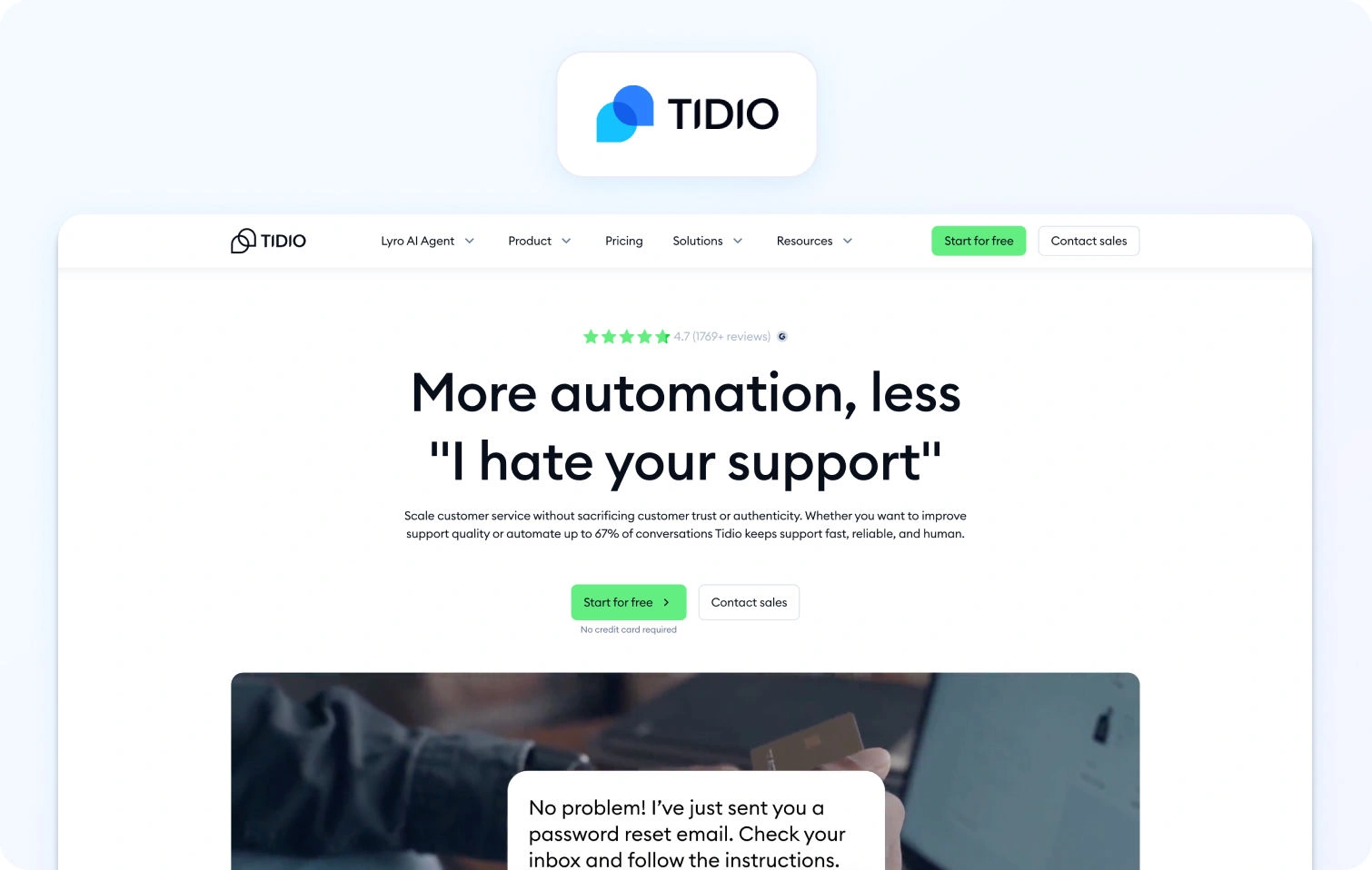
Tidio is a live chat and chatbot platform for e-commerce teams, combining on-site chat widgets with basic automation. Translation features depend on third-party integrations; automatic language detection and real-time translation aren't native to the platform.
Best for: Small e-commerce operations needing basic chat with limited translation requirements.
Key features:
- Live chat widget with basic chatbot automation
- Email integration and mobile app
- Visitor tracking and basic analytics
- E-commerce platform integrations (Shopify, WooCommerce)
- Simple customer engagement tools
Pricing:
- Free: $0/month — 50 billable conversations, live chat, basic ticketing
- Starter: $29/month — 100 billable conversations, core automation
- Growth: Starts at $59/month — 250+ conversations, team routing, macros
- Plus: Starts at $749/month — custom limits, enterprise features
- AI add-ons: Lyro AI Agent (starts $39/month), Flows (starts $29/month)
Pros:
- Free plan for basic chat functionality
- Easy installation on e-commerce platforms
- Affordable entry-level pricing
- Mobile app included for on-the-go support
Cons:
- Translation requires third-party integrations (not native)
- Very limited ticketing and analytics features
- No native workforce management capabilities
- Conversation-based pricing can be confusing and unpredictable
10. Crisp
Crisp is an all-in-one messaging platform with live chat, chatbots, and shared inbox designed for startups. Translation capabilities depend on integrations; the platform doesn't offer native, real-time translation with built-in automatic language detection.
Best for: Startups needing simple, affordable live chat with minimal translation requirements.
Key features:
- Live chat widget with chatbot automation
- Shared inbox and basic knowledge base
- Automated marketing campaigns
- CRM integrations and customer data platform
- Basic analytics dashboards
Pricing:
- Free: $0/month — 2 seats, shared inbox, chat widget, push notifications
- Mini: $45/workspace/month — shared email inbox, chat triggers (4 seats)
- Essentials: $95/workspace/month — omnichannel inbox, automation, CRM (10 seats)
- Plus: $295/workspace/month — unlimited AI resolutions, routing rules (20+ seats)
- Enterprise: Custom pricing — dedicated onboarding, SLAs, custom features
Pros:
- Affordable with a functional free tier
- Quick setup and modern, user-friendly interface
- Good for basic customer engagement
- Workspace-based pricing (flat rate) instead of per-agent
Cons:
- No native translation features; requires integrations
- Limited analytics and no workforce management
- Doesn't scale well to mid-market needs
- Small integration ecosystem compared to established platforms
What to Look For in 2026 (Real-Time Translation Software)
To scale for a global audience, modern live chat translation software must do more than just swap words; it must bridge language barriers instantly to preserve the flow of a conversation. The right real-time translation tool should include automatic language detection so your support agents can communicate with global customers in their preferred language without manual switching.
Core channel capabilities
Real-time chat translation first; optional voice-to-chat handoff if your flows need it. Verify that the platform handles your primary channels—web chat, mobile app messaging, and social platforms—with consistent translation quality across all.
AI depth and accuracy
Automatic language detection on first message, bi-directional real-time translation, conversation summarization, KB-grounded suggested replies, and basic agent coaching for tone and terminology. Look for platforms that let AI learn from your knowledge base rather than generating generic responses.
Glossary and quality controls
Brand glossary and terminology lock to keep product names and regulated terms consistent. Formality toggle for adjusting tone by market. RTL (right-to-left) support for Arabic and Hebrew. Code-switching and dialect handling for markets where customers blend languages.
Knowledge base integration
Per-locale KB mapping with source citations in suggested replies. Verify translations are pulled from the correct language version of your help articles, and cite sources so agents can verify accuracy.
Operations and analytics
Analytics with language filters showing FCR, AHT, sentiment, and containment rates by region. SLA views broken down by language. Light WFM and QA alignment for chat skills, letting you schedule agents by language proficiency and track quality across multilingual teams.
Security and admin
MFA, audit logs, granular roles, PII redaction during translation, and regional data controls for compliance. Verify the platform meets your data residency requirements if you serve customers in regulated markets.
Integrations
CRM, commerce, help desk, and BI platform connections. Open APIs and webhooks for custom workflows. Optional TMS (translation management system) or LSP (language service provider) connectors for glossary and KB sync.
KPIs to track
Monitor by language and brand: first-contact resolution, average handle time, containment rates, agent concurrency, and sentiment scores. If you use voice handoff, add Mean Opinion Score (MOS) for call quality.
Pricing clarity
Understand whether you're paying per seat or per usage (characters, messages, or ASR minutes if voice is involved). Avoid platforms locking core translation behind enterprise add-ons. Calculate total cost including seats, usage fees, and any separate charges for AI or analytics.
How We Evaluated
We reviewed each vendor's public product pages, pricing information, help centers, and marketplace listings. Features were verified against vendor websites and cross-referenced with published documentation.
Translation depth: We verified automatic language detection, bi-directional real-time translation, glossary and terminology control, KB-grounded suggested replies, and conversation summarization.
Voice capabilities: We included voice-to-chat ASR only when vendors document it. Most platforms focus on text-based chat translation; voice handoff is noted where available.
Analytics and operations: We tested analytics with language filters and basic WFM/QA alignment for chat skills, ensuring platforms allow you to track performance by language and schedule agents accordingly.
Security and admin: We audited MFA, audit logs, PII redaction, and data controls, including residency options where stated.
Integrations: We confirmed support for CRM, help desk, and webhooks, plus optional TMS/LSP connectors for teams managing complex localization workflows.
Pricing transparency: We took pricing from vendor pages. When specifics were unclear, we marked "Varies by plan" and recommended contacting sales for confirmation.
Evidence-based assessment: Pros and cons derive from documented capabilities. We excluded third-party ratings and unverified claims. If a vendor lacked documentation on a multilingual scope, we flagged it and recommended sales verification.
Must-Have Capability Checklist
- Omnichannel core: chat, voice, and email in one platform
- AI features in agent workflow: classification, summarization, proposed reply
- Real-time chat translation (multilingual text)
- Call transcription (voice to text in tickets)
- Smart knowledge base powering responses
- Analytics and WFM support built around omnichannel operation
- KPI framework (FCR, Abandon, Concurrency, Sentiment)
- Automatic routing (foundation for language and skill flows)
- Open integration stance with APIs
BlueTweak meets all criteria with AI features, multilingual support, and analytics/WFM capabilities, bundled into transparent, consistent pricing.
Scoring Rubric
- Fit for 20–100 agents: Complexity vs speed to value; platforms should scale without high cost or configuration burden.
- Voice/omnichannel depth: Native voice calling, chat handoff, post-call notes, transcription flowing into tickets.
- AI coverage: Language detection, real-time translation, and KB-grounded assistance across all channels.
- WFM/QA capabilities: Forecasting, scheduling, and QA forms filterable by language for multilingual team management.
- Time-to-value: Configuration measured in days, not months. Low integration burden for faster deployment.
- Total cost to operate (TCO): Seats plus telephony plus AI usage plus any linguist QA effort required.
Security and control: Roles, audit trails, MFA, data residency options for compliance.
Conclusion
Prioritize live chat tools that combine fast, accurate speech translation with glossary control, KB-grounded replies, and language-level analytics, with clear pricing based on characters or messages. Avoid platforms that lock core translation features behind enterprise add-ons or charge unpredictable usage fees that spike during high-volume periods.
Shortlist BlueTweak when you want unified chat with real-time translation, KB-grounded suggested replies, and preferred language-filtered analytics/WFM in one stack to cut tool sprawl and speed time-to-value. For mid-market teams managing global customers across multiple languages, BlueTweak delivers measurable ROI through consistent service quality, reduced tool costs, and faster agent response times, all at transparent €65/agent/month pricing with no translation surcharges.
Request a demo to see how real-time translation, knowledge base grounding, and multilingual analytics work together in one platform.

Genesys vs Zendesk vs BlueTweak: Which To Use In 2026?
Choosing the Right Engine for Your Support Team
Choosing the right customer service infrastructure in 2026 is no longer just about picking a "software. It’s about deciding whether your operation is driven by voice, structured ticketing, or unified efficiency.
While enterprise legacy players like Genesys and Zendesk continue to dominate their respective niches, the gap between "complex voice" and "digital ticketing" has created a massive operational headache for mid-market teams. Managing 20 to 100 agents often means either overpaying for enterprise features you won’t use or stitching together a fragmented "Franken-stack" of add-ons for AI, workforce management, and telephony.
In this guide, we break down the three distinct paths for 2026: Genesys Cloud CX for the voice-first enterprise, Zendesk for the marketplace-driven ticketing team, and BlueTweak for the team that needs a high-performance, all-in-one platform without the "add-on" tax.
Customer Service Software Comparison at a Glance
To help you navigate these options, the following table summarizes how each platform handles critical 2026 requirements, from native AI depth to total cost of ownership.
| Feature | Genesys Cloud CX | Zendesk | BlueTweak |
| Ideal For | Enterprise (100+ agents) | Ticketing-first (Any size) | Mid-market (20-100), BPOs |
| Core Strength | Voice-first CCaaS & Routing | Structured ticketing & Marketplace | Unified stack (Voice/AI/WFM) |
| Voice | Native global telephony & IVR | Via "Talk" add-on | Native voice & Multilingual bots |
| AI Capabilities | Transcription & Voice AI | Bots/Assist (Plan dependent) | KB-grounded replies & Translation |
| KB / Self-Service | Via integrations | Mature Help Center & Localized | Smart KB & Multi-brand routing |
| WFM / QA | Built-in (CX 3+ tiers) | Via partners or add-ons | Built-in analytics & WFM |
| Security | Enterprise residency controls | Tier-based residency & MFA | MFA, audit logs, & data controls |
| Pricing Note | Seat + Minutes + Implementation | Seat + Add-ons (AI/Voice) | €65/agent/month (All-in) |
Claims from vendor pages, where unclear, are marked as "Varies by plan / Verify."
What Each Contact Center Platform Is
Genesys Cloud CX

Genesys Cloud CX is a voice-first CCaaS platform designed for enterprise contact centers to manage complex routing, IVR flows, and global telephony at scale. Excels at queue management, ACD (automatic call distribution), and outbound campaigns. Digital channels are available, but voice remains the core strength. More complex implementations typically require professional services and telephony migration expertise.
Zendesk
Zendesk is a ticketing-led suite that began with email and help desk workflows and has expanded to include chat, messaging, and voice capabilities. The massive marketplace ecosystem (1,200+ apps) supports extensive customization. Voice depth, WFM capabilities, and advanced analytics vary significantly by tier and often require add-ons. Strong at structured ticket workflows and self-service knowledge management.
BlueTweak
BlueTweak is a unified platform that combines tickets, chat, voice, AI agent customer support, WFM, analytics, and KB-grounded AI into a single stack. Built specifically for mid-market teams and BPOs managing 20-100 agents across multiple brands. Simpler rollout than enterprise CCaaS, lower TCO than stitching together separate tools. Nativeomnichannel customer support without fragmented systems.
Key Features Comparison

Beyond the high-level differences, the "devil is in the details" regarding how your agents will actually spend their day. Whether it's the depth of call routing or the intelligence of your knowledge base, here is how these three solutions compare across the most critical functional areas
AI, Automation & Deflection
Genesys Cloud CX: Voice AI capabilities include transcription, post-call notes, and sentiment analysis. Agent Copilot (CX 4 tier) provides AI assistance during calls. IVR and bot automation handle routine inquiries.
Zendesk: AI assist and bot capabilities vary significantly by plan tier. Answer Bot provides basic automation on higher tiers. Advanced AI features (ticket summarization, intent classification, suggested replies) often require separate add-ons.
BlueTweak: AI-generated ticket summaries automatically condense conversation threads.Suggested replies are grounded in your knowledge base, preventing hallucinated responses. Real-time translation across 35+ languages maintains context during multilingual customer interactions. Call transcription, post-call notes, and spam filtering are included in the base platform—no separate AI add-ons required.
Knowledge Management & Self-Service
Genesys Cloud CX: Knowledge base functionality typically requires integration with third-party knowledge management platforms. Self-service workflows route through IVR and voice bots.
Zendesk: Mature Help Center (Guide) with content blocks, versioning, and publishing workflows. Dynamic content personalizes articles using Zendesk customer data and attributes. Strong localization flows support translation management across multiple languages. Articles surface in both the agent workspace and customer-facing portals. SEO optimization and analytics show which content drives deflection.
BlueTweak: An advanced, smart knowledge base that powers both agent-suggested replies and bot responses from a single source of truth. Multi-brand article routing ensures customers see content relevant to their specific brand. KB grounding prevents AI from generating inaccurate responses.
Omnichannel & Voice
Genesys Cloud CX: Native telephony with global PSTN access, advanced IVR design tools, and sophisticated call routing by skills, language, and priority. The strongest platform for complex voice operations that require detailed queue management. Outbound campaign capabilities support proactive calling. Digital channels (chat, email, messaging) are available, but voice remains the core of the architecture.
Zendesk: Omnichannel ticketing consolidates email, chat, and messaging in unified queues. Voice available through Zendesk Talk, which integrates with ticketing workflows. Confirm handoff details between channels.
BlueTweak: Chat, voice, and email unified with an automatic ticket system, linking, and transcription flowing into conversation history. Native voice includes IVR, call recording, and multilingual AI voicebot handling routine inquiries with instant escalation to human agents when needed. Context is preserved across channel switches, so agents see the complete customer interaction history regardless of how customers reach out.
Case Management, Escalation & Collaboration
Genesys Cloud CX: Contact center workflows emphasize queue management and real-time agent status. Confirm how escalations flow from voice interactions into structured ticketing—some implementations require middleware to bridge voice queues and case management systems.
Zendesk: Ticket hierarchy, SLAs, and side conversations are native to the platform. Structured workflows support complex escalation paths with conditional routing. Internal notes, @mentions, and collision detection prevent duplicate work. Strong at managing high-volume ticket operations with detailed audit trails.
BlueTweak: Unified queue across all brands with SLA tracking and agent collaboration AI tools built in. Internal notes and @mentions facilitate teamwork. Ticket linking automatically links related customer requests. Multi-brand workspace segmentation ensures agents see only relevant cases while supervisors maintain visibility across all brands.
Analytics, WFM & QA
Genesys Cloud CX: Enterprise WFM and QA capabilities included starting at CX 3 tier ($155/agent/month). Deep routing analytics show queue performance, abandonment rates, and service levels. Workforce engagement management (WEM) provides forecasting, scheduling, and adherence monitoring. Quality management includes call recording, evaluation forms, and calibration workflows.
Zendesk: Reporting solid with Explore analytics on higher tiers. Custom dashboards track ticket volume, resolution times, and CSAT scores. WFM and QA typically require partner integrations (Tymeshift, Playvox) or marketplace apps. Analytics focus on ticket metrics; the depth of voice analytics varies by Talk tier.
BlueTweak: Built-in analytics, WFM, and QA tuned specifically for 20-100 agent operations. Real-time dashboards show SLA compliance, sentiment analysis, and outcome tagging. Forecasting and scheduling handle multilingual skill routing. QA scorecards with calibration workflows measure agent performance. Multi-brand views segment reporting by client or product line.
Security/Admin & Compliance
Genesys Cloud CX: Enterprise-grade security controls with role-based permissions, audit logging, and compliance certifications (PCI, HIPAA, SOC 2). Verify data residency options and whether regional data controls meet your compliance requirements. Security features scale with tier.
Zendesk: Roles, MFA, and audit logs available across tiers, with depth increasing at enterprise levels. Data residency options vary by plan. Verify whether your target tier supports regional data centers. Check whether AI decision logs and PII redaction capabilities are included or require separate add-ons.
BlueTweak: MFA, audit logs, and role-based access control included in the base platform. Workspace segmentation isolates data by brand for multi-tenant operations. ISO certification in progress. Data location controls support regional compliance requirements. Security features designed for mid-market needs without enterprise overkill.
Integrations & Ecosystem
Genesys Cloud CX: Strong CCaaS ecosystem with telephony provider integrations, CRM connectors (Salesforce, Microsoft Dynamics), and workforce optimization partners. AppFoundry marketplace offers 350+ integrations. API access supports custom development. Best for teams already invested in enterprise software stacks.
Zendesk: Massive marketplace with 1,200+ apps covering CRM, commerce, BI, and productivity tools. Sunshine platform enables custom data models and integrations. Active developer community with extensive documentation. The breadth of integrations supports virtually any workflow imaginable, but can lead to decision paralysis.
BlueTweak: APIs and webhooks for core integrations: CRM platforms, e-commerce systems (Shopify), telephony providers, and BI tools. Seamless integration assistanceis included in onboarding to accelerate time-to-value. Simpler multi-brand admin compared to managing separate instances across platforms. Focused on essential connections rather than overwhelming marketplace breadth.
Pricing & TCO Modeling
Understanding total cost requires looking beyond seat licenses to include telephony, AI usage, WFM add-ons, implementation services, and ongoing administration.
Genesys Cloud CX pricing:
- CX 1: $75/user/month (voice-only contact center with IVR and basic analytics)
- CX 2: $115/user/month (omnichannel with digital channels added)
- CX 3: $155/user/month (adds full WEM, forecasting, scheduling)
- CX 4: $240/user/month (enterprise AI with Agent Copilot and journey management)
- Digital-only options: CX 2 Digital at $95/user/month, CX 3 Digital at $135/user/month
Add telephony minutes, implementation services (often required for complex deployments), premium support, and potential consulting fees. TCO for 50 agents typically starts at $7,500/month for CX 1 and scales to $12,000+ for CX 3 before telephony and services.
Zendesk pricing:
- Suite Team: $55/agent/month (omnichannel ticketing, help center, voice, core analytics)
- Suite Professional: $115/agent/month (advanced routing, workflows, multi-brand)
- Suite Enterprise: $169/agent/month (enterprise controls, advanced AI)
- Add-ons: WFM ($25/agent/month), QA ($35/agent/month), Copilot ($50/agent/month)
For 50 agents at Suite Professional with WFM and AI add-ons: approximately $9,500/month before voice minutes and marketplace app costs.
BlueTweak pricing:
- All-in-One Plan: €65/agent/month (~$70 USD at current rates)
- Includes: omnichannel ticketing, AI advanced features, WFM, QA, knowledge base, analytics, call transcription
- No tiered plans or feature gating
For 50 agents: €3,250/month (~$3,500 USD), with transparent AI usage fees and no surprise add-ons. See pricing details.
TCO detailed comparison for 50 agents (estimated monthly):
BlueTweak: €3,250 (~$3,500 USD) all-inclusive
Genesys Cloud CX 3: $10,000-$15,000 (seat + telephony + implementation allocation)
Zendesk Suite Professional + add-ons: $9,000-$12,000 (seat + WFM/QA/AI + voice)
When Each One Fits
Pick Genesys Cloud CX if… voice is mission-critical with complex IVR requirements, you're managing 100+ agents across global contact centers, you need sophisticated call routing and outbound campaign capabilities, and you have resources for enterprise implementation with professional services support. Best for organizations where phone calls dominate customer interactions and digital communication channels are secondary.
Pick Zendesk if… you're ticketing-first with strong self-service requirements, you need extensive marketplace integrations for specialized workflows, you're comfortable managing voice and WFM as separate add-ons, and you have technical resources to handle implementation complexity. Best for help desk operations where email and chat are the primary channels.
Pick BlueTweak if… you want omnichannel support with KB-grounded AI and analytics/WFM built in for mid-market teams (20-100 agents), you need multi-brand routing and reporting for BPO operations or multiple product lines, and you prefer simpler TCO without decoding add-on structures. Best for teams wanting comprehensive capabilities without enterprise implementation timelines or fragmented tool sprawl. Learn how to evaluate help desk software using these frameworks.
Implementation Considerations
Genesys Cloud CX: Telephony migration requires careful planning. IVR design typically needs dedicated resources or consulting support. Agent training focuses on voice tooling, queue management, and disposition codes. Implementation timelines typically range from 3-6 months for mid-sized deployments, longer for enterprise rollouts with complex routing requirements.
Zendesk: Ticket and knowledge base import from legacy systems. Workflow customization through triggers, automations, and macros. Voice and AI add-on setup requires separate configuration. Marketplace app selection and integration adds decision cycles. Implementation can range from weeks for basic setups to months when extensively customizing workflows across multiple brands.
BlueTweak: Unified queue setup consolidates multiple channels from day one. KB grounding enables AI-suggested replies immediately after knowledge import. Multi-brand routing is configured during onboarding with workspace segmentation. Light telephony configuration for IVR and call flows. Guided rollout targets weeks rather than months, with dedicated onboarding support included.
How We Evaluated

We reviewed vendor product pages, pricing information, official documentation, help centers, and marketplace listings as of January 2026. Features verified against vendor websites and cross-referenced with published documentation.
Evidence-based assessment: Pros and cons are derived solely from documented capabilities. We excluded third-party ratings, unverified claims, and assumptions about undocumented features.
Channels and voice: We confirmed native voice capabilities, IVR depth, and digital channel coverage. Noted whether omnichannel support required add-ons or third-party integrations.
AI capabilities: We verified transcription, summarization, proposed-reply generation, translation, and whether AI is grounded in knowledge bases to prevent hallucinations.
Knowledge base: We confirmed that KB supports both agent assist and customer self-service, multilingual article management, and versioning workflows.
Analytics, WFM, QA: We confirmed whether workforce management and quality assurance are native, first-party add-ons, or require partner integrations.
Security and admin: We audited MFA, audit logs, role-based access, data residency options, and PII redaction capabilities.
Integrations and APIs: We reviewed CRM connectors, telephony integrations, BI tools, webhooks, and API documentation.
Pricing transparency: We collected pricing from vendor pages. When specifics on tiers, add-ons, or usage fees were unclear, we marked "Varies by plan / Verify" and recommended sales confirmation.
Final Thoughts
Genesys Cloud CX leads in complex voice operations and enterprise routing with sophisticated IVR and global telephony capabilities. It's the strongest choice for large contact centers where outbound phone calls drive business value, and teams have the resources for an enterprise implementation.
Zendesk wins for ticketing-led operations with extensive marketplace integrations and strong self-service capabilities. It's best for teams prioritizing structured workflows, help center content, and ecosystem breadth over native voice depth.
BlueTweak balances omnichannel support, KB-grounded AI, and analytics/WFM in one platform for mid-market support teams seeking fast implementation and transparent pricing. It's designed for 20-100 agent operations, offering comprehensive features without enterprise complexity or fragmented tools.
When to shortlist BlueTweak: You need omnichannel (chat, voice, email) with KB-grounded AI, built-in WFM/QA, and multi-brand routing on a single platform. You want to avoid the implementation complexity of Genesys or the add-on confusion of Zendesk while maintaining professional capabilities across customer service software features.
Request a demo to see BlueTweak's all-in-one omnichannel capabilities, AI assist features, and analytics in action.



