



TL;DR
AI voicebots transform customer support with natural language conversations, multilingual capabilities, and instant 24/7 availability. The best platforms combine speech recognition, knowledge-grounded answers, and clean agent handoff with native workforce management. BlueTweak leads with bundled voicebot, call transcription, multilingual support, and unified analytics.
Selecting an AI Voicebot for Real-World Support Operations
Modern customers expect instant support and instant answers without IVR wait times or repeated explanations. AI voicebots meet that demand by replacing rigid press-1 trees with natural conversations that resolve inquiries end-to-end or escalate smoothly to human agents, resulting in happier customers.
This guide evaluates leading AI Voicebot platforms for customer support teams with 20 to 100 agents or more. The comparison covers multilingual depth, knowledge grounding, handoff experience, analytics, security, and total cost to operate to help identify software that reduces handle time while improving customer satisfaction.
What Is an AI Voicebot (for Support): A 2026 Snapshot
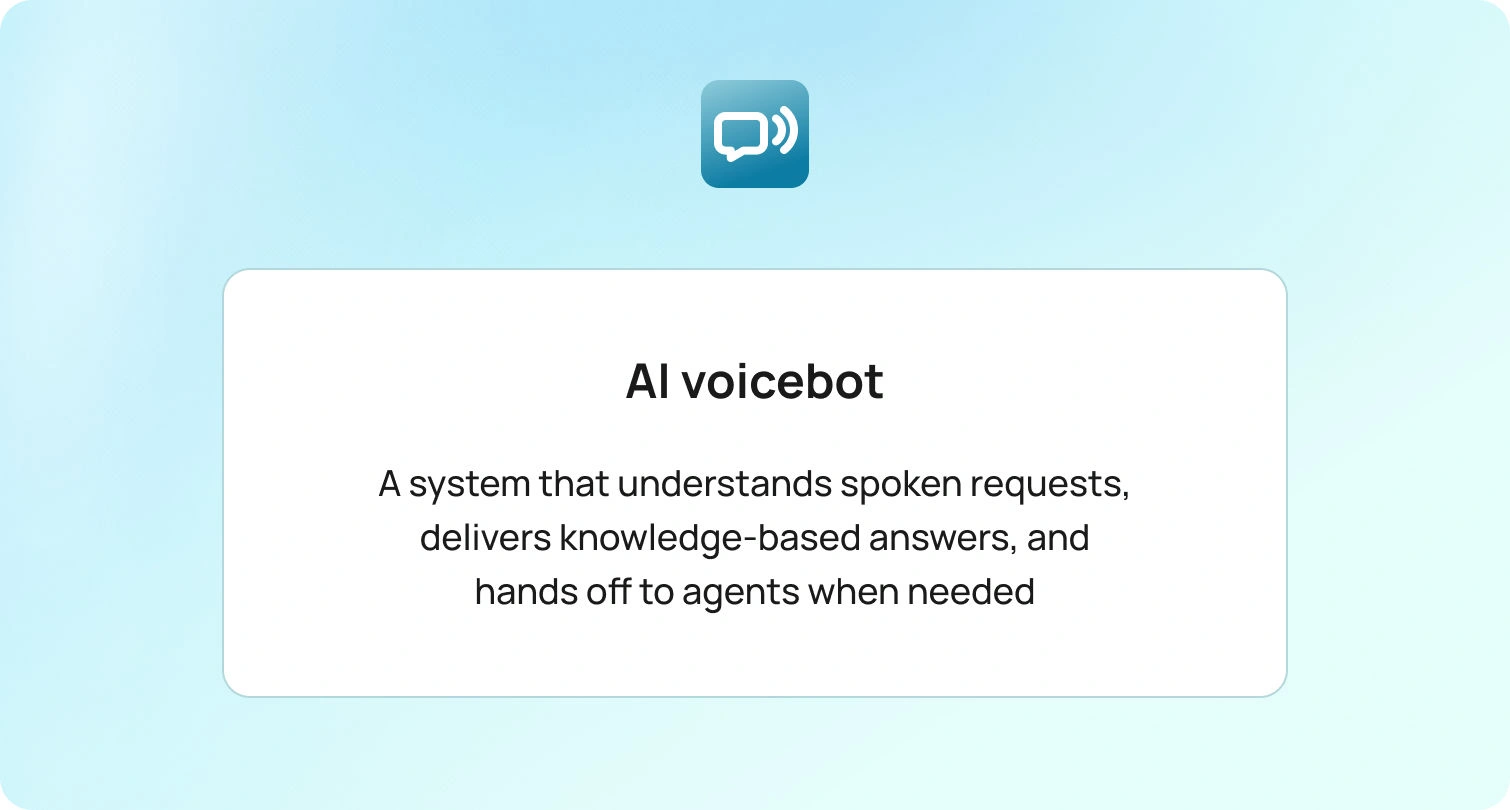
An AI voicebot converts speech to text, detects intent using natural language understanding, retrieves knowledge-grounded responses, and delivers answers via text-to-speech. AI voicebots recognize spoken requests, engage in multi-turn conversations, and execute actions such as booking appointments or checking order status.
When issues exceed the bot's scope, it transfers context and conversation history to live agents for an appropriate response and smooth resolution.
Technology Overview: From IVR Trees to AI Voicebots and Natural Language Processing (2016→2026)
Teams transitioned from menu-based IVR and scripted call flows to AI-assisted voice, featuring speech-to-text, language understanding, knowledge-grounded answers, and natural turn-taking. Higher call volumes, the need to support more languages and brands, and the requirement to reduce transfers and handle calls efficiently without compromising the customer experience drove this shift.
Older stacks utilized press-1 menus, brittle rules, separate translation layers, and siloed reporting, which led to repeated explanations, slow escalations, and inconsistent terminology, lacking an understanding of human speech.
For buyers, this evolution means prioritizing voice quality and latency, multilingual coverage, knowledge base grounding with guardrails, and clean transfer design (agent handoff with transcript and context). Double-check analytics tie interactions to staffing and quality assurance, and confirm security and data controls, including multi-factor authentication, roles and permissions, audit logs, SSL, and data-location options.
This guide's must-have capability checklist and scoring rubric reflect these priorities, focusing on software that enhances agent productivity, the experience, and reduces operational load.
How We Evaluated Each AI Voicebot Platform
- Features: Checked against the must-have checklist below using public documentation and demos.
- Who uses it: From public logos and case studies.
- Pricing: From public pricing pages.
- Pros/cons: Evidence-based strengths and gaps tied to the checklist and rubric criteria; no marketing superlatives.
Must-Have Capability Checklist
- Multilingual AI voice bots: Instant language switching across channels, with auto-detection, knowledge-base-grounded answers, consistent terminology, seamless handoff to agents with full context.
- Knowledge-base answers: Can draw from your knowledge base and self-service content for consistent service and customer conversations.
- Handoff to human agents: Seamless escalation into a unified ticketing system with conversation history and customer profile context; call transcription available.
- Workforce management and quality assurance: Both are native features (scheduling/monitoring and quality scoring/coaching).
- Analytics and dashboards: Real-time KPIs (SLA, CSAT, FCR, AHT) with drill-down by agent, channel, or topic; role-based access.
- Security and data controls: Multi-factor authentication, audit logs, SSL, and data-residency options (ISO certification in progress).
- Integrations: First-party APIs and connectors for CRM, commerce (including Shopify), and telephony.
- Pricing clarity: Single, bundled per-seat price.
Scoring Rubric
- Fit for 20–100 agents
- Channel coverage and handoff experience
- Multilingual depth
- Knowledge grounding and guardrails
- Response quality
- Analytics depth
- Time to value
- Total cost to operate
- Security and data controls
10 Best AI Voicebot Software Solutions
1. BlueTweak – Editor's Choice

BlueTweak is an AI-native omnichannel platform designed for contact centers that require everything in one subscription. The AI voicebot goes beyond IVR: it delivers conversational routing with LLM intent recognition, dynamic, on-brand responses in the caller’s language, and seamless agent handoff. It can resolve issues end-to-end from the knowledge base or escalate with full context. If a classic IVR is preferred, the voicebot can run alongside (or behind) the existing IVR, allowing for a seamless switch at the desired pace. The voicebot pulls answers from your internal knowledge base, automatically responds in the caller's language, and resolves issues end-to-end or escalates with full context.
BlueTweak bundles call transcription, AI ticket summaries, suggested replies, native workforce management (forecasting, shift planning, real-time monitoring), quality assurance (scoring, coaching), and analytics (live SLA, CSAT, NPS, FCR, AHT by agent/channel/topic).
No separate vendor for voice, no bolt-on WFM tool, no per-resolution AI fees.
It's a comprehensive customer service solution that handles email, chat, SMS, WhatsApp, Facebook Messenger, and phone in one unified inbox, complete with customer profiles and administrative controls.
Who Uses It: BPO providers and internal CX teams (20–100+ agents) across e-commerce, travel, finance, and aero.
Key Features:
- AI voicebot & chatbot: Multilingual, KB-grounded conversations with seamless agent handoff
- Copilot assist: Call transcription, ticket summaries, suggested replies in under 10 seconds
- Omnichannel inbox: Email, chat, voice, SMS, WhatsApp, Facebook Messenger unified
- WFM is native; QA tools available: Forecasting, real-time dashboards, shift planning, scoring, feedback loops
- Multilingual AI: Translation across all channels (voice + text)
- Analytics: Live SLA, CSAT, NPS, FCR, AHT by agent/channel/topic; custom reports
- Security: Role-based permissions, MFA, audit logs, data-location options (cloud or on-prem)
- Integrations: Unlimited API access; pre-built connectors for major platforms
- Knowledge base: Self-service portal + agent assist; embeddings + LLM for accurate answers
- Customer support automation: Intelligent routing, auto-classification, sentiment analysis
Pricing:
- €65/agent/month all-in (ticketing, omnichannel, AI features, WFM, QA, analytics, integrations)
- Transparent tier-based pricing
Pros:
- Only platform bundling agentic AI (chatbot + voicebot), copilot tools, native WFM/QA, and full omnichannel
- No feature gating; transparent tier-based pricing
- Fast time-to-value (weeks, not months); onboarding support from the BlueTweak team
- Multilingual across voice and text with KB-grounding to reduce hallucinations
- Built for BPOs: multi-tenant, multi-brand configuration in one instance
Cons:
- Newer brand compared to legacy vendors
- AI usage scales with volume; per-interaction pricing available
Request a demo to see how BlueTweak's unified AI voicebot handles deflection, agent copilot workflows, and real-time workforce analytics.
2. Google Dialogflow CX + Contact Center AI
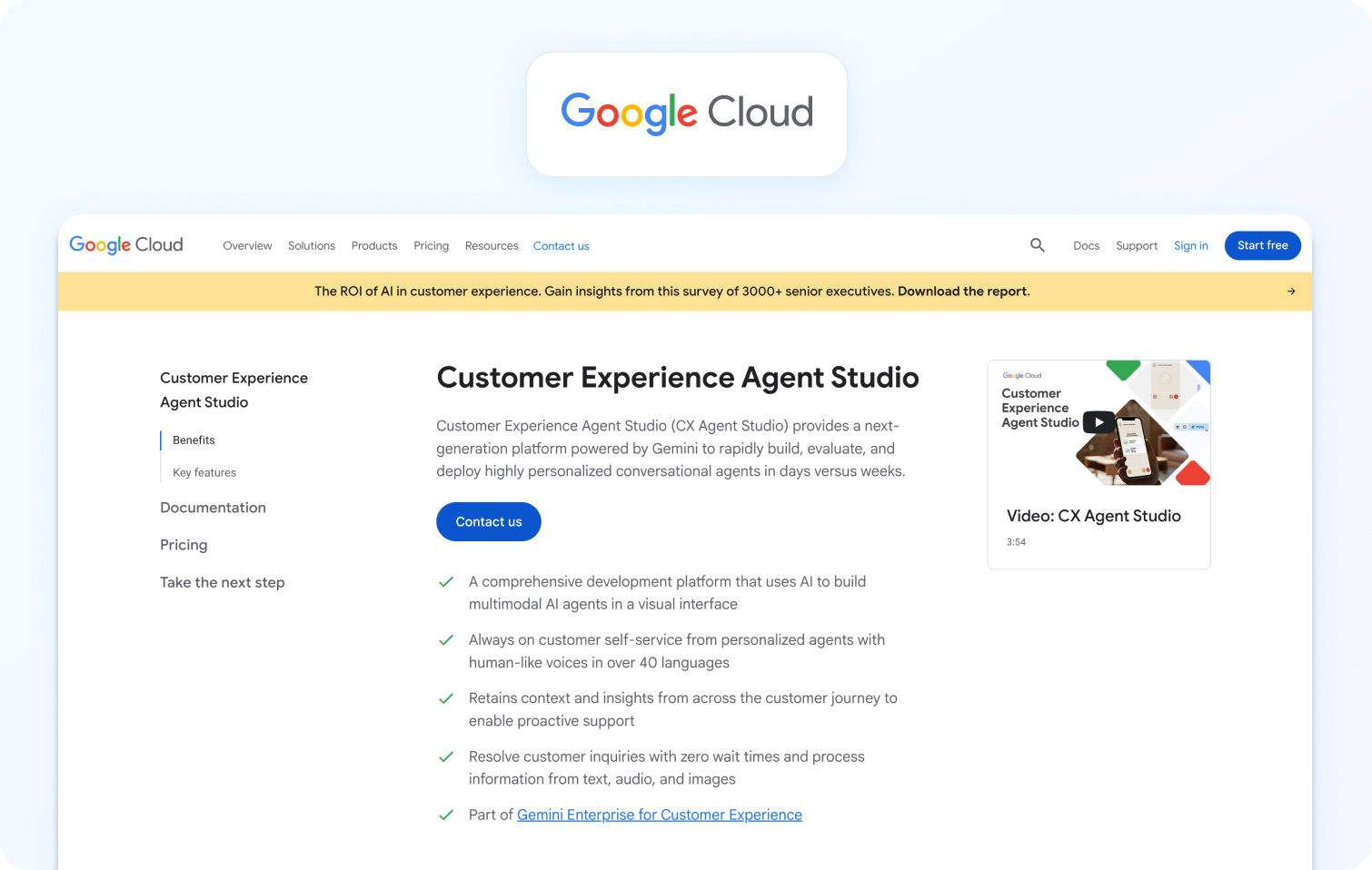
Google's Conversational Agents (formerly Dialogflow CX) uses Gemini models to build voicebots and chatbots with natural language understanding. Contact Center AI integrates virtual agents, agent assist with live guidance and knowledge recommendations, and insights with NLU-powered analytics. Voice capabilities include speech recognition, text-to-speech, and sentiment analysis. The platform offers a visual flow builder and integrates with existing telephony and contact center applications.
Who Uses It: Enterprises and developers already in the Google Cloud ecosystem; tech, e-commerce, and digital-first businesses.
Key Features:
- Gemini-powered natural language understanding
- Visual flow builder with state machine approach
- Agent Assist with real-time knowledge recommendations
- Sentiment analysis and intent detection
- Multi-channel deployment (voice, chat, SMS, social)
- Advanced performance dashboards
- Integration with Google Cloud services
Pricing:
- Dialogflow CX: $0.007 per text request
- Voice: $0.001 per second
- Contact Center AI products are priced per-use monthly
- Voice minutes, speech-to-text translation, and text-to-speech charged separately
Pros:
- Powerful for teams already using Google Cloud
- Advanced Gemini AI capabilities
- Strong integration with the Google ecosystem
- Comprehensive analytics
Cons:
- Pricing escalates significantly at scale
- Complex learning curve for Dialogflow CX
- Not recommended for beginners; steeper than Dialogflow ES
- Per-use pricing can be unpredictable
3. Amazon Lex (with Amazon Connect)
Amazon Lex uses the same technology as Alexa to create conversational interfaces that support both voice and text interactions, leveraging natural language processing (NLP). When paired with Amazon Connect, it provides native voice integration for automated phone conversations. The platform offers automatic speech recognition, language understanding, and a visual conversation builder. It integrates with AWS services like Lambda, Polly, and CloudWatch.
Who Uses It: Companies already using AWS infrastructure; e-commerce, banking, and healthcare organizations.
Key Features:
- Alexa-powered language understanding
- Visual Conversation Builder for no-code design
- Native integration with Amazon Connect for voice
- Automated chatbot designer using conversation transcripts
- Multi-channel deployment (mobile, web, messaging apps)
- Pay-per-use model with no upfront commitments
Pricing:
- Free tier: 10,000 text customer requests and 5,000 speech requests per month for the first year
- After free tier: $0.004 per voice request, $0.00075 per text request
- Pay-as-you-go with no upfront commitments or minimum fees
Pros:
- Cost-efficient pay-as-you-go pricing
- Seamless integration with AWS services and Amazon Connect
- Easy-to-use console for quick bot creation
- Multilingual customer support
- Scalable infrastructure
Cons:
- Integration with non-AWS services is limited
- Issues handling accents or slight inflections; delays more than preferred over the phone
- Limited customization options and third-party integrations
- Documentation issues
- Voice quality depends heavily on the configuration
4. Genesys Voicebots
Genesys voicebots use AI-powered virtual voice assistants that converse with customers using natural-sounding language and voice recognition, handling common questions and escalating complex issues to live agents with full context. Built with drag-and-drop flow builder, built-in dialog management, and NLU features. The platform supports personalized interactions using customer data and AI, and integrates across the Genesys Cloud CX ecosystem.
Who Uses It: Large contact centers (100+ agents) in telecom, finance, healthcare, and retail.
Key Features:
- Drag-and-drop voicebot builder
- Natural language built-in
- Seamless handoff to live agents with context
- Integration with customer and interaction data
- Real-time personalization
- Cross-selling and up-selling capabilities
- Multiple language support
Pricing:
- Cloud CX 1: $75/user/month
- Cloud CX 2: $115/user/month
- Cloud CX 3: $155/user/month
- Annual commitment required
- Voicebot conversations: Charged per minute on voice channels, per session on digital channels
Pros:
- Full enterprise contact center stack
- Correctly matching from a list of 30 different intents in over 80% of cases
- Native WFM and QA included
- Strong compliance for regulated industries
- Proven scalability
Cons:
- Expensive for teams under 100 agents
- High costs with add-ons for CRM integrations and AI features
- Complex setup; steep learning curve
- Occasional stability issues and mixed feedback on post-sale personalized support
5. Cognigy Voice Gateway

Cognigy Voice Gateway combines artificial intelligence, native voice connectivity, and best-in-class speech technology to create hyper-realistic spoken language. It enables turnkey connectivity into CCaaS and CPaaS infrastructure, with pre-integrated speech services and leading-edge NLU and GenAI. The platform supports 100+ languages with built-in machine translation and handles tens of thousands of concurrent live phone calls.
Who Uses It: Large enterprises requiring sophisticated voice automation and multilingual support.
Key Features:
- Hyper-realistic voice interactions with state-of-the-art speech technology
- 100+ spoken languages with built-in machine translation
- Low-code AI flow editor for voice authoring
- Integration with multiple speech providers (Google, Azure, custom)
- Barge-in, DTMF handling, recording, seamless agent handoff
- Cloud, managed AI service, or on-premises deployment
- GDPR-compliant voice infrastructure
- Real-time call monitoring with proactive alerts
Pricing:
- Starting at $2,500/month for platform access
- Most enterprise contracts begin above $300K annually
- Voice, chat, and LLM workloads are charged separately
- Add-ons like Agent Copilot or Knowledge AI cost extra
- No free tier or public pricing
- Requires a custom quote
Pros:
- Named a Leader in the 2025 Gartner Magic Quadrant for Conversational AI
- Sophisticated multilingual capabilities
- Complete flexibility with JavaScript nodes, API connectors, and LLM orchestration
- HIPAA, SOC 2, GDPR, ISO27001 compliant
Cons:
- Not voice-first by default; requires Voice Gateway configuration
- Enterprise deployments typically take 2 to 4 months
- Learning curve can overwhelm non-technical users
- Very high entry cost; no free trial or self-serve plan
6. Kore.ai SmartAssist
Kore.ai SmartAssist is an AI-native omnichannel contact center solution built on Kore's virtual assistant platform, enabling voice and text-based virtual agents with human-like customer interactions and AI-driven intent detection. It accurately responds to sophisticated, human-like conversations across voice and digital channels, automatically escalating to live agents with seamless, contextual continuity. The platform includes AgentAssist for live agent support and an intuitive desktop console.
Who Uses It: Enterprise teams in banking, healthcare, and telecom; Fortune 2000 companies.
Key Features:
- AI-native backend systems from the ground up using [ML]+2 Natural Language Understanding engines
- Voice and digital channel support
- AgentAssist virtual assistant for context and history
- No-code conversational AI platform
- Intent detection and sentiment analysis
- Multilingual support
- Flexible deployment (cloud, hybrid, on-prem)
Pricing:
- No public pricing available
- Most deployments begin around $300K annually
- Voice bot usage, advanced analytics, and custom integrations increase the cost significantly
- No free trial or self-serve plans
- Smaller teams are unlikely to meet the entry-level budget
Pros:
- Comprehensive enterprise-grade platform
- Strong compliance (HIPAA, SOC 2, GDPR, ISO 27001)
- Extensive backend integration flexibility
- 30+ communication channels supported
Cons:
- Not immediately intuitive; can overwhelm non-technical users
- Voice-first deployments are not the platform's strongest area; latency averages 800-1000ms
- Smaller teams are unlikely to meet the entry-level budget
- Regional language variations require manual effort
7. Five9 AI Agents
Five9 AI Agents deliver hyper-personalized, autonomous self-service by blending generative AI and large language model capabilities with conversational AI and NLP models, enabling real-time understanding of customer intent and orchestrating personalized journeys. The Intelligent Virtual Agent provides a conversational customer experience for automated voice interactions, available 24x7, with seamless transfer to live agents. The platform includes Agent Assist for real-time guidance and call summarization.
Who Uses It: Mid-market to enterprise businesses.
Key Features:
- Generative AI-powered intent detection and entity extraction
- Zero-training approach accelerating time to value
- Multi-channel deployment (voice, chat, SMS, WhatsApp)
- Real-time agent assists with guidance cards and checklists
- Call summarization using OpenAI GPT reduces after-call work
- No-code development platform with more complex task templates
- Virtual Voiceover with 25 standard voices plus custom avatars
Pricing:
- Plans start at $119/user/month
- 50-user minimum required
- Digital plan: $119/user/month (digital channels only)
- Core plan: $119/user/month (adds voice)
- IVA (Intelligent Virtual Agent) pricing not disclosed publicly
- Contact support for detailed IVA pricing
- Additional costs for advanced AI features and add-ons
Pros:
- 80% intent-matching accuracy
- Omnichannel communication across voice, SMS, email, chat, and social
- User-friendly and easy to learn
- Workforce engagement management tools included
Cons:
- Additional costs for IVA and advanced AI features
- Higher starting price compared to alternatives
- Limitations in integration options
- Native automation for chat and messaging is sometimes lacking
8. Talkdesk AI Agents for Voice
Talkdesk CX Cloud provides native voice capabilities, including AI-powered routing, sentiment analysis, and agent assistance, across both voice and digital channels. The platform offers industry-specific solutions for healthcare, retail, and financial services, featuring native WFM and QA capabilities.
Who Uses It: Mid-market to enterprise contact centers (100+ agents) in healthcare, retail, financial services, and hospitality.
Key Features:
- Native voice with advanced telephony
- AI-powered routing and sentiment analysis
- Agent Assist with real-time recommendations
- Native WFM (forecasting, scheduling, adherence)
- Native QA (automated scoring, feedback)
- Industry-specific pre-built solutions
- Compliance (HIPAA, PCI, GDPR)
Pricing:
- CX Cloud Essentials: ~$75/user/month
- CX Cloud Elevate: ~$95/user/month
- CX Cloud Elite: ~$125/user/month
- Custom enterprise pricing available
- Industry add-ons are priced separately
- Native WFM/QA included in all tiers
Pros:
- Full enterprise CCaaS with strong voice
- Native WFM/QA in all tiers
- Industry-specific solutions ready to deploy
- Strong compliance for regulated industries
Cons:
- Expensive for teams under 100 agents
- Complex implementation requiring months
- Steep learning curve
- High total cost of ownership at scale
9. LivePerson Voice AI
LivePerson's Conversational Cloud is a messaging-first platform with Voice AI capabilities leveraging generative AI and LLM orchestration. The platform specializes in digital-first customer engagement across SMS, WhatsApp, web, and social channels, with voice as an additional channel.
Who Uses It: Enterprise brands in retail, telecom, finance, and hospitality prioritize digital-first engagement.
Key Features:
- Conversational Cloud messaging-first platform
- Generative AI and LLM orchestration
- Bring Your Own AI (BYOAI) flexibility
- Intent Manager and no-code Conversation Builder
- Agent Assist and Conversation Copilot
- Analytics Studio for voice + text analysis
- Compliance (GDPR, HIPAA, PCI DSS, CCPA)
- Handles 1 billion+ conversations monthly
Pricing:
- Custom pricing only; no public plans
- Usage-based fees for AI resolutions
- No free plan; free trial available
- Requires a sales contact for a quote
Pros:
- Strong for messaging-heavy operations
- Advanced generative AI capabilities
- Deep social and messaging integrations
- Flexible BYOAI model
Cons:
- No transparent pricing
- Expensive for SMBs
- Messaging-focused; limited native voice
- Complex navigation
- Not ideal for voice-heavy contact centers
10. Yellow.ai VoiceX
Yellow.ai offers an enterprise conversational AI platform, VoiceX, for voice automation. The platform offers multilingual AI agents, a no-code bot builder, and integration capabilities across voice and digital channels.
Who Uses It: Mid-market to enterprise companies across industries seeking voice automation capabilities.
Key Features:
- Voice automation with natural language understanding
- No-code bot builder
- Multilingual support (100+ languages)
- Omnichannel deployment
- Integration with enterprise systems
- Analytics and reporting dashboards
- Workflow automation
Pricing:
- Custom pricing based on volume and features
- No public pricing available
- Requires contact with the sales team for a quote
- Pricing varies significantly by implementation scope
Pros:
- Extensive language support
- No-code interface accessible to non-technical teams
- Enterprise-grade security
- Flexible integration options
Cons:
- No transparent pricing
- Limited public information on voice-specific capabilities
- The implementation timeline varies significantly
- Voice quality depends on the configuration
Conclusion: Choosing the Right AI Voicebot Software
The right AI voicebot delivers multilingual conversations, knowledge-grounded answers, seamless agent handoff, and unified analytics. It should also be done without requiring multiple vendors or hidden per-resolution fees.
If you're running a 20–100 agent team and need a voicebot, copilot assist, native WFM/QA, and full omnichannel in one subscription, BlueTweak delivers predictable costs, fast deployment, and measurable results.
Book a demo to see how BlueTweak's AI voicebot handles deflection, multilingual conversations, and real-time workforce analytics in one unified platform.

As Head of Digital Transformation, Radu looks over multiple departments across the company, providing visibility over what happens in product, and what are the needs of customers. With more than 8 years in the Technology era, and part of BlueTweak since the beginning, Radu shifted from a developer (addressing end-customer needs) to a more business oriented role, to have an influence and touch base with people who use the actual technology.



