


How To Manage A Help Desk Team At Scale Without Burning Out Agents

Why Scaling a Help Desk Team Without Burnout Matters
Backlogs rarely explode overnight. They creep in when intake is vague, routing is manual, and communication is inconsistent. Customers feel it first through slow responses, unclear timelines, and avoidable escalations. Agents feel it next as repetitive tasks multiply, context switching increases, and breaks vanish. Leaders feel it last when SLAs slip, customer satisfaction scores dip, and hiring cannot keep up with churn.
A healthy help desk does three things well. Delivering high-quality service through consistent standards and meeting customer expectations is essential for long-term success. It shapes demand with self-service and knowledge. It moves real work to the right people with predictable rules. It protects capacity with schedules, coaching, and sensible metrics. Help desks serve as centralized hubs for technical issue resolution and internal IT support, streamlining ticket management and enabling proactive support. Do those three at scale, and the customer experience improves while the team’s energy stops leaking away.
Adopting industry best practices and benchmarking against recognized standards is essential to ensure help desk operations consistently meet customer expectations and deliver exceptional customer experiences. Engaging key stakeholders, including customers, business leaders, and IT teams, is crucial to ensuring quality and compliance in service delivery.
This article provides a practical operating model for managing a help desk team across multiple channels, brands, and time zones. You will see the structures, playbooks, and tools that keep service desk operations calm and consistent, plus the habits that prevent burnout without sacrificing speed.
The Management Operating System: 9 Pillars
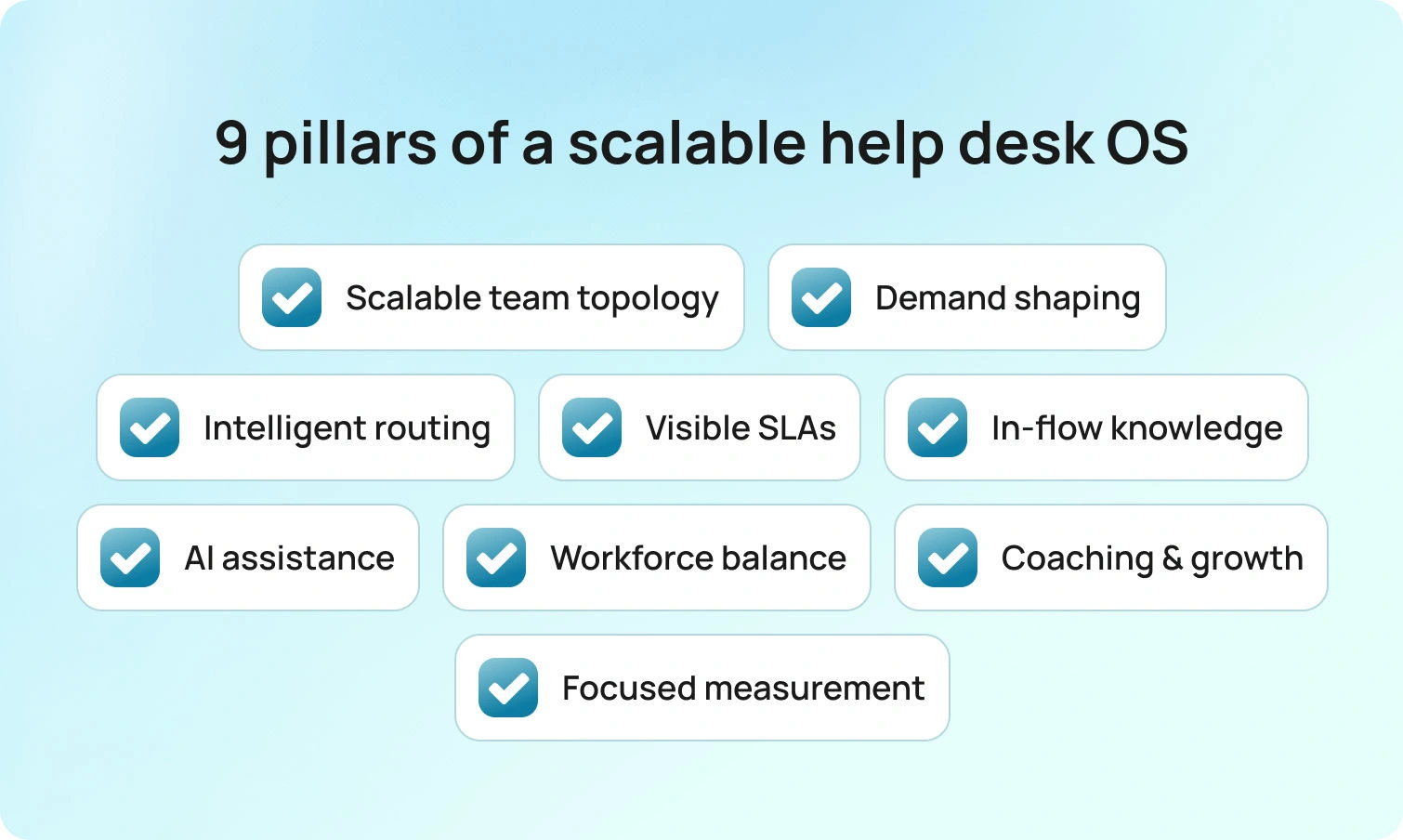
These pillars show exactly how work moves from intake to coaching, so your team resolves faster, communicates clearly, and stays healthy as volume grows.
The operating system is built on key strategies and a commitment to continuous improvement to optimize help desk performance.
1) Team Topology That Scales
A service desk team runs more smoothly when roles are explicit and light, with each team member’s responsibilities clearly defined to enhance efficiency and accountability. Assigning specific duties and automating repetitive tasks for each team member further improves team efficiency and ensures accountability. L1 (frontline) handles verification, triage, and well-documented fixes; L2 (specialists) takes on deeper diagnosis, configuration changes, and cross-team coordination; L3 (engineering or vendor) owns product defects and durable fixes.
Empowering support agents through ongoing training and fostering a supportive workplace culture enables them to provide more effective customer support. Providing tailored training, soft skills development, and regular feedback mechanisms for help desk agents enhances customer service and operational efficiency. During peak hours, a triage role monitors the firehose and filters incoming tickets before they reach the queues. A rotating desk captain manages spikes, approvals, and vendor blockers, so agents stay focused on cases rather than on orchestration.
For IT service desk teams, assign name owners for incidents, requests, problems, and changes, even if they sit in the same pod. The IT service desk team plays a critical role in managing system changes, minimizing disruptions, and ensuring effective communication with users. That clarity cuts back and forth, speeding service requests that cross other departments.
Artifacts to copy:
Role cards with mission, scope, and handoff rules. L1 = verification and documented fixes; L2 = advanced diagnosis and configuration; L3 = defects and durable fixes. Clear handoff triggers keep work moving without debate.
On-call calendar and escalation matrix with names and targets. One live schedule shows who covers each domain and the expected acknowledgment time, while the matrix maps severity paths and after-hours behavior, so the next step is obvious.
Captain’s checklist (daily forecast, coverage, blockers, top risks). A single page aligns staff to peaks, surfaces dependencies, and flags likely trouble—so the plan is posted early, agents stay focused, and customers stay informed.
2) Shape Demand at the Front Door
Volume is not solely determined by headcount, but at the point of entry. Intake forms should collect system, location or brand, urgency, entitlement, steps taken, and the appropriate attachment types. A help desk system can streamline the collection and management of support requests by ensuring all relevant information is captured at the point of entry. Conditional fields keep simple requests quick and expand for complex ones.
The self-service portal should suggest answers inside the form based on keywords and categories, not after submission. Self-service portals empower users to resolve common issues independently, reducing agents' workload and improving overall efficiency. Customers get help faster, and agents avoid preventable ping-pong.
Add a short pre‑submission checklist for common use cases, such as password resets, access requests, device swaps, or VPN access. Pair it with a self-service knowledge base that includes screenshots matching today’s UI. Tie each article to the same fields the form expects. The effect is immediate: fewer tickets for repetitive tasks that drain energy, and better starting data for the remaining tickets.
Micro‑templates:
Short, copy-and-paste prompts you can add to your intake form and portal to reduce back-and-forth and improve first-touch quality.
- Field hint: “Attach a screenshot of the exact error dialog. Please redact personal data.” Why: reduces back-and-forth and speeds up first response.
- Attachment rule: “Logs accepted: .txt or .log, max 5 MB. For screenshots, use .png or .jpg.” Why: prevents unusable files and repeated requests.
- Pre-check (password/MFA): “Tried self-reset and device restart? If not, run both now and note results.” Why: deflects quick wins and gives L1 precise starting data.
- Pre-check (access request): “Manager approval attached, role requested, start date confirmed, justification provided.” Why: stops approvals from stalling in the queue.
- Error copy capture: “Paste the exact error text or code shown on screen.” Why: improves searchability and knowledge suggestions.
- Privacy note: “Remove personal identifiers from attachments. If unsure, tick ‘redaction needed,’ and we will guide you.” Why: protects data and sets expectations.
- Submit blocker: “Almost there: select your device type and add a screenshot to continue.” Why: ensures completeness at the door instead of in the queue.
Deflection success copy: “This article should resolve the issue. If not, submit the form, and we will pick up with these details.” Why: keeps the path clear, regardless of whether self-service works.
3) Route By Skill, Language, and Risk
Routing sets the queue’s rhythm. Start by automatically classifying intent, detecting language, and assigning priority based on real impact, blending severity with customer tier. Automated ticket routing is essential to ensure support requests are directed to the right agents quickly, streamlining workflows and reducing response times.
Complex work should be assigned to specialists who can complete it without handoffs, while repeatable requests should flow to the team with the quickest, most reliable closure. VIP items deserve a dedicated view with clear timers so they never get lost amid low-impact work. Clear ownership, visible priorities, and short paths to the right expertise turn routing from a guessing game into a steady heartbeat the whole team can trust.
Keep the model simple and consistent across channels. Queues organized by intent and risk make the workload visible at a glance, helping leaders balance capacity early and helping agents manage tickets efficiently across multiple channels, so they can focus on what they do best. Service requests that require approval can be paused in a pre-approval lane with automated reminders, while incidents move directly to action with the next step already defined. The outcome is fewer reassignments, faster first qualified touches, and more predictable resolution times.
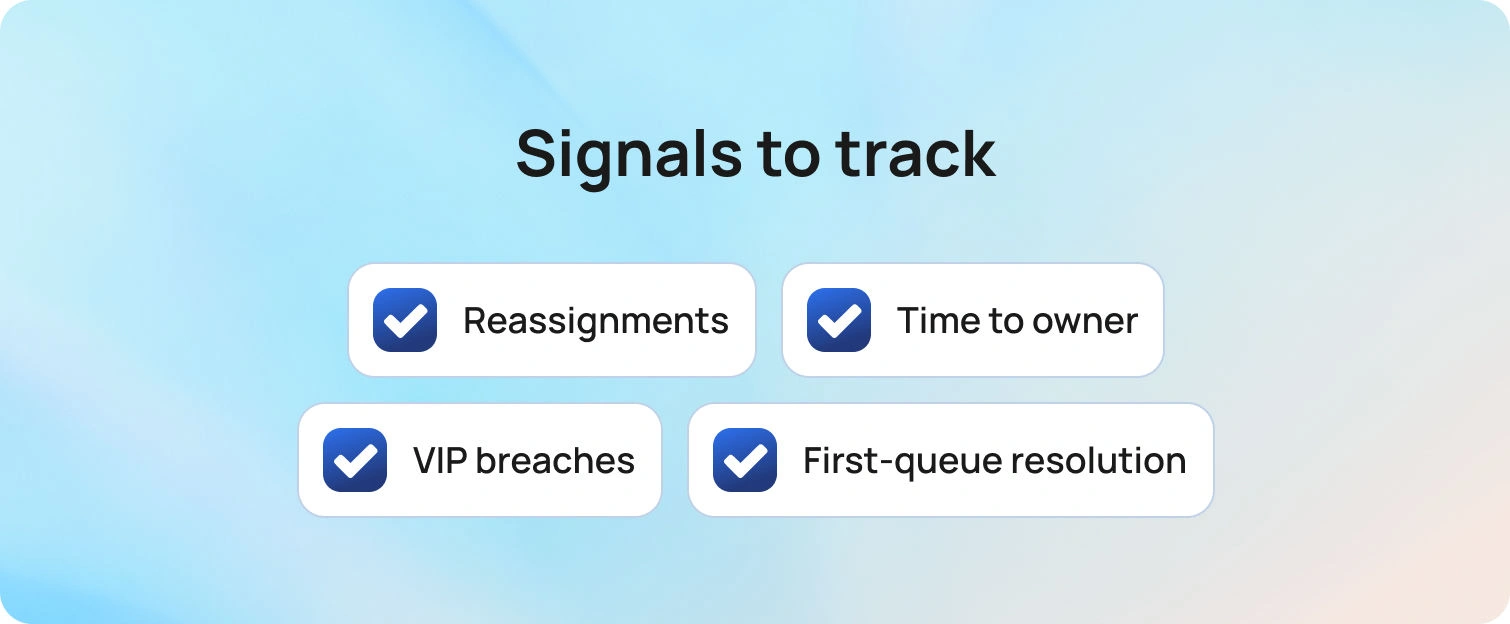
Signals to track: reassignments per ticket, minutes to first qualified owner, VIP breach ratio versus overall, and the percentage of tickets resolved in their initial queue.
4) Make SLAs and Communication Visible
SLAs work only when clocks are visible, and status language is plain. Put the first-response and resolution timers in the same view that agents use all day. Trigger reminders before a breach and send concise, clear status updates. Utilize multiple communication channels, such as email, phone, social media, and live chat, to keep stakeholders informed with timely updates. Keep the status model simple: New, In progress, Pending customer, Waiting on vendor, Resolved, Closed.
Build a customer communication playbook with three reusable templates per intent: first response, progress update, and delay notice. Map each to a target time and a trigger. Proactive communication is essential for building trust, so ensure your playbook supports this approach. Customers trust timelines when messages arrive at consistent moments, delivering consistent updates, and match what they see in the customer portal.
Copy‑ready lines:
- First response: “We are investigating and will update you by 14:00 local time.”
- Delay: “We are waiting for vendor logs and will check again at 10:00.”
5) Put Knowledge Where People Actually Work
Knowledge works when it is concise, current, and accessible. Articles should mirror the live UI and list the exact fields and commands. Surface them in the portal during submission and in the agent console during handling. Use a one‑click rating or a two‑line comment to collect customer feedback and agent notes. When agents deviate from the article path, nudge the owner to review the deviation. Short edits made weekly beat lengthy rewrites that never ship.
Pair the knowledge base with a brief author’s guide: scope, title pattern, verification step, expected output, and related issues. Implementing effective knowledge management systems is essential for capturing and sharing expertise, ensuring that valuable information is accessible across the organization.
That shared structure keeps desk agents writing consistently, fosters a culture of knowledge sharing among team members, and gives customer service teams confidence that articles will match reality.
6) Use AI to Remove Toil Without Removing Judgment
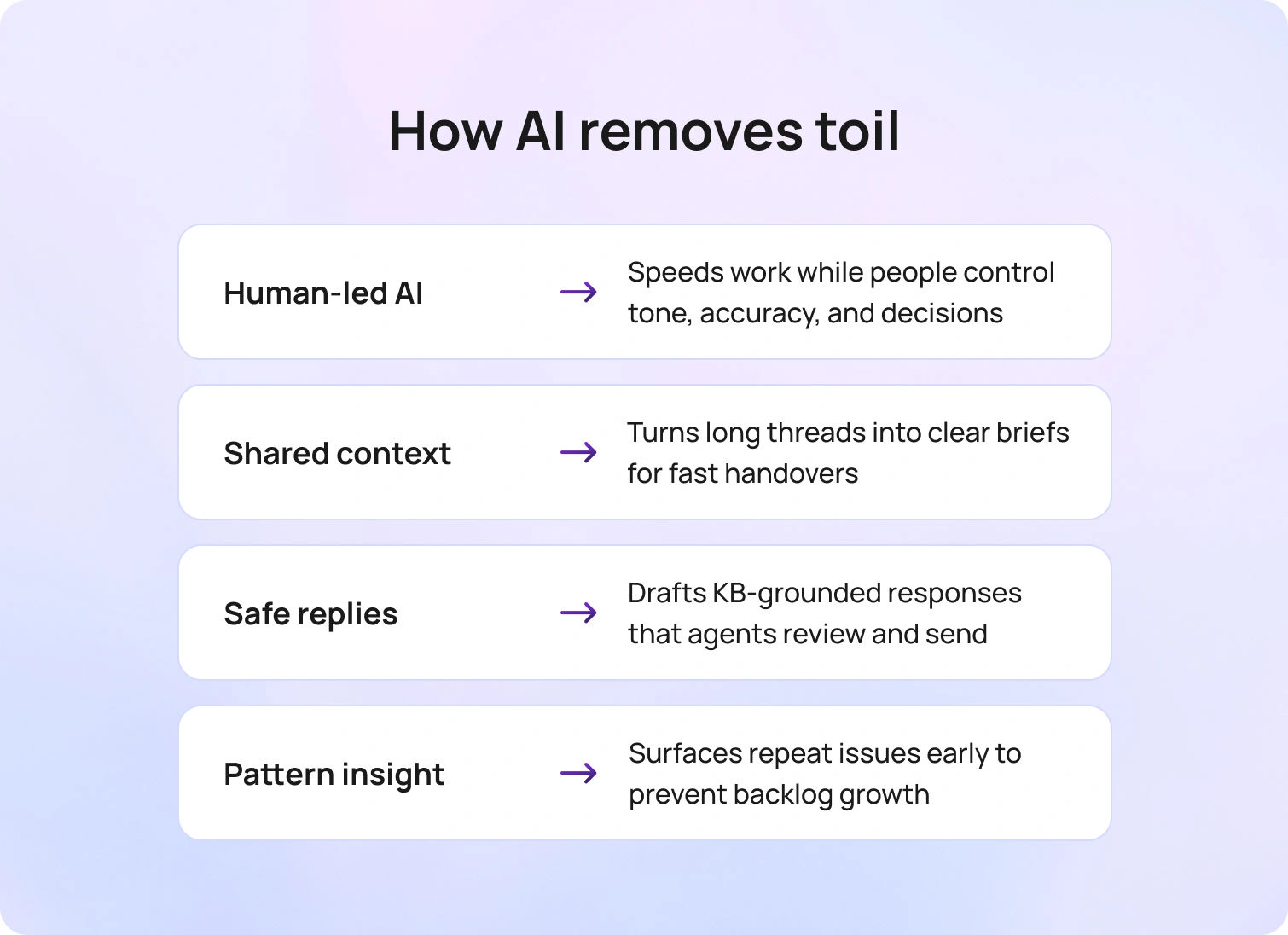
AI should feel like a strong assistant, not a replacement. The goal is to build momentum: faster context understanding, quicker first drafts, and fewer repetitive steps, while people retain control of tone, accuracy, and final decisions.
Context comes first. Long email chains and chat logs collapse into a short, brief that states what happened, what is blocked, and what to do next. Shift handovers no longer feel like cold starts because the next analyst sees the same concise snapshot, linked to the ticket and the relevant knowledge article. When a customer writes in a different language, automatic detection and in-place translation keep everyone in the same conversation without exporting text to another tool.
Drafting then becomes easier, not risky. Suggested replies are pulled from approved knowledge and current SOPs, so the wording stays on-brand and citations point to the exact article section that supports the answer. Agents review, personalize, and send, so response time drops without sacrificing the human judgment customers expect. When a fix requires command or policy text, the draft includes the exact snippet and a short explanation of why it applies, reducing back-and-forth.
Voice should not be a blind spot. Call transcription is stored in the same record as chat and email, so the entire history is visible to the entire team. Follow-ups no longer start with “what did we say on the call,” and problem investigations have the quotes and timestamps needed to move faster. Repeated phrases and error codes are searchable, enabling practical clustering and trend analysis in day-to-day work. AI-powered predictive support can anticipate ticket volumes, detect anomalies, and recommend preventive actions, helping teams proactively address issues before they escalate.
Patterns deserve attention, too. Auto-clustering highlights repeat tickets by symptom, device, version, or region, helping leaders identify a root-cause candidate before the backlog swells. A brief weekly review highlights key cluster insights, such as knowledge updates, a new intake field, or a routing rule that routes work to the right team sooner.
Guardrails make this safe and reliable. High-risk intents use an approval step before a message is sent or a change is applied. Anything that touches sensitive data or policy gets mandatory human review. Every AI-generated draft is labeled as a draft; edit history is stored with the case; and acceptance rate and edit distance are tracked, enabling managers to identify where content or process needs work by leveraging performance data. Grounding responses in your own knowledge base prevents hallucinations and maintains consistent compliance language.
Used this way, AI removes toil while agents keep the call. Customers get faster, more transparent communication. Analysts spend more time solving and less time re-reading or retyping. Automation saves agents valuable time, allowing them to focus on complex, high-priority issues. Leaders see cleaner notes, fewer repeats, and a steady increase in first-contact resolution without asking the team to work longer hours.
Guardrails: Label AI content as Draft, log edits, and review acceptance rate weekly to spot content gaps and process friction.
7) Workforce Management and a Healthy Pace
Even great workflows stall if shifts fight the volume curve. Forecast by hour, channel, language, and intent. Schedule skills to match peaks. These practices help drive operational efficiency by optimizing support processes and ensuring resources are allocated where they are most needed. Keep small overflow pools trained on common intents for short spikes. Protect deep‑work windows for L2 and L3 so complex cases do not get drowned out by interruptions.
Build a humane cadence. Ten‑minute standup covers yesterday’s misses, today’s forecast, and one fix, fostering open communication within the team. Midday check rebalances queues and confirms coverage for late‑day peaks. The end-of-day handoff uses a two-line template: current status, following action, and known risks. Encourage breaks that agents actually take. The point is not to squeeze every minute but to maintain a positive work environment where people can think clearly.
Wellbeing signals: occupancy over 85 percent for weeks, rising after‑hours pings, and a growing stack of partial lunches. Treat those as risks, not badges of honor.
8) Coaching, Careers, and Continuous Learning

Teams move faster and stay healthier when growth is visible, and feedback is specific. Make coaching part of the work week, not a quarterly event. Pick two tickets per person, read them together, praise one behavior to keep, and coach one to adjust. Use process improvements to enhance team performance by identifying areas for efficiency gains and leveraging analytics or automation where possible. Keep the comments concrete: what worked, what to try next time, and what “good” looks like in your playbook. Patterns from these short sessions feed your next update to templates, SOPs, or the knowledge base.
Learning sticks when people teach each other. Run a monthly brown-bag session where an agent walks through a thorny problem, shows the steps that solved it, and the team documents the fix in internal documentation. The presenter gets recognition, and the whole desk gains a repeatable path. Rotate the slot so newer analysts can build confidence and specialists can spread their expertise.
Careers should have a clear path. Create a simple ladder that moves from L1 to specialist or team lead, with parallel tracks for technical depth and people leadership. Structured career development and ongoing training are essential for professional growth and employee motivation. Tie advancement to mentoring, knowledge contributions, incident leadership, and quality metrics, not only volume. Give managers a small budget of time for shadowing, pair work on complex tickets, and short project assignments that stretch skills without risking SLAs.
Learning needs to fit the day. Offer short online courses and product change notes that agents can complete in focused windows. Pin key updates inside the console so the lesson appears where the step is used. Track who authored or updated articles and celebrate those contributions in team meetings. Continuous learning then feels like part of the job, not extra homework.
Measure the habits, not just the outcomes. Look for coaching touches per person, knowledge edits shipped, and the share of tickets that now follow the documented path. As those numbers rise, reopen rates fall, handoffs get cleaner, and agents see a future that does not require burning out to get ahead.
Encourage teams to regularly brainstorm and implement desk improvement ideas to boost efficiency, performance, and customer satisfaction.
9) Measure What Matters, Improve One Thing at a Time
Track a small set of key performance indicators: first contact resolution, handle time, SLA hit rate, reopens, and CSAT, while also tracking key metrics to monitor progress. Add queue health metrics: minutes to first qualified owner, percentage with more than one reassignment, and backlog age by intent. Use analytics to identify bottlenecks in help desk processes. Meet weekly to pick one friction point to fix. Add a missing intake field, tune a route, tighten a status template, or update one article. Tiny, specific edits shipped weekly beat grand redesigns that stall.
Close the loop with a one‑page “change log” that pairs every tweak with the metric it should move, and review desk metrics to ensure improvements are practical. Share it in your intranet so team members see how small shifts lift team performance and positively impact overall help desk performance.
How BlueHub Helps Teams Scale Without Burning Out

Morning used to start with guesswork. Tickets arrived half-completed, a VIP incident went unnoticed amid routine requests, and the team spent its first hour chasing basics. WithBlueHub (by BlueTweak) in place, the first ten minutes feel different. As help desk and desk software, BlueHubstreamlines support tickets, unifies communication, and ensures requests are routed efficiently. Intake forms adapt to context, so simple requests stay short and complex ones collect approvals and screenshots. Analysts open cases that are ready for action rather than another round of back-and-forth. Integrating with Jira Service Management can further enhance help desk operations through customizable workflows, SLA monitoring, and automation.
By midmorning, the queues are steady. BlueHub classifies intent, detects language, and assigns priority based on real impact, so complex work lands with specialists and repeatable requests flow to the fastest closers. VIP items sit in a dedicated view with visible clocks. People know what they own and why it matters, which removes the quiet stress of constant triage.
Customers hear from you before they need to ask. First response and resolution timers are in the same view agents use, and status templates send plain updates at the right times. The portal suggests likely fixes during submission, and the agent console surfaces the same articles as fields change. Answers match the current UI, so confidence grows on both sides of the conversation. Managing customer interactions effectively across channels ensures a seamless and high-quality support experience.
Afternoon handoffs no longer feel like cold starts. Long threads collapse into a short, brief that explains what happened, what is blocked, and what to do next. Suggested replies draw from your knowledge base, so the tone stays on-brand while the analyst edits and sends. Call transcripts are stored in the same record as chat and email, giving the team a single, clean history and fewer duplicates. Using internal notes enhances cross-team coordination and keeps everyone aligned without cluttering inboxes. Integrating Microsoft Teams facilitates real-time collaboration and information sharing within help desk workflows.
Leads stay ahead of the curve. Workforce management sits next to the queues, not in a separate tab. Hourly, channel, language, and intent forecasts inform schedules, and real-time views show where pressure is building. Two cases move to a quieter queue before SLAs slip. The team feels supported rather than rushed.
Improvement becomes routine instead of an overhaul. BlueHub ties outcomes to the exact form, route, article, or template that changed. First-contact resolution improves after an intake tweak. Handle time falls when a reply template is tuned. Reopens the drop once a verification step is added. Minor fixes every week add up to calmer days and steadier results. BlueHub streamlines IT workflows, reducing manual tasks and improving productivity.
For service providers and multi-brand teams, the same story holds. Multi-tenant reporting keeps each client’s data clean while one support team serves many. Leaders see what is happening across brands without losing the detail needed to act. Service desks and support teams work together to resolve technical issues and deliver support efficiently. Internal IT teams benefit from automation, request management, and stakeholder engagement to improve IT service delivery and operational efficiency.
The net effect is simple to feel and easy to measure. Tickets arrive complete, routing is predictable, customers receive timely updates, and agents finish the day with energy to spare. BlueHub turns good practice into a daily rhythm, enabling teams to scale without burning out.
From Survival Mode to a Sustainable, High-Performance Help Desk
Scale comes from a simple system you can run every day. Shape demand at the front door, route by skill and risk, keep SLAs and communication visible, and put current knowledge in the path of work. Use AI to remove repetitive steps while people make the decisions that matter. Match staffing to real demand, coach with concrete examples, and improve one friction point each week so gains compound.
If you want the whole model running in one place, BlueHub maps each step to no-code workflows your team can use right away. Intake becomes complete, routing becomes predictable, and updates arrive on time. Agents finish their days with energy to spare, and customers receive fast, consistent resolutions across every channel. See BlueHub in action with a 15-minute demo and watch a ticket move from intake to closure with clarity at every step.
How To Measure Help Desk Performance: 21 Metrics That Matter
Why Measurement Should Mirror the Work
Monday, 9:05 a.m. The queue looks calm, yet your inbox is not. A customer asks for an update for the second time, a VIP copies a director, and two analysts debate ownership of a stubborn access request. The dashboard says handle time is down. It also says reopenings are up. Neither explains why the team feels stretched or why customers keep chasing status.
The gap is clarity. Customers notice slow first responses and vague timelines long before they answer a survey. Agents feel the drag of missing details, unclear handoffs, and tickets that boomerang. Leaders see green SLA charts that hide aging VIP work and quiet backlogs. Without the proper measures, you fix symptoms and miss the cause. With the proper measures, you see the pattern behind the noise: where demand is spiking, where work stalls, which promises break, and which changes actually help. These patterns provide valuable insights that enable data-driven decisions to improve help desk performance.
This article focuses on the numbers that reveal that story. You will not see vanity charts. You will see a small set of metrics that capture what customers feel, what agents can change today, and what leaders can tune this week. The goal is simple: clearer decisions and calmer days.
How to Measure Help Desk Performance: The 21 Metrics That Matter
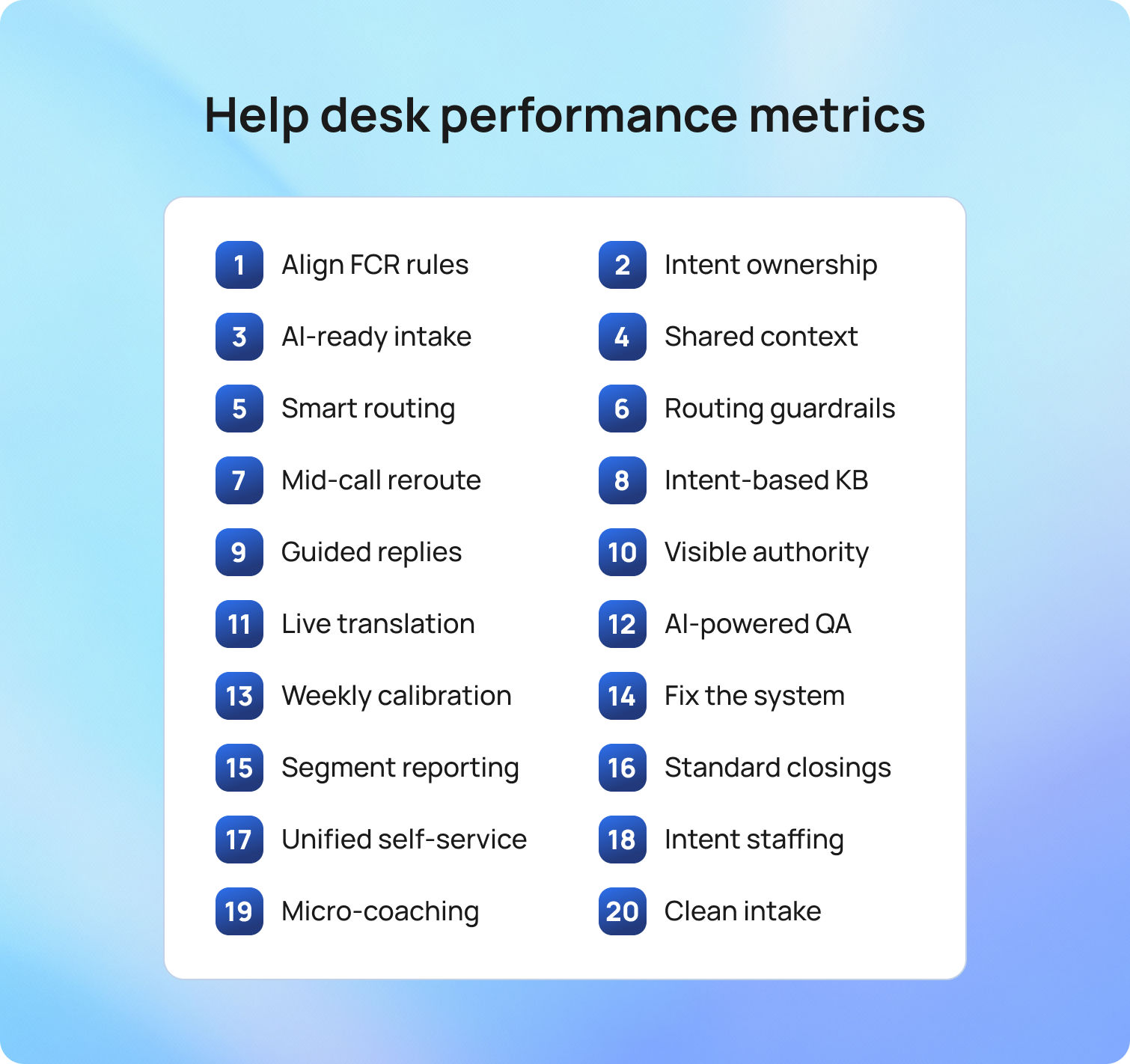
Strong measurement starts with a clear picture of demand, follows how work moves, and ends with what customers felt and what held up the fix. The metrics below work together in the order shown. Tracking these metrics is essential for improving support and service desk performance, support operations, and overall process optimization to deliver better outcomes. Read them as a storyline rather than isolated numbers: volume and mix set the stage, speed and flow show pacing, quality and accuracy confirm outcomes, productivity and cost reveal the effort required, reliability shows whether promises held, and team signals tell you if the pace is sustainable.
1) Ticket Volume
Ticket volume is the count of support tickets opened in a defined period (often tracked as support channel ticket volume and compared as support tickets opened vs. resolved within a specific period). It frames the load your support team carried and gives context to every other number. Segment by intent and channel so a spike in chat for complex billing does not hide in a single total. Volume by itself is neutral; pair it with deflection and self-service usage to see whether fewer tickets reflect better design or silent abandonment.
2) Ticket Volume by Channel
Channel mix shows how demand arrives across portal, email, chat, voice, and social. Each channel carries a different context and speed. Different channels may generate different types of support requests, requiring agents to perform a variety of support tasks to resolve them efficiently. Chat suits quick, well-understood fixes, while email fits attachments and approvals. Knowing the mix lets you place skills by hour and language so the customer service team is present where customers actually show up.
3) Ticket Creation to Qualification
Creation-to-qualification measures the time from ticket creation to the first assignment with the right skills and permissions. It combines intake quality and routing clarity into a single value. Long waits often point to vague forms, missing attachments, or guesswork on ownership. Conditional fields, simple pre-checks, and routing by intent, language, and risk shorten this interval and give analysts a clean first move. Streamlining and continuously improving support processes at this stage can significantly reduce delays and improve efficiency.
4) First Response Time (FRT)
First response time tracks minutes from creation to the first meaningful human reply, often referred to as the initial contact with the customer. Customers relax when an early update sets expectations in plain language. Empty acknowledgments distort the metric and damage trust. Visible SLA timers in the queue view and short, copy-ready first responses keep timing predictable without encouraging shortcuts.
5) Average Resolution Time (Time to Resolution, TTR)
TTR measures the whole journey from creation to resolution and shows whether work is advancing or idling. Tracking average and overall resolution times is key to understanding how efficiently the team resolves issues. Count only allowed pauses such as Pending customer or Waiting on vendor with a visible reason. If FRT (first resolution time) improves while TTR worsens, handoffs or unclear next steps are likely. A brief daily unblock huddle often clears the few items that jam everything else.
6) In Progress Age
In progress age is the median age of active tickets. It exposes quiet drift that averages can hide. Monitoring in-progress age helps identify and manage the ticket backlog, ensuring that unresolved tickets do not accumulate unnoticed. Report medians and percentiles to avoid distortion from a single long case. Protect focus windows for L2 and L3 queues, where specialists diagnose complex issues and engineers deliver durable fixes, so deep work can be completed without constant interruptions. When this value drops, customers feel genuine movement and response times improve where it matters.
7) Backlog and Backlog Age
Backlog counts open tickets and their age by intent. Comparing opened and closed tickets over time helps teams allocate resources effectively and optimize resource allocation to prevent backlog growth. It is the honest view of debt. Older items usually signal missing steps, unclear ownership, or stalled approvals. Tackle one intent at a time and pair the push with a small intake or routing fix so the problem does not return next week. Track VIP backlog age to prevent a quiet risk.
8) First Contact Resolution (FCR)
FCR is the share of tickets resolved after the initial qualified touchpoint with no additional agent interaction (also known as the first-contact resolution rate). It reflects how well intake and knowledge match reality. Segment by intent and language so you target work that can truly be solved at first touch. Draft replies to approved articles and surface them during submission to lift FCR without sacrificing tone.
9) Contact Resolution Rate
Contact resolution rate asks whether the fix holds. Measure the percentage of tickets that remain solved after a defined window, such as seven days. A dip here often means rushed closures or weak verification. Ensuring the resolution fully addresses the customer's issue is essential for maintaining a high contact resolution rate. Clearer closure notes and a short confirm-outcome step reduce returns without slowing the queue.
10) Reopen Rate
Reopen rate is the percentage of tickets that return after resolution. Every reopen adds cost and erodes confidence. Capture why cases come back so you can separate misunderstandings from defects or missing entitlements. A small verification step for higher-risk intents and a tighter resolution template usually bring this down.
11) Transfer Rate
Transfer rate is the share of tickets that change owners at least once. Reassignments add reading time and break context. Treat valid specialist handoffs differently from misroutes. Clear handoff triggers in role cards and queues organized by intent reduce unnecessary transfers, giving support agents more time to solve tickets and allowing each to focus on resolving tickets efficiently.
12) Escalation Rate
Escalation rate is the percentage of tickets pushed to a higher tier or a vendor. A well-trained IT support team can handle more issues at the first level, reducing unnecessary escalations. Healthy operations do not aim for zero; they aim for justified escalations with clear evidence. Watch trends by intent. A sudden rise often signals a new product issue or a knowledge gap. Pair escalations with fast article updates and short teach-backs so L1 can handle the next one.
13) SLA Compliance
SLA (service level agreement) compliance reports the percentage of tickets that meet first response and resolution targets, making it one of the most essential service desk KPIs. It reflects both predictability and speed. Pauses should be limited to clear states with visible reasons. Breach warnings belong in the live queue view so action happens in time, not in a retro report after the promise is already broken.
14) VIP Exposure and Aging
VIP exposure shows open VIP tickets by severity and age, along with the next promised update. Effective service desk management ensures VIP tickets receive timely attention. It prevents high-risk work from aging quietly under routine requests. You do not need a separate process for VIPs, only timely visibility and scheduled communication that matches expectations. When this stays clean, leaders support rather than chase status.
15) Customer Satisfaction Score (CSAT)
CSAT measures how satisfied customers are at the end of a case, with customer satisfaction surveys as the primary tool for collecting this feedback. Keep the survey short and send it when the outcome is fresh. A single question with an optional comment usually tells you enough. If CSAT looks fine while message sentiment sours, adjust status timing and template tone before problems spread.
16) Customer Effort Score (CES)
CES asks how much effort customers had to put into resolving an issue. It shines a light on intake friction, unclear updates, and handoffs. Ask after an unlock, access grant, or device swap when memory is fresh. Then remove the step that customers most often stumble on. CES improves, and so does overall satisfaction, as higher CES scores are closely associated with greater user satisfaction.
17) Net Promoter Score (NPS)
NPS reflects willingness to recommend and sits within the broader customer experience, with high NPS scores serving as a strong indicator of customer loyalty. Support influences it through tone, speed, and fix quality. Use NPS to inform cross-functional work with product and operations rather than to grade an individual agent. When support themes explain swings in NPS, you have evidence to focus on the next improvement.
18) Average Handle Time (AHT)
AHT is the active work time per ticket. Monitoring AHT helps assess agent productivity and identify areas for improvement. Treat it as a lens on waste, not a speed trap. Extended reading and repetitive writing are common culprits. Thread summaries, reply drafts grounded in the knowledge base, and in-flow article snippets lower AHT while protecting service quality, which matters more than shaving seconds that customers can feel.
19) Agent Utilization Rate
Utilization compares productive time to scheduled time. Sustained values in the high eighties or nineties suggest a team running hot. Short peaks happen; long strain predicts attrition. Forecast by hour and language, keep a small overflow pool trained on common intents, and protect deep work windows. Utilization settles, and team performance rises, while optimal utilization reflects the team's ability to handle workload efficiently and serves as a key indicator of the team's performance.
20) Cost Per Ticket
Cost per ticket is the total support costs divided by the number of tickets resolved in a period, providing insight into the overall efficiency of support services. It provides a financial view of performance and helps justify investments. Durable reductions come from fewer repeats and faster first-qualified ownership, rather than shifting work to customers. When FCR rises and reopens fall, the cost per ticket drops in a way customers appreciate.
21) Knowledge Engagement
Knowledge engagement blends article usage, feedback, and update cadence, and strong knowledge engagement is essential for delivering high-quality technical support. It answers whether the self-service library and agent articles actually help. Track which pieces appear during submission, which are used during handling, and which receive a quick thumbs-up. Nudge authors when agents deviate from recommended steps. Minor, steady edits keep helpful content and lift FCR without a rewrite project.
How These Metrics Connect
Connections tell the story. A faster first response with a longer time to resolution often means handoffs or unclear procedures. A drop in TTR paired with rising reopens reveals rushed closures. Stable FCR with worsening sentiment points to tone or timing issues rather than technical gaps. The chain is the point, and it is how to measure help desk performance without drowning in charts. Understanding the relationships between desk metrics and service desk metrics is key to making meaningful improvements.
A change log that pairs a minor fix with expected movement in two or three connected metrics makes learning fast. Add model and OS to the device swap intake, and you should see fewer reopens, a shorter path to the qualified owner, and a modest drop in handle time. If the signals do not move, revisit the fix.
How to Set a Baseline in One Week
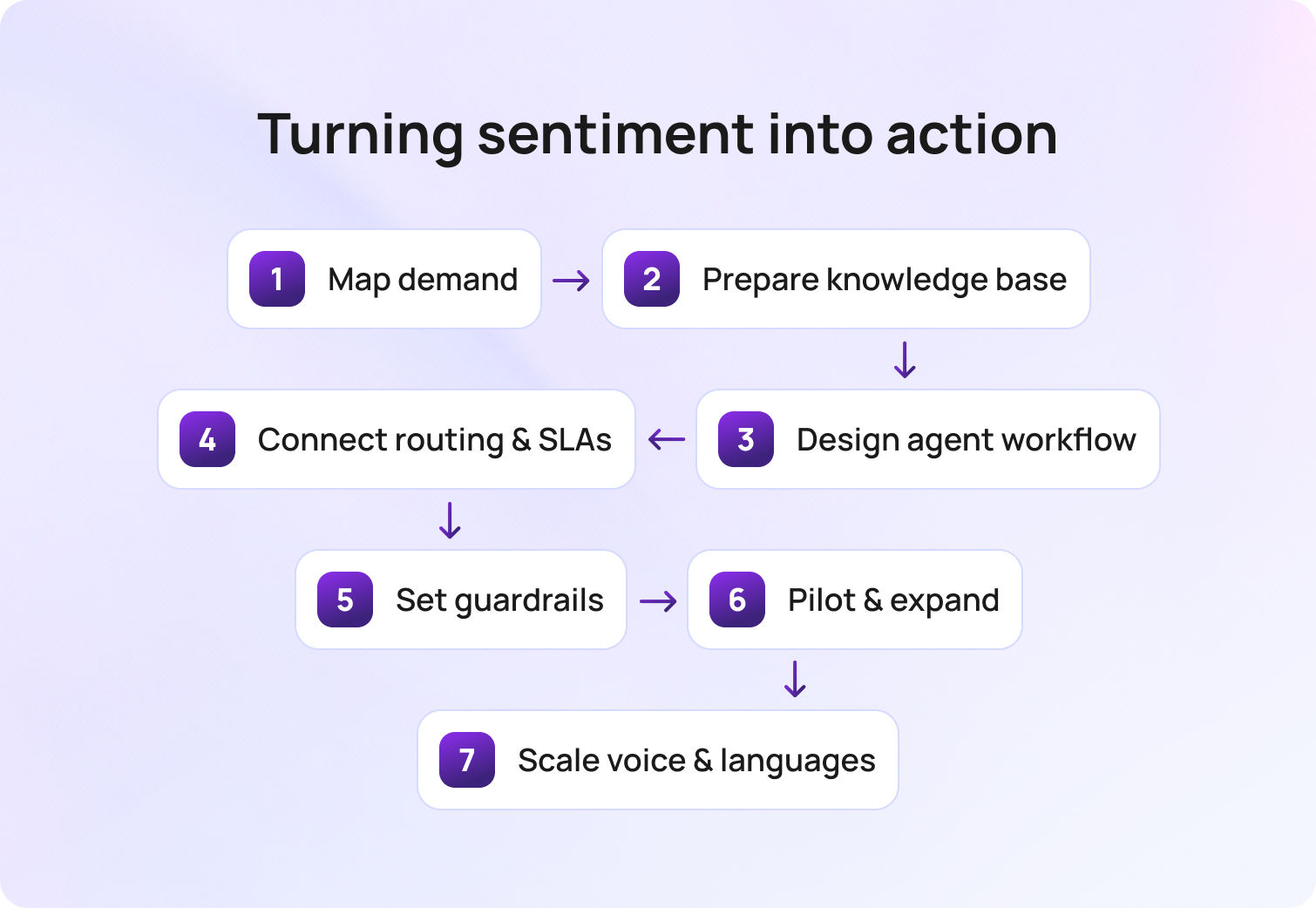
A solid baseline does not require a quarter or a BI project. It needs one shared window, precise definitions, clean data, and a simple loop that ties changes to results. The goal is a view your team trusts enough to act on every week.
Pick the window and freeze it. A rolling 28-day period smooths holidays and odd weeks without hiding problems. Set the clock on Monday morning and keep the same cadence each week. Everyone knows what “this period” means, which stops calendar confusion before it starts.
Write the glossary first. Publish a one-page list of metric names and formulas. Define first response time, time to resolution, first contact resolution, reopen rate, SLA compliance, backlog age, and any VIP views you plan to show. Note what counts as a pause, which statuses qualify as resolved, and whether you use business hours or calendar hours. Lock it. The glossary prevents later debates that waste time.
Choose a single source of truth. Pull every metric from the same workspace so the numbers line up with how people actually work. Tickets, SLAs, knowledge usage, AI drafts, and staffing should feed the same dataset. Integrating customer data from systems such as CRM, billing, and analytics provides a unified, accurate view of support performance. If you must combine systems, declare the join keys upfront and test them on a small slice before you scale.
Focus on trends, not trophies. Targets are helpful, but trends tell the story you can act on. Show this week versus the prior four and the same window last quarter. Celebrate direction with context. A decrease in time to resolution is only good if reopens are not increasing.
Segment where it matters. Report by intent, channel, and language so averages do not hide risk. Password resets should not mask payroll incidents. Chat performance should not be judged by email complexity. Segmenting reveals where a minor fix can move a real number.
Publish a change log next to the dashboard. Pair every tweak with the metric it should move. “Added device model and OS to swap intake” should link to expected drops in reopens and handle time for that intent. Review the log in the same meeting where you review the numbers. Cause and effect become explicit.
Assign owners and meeting rhythm. Name a data owner for the extract, a lead for the glossary, and a facilitator for the weekly review. Keep the meeting tight. Ten minutes on the five anchors, ten minutes on one fix, five minutes on the change log. Decisions become routine rather than dramatic.
Validate with a small audit. Pick ten tickets from the period and hand-check the timestamps and statuses against your formulas. Confirm that paused states are applied correctly, that resolved means the same thing across queues, and that VIP tags are accurate. Fix any drift before you broadcast the dashboard.
Close the loop with one improvement. Use the baseline to pick a friction point and ship a small change within the week. Add a missing intake field, tweak a routing rule, clarify a delay template, or update one article that does the most damage when it is wrong. Check the impact in the following review and write two lines in the log.
Let the platform do the heavy lifting. BlueTweak makes it quicker because intake, routing, timers, knowledge,AI ticket summaries, staffing, and analytics live in one place. The same data powers both dashboards and decisions, which means less reconciliation and more actual improvement.
How BlueTweak Turns Measurement Into Weekly Wins

Monday starts with a short review, not a scramble. The team opens BlueTweak and sees the five anchors in one place: first response time, time to resolution, SLA compliance, reopen rate, and CSAT. A pattern stands out. Reopens ticked up on device swaps. You click the device-swap intent and read recent tickets in the same workspace, complete with AI summaries, call transcripts, and the exact steps agents took.
The fix is minor and immediate. In conditional intake, you set a model and OS as required, with a clear field hint and an attachment rule for screenshots. In dynamic routing, you tighten the rule so that complex swaps go to the L2 device pod with German-language coverage when needed. In status templates, you add a one-line verification at closure. Each change takes minutes because forms, routing rules, and templates live next to the queue rather than in a separate admin tool.
By Friday, the impact is visible. Analytics show first-touch quality up, minutes to a qualified owner down, and reopens easing. A linked change log pairs each edit with the movement it produced, so there is no guesswork about cause and effect. Knowledge base usage confirms that agents opened the updated article in flow, and AI reply drafts grounded in that content kept tone consistent while speeding responses.
The next week follows the same rhythm. A late-afternoon slowdown in billing emails is shown in the workforce management view, alongside the queues. You shift one agent for two hours and watch SLA timers settle before they breach. A quick check of multi-channel views confirms that chat is handling simple requests, while email handles longer approvals.
Over time, this quiet loop becomes the operating habit. This approach enables teams to consistently deliver exceptional customer support and create a positive customer experience. Minor edits ship quickly, numbers move in the right direction, and the day feels calmer because measurement and action are on the same screen in BlueTweak.
Numbers That Power Faster Resolutions
A strong measurement system looks simple at first glance and precise underneath. The families cover demand, speed, quality, reliability, cost, and team health. The individual metrics have definitions that do not change, formulas anyone can calculate, and trends that point to one practical fix.
When intake improves, the time to a qualified owner falls. When knowledge sits in the path of work, first-contact resolution improves. When status language becomes clear, second contacts drop. When pauses are visible and justified, SLA compliance becomes trustworthy. The chain is the point, and it is how to measure help desk performance without drowning in charts.
If you want to see this model operating in one place, BlueTweak maps each metric to the workflow that moves it and shows its impact in days. Tracking support issues and addressing customer concerns are central to effective help desk measurement. See BlueTweak in action with a short demo and watch a ticket move from intake to resolution with the right metrics front and center.

How to Prioritize Help Desk Tickets: 21 Strategies for Faster Resolution
Why Prioritization Decides Speed and Satisfaction
Monday, 9:07 AM. The queue looks deceptively calm at fifty-two tickets, but that surface tranquility is a lie. A critical payroll outage sits three rows down simply because the subject line reads “Cannot access system,” while five password resets shout for attention in all caps. A VIP replies to an old thread, skipping the portal entirely.
Then a device swap request arrives with no model number, bouncing between agents twice before anyone can begin work on it. Your customers feel this disorder as slow, uneven, and frustrating service. Your agents feel it as endless interruptions and stressful guesswork. Customer service and support agents rely on efficient ticket management to handle inquiries and maintain consistent communication; without it, their work becomes chaotic. Your leaders feel it when SLA charts look green while truly important work quietly ages.
A clear, universal prioritization system fundamentally changes the day.
The most common mistake I see in help desk operations isn't a bad tool or an undertrained team but the absence of a shared definition of urgency. When 'critical' means something different to every agent, priority becomes whoever shouts loudest, and the queue reflects politics rather than risk. Once you anchor the entire team to two questions: how many people are affected and how fast is the damage growing, the conversation shifts from opinion to evidence, and resolution times follow almost automatically.
— Radu Dumitrescu, Head of Presale & Digital Transformation, BlueTweak
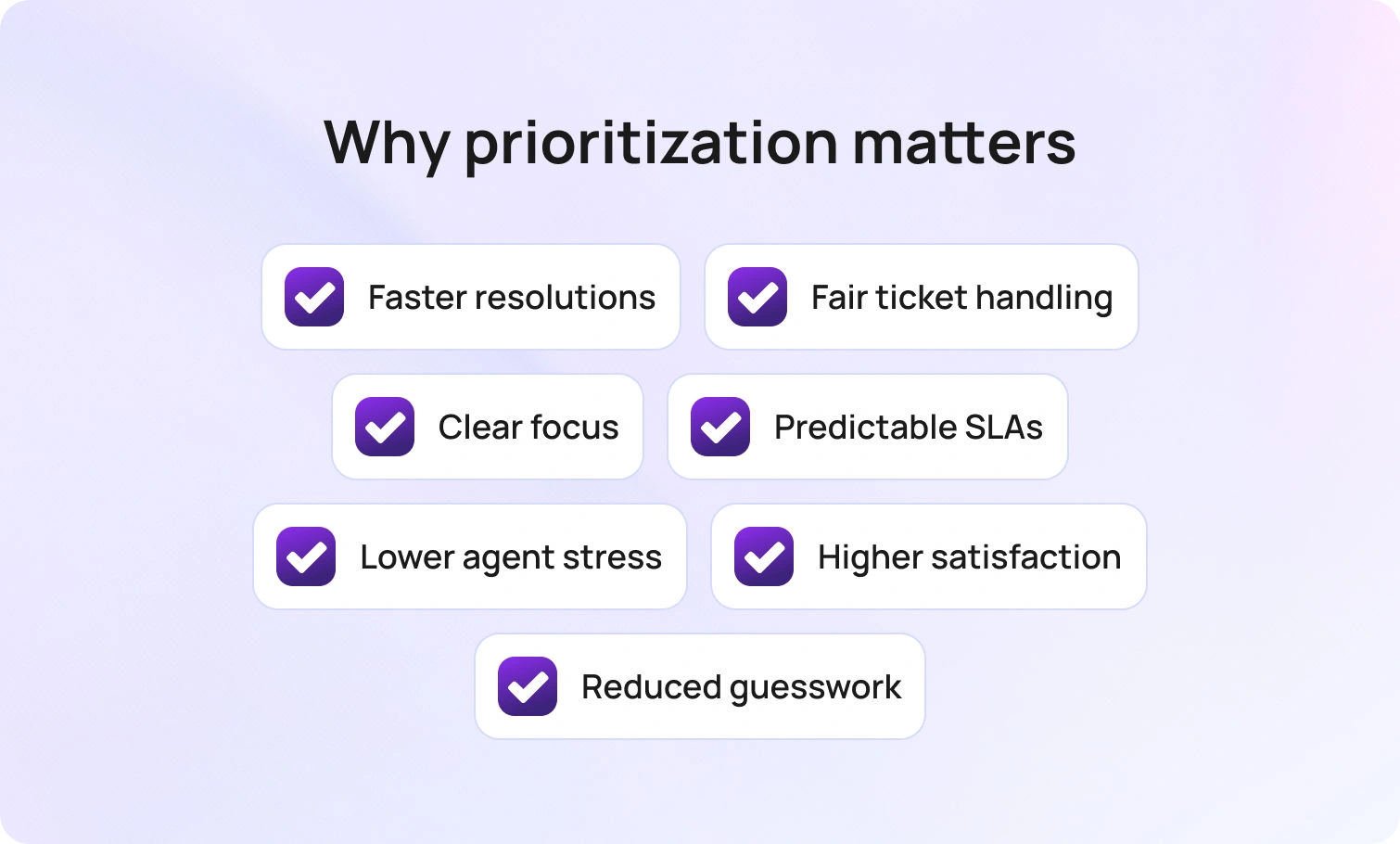
By using factors such as impact and urgency, you establish a shared language in which the loudest voice no longer wins. High-impact work automatically rises to the top and receives a tight, focused communication cadence. Routine requests are routed into a short, well-lit lane and finished quickly.
Instead of hidden rules, promises appear as visible timers, ensuring action occurs before a deadline slips. The result is far more than just faster resolution time. When a well-organized customer support team is in place, it improves customer satisfaction by ensuring that important issues are addressed promptly and consistently. It leads to fairer treatment for everyone, steadier queues for your team, and the mental space for agents to actually think.
The strategies that follow are practical and deeply connected. You will learn to set priorities with clarity, route tickets with confidence, communicate in plain language, and shorten the lifespan of routine tickets so the truly urgent work receives the swift attention it deserves. Efficient ticket management is key to achieving both speed and customer satisfaction.
21 Strategies to Prioritize Help Desk Tickets for Faster Resolution

Your working queue needs more than just rules; it needs innovative tools. You need guidelines that your team can apply in under a minute, signals that show exactly when to bend the rule, and small, consistent habits that keep the entire system honest.
The following 21 strategies are the best practices for help desk management. Optimizing help desk operations and desk operations is essential for effective ticket management, as it streamlines workflows, improves resolution times, and ensures your team can handle support requests efficiently. They are designed to cut through the noise, optimize your processes, and ensure that your team is always working on the right thing at the right time. Get ready to turn your chaotic queue into a smooth, efficient operation.
1) Decide Priority in Seconds with Scope and Velocity
Priority should never become a debate. Two simple questions settle it instantly: How many people or systems are affected (Scope), and how quickly harm will grow if nothing changes (Velocity)? This clarity ensures consistency and speed.
Organizations can prioritize tickets based on predefined criteria such as customer value, urgency, or impact. Priorities can also be set based on factors such as customer plan tiers, spending habits, or the overall impact on business operations, aligning with a prioritization-based approach to optimize support efficiency and response times.
A P1 is an unacceptable, broad outage that puts your money or reputation at immediate risk. P2 captures severe degradation for a large group, which is worsening by the minute. P3 fits contained issues that can wait for a development sprint, and P4 covers cosmetic or housekeeping work you can batch later.
How BlueTweak helps: Priority is determined by your configured rules for ticket fields (and any mapped symptoms). Selecting it starts the right timers and escalations in the queue.
Talk with one of our customer support experts to learn more
Learn More2) Tie Promises to Visible Clocks
Every priority level needs a mandatory first-response and resolution target that everyone, including your customer, can see. These Service Level Agreements (SLAs) must be visible to your agents. Visible response times and resolution times help ensure that support tickets are handled promptly, meeting customer expectations and improving overall support efficiency. Reminders should arrive well before a breach, and customers should see the same next-update time in their portal view. Using empty acknowledgments just to stop the clock without moving the work only trains people to chase you.
How BlueTweak helps: SLA timers and pre-approved templates are available alongside each ticket. Templates auto-merge the next promised update time, and your customer portal/messages display it when enabled.
3) Route to the First Qualified Owner
Speed starts with the very first person who touches the case. Automated routing by intent, component, language, customer tier, and sensitivity ensures database failures go straight to specialists and access requests funnel into an approval flow before a human wastes time.
Ticket assignments can be automated to assign tickets to the most suitable agents or other teams based on expertise, language skills, and current workload, improving support efficiency and resolution times. The goal is fewer transfers and the shortest possible path to someone who can finish the job. When that first qualified touch lands early, resolution time falls without burning out your team.
How BlueTweak helps: Routing rules combine skill profiles with ticket signals to place work with the right owner. Live workload and SLA-risk indicators make emerging bottlenecks obvious, so teams can rebalance before timers turn red.
4) Raise Safety, Security, and Revenue Work One Level
Not all P2s are equal. Urgent issues such as a suspected credential breach, a payment failure during checkout, or potential data exposure warrant a higher lane and a tighter update cadence. By raising these asymmetric risks by one level, you protect the business without rewriting your entire process. A short, two-step containment checklist keeps the first five minutes crisp; the normal flow then resumes with more frequent customer updates.
High-priority tickets may also be assigned to customers who contribute more money to the business, ensuring their issues are resolved promptly and supporting key revenue streams.
How BlueTweka helps: When configured, risk tags raise priority by 1 level, trigger a short containment checklist, and automatically apply a more frequent status cadence.
5) Make VIP Exposure Obvious and Predictable
Special handling for your VIPs doesn't require secret, custom rules. You just need one clean, obvious view that shows their severity, age, and the next promised update. The standard priority definitions still apply, but with earlier warnings and a firmer communication cadence. This lets leaders stop chasing urgent Slack pings for status and focus on clearing genuine blockers.
How BlueTweak helps: A VIP filter surfaces severity, age, and the next promised update, while SLA timers appear alongside each VIP ticket in the queue (and customer portal when enabled) for quick monitoring.
6) Judge First Replies by Time to Unblock
Customers instantly relax when your first message provides an effective initial response, one that either removes the blocker or asks for one specific thing that unlocks the next step. Effective initial responses can set the tone for the entire support interaction, ensuring customers feel heard and supported from the start.
A screenshot of the exact error dialog beats a vague log request, and a single command to run beats a wall of text. Your agents then move immediately to the following action rather than starting a second conversation to clarify the first. This habit drastically drops second-contact rates and builds trust.
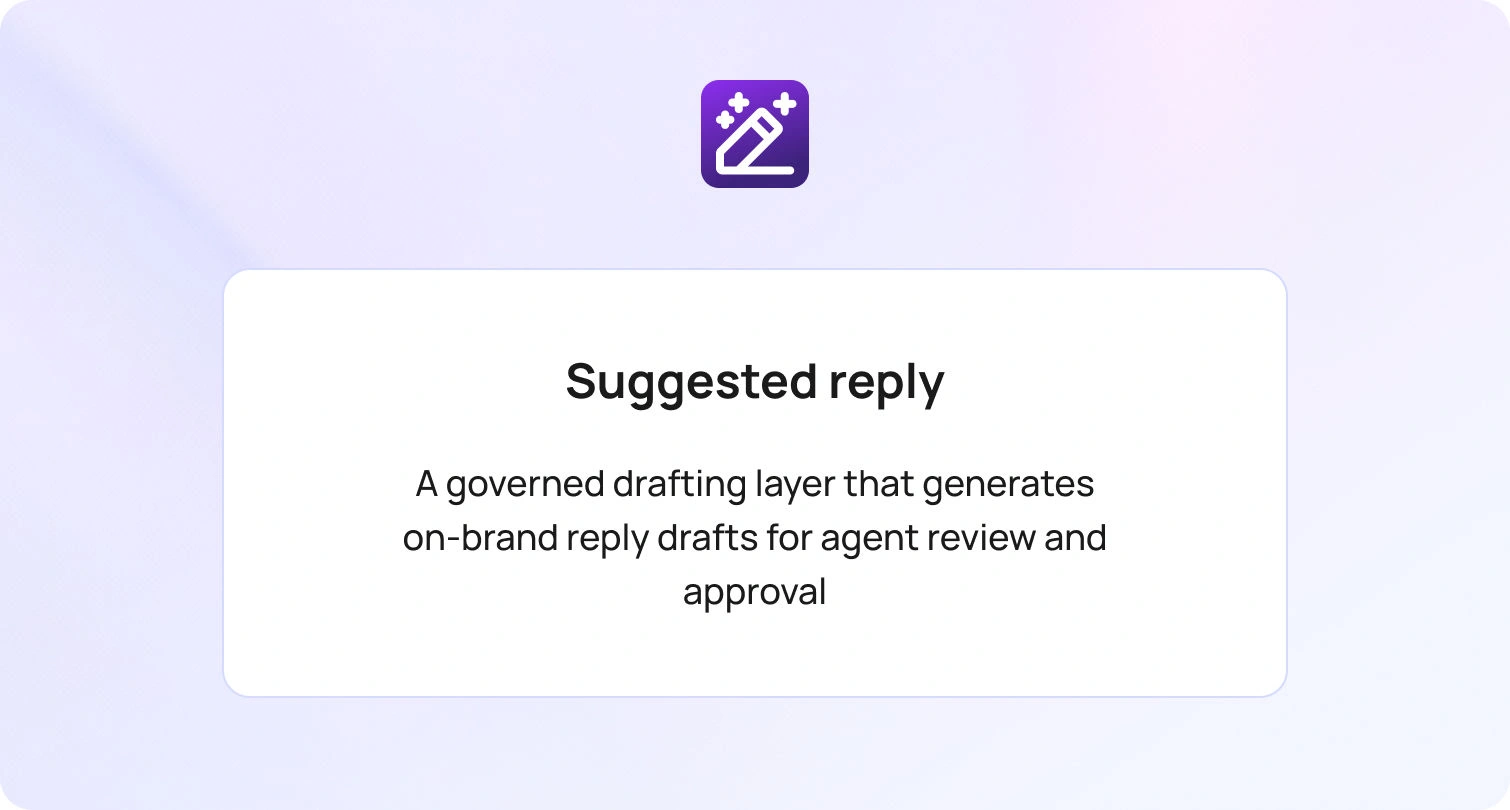
How BlueTweak helps: Suggested replies propose the next best step from the mapped knowledge article, allowing the agent to insert the correct unblocking hint with a single click.
7) Allow Only Two Pauses and Always Log the Reason
Timers should pause only when you are waiting for a customer or vendor. Everything else keeps aging. Every pause must have a clear reason and a scheduled check-in time to prevent items from slipping into oblivion. When fake pause states disappear, your queues become honest, and your real internal bottlenecks become impossible to ignore.
How BlueTweak helps: When configured, tickets can pause only in Pending customer or Waiting on vendor status; a pause reason is required, and scheduled reminders nudge the customer until they respond or the timer expires.
8) Break Ties with Age and Breach Risk
Two P2s are not equally urgent. When priority levels match, work the older ticket or the one closest to its SLA target. Simple, automatic tie-breakers make the top of the ticket queue obvious and instantly defensible. This significantly reduces stress and prevents arguments over who picks next.
How BlueTweak helps: Queue sorting combines priority, ticket age, and SLA progress to surface the next best ticket at the top based on your configured rules.
9) Collapse Incident Duplicates and Talk in One Place
Outages inevitably echo across the inbox. Linking all child tickets to a single parent, posting a single, clear status update there, and cascading that note to every linked case eliminates retyping and ensures consistent messaging. Customers hear the same thing, at the same time, with the same next update. Closure becomes one simple motion instead of fifty small ones.
How BlueTweak helps: Auto-clustering can propose a parent, and once tickets are linked, bulk actions (i.e., status, tags, and updates) can be applied to all children in a single step based on your configuration.
10) Deflect Routine Work Inside the Form
The cheapest ticket is the one that never opens. Providing self-service options, such as displaying the correct knowledge article as a customer types, often resolves the issue on the spot. Making essential information available through knowledge articles and forms empowers users to resolve issues independently. If it doesn’t, the form requires the customer to provide exactly what the article expects, including the correct attachment type and size, so the first touch still moves quickly. Volume falls, and what remains arrives complete.
How BlueTweak helps: A centralized knowledge base is available in the portal and the agent console. Agents can insert the correct step into a reply with one click, and customers see those same steps during submission when enabled.
11) Use Sentiment and Stage as Gentle Nudges
Some messages carry inherent churn risk or involve active revenue. Strong negative sentiment or an active pre-sale conversation deserves a one-level nudge and a quick human review, not a disruptive leap across the entire matrix. This pressure-measured valve maintains system fairness while giving reputation and revenue the timely attention they need.
How BlueTweak helps: Flags can suggest a one-level priority increase and preload an empathetic template with a concrete next step for the agent to review and send.
12) Assign to the Shortest Path to Done
Round-robin feels fair but guarantees transfers. A simple skills matrix for languages, systems, and certifications gets the ticket to the person or small pool that closes it fastest. For a small team, efficient ticket assignment and workload management are essential to handle support tickets effectively and maintain high responsiveness. Transfers drop, notes stay clean, and customers no longer hear “I am moving this to the right team.” The work finishes where it starts.
How BlueTweak helps: Skills and schedules are within routing, and when performance-based routing is enabled, the engine can favor the pool with stronger historical close rates for that intent.
13) Standardize Three Messages Per Intent
Every common request should include three short, standardized messages: a first response that sets the next update time, a progress note that explains what changed, and a delay that explains why and when you will check again. Reusing these simple templates removes tone drift and guesswork.
Using email templates and canned responses can streamline communication, maintain consistency, and reduce follow-up emails by ensuring customers receive timely, clear updates. Customers stop asking for updates once they know when the next one will arrive.
How BlueTweak helps: Templates sit beside the queue, auto-merge ticket details, and, when enabled, can send on schedule or on status changes, with optional agent review.
14) Spin Up a Triage Lane Only During Floods
Monday mornings, major launches, and outages don't care about your schedule. A small, temporary triage lane that quickly confirms priority, tags correctly, requests one missing item, and routes with confidence keeps the main queues moving. The lane shuts down as soon as the wave passes. This ensures the support team maintains momentum without having to rewrite regular roles.
How BlueTweak helps: A triage view shows newly arrived tickets with only the critical fields and offers one-click assignment and routing based on your configured rules.
15) Batch Similar Tickets to Protect Attention
Context switching kills speed. Allow agents to pull a batch of similar or repetitive tickets in a row for tasks such as device swaps, password resets, or license grants. A small checklist and a smart macro keep outcomes consistent and fast. Routine work declines, leaving more focus on complex issues.
How BlueTweak helps: Filters can serve a “next five” batch of similar tickets, and macros bundle the reply, tags, field updates, and internal steps into a single action.
16) Park Approvals in a Pre-Approval Lane
Access and purchasing requests often stall while someone else decides. Holding them in a specific pre-approval lane with gentle reminders keeps your active queue honest. Once approval lands, routing resumes without a human babysitting the case. You save time for work that can be moved now.
How BlueTweak helps: Conditional intake can launch an approval request, set the ticket to a paused state with a visible reason, and, once the approval is approved, automatically resume routing based on your workflow rules.
17) Respect Change Windows and Schedule Safely
Urgency does not erase the calendar. Maintenance windows and freeze periods exist for a reason. Scheduling the fix for the next available safe slot and informing the customer precisely when it will occur reduces risk and builds trust. Reliability counts just as much as speed.
How BlueTweak helps: Maintenance calendars and blackout rules can block unsafe windows and, when you schedule a safe slot, automatically set the status to “Scheduled” with the promised time.
18) Tag Why Priority Changed So Patterns Emerge
Priority changes aren’t random if you record the reason why. A tiny set of reason tags, like safety, security, revenue, VIP, legal, deadline today, vendor wait, or duplicate to parent, turns judgment into objective data. Reviews move quickly, and process tweaks are much easier to justify. Documenting process changes and actively soliciting feedback from the team can further improve ticket management efficiency.
How BlueTweak helps: One-click tags create a reliable audit trail and feed built-in trend charts, so you track patterns without separate spreadsheets.
19) Keep Low-Priority Work Short with In-Path Knowledge
Protecting high-priority space means finishing low-priority items quickly. Knowledge articles should mirror your live UI, name the exact fields, and appear during submission and handling. Small, weekly edits keep them accurate without heavy rewrites. The long tail of common issues gets shorter and less noisy.
How BlueTweak helps: Knowledge appears in the portal and the agent console; agents can insert the correct step into a reply with one click, and customers see the same steps during submission when enabled.
20) Watch Five Anchors and Change One Thing Each Week
Healthy systems improve in small, measurable steps. First response time, time to resolution, SLA compliance, reopen rate, and VIP aging tell you exactly where friction lives. Pick one lever, make a tiny change, and watch for movement next week. Your confidence grows when numbers respond to edits you can easily explain.
How BlueTweak helps: Analytics can tie movement to the exact form, route, or template version you changed, and a built-in change log records who changed what and when. By leveraging ticket analytics, you can make data-driven decisions that inform strategic improvements in your support operations.
21) Teach with One-Page Role Cards, Not Binders
People remember what they use frequently. A single-page card for triage, incidents, approvals, and escalations that spells out the mission, scope, handoff triggers, and two clear examples makes decisions faster and more consistent. New hires ramp quicker, and veterans avoid process drift. For new employees, clear role cards help them quickly understand their responsibilities in ticket management and accelerate onboarding. The playbook becomes muscle memory.
How BlueTweak helps: Role cards can open in context within the console and, when mapped to intents or ticket types, display the version that applies to the ticket you are viewing.
Practical Templates You Can Copy Today
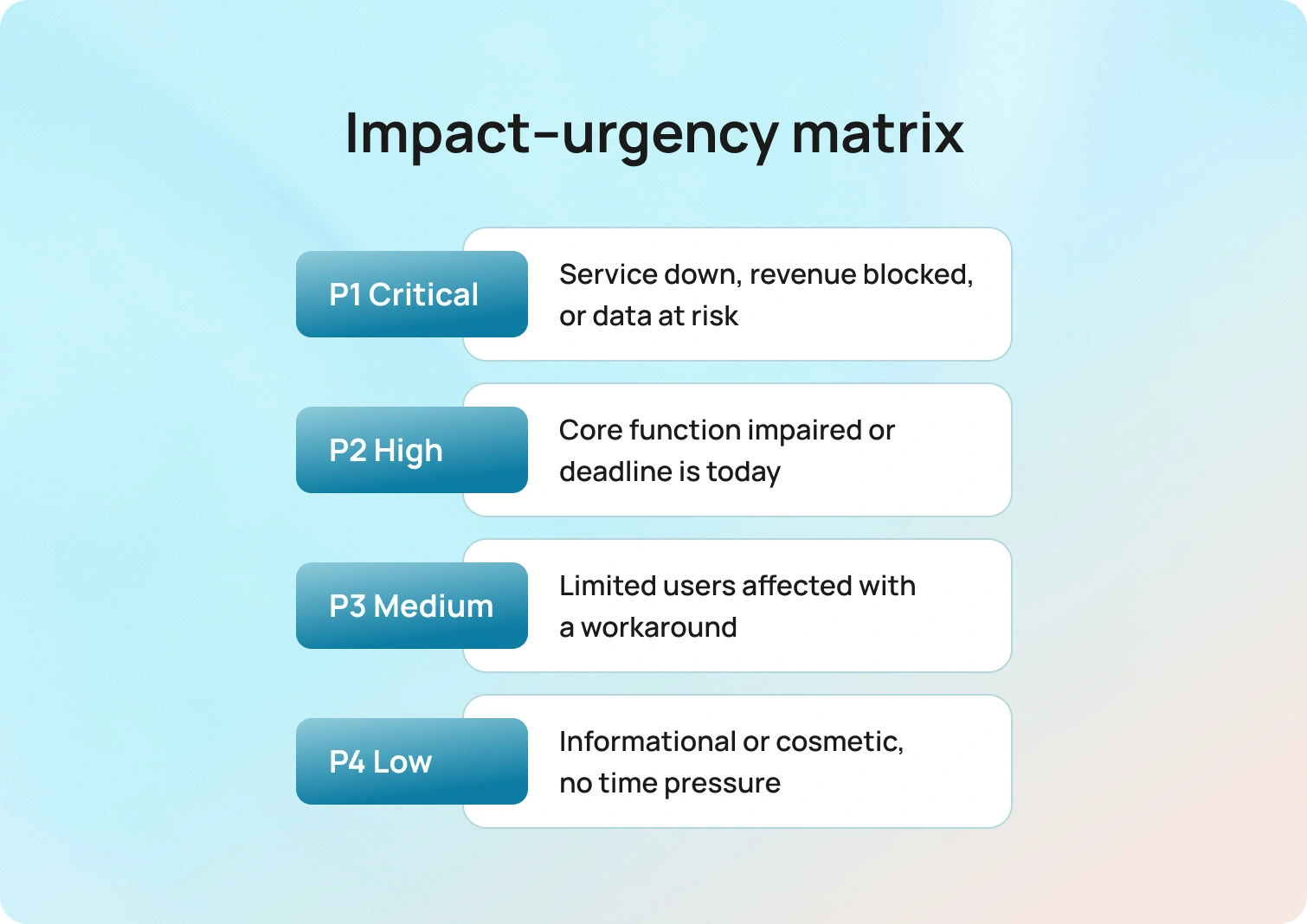
Use this simple matrix to turn noisy queues into clear choices. Define impact and urgency once, then use the four levels below as short, reusable paragraphs you can paste into playbooks, status pages, and training.
These templates can be used by service desks, customer service departments, and customer service teams to standardize communication and streamline support operations.
When describing support channels in your templates, be sure to include phone calls, as many customers expect multi-channel support options such as email, live chat, social media, and phone for a seamless customer experience.
Impact–urgency matrix
P1 Critical: Service is unavailable for a department, revenue is blocked, or data is at risk.
Examples: payroll system down on payday; suspected credential breach; urgent support request by phone; critical bug in software features.
P2 High: A core function is impaired for many users, or the deadline is today.
Examples: VPN fails at a location; order processing delays during a promotion; multiple customer inquiries about access issues; high-priority support requests.
P3 Medium: One user or a small group is affected with a workable workaround.
Examples: device swap; single mailbox sync issue; customer question about device settings; bug report on non-essential software features.
P4 Low: Informational requests or cosmetic issues without time pressure.
Examples: report formatting; general inquiry about features; low-priority customer questions; non-urgent general inquiries.
Three status templates per intent
First response: “We are investigating the [issue]. Next update by [local time]. If available, please attach a screenshot of the exact error dialog. For urgent issues, you may also contact us via phone call.”
Progress: “We are working with [vendor/team] and will check again at [time]. Current ticket status: [one line].” Desk software can automate ticket status updates, supporting efficient ticket management and streamlining workflows.
Delay: “We are waiting for [approval/logs]. We will review at [time] and update you.”
Approval lane prompt: “Your access request is almost ready. Please confirm the manager’s approval and the role name. Once attached, your request moves automatically.”
Duplicate parent note: “We identified an incident affecting [system]. Your ticket is linked to the parent case. You will receive the next update by [time]. No action is needed from you.”
Reason tags lists: Safety, security, revenue, VIP, legal, deadline today, vendor wait, duplicate to parent.
Start Prioritizing: Turn Chaos into a System
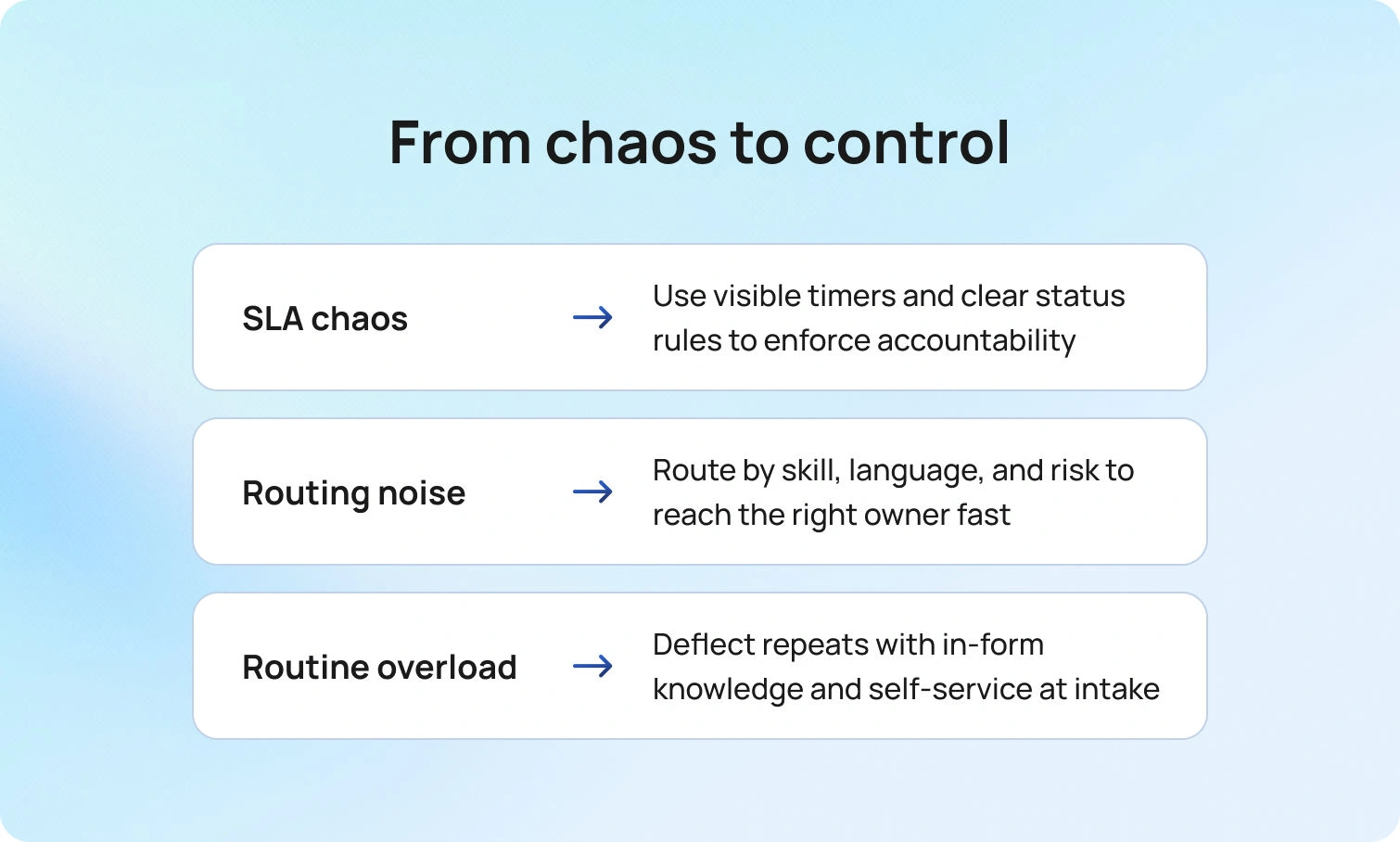
Prioritization works when it is simple enough to use every minute and precise enough to defend in a review. We’ve shown how a plain impact–urgency matrix creates shared judgment, how visible SLA timers enforce accountability, and how intelligent routing prevents unnecessary handoffs. By creating a higher lane for safety, security, and revenue, and by using deflection at intake to shorten routine tickets, you guarantee that truly urgent items receive the focused attention they need. This isn’t just about faster tickets; it’s about weekly, predictable tuning that turns noise into measurable, drama-free progress.
Your next move depends on your most significant pain point.
- If your primary need is strict SLA control with auditable timers and cadence, anchor on the priority matrix and status templates first.
- If your challenge is noisy queues spanning many languages and brands, focus immediately on routing by skills, language, and VIP exposure.
- If your pain is routine work, starving urgent cases, invest in in-form deflection and knowledge embedded directly into your console.
BlueTweak brings all these essential pieces together into a single seamless screen. Conditional intake sets priority correctly. Skill and risk-based routing put work in the right hands. Timers and templates keep promises visible. Knowledge appears exactly where the work is happening.
By leveraging automation and natural language processing, BlueTweak reduces manual tasks, integrates with other systems, and improves customer support by automating the matching of inquiries to solutions and streamlining workflows. Every action, from inserting a knowledge step into a reply to viewing customer status, is unified. Analytics connect each small process change to a visible result, which is how a policy transforms into a calmer, more confident day for your customers and your team.
Ready to stop guessing and start governing your queue? Book a demo of BlueTweak today to see how easily you can implement these strategies and bring sanity back to your help desk.
Book a BlueTweak Demo Today
Book Demo

How To Manage a Help Desk And Deliver Faster Resolutions
Why Fast, Predictable Help Desk Management Matters for Customer Satisfaction
Monday, 9:02 a.m. A VPN ticket arrives without a screenshot or error code, so the analyst guesses and sends a follow-up. By 9:20, four more requests arrive with missing approvals, and the urgent payroll outage slips out of view behind low-impact questions. At 10:15, a VIP emails the COO asking why no update has ever come, even though three analysts have touched the record.
Customers feel uncertainty first through slow responses, then through second and third contacts that should never have been necessary. Frustrated customers experience delays and a lack of updates, leading to dissatisfaction and potential damage to brand reputation. Agents feel it next as tabs multiply, ownership changes, and a dozen tiny decisions replace a clear path to resolution. Leaders see it last when SLAs slip, dashboards disagree, and costs climb without a single significant incident to blame.
Monitoring help desk performance and ensuring that customer expectations are met are critical to preventing these issues, as they provide measurable ways to assess and improve service delivery. Gathering customer feedback through surveys is essential to evaluate customer satisfaction with support interactions and to ensure a high proportion of satisfied customers, which helps identify areas for process refinement and service enhancement. Analyzing customer interactions across all touchpoints further improves support quality by providing a comprehensive view of communication and service effectiveness.
It does not have to run this way. Complete intake turns first responses from guesswork into action. Skill, language, and risk-based routing send work to the right person the first time. SLAs with plain-language updates keep expectations aligned, while knowledge and self-service reduce repetitive questions that clog every queue. AI summaries and suggested replies give analysts momentum, and staffing that matches hourly demand prevents the quiet breaches that erode trust.
Teams that put these pieces together resolve faster, communicate more clearly, and spend less time chasing basics. These better processes lead to improved customer satisfaction. Customers notice the difference immediately because the experience is consistent across chat, voice, email, SMS, and social channels. What follows shows precisely how to manage a successful help desk so Monday feels calm, the backlog stays honest, and resolutions arrive when they should.
Why Fast, Predictable Help Desk Management Matters for Customer Satisfaction
Monday, 9:02 a.m. A VPN ticket arrives without a screenshot or error code, so the analyst makes a guess and sends a follow-up. By 9:20, four more requests land with missing approvals, and the urgent payroll outage slips down the view behind low-impact questions. At 10:15, a VIP emails the COO asking why no update has ever come, even though three analysts have touched the record.
Customers feel uncertainty first through slow responses, then through second and third contacts that should never have been necessary. Frustrated customers experience delays and a lack of updates, leading to dissatisfaction and potential damage to brand reputation. Agents feel it next as tabs multiply, ownership changes, and a dozen tiny decisions replace a clear path to resolution. Leaders see it last when SLAs slip, dashboards disagree, and costs climb without a single significant incident to blame.
Monitoring help desk performance and ensuring that customer expectations are met are critical to preventing these issues, as they provide measurable ways to assess and improve service delivery. Gathering customer feedback through surveys is essential to evaluate customer satisfaction with support interactions and to ensure a high proportion of satisfied customers, which helps identify areas for process refinement and service enhancement. Analyzing customer interactions across all touchpoints further improves support quality by providing a comprehensive view of communication and service effectiveness.
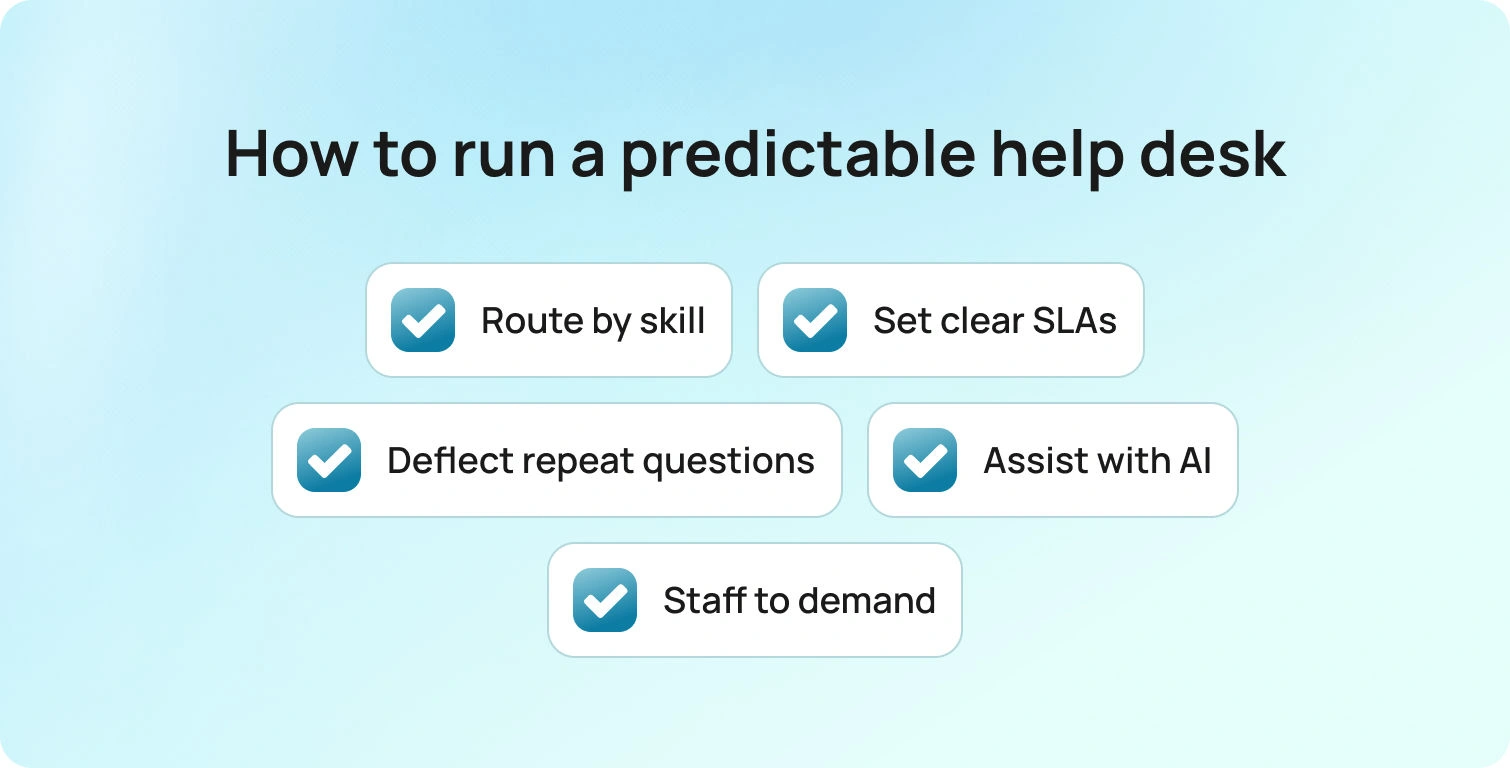
It doesn’t have to run this way. Complete the intake first so the initial response turns guesswork into action.
- Route by skill, language, and risk so work lands with the right person the first time.
- Use SLAs with plain-language updates to keep expectations aligned.
- Lean on knowledge and self-service to remove the repetitive questions that clog queues.
- Give analysts momentum with AI summaries and suggested replies.
- Staff-to-hourly demand to prevent quiet breaches that erode trust.
Teams that put these pieces together resolve faster, communicate more clearly, and spend less time chasing basics. Customers immediately notice because the experience is consistent across chat, voice, email, SMS, and social. What follows shows precisely how to run a help desk so Monday feels calm, the backlog stays honest, and resolutions arrive when they should.
What “Good” Help Desk Management Looks Like
Good management feels predictable to customers and practical to agents. It starts with short, usable help desk workflows that remove guesswork and map the few paths a ticket can take. Forms ask only for what matters and adjust with conditional fields, so a password reset stays quick while an access request gathers approvals, entitlements, and screenshots. The result is a complete ticket that reaches an analyst ready to act, rather than another round of clarifying emails.
From there, work flows in line with how the organization actually operates. Organize and manage queues so routing follows skill, language, and risk—not a single catchall. That keeps load balanced and prevents avoidable reassignments.
- Failed MFA enrollment → L1 with a security check.
- Production outage → incident pod with the correct on-call roster.
SLAs are set by intent, with visible timers for first response and resolution, and customers receive concise updates tied to those timers to keep expectations aligned.
Answers meet people where they are. A searchable knowledge base and a robust knowledge base mirror the current UI, use the exact labels and commands, and appear in the portal during submission and in the agent console during handling. Customers solve simple problems without opening a case through self-service options and self-service portals, and agents resolve the rest without tab hunting or stale articles.
Capacity matches demand instead of fighting it. Efficient queue management and workforce management forecast by hour and language, schedule the right skills for peaks, and protect SLA compliance when volume surges. Analytics then close the loop by tracking key performance indicators such as first-contact resolution, handle time, reopen rate, and customer sentiment, highlighting recurring issues and pointing to one concrete improvement each week.
Tracking team performance and strengthening the team's ability to resolve issues are central to ongoing success. Together, the help desk and desk teams answer faster, ticket queues stay honest, and service quality remains consistent without adding more tools. The IT team also plays a key role in supporting these operations.
Micro blueprint readers can apply today:
- Intake essentials include system, location or brand, urgency, entitlement, steps tried, attachment type, and size rules so you can prioritize and respond efficiently at this stage.
- Routing factors include product area, capability tag, language, severity, customer tier, region, and data sensitivity.
- SLA layers cover first response, resolution, business hours versus calendar hours, paused states, and breach actions.
- Knowledge readiness requires article length under five minutes, accurate UI screenshots, a last-reviewed date, and a clear owner.
- The WFM view includes a forecast by channel and language, a skills matrix, shrinkage assumptions, and overflow rules.
- Continuous improvement means running weekly reviews and implementing process changes to enhance support operations.
A 7-Step Operating System for Faster Resolutions
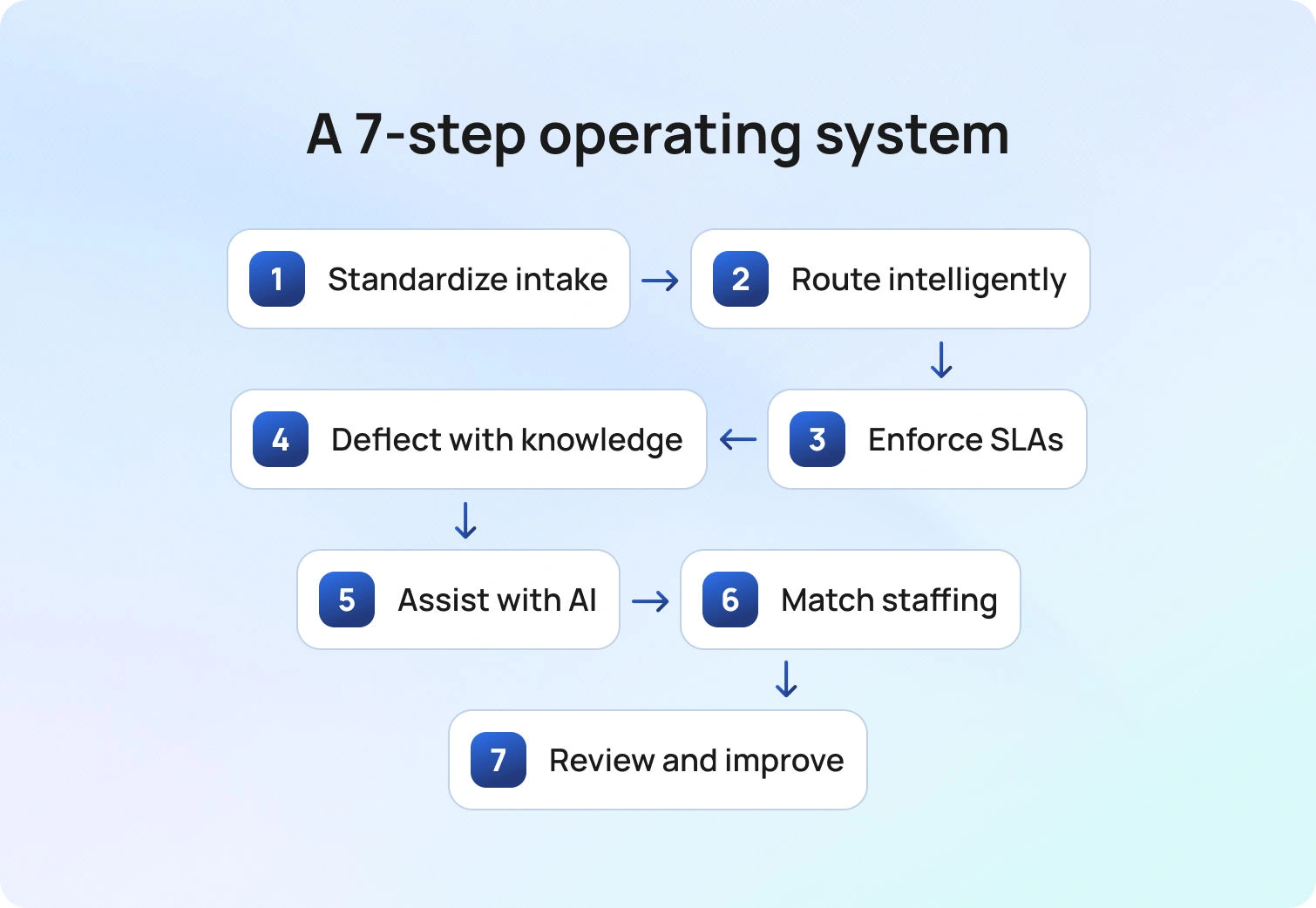
What you will get from the following seven steps is a blueprint you can use this week. Complete intake ends back-and-forth and ensures clean handoffs, while intelligent routing places each ticket with the right expert under SLAs customers understand. Knowledge and self-service deflect repeats, and AI assists agents so replies stay quick and on tone. Staffing matches demand; a brief weekly review keeps improvements compounding, fostering continuous improvement in the support process; and you finish with copy-ready steps you can drop directly into your help desk.
1) Standardize Intake So Tickets Arrive Complete
Speed starts at the front door. A well-designed form captures the essentials in one pass: system, brand or location, urgency, entitlement, steps already tried, and the right attachments. Intake forms should also capture and prioritize customer needs, ensuring support is tailored and proactive. A modern help desk system streamlines intake and ensures all required information is collected up front.
Conditional fields keep simple requests quick while expanding only when a case is complex, respecting the customer’s time and giving analysts what they need to act. In-line knowledge suggestions appear as customers type, answering common questions and quietly deflecting duplicates before they become tickets. The result is fewer clarifying loops, cleaner handoffs, and a queue filled with work that can move immediately.
Apply it now
- Split intake by intent. Incident, request, access, and change each have their own short forms and rules.
- Use field hints to reduce ambiguity. A one-line example under each field is followed by a surprising margin.
- Enforce attachment types. Screenshots for UI issues, logs for client errors, and a CSV for data corrections.
Anti-patterns to avoid
- Open text for everything. Replace with constrained choices that still allow an “other” path.
- Hidden required fields. Make rules explicit and visible so customers understand what is needed and why.
2) Route By Skill, Language, and Risk
Routing sets the queue’s rhythm. Once intake is clean, intelligent classification clarifies the intent so everyone knows what kind of help is needed. Language and regional cues then route the case to people who can actually speak with the customer and understand the environment.
Priority is driven by real impact, blending severity with customer tier so a payroll outage never hides behind a minor request. Complex work is assigned to specialists who can complete without handoffs, while repeatable requests are routed to the team designed to close them on the first try.
Skilled support teams are essential for handling complex issues and queries. Proper resource allocation and immediate access to relevant information help manage tickets efficiently, keeping the workflow steady.
As a result, queues stay balanced, VIP issues stay visible, reassignments drop, and response times settle into a pace you can trust against SLAs. Effective queue management and VIP customer prioritization are essential for maintaining high service standards.
Routing rule sketch
- If Severity = High and Customer Tier = VIP, assign the Incident Pod; page the on-call if after hours.
- If Language = German and Intent = Billing, route to Billing DE queue, SLA standard tier.
- If Category = Access and Approval = Missing, auto request approval and hold in the Pre-Approval queue.
Signals to watch
- VIP breach ratio versus non VIP breach ratio.
- Percent of tickets reassigned more than once.
- Median minutes from creation to first qualified owner.
Run SLA Timers with Clear Status Logic
SLAs only help when they are visible and tied to action. Set targets for first response and resolution by priority and intent, and put the clocks inside the same queue view that agents use every hour. Clear service-level agreements and tracked resolution times ensure timely responses and high customer satisfaction.
Status changes should do real work. Reminders fire before a breach, and customers receive plain language updates so timelines feel real and predictable. Monitoring response time and practical ticket-queue management help organize and prioritize requests, reduce resolution times, and ensure customers receive timely updates.
Treat closure like a quality gate. Required checks cut reopens, and when risk is high, add a quick verification step to confirm the fix. The payoff is fewer surprises, fewer second contacts, and a steady rhythm the team can trust.
Policy snippet you can copy:
- Statuses that include New, In progress, Pending customer, Waiting on vendor, Resolved, and Closed.
- Rules that indicate timers pause only when the customer is Pending or Waiting on vendor, and a visible reason is provided.
- Breach actions that occur at 75% of the SLA, notify the owner and lead. At 100 percent, escalate and update the customer.
Message templates
- Delay notice: “We are waiting for vendor logs. We will check again at 10:00 and update you.”
- First response: “We received your ticket and are investigating. Next update by 14:00 local time.”
4) Promote Self-Service and Knowledge at the Moment of Need
Knowledge pays off when it is short, current, and right where the work happens. Articles should mirror the live UI, using the same labels, fields, and commands that customers and agents see today.
Keep the library healthy with steady feedback. A well-maintained knowledge base, paired with quick thumbs-ups or short comments, shows which content helps and which needs a tune-up. Small, frequent edits keep articles accurate without big rewrite projects.
Help people before a ticket exists. During submission, the portal suggests likely fixes and requests the exact details the article requires. Many issues end there, which lowers ticket volume and speeds the rest.
Give customers a place to help themselves. A self-service portal and a customer portal provide round-the-clock access to clear, step-by-step guidance for common questions. Feedback gathered in these portals improves content quality and the overall experience.
Support agents where they work. Inside the console, suggestions follow the case and update as fields change, so no one has to tab hunt or paste stale links during a handoff. The result is fewer repeat requests, faster resolution of what remains, and a team that trusts the content because it reflects reality.
Article pattern that works
- A title that names the problem and the outcome.
- Two-line summary of when to use it and when not to.
- Steps with screenshots that match the current UI.
- Verification step and expected output.
- Related issues and escalation criteria.
Lifecycle habit
- Auto-ping authors when agents deviate from the recommended path.
- Quarterly review for high-volume articles, twice yearly for the rest.
Guide Agents with AI Summaries and Suggested Replies
Momentum comes from shared context and a clear first move. With one click, AI turns a long thread into a short brief that explains what happened, what is blocked, and what to do next. Shift changes no longer feel like cold starts because the next agent sees the same concise snapshot.
Agents work faster when all conversations are in one place. A unified console brings chat, email, voice, SMS, and social into one place, so support teams can track engagement without having to switch between tabs.
Based on the brief, a suggested reply is drafted using approved knowledge. Tone stays on brand, the analyst edits and sends, and the message lands sooner without sacrificing accuracy.
Voice calls do not lose context. Transcription is included in the same record as chat and email, so the team reads a single, consistent history instead of three partial stories.
Everything moves faster because no one is re-reading, retyping, or asking for details already in the case. Automated workflows and AI give agents the support they need to deliver personalized support efficiently, boosting performance across the entire team.
Practical guardrails
- Track acceptance rate and edit distance to help leaders see where content or processes need improvement.
- Label AI content as a draft. Require agent review and edit before sending.
- Ground replies in approved knowledge, not freeform generation.
Match Staffing to Demand with Workforce Management
Even strong workflows stall when volume and capacity drift apart. Monitoring ticket volumes and focusing on desk and help desk efficiency are essential for IT teams to maintain optimal performance. Forecasts by hour, channel, language, and intent shape schedules that place the right skills where demand will be.
Real-time views show pressure building in specific queues, which gives leads a chance to rebalance work or open overflow slots before SLAs slip. Short unblock huddles clear the few tickets that jam everything else and share quick fixes with the whole team. The result is steady throughput, fewer fire drills, and a queue that reflects reality.
Staffing playbook
- Build a skills matrix listing each agent's languages, systems, and certifications.
- Protect focus windows for L2 and L3 to prevent context switching during deep work.
- Keep an overflow pool trained on common intents for short spikes.
Daily rhythm that works
- Midday check to rebalance queues and confirm coverage for late-day peaks.
- Ten-minute standup with yesterday’s misses, today’s forecast, and one fix. Regular team meetings and mentorship from more experienced agents help maintain high performance, encourage knowledge sharing, and support continuous improvement.
Close the Loop with Analytics and Weekly Improvements
Speed that lasts comes from a simple, repeatable rhythm. Each week, review five signals: first contact resolution, handle time, SLA hit rate, reopens, and CSAT, and choose one friction point to fix. Those KPIs indicate where the help desk process needs targeted changes rather than another meeting.
Improvements should strengthen the team's handling of service requests and support services. Capacity grows when asset management is tidy, entitlements are clear, and high-quality service is the standard, not the exception. That combination moves the business, not just the backlog.
Examples make it concrete. A form may need a missing field to complete the intake. A route may require a minor tweak to prevent reassignments. A knowledge article may need a quick edit to align with the new UI. A status template often benefits from more precise language to prevent confusion.
Small, specific changes land quickly and show up in next week’s numbers. The team stays engaged because progress is visible, and the queue stays honest because work flows the way it should. Over time, these quiet wins compound into calmer days and faster resolutions, which is the outcome this entire system is designed to deliver.
Example improvement loop
- Week 1 insight equals high reopens on device swaps.
- Action: add the model and OS fields to intake and add a verification line to closure.
- Week 2 results show the reopen rate halves, and the handle time drops by 12 percent.
How BlueHub Helps
BlueHub (by BlueTweak) implements the seven steps in a single workspace. BlueHub’s help desk software acts as a unified system, integrating multiple communication channels and managing all aspects of help desk operations in a single, cohesive platform. BlueHub integrates seamlessly with Jira Service Management and can function as a service desk or support multiple service desks, streamlining support operations and enhancing workflow efficiency.
Intake that starts strong: Forms collect the correct details on the first try. Fields adapt to context, so simple requests stay short while complex ones capture approvals, entitlements, and screenshots. Analysts start with what they need, not a chase for basics.
Routing that respects reality: Intent, language, severity, and customer tier steer each ticket to the team best positioned to complete it. Complex work goes to specialists, repeatable work goes to the fastest closers, and VIP issues remain visible.
SLAs that everyone can see: Timers for first response and resolution are visible in the queue view, and customers receive plain updates that match each status. Timelines feel real because everyone can see them, which cuts second contacts and missed promises.
Knowledge at the moment of need: The portal suggests likely fixes during submission, and the agent console surfaces the same articles as fields change. Content mirrors the current UI, so answers match what people see on screen.
AI that speeds, not replaces: Long threads collapse into a short brief that explains what happened and what is blocked. Suggested replies are drafted from your knowledge base; the agent edits and sends them, and call transcripts land in the same record as chat and email.
Workforce management next to the queues: Forecasts by hour, channel, language, and intent shape schedules, and real-time views show where pressure is building. Leaders rebalance early, which protects SLAs when demand spikes.
Analysts who drive the next fix: Dashboards tie outcomes to procedures and automation rules, so you can see which change moved first contact resolution, handle time, or reopens. Minor fixes each week add up to steady gains.
The result is a simpler stack that runs the operating model you just read. Tickets arrive complete, routing is predictable, SLAs are met, and customers receive faster, more consistent resolutions without adding more tools.
Bringing It All Together
Well-managed help desk systems integrate intake, routing, SLAs, knowledge base, AI, staffing, and analytics into a single workflow. Clear forms prevent restarts, sensible routing avoids handoffs, and predictable status updates keep customers informed. A focused knowledge base and a light touch of AI enable agents to respond faster without sacrificing tone or accuracy. Workforce management aligns people with demand, and weekly analysis keeps improvements honest.
If you want to see this approach working end-to-end, BlueHub maps each step to no-code workflows your team can use right away. Faster resolutions, fewer bounces, and a support experience customers trust. This integrated approach delivers an improved customer experience and exceptional customer support. See BlueHub in action with a short demo and watch a ticket move from intake to closure with clarity at every step.

How To Use Customer Support AI Translation To Scale Multilingual Teams
Why AI Translation Matters For Customer Support Right Now
Global customers expect to speak in their native language and get thoughtful, relevant answers fast. Teams need to support more languages across more channels without sacrificing quality. Classic approaches do not keep up. Hiring a whole in-house multilingual team for every region is expensive, slow, and brittle. Pure machine translation without governance creates inconsistency and risk. A better approach blends AI-powered translation with workflow, knowledge, and human review so agents stay in control and customers feel heard.
Integrating AI translation into business operations enhances communication, improves customer support, and expands global reach, helping businesses operate more effectively in international markets.
Done well, customer support AI translation improves the customer experience end-to-end. Messages read naturally. Product names and policy phrases remain accurate. Conversations hand off cleanly between email, customer support chat, translation, and phone. Leaders see where quality slips and fix it quickly. Most importantly, customers receive high-quality translations in their language, which raises trust and shortens time to resolution.
What’s The Problem: Language Barriers At Scale
Three forces hold teams back when they try to scale multilingual support.
- Fragmented tools. Translation happens in a separate app. Agents copy text in and out. Customer data and conversation context get lost. The workflow slows, and security suffers because content travels through unmanaged tools.
- Inconsistent quality. Different translators make different choices. One reply uses a colloquial phrase while the next uses legal language. The translated content may be technically correct but tone-deaf. Over time, customers see a patchwork voice.
- Risk without governance. Raw translation requests can expose sensitive data and fail to comply with compliance rules. If your industry includes healthcare, finance, or the public sector, you need strong data privacy and compliance controls. That means clear policies for what can be translated, how long it is retained, and who can view it.
These issues slow down the process and degrade quality, harming customer satisfaction and hindering global growth.
Why Solving This Now Is Important
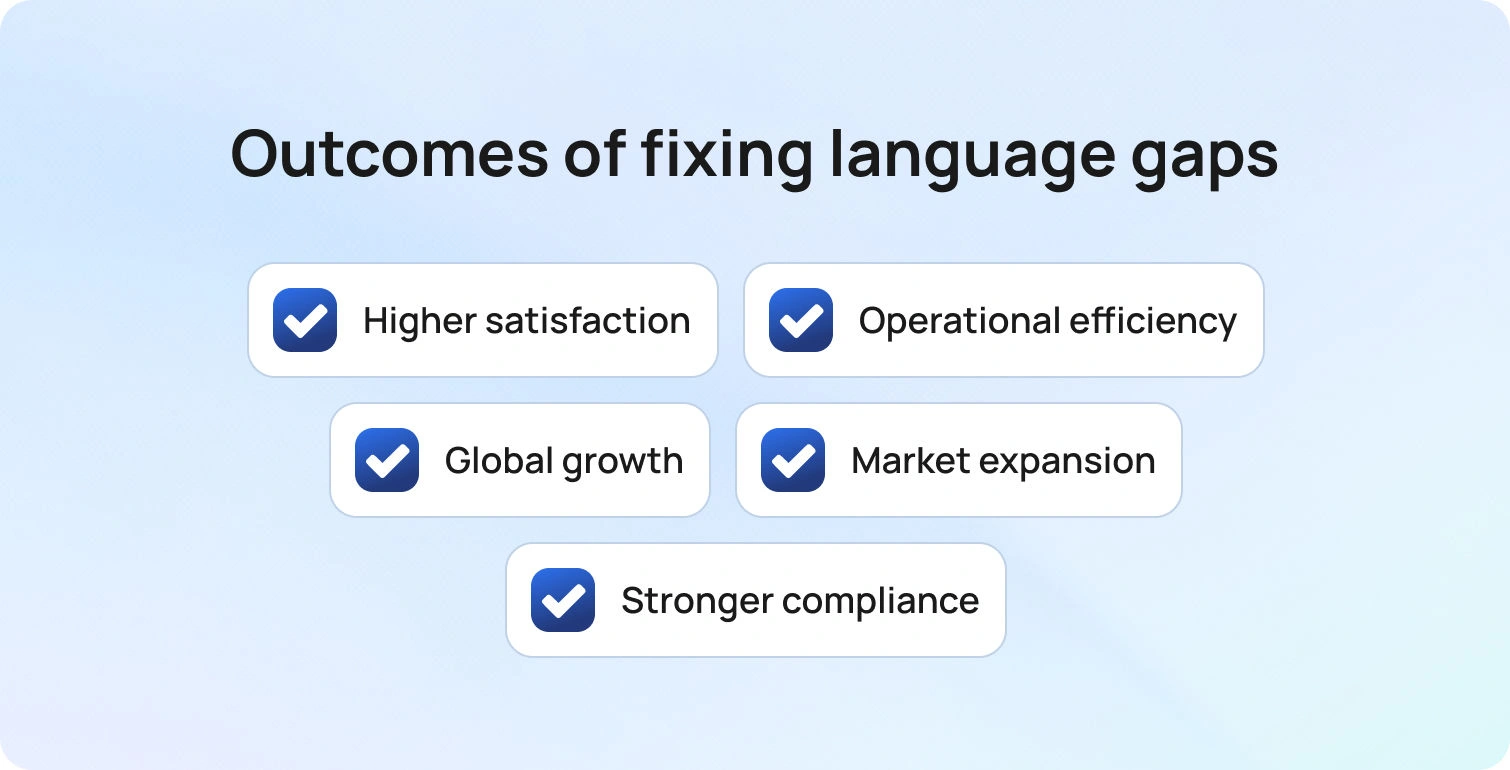
Fixing language gaps does more than clean up inboxes. It unlocks real outcomes.
- Customer satisfaction rises because people receive accurate help in their native language with fewer back-and-forth loops.
- Efficiency improves because agents answer from governed content and rely on global customer support translation software to quickly draft replies.
- Global customers convert and stay because they can ask questions, get real-time help, and feel confident that policy details are correct.
- New markets open without a complete rewrite of your site, websites, emails, and chat flows.
- Compliance strengthens when customer data remains within approved solutions, with audit trails and role-based controls.
AI translation enables teams to serve customers in any language, maintaining continuous growth.
In short, customer support becomes a growth engine rather than a blocker.
How To Identify Where AI Translation Will Help Most
Before buying tools, map the real bottlenecks. You want to see where customer support AI translation will deliver the most significant gain with the least risk. Assess your support agents' ability to communicate effectively across multiple languages using AI translation, and identify where enhanced multilingual communication can improve the customer experience and operational efficiency.
- Segment the queue by language and intent. Look at wait time, first reply time, and resolution time across multiple languages. If one language drags, you have a coverage or routing problem. If one intent drags in every language, the issue is knowledge and phrasing.
- Read replies from the customer’s seat. Pull five threads per top language. Check for clarity, tone, and a final step that confirms success. Note any phrases that look machine-translated rather than native. Mark policy sections where translation errors would be costly.
- Trace context across channels. Follow cases that move from customer support chat translation to email or phone. Did the next agent see the previous summary and the preferred language flag? If not, you have a platform issue, not a language issue.
- Create a lightweight error taxonomy. Tag issues as terminology, meaning change, tone, grammar, or policy mismatch. You now have a baseline to compare solutions and track improvement.
- Check privacy posture. List what types of customer data appear in translation, how security is enforced today, and where data might leave your controlled environment. This informs tool selection and deployment.
How To Fix It: A Practical Playbook For Customer Support AI Translation
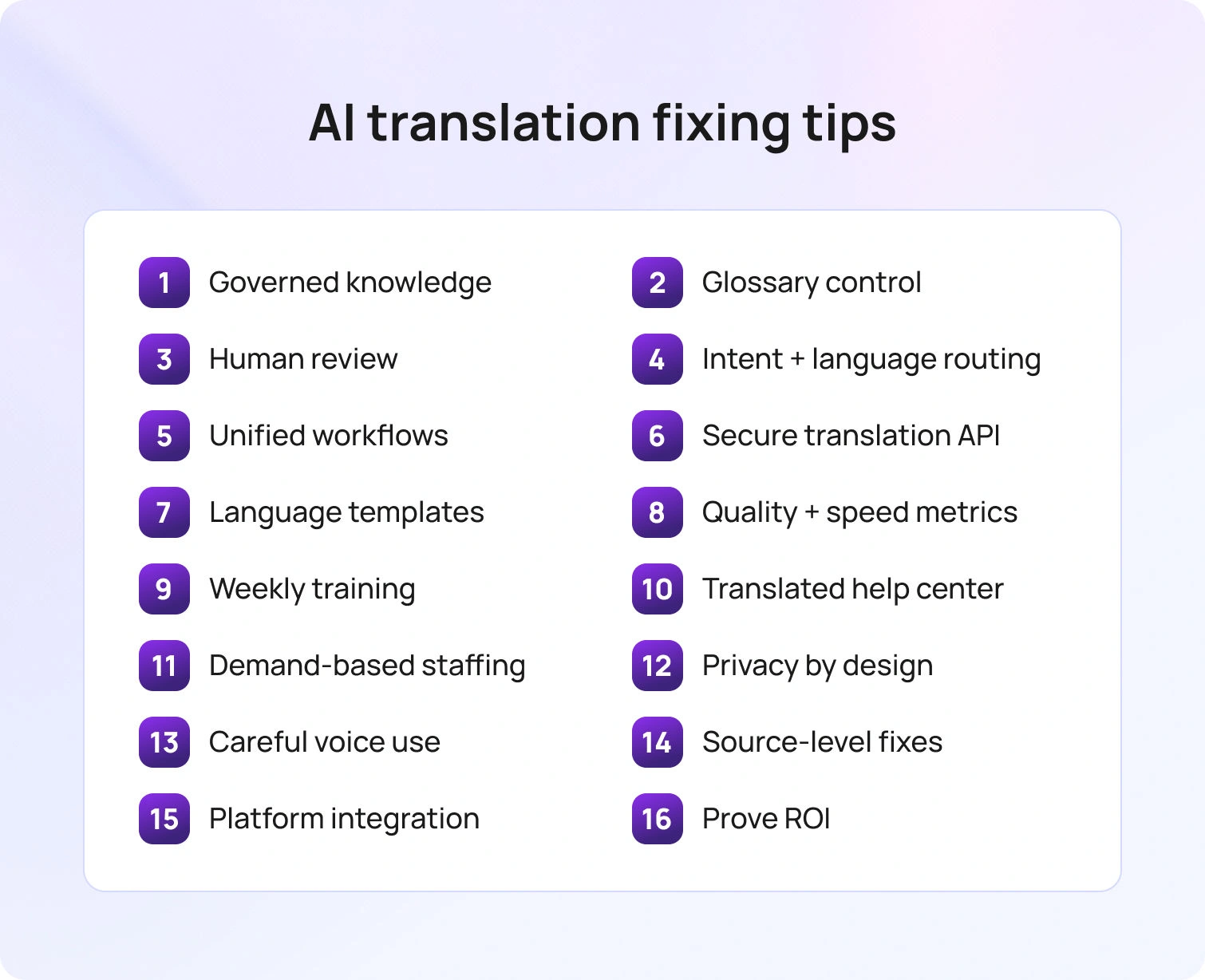
This section turns customer support AI translation from a concept into a repeatable workflow. You will see how to combine governed knowledge, language-aware routing, and customer support translation software so customers get help in their preferred language across channels. The steps focus on accuracy, speed, and control, with human review applied where risk is higher.
1) Ground Translation in Governed Knowledge
Start with a single source of truth. Replies should be translated from approved articles, macros, or templates, not written from scratch. This keeps words like legal terms, warranty periods, and product names stable across languages. It also enables human review to focus on nuance rather than fact-checking.
2) Use Adaptive Translation with a Glossary and Style Guide
Adaptive translation that learns preferred phrasing should be your baseline. A per-language glossary, signed off by product and legal, keeps terminology stable. Short style notes for greetings, empathy, and closings guide tone across channels. Together, these elements yield high-quality translation that reads as if a local wrote it.
3) Keep Humans in the Loop Where Risk is High
Human review belongs on regulated content, public announcements, complex refunds, and anything with legal effect. Professional linguists handle edge cases while guided automation carries the core volume. This higher level of oversight preserves accuracy without sacrificing speed.
4) Route by Language and Intent Together
Language is one factor, not the whole rule. A return written in German should be addressed to a returns specialist who speaks German. For low-volume languages, guided drafts, along with a brief confirmation in the customer's language, provide coverage. With the correct routing, translation requests shrink, ping pong handoffs disappear, and accuracy rises.
5) Add Chat, Email, and Voice in One Workflow
Customers switch channels. Your support stack should integrate customer support chat translation, email translation, and call center voice translation. Translating and monitoring calls provides complete visibility and automated scoring for all translated calls, ensuring consistent quality and facilitating coaching. Use speech-to-text to capture the spoken side, translate with context, and reply in the customer’s preferred language. Keep the entire conversation together so the next support touch starts with context.
6) Use a Secure Translation API
Integrate a translation API inside your CX platform rather than pasting text into external tools. Apply role-based access controls, redact sensitive customer data, and set short retention windows. If your company uses Google Workspace or similar suites, align identity and logging. Security and compliance are not add-ons. They are table stakes.
Many translation API services also offer a free tier or include free characters, allowing you to start translating at no initial cost and realize cost savings during early usage.
7) Build Templates For Top Intents Per Language
Email and chat call for different structures. Per-language templates for the top 20 intents, with short paragraphs and a clear outcome check, set a consistent baseline. Agents then personalize the middle to add context. The result is faster support that preserves tone and terminology.
8) Measure Quality and Speed Together
First reply time, full resolution time, and edit count on translated replies form the core speed signals. A lightweight quality score for meaning and tone completes the picture. Reviewing these metrics by language and intent shows where software tweaks, glossary updates, or training will have the most significant impact.
9) Train with Real Examples
Short weekly sessions work better than annual marathons. In each one, review three real threads and note how AI-powered translation handled idioms and brand terms. Fold the lessons into the style guide, then share the best patterns with the sales team and onboarding so everyone learns to speak the same way.
10) Extend Translation to Help Centers and Websites
Do not stop at the inbox. Publish the duplicate governed content to your help site and websites in the top languages. When self-service is accurate, inbound volume drops, and agents spend time on complex cases.
Integrate with various platforms to ensure consistent multilingual support across all customer touchpoints.
11) Plan Staffing with Real Demand
Staffing should follow real arrival patterns by language and intent. Peak hours call for staggered coverage across call centers and chat. A small bench of on-call reviewers handles high-risk replies, while professional linguists focus on specialized content.
12) Respect Privacy in Every Step
Keep external exposure of customer data to a minimum. Numbers and personal identifiers should be redacted wherever practical, and translation memory kept to the smallest proper size. Your chosen solution needs to meet regional data privacy rules, and that stance should be captured in a short internal guide so everyone follows the same process.
13) Add Voice, Video, and In-Person Scenarios Carefully
Some situations need voice translation or video captioning, especially in field service or in-person support. AI-driven transcription, translation, subtitling, and voice-over services can enhance videos for multilingual audiences, making them more accessible and practical. Use speech capture with customer consent and show the translated text to the agent for confirmation before sending. Accuracy beats speed when risk is high.
14) Close the Loop On Quality Issues
If a reply is confusing, tag the reason and fix the source article or glossary entry. When product names change, update the knowledge and translation memory together. Quality rises when fixes go to the source rather than only the last ticket.
15) Integrate Across the Platform
Connect your customer support translation stack to CRM, ticketing, analytics, and QA. By integrating with comprehensive language and support services, you can provide end-to-end solutions for global businesses. The more your systems integrate, the less your team copies and pastes, and the more auditable your process becomes. Integration also exposes key performance indicators to leaders who control the budget and hiring.
16) Prove Value with Simple Math
Show how customer support AI translation reduces wait times, improves first-contact resolution, and protects costs as volume grows. Tie improvements to retention and expansion in new markets. A straightforward narrative wins budget and accelerates adoption.
What Good Looks Like Across Channels
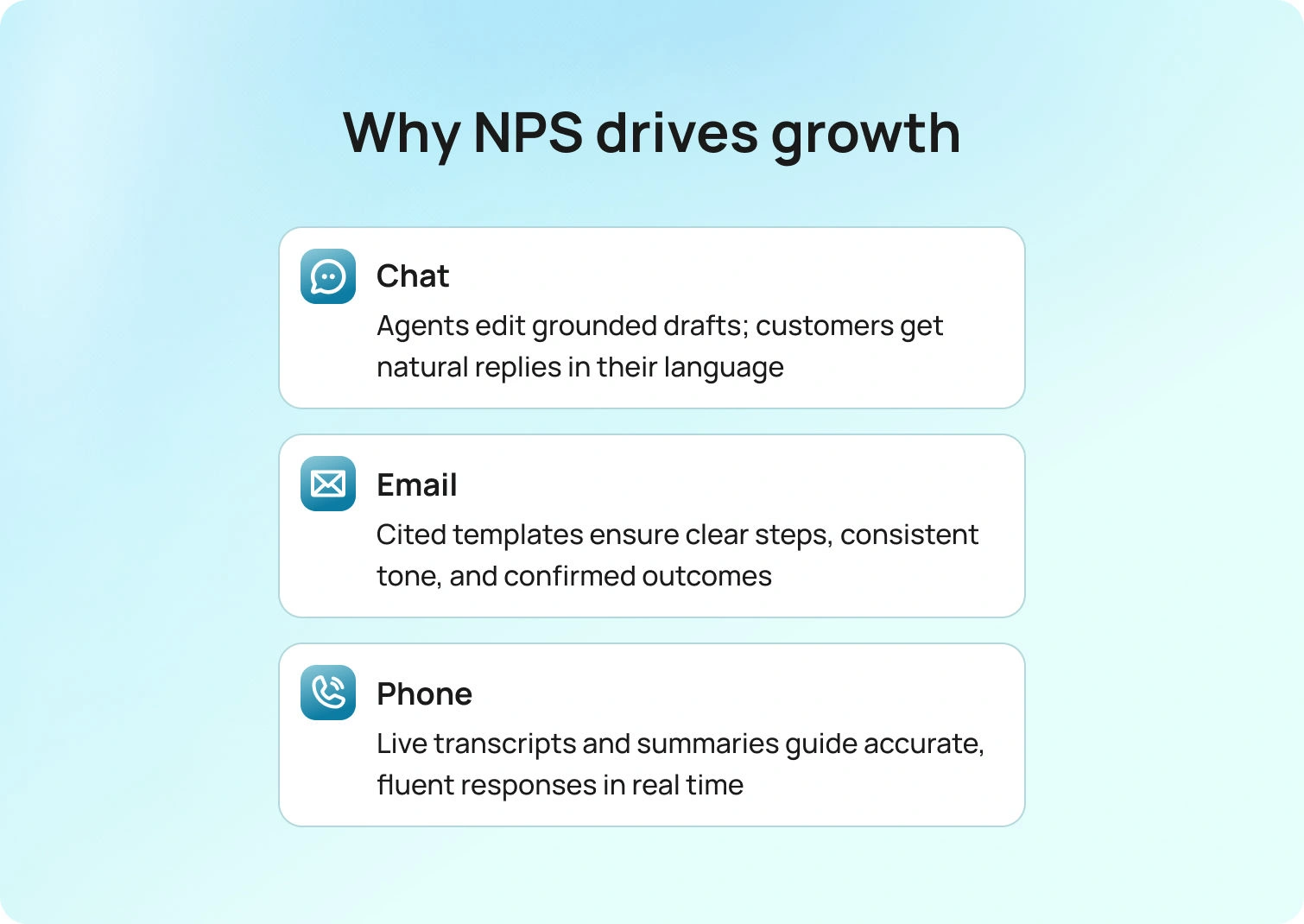
A great experience feels native in the customer’s language across chat, email, and phone, with tone and terminology staying consistent from one touch to the next. Context, summaries, and preferences travel with the conversation, so agents start informed rather than from a blank screen. Quality and speed are measured consistently across every channel, making improvements visible and repeatable.
- Chat. The agent sees the original text and a grounded draft in the customer’s language. They edit a sentence or two, send it, and the customer receives a natural message in their native language. The system stores context for later conversations.
- Email. Templates with citations ensure accurate steps and a consistent tone. Agents personalize, attach screenshots, and confirm the outcome in plain language. Replies feel helpful and human.
- Phone. Speech-to-text captures the call. The agent reads a short summary, confirms meaning, and responds with approved phrasing. If needed, the system provides a short voice translation for a confirmation step. The customer experience feels smooth, not cobbled together.
Each case respects data privacy, uses the same glossary, and keeps the thread intact for later follow-up.
How BlueTweak Helps Teams Use Customer Support AI Translation

BlueTweak brings the pieces together so your team can scale multilingual support with control. It is an omnichannel app that unifies chat, voice, and email, with AI ticket summaries and analytics to support operations.
- Grounded drafting. For chat and email, agents receive a suggested reply grounded in the smart knowledge base, not a blank output. This keeps translated content accurate and policy-true.
- Language-aware routing. Cases are classified by intent, with language carried through the workflow so the right skill group can respond.
- Translation with governance. BlueTweak pairs real-time chat translation with knowledge-grounded, channel-specific templates, and teams can add human review on sensitive messages.
- Analytics and QA. Leaders track core service metrics, first-contact resolution, sentiment, transfer, and abandon, by channel and use case, then feed findings back into knowledge updates.
- Open by design. An API-open, integration-friendly stance makes it straightforward to connect CRM, help center, and reporting (e.g., identity and logging with Google Workspace).
- Outcome. Customers get high-quality help in their native language, agents answer faster with confidence, and managers expand into new markets without losing control of quality, security, or cost.
The outcome is practical. Customers get high-quality translations in their native languages. Agents answer faster with confidence. Managers launch in new markets without losing control of quality, security, or cost.
Scale Multilingual Support with Accuracy, Speed, and Control
Customer support AI translation is not a switch you flip. It is a set of habits that turn fragmented tools into a coherent solution. Ground every translation in governed knowledge. Use adaptive translation with a glossary to make the phrasing sound local. Keep human review where accuracy matters most. Route by intent and language together. Respect data privacy at each step. Measure speed and quality in one place and feed what you learn back into the source content.
Follow this path and your support will feel fluent in every channel. Global customers will receive clear, accurate help in their native language, your support teams will move faster, and the company will enter new markets with confidence.
If you want to see how this works in one platform,request a BlueTweak demo. You will learn how unified routing, grounded drafting, and governed translation raise customer satisfaction while protecting compliance, security, and cost.
The Complete Guide to AI Customer Support in 2026
From Backlogs to Breakthroughs with AI
Your support team is drowning in volume. Agents spend half their time reading long email threads, searching for answers, and manually routing tickets. Customers wait longer than they should. Repeat contacts pile up.
Ultimately, your costs rise while satisfaction scores remain stagnant.
AI customer support addresses this by automating the repetitive tasks that slow down your team. It classifies incoming requests, summarizes conversations, suggests replies grounded in your knowledge base, and routes tickets to the right agent based on intent, language, and priority.
Customers get instant responses. Agents focus on complex issues that need human judgment. Everyone wins.
This isn't about replacing human customer service teams, though. It's about giving them better tools so they can deliver exceptional service without burning out. AI handles routine inquiries and assists with research, tone consistency, and multilingual support. Humans stay in the loop for approval, coaching, and empathy.
If you're managing a growing support operation and wondering whether AI can actually deliver business value, this guide shows you how it works and which metrics prove ROI.
What Is AI Customer Support?
AI customer support refers to artificial intelligence that assists customers and agents across email, chat, and voice using classification, summarization, knowledge-base-grounded answers, and intelligent routing (under human oversight).
It's not a single tool. It's a set of capabilities that work together:
AI customer service chatbots answer customer inquiries directly, grounded in your knowledge base, so they don't hallucinate or guess.
- Agent Assist provides suggested replies, ticket summaries, and real-time translation, enabling support agents to handle cases more efficiently without needing to switch between tools.
- Automation classifies incoming requests, detects spam and duplicates, routes tickets to the correct queue, and triggers workflows based on intent or customer sentiment.
- Knowledge AI powers search, article recommendations, and answer generation, ensuring relevant responses remain consistent across all channels.
The best implementations follow a phased approach: assist, approve, and then automate. You start by letting AI flag priorities and suggest responses while agents approve everything. Once you're confident in accuracy, you can automate safe actions, such as status updates or order tracking.
Modalities include customer service chatbots for self-service, agent copilot features embedded in your ticketing system, an AI voicebot for phone interactions, analytics that detect intent and sentiment, and workforce management integration that forecasts demand.
How AI in Customer Service Differs from Traditional Support
Traditional customer service operations rely on siloed tools. Email lives in one inbox. Chat happens on another platform. Voice calls get logged separately. Your agents must manually triage every request; responses vary depending on who answers, and context is lost when customers switch channels or when tickets are bounced between queues.
AI in customer service centralizes everything.
One record of truth captures customer interactions throughout the entire customer journey. Automated intake routes customer requests based on intent, brand, language, and urgency. Knowledge-base-grounded responses keep tone and accuracy consistent. Smart routing and SLAs work across all channels, ensuring customers receive the same high-quality service regardless of whether they email, chat, or call.
The shift isn't just about speed. It's about consistency and scalability. Traditional support often struggles to maintain service quality when volumes spike. AI-powered customer support handles surges without compromising first-contact resolution or customer satisfaction.
Why AI Customer Service Matters in 2025
Customers expect instant support regardless of time zone or channel. They don't want to repeat the problem when switching from chat to email or when a ticket gets reassigned. They want answers in their native language without having to wait for a bilingual agent to become available.
AI for customer support delivers always-on help through chatbots and voice assistants that handle routine inquiries outside business hours:
- Seamless handoffs preserve context when escalating to human agents
- Real-time translation enables multilingual customer support without staffing native speakers for every language
- Mobile apps integrate AI capabilities, allowing customers to get help wherever they are.
This means customers receive immediate answers to simple questions and faster, more informed assistance from agents when issues become complex. Customers enjoy the speed and convenience while still having access to human expertise when needed.
Cost-to-Serve and Operational Resilience
Customer service costs scale linearly in traditional models. More tickets mean more agents. Product launches, outages, or seasonal spikes force expensive hiring surges or overtime. The contact center becomes a cost center that leadership constantly pressures to reduce.
Generative AI for customer support changes the math. Automated intake and containment reduce the volume that reaches agents. Agent-assist features improve agent efficiency, allowing each person to handle more cases per hour. Better first-contact resolution reduces repeat contacts, which drive up the cost per issue.
During incidents—such as a service outage affecting thousands of customers—AI systems handle the surge by auto-responding with status updates through interactive voice response systems or chat, and routing only unique problems to agents. This operational resilience protects revenue by keeping response times acceptable when traditional teams would otherwise be overwhelmed by a backlog.
The financial impact is evident in three ways: lower operational costs per resolved issue, deferred hiring as volume increases, and higher retention rates because customers are less likely to churn due to slow or inconsistent support, allowing companies to gain valuable insights into their operations.
How Customer Service AI Drives Results
This section translates AI capabilities into measurable outcomes you can track month over month.
1. Intake and Triage
Auto-classification detects intent, language, and brand using machine learning. Spam and duplicate filtering keep queues clean. Priority rules flag urgent cases based on customer sentiment, account value, or issue type.
This helps tickets land in the correct queue the first time. Agents don't waste time reading spam or routing misclassified requests. High-priority cases get handled within SLA instead of sitting in a backlog. The customer service team can focus on solving problems instead of sorting through noise.
BlueHub automates classification and routes intelligently across channels through its unified ticketing system.
2. Agent Assist for Live Channels
AI ticket summary condenses long email threads or chat transcripts into key points. Suggested reply tools pull knowledge-base articles and draft responses that agents can personalize and tailor to their needs. Real-time translation handles multilingual customer conversations. Canned responses become smarter by learning which macros are most effective for specific intents. These AI tools simulate human-like conversations while maintaining consistency and coherence.
Agents read less, respond faster, and maintain a consistent tone. They don't hunt through documentation or write from scratch. Context loads automatically from the customer profile, so they don't ask redundant questions. This approach significantly improves agent productivity.
BlueHub integrates AI-generated ticket summaries and suggested replies directly into the agent workspace, eliminating the need for support teams to switch between tools.
3. Self-Service and Containment
Knowledge-base-grounded AI customer service chatbot answers customer inquiries without agent involvement. Guided flows handle status lookups, eligibility checks, or appointment scheduling. Proactive notifications reduce inbound volume by updating customers before they ask. Conversational AI enables human-like conversations that understand customer behavior and adapt responses accordingly.
Now, customers can resolve issues without needing to contact an agent. Fewer new emails, chats, and calls hit the queue. Backlog shrinks. Abandonment rates drop because wait times stay low. Customer engagement improves when people can self-solve on their schedule.
BlueHub's chatbot is grounded in the same knowledge base agents use, ensuring consistency between automated and human responses.
4. Voice Automation and Post-Call Closeout
The AI voicebot handles Tier-1 intents, including account balance checks and order status. Call transcription software converts customer conversations into searchable text using natural language processing. Post-call notes auto-populate the ticket so agents don't spend minutes typing summaries. Voice assistants can handle increasingly complex tasks as AI models continue to improve.
This leads to shorter calls. Searchable voice records enable better quality assurance and root-cause analysis. Agents move on to the next customer more quickly, and historical data from transcripts helps identify trends in customer needs.
BlueHub integrates voice transcription with ticketing, ensuring that every interaction is documented and searchable for customer service quality assurance reviews.
5. Quality, Coaching, and Operations
Auto-QA flags interactions with negative sentiment, policy violations, or compliance risks, while sentiment analysis tracks how emotions shift during the conversation. Adherence signals inform workforce management, enabling staffing to flex according to demand, while predictive analytics forecast volume patterns to guide capacity planning.
With that foundation, coaching becomes targeted instead of random. Managers use data to identify skill gaps and celebrate wins, staffing adjusts to real-time volume rather than relying on weekly estimates, and interactions are reviewed systematically rather than through sporadic sampling.
BlueHub provides customer service analytics with sentiment tracking and QA sampling built in, enabling you to gain real-time insights from customer feedback.
Core Concepts You Need to Know
This section aligns teams on the essentials, so the playbooks that follow are straightforward to implement.
LLMs, Retrieval, Guardrails, and Human-in-the-Loop
Large language models enable natural language processing, facilitating the understanding of customer queries and the generation of responses. But LLMs alone aren't enough. They need retrieval systems that ground answers in your knowledge base so they don't hallucinate facts or invent policies.
Guardrails constrain outputs. You define what AI can and can't say, which actions require approval, and when to escalate to a human. This prevents AI from promising refunds it can't authorize or making up shipping timelines.
Human-in-the-loop means phasing automation safely: assist agents with suggestions, let them approve before sending, then automate only the safest actions once accuracy is proven. More complex tasks, edge cases, and situations that require empathy are handled by human agents.
This approach balances AI technology with human oversight to understand customer preferences and deliver personalized support.
Data Foundations
Clean CRM and helpdesk records feed AI systems. If your customer data is fragmented or outdated, AI suggestions will be wrong. Your knowledge base needs to be authoritative and versioned. When you update an article, that change should propagate to chatbot responses, suggested replies, and agent search results immediately.
Privacy and data residency matter. Customer conversations may contain sensitive information. Prompt and response logging enables audits but requires secure storage and retention policies to ensure data integrity. Analyzing customer data helps you understand customer behavior and identify trends, but only when done ethically and securely.
BlueHub's unified ticketing system and knowledge base ingestion maintain context, ensuring that AI recommendations remain accurate and customer relationships remain strong.
Routing, Intent, Customer Sentiment, and Personalization
Auto-classification identifies intent (refund, technical issue, order status), brand, and language automatically. Layered with sentiment and urgency signals, it pushes frustrated or high-value customers to the front. Routing then factors in customer tier and history—so VIPs are directed to faster queues or assigned to specialized agents—without requiring manual triage.
Translation activates automatically when customers write in a language your agent doesn't speak, thereby enhancing human interaction. This prevents delays and frustration while building stronger customer relationships.
BlueHub offers automatic routing, multilingual detection, and live context through the customer profile view, so agents always know who they're helping and what has already happened.
How to Implement Generative AI in Customer Support
Begin with the architecture required to run omnichannel AI reliably, then proceed to a practical capabilities checklist, integration patterns, and the governance and change management necessary to ensure the rollout's success.
Architecture Overview
You need one platform (or a tightly integrated set) that handles channels (email, chat, voice), routing, knowledge base, agent assist, bots, analytics, workforce management, quality assurance, and administration.
Context should never drop between systems.
The alternative is stitching together separate vendors for chat, email, telephony, knowledge management, and analytics. Integration gaps create data loss, routing failures, and reporting headaches.
BlueHub is a customer service solution that combines channels, knowledge base, AI assist, analytics, and workforce management in one stack, so you're not managing five vendors.
Capabilities Checklist
These capabilities work together. If your chatbot can't hand off to a live agent with complete context, or if your analytics don't feed workforce management, you will quickly hit operational limits.
- Unified queue where email, chat, and voice appear together
- Routing by brand, skill, language, and intent
- AI ticket summaries that condense prolonged interactions
- Suggested replies and smart macros grounded in your knowledge base
- Spam and duplicate detection
- Real-time chat translation
- AI chatbot and voicebot for self-service
- Workflow automation for routine tasks
- Real-time and historical analytics
- Workforce management for forecasting and scheduling
- Quality assurance sampling and evaluation
Integrations
Connect with CRM systems (Salesforce, HubSpot), helpdesks (Zendesk, Intercom), commerce platforms (Shopify, Magento), telephony providers, and business intelligence tools. APIs and webhooks enable data flow between systems. SSO and SCIM provision users automatically.
BlueHub is API-open and app-friendly, so you can integrate with existing tools without rebuilding your stack.
Governance
Role-based permissions guarantee your agents can’t override routing rules or access sensitive data. Multi-factor authentication protects accounts. Audit logs track who changed configurations or reviewed customer records.
Bias and error monitoring catch systematic issues, like AI under-prioritizing specific customer segments or generating responses that violate policy. Red-team tests simulate edge cases before launching new automation. Approval gates for prompts, automation rules, and knowledge-base changes prevent unreviewed changes from being sent to customers.
BlueHub offers centralized administration with workspace scoping, allowing teams supporting multiple brands to operate independently while leadership maintains oversight.
Change Management and Training
Agent enablement starts before launch. Train support agents on how to use suggested replies, when to override AI recommendations, and how escalation rules work.
Macro governance defines who can create or edit templates and how they're reviewed. Runbooks document what to do when AI systems behave unexpectedly. Coaching loops use AI-flagged interactions to improve performance.
Without effective change management, even the most advanced AI tools can be overlooked or misused. The goal is to assist agents, not confuse them.
10 Metrics to Track
Track these metrics monthly. Compare pre-AI and post-AI baselines. Publish deltas so that everyone understands what's improving and where adjustments are needed.
- Customer satisfaction (CSAT) and Net Promoter Score (NPS) measure whether customers are happy with the support they receive.
- Average handle time (AHT) shows efficiency gains. If AI-generated ticket summaries and suggested replies are effective, AHT can be reduced without compromising quality.
- First-contact resolution (FCR) measures whether issues are resolved during the initial interaction. A higher FCR means fewer repeat contacts and lower overall costs.
- The cost per issue is calculated by dividing total support costs by the number of tickets resolved. This metric captures both labor and operational efficiency.
- Resolution rate measures the percentage of issues closed within SLA.
- Containment and deflection rate show how often customers self-solve through chatbots or knowledge-base articles without contacting an agent.
- Abandon rate tracks customers who give up before getting help. Lower abandonment rates signal better capacity planning.
- Concurrency measures the number of simultaneous conversations that agents can handle. AI-assist features often allow agents to manage more chats or emails simultaneously.
- 24-hour recovery rate shows how many negative sentiment cases shift to neutral or positive within a day (a proxy for how well you handle upset customers).
SLA adherence ensures that you consistently meet response and resolution targets across all channels.
From Assist to Automate: What’s Next
AI customer support isn't a one-and-done project. Start with assistance—let AI flag priorities, summarize tickets, and suggest replies while agents review and approve everything. Then move to approve mode for routine inquiries where agents review and send AI-drafted responses. Finally, automate safe actions, such as status updates or proactive notifications, once accuracy is proven.
Focus on outcomes instead of features. Track first-contact resolution, average handle time, containment and deflection rates, and SLA adherence. If those metrics improve, AI is working. If they don't, tune your knowledge base, adjust routing rules, or revisit which tasks you're automating.
If you want omnichannel channels, knowledge-base-grounded AI, and straightforward operational integration in one place, shortlist BlueHub. It's built to deliver customer support automation that assists your team, rather than replacing them. Request a demo to see it in action.
16 Ways to Improve Customer Lifetime Value (CLV) With AI (2026)
From Guesswork to CLV Control
Customer lifetime value rises when you keep customers longer, help them buy again, and make each purchase more relevant, while acquisition costs stay in check. Doing that at scale means seeing intent, risk, and opportunity across channels in real time, not weeks later in a dashboard.
AI makes CLV practical. It reads signals throughout the journey, predicts next-best actions, and personalizes timing, offers, and help for each customer. That turns data into timely interventions that reduce churn, increase purchase frequency, and lift average order value, so CLV increases for the segments that matter most.
This article shows how to improve customer lifetime value with AI, step by step. You’ll learn the levers behind CLV, the simplest way to calculate and track them, the plays that lift average order value, purchase frequency, and customer lifespan, and the metrics that prove real impact. We also show how BlueHub fits as the workspace that unifies data, services, and orchestration, enabling teams to act on insights in one place.
How CLV Works and Where AI Moves the Numbers
CLV comes from three levers working together: higher average order value, higher purchase frequency, and a longer customer lifespan, minus acquisition cost. Treat them as live signals by cohort, not a single company-wide number.
AI turns each lever into action. Personalization increases average order value by suggesting relevant next steps. Lifecycle orchestration lifts purchase frequency with well-timed reminders and offers. Low-effort, first-contact service extends the customer lifecycle by reducing frustration and churn. More intelligent targeting keeps acquisition costs aligned with segments that have proven payback.
With the mechanics clear, the following section covers the specific AI plays that reliably move these inputs.
16 AI-Driven Ways to Improve CLV
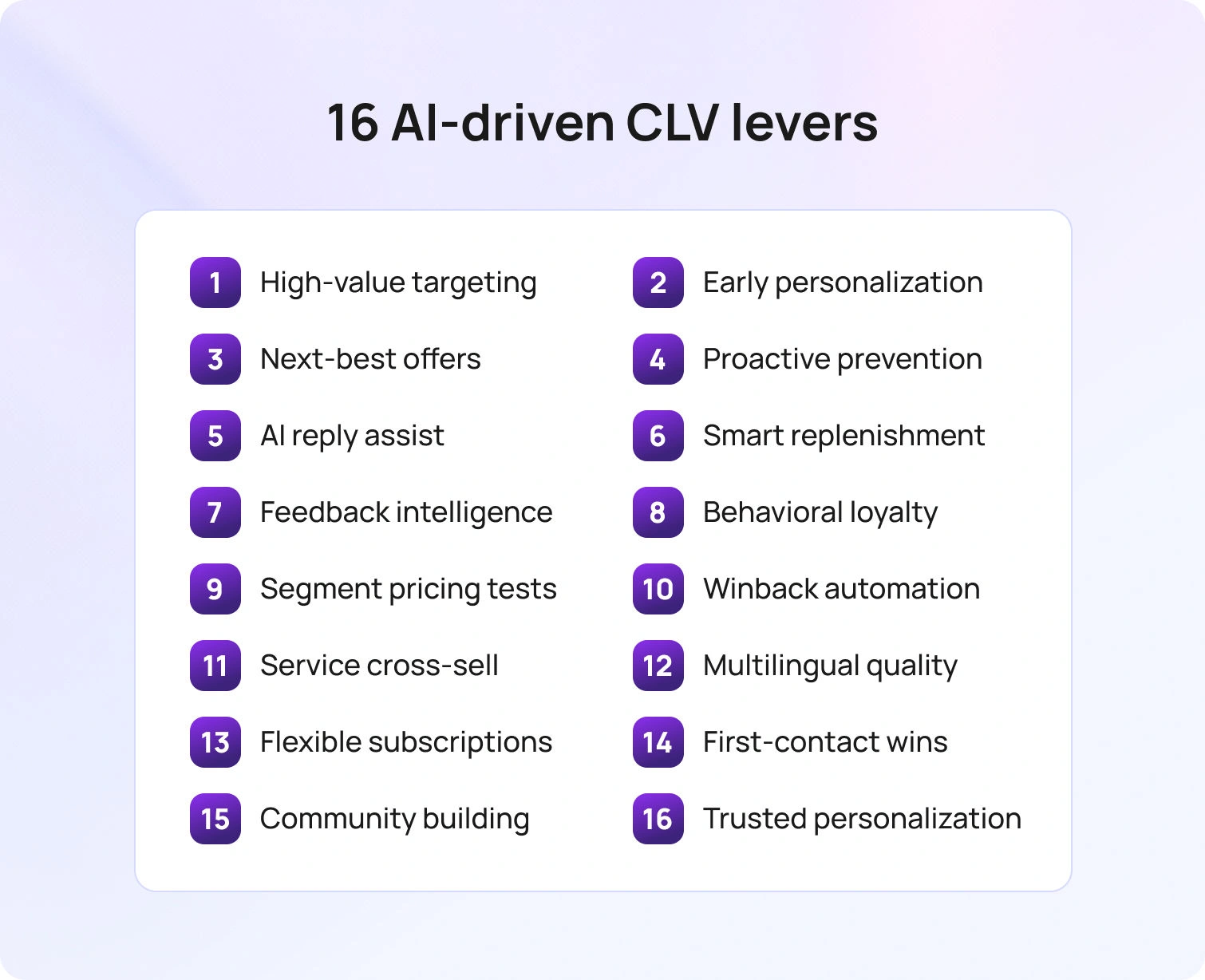
What follows are proven moments to move CLV, each linked to a clear input in the formula and simple enough to pilot this quarter without a big systems overhaul.
1. Prioritize high-value segments before the first purchase
Why it matters: Not all customers contribute the same lifetime value; early focus on high-value segments lifts CLV fastest.
AI play: Many programs treat all accounts equally, even though not all customers contribute the same lifetime value. Use predictive models to identify high-value segments based on early behavior, category interest, and service history.
Result: Route proactive customer support and better onboarding for these groups, and tune incentives to reflect expected contribution. This approach quickly increases customer value and reduces wasted marketing efforts.
2. Personalize the first 30 days to reduce early churn
Why it matters: Early lapses compress average customer lifespan and stall repeat purchases.
AI play: Early lapses compress average customer lifespan. Trigger onboarding nudges keyed to the first product purchased, the customer segment, and observed usage. Point customers to a single next step that proves value, such as a configuration checklist or a short how-to video.
Result: Pair guidance with a light survey to capture valuable feedback. This combination creates happy customers who are far more likely to become repeat buyers.
3. Recommend what is next, not just what is similar
Why it matters: Generic related items create noise and leave average order value flat.
AI play: Related items are often noise. Use embeddings and purchase sequences to learn natural progressions so recommendations follow customer needs rather than catalog adjacency. If a shopper has just resolved a problem with product A, the system proposes a complementary product to address the next friction point.
Result: When this logic appears in email, on-site, and in service conversations, average order value and repeat purchases increase without harming trust.
4. Proactive service that prevents the ticket
Why it matters: Preventing problems extends customer lifespan and protects satisfaction.
AI play: Avoiding a problem is better than resolving one. Predict likely breakpoints from telemetry and service transcripts, then send a short guide or in-product prompt before the issue becomes a contact. For hardware, that can be a simple part-compatibility check. For software, it can be a permissions reminder before a deadline.
Result: Less effort extends customer lifetime and improves customer satisfaction.
5. Suggested replies that keep quality and speed high
Why it matters: Slow responses reduce satisfaction and invite unnecessary repeats.
AI play: Slow responses reduce customer satisfaction and invite repeat contacts. Use AI to assemble grounded first drafts from the knowledge base, conversation history, and current case data. Agents review, adjust tone to match brand identity, and send. The work shifts from writing from scratch to finishing well.
Result: Handle time falls, accuracy improves, and customer relationships strengthen.
BlueHub combines tickets, knowledge, and suggested replies in a single workspace, so support teams move faster without losing control.
6. Dynamic replenishment and timing that feels natural
Why it matters: Right-time outreach raises purchase frequency without harming trust.
AI play: The right message at the wrong time still fails. Predict depletion windows, usage patterns, and delivery lead times. Send reminders and one-click carts when the probability of need is high, and stay quiet when confidence is low.
Result: This respects customers while lifting purchase frequency and average customer lifetime value, especially in e-commerce business models.
7. Structured feedback to fix what hurts CLV
Why it matters: Acting on feedback removes the root causes of churn and low value.
AI play: Collecting customer satisfaction feedback is not the goal; acting on it is. Classify reviews, chats, and calls into themes such as packaging issues, unclear sizing, or billing confusion, then rank them by churn risk and revenue at stake.
Result: Publish a simple you-said we-did note so customers see the loop closing. Fixes tied to clear themes have the fastest impact on customer lifetime outcomes.
8. Loyalty programs that reward behaviors that grow value
Why it matters: Rewards must reinforce actions that extend relationships, not just spending.
AI play: Points that don't matter don't build customer loyalty. Build loyalty programs that recognize milestones, referrals, helpful community participation, and problem-free cycles. Calibrate rewards by margin and predicted lifetime value to keep incentives sustainable.
Result: The best programs deliver personalized experiences that make customers feel seen, increasing customer and brand loyalty.
9. Pricing and packaging experiments by segment
Why it matters: Segment-level price and bundle tests move both AOV and frequency.
AI play: Price and packaging influence both average order value and purchase frequency. Run controlled experiments on bundles and commitment discounts at the customer segment level. Keep tests small, time-bound, and easy to reverse.
Result: Use uplift on contribution and retention, not only top-line sales, to judge success. Over time, these adjustments maximize customer lifetime without eroding trust.
10. Winback and reactivation for existing customers
Why it matters: Re-engaging existing customers is often cheaper and faster than acquiring new customers.
AI play: Lapsed existing customers often return with the right prompt. Predict lapse likelihood, choose the lightest-touch offer, and guide re-onboarding. If dissatisfaction drove the lapse, lead with the fix rather than a discount. Coordinate email, SMS, and in-app prompts so the sequence is coherent.
Result: Winbacks directly improve customer lifetime value because reacquired customers typically resume a known pattern of spend.
11. Conversational cross-selling inside service moments
Why it matters: Post-resolution trust creates a window for helpful, welcomed offers.
AI play: When a service issue ends well, trust is highest. During that moment, propose a single complement that adds clear value. If the issue was shipping, the offer might be a faster shipping method at a loyalty rate on the next order. If the ticket was about setup, the offer could be an accessory that shortens future steps. The tone should be helpful rather than promotional.
Result: This cross-selling style increases average order value without reducing satisfaction.
12. Multilingual support that maintains the same quality
Why it matters: Language gaps create avoidable churn and shorten customer lifespan.
AI play: Language mismatches create avoidable churn. Use real-time translation with an approved glossary to keep meaning intact across channels. Keep sensitive flows with a human by default.
Result: Consistent quality across languages opens new regions, retains customers who would otherwise leave, and improves CLV globally.
13. Subscriptions and reminders that respect control
Why it matters: Convenient commitment increases frequency and predictability.
AI play: Commitment beats intention. Offer optional subscriptions with smart cadence and a clear pause or skip option. Add replenishment reminders that match observed usage rather than fixed calendars.
Result: Customers who feel in control stay longer, which raises average customer lifespan and predictable revenue.
14. Low-effort, first-contact resolution as a retention strategy
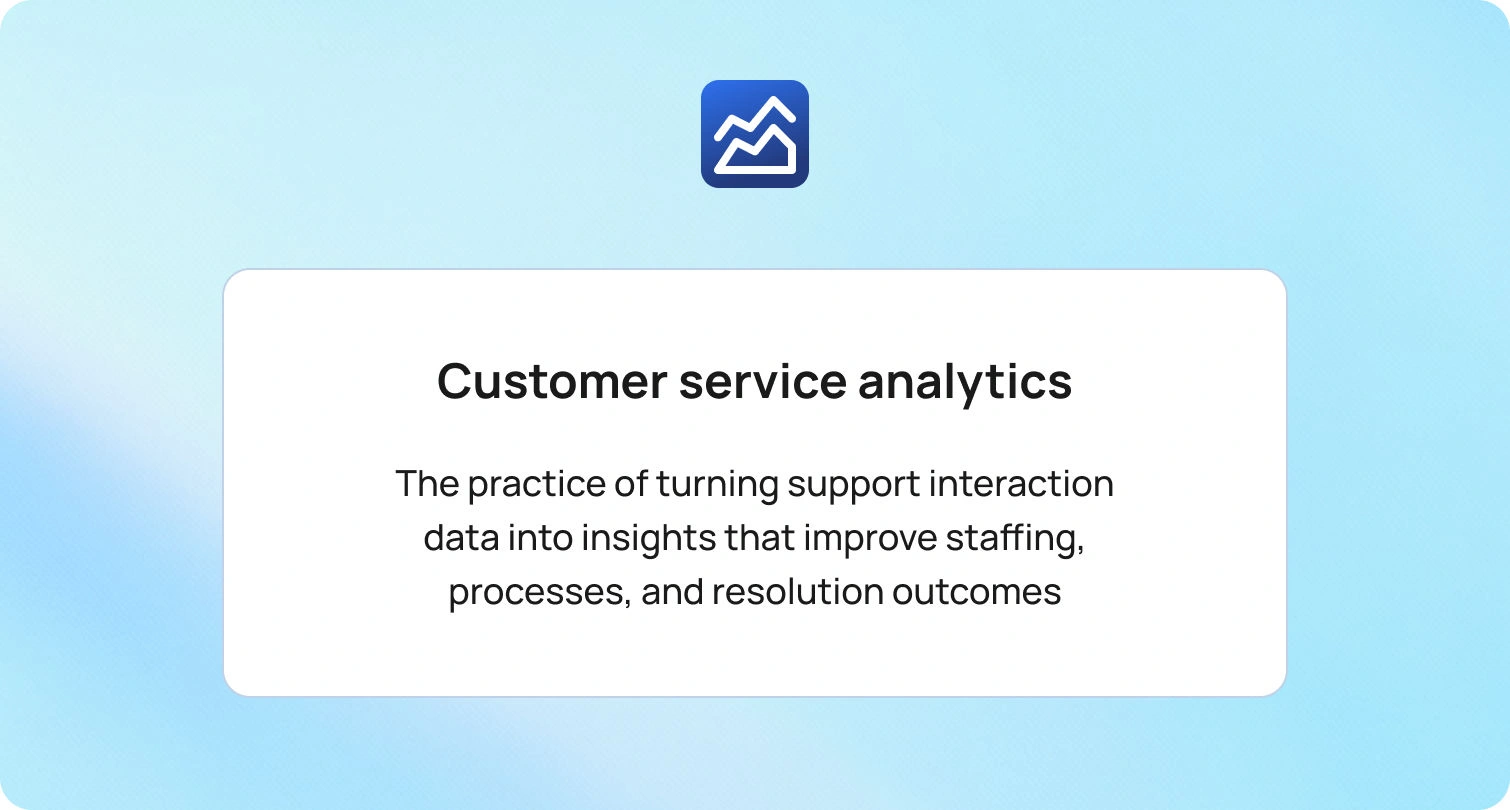
Why it matters: Effort is a quiet churn driver that erodes loyalty and repeat business.
AI play: Effort is a quiet driver of churn. Use intent routing, pre-filled forms, and verified steps so agents resolve common issues on the first contact. Pair that with an always-current knowledge base and suggested replies.
Result: The combination reduces reopen rates and keeps customers engaged. BlueHub’s Agent Copilot and customer service analytics help teams see where first-contact resolution slips and how to recover.
15. Community, exclusivity, and belonging
Why it matters: Belonging turns satisfied customers into advocates who stay and spend.
AI play: Transactions do not create belonging. Identify engaged customers and invite them to previews, helpful groups, and early access. Recognize contributions that help others succeed.
Result: This creates a sense of community that translates into repeat business, stronger customer relationships, and longer customer lifespan.
16. Responsible personalization that earns trust
Why it matters: Transparency keeps personalization effective and sustainable.
AI play: Personalization in customer experience works when customers understand how it operates. Explain plainly how customer data is used, provide clear choices, and respect preferences. Limit access to sensitive data through role-based access controls and approvals.
Result: When people feel safe and respected, they are more open to the tailored guidance that increases customer lifetime value.
How to Calculate and Track CLV Without Turning It Into a Math Job
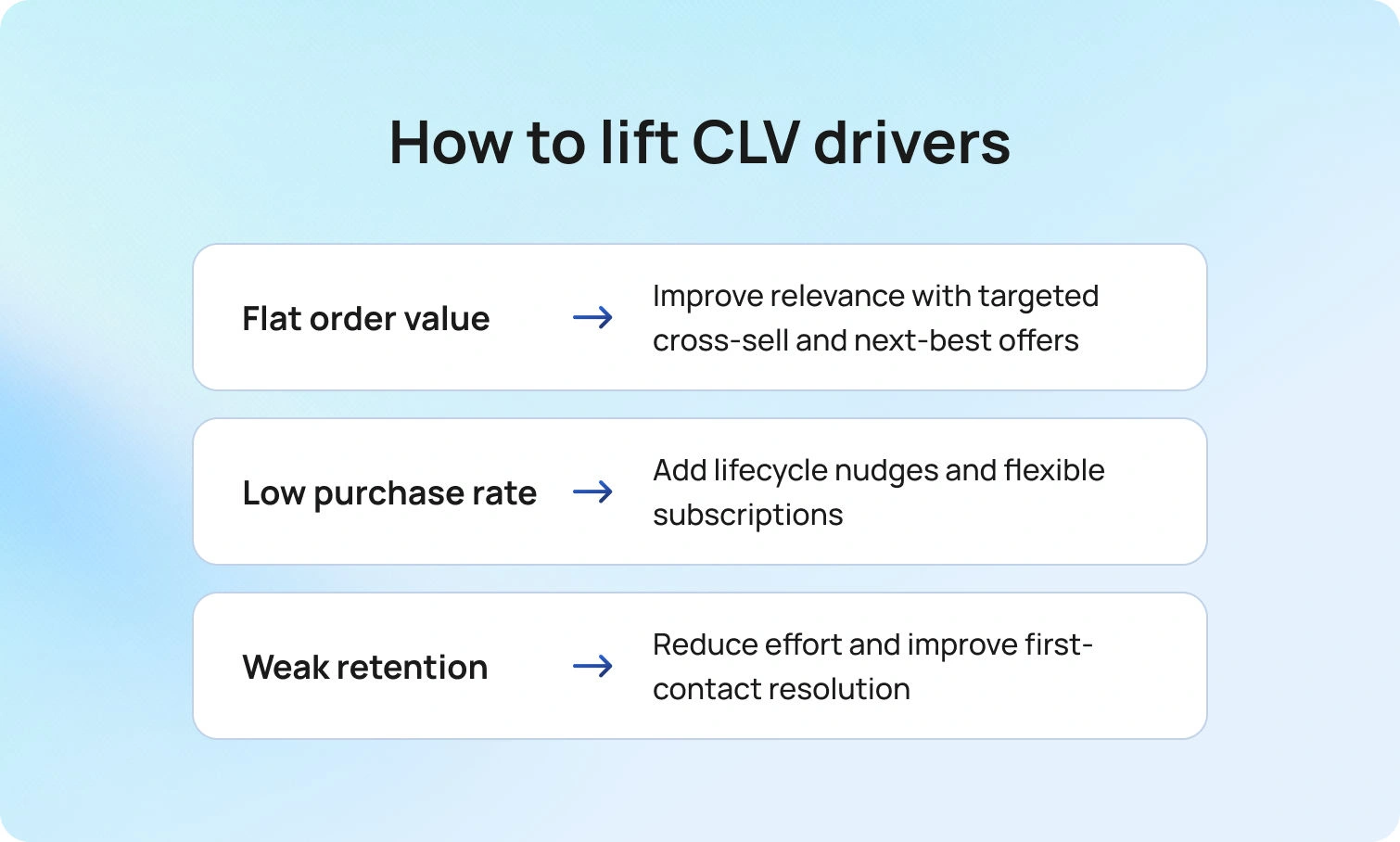
Start simple. Take the average order value, multiply it by the purchase frequency for the period, multiply it by the average customer lifespan, then subtract the customer acquisition cost. That gives you a working CLV estimate you can explain in one sentence.
Make it practical by analyzing cohorts rather than relying on a company-wide average. Run the same calculation for a few key segments, such as the first product purchased, acquisition channel, and region. You’ll see where CLV is strongest, where it’s weak, and where an improvement will pay back fastest.
Let the numbers point to the next move.
- If the average order value is flat in a segment, improve relevance and cross-sell relevant products.
- If purchase frequency lags, add lifecycle nudges and subscriptions.
- If retention is weak, reduce effort and improve first-contact resolution.
Keep the math light and the actions specific. The goal isn’t a perfect model; it’s a clear read on which lever to pull, so measuring customer lifetime leads to obvious next steps.
Measuring the Impact That Actually Matters
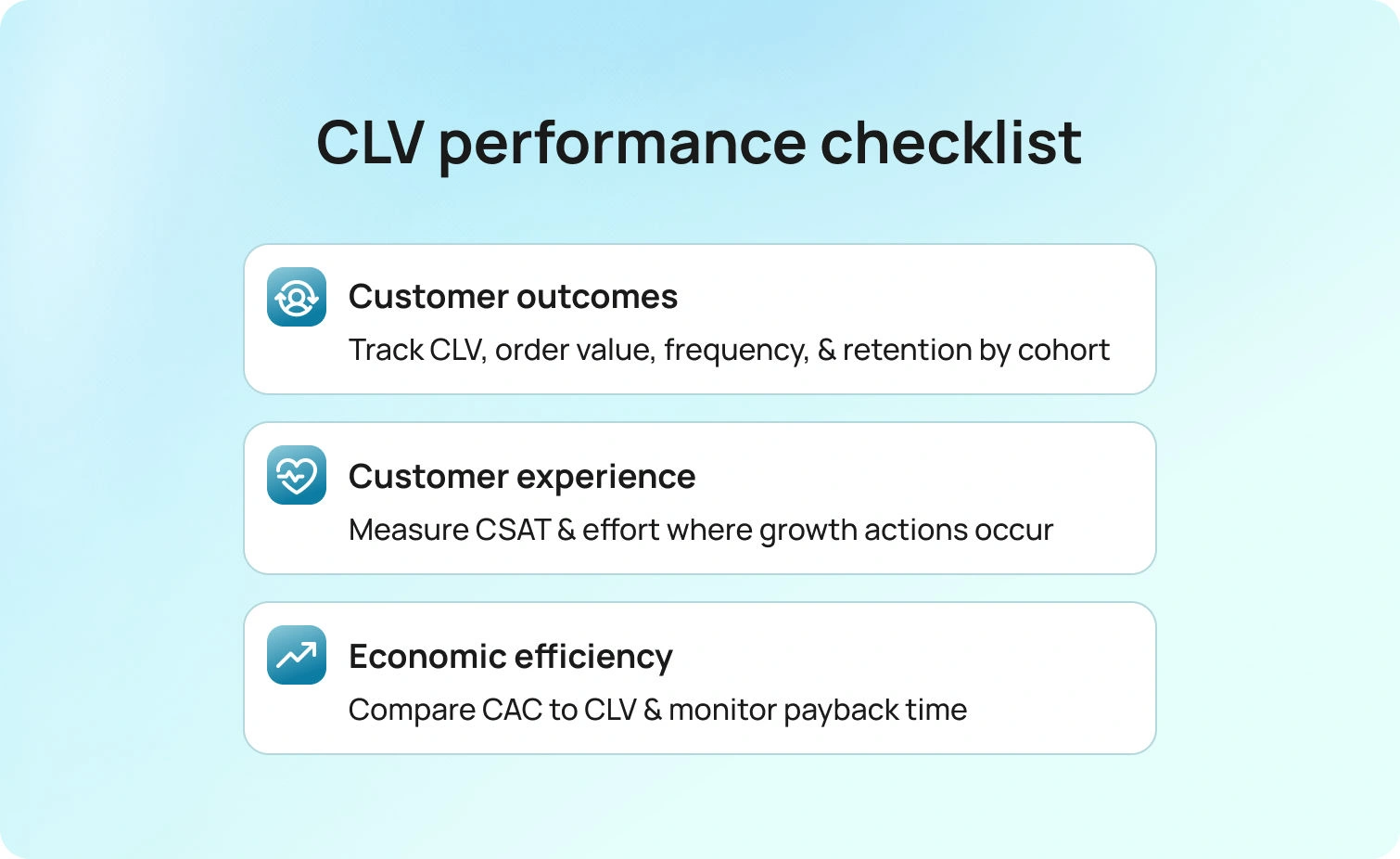
You’re proving lift, not filling a dashboard. The story should be clear at a glance.
Start with outcomes, but let them speak in context. Average customer lifetime value by cohort shows whether the contribution is rising where effort is focused. Purchase frequency indicates whether lifecycle nudges affect how often people buy. Average order value indicates whether recommendations and conversational cross-selling are relevant rather than loud. Alongside these, average customer lifespan and retention confirm that gains come from customers staying longer, not from one-off spikes.
Experience belongs on the same page. Customer satisfaction and effort should remain steady or improve as CLV rises. A dip in CSAT or a rise in effort suggests extraction, not loyalty, and calls for adjusting the plays rather than the targets.
Efficiency connects the dots to the budget. Customer acquisition cost should trend down relative to CLV as spend shifts toward segments with proven payback. Blended payback time indicates when the acquisition becomes profitable, and whether those gains persist across cohorts.
Evidence beats anecdotes, so measure with cohorts and simple controls. One group receives lifecycle nudges; the matched group does not. The comparison controls for the first product and region. In service, first-contact resolution and reopen rates before and after suggested replies go live show whether quality and speed improved. Results published on a predictable cadence keep teams aligned and help retire work that isn’t moving the numbers.
A compact checklist keeps everyone looking at the same frame:
- Outcomes: CLV by cohort, purchase frequency, average order value, average customer lifespan, and retention
- Experience: CSAT and effort where the plays run
- Efficiency: CAC versus CLV and blended payback time
How BlueHub Helps
BlueHub by BlueTweak turns CLV strategy into everyday execution by keeping work and data in one place.
- Unified workspace for tickets, AI voicebot, multilingual AI chatbot, email, and social
- Single customer profile with complete history and context
- Suggested replies and AI ticket summaries that raise quality and speed
- Multilingual chatbot support that maintains the same standard across channels
- Role-based controls, approvals, and audit logs to keep sensitive actions governed
Leaders get the metrics that matter, grouped by customer segment:
- Average customer lifetime value, purchase frequency, average order value, churn, and acquisition cost
- Drill from a KPI to the specific intents, conversations, and teams that moved it
- Trigger the next step from the same screen, including routing updates, knowledge edits, and automation
Future Outlook: CLV Programs in the Next Two Years
The next phase of CLV improvement integrates AI planning and execution within the same workspace. Three shifts are coming.
- Real-time eligibility becomes standard. Offers and retention steps appear only when margin, inventory, and policy all align. Contribution stays protected, and experiences stay clean.
- Sequence intelligence matures. Recommendations and service moves reflect where a customer is in the task, not just what they clicked. Customer value and loyalty rise together.
- Governance feels invisible. Guardrails and approvals run in the background while agents see a clear path to resolution. Brand voice and policy stay aligned without slowing work.
Teams that prepare for these shifts will maximize customer lifetime and grow with confidence.
Conclusion: Make CLV a Daily Operating System
Improving CLV is not a campaign; it is a way of running the business. Use AI to identify high-value segments, guide the first month, recommend next steps, and keep effort low when customers need help. As average order value, purchase frequency, and average customer lifespan rise together, reliance on paid acquisition falls, and predictable revenue grows.
BlueHub provides teams with a shared workspace for this work every day. It unifies customer data, accelerates service, personalizes journeys, and demonstrates impact with metrics leaders trust. If the goal is to improve CLV without guesswork, the path is to consolidate decisions and execution in one place and measure progress with clarity. Book a BlueHub demo and learn how it can help you map your CLV targets to live journeys, replies, and dashboards that make lifetime value measurable and repeatable.

Freshdesk vs Zendesk vs BlueTweak: Which Solution to Adopt In 2026?
Freshdesk vs Zendesk vs BlueTweak — how to choose without overbuying
Your support team has outgrown shared inboxes. Chat and voice are on the roadmap, with social potentially following. Three options keep emerging: Freshdesk, Zendesk, and BlueTweak.
Here’s the quick take. Freshdesk feels light and affordable to start. Zendesk signals its “enterprise” capabilities with a large marketplace and modular add-ons. BlueTweak bundles the core stack—omnichannel ticketing, AI assist, workforce management, analytics, and a knowledge base—into one platform designed to reduce tool sprawl and implementation drag.
The real decision isn’t a feature checklist. Its pricing model, time-to-value, and the level of integration and maintenance you’ll own once you add AI, telephony, WFM, and QA. BlueTweak’s positioning is outcome-first—omnichannel, AI, and WFM in one stack at a transparent per-agent price—so mid-market teams can scale without needing to chase additional modules.
This guide compares Freshdesk vs. Zendesk with a third option: BlueTweak — built for teams that want chat, voice, email, bots, analytics, and WFM all together to enhance the customer experience, not pieced together. You’ll see where each tool fits, what add-ons really mean in terms of cost and complexity, and when a unified CX OS makes more sense than stitching together multiple vendors.
Help Desk Platforms: 2018 to 2025
Customer service software looked different in 2018. Most platforms were ticket management systems with a bolt-on chat feature. AI meant basic keyword matching. Reporting was an afterthought. If you wanted a voice, you integrated a separate call center. Multi-channel support meant managing three disconnected tools.
By 2025, the baseline shifted. Omnichannel isn't a premium feature—it's a table-stakes requirement. Knowledge base integration powers both agent assist and customer self-service options. AI classifies tickets, summarizes conversations, suggests replies, and translates in real time.
Ultimately, you need to unify support channels, knowledge base, and analytics under one roof. Avoid stacking point tools that fragment customer data and force agents to context-switch. The platforms that survived consolidated capabilities. The ones that didn't became integration projects.
What Matters in 2026: Everything Under the Same Umbrella
There’s a lot that goes into choosing a comprehensive customer support solution, and it’s easier to get lost in the noise. Here’s what really matters when investing in your business:
- Channels
- AI
- Knowledge Base
- Operations
- Security and Administration
- Integrations
- Key Performance Indicators
- Pricing Clarity
Channels
Email, chat, and voice are non-negotiable. Social media and SMS are optional but increasingly expected. Your support desk needs to handle all of them in a unified queue so agents see the entire customer journey without switching tools.
Knowledge Base
Smart knowledge base articles power agent searches, customer self-service portals, and chatbot responses. When you update an article, the change should reflect everywhere: agent workspace, help center, and bot answers. Knowledge base articles aren't static FAQs; they're dynamic, continually updated resources. They're the foundation of consistent support across channels.
Integrations
Your stack has to talk to itself. The CRM stays in sync via connectors, commerce integrations bring order history into the ticket, telephony handles routing and recording, and your BI tools pull support metrics without requiring manual data wrangling. Open APIs and webhooks tie it all together, allowing you to automate the workflows that matter most. If the platform can’t meet your stack where it is, you’ll end up rebuilding it.
AI
AI assistance keeps work moving: tickets are classified and routed to the right team; long threads are summarized so agents get the gist fast; suggested replies draw from your knowledge base to provide editable drafts; real-time translation supports customers in their language without hiring for every locale; and spam/duplicate detection keeps queues clean, ultimately improving customer satisfaction.
Operations
Operations stay tight when the basics are unified: workforce management forecasts demand, builds schedules, and tracks real-time adherence; quality assurance samples customer interactions, scores them against rubrics, and flags coaching opportunities; SLA dashboards roll up performance by channel, team, and priority. Without this stack, you’re back to stitching spreadsheets.
Security and Administration
Multi-factor authentication, audit logs, role-based permissions, and data retention policies aren't nice-to-haves. They're compliance requirements. You need controls in place to restrict who can change routing rules, access sensitive customer data, or modify AI configurations.
Key Performance Indicators
First-contact resolution, containment rate, deflection rate, abandonment rate, concurrency, and sentiment shifts indicate whether customer support operations are improving or deteriorating, highlighting the importance of proactive support. Track these metrics monthly and publish deltas so leadership can see the impact.
Pricing Clarity
Core AI features shouldn't require add-ons. Telephony minutes, advanced analytics, and premium support are fair upsells. However, if you cannot obtain ticket classification or suggested replies without a separate SKU, you're looking at pricing complexity that scales poorly.
How We Evaluated Freshdesk and Zendesk, and BlueTweak
This Freshdesk vs. Zendesk comparison draws on publicly available documentation, feature matrices, and case studies as of November 2025.
Must-Have Capability Checklist
- Omnichannel intake covering email, chat, and voice at a minimum. Social media and SMS are optional but valuable for retail and e-commerce.
- Knowledge base-grounded answers so AI doesn't hallucinate policies or invent shipping timelines.
- AI features include classification, summarization, suggested replies, and real-time translation.
- Analytics tracking at least two to three KPIs from the list above: first-contact resolution, containment rate, sentiment analysis, or SLA adherence.
- Workforce management or quality assurance, either native or through a strong first-party module.
- Security and administration with MFA, audit logs, and role-based access.
- Integrations and APIs that connect to CRM, telephony, and BI tools.
- Pricing that includes core AI features without forcing every capability into add-on SKUs.
Scoring Rubric
Here are the things we evaluated and based our scoring upon:
- Omnichannel depth, especially voice integration and unified queuing.
- AI coverage across agent assist and knowledge-base grounding, not just chatbot features.
- Native or first-party workforce management and QA tools.
- Time-to-value is documented in onboarding timelines.
- Total cost to operate, including licensing, add-ons, telephony, and implementation services.
- Security and control for compliance-heavy industries.
Feature-by-Feature Comparison: Freshdesk vs Zendesk vs BlueTweak

Below is a structured, like-for-like view of core capabilities, required add-ons, and the typical impact on implementation. The comparison focuses on the functions most relevant to mid-market support operations, helping you align features with your budget and timelines.
1. Omnichannel Support Coverage
Omnichannel coverage means unified intake for email, live chat, voice, and optionally social media or SMS. Agents work from a single queue with collision detection to prevent duplicate responses. Customer interactions remain synchronized across all channels.
- BlueTweak: The platform unifies email, chat, voice, and social, allowing agents to work from a single workspace. Its multi-tenant design enables operations to segment queues by client/brand without requiring additional instances. The AI voicebot handles routine calls, providing instant escalation to live agents when needed.
- Freshdesk: Freshdesk Omnichannel Suite combines email, chat, phone, and social channels into a single agent interface. Freshchat offers live chat and messaging capabilities, while Freshdesk Contact Center enhances this with telephony and IVR functionality. Agent collision detection prevents multiple agents from responding to the same customer simultaneously.
- Zendesk: Zendesk Suite bundles Support, Messaging, and Talk to deliver omnichannel coverage with a unified workspace. Skills-based routing assigns tickets based on agent expertise, language, and availability. Zendesk Talk integrates voice seamlessly with ticketing, so call history appears alongside email and chat interactions.
All three platforms cover core omnichannel needs. BlueTweak stands out for its native multi-brand routing within a single platform, which simplifies operations for teams managing multiple product lines or regional brands, eliminating the need for separate instances.
2. Advanced AI Assistance
AI assistance includes ticket summaries, automatic classification, suggested replies, spam filtering, real-time translation, and post-interaction notes, all supported by a robust knowledge base. These features reduce agent workload and maintain consistency across support conversations.
- BlueTweak: AI Ticket Summary condenses email threads and chat transcripts so agents don't waste time reading long histories. Suggested Reply drafts responses grounded in the knowledge base that agents can personalize before sending. Spam and duplicate filtering keep queues focused on real customer inquiries, while real-time chat translation supports multilingual customer support without delays. Post-call notes and next-best-action recommendations streamline follow-up workflows.
- Freshdesk: Freddy AI provides ticket summaries and response suggestions to help agents reply more quickly. Spam detection filters low-value inquiries before they reach the queue. Translation features support multilingual interactions across email and chat, while AI-powered intent detection routes tickets automatically to the appropriate team based on content analysis.
- Zendesk: Zendesk AI provides summaries, suggested responses, and intent classification to expedite ticket resolution. Real-time translation enables seamless chat and email communication in multiple languages, eliminating the need for manual translation steps. Talk transcription converts voice calls into searchable text for future reference, and sentiment analysis flags customers who are frustrated for priority handling.
All three platforms offer robust AI features. BlueTweak emphasizes knowledge-base grounding across all AI outputs, ensuring consistency between agent assist and self-service. Freshdesk and Zendesk both offer robust AI capabilities, although the availability of these features varies by plan tier.
3. Knowledge Base and Self-Service Options
A smart knowledge base powers agent searches, customer self-service portals, help center widgets, and chatbot responses, enabling seamless interactions across various channels. Agents need fast access to accurate information. Customers need intuitive self-service that actually solves problems.
- BlueTweak: The knowledge base integration grounds AI reply suggestions and chatbot answers in approved content, reducing the risk of hallucinations while maintaining agent control and autonomy. Customers get a self-service portal, and agents use the internal KB for policy and process. Canned responses help teams answer common questions quickly and consistently.
- Freshdesk: Solutions (Freshdesk's knowledge base) powers both agent assist and customer-facing portals with searchable articles. Portal widgets and templates let you customize the help center experience to match your brand. Multi-language support enables global customer bases to access content in their preferred language.
- Zendesk: Guide serves as Zendesk's knowledge base platform with robust content management, including versioning and publishing workflows. Help Center widgets embed articles across channels, allowing customers to self-solve without needing to contact support. Multilingual article support scales globally with translation management built in.
All three provide capable knowledge base platforms. BlueTweak's approach tightly couples the knowledge base with AI-generated suggestions and chatbot responses, minimizing the risk of inconsistent answers between automated and human-assisted channels.
4. Analytics and Reporting
Analytics show real-time SLA performance, historical trends, and KPI tracking. You need visibility into first-contact resolution, containment rates, sentiment shifts, and agent productivity to make data-driven decisions.
- BlueTweak: Real-time SLA and performance dashboards track performance with built-in analytics, eliminating the need for a separate module. Sentiment analysis highlights negative interactions for quick follow-up, while resolution categories and labels support trend analysis and informed decision-making. Post-interaction summaries capture what happened (and why) across chat, email, and calls, feeding continuous improvement.
- Freshdesk: Dashboards and custom reports track key metrics, including ticket volume, agent performance, and SLA adherence. Reporting tools provide visibility into support operations, enabling filtering by channel, team, and time period. Sentiment and containment tracking capabilities vary by plan tier.
- Zendesk: Explore analytics provides advanced reporting with custom dashboards and business intelligence features. SLA tracking and CSAT measurement come standard, while custom metrics let you define business-specific KPIs. Data export and API access enable integration with external BI tools for deeper analysis.
All three offer analytics. The differentiation lies in how sentiment and outcome data are tied back to operational actions. BlueTweak's analytics directly inform routing and prioritization rules, while Freshdesk and Zendesk lean more on reporting for post-hoc analysis.
5. Workforce Management and Quality Assurance
Workforce management handles forecasting, scheduling, and adherence tracking. Quality assurance samples interactions, scores them against rubrics, and identifies opportunities for coaching and improvement.
- BlueTweak: Call center workforce management includes forecasting and scheduling tools that predict demand and optimize staffing levels. Customer service quality assurance provides scorecards and calibration workflows for consistent evaluation. Native integration enables data to flow automatically between WFM, QA, and a robust ticketing system without the need for middleware.
- Freshdesk: Workforce management and quality assurance are typically handled through marketplace partners rather than native modules. Integration options include dedicated WFM and QA vendors that connect via API. This approach offers flexibility in choosing specialized tools, but it requires additional management of vendors.
- Zendesk: Workforce management and QA primarily operate through the partner ecosystem, with integrations from companies such as Tymeshift and Playvox. Native analytics support WFM planning with historical data and forecasting inputs; however, dedicated WFM tools offer more advanced scheduling and adherence features.
BlueTweak includes workforce management and QA natively, reducing time-to-value and eliminating vendor complexity. Zendesk and Freshdesk rely on partner integrations, which are effective but add an additional layer of setup and cost.
6. Administration and Security
Administration covers user roles, permissions, audit logs, and data retention policies. Security includes MFA, access controls, and guardrails around AI features and routing changes.
- BlueTweak: Centralized administration with role-based permissions enables teams to segment work by client or brand within a single platform, while audit logs provide traceability for configuration and content changes.
- Freshdesk: Role-based access control and multi-factor authentication secure user accounts across plan tiers. Audit logs track system changes and user activity on higher-tier plans. AI guardrail configurability enables administrators to establish boundaries for automated actions and escalation rules.
- Zendesk: The Admin Center provides centralized control over platform configuration, including roles, permissions, and MFA standards, across all plans. Audit logging and compliance features scale up on enterprise tiers. AI configuration controls enable administrators to manage how automation behaves and when it escalates to human intervention.
All three handle administration and security competently. BlueTweak's workspace scoping is particularly useful for teams managing multiple brands or client accounts within a single platform instance.
7. Integrations and Extensibility
Integrations connect your support platform to CRM systems, commerce platforms, telephony providers, and business intelligence tools. APIs and webhooks enable custom workflows.
- BlueTweak: API connections and broad SaaS integrations support custom workflows, linking with popular CRM and BI tools and connecting to key messaging and voice channels. Ticketing workflow triggers can initiate downstream actions, and teams receive integration assistance during onboarding to accelerate time-to-value.
- Freshdesk: The large marketplace includes hundreds of pre-built integrations spanning CRM, productivity, analytics, and specialized tools. The app gallery provides one-click installation for common platforms. API access is available across all plan tiers with rate limits that scale by subscription level.
- Zendesk: An extensive marketplace ecosystem provides integrations for virtually any enterprise system. The Sunshine platform enables custom data models and deep integrations for complex requirements. API documentation and an active developer community support custom development. Pre-built connectors seamlessly integrate with major enterprise systems out of the box.
All three platforms support integrations. Freshdesk and Zendesk have larger marketplace ecosystems due to longer market presence. BlueTweak prioritizes core integrations with API flexibility for custom needs.
8. Multilingual Support
Multilingual support means real-time chat translation grounded in the knowledge base, bot language handling, and voice handoff that preserves context across languages.
- BlueTweak: Multilingual customer support includes real-time translation that maintains context and tone across languages. The multilingual voicebot handles voice interactions in multiple languages with seamless escalation to human agents. Context-preserving handoff ensures that when a conversation switches languages or escalates, the agent sees the full interaction history without gaps.
- Freshdesk: Translation features support multilingual chat and email interactions with automatic language detection. Bot language capabilities handle common inquiries in multiple languages. Multi-language knowledge base articles ensure customers can self-solve in their preferred language.
- Zendesk: Translation and multilingual workflows span all channels, including email, chat, and social. Voice handoff capabilities maintain context when transitioning between automated and human support. The multi-language help center and bot support scale globally with translation management tools.
All three handle multilingual scenarios. BlueTweak's strength lies in maintaining context during language switches, particularly in voice interactions where translation often disrupts escalation flows.
9. Implementation and Onboarding
Implementation speed determines time-to-value. Fast onboarding means agents start delivering value in weeks, not months.
- BlueTweak: Guided onboarding with the team accelerates time-to-value, and AI Suggested Reply is designed for a simple setup, delivering value from day one by drawing on your knowledge base for grounded drafts that agents can approve. The platform ships with documented best practices across ticketing/automation to shorten the learning curve. Overall, BlueTweak emphasizes fast implementation and immediate impact rather than long, multi-month rollouts.
- Freshdesk: Migration tools facilitate the transfer of data from legacy systems, including tickets, customer records, and interaction history. Freddy AI setup includes training on historical ticket data to improve classification accuracy. Self-service and assisted onboarding options offer flexibility tailored to team size and complexity. Implementation timelines vary depending on customization requirements.
- Zendesk: Migration kits and professional services support enterprise implementations with complex requirements. Zendesk AI trains on historical data to understand ticket patterns and routing logic. Macro and workflow setup optimizes agent efficiency from the start. Enterprise implementations can span months when integrating with multiple systems and customizing workflows extensively.
BlueTweak prioritizes fast time-to-value with included implementation support, which helps mitigate the initial learning curve for new users. Freshdesk offers flexibility between self-service and assisted onboarding. Zendesk implementations scale with complexity but often require professional services for enterprise deployments.
Pricing and TCO Framework
Use this to compare not just the sticker price but the actual total cost, including licenses, required add-ons (such as AI, telephony, and WFM), implementation, integrations, training, and ongoing administration. The framework helps you map each line item to ROI and time-to-value, ensuring that budgeting reflects how the platform will actually operate in your environment.
Seat vs Usage: What's Included and What Costs Extra
Most customer service software pricing splits between per-seat costs and usage-based add-ons. Understanding this division prevents surprise bills.
Included in seat pricing typically:
- Core ticketing system functionality
- Multiple channels, like email and basic chat UI
- Basic analytics and reporting
- Standard SLAs and data retention
- Role-based access and permissions
Usage or add-on pricing typically:
- AI features like summaries, suggested replies, and classification
- Workforce management modules
- Telephony minutes for voice support
- Advanced analytics and custom dashboards
- Bots and automation workflows
- Extra storage or extended data retention
- Premium support, SSO, or HIPAA compliance packs
- Sandbox environments for testing
BlueTweak: BlueTweak bundles core AI features, including classification, summarization, and suggested replies, into base pricing. Workforce management and QA are included. This simplifies budgeting and eliminates the need for separate negotiations for each feature. See pricing for current rates and ROI calculators.
Freshdesk: Freshdesk tiers range from free plans with basic features to enterprise bundles. Freddy AI capabilities, contact center minutes, and advanced add-ons sit in higher tiers or as separate SKUs. Specific pricing varies by region and contract.
Zendesk: Zendesk pricing includes base Support, with Talk (voice), Explore (analytics), and Zendesk AI as add-ons or bundled in Suite plans. Telephony minutes and advanced features scale with tier selection. Enterprise packs add compliance and governance features.
Pricing complexity grows when AI, voice, and analytics each carry separate costs. Customer support teams evaluating Freshdesk vs Zendesk should model total costs, including all necessary add-ons, not just base seat pricing.
Conclusion

The Zendesk vs. Freshdesk vs. BlueTweak comparison boils down to trade-offs between feature depth, implementation complexity, and total cost of operation.
Freshdesk positions itself as an intuitive interface with a free plan for small teams and affordable tiers for growing support operations. It covers essential features without overwhelming users. The trade-off: advanced features and AI capabilities often require higher-tier plans or add-ons.
Zendesk offers extensive customization and advanced AI features, making it a strong fit for large, complex support organizations that have the technical expertise and budget. The trade-off: steeper learning curve, higher cost, and longer implementation timelines.
BlueTweak consolidates support, AI-powered automation, workforce management, and quality assurance into one platform with predictable pricing. It's built for teams that want comprehensive multi-channel support without fragmented tools or surprise add-ons.
When to shortlist BlueTweak:
- You're supporting 20 to 100 agents and want an all-in-one platform that doesn't require stitching together five vendors.
- You need omnichannel coverage, encompassing voice, email, chat, and social media, with unified customer profiles.
- You want customer service features like ticket summaries, suggested replies, and real-time translation included in base pricing, not sold as add-ons.
- You're managing multiple brands or client accounts and need workspace scoping within a single platform.
- You prefer launching in weeks instead of months, with professional services.
Request a demo to see BlueTweak's omnichannel capabilities, AI assist features, and analytics in action. Or skip ahead to see pricing for transparent costs that include core key features without surprise add-ons.

Customer Support Trends 2026: What’s Changing (And What Matters)
What You’ll Learn: The Trends, The Playbooks, The Wins to Target
Customer service trends are not fads; they reflect how organizations adapt to changing customer expectations and operational constraints. These changes define how businesses are adapting to the evolving needs of consumers. The businesses that adopt these methods the quickest are the ones who’ll retain (and win) trust moving forward.
Whether you lead a support organization, operate a contact center, or oversee customer operations, these trends materially affect cost, loyalty, and growth. The pages that follow explain what’s changing and the actions you can take now.
10 Customer Support Trends For 2026

Here’s what’s changing and how to act: support is shifting from reactive tickets to AI-assisted, measurable operations that deflect routine work and surface real-time insights. The 10 trends below outline where to invest now, striking a balance between automation and human judgment to enhance cost, loyalty, and growth.
1. AI in Customer Support
AI and machine learning enhance support teams, reducing repetitive tasks and enabling a focus on addressing complex customer needs. AI tools that actually help support agents do their jobs faster and with less frustration are:
- AI-powered ticket summaries
- Call transcription software that captures every detail
- AI voicebots that handle repetitive work
- Suggested reply
Early adopters have learned the hard way that pure automation without human oversight can lead to hallucinations, negative experiences, and angry customers. Now, the most innovative companies are using AI to assist and streamline operations.
Sentiment analysis flags frustrated customers in real time. Predictive analytics helps you spot issues before they escalate. And natural language processing makes interactions feel less robotic.
Support agents increase productivity, and customers get faster, more accurate help.
See a real-life example of AI in customer support trends by reading how Conectys elevated support with BlueTweak.
2. Omnichannel Support
Customers expect consistency across channels, regardless of internal systems. They just want to receive support on their terms, whether that's email, chat, social media, or phone.
Current trends in customer support indicate that businesses with genuine omnichannel support experience higher customer retention and improved customer satisfaction scores. That’s because repeat contact across channels is a frequent driver of dissatisfaction
Support teams need a unified approach. One platform that syncs every customer interaction (voice, email, chat, social) so support representatives have full context every time.
Customers who interact with a brand through multiple channels are more likely to be loyal and spend more, provided the experience is consistent. That means investing in customer support platforms and omnichannel strategies that integrate everything, rather than cobbling together five disparate tools.
3. Proactive Customer Service
The old model: Wait for customers to complain, then fix it.
The new model: Spot the problem, fix it, and notify the customer before they even realize there's a problem.
That's proactive customer service, and it's one of the most significant trends in the customer support industry right now. Companies are using customer data and AI capabilities to predict issues (like a delayed shipment or a billing error) and address them immediately.
Proactive support boosts customer loyalty, reduces ticket volume, and turns potential complaints into loyalty-building moments. Instead of customers calling in angry, they get a heads-up message: "Hey, we noticed your order's delayed. Here's a discount code and the new delivery date."
4. Self-Service Solutions
Not every customer wants to speak with a live representative. Sometimes, they just want the answer, and they want it fast.
That's why self-service options are emerging. Knowledge bases, FAQ pages, interactive tutorials, and AI-powered chatbots are empowering customers to solve problems independently.
This leads to:
- Reduced support ticket volume
- Lower operational costs
- Higher customer satisfaction (because customers get instant answers)
- Support agents can focus on complex issues that actually need human help
However, self-service must be effective. If customers can’t find an answer quickly, they escalate, often with lower satisfaction.
The best customer solutions combine self-service with intelligent routing. If a customer can't find the answer, they're automatically connected to the right agent with full context. No starting over. No repeating themselves.
5. Personalization
Personalized service means using customer data to tailor interactions. Customer support agents should be able to view purchase history, past tickets, and preferences as soon as they open a conversation. AI tools should suggest canned responses that match the customer's tone and the issue at hand.
Customers interact with brands that understand them. Generic, copy-paste responses are outdated. Personalized experiences demonstrate that you've paid attention and foster customer loyalty.
Still, this requires the right technology. You need platforms that centralize customer information so your team doesn't have to dig through five different systems to find context.
6. Multilingual Customer Support
Companies offering multilingual customer support experience higher customer engagement and can tap into new markets without proportional headcount growth.
AI-powered translation and multilingual voicebots enable this. A team in one location can now handle customer requests in German, French, and Spanish without needing fluent speakers for every language.
This is one of those customer support software trends that's leveling the playing field. Small and mid-sized businesses can now compete globally without the traditional cost barriers that previously hindered their growth.
7. Data Security & Data Privacy
Customers are more aware than ever about how their data is used. And with regulations tightening globally, businesses need to prioritize data security (not just for compliance, but for customer trust).
Transparency wins. Companies that openly communicate how they protect information and give customers control over their data are building stronger, more trustworthy relationships.
If your support platform lacks robust security measures (MFA, role-based access, audit logs, and data-location controls), it's time to upgrade. Your customers and legal team will appreciate your efforts. Your customers and legal team will appreciate your efforts.
8. The Human Touch
As automation and AI become more prevalent, the value of human connection increases.
Yes, AI agents can handle routine tasks, and self-service is excellent for simple issues. However, when things become complicated, emotional, or simply frustrating, customers want to speak with a real person who genuinely cares.
The most innovative strategies strike a balance between cutting-edge tools and empowered employees. Support agents should have access to the best technology and the training, autonomy, and resources necessary to deliver a personal touch when it matters most.
Explore this paradox in more depth and discover the human touch in a digital world.
9. Real-Time Analytics

Gone are the days of waiting for end-of-month reports to see how you're doing. Now, business leaders and support managers can track customer satisfaction, response times, and agent performance live.
Customer service analytics provide valuable insights into what's working and what's not, allowing you to adjust on the fly. If wait times are spiking, you can reassign agents to address the issue. If a particular issue continues to escalate, update your knowledge base.
Predictive analytics take this even further, helping you forecast demand, optimize staffing, and prevent issues before they compound.
10. Continuous Learning
One of the most important current trends in customer support is the shift toward continuous learning. Support organizations are investing in ongoing training, and this isn’t just on new technology. It’s for communication skills, empathy, and problem-solving.
The companies that stay ahead are those that constantly adapt, experiment with new tools, and refine their strategies.
This is about building a culture where your team is empowered to learn, evolve, and deliver better customer experiences every day.
What Does This All Mean for Your Business?
The future isn't about choosing between AI and humans, automation and personalization, or operational efficiency and empathy. It's about blending them.
The businesses winning in 2026 are the ones that:
- Use AI to eliminate repetitive work and raise FCR.
- Deliver consistent omnichannel experiences with unified context.
- Shift from reactive to proactive outreach on known failure points.
- Invest in self-service with clean escalation and article governance
- Personalize with governed data, not ad-hoc macros.
- Adopt a continuous learning cadence (weekly/quarterly).
If you're still patching together disconnected tools, relying on outdated processes, or treating customer support as a cost center instead of a competitive advantage, then you're behind.
Fortunately, it's not too late. The right customer support automation platform (combined with a smart strategy) can transform how you support customers.
See how a unified, AI-powered platform can help you stay ahead of these trends: Explore BlueTweak and see what modern support actually looks like.



