



TL;DR
Learn the different capabilities, pricing structures, and customization options in implementation paths between Zendesk, Freshdesk, and BlueTweak. Freshdesk is the cost-conscious decision, Zendesk provides deep customization, and BlueTweak offers an all-in-one platform with AI-powered automation.
Freshdesk vs Zendesk vs BlueTweak — how to choose without overbuying
Your support team has outgrown shared inboxes. Chat and voice are on the roadmap, with social potentially following. Three options keep emerging: Freshdesk, Zendesk, and BlueTweak.
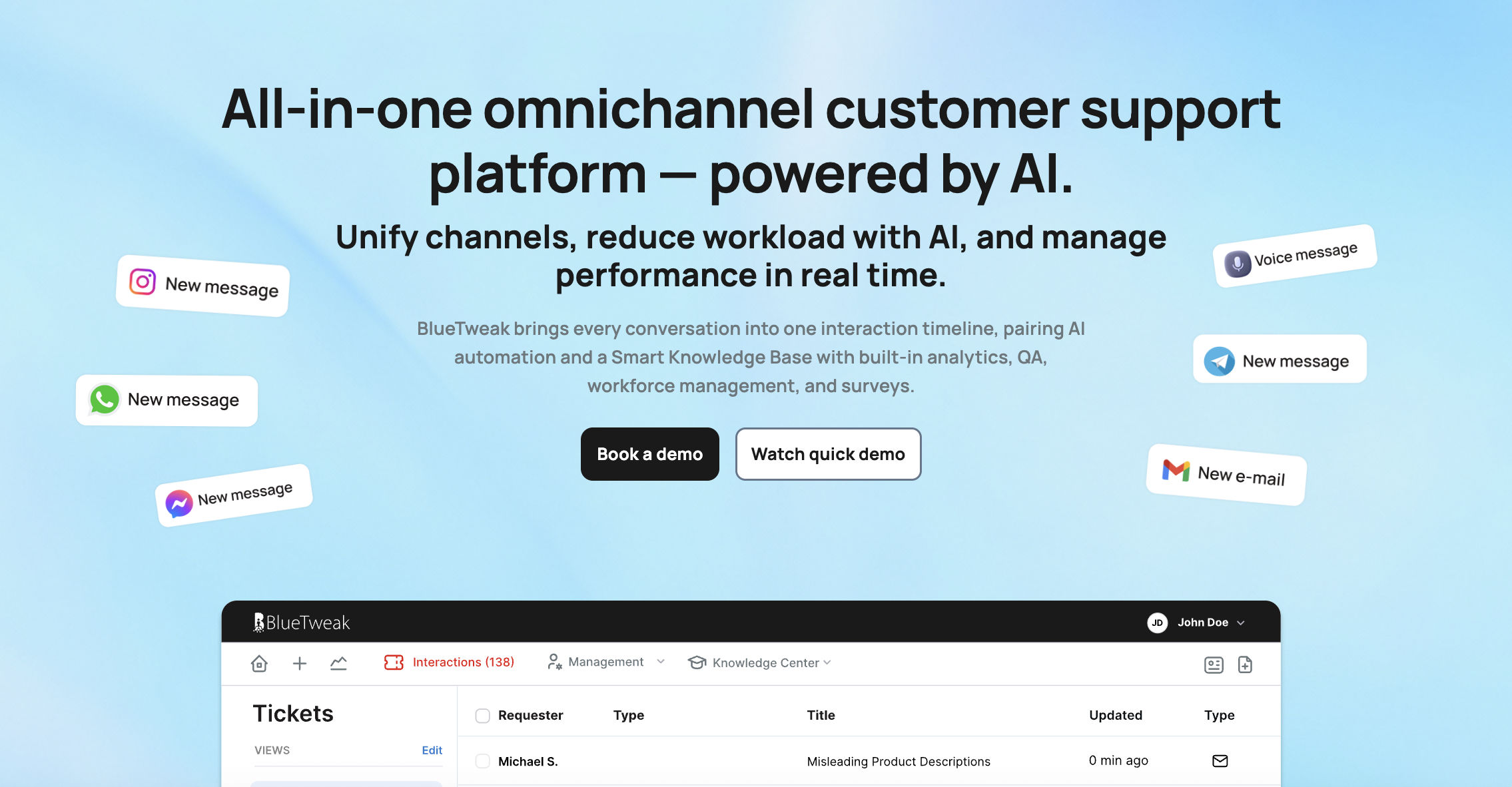
Here’s the quick take. Freshdesk feels light and affordable to start. Zendesk signals its “enterprise” capabilities with a large marketplace and modular add-ons. BlueTweak bundles the core stack—omnichannel ticketing, AI assist, workforce management, analytics, and a knowledge base—into one platform designed to reduce tool sprawl and implementation drag.
The real decision isn’t a feature checklist. Its pricing model, time-to-value, and the level of integration and maintenance you’ll own once you add AI, telephony, WFM, and QA. BlueTweak’s positioning is outcome-first—omnichannel, AI, and WFM in one stack at a transparent per-agent price—so mid-market teams can scale without needing to chase additional modules.
This guide compares Freshdesk vs. Zendesk with a third option: BlueTweak — built for teams that want chat, voice, email, bots, analytics, and WFM all together to enhance the customer experience, not pieced together. You’ll see where each tool fits, what add-ons really mean in terms of cost and complexity, and when a unified CX OS makes more sense than stitching together multiple vendors.
Help Desk Platforms: 2018 to 2025
Customer service software looked different in 2018. Most platforms were ticket management systems with a bolt-on chat feature. AI meant basic keyword matching. Reporting was an afterthought. If you wanted a voice, you integrated a separate call center. Multi-channel support meant managing three disconnected tools.
By 2025, the baseline shifted. Omnichannel isn't a premium feature—it's a table-stakes requirement. Knowledge base integration powers both agent assist and customer self-service options. AI classifies tickets, summarizes conversations, suggests replies, and translates in real time.
Ultimately, you need to unify support channels, knowledge base, and analytics under one roof. Avoid stacking point tools that fragment customer data and force agents to context-switch. The platforms that survived consolidated capabilities. The ones that didn't became integration projects.
What Matters in 2026: Everything Under the Same Umbrella
There’s a lot that goes into choosing a comprehensive customer support solution, and it’s easier to get lost in the noise. Here’s what really matters when investing in your business:
- Channels
- AI
- Knowledge Base
- Operations
- Security and Administration
- Integrations
- Key Performance Indicators
- Pricing Clarity
Channels
Email, chat, and voice are non-negotiable. Social media and SMS are optional but increasingly expected. Your support desk needs to handle all of them in a unified queue so agents see the entire customer journey without switching tools.
Knowledge Base
Smart knowledge base articles power agent searches, customer self-service portals, and chatbot responses. When you update an article, the change should reflect everywhere: agent workspace, help center, and bot answers. Knowledge base articles aren't static FAQs; they're dynamic, continually updated resources. They're the foundation of consistent support across channels.
Integrations
Your stack has to talk to itself. The CRM stays in sync via connectors, commerce integrations bring order history into the ticket, telephony handles routing and recording, and your BI tools pull support metrics without requiring manual data wrangling. Open APIs and webhooks tie it all together, allowing you to automate the workflows that matter most. If the platform can’t meet your stack where it is, you’ll end up rebuilding it.
AI
AI assistance keeps work moving: tickets are classified and routed to the right team; long threads are summarized so agents get the gist fast; suggested replies draw from your knowledge base to provide editable drafts; real-time translation supports customers in their language without hiring for every locale; and spam/duplicate detection keeps queues clean, ultimately improving customer satisfaction.
Operations
Operations stay tight when the basics are unified: workforce management forecasts demand, builds schedules, and tracks real-time adherence; quality assurance samples customer interactions, scores them against rubrics, and flags coaching opportunities; SLA dashboards roll up performance by channel, team, and priority. Without this stack, you’re back to stitching spreadsheets.
Security and Administration
Multi-factor authentication, audit logs, role-based permissions, and data retention policies aren't nice-to-haves. They're compliance requirements. You need controls in place to restrict who can change routing rules, access sensitive customer data, or modify AI configurations.
Key Performance Indicators
First-contact resolution, containment rate, deflection rate, abandonment rate, concurrency, and sentiment shifts indicate whether customer support operations are improving or deteriorating, highlighting the importance of proactive support. Track these metrics monthly and publish deltas so leadership can see the impact.
Pricing Clarity
Core AI features shouldn't require add-ons. Telephony minutes, advanced analytics, and premium support are fair upsells. However, if you cannot obtain ticket classification or suggested replies without a separate SKU, you're looking at pricing complexity that scales poorly.
How We Evaluated Freshdesk and Zendesk, and BlueTweak
This Freshdesk vs. Zendesk comparison draws on publicly available documentation, feature matrices, and case studies as of November 2025.
Must-Have Capability Checklist
- Omnichannel intake covering email, chat, and voice at a minimum. Social media and SMS are optional but valuable for retail and e-commerce.
- Knowledge base-grounded answers so AI doesn't hallucinate policies or invent shipping timelines.
- AI features include classification, summarization, suggested replies, and real-time translation.
- Analytics tracking at least two to three KPIs from the list above: first-contact resolution, containment rate, sentiment analysis, or SLA adherence.
- Workforce management or quality assurance, either native or through a strong first-party module.
- Security and administration with MFA, audit logs, and role-based access.
- Integrations and APIs that connect to CRM, telephony, and BI tools.
- Pricing that includes core AI features without forcing every capability into add-on SKUs.
Scoring Rubric
Here are the things we evaluated and based our scoring upon:
- Omnichannel depth, especially voice integration and unified queuing.
- AI coverage across agent assist and knowledge-base grounding, not just chatbot features.
- Native or first-party workforce management and QA tools.
- Time-to-value is documented in onboarding timelines.
- Total cost to operate, including licensing, add-ons, telephony, and implementation services.
- Security and control for compliance-heavy industries.
Feature-by-Feature Comparison: Freshdesk vs Zendesk vs BlueTweak

Below is a structured, like-for-like view of core capabilities, required add-ons, and the typical impact on implementation. The comparison focuses on the functions most relevant to mid-market support operations, helping you align features with your budget and timelines.
1. Omnichannel Support Coverage
Omnichannel coverage means unified intake for email, live chat, voice, and optionally social media or SMS. Agents work from a single queue with collision detection to prevent duplicate responses. Customer interactions remain synchronized across all channels.
- BlueTweak: The platform unifies email, chat, voice, and social, allowing agents to work from a single workspace. Its multi-tenant design enables operations to segment queues by client/brand without requiring additional instances. The AI voicebot handles routine calls, providing instant escalation to live agents when needed.
- Freshdesk: Freshdesk Omnichannel Suite combines email, chat, phone, and social channels into a single agent interface. Freshchat offers live chat and messaging capabilities, while Freshdesk Contact Center enhances this with telephony and IVR functionality. Agent collision detection prevents multiple agents from responding to the same customer simultaneously.
- Zendesk: Zendesk Suite bundles Support, Messaging, and Talk to deliver omnichannel coverage with a unified workspace. Skills-based routing assigns tickets based on agent expertise, language, and availability. Zendesk Talk integrates voice seamlessly with ticketing, so call history appears alongside email and chat interactions.
All three platforms cover core omnichannel needs. BlueTweak stands out for its native multi-brand routing within a single platform, which simplifies operations for teams managing multiple product lines or regional brands, eliminating the need for separate instances.
2. Advanced AI Assistance
AI assistance includes ticket summaries, automatic classification, suggested replies, spam filtering, real-time translation, and post-interaction notes, all supported by a robust knowledge base. These features reduce agent workload and maintain consistency across support conversations.
- BlueTweak: AI Ticket Summary condenses email threads and chat transcripts so agents don't waste time reading long histories. Suggested Reply drafts responses grounded in the knowledge base that agents can personalize before sending. Spam and duplicate filtering keep queues focused on real customer inquiries, while real-time chat translation supports multilingual customer support without delays. Post-call notes and next-best-action recommendations streamline follow-up workflows.
- Freshdesk: Freddy AI provides ticket summaries and response suggestions to help agents reply more quickly. Spam detection filters low-value inquiries before they reach the queue. Translation features support multilingual interactions across email and chat, while AI-powered intent detection routes tickets automatically to the appropriate team based on content analysis.
- Zendesk: Zendesk AI provides summaries, suggested responses, and intent classification to expedite ticket resolution. Real-time translation enables seamless chat and email communication in multiple languages, eliminating the need for manual translation steps. Talk transcription converts voice calls into searchable text for future reference, and sentiment analysis flags customers who are frustrated for priority handling.
All three platforms offer robust AI features. BlueTweak emphasizes knowledge-base grounding across all AI outputs, ensuring consistency between agent assist and self-service. Freshdesk and Zendesk both offer robust AI capabilities, although the availability of these features varies by plan tier.
3. Knowledge Base and Self-Service Options
A smart knowledge base powers agent searches, customer self-service portals, help center widgets, and chatbot responses, enabling seamless interactions across various channels. Agents need fast access to accurate information. Customers need intuitive self-service that actually solves problems.
- BlueTweak: The knowledge base integration grounds AI reply suggestions and chatbot answers in approved content, reducing the risk of hallucinations while maintaining agent control and autonomy. Customers get a self-service portal, and agents use the internal KB for policy and process. Canned responses help teams answer common questions quickly and consistently.
- Freshdesk: Solutions (Freshdesk's knowledge base) powers both agent assist and customer-facing portals with searchable articles. Portal widgets and templates let you customize the help center experience to match your brand. Multi-language support enables global customer bases to access content in their preferred language.
- Zendesk: Guide serves as Zendesk's knowledge base platform with robust content management, including versioning and publishing workflows. Help Center widgets embed articles across channels, allowing customers to self-solve without needing to contact support. Multilingual article support scales globally with translation management built in.
All three provide capable knowledge base platforms. BlueTweak's approach tightly couples the knowledge base with AI-generated suggestions and chatbot responses, minimizing the risk of inconsistent answers between automated and human-assisted channels.
4. Analytics and Reporting
Analytics show real-time SLA performance, historical trends, and KPI tracking. You need visibility into first-contact resolution, containment rates, sentiment shifts, and agent productivity to make data-driven decisions.
- BlueTweak: Real-time SLA and performance dashboards track performance with built-in analytics, eliminating the need for a separate module. Sentiment analysis highlights negative interactions for quick follow-up, while resolution categories and labels support trend analysis and informed decision-making. Post-interaction summaries capture what happened (and why) across chat, email, and calls, feeding continuous improvement.
- Freshdesk: Dashboards and custom reports track key metrics, including ticket volume, agent performance, and SLA adherence. Reporting tools provide visibility into support operations, enabling filtering by channel, team, and time period. Sentiment and containment tracking capabilities vary by plan tier.
- Zendesk: Explore analytics provides advanced reporting with custom dashboards and business intelligence features. SLA tracking and CSAT measurement come standard, while custom metrics let you define business-specific KPIs. Data export and API access enable integration with external BI tools for deeper analysis.
All three offer analytics. The differentiation lies in how sentiment and outcome data are tied back to operational actions. BlueTweak's analytics directly inform routing and prioritization rules, while Freshdesk and Zendesk lean more on reporting for post-hoc analysis.
5. Workforce Management and Quality Assurance
Workforce management handles forecasting, scheduling, and adherence tracking. Quality assurance samples interactions, scores them against rubrics, and identifies opportunities for coaching and improvement.
- BlueTweak: Call center workforce management includes forecasting and scheduling tools that predict demand and optimize staffing levels. Customer service quality assurance provides scorecards and calibration workflows for consistent evaluation. Native integration enables data to flow automatically between WFM, QA, and a robust ticketing system without the need for middleware.
- Freshdesk: Workforce management and quality assurance are typically handled through marketplace partners rather than native modules. Integration options include dedicated WFM and QA vendors that connect via API. This approach offers flexibility in choosing specialized tools, but it requires additional management of vendors.
- Zendesk: Workforce management and QA primarily operate through the partner ecosystem, with integrations from companies such as Tymeshift and Playvox. Native analytics support WFM planning with historical data and forecasting inputs; however, dedicated WFM tools offer more advanced scheduling and adherence features.
BlueTweak includes workforce management and QA natively, reducing time-to-value and eliminating vendor complexity. Zendesk and Freshdesk rely on partner integrations, which are effective but add an additional layer of setup and cost.
6. Administration and Security
Administration covers user roles, permissions, audit logs, and data retention policies. Security includes MFA, access controls, and guardrails around AI features and routing changes.
- BlueTweak: Centralized administration with role-based permissions enables teams to segment work by client or brand within a single platform, while audit logs provide traceability for configuration and content changes.
- Freshdesk: Role-based access control and multi-factor authentication secure user accounts across plan tiers. Audit logs track system changes and user activity on higher-tier plans. AI guardrail configurability enables administrators to establish boundaries for automated actions and escalation rules.
- Zendesk: The Admin Center provides centralized control over platform configuration, including roles, permissions, and MFA standards, across all plans. Audit logging and compliance features scale up on enterprise tiers. AI configuration controls enable administrators to manage how automation behaves and when it escalates to human intervention.
All three handle administration and security competently. BlueTweak's workspace scoping is particularly useful for teams managing multiple brands or client accounts within a single platform instance.
7. Integrations and Extensibility
Integrations connect your support platform to CRM systems, commerce platforms, telephony providers, and business intelligence tools. APIs and webhooks enable custom workflows.
- BlueTweak: API connections and broad SaaS integrations support custom workflows, linking with popular CRM and BI tools and connecting to key messaging and voice channels. Ticketing workflow triggers can initiate downstream actions, and teams receive integration assistance during onboarding to accelerate time-to-value.
- Freshdesk: The large marketplace includes hundreds of pre-built integrations spanning CRM, productivity, analytics, and specialized tools. The app gallery provides one-click installation for common platforms. API access is available across all plan tiers with rate limits that scale by subscription level.
- Zendesk: An extensive marketplace ecosystem provides integrations for virtually any enterprise system. The Sunshine platform enables custom data models and deep integrations for complex requirements. API documentation and an active developer community support custom development. Pre-built connectors seamlessly integrate with major enterprise systems out of the box.
All three platforms support integrations. Freshdesk and Zendesk have larger marketplace ecosystems due to longer market presence. BlueTweak prioritizes core integrations with API flexibility for custom needs.
8. Multilingual Support
Multilingual support means real-time chat translation grounded in the knowledge base, bot language handling, and voice handoff that preserves context across languages.
- BlueTweak: Multilingual customer support includes real-time translation that maintains context and tone across languages. The multilingual voicebot handles voice interactions in multiple languages with seamless escalation to human agents. Context-preserving handoff ensures that when a conversation switches languages or escalates, the agent sees the full interaction history without gaps.
- Freshdesk: Translation features support multilingual chat and email interactions with automatic language detection. Bot language capabilities handle common inquiries in multiple languages. Multi-language knowledge base articles ensure customers can self-solve in their preferred language.
- Zendesk: Translation and multilingual workflows span all channels, including email, chat, and social. Voice handoff capabilities maintain context when transitioning between automated and human support. The multi-language help center and bot support scale globally with translation management tools.
All three handle multilingual scenarios. BlueTweak's strength lies in maintaining context during language switches, particularly in voice interactions where translation often disrupts escalation flows.
9. Implementation and Onboarding
Implementation speed determines time-to-value. Fast onboarding means agents start delivering value in weeks, not months.
- BlueTweak: Guided onboarding with the team accelerates time-to-value, and AI Suggested Reply is designed for a simple setup, delivering value from day one by drawing on your knowledge base for grounded drafts that agents can approve. The platform ships with documented best practices across ticketing/automation to shorten the learning curve. Overall, BlueTweak emphasizes fast implementation and immediate impact rather than long, multi-month rollouts.
- Freshdesk: Migration tools facilitate the transfer of data from legacy systems, including tickets, customer records, and interaction history. Freddy AI setup includes training on historical ticket data to improve classification accuracy. Self-service and assisted onboarding options offer flexibility tailored to team size and complexity. Implementation timelines vary depending on customization requirements.
- Zendesk: Migration kits and professional services support enterprise implementations with complex requirements. Zendesk AI trains on historical data to understand ticket patterns and routing logic. Macro and workflow setup optimizes agent efficiency from the start. Enterprise implementations can span months when integrating with multiple systems and customizing workflows extensively.
BlueTweak prioritizes fast time-to-value with included implementation support, which helps mitigate the initial learning curve for new users. Freshdesk offers flexibility between self-service and assisted onboarding. Zendesk implementations scale with complexity but often require professional services for enterprise deployments.
Pricing and TCO Framework
Use this to compare not just the sticker price but the actual total cost, including licenses, required add-ons (such as AI, telephony, and WFM), implementation, integrations, training, and ongoing administration. The framework helps you map each line item to ROI and time-to-value, ensuring that budgeting reflects how the platform will actually operate in your environment.
Seat vs Usage: What's Included and What Costs Extra
Most customer service software pricing splits between per-seat costs and usage-based add-ons. Understanding this division prevents surprise bills.
Included in seat pricing typically:
- Core ticketing system functionality
- Multiple channels, like email and basic chat UI
- Basic analytics and reporting
- Standard SLAs and data retention
- Role-based access and permissions
Usage or add-on pricing typically:
- AI features like summaries, suggested replies, and classification
- Workforce management modules
- Telephony minutes for voice support
- Advanced analytics and custom dashboards
- Bots and automation workflows
- Extra storage or extended data retention
- Premium support, SSO, or HIPAA compliance packs
- Sandbox environments for testing
BlueTweak: BlueTweak bundles core AI features, including classification, summarization, and suggested replies, into base pricing. Workforce management and QA are included. This simplifies budgeting and eliminates the need for separate negotiations for each feature. See pricing for current rates and ROI calculators.
Freshdesk: Freshdesk tiers range from free plans with basic features to enterprise bundles. Freddy AI capabilities, contact center minutes, and advanced add-ons sit in higher tiers or as separate SKUs. Specific pricing varies by region and contract.
Zendesk: Zendesk pricing includes base Support, with Talk (voice), Explore (analytics), and Zendesk AI as add-ons or bundled in Suite plans. Telephony minutes and advanced features scale with tier selection. Enterprise packs add compliance and governance features.
Pricing complexity grows when AI, voice, and analytics each carry separate costs. Customer support teams evaluating Freshdesk vs Zendesk should model total costs, including all necessary add-ons, not just base seat pricing.
Conclusion

The Zendesk vs. Freshdesk vs. BlueTweak comparison boils down to trade-offs between feature depth, implementation complexity, and total cost of operation.
Freshdesk positions itself as an intuitive interface with a free plan for small teams and affordable tiers for growing support operations. It covers essential features without overwhelming users. The trade-off: advanced features and AI capabilities often require higher-tier plans or add-ons.
Zendesk offers extensive customization and advanced AI features, making it a strong fit for large, complex support organizations that have the technical expertise and budget. The trade-off: steeper learning curve, higher cost, and longer implementation timelines.
BlueTweak consolidates support, AI-powered automation, workforce management, and quality assurance into one platform with predictable pricing. It's built for teams that want comprehensive multi-channel support without fragmented tools or surprise add-ons.
When to shortlist BlueTweak:
- You're supporting 20 to 100 agents and want an all-in-one platform that doesn't require stitching together five vendors.
- You need omnichannel coverage, encompassing voice, email, chat, and social media, with unified customer profiles.
- You want customer service features like ticket summaries, suggested replies, and real-time translation included in base pricing, not sold as add-ons.
- You're managing multiple brands or client accounts and need workspace scoping within a single platform.
- You prefer launching in weeks instead of months, with professional services.
Request a demo to see BlueTweak's omnichannel capabilities, AI assist features, and analytics in action. Or skip ahead to see pricing for transparent costs that include core key features without surprise add-ons.

As Head of Digital Transformation, Radu looks over multiple departments across the company, providing visibility over what happens in product, and what are the needs of customers. With more than 8 years in the Technology era, and part of BlueTweak since the beginning, Radu shifted from a developer (addressing end-customer needs) to a more business oriented role, to have an influence and touch base with people who use the actual technology.



