Top Providers of AI-Powered Quality Monitoring in Support Services in 2026


BlueTweak is an AI Customer Support Platform that unifies every conversation, customer record, and automation into one workspace.
Explore more
Insights, trends, and practical ideas from customer experience and AI
Real-world scenarios showing how teams use BlueTweak to deliver better service
The daily blueprint that guides customer support leadership.
ROI and savings calculators for support teams
See how BlueTweak stacks up against leading customer support platforms
AI support quality monitoring uses automated conversation analysis and natural language understanding to evaluate 100% of customer interactions, helping teams improve customer experience, operational efficiency, and call center performance. The leading providers in 2026 include BlueTweak, Observe.AI, Level AI, NICE CXone, Dialpad, CallMiner, MaestroQA, Playvox, Enthu.AI, Talkdesk, Balto, Genesys Cloud QA, Qualtrics, and AmplifAI. When choosing a platform, focus on channel coverage, coaching capabilities, and whether quality data can generate actionable insights that improve both human agents and AI agents over time.
Most quality assurance programs are still built on sampling. QA teams review a small percentage of customer interactions, then use those findings to assess agent performance, customer experience, and service quality across the entire operation. The problem is that critical issues often hide in the conversations that never get reviewed.
AI support quality monitoring changes that by automatically evaluating 100% of customer interactions across channels. Platforms like BlueTweak go a step further by combining AI-powered quality monitoring with AI agents, coaching workflows, and customer service analytics in a single platform, helping teams improve both human and AI performance over time.
In this guide, we’ll compare the top providers of AI-powered quality monitoring in support services, explore what features matter most, and explain how to choose the right solution for your support operation.
AI support quality monitoring is the practice of automatically evaluating customer interactions across channels to identify quality issues, performance gaps, compliance risks, and opportunities for improvement.
Many organizations view AI-powered quality monitoring as a way to reduce the manual effort associated with traditional QA programs. While it certainly helps automate quality assurance, that perspective undersells its real value.
The biggest difference between manual and AI-driven quality monitoring is visibility. Traditional QA teams are forced to work with samples; they review a small subset of customer conversations, score those interactions against quality standards, and use the findings to guide coaching and quality management decisions. The challenge is that sampled reviews can only reveal part of the story.
AI-powered quality monitoring tools can evaluate every customer interaction across voice, chat, email, social media, and AI-powered conversations. Instead of relying on a handful of reviewed interactions, support leaders gain a complete view of customer behavior, agent performance, customer sentiment, and operational trends.
This shift changes what QA teams can actually achieve. Rather than simply identifying individual mistakes, they can uncover recurring patterns, pinpoint root causes, improve customer experience at scale, and create feedback loops that continuously improve both human agents and AI agents.
AI support quality monitoring is the practice of automatically evaluating customer interactions to identify quality issues, performance gaps, and opportunities for continuous improvement across your support operation.
Most discussions about AI-powered quality assurance focus on efficiency. AI can certainly reduce manual effort, automate scoring, and help QA teams review more interactions. But the real advantage is visibility. AI support quality monitoring changes what teams can actually know about customer conversations, agent performance, and service quality.
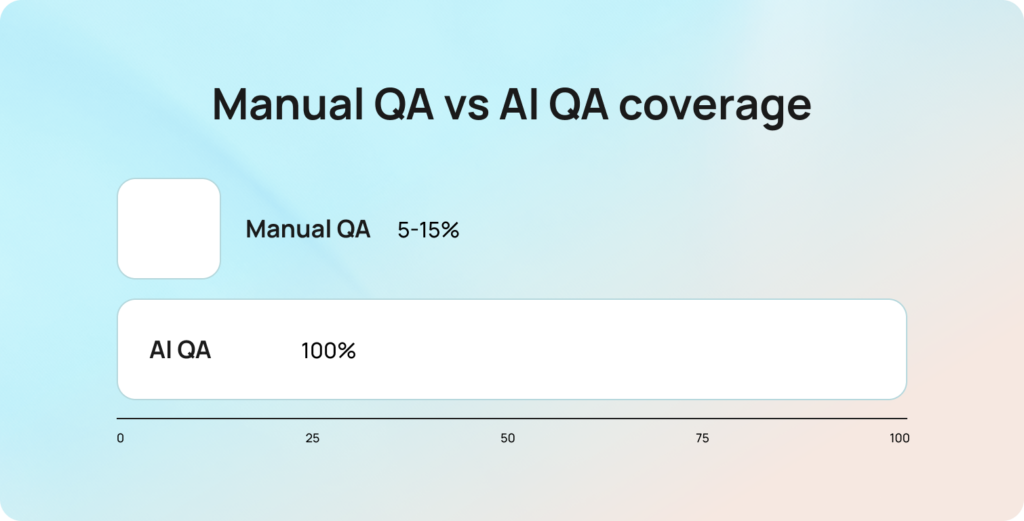
Manual quality assurance relies on sampling. Even the most mature QA programs typically review only a small percentage of customer interactions, leaving the majority of conversations unseen. This creates a visibility gap that affects every coaching, staffing, and operational decision that follows.
The difference between reviewing 10% of interactions and 100% of interactions is not just quantitative; it changes what is knowable. A recurring issue affecting 4% of customer conversations may never appear in a manual sample, yet it becomes immediately visible when every interaction is evaluated.
According to Deloitte’s Global Contact Center Survey, organizations classified as service innovators are 4.6 times more likely to report excellent customer satisfaction than their peers, highlighting the value of using technology to gain deeper visibility into customer experience and service quality.
Traditional QA programs are designed to identify what happened in a specific interaction. AI-powered quality monitoring is designed to identify why issues occur repeatedly across the operation.
Instead of surfacing isolated examples, AI can reveal patterns across thousands of customer conversations. It can identify an agent who consistently struggles with a particular query type, uncover a knowledge base gap that leads to inaccurate responses, or highlight a routing workflow that produces poor outcomes for a specific customer segment. These insights are significantly more actionable because they focus attention on root causes rather than individual incidents, helping teams improve coaching, processes, and customer experience at scale through customer service analytics.
QA as a retraining signal is the process of using quality assurance findings from AI-handled interactions to improve future AI performance. This is an increasingly important consideration for support teams deploying AI agents.
When a QA review identifies that an AI agent mishandled a billing dispute, failed to escalate an urgent issue, or surfaced inaccurate information, that interaction becomes a valuable labelled example of where the system needs improvement. In other words, QA data becomes training data. Many organizations support this process through a human-in-the-loop AI approach, where QA teams help validate and improve AI decisions before updates are deployed more broadly.
Most standalone QA tools stop at measurement; they can identify quality issues, but they lack a structured mechanism to feed those insights back into the AI platform. Integrated support platforms close this loop by connecting quality monitoring, knowledge management, coaching, and AI improvement workflows. As AI adoption grows, the ability to use QA as a retraining signal will become a critical differentiator between quality monitoring platforms.
AI quality assurance for human agents focuses on different outcomes than AI quality assurance for AI agents.
For human agents, quality frameworks typically assess factors such as empathy, tone, policy compliance, resolution quality, and communication skills. AI agents require a different evaluation model. Teams need visibility into containment rates, intent classification accuracy, escalation trigger accuracy, knowledge base retrieval relevance, and response accuracy. These metrics directly influence how effectively AI systems classify, prioritize, and route customer requests before they reach support teams.
This distinction matters because a quality monitoring platform built primarily for human agent coaching may not provide the metrics needed to evaluate AI performance effectively. Organizations running hybrid support operations should look for tools that can assess both human and AI interactions using evaluation frameworks tailored to each environment. Without that flexibility, important performance gaps can remain hidden.
The five criteria for evaluating AI support quality monitoring tools provide a framework for comparing platforms beyond feature lists and marketing claims.
Not every quality monitoring solution is designed for the same environment. Some tools focus exclusively on voice interactions, while others support omnichannel customer service operations. Some excel at coaching workflows, while others are better suited to compliance monitoring or conversation analytics. For teams running AI agents, there is an additional consideration: whether quality data can be used to improve AI performance over time.
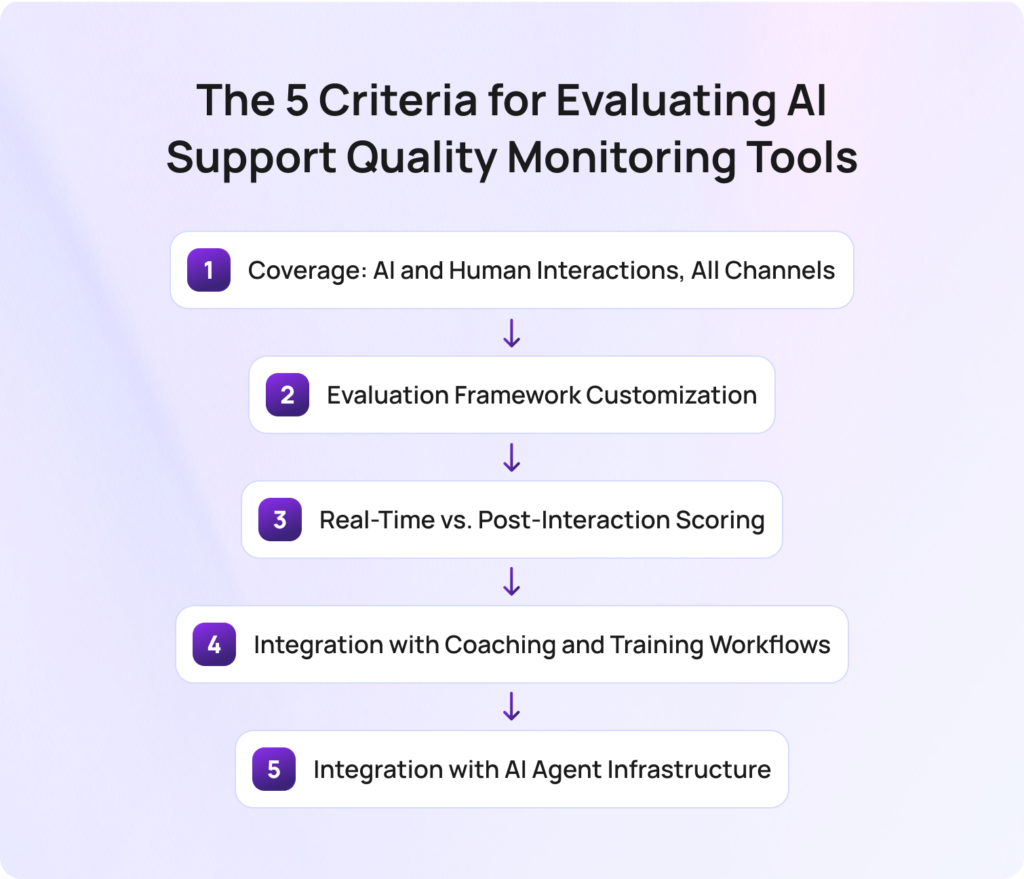
Coverage refers to the interactions, channels, and support environments a platform can evaluate.
Many quality monitoring tools were originally built for call centers and remain heavily focused on voice conversations. Modern customer service operations, however, often span chat, email, social media, messaging apps, and AI-powered interactions. A tool that only evaluates one channel provides only a partial view of service quality.
The strongest platforms can assess both AI-handled and human-handled interactions across every customer touchpoint. This gives support leaders a consistent view of customer experience, customer sentiment, and agent performance regardless of where the conversation takes place.
Evaluation framework customization is the ability to tailor quality scorecards to your organization’s specific quality standards and business objectives.
Generic QA templates rarely reflect the nuances of a particular support operation. A healthcare provider may prioritize compliance and accuracy, while an ecommerce business may focus on resolution quality and customer satisfaction. Applying the same framework to both environments can lead to misleading results.
Look for platforms that support custom scorecards, weighted scoring models, and configurable evaluation criteria. The more closely the framework reflects your customer expectations and operational goals, the more valuable the resulting insights will be.
Real-time and post-interaction scoring serve different purposes within a quality assurance program.
Post-interaction scoring helps QA teams identify trends, evaluate agent performance, and uncover coaching opportunities after conversations have concluded. This remains essential for long-term quality management and performance improvement.
Real-time monitoring introduces a different use case. It enables supervisors to identify issues while conversations are still active, allowing intervention before a negative customer outcome occurs. Teams handling high-value transactions, compliance-sensitive interactions, or complex support requests may benefit significantly from real-time capabilities. Other organizations may find post-interaction analysis sufficient for their needs.
Integration with coaching and training workflows determines whether QA insights lead to measurable performance improvement.
A quality score has limited value if it remains isolated in a dashboard. The most effective quality monitoring platforms connect evaluation results directly to coaching actions, learning programs, and performance management processes.
Rather than simply showing that an agent’s score has declined, the platform should explain why, identify the underlying performance gap, and recommend specific coaching opportunities. This helps managers spend less time analyzing reports and more time improving agent performance.
Integration with AI agent infrastructure determines whether quality monitoring can contribute to ongoing AI improvement.
For organizations deploying AI agents, measuring performance is only part of the equation. The more important question is whether QA findings can be used to improve future outcomes. This is where the concept of QA as a retraining signal becomes particularly valuable.
Platforms that integrate directly with AI systems can use quality flags to identify knowledge gaps, improve retrieval accuracy, refine escalation logic, and strengthen future responses. Standalone QA tools can still identify these issues, but they often require manual processes to turn quality findings into AI improvements. As AI support operations mature, this distinction will become increasingly important when evaluating long-term platform value.
The following comparison table evaluates the leading AI support quality monitoring tools against the five criteria for evaluating AI support quality monitoring tools discussed above.
While every platform aims to improve service quality, customer satisfaction, and agent performance, they take very different approaches. Some focus primarily on call center quality monitoring and speech analytics, while others provide broader omnichannel quality management capabilities. For organizations deploying AI agents, it’s also important to understand whether a platform can evaluate AI interactions and help improve AI performance over time.
Use this table as a starting point to narrow your shortlist before exploring each platform in more detail.
| Tool | Best For | Coverage (Channels) | Real-Time Monitoring | AI Agent QA | Pricing Tier |
| BlueTweak | Omnichannel teams running AI and human agents | Voice, chat, email, social | Yes | Yes | Mid-market / Enterprise |
| Observe.AI | Enterprise voice QA | Voice | Yes | Limited | Enterprise |
| Level AI | Customer insight and QA analytics | Voice, chat | Yes | Limited | Enterprise |
| NICE CXone | Enterprise contact center operations | Omnichannel | Yes | Yes | Enterprise |
| Dialpad | Unified communications and QA | Voice, messaging | Yes | Limited | Mid-market / Enterprise |
| CallMiner | Speech analytics and compliance | Primarily voice | Limited | Limited | Enterprise |
| MaestroQA | Custom QA frameworks | Omnichannel | No | Limited | Mid-market |
| Playvox | Digital-first support teams | Chat, email, voice | Limited | Limited | Mid-market |
| Enthu.AI | Affordable AI QA | Voice, chat | Yes | Limited | SMB / Mid-market |
| Talkdesk | Existing Talkdesk customers | Omnichannel | Yes | Yes | Enterprise |
| Balto | Real-time agent guidance | Voice | Yes | No | Mid-market / Enterprise |
| Genesys Cloud QA | Genesys contact centers | Omnichannel | Yes | Yes | Enterprise |
| Qualtrics | QA plus customer experience research | Omnichannel | Limited | Limited | Enterprise |
| AmplifAI | Coaching and performance management | Omnichannel | No | Limited | Mid-market / Enterprise |
The comparison table provides a high-level overview, but platform capabilities vary significantly once you look beyond feature checklists. The following reviews assess each tool against the five criteria for evaluating AI support quality monitoring tools, highlighting strengths, limitations, and the environments where each platform is most effective.
The best AI support quality monitoring platform depends on how your organization handles customer interactions, evaluates service quality, and uses quality data to drive improvement. Some tools focus on call center quality monitoring and coaching, while others provide broader capabilities for omnichannel support, AI agents, workforce management, and customer experience optimization.
The providers below have been evaluated against the five criteria for evaluating AI support quality monitoring tools, helping you compare strengths, limitations, and best-fit use cases before making a decision.
BlueTweak is an AI-powered customer service platform that combines omnichannel support, quality assurance, workforce management, analytics, and AI automation in a single system. Unlike standalone QA tools, it connects quality monitoring directly to coaching workflows, knowledge management, and AI improvement.
Best for: Support teams running both AI agents and human agents that need quality data to improve customer experience, agent performance, and AI outcomes.
Key BlueTweak features:
BlueTweak case study: Aeroitalia used BlueTweak to unify customer support operations across multiple channels while introducing AI-driven automation and sentiment analysis. The project contributed to a 33% increase in customer satisfaction and a 45% increase in agent productivity, demonstrating the value of connecting quality insights directly to operational improvements.
“Most organizations still treat quality assurance as a measurement activity. The real opportunity is to treat QA as a learning system. Every flagged interaction should improve either agent performance, AI performance, or both. That’s where quality monitoring starts creating compounding value.”

Radu Dumitrescu, Head of Presale & Digital Transformation, BlueTweak
Pros:
Cons:
Pricing: Pricing starts at €65 per agent, per month, including ticketing, omnichannel support, AI chatbot, AI voicebot, copilot tools, workforce management, quality assurance, analytics, and integrations.
Ready to move beyond sampled QA? Explore more BlueTweak case studies and product resources to see how organizations are using AI-powered quality monitoring to improve customer experience, coaching outcomes, and AI performance. Start a free 14-day trial with no credit card required, or book a demo to see the platform in action.
Observe.AI is an AI-powered quality assurance and conversation intelligence platform designed primarily for contact centers. It combines automated QA, speech analytics, and coaching tools to help organizations improve agent performance at scale.
Best for: Enterprise contact centers looking for advanced voice quality monitoring and AI-assisted coaching.
Key Observe.AI features:
Pros:
Cons:
Pricing: Custom enterprise pricing; verify with the vendor for details.
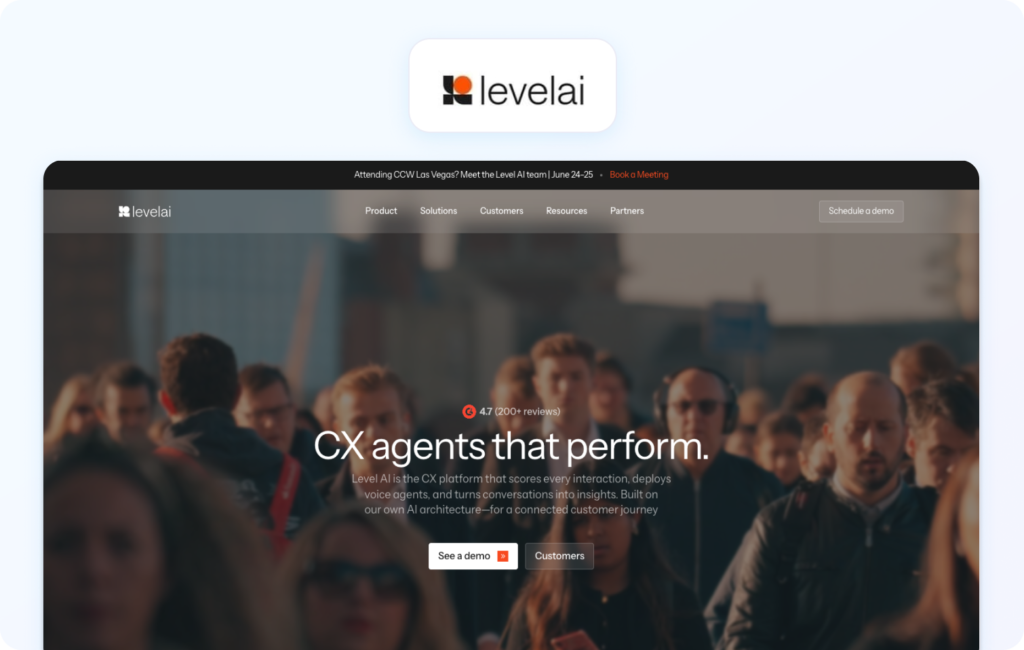
Level AI combines quality assurance with customer insight and conversation analytics. The platform focuses on helping teams understand customer intent, sentiment, and emerging trends while improving QA processes.
Best for: Organizations that want customer intelligence and operational insights alongside quality monitoring.
Key Level AI features:
Pros:
Cons:
Pricing: Custom pricing; verify with vendor for details.
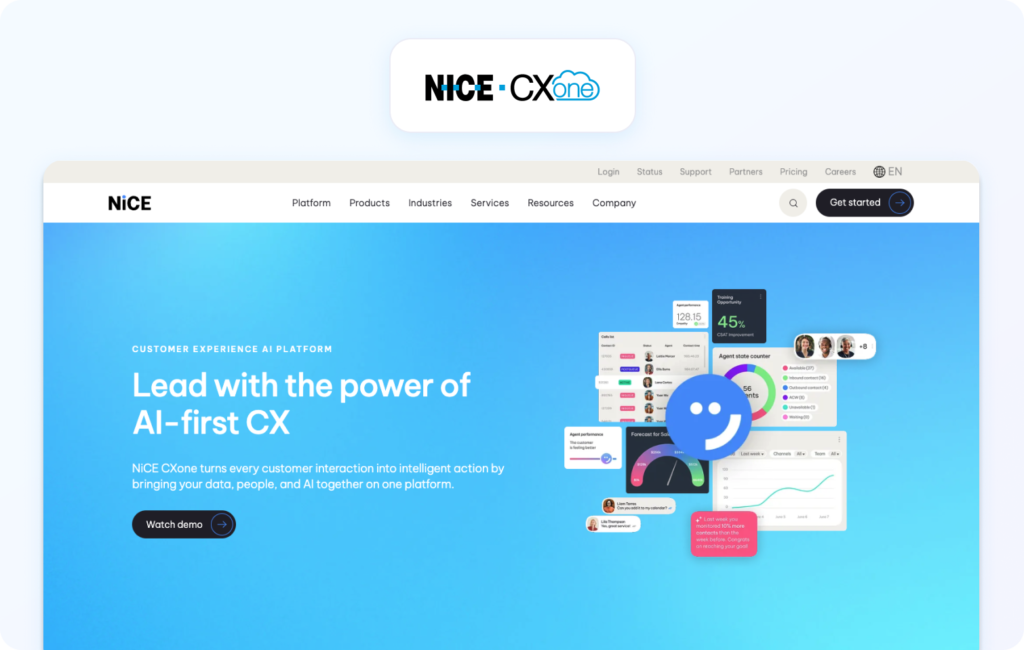
NICE CXone is a cloud contact center platform that includes workforce engagement management, quality monitoring, analytics, and automation capabilities.
Best for: Large enterprises seeking quality monitoring as part of a broader workforce engagement management strategy.
Key NICE CXone features:
Pros:
Cons:
Pricing: Tiered pricing starting at $110 per agent, per month for the ‘Omnichannel Suite’. Verify for details.
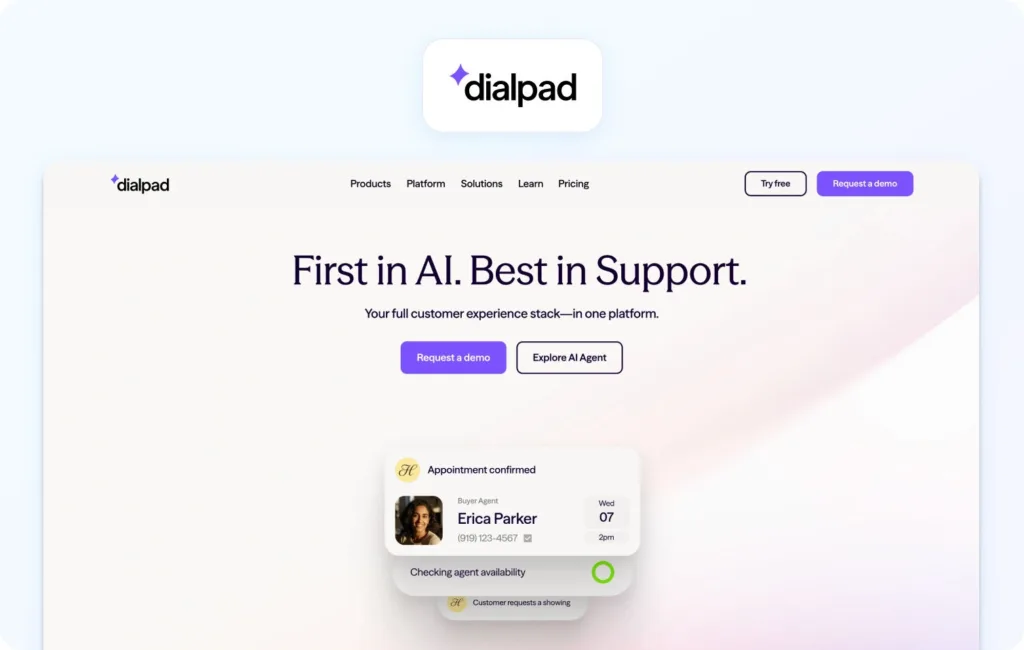
Dialpad combines business communications, contact center capabilities, and AI-powered quality monitoring within a single platform.
Best for: Growing organizations looking to consolidate communications and QA functionality.
Key Dialpad features:
Pros:
Cons:
Pricing: Tiered pricing available with plans starting with their ‘Essentials’ package at $80 per user, per month, billed annually. Verify for details.
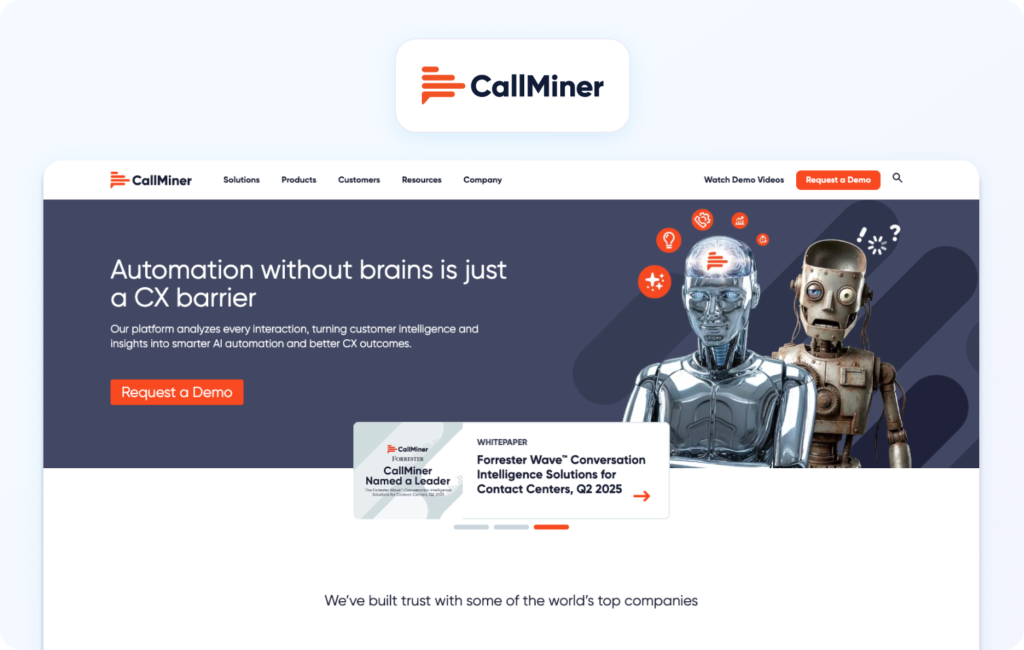
CallMiner is a conversation intelligence platform focused on speech analytics, quality assurance, and compliance monitoring.
Best for: Organizations prioritizing compliance, risk management, and detailed voice analytics.
Key CallMiner features:
Pros:
Cons:
Pricing: Custom pricing; verify with the vendor for details.
MaestroQA is a dedicated quality assurance platform built around customizable scorecards and coaching programs.
Best for: Support teams that want flexible QA frameworks and structured coaching workflows.
Key MaestroQA features:
Pros:
Cons:
Pricing: Custom pricing available on request; verify with vendor.
Playvox combines quality management, workforce engagement, and performance management for customer service teams.
Best for: Organizations managing large volumes of chat, email, and digital support interactions.
Key Playvox features:
Pros:
Cons:
Pricing: Custom pricing available on request. Verify with vendor for details.
Enthu.AI is an AI-powered quality monitoring platform focused on helping customer service teams automate call reviews, identify coaching opportunities, and improve agent performance without enterprise-level complexity.
Best for: Small and mid-sized businesses looking for affordable AI-powered quality assurance and conversation analytics.
Key Enthu.AI features:
Pros:
Cons:
Pricing: Custom pricing available on request; verify with vendor for details.
Talkdesk is a cloud contact center platform that combines workforce engagement, AI capabilities, quality management, and customer service operations within a unified ecosystem.
Best for: Organizations already using Talkdesk that want quality monitoring built into their broader contact center environment.
Key Talkdesk features:
Pros:
Cons:
Pricing: Tiered and custom pricing plans available; verify with the vendor for details.
Balto is a real-time guidance platform that helps agents navigate customer conversations by providing live prompts, recommendations, and coaching during calls.
Best for: Contact centers where real-time support and call handling improvements are a higher priority than traditional post-interaction QA.
Key Balto features:
Pros:
Cons:
Pricing: Custom pricing custom, depending on total user count and contract length; verify for details.
Genesys Cloud QA forms part of the broader Genesys Cloud platform, providing quality management, workforce engagement, and conversation analytics capabilities.
Best for: Large organizations already operating on Genesys infrastructure that want quality monitoring integrated into their existing ecosystem.
Key Genesys Cloud QA features:
Pros:
Cons:
Pricing: Genesys Cloud QA is bundled into its native Workforce Engagement Management (WEM) suite, for which tiered plans are available; verify for details.
Qualtrics is primarily known for experience management and customer feedback programs, but it also offers quality monitoring and conversation analytics capabilities that help organizations connect QA data to broader customer experience initiatives.
Best for: Organizations that want to combine quality assurance with Voice of the Customer (VoC) and customer experience research.
Key Qualtrics features:
Pros:
Cons:
Pricing: Custom pricing available on request; verify for details.
AmplifAI is a performance management and coaching platform that uses AI-driven insights to help organizations improve agent engagement, productivity, and quality outcomes.
Best for: Support teams that view quality monitoring primarily as a coaching and performance improvement tool.
Key AmplifAI features:
Pros:
Cons:
Pricing: Custom pricing available, verify with the vendor for details.
Choosing the right AI support quality monitoring tool starts with understanding how your support operation is structured, which channels you support, and how you plan to use quality data.
While every platform in this guide can help improve quality assurance processes, agent performance, and customer experience, the best choice depends on your operational priorities. Use the framework below to identify which type of solution is the best fit for your team.
Your support channels should be the first factor in any purchasing decision. Organizations that handle the majority of customer interactions by phone will often benefit most from platforms with deep speech analytics and call quality monitoring capabilities, such as Observe.AI, CallMiner, or Balto. These tools are specifically designed to analyze voice conversations and surface coaching opportunities at scale.
Digital-first support teams may prefer solutions such as Playvox that offer strong support for chat and email quality assurance workflows. For organizations managing customer interactions across voice, chat, email, social media, and AI agents, omnichannel platforms such as BlueTweak provide a more complete view of service quality across the entire customer journey.
Not every organization needs to replace its existing support platform to improve quality monitoring. If your primary goal is to add automated QA, conversation analytics, or coaching capabilities to an existing customer service environment, standalone platforms such as MaestroQA, Playvox, and Enthu.AI may provide the flexibility you’re looking for.
However, organizations deploying AI agents should think beyond measurement alone. If QA findings need to improve knowledge quality, coaching outcomes, routing logic, or AI performance, an integrated platform may deliver greater long-term value by connecting quality assurance directly to operational improvement workflows.
The best quality monitoring platform is the one that helps teams take action on the insights it generates. Organizations focused on coaching automation and performance management should look closely at platforms such as AmplifAI, MaestroQA, and Observe.AI, which place coaching workflows at the center of their offering.
Teams primarily interested in scoring accuracy, conversation analytics, and operational insights may find Level AI or CallMiner a stronger fit. If real-time support is a priority, Balto stands out for its ability to guide agents during live customer interactions rather than after the conversation has ended.
Budget, implementation complexity, and internal resources should all play a role in your evaluation process. Enterprise platforms such as NICE CXone, Genesys Cloud, Talkdesk, and Observe.AI offer extensive functionality, but they often come with longer implementation timelines and pricing structures designed for larger contact center environments.
Mid-market organizations may find solutions such as Enthu.AI, Playvox, MaestroQA, and BlueTweak more accessible. These platforms can deliver advanced quality monitoring, coaching, and analytics capabilities without the complexity or contract requirements often associated with enterprise deployments.
Ultimately, the best AI support quality monitoring tool is the one that aligns with your channel strategy, coaching model, AI adoption plans, and growth objectives. The more closely a platform fits your operating model, the more value you’ll generate from your quality assurance program.
In 2026, AI support quality monitoring is about more than just reviewing interactions faster; it’s about gaining complete visibility into customer conversations, agent performance, and service quality across your entire support operation.
The core challenge with traditional QA is that reviewing 5–15% of interactions isn’t true quality assurance. It’s quality sampling. AI-powered quality monitoring changes what is knowable by evaluating 100% of customer interactions and uncovering patterns that would otherwise remain hidden. This shift is part of a broader trend in how organizations are using AI to improve customer support operations, moving beyond automation alone and toward continuous optimization.
The platforms in this guide span everything from standalone QA tools and coaching platforms to fully integrated omnichannel support solutions. The right choice depends on your channel mix, coaching requirements, AI strategy, and whether quality data needs to improve future AI performance or simply measure current outcomes.
If you’re looking for a platform that combines AI support quality monitoring, omnichannel customer service, workforce management, coaching, and AI agent optimization in one place, start a free 14-day BlueTweak trial with no credit card required, or book a personalized demo to see it in action.
AI support quality monitoring uses artificial intelligence to automatically evaluate customer interactions across voice, chat, email, social media, and other support channels. Unlike traditional quality assurance programs that rely on sampling, AI-powered quality monitoring can assess 100% of customer conversations, helping organizations identify quality issues, coaching opportunities, compliance risks, and customer experience trends at scale.
The biggest difference is coverage. Manual QA typically reviews 5–15% of customer interactions, while AI support quality monitoring can evaluate every conversation. This allows organizations to identify patterns, recurring issues, and performance gaps that may never appear in a manual sample, leading to more accurate quality assurance and better operational decision-making.
The five criteria for evaluating AI support quality monitoring tools are channel coverage, evaluation framework customization, real-time monitoring capabilities, coaching workflow integration, and integration with AI agent infrastructure. Organizations should prioritize the criteria that align most closely with their support model and customer service goals.
Yes. However, AI agents and human agents require different evaluation frameworks. Human agent QA typically focuses on empathy, communication quality, policy compliance, and resolution effectiveness. AI agent QA focuses on metrics such as response accuracy, containment rate, escalation trigger accuracy, intent classification accuracy, and knowledge base retrieval relevance.
QA as a retraining signal is the process of using quality assurance findings from AI-handled interactions to improve future AI performance. When a quality review identifies an inaccurate response, failed escalation, or poor customer outcome, that interaction becomes a valuable training example. Platforms that connect quality monitoring directly to AI improvement workflows can use these insights to continuously improve AI performance over time.
As Head of Digital Transformation, Radu looks over multiple departments across the company, providing visibility over what happens in product, and what are the needs of customers. With more than 8 years in the Technology era, and part of BlueTweak since the beginning, Radu shifted from a developer (addressing end-customer needs) to a more business oriented role, to have an influence and touch base with people who use the actual technology.