


How to Overcome Language Barriers in Customer Service (2026)

Why Language Barriers Are a Scaling Problem, Not Just a Communication Problem
Imagine a customer reaching out in Portuguese to a support team that only speaks English. Both the customer and the agent want to resolve the issue. The communication barrier between them is not a matter of goodwill. It is a structural gap in how the business has organised its support operations.
Dealing with language barriers in customer service at the individual interaction level, using tips like speak slowly or choose simple words, works for occasional edge cases. It does not work when a growing, diverse customer base spans international markets across different languages and different cultures.
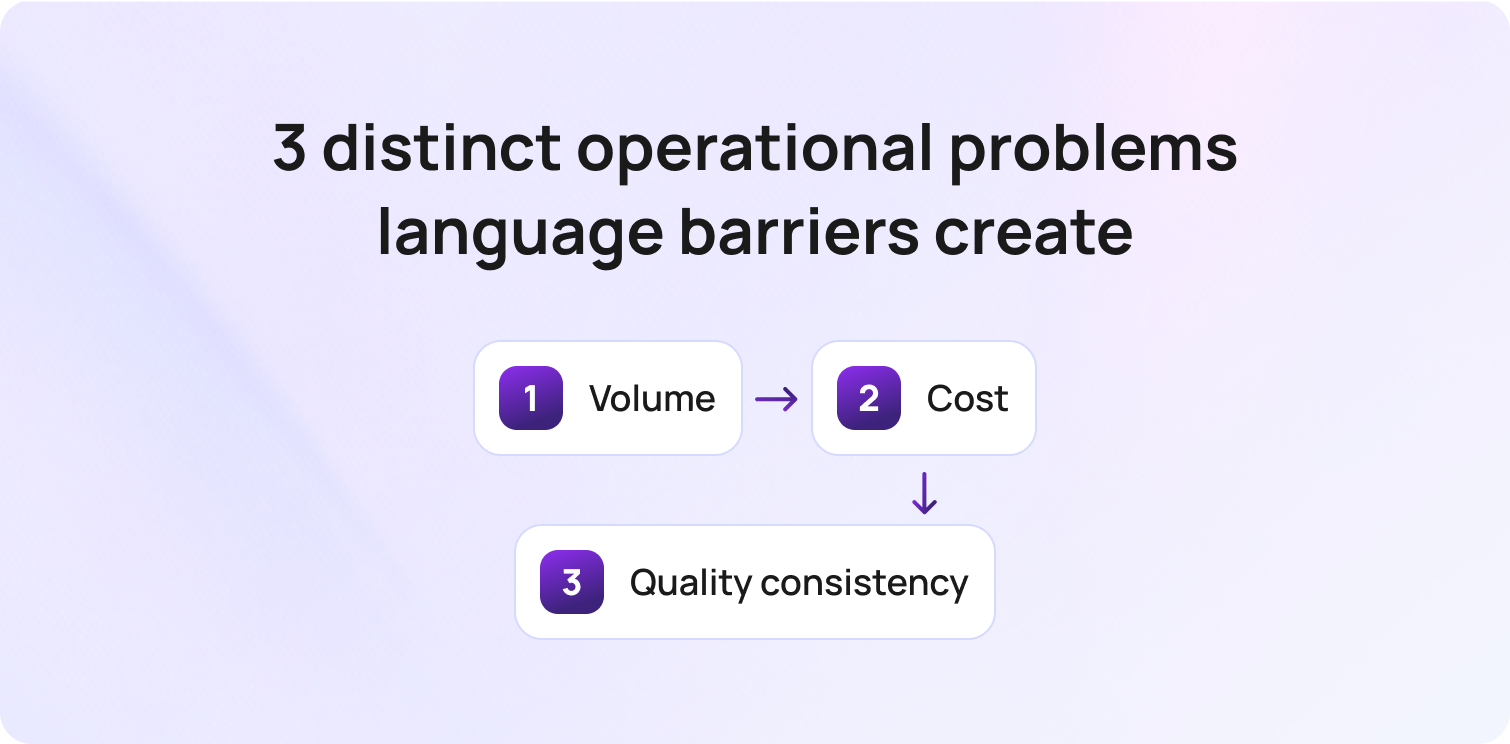
At scale, customer service language barriers create three distinct operational problems.
Volume. As a company expands into international markets, non-primary-language interactions grow proportionally. The question is not how to handle one difficult conversation. It is how to route, respond to, and resolve thousands of interactions monthly in a customer's language your core team does not speak.
Cost. Hiring and retaining native-speaking employees for every language in your customer base is expensive. Most teams can justify native speakers for their top two or three languages. Beyond that, cost and availability create barriers in customer service that go unfilled.
Quality consistency. Clients who do not speak English as a first language, or who do not speak the company's primary language, often receive slower response times, less accurate answers, and lower CSAT than primary-language customers. That gap in service quality affects retention across every industry.
The same principle applies to support. When customers cannot get help in their preferred language, frustration builds quickly, and the gap in service quality shows up in CSAT, repeat contacts, and churn before most teams realise there is a problem."
3 Approaches to Multilingual Coverage and When to Use Each
| Approach | Best For | Cost Model | Language Coverage | Quality Risk | Time to Deploy |
|---|---|---|---|---|---|
| Native-speaking agents | Top 2–3 languages; complex ideas and high-value interactions | High fixed cost; scales with headcount | Limited to hired languages | Low — human judgment and cultural nuance | Weeks to months |
| AI translation tools and multilingual NLP | High-volume tier-1 queries across different languages | Low variable cost; scales without headcount | 50+ languages depending on the platform | Medium — quality varies by language; needs monitoring | Days to weeks |
| Hybrid (native agents + AI translation) | Most teams managing 4+ languages and a diverse customer base | Optimised — AI covers volume; native agents handle complex cases | Broadest coverage | Low — AI handles routine; humans handle nuance | Phased deployment |
For most teams managing more than three languages, the hybrid model delivers the best combination of coverage, cost, and clarity. Native agents handle interactions that require cultural nuance, emotions, and judgment. AI translation tools cover the volume that those agents cannot economically staff for.
6 Ways to Overcome Language Barriers in Customer Service at Scale
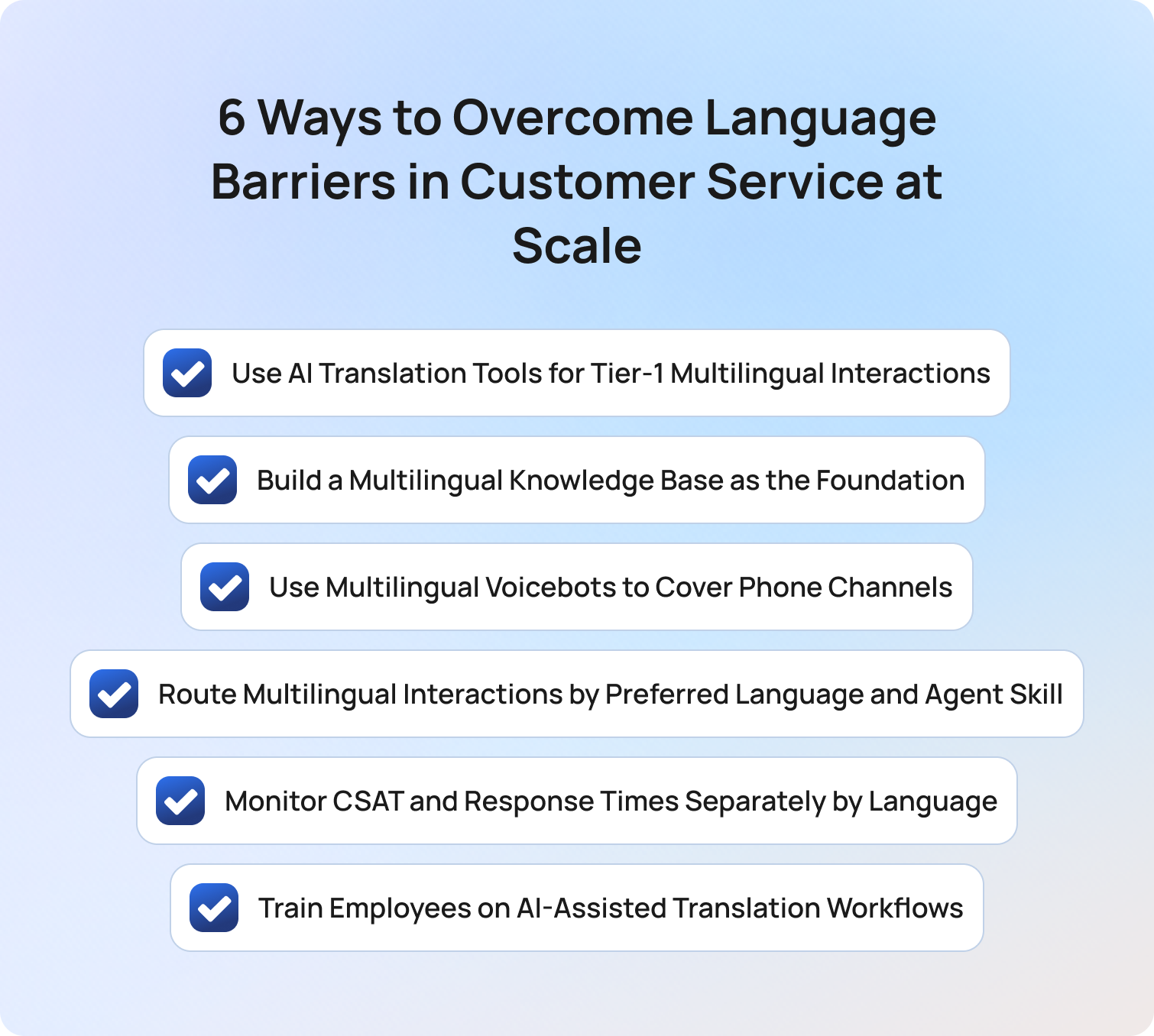
The strategies below address language barriers at the operational level. Each one scales with volume and focuses on building a system for clear communication rather than relying on individual agent ability.
1) Use AI Translation Tools for Tier-1 Multilingual Interactions
AI-powered translation and multilingual NLP handle high-volume, routine customer inquiries across different languages without native-speaking agents. In 2026, LLM-powered tools translate text and interpret context and nuance significantly better than earlier rule-based approaches or a basic tool like Google Translate, making them viable for customer-facing responses on predictable interaction types such as order status, account queries, and FAQs.
Translation services powered by AI now connect customers and agents who do not speak the same language in real time, reducing response times and eliminating the manual steps that slow down multilingual interactions. Start with your highest-volume non-primary languages and monitor CSAT per language from launch.
2) Build a Multilingual Knowledge Base as the Foundation
AI translation quality depends entirely on the source content it translates from. A well-structured, accurate knowledge base in the primary language gives translation tools a reliable foundation. Teams that deploy translation services without first auditing KB quality produce inconsistent outputs across different languages, regardless of the model's capability.
Clear communication starts with clear source content. Before implementing any translation tool, review your knowledge base for outdated information, jargon, and complex ideas that would be difficult to translate accurately into a customer's preferred language.
The most common mistake we see is teams deploying AI translation before they have fixed the underlying KB. The AI will translate whatever is in there, including the outdated, the inaccurate, and the inconsistent. Clean the source first.

3) Use Multilingual Voicebots to Cover Phone Channels
Language barriers in customer service are not limited to chat and email. Phone support often has the lowest multilingual coverage because native-speaking agents are the most expensive to staff. Multilingual voicebots handle inbound calls across different languages using voice recognition and NLP, covering after-hours volume and peak periods without language-specific agent scheduling.
For businesses where the phone is a key channel, this is often the highest-ROI multilingual investment. A voicebot that can speak with clients in their preferred language removes a communication barrier that a human staffing model cannot fill cost-effectively at low volume.
4) Route Multilingual Interactions by Preferred Language and Agent Skill
Intelligent routing that detects a customer's language from the opening message and assigns the interaction to an available native-speaking agent, or to an agent with translation support, reduces handle time and improves first contact resolution for multilingual clients. Preferred language should be a routing criterion alongside intent and urgency. Teams that rely on agents to self-identify language mismatches during a conversation add unnecessary delay and frustration to every multilingual interaction.
Clear communication in the customer's language is essential. Using visual aids where possible, such as links to illustrated guides or video content in the customer's language, can also help bridge gaps when translated text alone does not fully convey the message.
5) Monitor CSAT and Response Times Separately by Language
This is the strategy most companies skip and the one that reveals whether overcoming language barriers in customer service is actually working. Segmenting analytics by language from day one surfaces underperforming language segments before they lead to churn. A company with strong overall CSAT may have significantly lower scores for customers from different backgrounds who communicate in a non-primary language.
Set per-language CSAT and response time targets. Acknowledge performance gaps by language in the same way you would acknowledge any other service quality issue. Treat each language segment as its own benchmark, not a secondary concern.
6) Train Employees on AI-Assisted Translation Workflows
Agents who do not speak a customer's language can still handle interactions effectively in the workplace with real-time AI translation support, provided they understand how to use it and where its limits are. Training support employees on when to trust AI translation output, when to ask for clarification, and when to escalate to a native speaker increases effective language coverage without additional hiring.
Practice matters here. Agents who regularly work with translation tools in realistic scenarios develop the ability to sense when a translated message has lost context or meaning. Building that skill across the team creates a sense of confidence that improves both agent experience and customer experience.
According to a Common Sense Advisory study, 74% of customers are more likely to make a repeat purchase if after-sales support is in their native language. Getting employees comfortable with AI-assisted multilingual workflows is one of the most cost-effective ways to build trust with a diverse customer base across international markets.
How BlueTweak Supports Multilingual Customer Service at Scale
BlueTweak applies AI translation and multilingual NLP across chat, email, and voice channels in a unified platform, removing the need for separate translation services per language or channel.
The multilingual support platform handles tier-1 customer interactions across 100+ languages, grounded in the knowledge base, so responses are accurate and consistent. Multilingual voicebot coverage extends language support to inbound phone calls. Analytics surfaces CSAT, response times, and containment rate by language, giving teams the visibility to identify and resolve multilingual service gaps before they affect retention. Both the customer and the agent benefit from a platform where communication barrier risks are addressed systematically rather than interaction by interaction.
Final Thoughts
Overcoming language barriers in customer service at scale is not about finding the right words in the moment. It is about building a system where clear communication in the customer's preferred language is the default, not the exception. Native-speaking agents handle the interactions that require cultural context and human judgment. AI translation tools and multilingual voicebots cover the volume that those agents cannot staff for. Per-language analytics create the visibility to connect the dots between language coverage and retention.
For a full comparison of platforms that support multilingual customer service, see Best Multilingual Customer Support Software.
Start your free trial or request a demo to see how BlueTweak handles multilingual support at scale.
Get a 14-day free trial
Get Trial
How Can AI Improve Customer Service Efficiency Across Teams and Channels
What "Efficiency" Actually Means in Customer Service
Customer service refers to the full range of interactions between a business and its customers across every contact point. Customer service efficiency is not just speed. It is three things working together: volume handled per agent, resolution quality per contact, and consistency across teams and channels. Customer expectations for fast, accurate, consistent service have risen sharply, and most customer service agents are being asked to meet them with tools that have not kept pace.
An operation that handles more volume but resolves fewer is not more efficient. A customer service team that resolves quickly on chat but inconsistently on email is not efficient at scale. Customer satisfaction scores fall when any one of the three breaks down.
AI in customer service improves all three when deployed correctly. That is the honest answer to how AI can improve customer service efficiency: not by making one metric look better, but by removing the friction that causes all three to underperform.
6 Ways AI Improves Customer Service Efficiency
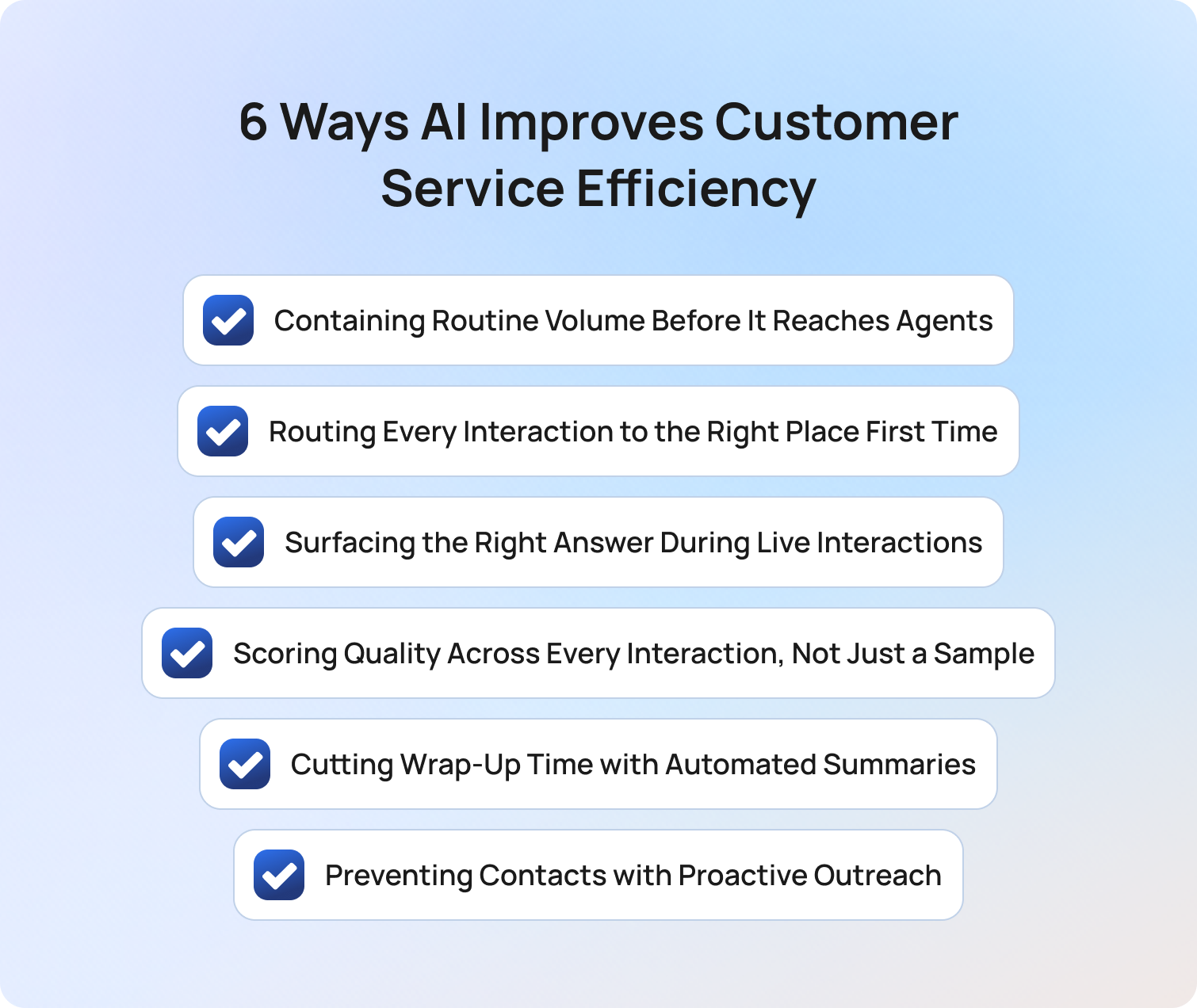
Each of the six capabilities below targets a different friction point in the customer interaction lifecycle. The efficiency gains are real, individually. They compound when the tools work together.
1. Containing Routine Volume Before It Reaches Agents
The single biggest efficiency drain in most customer service operations is agents spending time on interactions that do not require human judgment. Password resets, order status queries, billing inquiries, and account updates are routine inquiries with definitive answers. They are also the interactions that fill queues, extend response times, and push complex customer issues to the back of the line.
Conversational AI handles these tier-1 customer queries end-to-end. The customer gets an accurate, instant response. The agent never sees the interaction. Every contained contact is the time a support agent spends on something that actually requires problem-solving skills and human judgment.
The efficiency metric that matters here is containment rate, not deflection rate. Deflection counts sessions that ended in the bot. Containment counts customer inquiries that reached a full resolution without a follow-up contact. A well-scoped conversational AI deployment handling initial customer inquiries typically achieves a 55–70% containment rate at 90 days.
Artificial intelligence built on natural language processing means customers do not need to navigate rigid menus or interactive voice response trees or phrase queries precisely. They describe their issue in their own words, and the customer service AI understands their intent accurately enough to resolve it. This is one of the clearest ways AI in customer service can enhance customer service quality alongside efficiency.
2. Routing Every Interaction to the Right Place First Time
Misrouted contacts are one of the most expensive efficiency failures in customer support operations. An interaction sent to the wrong team adds handle time, reduces first contact resolution, generates repeat contacts, and creates customer frustration before a human agent has said a word.
Rules-based routing breaks when customers phrase their requests in ways the rules do not anticipate. AI routing uses natural language processing and machine learning to classify intent, urgency, and required skill from every customer question in real time. Customer support teams no longer need to maintain manual rule sets or rebuild routing logic every time a new product launches or a new query type emerges.
AI Ticket Triage routes customer requests to the right team and skill level on the first touch. For customer service teams handling volume across multiple channels, the compound effect on response times, handle time, and first contact resolution is significant. Misrouting is not a minor inconvenience. It is a repeating cost that AI routing eliminates.
3. Surfacing the Right Answer During Live Interactions
Human support agents spend a significant portion of every interaction searching for information: checking the knowledge base, switching between tools, consulting colleagues. This is not a performance problem. It is a tooling problem. The information exists. Retrieving it during a live customer conversation takes time the customer is waiting for.
AI suggested replies solve this. The AI reads the customer's message and the customer's history, retrieves the relevant knowledge base content, and drafts a response that the agent can review, edit, and send. The agent does not search. They evaluate and approve.
This improves efficiency in three directions simultaneously. Handle time falls because agents stop searching. Service quality rises because responses are grounded in verified content rather than recall. Consistency improves because every support agent gives the same accurate answer regardless of their tenure or expertise. A new agent and a five-year veteran provide the same quality of personalized service when both are drawing from the same AI-surfaced content.
Consistent service across all agents is one of the most direct ways AI in customer service addresses the quality variation that manual QA and ongoing training alone cannot fix. Enhancing customer interactions with AI-assisted responses does not remove the human interaction from the conversation. It improves it. Human customer service teams using AI tools deliver more personalized interactions because they are spending their cognitive capacity on the customer's actual problem rather than on information retrieval. Customer preferences for fast, relevant, accurate answers are met more consistently. Improving customer satisfaction at this level is what customer service offers as a genuine business differentiator rather than a cost centre.
4. Scoring Quality Across Every Interaction, Not Just a Sample
Manual QA reviews 5–15% of interactions. The rest are invisible. Patterns in customer sentiment, recurring compliance risks, coaching opportunities for specific agents, all of it exists in the 85–95% of customer conversations that no one ever reviews.
AI quality assurance scores 100% of interactions automatically. This is not just a coverage gain. It is a data gain. With full coverage, support teams can identify patterns they could never see in a sample: which query types generate the most customer frustration, which agents need coaching on which interaction types, which customer service strategies are producing better outcomes on specific channels.
Sentiment analysis runs alongside QA scoring, flagging interactions where customer sentiment shifted negatively during the conversation. These flags give team leaders actionable data for coaching rather than anecdotal impressions from the interactions they happened to review.
The feedback loop between QA data and model improvement is where AI customer service efficiency gains compound over time. Customer feedback captured through CSAT surveys and post-interaction scores integrates with QA data to help teams gain insights into what is driving satisfaction and what is driving churn. Teams that understand customer behavior patterns from this data can make the adjustments that improve customer retention. Every QA flag is a training signal. Every pattern identified is an opportunity to close a gap in the knowledge base or refine automation scope.
5. Cutting Wrap-Up Time with Automated Summaries
After-contact work is a hidden operational cost. Agents summarising interactions, tagging topics, and updating records after every customer conversation add minutes per interaction. Across a team handling hundreds of contacts per day, that is a material share of total capacity.
AI ticket summaries generate a structured record automatically: what the customer asked, what was resolved, what actions were taken, and what the next step is if the issue remains open. Agents do not write the summary. They review it and confirm.
The efficiency gain is straightforward: agents move to the next interaction faster. The secondary gain is data quality. AI-generated summaries are structured consistently, which means the customer data they produce is usable for analytics, reporting, and predictive analytics in ways that free-text agent notes rarely are. Analyzing customer data from consistent summaries gives operations teams visibility into customer behavior patterns, repeat contact drivers, and resolution quality across teams.
6. Preventing Contacts with Proactive Outreach
The most efficient contact is one that never happens. Most customer service operations are reactive by design: the customer experiences a problem and contacts support. But the trigger events for most inbound customer inquiries are predictable. Order delays, payment failures, service outages, and billing events are known, and they are coming.
AI-triggered workflow automation sends proactive messages to customers before they need to ask. The customer gets the update they were about to request. The inbound contact never arrives. Customer satisfaction improves because customers feel informed rather than ignored. Inbound volume on predictable trigger events falls.
When you anticipate customer needs before customers feel the need to reach out, the efficiency gain extends beyond the contact prevented. It shows up in customer retention, in customer satisfaction scores, and in the customer engagement that comes from a support experience that feels thoughtful rather than reactive. Generative AI is increasingly used in these proactive workflows to draft personalised messages at scale, adapting tone and content to individual customer preferences and history. Proactive outreach is one of the customer service strategies with the clearest compound return: every prevented contact is also a strengthened customer relationship.
How Efficiency Gains Compound When AI Works Across the Full Platform
Individual AI tools improve efficiency at specific points. The largest efficiency gains come when AI capabilities work together across the full customer interaction lifecycle, and each one informs the others.
Follow a single interaction through a unified AI customer service platform:
The customer sends a message. The AI system classifies intent using natural language processing and machine learning. If it is a routine inquiry the conversational AI can handle, it is contained end-to-end. No agent involvement. The customer gets a relevant response in seconds.
If the query requires human support, AI routing sends it to the right team and skill level immediately, with full customer context attached. The human agent opens the interaction with the customer's history, previous contacts, and a suggested reply already drafted. They spend their time on the substance of the customer's issue rather than on setup.
The interaction is QA scored automatically. If the customer conversation is flagged for negative sentiment, the team lead sees it in the dashboard before the customer sends a follow-up complaint. The wrap-up summary is generated without agent input. The customer data feeds back into analytics.
If the interaction was triggered by a predictable event, the next similar customer query is pre-empted by a proactive outreach workflow.
Each step saves minutes. Together, they reduce cost per resolved contact, improve first contact resolution, and improve customer satisfaction simultaneously. Operational costs fall because the same volume is handled with less agent time. Cost savings compound as containment rate improves and handle time falls across more interaction types. This is how AI improves customer service efficiency at scale: not by optimising one metric in isolation, but by removing friction at every stage of customer support processes and letting the gains compound. Service professionals who would previously spend their shift on repetitive queries are now handling the complex issues where their skills generate real value. AI-powered tools make that possible without adding headcount.
The question we hear most often is whether AI will improve efficiency for agents or for customers. The answer is both, and the two are connected. When agents have the right context, the right answer, and the right routing from the start, they resolve faster. When customers get accurate, immediate, consistent service, they do not follow up. The efficiency gain shows up in the cost data and in the satisfaction data at the same time.
What AI Cannot Fix on Its Own
Implementing AI improves customer service efficiency within the boundaries of the process and data it works with. Three things AI cannot fix without human decisions:
Knowledge Base Quality
AI-powered tools that retrieve and generate responses are only as accurate as the content they draw from. A knowledge base that is incomplete, outdated, or inconsistently structured produces inaccurate responses. Inaccurate responses reduce containment, generate repeat contacts, and damage service quality faster than efficiency gains offset the cost. Customer service agents using AI tools that draw from a weak knowledge base will give worse answers than agents working without them. The team provides comprehensive training and maintains the KB before expanding the AI scope, not after.
Deployment Scope
AI deployed on complex customer issues that it cannot handle reliably will generate more customer frustration and more repeat contacts than it prevents. The efficiency case for AI is built on tier-1 automation of repetitive tasks and routine tasks. Human agents remain the right answer for complex issues that require empathy, judgment, and problem-solving skills. Scope decisions are human decisions, and they determine whether AI customer service delivers cost savings or creates new operational costs.
Escalation Design
When AI agents escalate to human support agents, the handoff quality determines whether the escalation is an efficiency gain or a loss. A clean handoff with full context passed to the human agent takes seconds. A poor handoff, where the agent must re-read an incomplete transcript or ask the customer to repeat themselves, adds minutes to every escalation and damages the customer service experience at the moment it matters most. Human-in-the-loop AI done well reduces the cost of every escalation. Done poorly, it offsets the savings from every automated interaction that preceded it.
How BlueTweak Improves Customer Service Efficiency Across Teams and Channels
BlueTweak brings all six efficiency capabilities into one platform so the feedback loops between them work. Most AI tools for customer service add one capability to an existing stack. BlueTweak is designed on the premise that efficiency gains compound when automation, routing, quality oversight, and analytics share the same data.
The conversational AI contains tier-1 customer requests across chat and voice. AI Ticket Triage routes what escalates to the right place immediately. Proposed Reply surfaces the right answer to the right agent during live customer interactions. The QA module scores every interaction and feeds the data back into the platform. AI Ticket Summary automates wrap-up. Workflow automation handles proactive outreach.
The analytics and reporting layer makes the compound efficiency visible: containment rate, cost per resolved contact, FCR by channel, and CSAT by interaction type in the same dashboard, tracked over the 30, 90, and 180-day horizons that customer service operations teams actually report against.
Transforming customer service with AI technology does not require replacing your existing customer support processes wholesale. It requires deploying the right AI systems against the right customer service functions, measuring what actually changes, and expanding scope as performance data confirms the model is ready. Read how AI improves customer support for the full operational picture.
Final Thoughts
How can AI improve customer service efficiency? By removing friction at every stage of the customer interaction lifecycle: before the contact arrives, during the interaction, and after it closes. The gains are measurable individually and significant together.
The teams seeing the strongest results are not the ones with the most sophisticated AI technology. They are the ones who scoped their deployment correctly, maintained their knowledge base, and measured the right things from the start. AI customer service efficiency is a discipline as much as a technology.
Start your free trial and see how BlueTweak improves customer service efficiency across your teams and channels from day one.
Start your free trial and see how BlueTweak improves customer service efficiency
Start Now
Support Ticket Automation: Reduce Manual Work in 2026
What Is Support Ticket Automation?
Support ticket automation is the practice of replacing manual handling of customer inquiries with intelligent workflows, AI models, and business rules that can automatically create, categorise, route, prioritise, and even resolve tickets. Its focus is on rethinking how support operates at scale.
Automation exists on a spectrum. On the one end, basic rule-based systems rely on triggers, macros, or keyword logic to perform predictable actions. They are useful for repetitive, low-complexity tasks but quickly hit limits as ticket volume and complexity grow. At the other end of the scale, AI-driven automation uses machine learning, natural language understanding, and smart workflows to detect intent, suggest or autonomously deliver responses, and continuously optimise routing, all while learning from past interactions.
This evolution marks a fundamental shift for support teams. Organizations are no longer aiming simply to offload work from agents; in 2026, these businesses need autonomous, end-to-end ticket resolution that improves operational efficiency, shortens response times, and consistently enhances the customer experience.
In simple terms, support ticket automation is the process of using AI and workflows to automatically manage and resolve customer support tickets with minimal human intervention.
The Strategic Need for Support Ticket Automation in 2026
Support teams are facing a perfect storm of high ticket volumes, tighter budgets, and rising customer expectations. Manual triage and repetitive tasks slow down response times and lead to burnout, lower agent satisfaction, and inconsistent service.
In this environment, automation has become essential. Teams that automate effectively see measurable improvements in key performance indicators such as average handle time (AHT), first-contact resolution (FCR), and customer satisfaction (CSAT). By offloading repetitive sorting, prioritising, and routing work, agents are free to focus on higher-value, complex tasks.
But there’s a strategic distinction to be made: simply automating processes isn’t enough. Many teams misuse automation as a deflection tactic rather than an end‑to‑end resolution strategy.
“Too often, teams implement automation as a tick‑box exercise instead of a transformation engine,” says Radu Dumitrescu, Head of Presale & Digital Transformation at BlueTweak. “The most successful organisations think in terms of autonomous resolution, not just skipping a few clicks.”
According to Gartner’s 2026 Customer Service & Support survey, over nine out of ten service leaders are under executive pressure to adopt AI in support environments, underscoring the organisational urgency behind automation initiatives.
Unlike traditional rule-based systems, modern AI-powered automation platforms can adapt in real time, learning from past interactions to continuously improve routing and resolution accuracy.
Why Modern Automation Matters
Legacy rule‑based systems were fine when ticket volumes and customer expectations were low. Today, they can’t scale:
- Rigid logic fails to capture nuanced intent or context, leading to misrouted issues and frustrated customers.
- Manual prioritisation slows down resolution and collapses SLA performance.
- Repetitive agent tasks don’t add strategic value and fuel burnout.
By contrast, modern automation (especially when powered by AI orchestration for support ticket automation) enables organisations to operate more efficiently and accurately across high‑volume environments.
How Support Ticket Automation Works
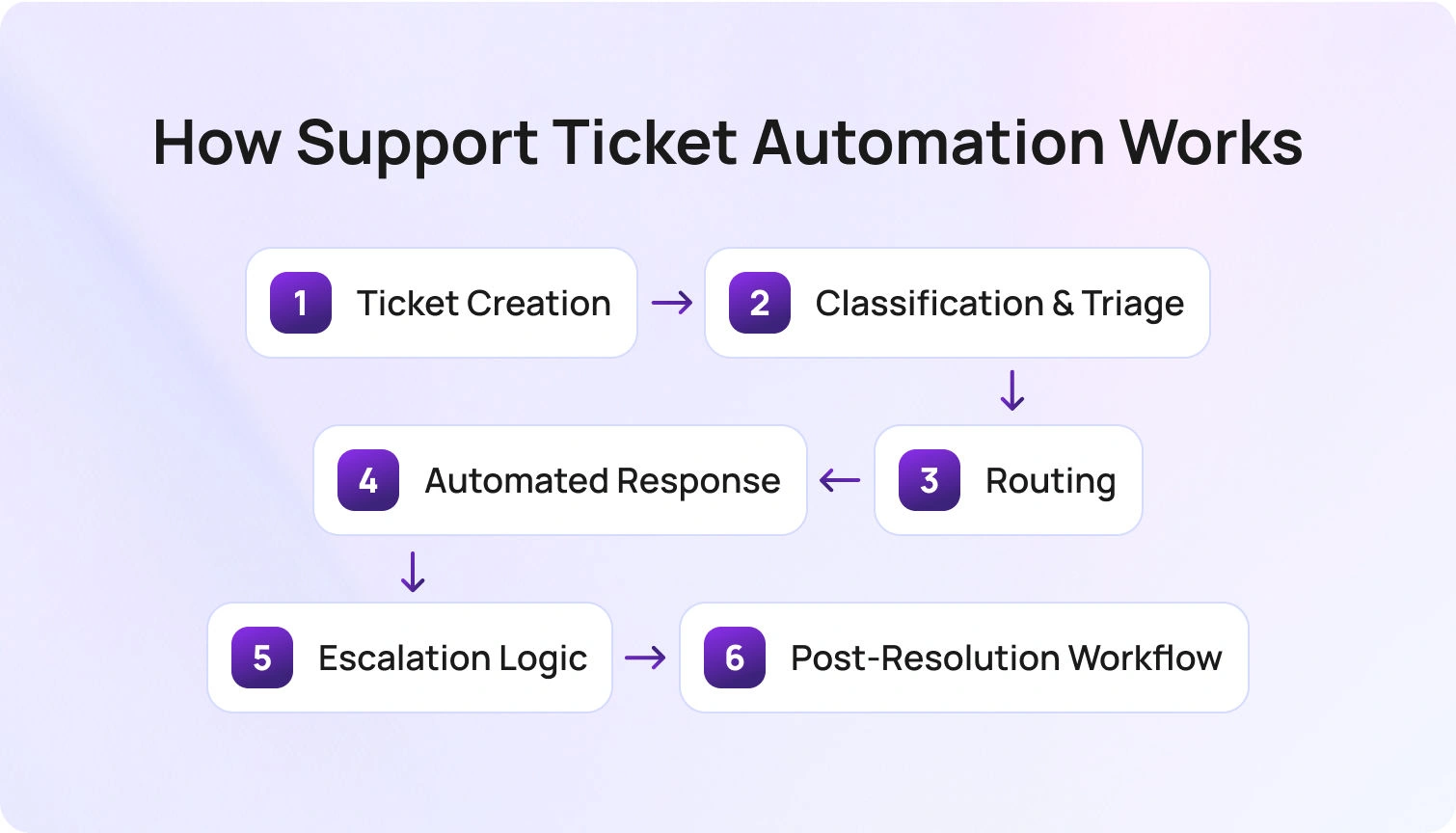
Support ticket automation isn’t magic; it’s a structured workflow that begins the moment a customer interacts with your brand. Here’s how the lifecycle typically unfolds:
- Ticket Creation: Support tickets can originate from web forms, email, chat, voice calls, social media, or other channels. Automated systems ingest these interactions and convert them into structured tickets without human input.
- Classification & Triage: Advanced intent detection and tagging assign each ticket a category and priority. AI models evaluate context and urgency, reducing misclassification and improving speed.
- Routing: Tickets are assigned to the right destination based on predefined rules or AI-driven logic. Basic systems rely on keywords or metadata, while more advanced models analyse historical patterns, agent expertise, and workload to ensure each ticket reaches the best-fit resource or automation queue
- Automated Response: AI‑generated suggestions or self‑service answers address common issues. Knowledge base‑integrated responses ensure consistency and accuracy.
- Escalation Logic: When tickets exceed automation thresholds of confidence or complexity, they’re handed off to human agents with full context, eliminating redundant work.
- Post‑Resolution Workflow: Once resolved, tickets can trigger CSAT surveys, auto‑close processes, or summarised reports for future insights.
This structured flow is what separates tactical automation from genuinely transformative support ticket workflows. This is the model BlueTweak uses to power scalable, AI-driven support operations.
Can support ticket automation fully replace human agents?
No, while modern AI-powered automation can resolve a large percentage of routine tickets, human agents remain essential for complex, sensitive, or high-value customer interactions. The goal is not replacement, but augmentation, allowing support teams to focus where they add the most value.
Key Features to Look For in a Support Ticket Automation Tool
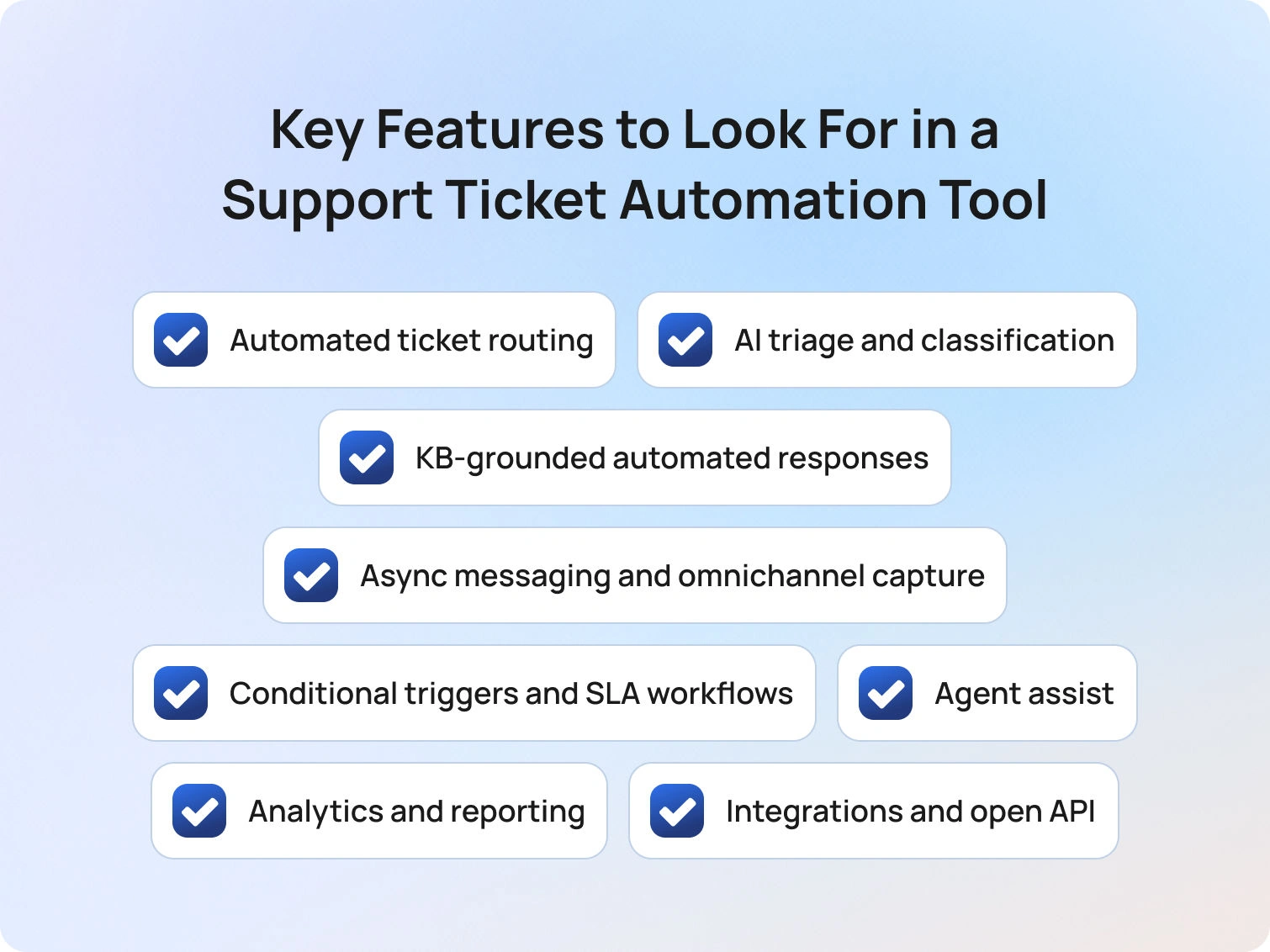
In 2026, choosing the right platform is critical. BlueTweak’s platform is designed to address the growing gap between basic automation and true AI orchestration for support ticket automation.
Once you understand how support ticket automation works, the next step is choosing a platform that can actually deliver on its promise. Not all tools operate in the same way, and the gap between basic automation and true AI orchestration for support ticket automation is where most buying decisions are won or lost.
Automated ticket routing
This is the backbone of any automation strategy and one of the most critical capabilities to get right. At a basic level, routing relies on predefined rules such as keywords, ticket type, or channel. More advanced platforms layer in AI to enable skill-based and load-balanced assignment, ensuring tickets are dynamically routed based on agent expertise, availability, and historical performance. BlueTweak’s approach combines both rule-based logic and AI-driven decisioning, allowing teams to scale routing accuracy without constantly maintaining manual rules.
AI triage and classification
Manually tagging and prioritising tickets is both time-consuming and error-prone. Modern tools use AI to detect intent, analyse sentiment, and assign priority scores in real-time, without requiring complex rule setup. BlueTweak’s automation engine continuously learns from past interactions, improving classification accuracy over time and reducing the operational overhead typically associated with maintaining taxonomy rules.
KB-grounded automated responses
The difference between helpful automation and frustrating automation often comes down to the source of truth. Generic canned responses quickly fall short, especially in complex environments. Instead, leading platforms ground responses in a live knowledge base, ensuring that both automated replies and agent suggestions are accurate, consistent, and up-to-date. BlueTweak enables this by tightly integrating knowledge management into its automation workflows, so every response is contextually relevant and aligned with approved content.
Async messaging and omnichannel capture
Customers don’t think in channels, and your automation shouldn’t either. Whether tickets originate from email, chat, voice, social media, or web forms, automation needs to ingest and process them consistently. BlueTweak’s platform supports true omnichannel automation, including multilingual support ticket automation, ensuring workflows operate seamlessly across all touchpoints, not just traditional email queues..
Conditional triggers and SLA workflows
Automation isn’t just about speed; it’s about control. Robust platforms allow teams to define conditional triggers based on time, priority, or customer attributes, which enables escalation rules, SLA breach alerts, and time-based actions. With BlueTweak, these workflows are configurable yet scalable, helping teams maintain SLA compliance without micromanaging every edge case.
Agent assist
Not every ticket should be fully automated, and that’s where agent assist comes in. AI provides suggested replies, summarises ticket history, and recommends next-best actions, allowing agents to resolve complex issues faster and more consistently. BlueTweak’s agent assist capabilities ensure that even human-handled tickets benefit from automation, bridging the gap between efficiency and quality.
Analytics and reporting
Automation without visibility is a risk. Teams need clear insights into metrics like automation rate, deflection rate, first-contact resolution, average handle time, and SLA compliance. These metrics not only prove ROI but also highlight areas for optimisation. BlueTweak provides comprehensive reporting dashboards that enable teams to continuously refine their automation strategy based on real performance data.
Integrations and open API
Automation doesn’t operate in isolation; it must connect seamlessly with CRMs, ecommerce platforms, voice systems, and business intelligence tools. Without strong integrations, even the best automation workflows will break down. BlueTweak’s open architecture ensures that automation can be embedded across the wider tech stack, enabling truly end-to-end workflows without data silos.
How to Set Up Support Ticket Automation: A Step-by-Step Approach
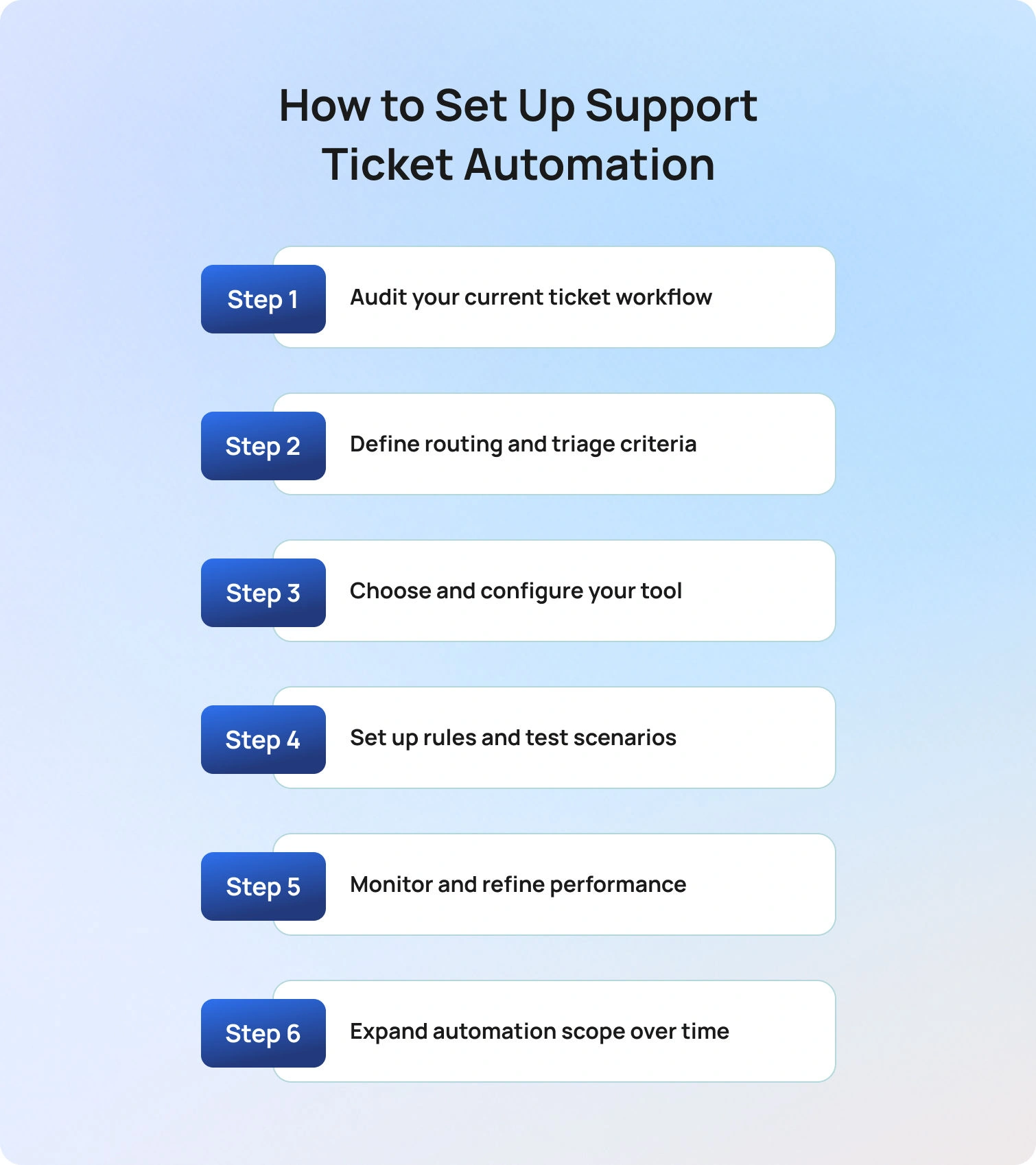
If you’re wondering how to automate customer support tickets, the key is to follow a structured, iterative approach that balances speed with control. As Radu Dumitrescu explains: “The real value of automation isn’t speed alone, it’s consistency at scale, across every customer interaction.”
Implementing support ticket automation successfully requires more than turning on a few rules. The process should be structured, iterative, and focused on both speed and control.
1. Audit your current ticket workflow
Start by understanding how your support operation functions today. Analyse ticket volume by channel, identify your most common ticket categories, and assess metrics like average handle time and resolution rates. This step highlights where manual effort is highest and where automation will have the greatest impact.
2. Define routing and triage criteria
Establish how tickets should be categorised and prioritised. This includes mapping intent types, priority tiers, channels, and agent skill groups. Getting this right is critical for automating support ticket routing effectively, as it determines how accurately tickets are assigned from the outset.
3. Choose and configure your tool
Before going live, ensure your platform is ready to support automation at scale. This means validating knowledge base quality, confirming integration readiness across systems (CRM, ecommerce, voice), and defining escalation logic. BlueTweak, for example, is designed to unify these elements into a single orchestration layer.
4. Set up rules and test scenarios
Begin with a narrow scope and build confidence gradually. Configure routing rules, AI classification models, and response workflows, then rigorously test edge cases to ensure tickets are handled correctly under different conditions. This step is where many automation projects succeed or fail.
5. Monitor and refine performance
Once live, track key metrics such as automation rate, misrouting rate, CSAT, and SLA compliance. Establish a feedback loop with agents to identify gaps and continuously improve workflows. Automation should evolve alongside your support operation.
6. Expand automation scope over time
With a stable foundation in place, layer in additional capabilities such as post-resolution surveys, CSAT triggers, proactive messaging, and autonomous resolution. This phased approach ensures scalability without compromising customer experience.
Common Challenges (and How to Solve Them)
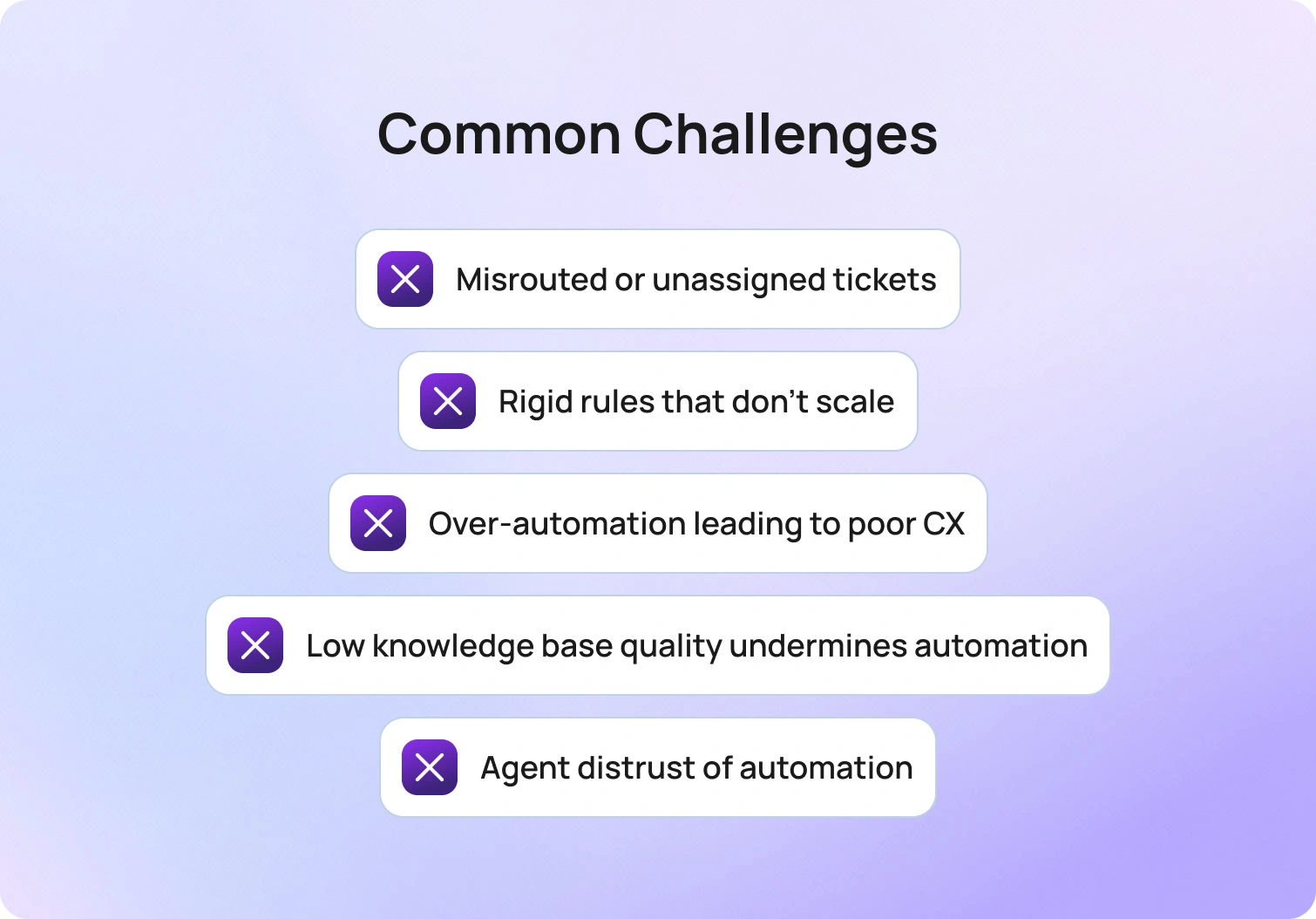
Even with the right strategy, teams often encounter challenges when automating support tickets. The difference lies in how quickly these issues are identified and addressed.
Misrouted or unassigned tickets: This usually stems from weak classification logic or incomplete routing rules. The fix is to strengthen AI triage models and introduce fallback routing conditions to ensure no ticket is left unassigned.
Rigid rules that don’t scale: Rule-based systems break down as ticket volume and complexity increase. If your workflows require constant manual updates, it’s time to introduce AI-driven routing that can adapt dynamically to patterns and workload changes.
Over-automation leading to poor CX: If customers are struggling to reach a human agent or are receiving irrelevant responses, automation has gone too far. Recalibrate by tightening escalation rules and introducing confidence thresholds for automated replies.
Low knowledge base quality undermines automation: AI is only as good as the content it relies on. Outdated or inconsistent knowledge bases lead to inaccurate responses. Treat KB maintenance as a core operational function, not a one-time setup task.
Agent distrust of automation: When agents feel automation creates more problems than it solves, adoption drops. Involve agents in workflow design, surface AI suggestions transparently, and position automation as an assistive tool, not a replacement.
According to Deloitte’s 2026 State of AI in the Enterprise research, 61% of organisations say improving data quality and access is critical to AI success, reinforcing that implementation challenges, not just technology, are often the biggest barrier to effective automation.
BlueTweak's Approach to Support Ticket Automation
Most automation tools solve isolated problems (think: routing, responses, or reporting) but fail to connect them into a cohesive system. This is where many support teams struggle to scale.
BlueTweak takes a different approach; support ticket automation is treated as an orchestration challenge rather than a collection of features. Instead of layering disconnected tools, BlueTweak unifies AI triage, routing, knowledge management, and workflow automation into a single system designed for end-to-end resolution.
This means teams can move beyond basic automation and into true autonomous support operations where tickets are not just processed faster, but resolved more intelligently. By combining AI-driven decisioning with configurable workflows and deep integrations, BlueTweak enables organisations to automate at scale without sacrificing control or customer experience. For organisations evaluating adoption, BlueTweak’s transparent pricing plans make it easy to scale automation while controlling costs.
A strong example of this in practice can be seen in BlueTweak’s own customer base; faced with high volumes of standardised support tickets and time-consuming manual responses, the company implemented BlueTweak to automate classification, streamline workflows, and improve scalability. As a result, the business reduced interaction times, improved team efficiency, and enhanced overall customer satisfaction, demonstrating how a structured, AI-driven approach to support ticket automation can deliver measurable operational and customer experience gains.
Final Thoughts: Why Support Ticket Automation Is a Competitive Advantage in 2026
Support ticket automation has evolved from a tactical efficiency play into a strategic pillar of modern customer service automation. As customer support teams face rising volumes of customer requests and increasing expectations for faster response time, the ability to automate ticket handling (from ticket routing to resolution) is now essential for maintaining both performance and experience.
By implementing an automated ticketing system that combines AI automation, workflow rules, and intelligent ticket management, organisations can eliminate repetitive tasks, reduce human error, and create more consistent outcomes across every customer interaction. This not only improves agent performance and reduces agent workload, but also enables more scalable support operations that adapt to demand without compromising quality.
The real advantage, however, lies in how these systems evolve. With AI-powered automation, automation platforms can continuously analyse customer feedback, identify patterns, and generate valuable insights that refine the entire support process over time. This creates a feedback loop where automation doesn’t just execute, it improves.
For organisations still relying on fragmented ticketing software or outdated manual processes, the gap will only widen. The future of customer support belongs to those who can orchestrate intelligent, end-to-end automation across multiple channels, ensuring every ticket reaches the right team, at the right time, with the right context.
Ready to see how you can transform your support operations? Book a demo with BlueTweak today and discover how to automate ticket workflows at scale.
The Shift from Reactive to Proactive Customer Service, And Why It Matters
Proactive Customer Service: Anticipating Needs, Preventing Problems, Elevating Experience
Customer expectations have evolved faster than many companies can adapt; 70% of executives acknowledge this shift, and nearly half of consumers say they’ve stopped buying from a brand due to poor customer experience. This is where anticipating customer needs becomes essential.
At its core, proactive customer service means stepping in before a customer even realizes there’s an issue. Today’s customers expect more than rapid reactions; they want experiences that feel effortless, personalised, and intuitive. Research shows that 68% of customers now expect brands to provide proactive assistance and resolve issues before they notice them themselves.
Take something as simple as a travel update. Instead of waiting for a gate change complaint after a disruption, leading brands send timely alerts and alternative options long before frustration arises. That kind of anticipatory interaction doesn’t just prevent dissatisfaction, it reinforces trust.
When businesses focus on preventing customer frustration instead of only responding to it, the impact is measurable: reduced escalations, higher satisfaction scores, lower churn, and stronger customer loyalty. Proactive customer service isn’t about fixing problems faster; it’s about keeping problems from happening at all.
But how does this differ from traditional support models?
Reactive support waits for customers to initiate contact about a problem. Proactive customer service analyses customer behaviour and signals, reaches out early, and resolves emerging issues before they become full-blown complaints or support deficits.
What is Proactive Customer Service?
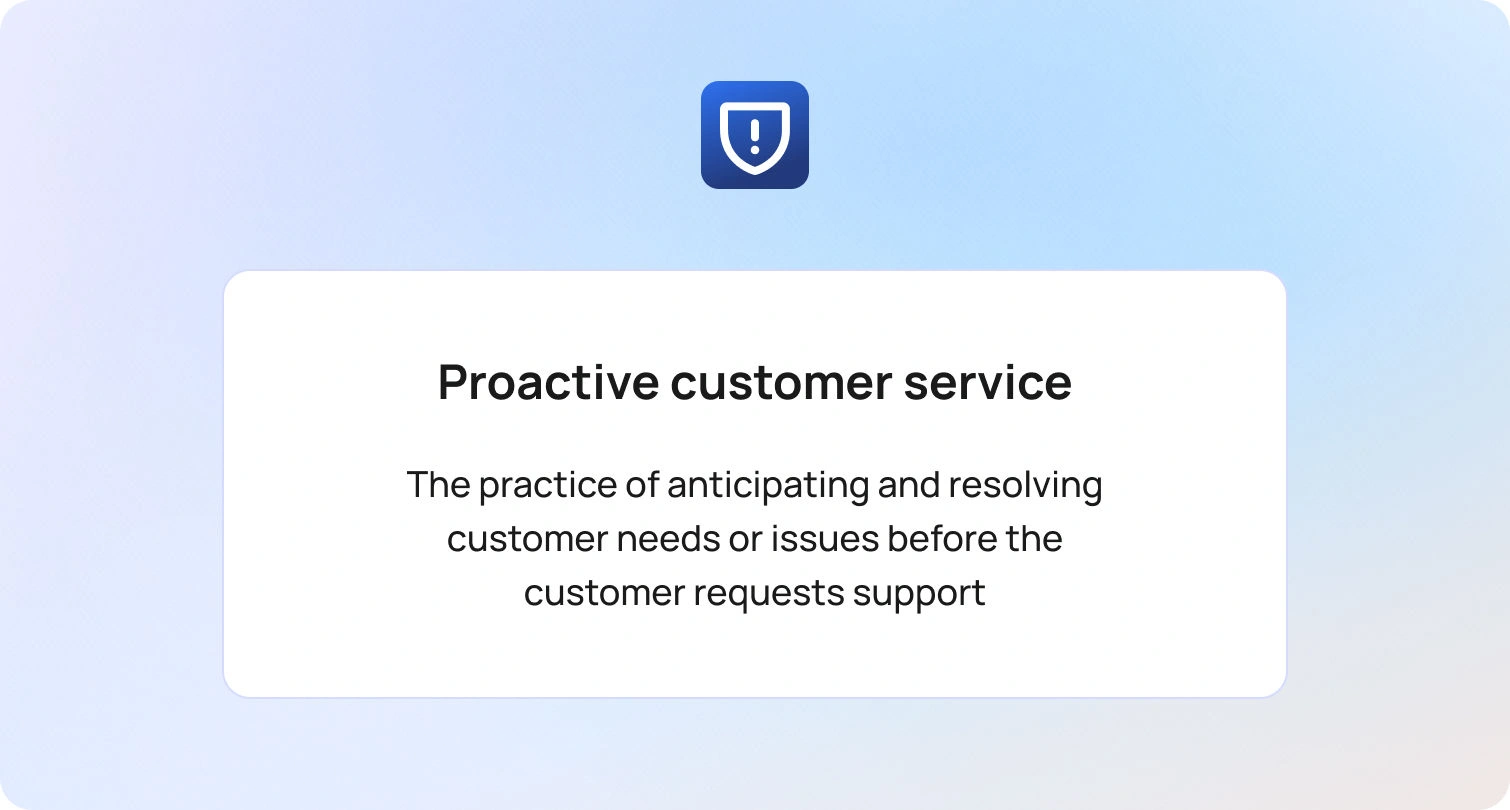
Proactive customer service is the practice of identifying and addressing customer needs or potential problems before the customer has to ask.
Rather than waiting for support tickets, complaint emails, or negative reviews, companies analyze customer data, monitor behavior patterns, and anticipate friction points in advance. They reach out first, fix issues early, and create clarity before confusion sets in.
To fully understand its impact, it helps to examine proactive vs reactive customer service side by side.
Reactive customer service responds after a problem occurs. The customer initiates contact, explains the issue, and waits for resolution. It’s often focused on recovery and damage control.
Proactive customer service, on the other hand, acts before a problem arises. The business initiates communication, prevents disruption, and optimizes the experience. It shifts the focus from fixing dissatisfaction to preventing it altogether.
Understanding the difference between proactive and reactive customer service is critical for organizations aiming to improve retention, reduce operational strain, and build long-term customer trust. In increasingly competitive markets, the brands that win are rarely the ones that respond fastest; they’re the ones that anticipate best.
Why Proactive Customer Service Matters
Implementing proactive strategies to prevent poor customer service experiences can dramatically impact business performance:
- Enhanced Customer Satisfaction: Customers feel understood and valued.
- Increased Loyalty: Anticipating needs builds trust and long-term relationships.
- Positive Word-of-Mouth: Customers share exceptional experiences.
- Higher Sales: Personalized recommendations increase conversions.
- Reduced Support Costs: Fewer inbound complaints lower operational strain.
Proactive Customer Service Examples Across Industries
Below are clear examples of proactive customer service in action.
Airlines
- Real-time flight delay notifications
- Automated gate change alerts
- Personalized seat and meal recommendations
This is a classic example of proactive customer service that reduces stress before it happens.
Retail & E-commerce
- Restock alerts based on purchase history
- Personalized product recommendations
- Delivery delay notifications
Hospitality
- Remembering guest preferences
- Automatic room upgrades for milestones
- Pre-arrival check-in reminders
Banking
- Fraud alerts before transactions finalize
- Spending pattern insights
- Financial planning nudges
Healthcare
- Appointment reminders
- Medication refill notifications
- Preventative care prompts
These examples of reactive and proactive customer service show how businesses can shift from resolving dissatisfaction to preventing it.
Proactive Customer Service Strategies
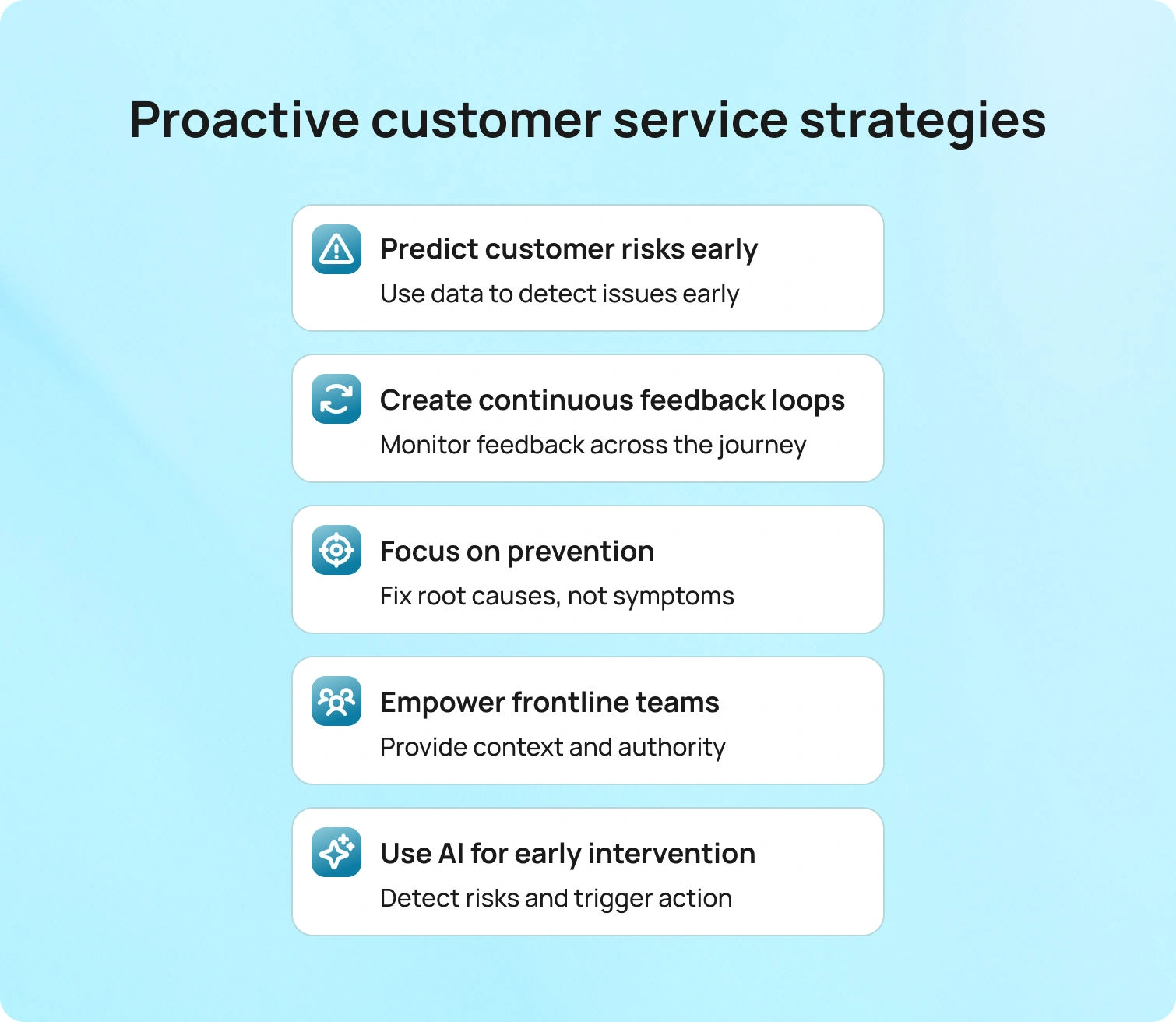
Understanding the proactive customer service definition is one thing. Operationalising it at scale is another.
Truly proactive organizations don’t rely on isolated tactics. They build structured systems designed to detect risk, anticipate friction, and intervene early. Below are proactive customer service strategies that move beyond surface-level improvements and instead reshape how support functions operate.
1. Turn Customer Data into Early-Warning Signals
Most businesses collect large volumes of customer data. Far fewer use it predictively.
Proactive customer service begins by identifying leading indicators of dissatisfaction. This might include reduced product usage, repeated logins without task completion, delayed payments, negative sentiment in support interactions, or declining NPS scores. These signals often appear weeks before churn or complaints.
Advanced CRM systems and behavioural analytics tools should be configured not simply to record activity, but to flag risk patterns automatically. The focus must be on earlier intervention when risks arise.
This is one of the most effective proactive strategies to prevent poor customer service experiences: spotting dissatisfaction before it becomes visible to the customer themselves.
2. Build Continuous Feedback Loops, Not One-Off Surveys
Many organizations conduct annual surveys and consider the job done. Proactive businesses treat feedback as a live data stream.
Micro-surveys at key journey stages, post-interaction sentiment analysis, customer health scoring, and structured check-ins allow companies to monitor experience in near real time. The focus should be on identifying friction at specific touchpoints rather than collecting generic satisfaction scores.
When feedback loops are continuous, organizations can course-correct quickly, preventing small irritations from becoming formal complaints.
3. Redesign Processes Around Prevention, Not Resolution
A reactive support model optimises for ticket handling time and resolution rates. A proactive model optimises for ticket avoidance.
This requires examining recurring support themes and asking a different question: not “How do we resolve this faster?” but “Why is this happening at all?”
Proactive and reactive customer service differ fundamentally here. Reactive teams refine workflows to improve response efficiency. Proactive teams eliminate the root causes generating demand in the first place.
That may involve improving onboarding clarity, simplifying billing communication, refining UX flows, or strengthening operational quality controls upstream.
4. Empower Frontline Teams with Context, Not Just Scripts
Frontline employees are often the first to sense emerging issues. However, without data visibility or decision-making authority, they remain reactive by default.
Empowering teams means equipping them with:
- Real-time customer health indicators
- Historical interaction context
- Authority to issue goodwill gestures or escalate early
- Clear guidance on identifying risk signals
When agents can see patterns, not just individual tickets, they can shift from solving isolated problems to preventing future ones.
This is a critical part of how to be proactive in customer service: aligning people, data, and authority.
5. Implement Proactive Customer Service Strategies with AI Carefully
AI is increasingly central to modern proactive customer service strategies. Predictive modelling can identify churn risk, sentiment analysis can detect dissatisfaction, and automated triggers can initiate outreach before customers contact support.
Common proactive customer service examples powered by AI include:
- Automated notifications when service disruptions are detected
- Behaviour-based onboarding prompts
- Intelligent chatbots that surface relevant help content
- Next-best-action recommendations for support agents
However, there are also shortcomings of AI in proactive customer service.
AI systems can misinterpret context, generate false positives, or over-automate sensitive interactions. Predictive models are only as strong as the data feeding them. Poor governance can also create privacy or compliance risks.
Is AI Worth It for Proactive Customer Service?
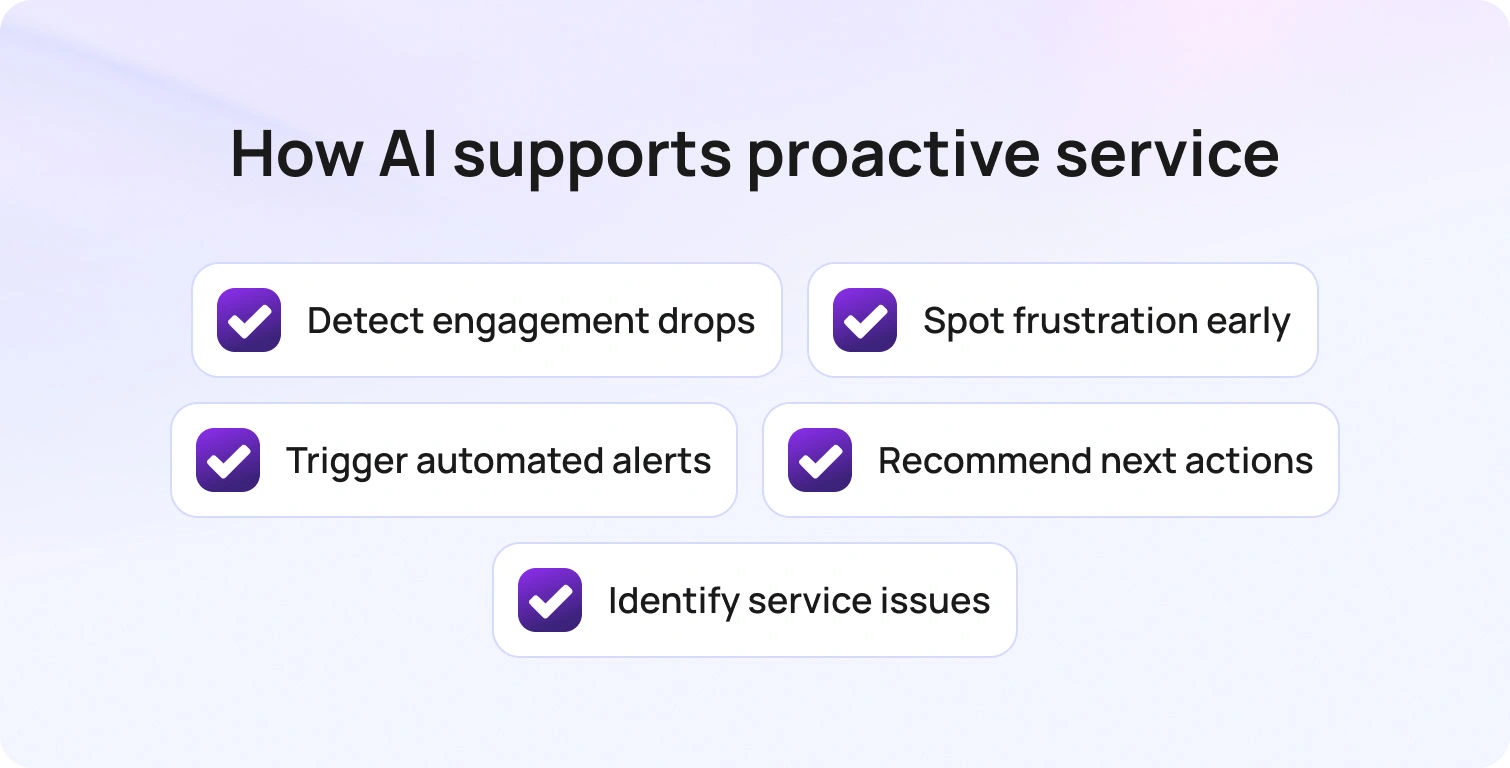
AI has rapidly become central to proactive customer service strategies with AI, particularly in environments where scale and speed matter. Predictive analytics can identify behavioural anomalies, sentiment shifts, churn risk signals, and service disruption patterns far earlier than manual monitoring ever could. Machine learning models can analyse thousands of data points simultaneously (from product usage trends and support interactions to billing activity and engagement rates), and surface patterns that human teams might not detect until dissatisfaction has already escalated.
In this sense, AI meaningfully strengthens the proactive customer service definition: it allows organizations to anticipate not just common issues, but statistically probable future friction.
For example, AI can:
- Flag customers whose usage patterns suggest declining engagement
- Detect frustration in written communication before a formal complaint is made
- Trigger automated outreach when operational thresholds are breached
- Recommend next-best actions to agents based on similar historical cases
- Identify systemic service weaknesses across large datasets
These capabilities can dramatically reduce inbound ticket volume and enable earlier intervention, two critical outcomes when comparing proactive vs reactive customer service models.
However, the conversation cannot stop at capability. There are genuine shortcomings of AI in proactive customer service that leaders must weigh carefully.
First, AI lacks contextual judgment and emotional intelligence. It can detect sentiment polarity, but it cannot fully interpret nuance, tone shifts influenced by personal circumstances, or cultural context. In emotionally charged situations, automation can inadvertently amplify frustration rather than alleviate it.
Second, predictive systems are probabilistic by nature. False positives can result in unnecessary outreach, while false negatives can miss genuinely at-risk customers. Over-reliance on predictive scoring without human validation can distort prioritisation.
Third, over-automation creates the risk of impersonality. Proactive outreach that feels scripted, premature, or misaligned with actual customer needs can erode trust. Customers may perceive automated “check-ins” as surveillance rather than support if execution lacks care.
There are also structural considerations: data privacy compliance, governance requirements, model bias, and ethical transparency. Poorly trained models can inadvertently reinforce inequities or misclassify customer segments, undermining both experience and brand integrity.
So, is AI worth it for proactive customer service?
Strategically deployed, yes, but only as an augmentation layer.
The most effective proactive and reactive customer service frameworks do not replace human teams with AI. They equip teams with predictive intelligence that enhances decision-making. AI surfaces risk signals. Humans apply judgment, empathy, and discretion. AI identifies patterns. Humans build relationships.
When implemented thoughtfully, proactive customer service strategies with AI reduce operational strain while increasing personalisation and precision. When implemented carelessly, they risk scaling friction rather than preventing it.
The distinction lies not in the technology itself, but in governance, oversight, and cultural integration. Proactive customer service is not an automation strategy; it’s an organizational mindset that AI can strengthen, but not substitute.
Proactive vs Reactive Customer Service: A Strategic Shift
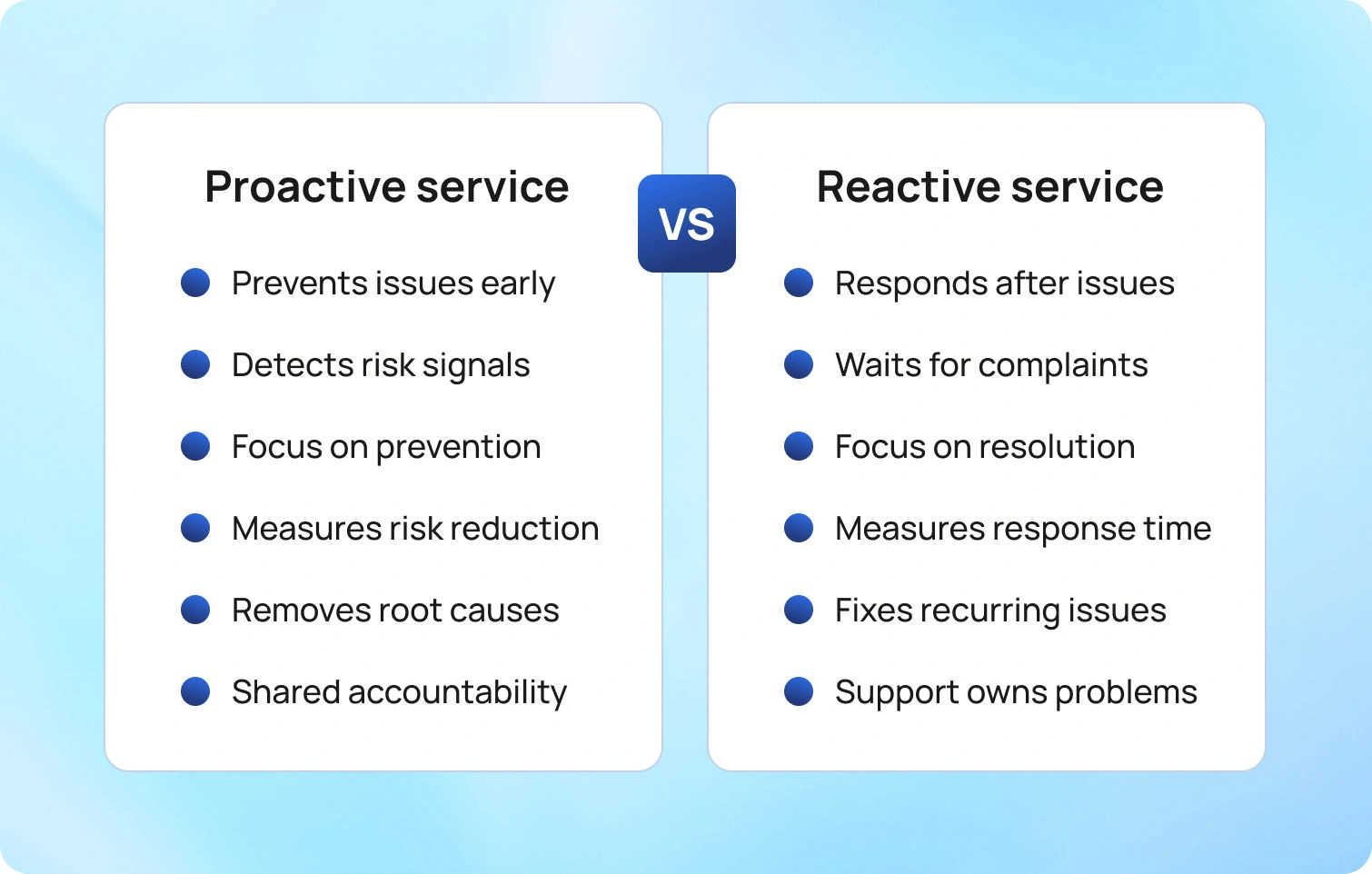
Many organizations still operate within a reactive customer service model. Support teams wait for complaints, tickets, escalations, or cancellations before intervening. Performance is measured by response time, resolution time, and case closure rates. While these metrics are important, they reflect recovery, not prevention.
The move from reactive to proactive customer service is a structural shift in operating philosophy:
- Reactive service assumes friction is inevitable and optimises for fixing it quickly.
- Proactive service assumes friction is preventable and optimises for eliminating it altogether.
This shift requires deliberate change across several dimensions.
Cultural change is foundational. Teams must move from a “firefighting” mentality to a preventative mindset. Instead of celebrating heroic recoveries, organizations must reward early detection, risk mitigation, and systemic improvement.
Process redesign is equally critical. Recurring support themes should trigger root-cause analysis, not simply workflow refinement. If the same billing confusion appears repeatedly, the issue is not agent performance; it is communication design. Proactive strategies to prevent poor customer service experiences start upstream, often in product, operations, or policy.
Technology investment supports this evolution. Monitoring systems, predictive analytics, real-time quality tracking, and intelligent alerts enable earlier visibility into emerging issues. However, technology alone does not create proactivity; it enables it.
Cross-department alignment is often the most overlooked requirement. Customer experience does not sit solely within support. Operations, product, compliance, logistics, and finance all influence friction points. A proactive model demands shared accountability for prevention, not isolated ownership of resolution.
When implemented effectively, the long-term payoff is significant:
- Fewer escalations and crisis scenarios
- Reduced support volume driven by recurring issues
- Improved customer lifetime value
- Stronger retention and loyalty metrics
- Enhanced brand equity built on reliability and trust
Understanding proactive vs reactive customer service at this strategic level reframes support from a cost centre to a preventative growth lever.
How BlueTweak Supports Proactive Customer Service
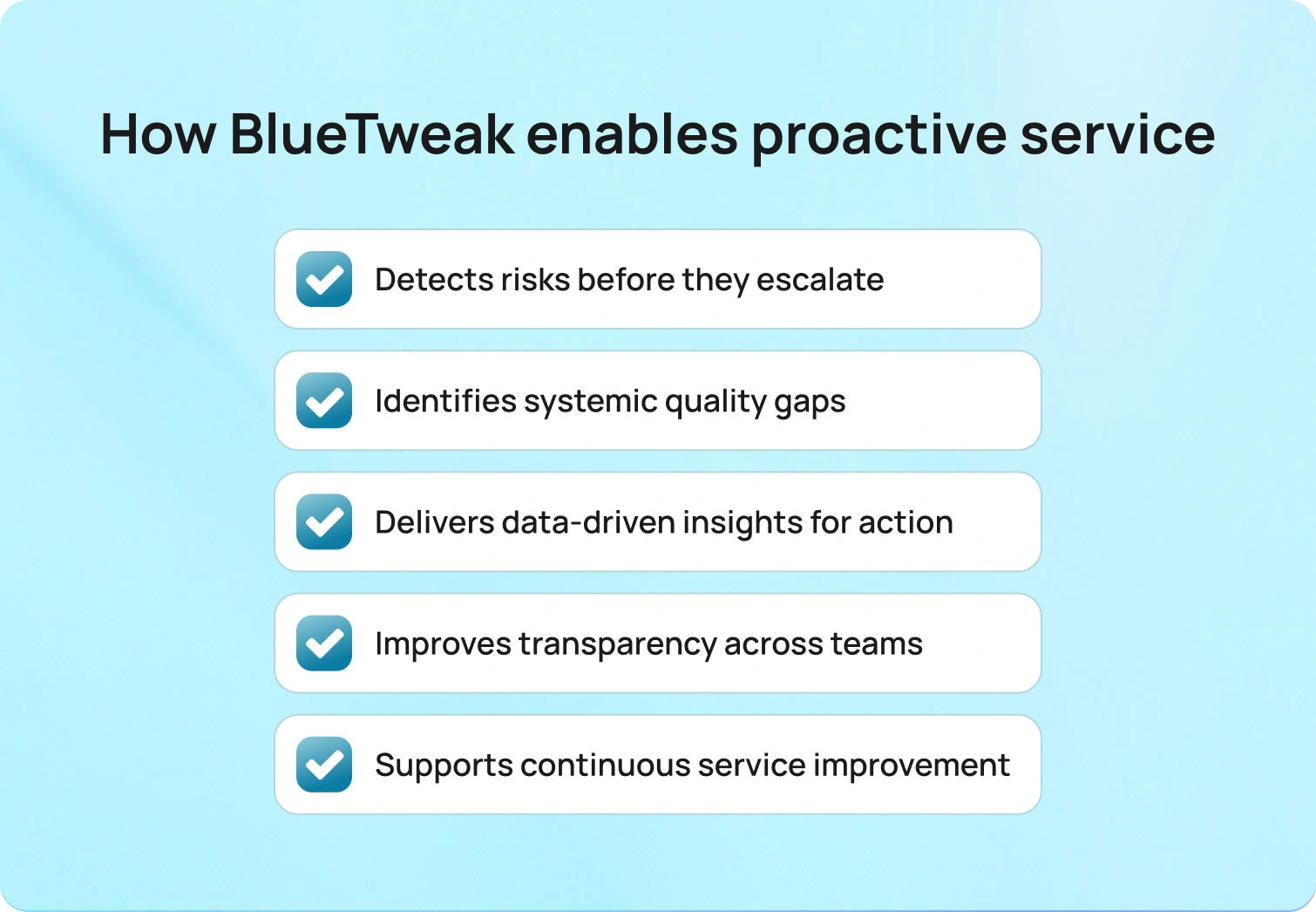
Transitioning from reactive to proactive service requires more than intention. It demands visibility, control, and continuous oversight across operational workflows. This is where BlueTweak plays a critical role.
BlueTweak enables organizations to identify operational risks before they impact customers, shifting the focus from post-incident correction to pre-incident prevention. By monitoring quality metrics in real time, teams gain early-warning visibility into performance deviations that could otherwise translate into service breakdowns.
Rather than waiting for customer dissatisfaction to surface externally, businesses can intervene internally.
BlueTweak supports proactive customer service strategies by:
- Detecting inconsistencies and compliance risks before they escalate
- Highlighting systemic quality gaps across processes
- Providing data-driven insights that inform preventative action
- Creating transparency across departments to reduce siloed blind spots
- Supporting continuous improvement across every customer touchpoint
This operational visibility strengthens proactive and reactive customer service frameworks alike. Reactive capabilities remain necessary, but with stronger monitoring and insight layers, the volume of reactive incidents decreases over time.
Organizations that embed proactive customer service strategies into operational infrastructure don’t simply respond faster; they operate smarter, reduce avoidable friction, and protect customer trust before it is tested.
By embedding proactive strategies into governance, monitoring, and performance systems, businesses move beyond service recovery. They anticipate, they optimize, and ultimately, they lead.
Final Thoughts: The Business Case for Proactive Customer Care
Proactive customer service is not a surface-level enhancement. It is a proactive approach that reshapes how organizations think about customer needs, customer behavior, and long-term growth.
Unlike reactive customer service, which responds to customer complaints and inbound support requests, a proactive customer service approach begins earlier. It focuses on how businesses anticipate customer risk, reduce customer frustration, and exceed customer expectations before problems escalate.
When organizations implement proactive customer service effectively, they shift from managing volume to preventing friction. They monitor customer sentiment, analyse customer interactions for early warning signals, and notify customers before customer issues turn into formal customer inquiries. Instead of relying on phone calls or reactive contact center workflows, they provide proactive customer support at the first sign of risk.
Proactive customer service aims to anticipate customer needs across the full lifecycle. It uses customer relationship management systems and continuous customer feedback to generate valuable insights that guide intervention. Most importantly, it empowers support teams and the wider customer service team to act before dissatisfaction spreads.
The benefits of proactive customer models are clear: improved customer satisfaction, increased customer retention, stronger customer loyalty, and repeat business. By reducing avoidable support requests and recurring customer concerns, organizations free their contact center to focus on complex cases that deepen customer relationships.
To provide proactive customer care at scale, businesses must combine data visibility, governance, and human judgment. AI can enhance detection, but lasting impact comes from thoughtful execution. Organizations that deliver proactive customer service consistently build trust before it is tested, and that trust becomes a durable competitive advantage.
Ready to shift from reactive recovery to proactive prevention? Book a demo today to see how BlueTweak helps you identify risk early, reduce avoidable customer issues, and deliver proactive customer service at scale.
How To Improve Customer Satisfaction Scores With Multilingual AI
Why satisfaction drops when language gets in the way
Customer satisfaction is a judgment made right after an interaction. Did you meet the need with low effort and a human tone? In multilingual customer support, that judgment swings faster. Each handoff, mistranslation, or repeat increases effort. Dissatisfied customers leave negative feedback, and your customer satisfaction score falls.
Scale is the constraint. Volume hits all communication channels at once. Research from Salesforce’s 2025 State of Service reports that AI now handles about 30% of service cases and is expected to handle half by 2027. Leaders are using artificial intelligence to reduce effort where it most harms the customer experience.
This guide focuses on improving customer satisfaction scores in multilingual operations. You will see where scores slip and how to fix the causes with language-aware routing, real-time translation, AI summaries, AI suggested replies, and an AI customer support knowledge base. You will also learn how to measure customer satisfaction with CSAT and customer sentiment, how to run a quick rollout, and how to keep gains compounding.
What customer satisfaction measures are, and how AI helps
Define customer satisfaction clearly. CSAT captures how a customer felt about one customer service interaction. It answers a simple question right after a ticket, chat, or call. Did we solve the problem with low effort and a human tone? Net Promoter Score tracks customer loyalty over time. Use both, but rely on CSAT to tune day-to-day service across the customer journey.
AI helps reduce effort and maintain consistent answers across languages and communication channels. The core pieces are:
- Classification that detects intent and urgency
- Routing that reaches the right skill group the first time
- AI ticket summaries that condense long threads into key facts and the next step
- Suggested reply that drafts an on-brand answer from your knowledge base
- Real-time translation so any queue can reply in the customer’s language
Each piece cuts waiting, reduces repeats, and protects tone. That is how to improve customer satisfaction without extra headcount. BlueTweak brings these capabilities together across a multilingual chatbot, AI voicebot, and email and surfaces CSAT scores, FCR, customer sentiment, transfer, containment, deflection, abandonment, and concurrency in one dashboard.
Multilingual AI building blocks that move your score
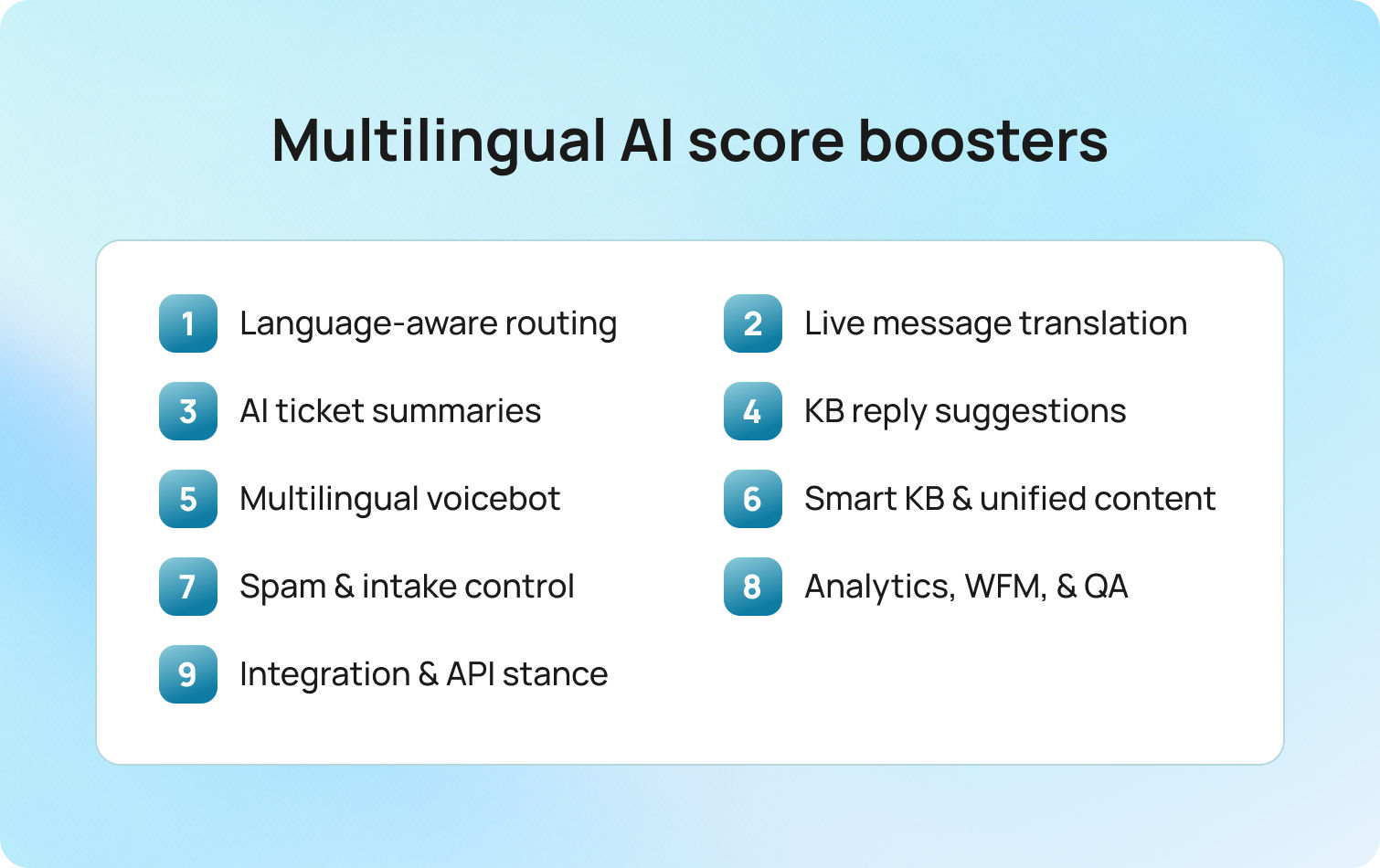
These are the practical levers that raise customer satisfaction levels. Each item explains what it is, how it works, and how BlueTweak helps customer service teams and customer service agents execute.
Language-aware routing
What
Detect language and intent on first contact and route to the right skill group and SLA.
How
Define skills by language and topic. Map top intents to queues. Set clear escalation rules for sensitive cases. Review misroutes weekly and adjust skills, SLAs, and hours.
How BlueTweak helps
Automatic language and intent classification across chat, voice, and email. Skills, queues, and SLAs in one admin view. Transfer rate and FCR by queue and language on the standard dashboard, with an audit trail for routing changes.
Real-time translation in chat and email
What
Translate messages inline so agents reply in the customer’s language without leaving the thread.
How
Create a glossary for brand and product terms. Allow fluent agents to opt out. Log edits for QA. Use translation on first touch, then bring in a fluent specialist for complex cases.
How BlueTweak helps
Translation in the compose pane. Per queue enablement and role-based opt-out. Edit logs for QA. SLA and CSAT comparisons for translated versus native replies.
AI ticket summaries
What
Condense long threads into key facts, the requested outcome, prior commitments, and the next step.
How
Enable summaries on high-volume queues. Require agents to confirm the next action before sending. Attach the summary to the case record. Use summaries in handoffs to preserve context.
How BlueTweak helps
Summaries appear beside composition and classification. Handle time, re-open rate, and sentiment are visible before and after rollout.
Suggested reply from the knowledge base
What
Draft an on-brand answer pulled from approved articles, ready for agent approval or edit.
How
Link templates and macros to specific knowledge base articles. Require article IDs in each suggestion. Localize articles before suggestions go live in that language.
How BlueTweak helps
The suggested reply draws on the smart knowledge base. Compare CSAT, FCR, and time to first response for suggested versus manual replies. Version history and approval flow for article changes.
Multilingual voicebot with clean handoff
What
Resolve common intents in the caller’s language and pass the full context to an agent when escalation is needed.
How
Start with the top-volume intents. Keep prompts short. Confirm key details. Always offer a human option. Send the transcript and captured fields to the agent on handoff.
How BlueTweak helps
Voicebot supports multiple languages and live language selection. Handoff includes a transcript. Containment, call deflection, abandonment, concurrency, sentiment, and FCR are tracked in one place.
Smart knowledge base and unified content
What
One source of truth that powers agent replies and conversational AI answers in every language.
How
Assign owners. Set a review cadence. Require version notes. Collect customer input and agent feedback on each article. Use templates for policies, troubleshooting, and refunds to maintain a consistent structure.
How BlueTweak helps
The articles feed includes both suggested replies and conversational AI flows. Link intents, templates, and articles. Usage analytics by queue and language. Search success rate and article feedback are visible to content owners.
Spam detection and intake quality
What
Filter spam and malformed requests so agents focus on real customer interactions.
How
Enable spam detection for email and web forms. Route uncertain items to a low-priority review queue. Validate order IDs and contact data at intake to reduce negative experience loops.
How BlueTweak helps
Spam filtering at channel intake with safe-list and block-list controls. Impact on time to first response and agent occupancy tracked without external BI.
Analytics, WFM, and QA in one place
What
A single view of experience quality and staffing needs in real time.
How
Standardize a weekly KPI pack. Track CSAT, FCR, transfer, containment, deflection, abandonment, concurrency, and sentiment. Align schedules and coaching to language- and channel-specific patterns. Use transcripts for targeted QA.
How BlueTweak helps
All metrics are standard. No separate BI build. Forecasting and scheduling live next to queues. QA review pulls transcripts and sentiment without exports.
Integration and API stance
What
Bring order data, billing status, and identity into the conversation so the first reply is accurate.
How
Expose key customer fields in the compose pane. Pass metadata to bots and suggestions. Log access for audit. Use webhooks to update tickets when upstream systems change.
How BlueTweak helps
API open with integration points for in-use system/legacy systems/tool stack. Customer context is visible during compose. Reduction in back-and-forth and higher FCR, both measurable on the same dashboard.
Where multilingual support usually loses CSAT, and how to fix it
A typical pattern looks like this. A customer writes in Spanish, lands in an English queue, gets transferred twice, and has to repeat the issue. On voice, a caller selects French, waits, and hears a generic apology that does not answer the question or says that no agent is available. Effort rises. Trust falls. Customer satisfaction levels drop.
The root cause is fragmentation. Ticketing, telephony, translation, and knowledge live in separate tools. Context is lost between systems, macros diverge by channel, and agents copy text rather than solve the problem. Handoffs multiply because language and intent are detected late. Even when the final answer is correct, the path feels slow and impersonal.
Move effort out of the conversation:
- Route by language and intent on first contact
- Preserve context so the next agent sees what was asked and what was promised
- Draft replies from approved articles to keep content accurate across languages
- Use inline translation for thinly staffed languages without leaving the thread
- In voice, keep prompts short, offer a human path, and pass the full transcript on escalation
BlueTweak supports this model in one workspace. Automatic classification and routing apply across chat, voice, and email. AI ticket summaries keep context intact. Suggested reply grounds answers in the knowledge base. Real-time translation sits in the compose pane with opt-outs and logs for QA. The impact shows up in standard KPIs you can read together, including CSAT, first contact resolution, transfer rate, sentiment, containment, deflection, abandonment, and concurrency.
Rollout you can complete in weeks
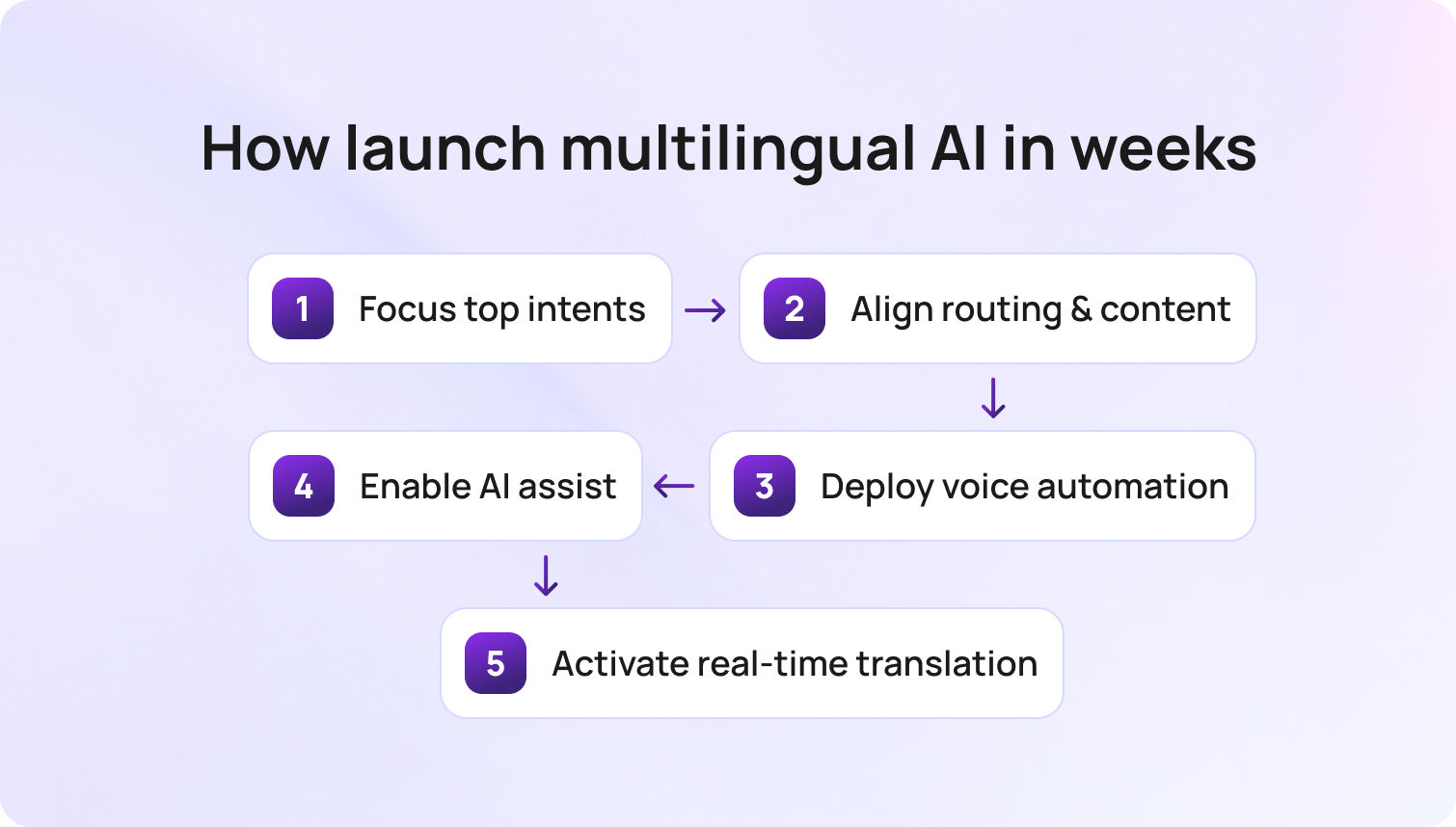
Volume concentrates in a few intents and a few languages, so start there. Map your top twenty requests and the languages where SLAs slipped. Link each intent to a queue and the exact article that should power the first reply. In BlueTweak, connect intents, queues, and articles so classification, routing, and suggestions point to the same source from day one.
Turn on language-aware routing and read early signals. Transfers should fall, and FCR should rise, especially in thinly staffed languages. If results stall, revisit skills, SLAs, and escalations. BlueTweak places transfer, abandon, and sentiment side by side so you can see speed and tone together and adjust quickly.
Introduce a multilingual voicebot for predictable requests. Order status, returns, appointment changes, and password resets are reliable starters. Keep a human path visible. After the first week, check containment, deflection, and abandonment. If callers exit early, shorten prompts, confirm details more clearly, or escalate sooner. BlueTweak surfaces these metrics without a separate BI project.
Enable AI summaries and suggested replies in your busiest queue. Pilot one language, confirm tone, then expand. If first response time improves but CSAT does not, the issue is usually content. Fix the article behind the suggestion and let the next proposed reply inherit the change. BlueTweak links articles to suggestions, so updates flow into both agent replies and bot answers.
Switch on real-time translation where coverage is thin. Use it to meet the SLA on first touch, then loop in a fluent specialist for nuance. Because translation lives in the compose pane with opt-outs and QA logs, customers experience a continuous thread rather than a handoff.
Weekly checklist:
- Adjust skills and escalations based on misroutes and reopens
- Review transfer, FCR, and sentiment by language
- Inspect bot containment and abandonment on top flows
- Update the articles that drive the most suggestions
Quick wins that raise CSAT fast
Older setups spread work across ticketing, telephony, translation, and a standalone bot. Effort leaks at every handoff. The fastest gains come from removing effort from high-volume points and measuring the change in a single view.
Start with the basics:
- Send customer satisfaction surveys in the same language as the conversation, right after resolution
- Ask one open question, then fix the two articles that show up most in survey responses
- Use the suggested reply for the first draft and coach on edits that repeat
- Track transfer rate and FCR together and reward queues that lift FCR without a CSAT dip
- In voice, review calls where containment failed and tighten the exact step where callers exit
BlueTweak links suggestions to articles, keeps translations in the compose pane, and shows CSAT, FCR, transfer, containment, and abandonment on a single dashboard. Small changes quickly yield actionable insights for the customer support team.
Measurement that proves lift
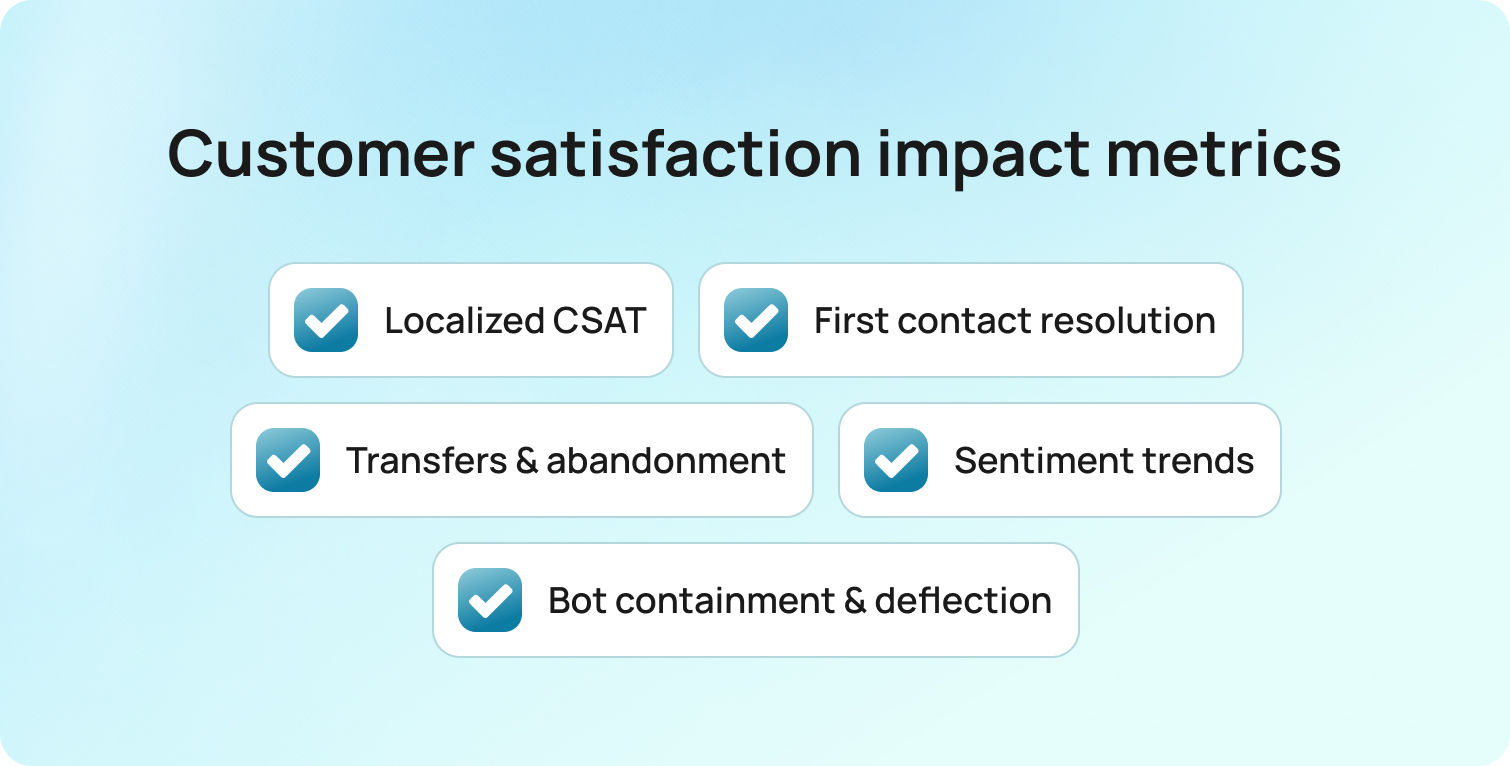
Teams used to export data and stitch reports. A cleaner approach is to make CSAT the anchor and pair it with a short set of signals that tell a consistent story about customer satisfaction goals and overall satisfaction.
Track every week:
- CSAT in the customer’s language, sent immediately after the interaction
- First contact resolution
- Transfer rate and abandonment by language and channel
- Sentiment over time
- For bots, containment, call deflection, and concurrency
Read these together. If FCR rises and CSAT is flat, the answer is correct but cold. If CSAT rises and FCR stays low, scope control is weak. Update the article behind the reply and check next week’s numbers. BlueTweak centralizes these metrics so customer service teams can review them weekly without a heavy BI project.
CFO view of consolidation and multilingual ROI
In fragmented stacks, cost hides in rework. Reopens, callbacks, escalations, and customer churn grow when language forces repeats and transfers. Consolidation lowers that cost by bringing tickets, voice, chat, knowledge, and analytics into one place and by letting one customer service representative handle more conversations in more languages with fewer handoffs.
Keep the math simple. Fewer transfers and higher FCR cut handle time. Better self-service and respectful containment reduce volume. CSAT steadies, and churn risk drops. Report those shifts using the same KPIs leadership already follows. BlueTweak supports this model with an omnichannel workspace, proposed replies grounded in the knowledge base, and a single view of the financial signals behind quality.
Monthly optimization loop
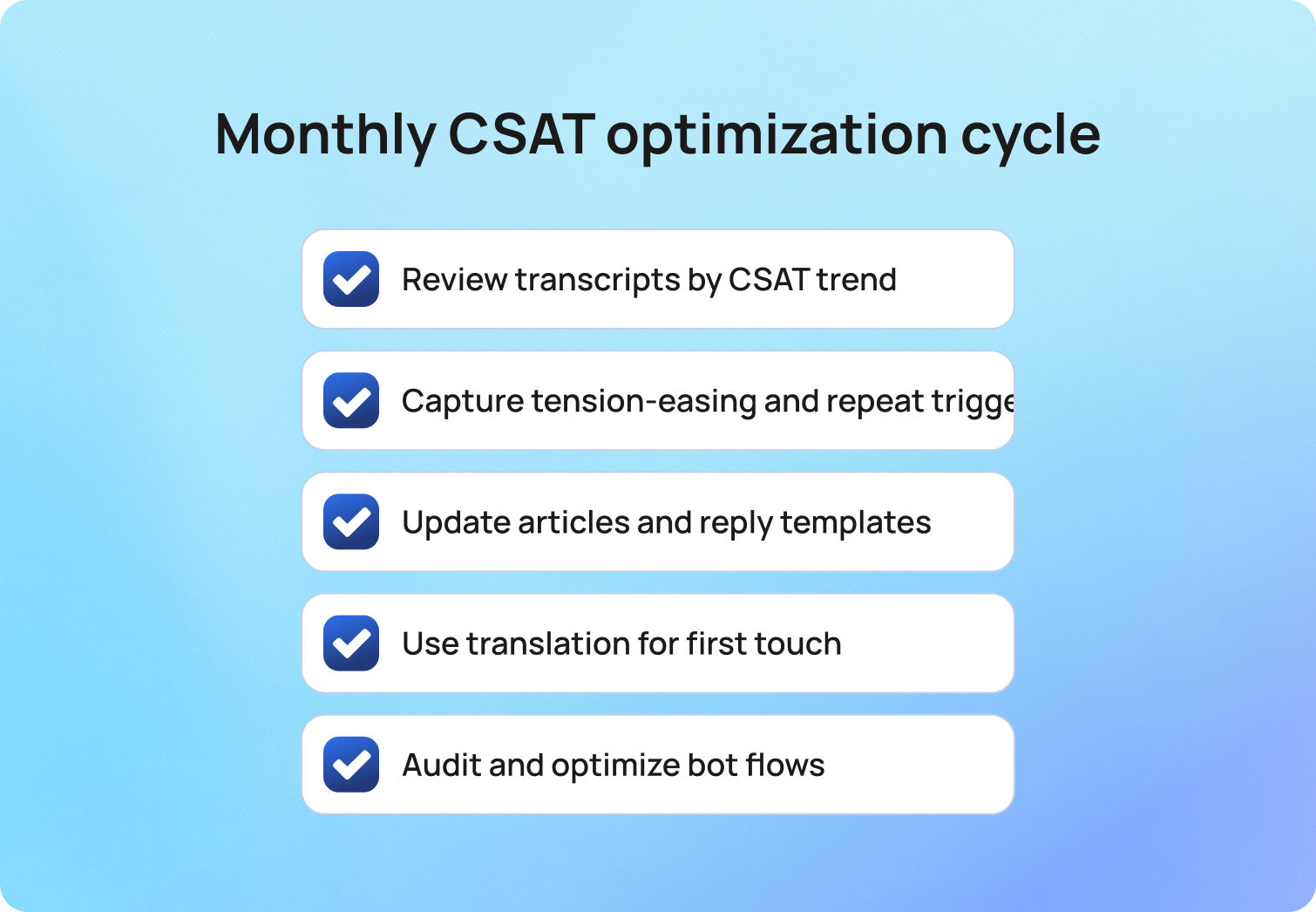
Quarterly reviews are too slow for multilingual work. Replace them with a short loop that turns customer feedback into better answers.
Run this every month:
- Pull transcripts per top language where CSAT dipped and where it surged
- Capture phrases that eased tension and phrases that triggered repeats
- Update the articles and proposed reply templates so the next draft reflects what worked
- Treat translation as an accelerator for first touch, then bring in a fluent specialist when nuance matters
- Audit bot flows with the same rigor used for agents. If abandonment climbs, offer a human path sooner. If containment is high and CSAT slips, adjust tone and confirmations
BlueTweak makes this loop practical by linking articles to suggestions, logging translation edits for QA, and surfacing bot and channel metrics in the same place agents work.
2026 outlook for multilingual CSAT
Messaging and voice keep growing as primary communication channels while multi-brand operations and privacy expectations get stricter. Adoption trends point the same way. Salesforce’s 2025 report shows AI handling about 30% of cases today and moving toward 50% by 2027, which concentrates attention on quality, governance, and proactive multi-channel support.
Privacy capabilities are improving to support that shift. European data residency and clearer controls over processing and retention are becoming the norm, making multilingual automation realistic for regulated teams.
Priorities for 2026
- Native multilingual capability across voice and text
- Answers grounded in the knowledge base to prevent drift
- Transparent privacy posture with auditability and data residency options
- Unified analytics across the full customer journey from bot to agent to post-purchase follow-up
- End-to-end handling without custom middleware, including bot deflection, seamless agent escalation, suggested replies, and post interaction analysis
BlueTweak aligns with this direction by unifying chat, voice, and email in one workspace, grounding automation in a smart knowledge base, and exposing standard KPIs in a single view.
What to do next
Improving customer satisfaction scores with multilingual AI is a practical way to reduce effort. Fix the points where language, handoffs, and slow replies create friction. Keep the loop tight. Measure, adjust, and repeat so existing and new customers both have positive experiences.
Start here, then expand
- Map the top intents and the languages where SLAs slipped
- Route by language and intent on first contact
- Enable AI summaries and suggested replies so agents start from context and approved content
- Add real-time translation for thinly staffed languages, then bring in fluent specialists for nuance
- In voice, introduce a multilingual bot for predictable requests and keep a clear human path
- Track CSAT, FCR, sentiment, transfer, containment, and deflection in one view
- Update the two most used articles each week based on survey respondents and agent edits
BlueTweak brings these steps into a single workspace across chat, voice, and email, with a smart knowledge base, proposed replies, translation, routing, and summarization tied to the same KPIs. That makes it easier to increase customer satisfaction, build loyal customers, and maintain good customer satisfaction across teams. Request a demo to see the workflow end to end.
How to Improve First Response Time With Multilingual AI
Why the First Response Time Sets the Tone
First response time is the moment your brand proves it is listening. Customers expect acknowledgment and relevant information quickly, and slow response times signal the opposite. The first response does not need to solve everything, but it must confirm the customer’s request, set the expected response time or resolution path, and share the next step. Done well, that first touch reduces stress, lowers follow-up volume, and improves overall customer satisfaction and loyalty.
Multilingual customer support adds pressure. A simple question in Spanish should not sit in an English queue while support agents wait for a specialist. The clock keeps running, and the customer experience degrades. Multilingual AI removes that friction by identifying language and intent, translating in real time, and drafting accurate answers from a shared knowledge base so the right agent can reply fast.
This article shows how to improve first response time with practical, repeatable steps your team can ship in one quarter.
What is First Response Hime and How to Measure It
First response time (FRT) is the elapsed time between a customer’s request entering your system and the first meaningful reply. That reply can be an automated response or a human message, as long as it addresses the customer’s question or next step.
How to Calculate First Response Time
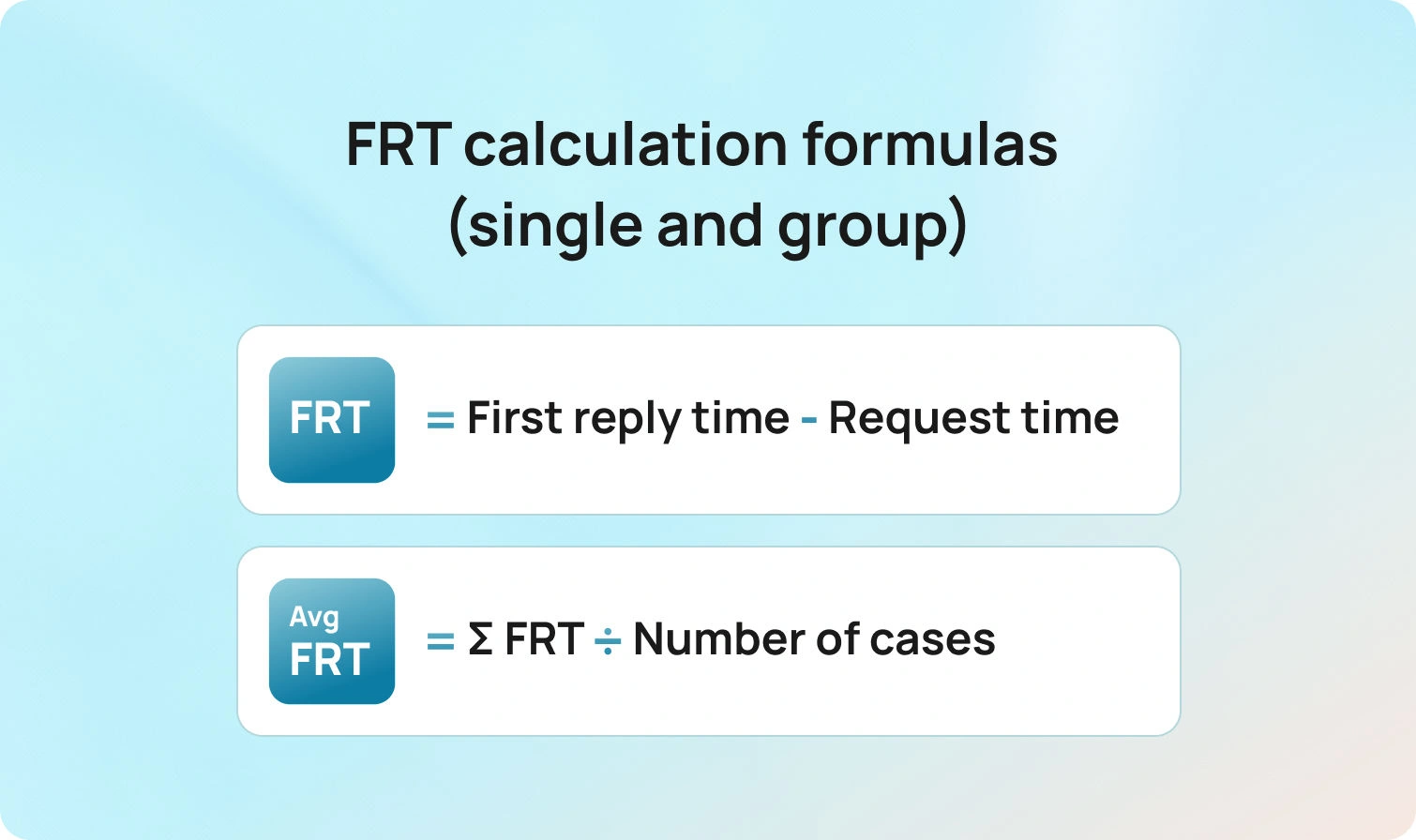
For a single case:
first response time frt = timestamp_of_first_meaningful_reply − timestamp_of_customer_request
For a group of cases in a period:
average first response time (average FRT) = Σ FRT for eligible cases / number of eligible cases
Business hours and eligibility
Decide whether FRT includes nights, weekends, or holidays. Many teams measure two flavors:
- Clock time FRT uses wall-clock minutes.
- Business hours FRT pauses the clock outside business hours.
Also, define which cases are eligible. Not every support ticket counts. For example, spam, auto-closed duplicates, and abandoned incoming calls may be excluded.
Link to SLAs
Your first response SLA, sometimes called response SLA, sets a target for the percentage of customer queries that receive an initial response within a defined time by channel and language. Example: 90 percent of email tickets get a first response within four business hours; 95 percent of live chat conversations receive a response within 60 seconds. Targets should align with customer expectations, staffing, and budget.
Where Teams Lose Minutes in Multilingual Operations
Delays usually come from a few predictable sources.
Intake and routing gaps
Customer inquiries arrive via email, chat, web forms, social media, and phone. Without language and intent detection, tickets land in the wrong queue and bounce. Context switching adds minutes and erodes trust.
Translation handoffs
Routing everything to a single bilingual agent creates bottlenecks. The queue grows, the average time to first response climbs, and customers feel ignored.
Knowledge silos
Support agents cannot find answers quickly, self-service resources are limited, and the internal knowledge base is outdated. Even fast agents slow down when they have to search multiple systems to find answers.
Channel mismatches
Omnichannel customer support only works when the first response fits the channel. Long, formal emails sent as chat replies waste time and miss the moment.
Overuse of generic autoresponders
Automated responses that do not acknowledge the customer’s request or provide relevant information create false speed. The clock stops, but dissatisfaction grows.
Fixing these issues is the key to improving first response time without sacrificing quality.
7 Multilingual AI Tools That Actually Cut FRT in 2026
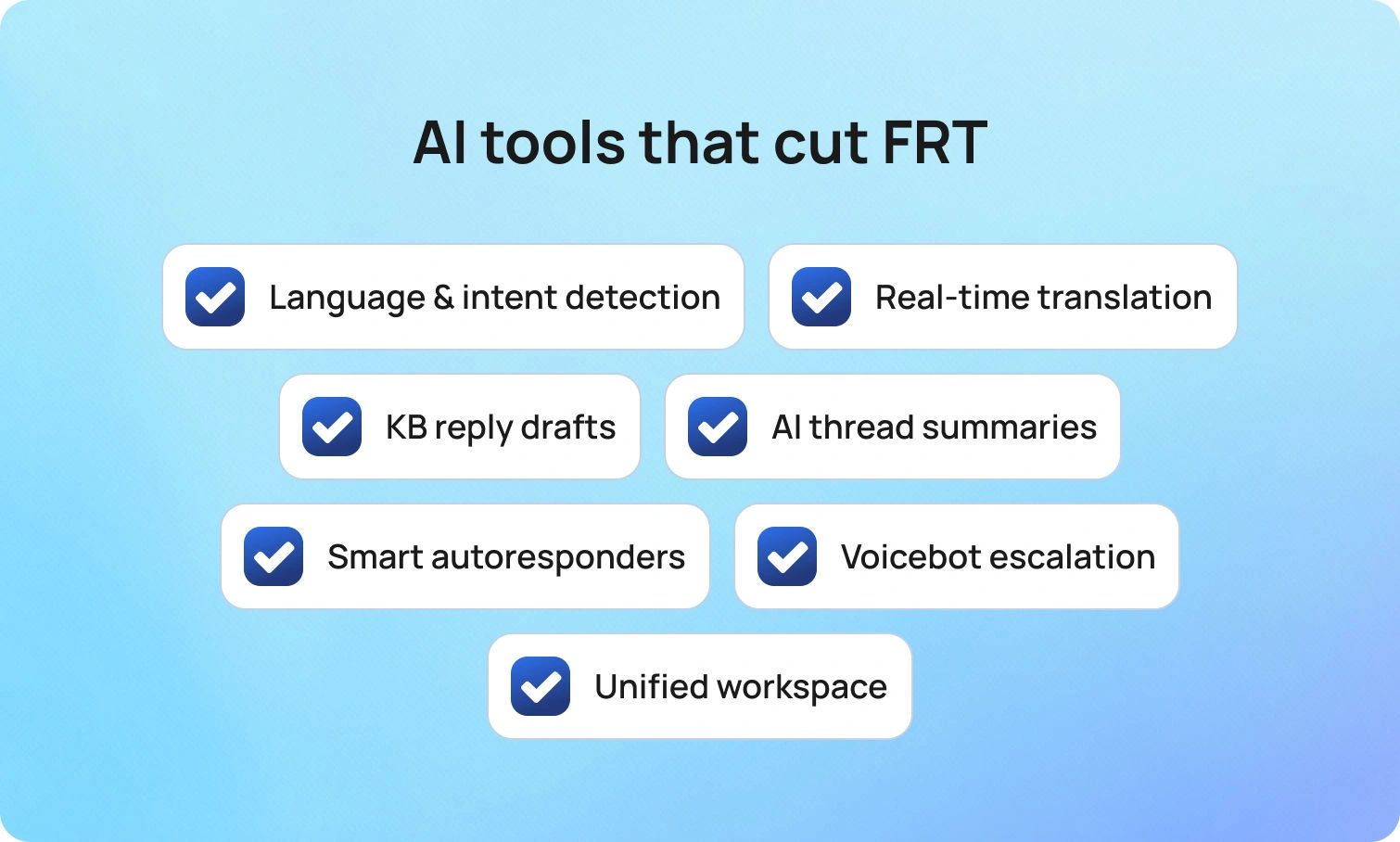
These capabilities remove the minutes that matter and keep first replies accurate across languages.
Language and intent detection at intake
What it does
Detects the customer’s language and broad intent as the ticket arrives, then routes it to the right agent or queue.
Why it improves response time
The team responds without a wrong-queue bounce, and the right agent sees the case first. That alone can drop average FRT and reduce transfers.
How BlueTweak helps
BlueTweak automatically tags language and intent on ingest across email, chat, voice transcripts, SMS, and supported social channels. Admins map skills and SLAs to queues in one view, set fallbacks, and review an audit log of routing rule changes. Transfer rate and FCR are visible by queue and by language, so you can spot and fix misroutes fast.
Real-time translation for chat and email
What it does
Translates incoming and outgoing messages within the agent’s workspace, so the team can respond in the customer’s language without waiting for a specialist.
Why it improves response time
The team responds within the first response SLA, even when coverage is thin. Customers find answers in the language they prefer, and the conversation does not stall.
How BlueTweak helps
Agents toggle inline translation in the compose pane, enable it per queue, allow fluent agents to opt out, and use edit logs for QA. The analytics view compares FRT and CSAT for translated versus native-language replies so you can coach where it matters.
AI suggested replies grounded in a knowledge base
What it does
Draft initial responses from your approved articles and past interactions, ready for a human agent to review and send.
Why it improves response time
Agents spend less time crafting first replies and more time resolving the issue. Initial responses are consistent and accurate, which reduces back-and-forth.
How BlueTweak helps
Reply suggestions for support are pulled from BlueHub’s AI customer support knowledge base and cite the source article ID in the draft. Agents approve or adjust in one click. Content owners see which suggestions need edits and update the article once; the next suggested reply inherits the change, in every enabled language.
AI ticket summaries for long threads
What it does
Condenses prior context into key facts, the customer’s request, and the next step.
Why it improves response time
New assignees or escalations can send a first response immediately because they do not need to read the entire thread. This also helps during handoffs across time zones.
How BlueTweak helps
Summaries can be pinned to the ticket for handoffs. One click attaches the summary to the record and passes it forward on escalation, including from voice transcripts. Leaders track changes in handle time, reopens, and FRT before and after summaries are enabled.
Smart autoresponders that set real expectations
What it does
Sends instant responses that acknowledge the customer’s issue, set an expected response time, and provide next steps or a link to self-service resources.
Why it improves response time
Customers stay informed. Many will resolve simple issues independently, reducing repeat contacts and keeping agents available for complex work.
How BlueTweak helps
BlueTweak supports per-queue auto-acks that match the customer’s language and pull live business hours and response targets. Templates include variables for name, case ID, and links to the most relevant knowledge article. Anti-loop controls prevent duplicate messages, and analytics show the impact of FRT and deflection by template.
Voicebot for predictable intents with clean escalation
What it does
Handles routine phone requests like status, password resets, or appointment changes, then hands off to the right agent with full context when needed.
Why it improves response time
Incoming calls get instant responses for common tasks, and human intervention focuses on complex issues. This lowers queue wait times and accelerates first contact on live calls.
How BlueTweak helps
BlueTweak’s multilingual voicebot supports instant language selection, confirms key details, and writes the transcript plus captured fields to the ticket. Escalations land in the correct queue with history attached. Leaders track containment, deflection, abandonment, concurrency, sentiment, and FCR in the same dashboard used for FRT.
Unified agent workspace across channels
What it does
Brings email, chat, social, and voice into one place with shared routing, history, and analytics.
Why it improves response time
Agents do not juggle tools, and the team responds faster with less context switching. The support leader can allocate resources by channel in real time.
How BlueTweak helps
BlueTweak unifies queues for chat, voice, email, SMS, and supported socials. Agents see past interactions and key customer data on the same screen they use to reply. Skills-based routing and WFM scheduling sit alongside live KPIs (average FRT, percent within response SLA, queue depth by language), so leaders can rebalance workloads without leaving the workspace.
Measurement that proves the lift
Speed is a means, not the goal. Pair FRT with quality and efficiency metrics so improvements stick.
- Average first response time by channel, language, and intent
- Percent of cases within first response SLA
- Customer satisfaction after the first response and after resolution
- Average resolution time is so fast that first responses do not hide slow outcomes
- Reopen and transfer rate for initial responses that missed the mark
- Self-service deflection, where customers find answers without opening tickets
Review these weekly in a single scoreboard. If average FRT declines but customer satisfaction scores remain flat, initial responses may be fast but not helpful. If FRT is steady and satisfaction rises, content and tone improve. This is the data you need for responsible decision-making.
Guardrails that keep service safe
Multilingual AI is powerful. It still needs clear rules.
- Keep automated responses short and precise. Confirm receipt, share a time frame, and suggest the next step.
- Ground AI systems in your approved knowledge base and policy library.
- Store translations and suggested replies with the case for audit.
- Require human intervention for eligibility decisions, financial adjustments, and any outcome with legal risk.
- Provide ongoing privacy and security training for every customer service agent.
Guardrails let automation tools handle repetitive tasks while humans make judgment calls.
Common pitfalls to avoid
Even well-run teams lose minutes to small, repeatable mistakes. The patterns below either inflate your FRT on paper or slow real conversations in ways customers notice. Keep them in view as you tune tools, targets, and workflows.
- Measuring only average time and ignoring business hours or holidays
- Counting auto-replies as meaningful first responses when they do not address the customer’s request
- Setting the same first response SLA across email, chat, and phone
- Letting the internal knowledge base drift while templates multiply
- Treating all tickets equally when some require the right agent and deeper context
Avoid these traps, and your support process will handle inquiries efficiently without compromising quality.
Future outlook: 2026 and beyond
First response time is becoming a visible promise, not a backstage metric. Customers expect instant acknowledgment on chat and messaging, a quick, relevant email during business hours, and a live answer or clean callback on phone calls. As expectations rise, multilingual coverage and accuracy matter as much as speed. The direction is clear. AI systems will sit closer to intake, detect language and intent, and draft initial responses that reflect policy, the internal knowledge base, and past interactions. Human agents will handle judgment, edge cases, and moments that need empathy.
Governance will move with the technology. Leaders will ask for transparent response SLAs by channel and language, audit trails for suggested and translated replies, and clear rules about which sources automation tools can use. Privacy posture and data residency will influence platform choices, especially for customer data that crosses borders. Measurement will also mature. Teams will measure first-response time with percent within SLA, customer satisfaction after the first response, self-service deflection, and average resolution time, so speed does not crowd out quality.
Interoperability will be the multiplier. Omnichannel support, shared identities, and event-driven integrations will enable the customer service team to respond quickly without context switching. Knowledge bases will serve as the source of truth for both agents and bots, helping customers find answers on their own and ensuring initial responses remain accurate. Tools that combine routing, translation, suggested replies, and analytics in a single workspace will make it easier to meet fast-response targets across languages without increasing headcount.
Final takeaways
If you focus on improving first response time, think in systems, not hacks. Route the ticket to the right agent on the first try. Translate and summarize so the team responds confidently in any language. Draft initial responses from a living knowledge base and let agents tailor the message. Set clear SLAs, staff to demand, and measure quality as carefully as speed. Do this, and customers feel valued from the first response, support teams move faster with fewer errors, and higher satisfaction follows.
BlueTweak brings routing, translation, summaries, suggested replies, and reporting together so your team can respond quickly across channels and languages. Request a demo to see how it can help you.

Your Complete Guide to Customer Experience Strategy in 2026
The 2026 CX Reality: Speed, Ease, Personalization
The pandemic changed everything about customer expectations. Those changes aren't going anywhere, either. Today's customers want convenience, speed, and a personalized experience across their preferred channels.
59% of consumers now prioritize customer experience more than they did before COVID-19. That's not a trend. That's the new baseline.
This means you need a solid customer experience strategy. Not a fluffy mission statement or a vague goal to be more customer-centric. You need a real plan that includes key elements to address pain points, maps the entire customer journey, and gives your team the tools to deliver consistently great experiences.
Below, we’ll break down how to develop a customer experience strategy that moves the needle.
What Is Customer Experience Strategy?

Customer experience strategy, in plain terms: how you design, deliver, and continuously improve every interaction a customer has with your brand. From their first website visit to post-purchase support, your CX strategy, informed by customer feedback, shapes how people feel about doing business with you.
A strong customer experience strategy integrates multiple channels, customer data, and internal processes to deliver smooth, positive experiences. Beyond accelerating problem resolution, the priority is to foresee and address customer needs in advance.
The benefits of a customer experience strategy are measurable. Companies with well-executed CX strategies see:
- Higher customer satisfaction scores
- Better net promoter scores
- Lower churn rates
- Increased customer lifetime value
Why Building a Customer Experience Strategy Matters
Your customers have options. Lots of them. If your support experience is clunky, your response times are slow, or your team can't access customer history across channels, people will go elsewhere, jeopardizing your chances of retaining customers. It's that simple.
Creating a customer experience strategy isn't just a nice-to-have anymore. It's how you stay competitive. When you build a customer experience strategy into your operations, you're setting yourself up to:
- Reduce customer effort across every touchpoint
- Improve customer satisfaction and loyalty
- Increase repeat business and customer lifetime value
- Turn satisfied customers into brand advocates
- Lower support costs while improving service quality
Every time a customer has to repeat themselves, switch channels to get help, or wait days for a response, you're losing ground. A smart customer experience improvement strategy fixes these pain points before they cost you customers.
Your Customer Experience Strategy Framework
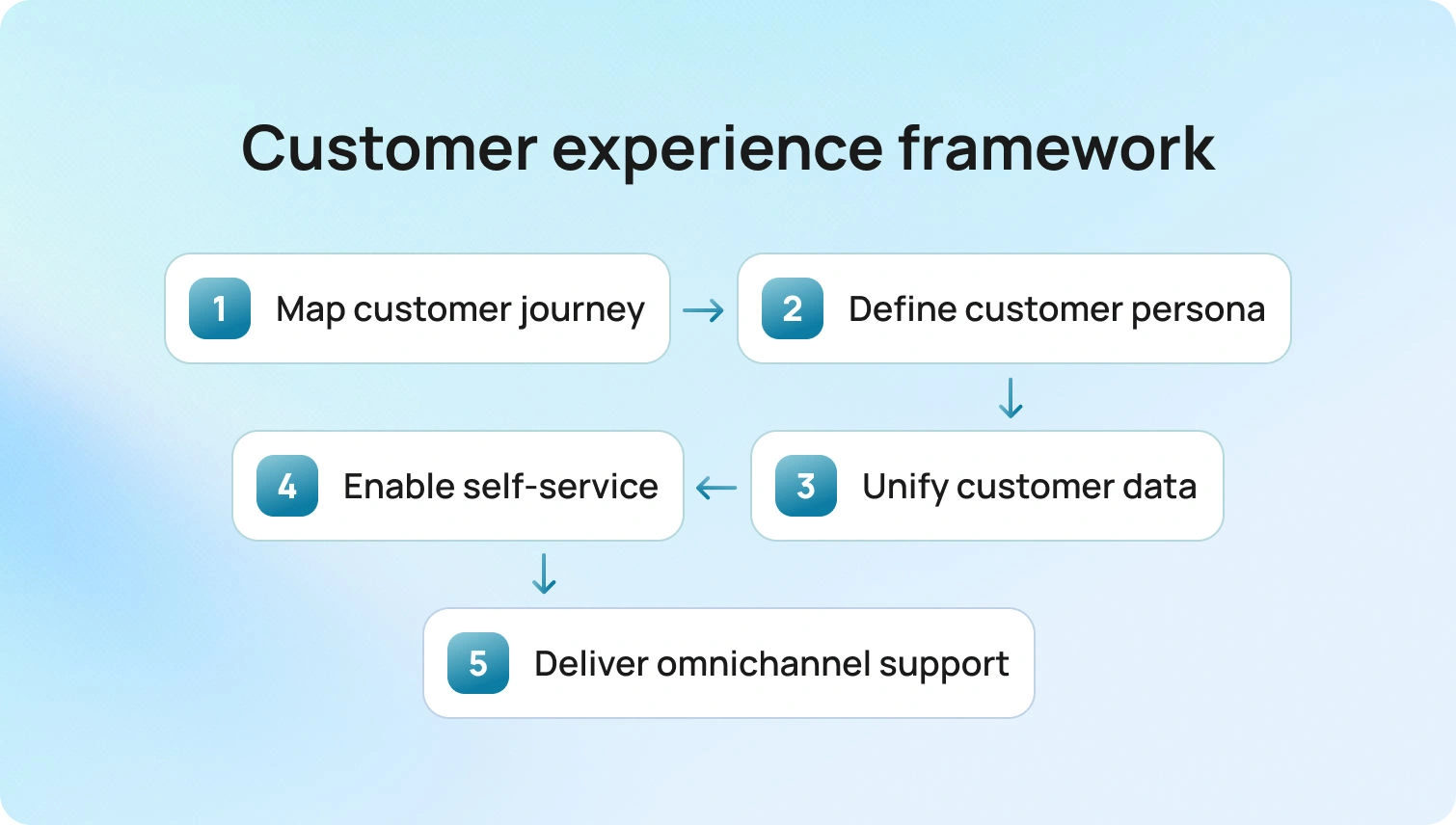
Next, we outline a practical, evidence-based framework for CX. These are the essential best practices.
1. Map the Entire Customer Journey
You can't improve what you don't understand. Create a customer journey map that covers every stage from awareness and consideration to purchase and support. Identify where customers interact with your brand, what their expectations are at each stage, and where friction exists.
Most companies focus only on the purchase moment, but the real magic happens across the entire journey. Pay attention to first-time buyers, repeat customers, and every customer interaction in between.
2. Know Your Customer Personas Inside Out
Who are you serving? Build detailed customer profiles based on real data and not assumptions.
- What are their pain points?
- What channels do they prefer?
- What does a positive customer experience look like to them?
Understanding your target audience means examining purchase history, feedback loops, and behavioral patterns. The more you know about your customer base, the better you can tailor experiences that feel personal rather than generic.
3. Leverage Customer Data Across Channels
When your team has a complete picture of every customer's history across voice, email, chat, and social media, they can provide faster, smarter support. Customer service analytics give you real-time insights into what's working and what isn't. Track key metrics like customer satisfaction score (CSAT), net promoter score (NPS), customer effort score, and first call resolution rates. These key performance indicators tell you exactly where to focus your improvement efforts.
4. Empower Customers with Self-Service
Your customers don't always want to talk to someone. Sometimes they just want answers, and they want them fast.
That's where self-service comes in.
A comprehensive FAQ section, a smart knowledge base, and automated workflows let customers solve problems on their own terms.
When you automate routine customer requests, you free your support teams to handle more complex issues. That's a win-win for everyone: lower costs, happier customers, and less agent burnout.
5. Build an Omnichannel Experience
Your customers don't think in channels. They don't care whether they started a conversation in chat and finished it via email. They just want a positive experience.
That means your customer support platform needs to unify every channel. When an agent can see the full customer journey (every previous interaction, every support ticket, every touchpoint), they can deliver better service faster. Omnichannel customer support platforms aren't just about having multiple channels. They're about connecting those channels so nothing falls through the cracks.
What Is Digital Customer Experience Strategy?
It's how you show up online across your website, mobile app, social media, chatbots, and email. Digital customer experience strategies need to prioritize speed, convenience, and accessibility.
Here's what that looks like in practice:
- 24/7 availability through AI-powered chatbots and voicebots that handle common inquiries instantly
- Real-time chat translation through multilingual customer support, so language is never a barrier
- Proactive communication that reaches out before customers even realize they need help
- Next-day delivery and fast resolutions that respect your customers' time
Your digital strategy should also include tools such as canned responses and suggested reply features to help your team respond in seconds.
How to Develop a Customer Experience Strategy

Here's your customer experience strategy document checklist to help evaluate performance:
1. Audit Your Current State
Where are you now? Look at your existing customer touchpoints, support tickets, feedback forms, and metrics. Identify pain points in the customer journey and gather input from your support teams about what's slowing them down.
2. Define What Success Looks Like
Set clear business outcomes. Are you trying to reduce customer churn? Improve first-time resolution rates? Increase customer value? Pick 3-5 metrics to track, like CSAT, NPS, customer retention rate, and average handle time.
3. Get Your Leadership Team on Board
This isn't just a support thing. Your customer experience management approach needs buy-in from leadership, marketing, product, and everyone who touches the customer. When everyone's aligned on creating positive experiences, magic happens.
4. Invest in the Right Tools
You can't deliver a great CX with disconnected tools and manual processes. Invest in an omnichannel platform that unifies voice, email, chat, and social media. Look for features like call transcription, AI-powered ticket summaries, and real-time analytics.BlueHub (by BlueTweak) brings all of this together in one platform—no need to juggle multiple systems or lose context when customers switch channels.
5. Train Your Team and Measure Results
Your strategy is only as good as your team's ability to execute it. Invest in training, create knowledge bases that agents can actually use, and set up feedback loops to continuously improve.
Track your progress.
- Are your indicators moving in the right direction?
- Are customers giving you positive feedback?
- Are agents less stressed?
Adjust your strategy based on the data.
Customer Experience Strategy Best Practices

Here are some quick wins to keep in mind as you're creating your customer experience strategy:
Put yourself in your customer's shoes. Walk through their journey yourself. Where does it feel clunky? Where do they have to repeat information? Fix those spots first.
Make it easy to give feedback. Surveys, forms, and purchase check-ins help you understand what's working and what isn't.
Don't ignore negative experiences. Every complaint is a chance to improve. Use sentiment analysis and customer data to spot patterns and fix systemic issues.
Focus on the full customer journey, not just individual touchpoints. A smooth handoff between channels matters just as much as a fast response time.
Celebrate your wins. When your team delivers exceptional service, recognize it. Employee experience directly impacts customer experience.
How BlueHub Helps You Execute This CX Strategy
BlueHub (by BlueTweak) turns a good plan into consistent, day-to-day execution. It unifies email, voice, chat, SMS, and social into a single workspace with full context and history, so customers never have to repeat themselves and agents can move faster with fewer handoffs.
AI is built in where it matters: voicebots and chatbots deflect high-volume Tier-1 requests with instant language switching, while Agent Copilot delivers ticket summaries and suggested replies to accelerate resolution and reduce agent fatigue.
Beyond the front line, BlueHub gives leaders real-time visibility into CSAT, NPS, first-contact resolution, and effort scores across channels and brands. A smart, searchable knowledge base powers both self-service and agent-assisted, keeping answers consistent and up to date. Workforce management is integrated, and forecasting, scheduling, and adherence tools help you meet SLAs while controlling costs. For multi-brand or BPO operations, native multi-tenant routing and reporting enable a single team to support multiple brands with clear separation and shared visibility. With MFA, audit logs, and flexible deployment options (cloud, hybrid, on-prem), BlueHub aligns with enterprise security and compliance requirements.
Meet (and Exceed) Customer Expectations with BlueHub
Building a customer experience strategy isn't a one-and-done project. It's an ongoing process of listening, learning, and adapting to ensure sustainable growth. The companies that win are the ones that treat CX as a core part of their business, not an afterthought.
Start small. Pick one pain point in your customer journey and fix it. Then move on to the next one. Over time, those improvements add up to something bigger: a reputation for delivering experiences people actually want to talk about.
If you're ready to build a CX strategy that drives real results, check out how BlueHub brings together omnichannel support, AI automation, and robust analytics in one platform. Because turning complicated into simple? That's what we do. Request a demo to see how it works.
FAQ

How to Find (and Fix) Customer Pain Points That Matter Most
An Evidence-First Playbook for Customer Pain Points
If customers encounter friction, they tend to leave. Understanding customer pain points is crucial for protecting retention, maintaining a good reputation, and minimizing the cost to serve. Each unresolved issue risks churn, negative reviews, and a handover to a competitor.
Many teams guess from anecdotes or partial dashboards. A reliable view can be obtained from evidence such as tickets and transcripts, search logs with no results, product and journey analytics, refund or cancellation reasons, and survey verbatim responses.
This guide provides a repeatable method for identifying and resolving the most critical issues. You will instrument the journey, quantify drivers by volume and business impact, validate with quick customer and agent feedback, prioritize fixes across product, policy, process, and knowledge, and track the lift in FCR, CSAT, repeat-contact rate, and revenue.
A customer pain point is a specific obstacle or source of friction a customer encounters when using your product, accessing your service, or interacting with your brand. In practice, these are moments when the experience becomes more challenging than it should be, resulting in delays, confusion, additional costs, or avoidable effort. Such moments can prompt customers to reconsider continuing the relationship.
Every organization has pain points. Leaders address them with discipline by identifying, prioritizing, and resolving them before they accumulate into churn, negative reviews, or rising support costs.
Why Customer Pain Points Matter (More Than You Think)

Ignoring common pain points does not remove them. It removes customers.
Here's what happens when pain points go unaddressed:
- Churn: Customers switch to competitors that resolve their issues. A single bad experience may earn a second chance, but repeated pain points lead to attrition.
- Damaged brand reputation: Unhappy customers don't remain silent. They leave negative reviews, post on social media channels, and tell anyone who'll listen why your brand frustrated them.
- Decreased customer loyalty: Loyalty is built on positive experiences. Every unresolved pain point chips away at that foundation until there's nothing left.
- Lost revenue: Customer dissatisfaction often results in lost customers and subsequent revenue losses. Plus, you miss out on upsells, cross-sells, and referrals from customers who would've been advocates.
The 5 Types of Customer Pain Points (With Real Examples)

Below are the main categories of customer pain points, along with concrete examples, to help you identify them in your business.
1. Functional Pain Points
These are problems with the core functionality of your product or service. When these pain points occur, it means that things just don't work the way they should.
Examples of customer pain points in this category:
- The website loads slowly
- Software crashes during critical tasks
- Product features are broken or buggy
- Mobile app freezes constantly
- Technical support can't replicate or fix the issue
Functional pain points kill trust. If your product doesn't do what it promises, nothing else matters.
2. Usability Pain Points
This is when your product or service works, but it's confusing, complicated, or frustrating to actually use.
Common customer pain points here include:
- Complicated user interfaces
- Unclear instructions or missing documentation
- Too many steps in the buying process
- No guest checkout option (making customers create accounts just to buy something)
- Confusing navigation that makes customers feel lost
Even if your product is excellent, usability pain points make customers feel inadequate, and they'll blame you for it.
3. Financial Pain Points
These are cost-related frustrations where customers feel like they're not getting value for money.
Customer pain points examples:
- Hidden fees that show up at checkout
- Pricing that's higher than competitors, with no apparent reason why
- Unexpected final cost that's way more than advertised
- No flexible payment options
- Unclear what's included vs. what costs extra
Financial pain points breed resentment. Even if customers pay, they'll never trust you.
4. Support Pain Points
These are problems with how (or if) you help customers when things go wrong.
Customer service pain points include:
- Slow response times from customer support teams
- Support agents who don't actually help
- Limited support channels (email only, no phone or chat)
- Getting bounced between different support team members who all ask the same questions
- No proactive communication during outages or issues
Support pain points turn fixable problems into reasons to leave. Customers don't expect perfection. They expect you to care when things break.
5. Convenience Pain Points
These are obstacles that make it more complicated than necessary for customers to achieve their desired goals.
Examples:
- Complicated account creation with too many required fields
- Limited payment options (cash only, or credit cards only)
- No mobile-friendly experience
- Clunky checkout process
- Hard-to-find store locations or delivery vehicles
- Can't easily track orders or get updates
Convenience pain points add friction to the customer journey. Every extra step is a chance for customers to bail.
How to Identify Customer Pain Points (The Right Way)

You cannot fix what you have not identified. Here’s how to find customer pain points instead of just guessing.
1. Listen to Customer Feedback (All of It)
Customers are already signaling what is not working.
Where to look:
- Customer surveys (keep them short and specific)
- Online reviews (both yours and competitors')
- Social media channels (what are people complaining about?)
- Support tickets (what issues come up repeatedly?)
- Live chat transcripts
- Call recordings from customer support teams
Look for patterns. One complaint might be an outlier, but ten complaints about the same thing are definitely a customer pain point.
For agent techniques that turn feedback into fixes, review our customer support best practices guide.
2. Use Qualitative Market Research
Talk to your customers.
Conduct user research through interviews, focus groups, or one-on-one conversations. Ask open-ended questions and let customers explain in their own words what frustrates them.
You might ask:
- "What's the hardest part about using our product?"
- "If you could change one thing about our service, what would it be?"
- "What almost made you choose a competitor instead?"
- "When was the last time you felt frustrated with us—and why?"
3. Analyze Customer Behavior Data
Sometimes customers don't say what's wrong. Instead, they just stop using your product or abandon their carts.
This is when you look at:
- Where customers drop off in the buying process
- Which features customers never use (might be too confusing)
- Support ticket volume by issue type
- Time spent on specific pages (are they stuck?)
- Repeat issues from the same customers
Tools like customer service analytics can automatically surface these insights.
4. Map the Customer Journey
Create a customer journey map that tracks every touchpoint from awareness to online purchase to post-sale support.
At each stage, ask: where could customers encounter pain points?
Customer journey pain points to look for:
- Discovery: Can they even find you?
- Research: Is your messaging clear?
- Customer Purchase: Is checkout smooth?
- Onboarding: Do they know how to use your product?
- Support: Can they get help when needed?
- Renewal/upsell: Do they trust you enough to make a repeat purchase?
5. Monitor Competitor Reviews
Your competitors' customers are dealing with similar pain points. Read their reviews to understand:
- What customers in your industry struggle with
- What your competitors are failing to fix
- Opportunities for you to differentiate
If most consumers in your space complain about frequent outages or slow technical support, you just found your competitive edge.
7 Strategies for Addressing Customer Pain Points

Identifying pain points is step one. Now, it’s time to fix them.
1. Prioritize Based on Impact
Customer pain points vary in severity. Some create minor friction, while others pose a material threat to revenue and retention.
Focus on:
- High-frequency issues (affecting many customers)
- High-impact issues (causing churn or negative emotions)
- Quick wins (easy to fix, big customer satisfaction boost)
Use a customer pain point analysis framework to rank issues by frequency and severity.
2. Fix Functional Issues First
If your product is broken, nothing else matters. Customers will tolerate a clunky interface if the product works. They won't tolerate a beautiful interface if it doesn't.
Make sure your core functionality is solid before worrying about convenience or design tweaks.
3. Simplify Everything
Most usability pain points come from unnecessary complexity.
Ask yourself:
- Can we remove steps from the process that deter customers?
- Can we make this more intuitive?
- Are we asking customers for information we don't actually need?
- Could a guest checkout option reduce friction?
Every extra click, field, or decision is a potential source of pain. Simplify wherever possible.
4. Improve Customer Support
Your support team is your frontline for addressing customer pain points in real-time.
Invest in:
- Faster response times
- Better training for support agents
- Improved training for sales representatives
- Multiple support channels (phone, chat, email, social)
- Scalable solutions to handle higher volume
- Proactive customer service that fixes issues before customers notice
Consider customer support automation to handle routine questions more efficiently, freeing your team to focus on solving complex problems.
5. Be Transparent About Pricing
Financial pain points often stem from surprises rather than the actual cost.
Best practices:
- Show the total cost upfront (no hidden fees)
- Explain what customers get for their money
- Offer flexible payment options
- Make refunds or exchanges easy
If your pricing is higher than your competitors, explain why. Give customers a reason to choose you beyond price.
6. Use Customer Feedback to Drive Continuous Improvement
This isn't a one-and-done project. Customer expectations change. New pain points emerge. Your job is to keep listening and adapting.
Create internal processes where:
- Customer-facing teams regularly share pain points they're hearing
- Product teams review customer surveys and online reviews
- Leadership prioritizes fixes based on customer concerns
For a complaints workflow from intake to resolution, see our complaints management guide.
7. Empower Customers to Help Themselves
Not every customer wants to contact support. Many just want the answer as soon as possible. You can make this possible through comprehensive knowledge bases, FAQ pages, tutorial videos, and in-app guidance.
Self-service options reduce the workload of the support team and provide customers with the quick answers they want. For turning feedback into self-service content, see our knowledge article playbook.
ROI and Real Cost Savings
When teams resolve the highest-impact pain points, the results are evident in revenue and cost-to-serve. Conversion improves when checkout and onboarding are simple. Lead generation increases when multilingual experiences remove friction for first-time buyers. Service costs decline when repeat contact rates fall and first contact resolution rates rise. Insert one verified metric here as a proof point. Add source before publishing.
Optimization Practices
Treat improvements as an ongoing program. Run A and B tests on messages, prompts, and help content. Segment results by intent, channel, brand, and language. Increase self-service where customer satisfaction is high and route faster to a human when confidence or value is low. Close the loop weekly by updating knowledge articles, macros, and workflows, and then remeasure first contact resolution, customer satisfaction, and repeat contact rates.
A Future Look
Decision-makers expect assistants that act within guardrails, maintain parity between voice and text, and have transparent governance for data and model behavior. Expect continued movement toward knowledge-grounded automation, transparent audit trails, and multilingual experiences that feel native. The advantage will go to teams that instrument the journey, learn quickly, and show measurable impact.
The Bottom Line
Customer pain points are everywhere. In your checkout process, customer service experience, product functionality, and pricing model.
The businesses that win aren't the ones without pain points. They're the ones who:
- Actively identify pain points before customers leave
- Address customer pain points quickly and transparently
- Use customer feedback to keep improving
- Build a culture where solving customer challenges is everyone's job, not just the support team's
You can't eliminate every frustration. But you can show customers you're paying attention and working to make things better.
That's what turns one-time buyers into lifelong customers.
For a platform that helps you identify and fix customer pain points faster, explore BlueTweak's customer support solutions and see how the right tools make all the difference.

How AI Is Transforming Customer Service: Impact, Risks, and Strategic Opportunities
The impact of AI on customer service is no longer confined to innovation teams or IT roadmaps. In 2026, it became a board-level concern.
Customer expectations have fundamentally changed. Speed, personalisation, and always-on availability are today's baseline. In this environment, customer expectations are no longer shaped by industry standards, but by the best digital experiences they encounter elsewhere, raising the baseline for every interaction.
At the same time, rising operational costs and pressure on support teams are forcing organisations to rethink how customer service operations are designed and delivered. What is particularly significant is that this shift is not driven solely by improvements within customer service itself, but by rising benchmarks set across digital experiences more broadly.
In this context, the impact of AI on customer service is not simply about accelerating response times. It is about enabling organisations to meet a fundamentally higher expectation for continuity, personalisation, and contextual awareness in every interaction.
AI-Automatable Tasks in Customer Service
AI in customer service refers to the use of artificial intelligence to automate, optimise, and enhance customer service interactions and operational workflows. To understand the AI impact on customer service, it is important to look beyond surface-level automation and examine how AI systems are reshaping the core components of service delivery.
From Reactive Support to Always-On Engagement
AI-powered customer service chatbots and AI agents have transformed how businesses handle customer queries. Instead of relying on human agents to respond manually, organisations can now manage thousands of customer conversations simultaneously across channels.
This shift is particularly significant in high-volume environments like contact centers, where AI-powered customer service ensures that routine inquiries are resolved instantly, freeing human support teams to focus on complex customer issues. Natural language processing plays a critical role here. By understanding context, tone, and intent, AI systems can respond in ways that feel increasingly human, improving both service quality and customer experience.
Operational Intelligence Through Automation
One of the most underappreciated aspects of the impact of AI on customer service efficiency is how it improves decision-making behind the scenes. AI does not just route customer support tickets; it learns from them.
By analysing customer data, machine learning models can predict ticket volumes, identify recurring customer issues, and automatically prioritise high-risk or high-value interactions. This creates a more adaptive system where customer service operations continuously improve over time, rather than relying on static workflows.
Understanding Customer Sentiment at Scale
Customer sentiment has traditionally been difficult to measure in real time. Through sentiment analysis, businesses can now analyse customer sentiment during live interactions, allowing them to gauge customer emotions and adjust responses dynamically.
This has a direct impact on improving customer satisfaction. Instead of reacting after a poor experience, organisations can intervene during the interaction itself, addressing customer needs before frustration escalates.
Self-Service as a Strategic Advantage
Self-service is no longer just a cost-saving mechanism. Today it is a core part of modern customer service strategies. AI-driven knowledge bases and interactive tools empower customers to resolve customer inquiries independently, often faster than waiting for human agents.
More importantly, these systems continuously improve by learning from customer feedback and behaviour, ensuring that information stays relevant and aligned with evolving customer expectations.
Back-End Transformation and Efficiency Gains
While much of the conversation focuses on customer-facing AI, the real efficiency gains often come from backend automation. AI systems streamline processes such as analysing customer data, managing compliance with robust data protection measures, and automating internal workflows. This is where the impact of AI on customer service operations becomes most tangible, reducing operational costs while increasing accuracy and consistency.
Read more about: Driving Business Scalability with Smart Customer Support and Automated Ticket Routing
Risks of Not Adopting AI in Customer Service
The impact of not adopting AI in customer service includes rising costs, declining customer satisfaction, and increasing competitive disadvantage. Choosing not to implement AI is now a strategic risk.
Inefficiency Becomes Compounded Over Time
Without AI, customer service teams remain dependent on manual processes. As customer demand grows, so do customer service costs, often without corresponding improvements in service quality. Over time, this creates a widening gap between organisations that have embraced automation and those that have not.
Customer Expectations Continue to Rise
Customer expectations are shaped by the best experiences they have had, not just within your industry. If competitors are using AI to deliver faster, more personalised support, customers will expect the same everywhere. Failure to meet these expectations leads directly to declining customer satisfaction and weakened customer relationships.
Human Teams Carry the Burden
Without AI support, human customer service teams are forced to handle repetitive customer requests at scale. This leads to burnout, lower morale, and higher attrition across support teams. Organisations that delay AI adoption often end up with less effective human support as a result.
Competitive Positioning Erodes
The AI impact on customer service operations has become a key differentiator. Businesses that use predictive analytics and AI customer service solutions can anticipate customer needs, deliver personalised support, and continuously optimise their service strategies. Those who do not are left reacting instead of leading.
Read more about: The Impact of AI on Customer Support Efficiency, Workforce Dynamics, and Human-AI Collaboration
Benefits of AI in Customer Service
The impact of AI on customer service represents a fundamental shift in how organisations design customer service operations, moving from reactive support models to proactive, insight-driven systems that directly influence business growth.
AI is giving organisations the ability to understand customer interactions at a level of depth and scale that simply was not possible before. Every customer query, every conversation, every moment of friction becomes a data point that can be analysed, learned from, and acted on. This is why the impact of AI on customer service efficiency is only part of the story. The bigger shift is strategic: customer service is becoming a source of intelligence, not just resolution.
From Cost Center to Commercial Lever
Traditionally, customer service costs have been measured against volume: more customer requests meant more headcount, more overhead, and more pressure to reduce time spent per interaction. Efficiency was the goal, but often at the expense of service quality.
AI changes that equation. By automating routine tasks and handling routine inquiries at scale, AI-powered customer service dramatically reduces the marginal cost of each interaction. But more importantly, it frees up capacity to focus on higher-value activities. When organisations start analysing customer data effectively, patterns emerge: recurring objections that point to product issues, behavioural signals that indicate churn risk, and opportunities to anticipate customer needs before they are expressed.
This is where the AI impact on customer service operations becomes commercially significant. Customer service stops being reactive and starts influencing retention, expansion, and overall business growth.
Redefining the Customer Experience in Real Time
The impact of AI in customer service is perhaps most visible in the customer experience itself, but even here, the change runs deeper than speed. Yes, AI delivers faster responses. Yes, it enables 24/7 availability. But those are quickly becoming baseline expectations.
What differentiates leading organisations is how they use AI to enhance customer service in context. By combining natural language processing with real-time access to customer data, AI systems can understand not just what a customer is asking, but why; adjust tone and responses based on customer sentiment; and deliver personalised support that reflects customer preferences and history.
Customers no longer have to repeat themselves across channels. They experience a coherent, responsive service layer that adapts to them. This is the real AI impact on customer service performance: not just faster answers, but more relevant ones. And this relevance is what drives increasing customer satisfaction, deeper customer engagement, and stronger long-term customer relationships.
Augmenting Human Agents, Not Replacing Them
There is a persistent narrative that AI will replace human customer service teams. In practice, the opposite tends to be true in organisations that implement it well.
Most customer service agents are not spending their time on complex problem-solving. They are handling repetitive customer requests, navigating fragmented systems, and managing high volumes of low-value interactions. By taking ownership of routine tasks such as password resets, order updates, and basic troubleshooting, AI removes the cognitive and operational load that typically slows down support teams.
The effect is twofold. Agent productivity increases, and the quality of work improves. When agents are no longer overwhelmed by volume, they can engage more thoughtfully in customer conversations, leading to better outcomes and a stronger customer experience. The most effective customer service strategies are not built on replacement, but on collaboration: AI handles scale and consistency, while human agents deliver nuance and trust.
"The real impact of AI on customer service is visibility. For the first time, organisations can truly understand customer interactions at scale and act on that insight in real time. The businesses that will thrive will not be the ones that automate the most, but the ones that learn the fastest." — Radu Dumitrescu, Head of Automation & Digital Transformation, BlueTweak
Read more about: The Future of AI in Business Operations
Real-World Application: From Theory to Execution
Implementing AI in customer service means embedding artificial intelligence into customer service operations in a way that delivers measurable improvements in efficiency, service quality, and customer satisfaction. There is often a gap between understanding the potential of AI and realising it in practice. AI initiatives do not fail because the technology is not capable, but because they are treated as isolated tools rather than part of a broader transformation of customer service operations.
Successful implementations tend to share a few characteristics: they align AI systems with clearly defined customer service strategies; they prioritise seamless integration across channels and platforms; and they ensure human support teams are enabled, not sidelined, by the technology.
A practical example of this can be seen in a recent BlueTweak deployment within a high-growth e-commerce environment, where rising volumes of customer inquiries were putting significant strain on support teams. By implementing AI-powered customer service capabilities — including automated ticket classification, intelligent routing, and AI agents trained on historical customer data — the organisation was able to resolve a substantial proportion of routine inquiries without human intervention.
The result was a marked improvement in customer service efficiency, including faster response times, reduced operational costs, and a measurable uplift in agent productivity. Human agents were freed to focus on complex customer issues and higher-value customer interactions, demonstrating how the impact of AI on customer service extends beyond automation to fundamentally improving service quality and overall customer experience.
Final Thoughts: The Future of Customer Service Is Hybrid
AI is no longer a question of if, but how well. The gap is widening between organisations that are embedding AI into their customer service operations strategically and those still treating it as a bolt-on tool.
For leaders, the opportunity is clear, but so is the challenge. It is not enough to implement AI tools. To realise the full impact of AI on customer service efficiency and performance, organisations need to rethink how their customer service function operates at a fundamental level. That means redesigning workflows, redefining the role of human agents, and building feedback loops that turn customer interactions into continuous insight.
A useful way to frame this is through three practical questions: Where are you still relying on human agents for routine tasks that AI could handle more efficiently? How effectively are you using customer data to understand and anticipate customer needs? And are your customer service strategies designed for scale, or constrained by legacy processes?
Ultimately, the impact of AI in customer service is about building a system that learns, adapts, and improves with every customer interaction. If you are exploring how to implement AI in your own customer service operations, start a free trial and see how AI can transform your customer service workflows in real time.



