



TL;DR
Fast, helpful first replies set the tone for the entire support experience. If you are asking how to improve first response time, start by removing routing delays, eliminating language handoffs, and giving agents accurate answers in one place. Multilingual AI tools handle triage, translation, summaries, and suggested replies so your customer service team can respond in minutes, not hours. The payoff is a lower average first response time, higher customer satisfaction, and fewer repeat contacts.
Why the First Response Time Sets the Tone
First response time is the moment your brand proves it is listening. Customers expect acknowledgment and relevant information quickly, and slow response times signal the opposite. The first response does not need to solve everything, but it must confirm the customer’s request, set the expected response time or resolution path, and share the next step. Done well, that first touch reduces stress, lowers follow-up volume, and improves overall customer satisfaction and loyalty.
Multilingual customer support adds pressure. A simple question in Spanish should not sit in an English queue while support agents wait for a specialist. The clock keeps running, and the customer experience degrades. Multilingual AI removes that friction by identifying language and intent, translating in real time, and drafting accurate answers from a shared knowledge base so the right agent can reply fast.
This article shows how to improve first response time with practical, repeatable steps your team can ship in one quarter.
What is First Response Hime and How to Measure It
First response time (FRT) is the elapsed time between a customer’s request entering your system and the first meaningful reply. That reply can be an automated response or a human message, as long as it addresses the customer’s question or next step.
How to Calculate First Response Time
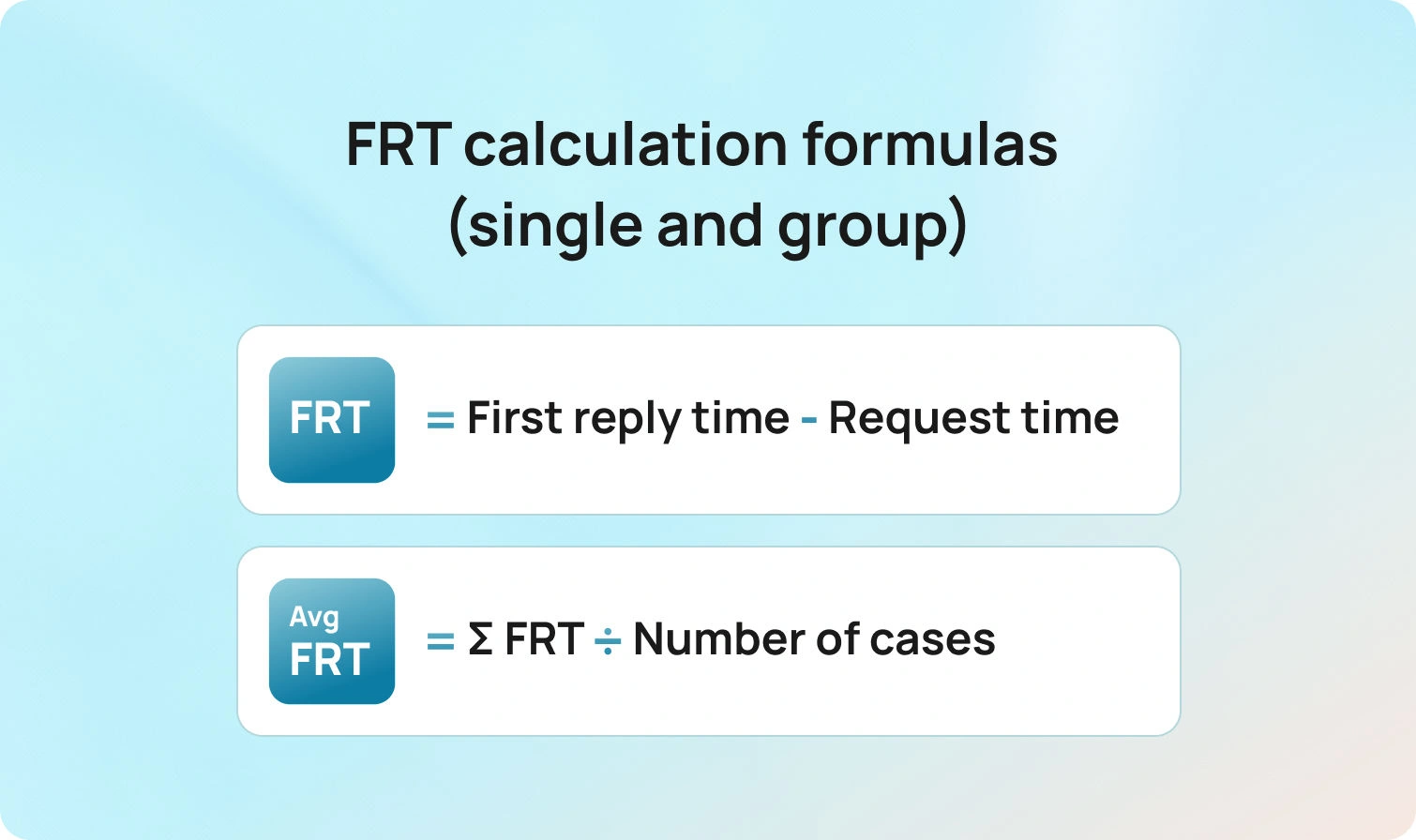
For a single case:
first response time frt = timestamp_of_first_meaningful_reply − timestamp_of_customer_request
For a group of cases in a period:
average first response time (average FRT) = Σ FRT for eligible cases / number of eligible cases
Business hours and eligibility
Decide whether FRT includes nights, weekends, or holidays. Many teams measure two flavors:
- Clock time FRT uses wall-clock minutes.
- Business hours FRT pauses the clock outside business hours.
Also, define which cases are eligible. Not every support ticket counts. For example, spam, auto-closed duplicates, and abandoned incoming calls may be excluded.
Link to SLAs
Your first response SLA, sometimes called response SLA, sets a target for the percentage of customer queries that receive an initial response within a defined time by channel and language. Example: 90 percent of email tickets get a first response within four business hours; 95 percent of live chat conversations receive a response within 60 seconds. Targets should align with customer expectations, staffing, and budget.
Where Teams Lose Minutes in Multilingual Operations
Delays usually come from a few predictable sources.
Intake and routing gaps
Customer inquiries arrive via email, chat, web forms, social media, and phone. Without language and intent detection, tickets land in the wrong queue and bounce. Context switching adds minutes and erodes trust.
Translation handoffs
Routing everything to a single bilingual agent creates bottlenecks. The queue grows, the average time to first response climbs, and customers feel ignored.
Knowledge silos
Support agents cannot find answers quickly, self-service resources are limited, and the internal knowledge base is outdated. Even fast agents slow down when they have to search multiple systems to find answers.
Channel mismatches
Omnichannel customer support only works when the first response fits the channel. Long, formal emails sent as chat replies waste time and miss the moment.
Overuse of generic autoresponders
Automated responses that do not acknowledge the customer’s request or provide relevant information create false speed. The clock stops, but dissatisfaction grows.
Fixing these issues is the key to improving first response time without sacrificing quality.
7 Multilingual AI Tools That Actually Cut FRT in 2026
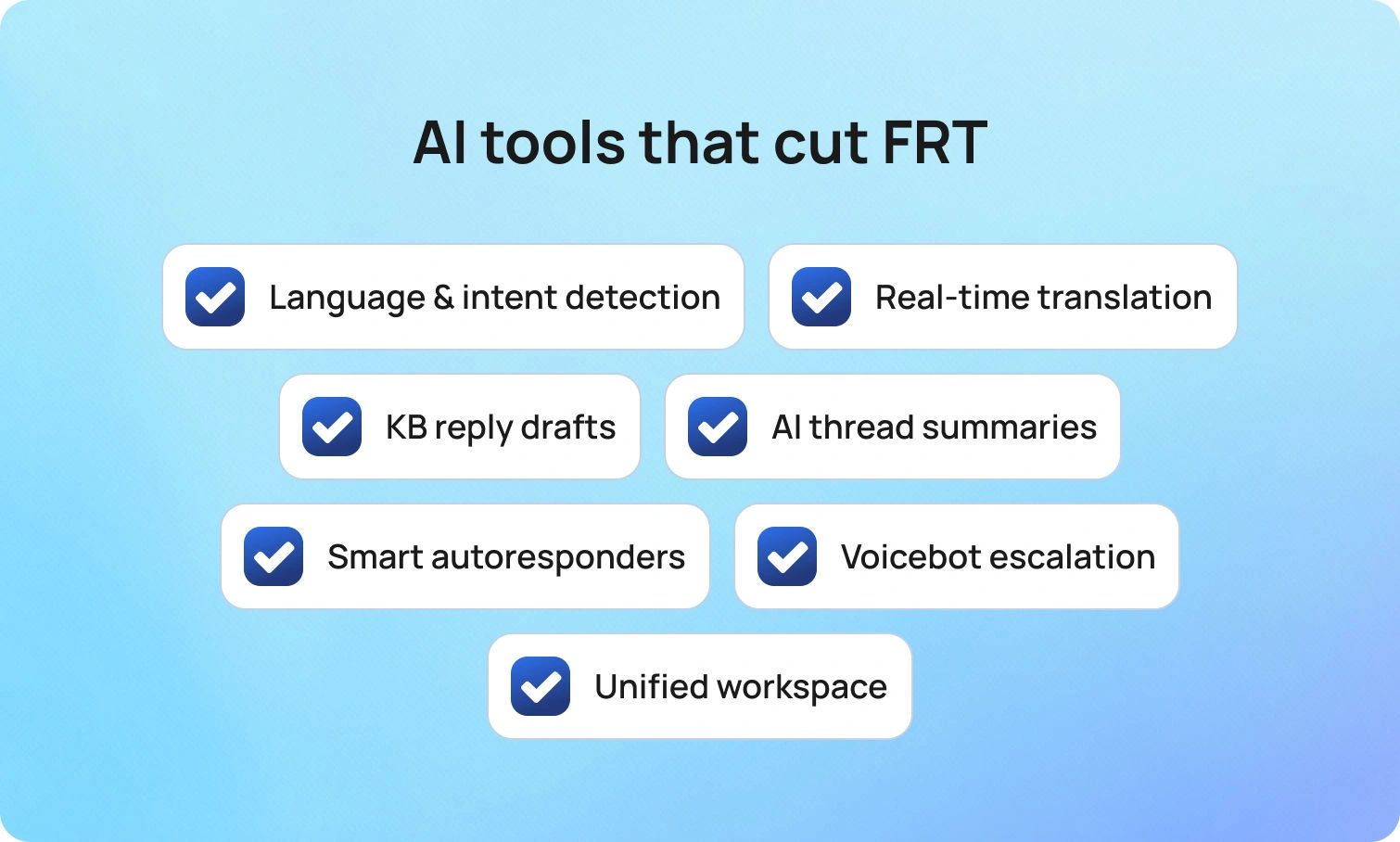
These capabilities remove the minutes that matter and keep first replies accurate across languages.
Language and intent detection at intake
What it does
Detects the customer’s language and broad intent as the ticket arrives, then routes it to the right agent or queue.
Why it improves response time
The team responds without a wrong-queue bounce, and the right agent sees the case first. That alone can drop average FRT and reduce transfers.
How BlueTweak helps
BlueTweak automatically tags language and intent on ingest across email, chat, voice transcripts, SMS, and supported social channels. Admins map skills and SLAs to queues in one view, set fallbacks, and review an audit log of routing rule changes. Transfer rate and FCR are visible by queue and by language, so you can spot and fix misroutes fast.
Real-time translation for chat and email
What it does
Translates incoming and outgoing messages within the agent’s workspace, so the team can respond in the customer’s language without waiting for a specialist.
Why it improves response time
The team responds within the first response SLA, even when coverage is thin. Customers find answers in the language they prefer, and the conversation does not stall.
How BlueTweak helps
Agents toggle inline translation in the compose pane, enable it per queue, allow fluent agents to opt out, and use edit logs for QA. The analytics view compares FRT and CSAT for translated versus native-language replies so you can coach where it matters.
AI suggested replies grounded in a knowledge base
What it does
Draft initial responses from your approved articles and past interactions, ready for a human agent to review and send.
Why it improves response time
Agents spend less time crafting first replies and more time resolving the issue. Initial responses are consistent and accurate, which reduces back-and-forth.
How BlueTweak helps
Reply suggestions for support are pulled from BlueHub’s AI customer support knowledge base and cite the source article ID in the draft. Agents approve or adjust in one click. Content owners see which suggestions need edits and update the article once; the next suggested reply inherits the change, in every enabled language.
AI ticket summaries for long threads
What it does
Condenses prior context into key facts, the customer’s request, and the next step.
Why it improves response time
New assignees or escalations can send a first response immediately because they do not need to read the entire thread. This also helps during handoffs across time zones.
How BlueTweak helps
Summaries can be pinned to the ticket for handoffs. One click attaches the summary to the record and passes it forward on escalation, including from voice transcripts. Leaders track changes in handle time, reopens, and FRT before and after summaries are enabled.
Smart autoresponders that set real expectations
What it does
Sends instant responses that acknowledge the customer’s issue, set an expected response time, and provide next steps or a link to self-service resources.
Why it improves response time
Customers stay informed. Many will resolve simple issues independently, reducing repeat contacts and keeping agents available for complex work.
How BlueTweak helps
BlueTweak supports per-queue auto-acks that match the customer’s language and pull live business hours and response targets. Templates include variables for name, case ID, and links to the most relevant knowledge article. Anti-loop controls prevent duplicate messages, and analytics show the impact of FRT and deflection by template.
Voicebot for predictable intents with clean escalation
What it does
Handles routine phone requests like status, password resets, or appointment changes, then hands off to the right agent with full context when needed.
Why it improves response time
Incoming calls get instant responses for common tasks, and human intervention focuses on complex issues. This lowers queue wait times and accelerates first contact on live calls.
How BlueTweak helps
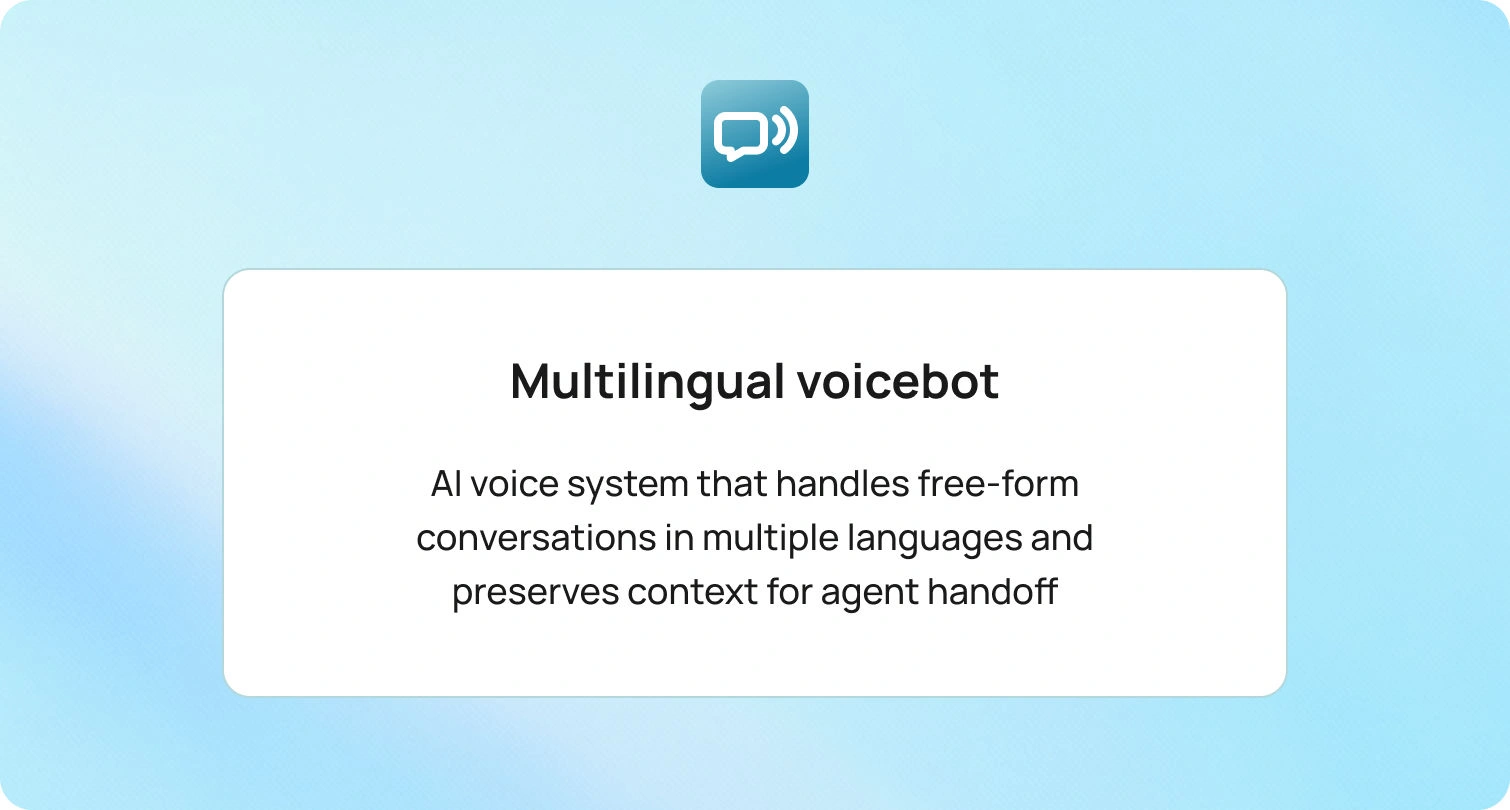
BlueTweak’s multilingual voicebot supports instant language selection, confirms key details, and writes the transcript plus captured fields to the ticket. Escalations land in the correct queue with history attached. Leaders track containment, deflection, abandonment, concurrency, sentiment, and FCR in the same dashboard used for FRT.
Unified agent workspace across channels
What it does
Brings email, chat, social, and voice into one place with shared routing, history, and analytics.
Why it improves response time
Agents do not juggle tools, and the team responds faster with less context switching. The support leader can allocate resources by channel in real time.
How BlueTweak helps
BlueTweak unifies queues for chat, voice, email, SMS, and supported socials. Agents see past interactions and key customer data on the same screen they use to reply. Skills-based routing and WFM scheduling sit alongside live KPIs (average FRT, percent within response SLA, queue depth by language), so leaders can rebalance workloads without leaving the workspace.
Measurement that proves the lift
Speed is a means, not the goal. Pair FRT with quality and efficiency metrics so improvements stick.
- Average first response time by channel, language, and intent
- Percent of cases within first response SLA
- Customer satisfaction after the first response and after resolution
- Average resolution time is so fast that first responses do not hide slow outcomes
- Reopen and transfer rate for initial responses that missed the mark
- Self-service deflection, where customers find answers without opening tickets
Review these weekly in a single scoreboard. If average FRT declines but customer satisfaction scores remain flat, initial responses may be fast but not helpful. If FRT is steady and satisfaction rises, content and tone improve. This is the data you need for responsible decision-making.
Guardrails that keep service safe
Multilingual AI is powerful. It still needs clear rules.
- Keep automated responses short and precise. Confirm receipt, share a time frame, and suggest the next step.
- Ground AI systems in your approved knowledge base and policy library.
- Store translations and suggested replies with the case for audit.
- Require human intervention for eligibility decisions, financial adjustments, and any outcome with legal risk.
- Provide ongoing privacy and security training for every customer service agent.
Guardrails let automation tools handle repetitive tasks while humans make judgment calls.
Common pitfalls to avoid
Even well-run teams lose minutes to small, repeatable mistakes. The patterns below either inflate your FRT on paper or slow real conversations in ways customers notice. Keep them in view as you tune tools, targets, and workflows.
- Measuring only average time and ignoring business hours or holidays
- Counting auto-replies as meaningful first responses when they do not address the customer’s request
- Setting the same first response SLA across email, chat, and phone
- Letting the internal knowledge base drift while templates multiply
- Treating all tickets equally when some require the right agent and deeper context
Avoid these traps, and your support process will handle inquiries efficiently without compromising quality.
Future outlook: 2026 and beyond
First response time is becoming a visible promise, not a backstage metric. Customers expect instant acknowledgment on chat and messaging, a quick, relevant email during business hours, and a live answer or clean callback on phone calls. As expectations rise, multilingual coverage and accuracy matter as much as speed. The direction is clear. AI systems will sit closer to intake, detect language and intent, and draft initial responses that reflect policy, the internal knowledge base, and past interactions. Human agents will handle judgment, edge cases, and moments that need empathy.
Governance will move with the technology. Leaders will ask for transparent response SLAs by channel and language, audit trails for suggested and translated replies, and clear rules about which sources automation tools can use. Privacy posture and data residency will influence platform choices, especially for customer data that crosses borders. Measurement will also mature. Teams will measure first-response time with percent within SLA, customer satisfaction after the first response, self-service deflection, and average resolution time, so speed does not crowd out quality.
Interoperability will be the multiplier. Omnichannel support, shared identities, and event-driven integrations will enable the customer service team to respond quickly without context switching. Knowledge bases will serve as the source of truth for both agents and bots, helping customers find answers on their own and ensuring initial responses remain accurate. Tools that combine routing, translation, suggested replies, and analytics in a single workspace will make it easier to meet fast-response targets across languages without increasing headcount.
Final takeaways
If you focus on improving first response time, think in systems, not hacks. Route the ticket to the right agent on the first try. Translate and summarize so the team responds confidently in any language. Draft initial responses from a living knowledge base and let agents tailor the message. Set clear SLAs, staff to demand, and measure quality as carefully as speed. Do this, and customers feel valued from the first response, support teams move faster with fewer errors, and higher satisfaction follows.
BlueTweak brings routing, translation, summaries, suggested replies, and reporting together so your team can respond quickly across channels and languages. Request a demo to see how it can help you.

As Head of Digital Transformation, Radu looks over multiple departments across the company, providing visibility over what happens in product, and what are the needs of customers. With more than 8 years in the Technology era, and part of BlueTweak since the beginning, Radu shifted from a developer (addressing end-customer needs) to a more business oriented role, to have an influence and touch base with people who use the actual technology.



