



TL;DR
When comparing Help Scout vs Zendesk vs BlueTweak, the right choice depends on your support team’s size and operational complexity. Help Scout is ideal for small to medium businesses seeking a user-friendly customer support platform with strong self-service support and a clean knowledge base, while Zendesk suits medium-sized businesses and large support teams that require workflow automation, advanced reporting, and broader support channels. For teams looking to unify voice, analytics, AI features, and multi-brand governance without relying on third-party tools, BlueTweak offers a more cohesive alternative.
Help Scout vs. Zendesk vs. BlueTweak: Choose by Team Maturity, Not Brand Recognition
The mistake most buyers make in the Help Scout vs Zendesk debate is comparing feature lists without mapping them to operational complexity. On paper, both Zendesk and Help Scout promote powerful key features, from ticketing systems and collaboration tools to self-service options and automation, but the real question isn’t which platform has more features. It’s the customer support platform that aligns with how your support team actually operates.
Customer support software is no longer just about answering tickets. According to a 2025 global customer experience survey by PwC, 73% of consumers say experience is a key factor in purchasing decisions, and companies are increasing investment in automation, AI, and analytics to protect loyalty and revenue. That means the platform you choose directly impacts business performance, customer satisfaction, and the quality of customer interactions, not just how efficiently agents close support requests.
In 2026, the pressure on support teams extends far beyond inbox management. Leaders are expected to reduce resolution times, automate routine tasks, unify support channels, and deliver personalized support at scale. Modern customer support operations require more than a basic ticketing system; they demand reporting clarity, collaboration tools, support resources like community forums, a comprehensive knowledge base, and automation that enables businesses to streamline customer support while maintaining quality.
This is where the difference between Zendesk and Help Scout becomes clearer. Both Zendesk and Help Scout can support growing teams, and Zendesk's suite of professional and enterprise tiers introduces advanced features for scaling. However, complexity increases alongside capability, particularly for Zendesk customers configuring workflow automation, phone support, and expanded support channels. Meanwhile, Help Scout often appeals to new users and small teams seeking a user-friendly interface and minimal administrative overhead, sometimes even starting on a free plan before upgrading.
A newer category of platform is also emerging. Tools like BlueTweak are designed to unify ticketing, voice, chat, analytics, and automation into a single operational layer, reducing the need for multiple integrations as teams scale. Instead of choosing between simplicity and depth, these platforms aim to support growing teams with a more cohesive customer support stack.
That’s why the real question in the Zendesk vs Help Scout comparison isn’t which customer support tools look stronger in a demo. It’s which platform supports your operational tier today, and which one can evolve with your support process tomorrow.
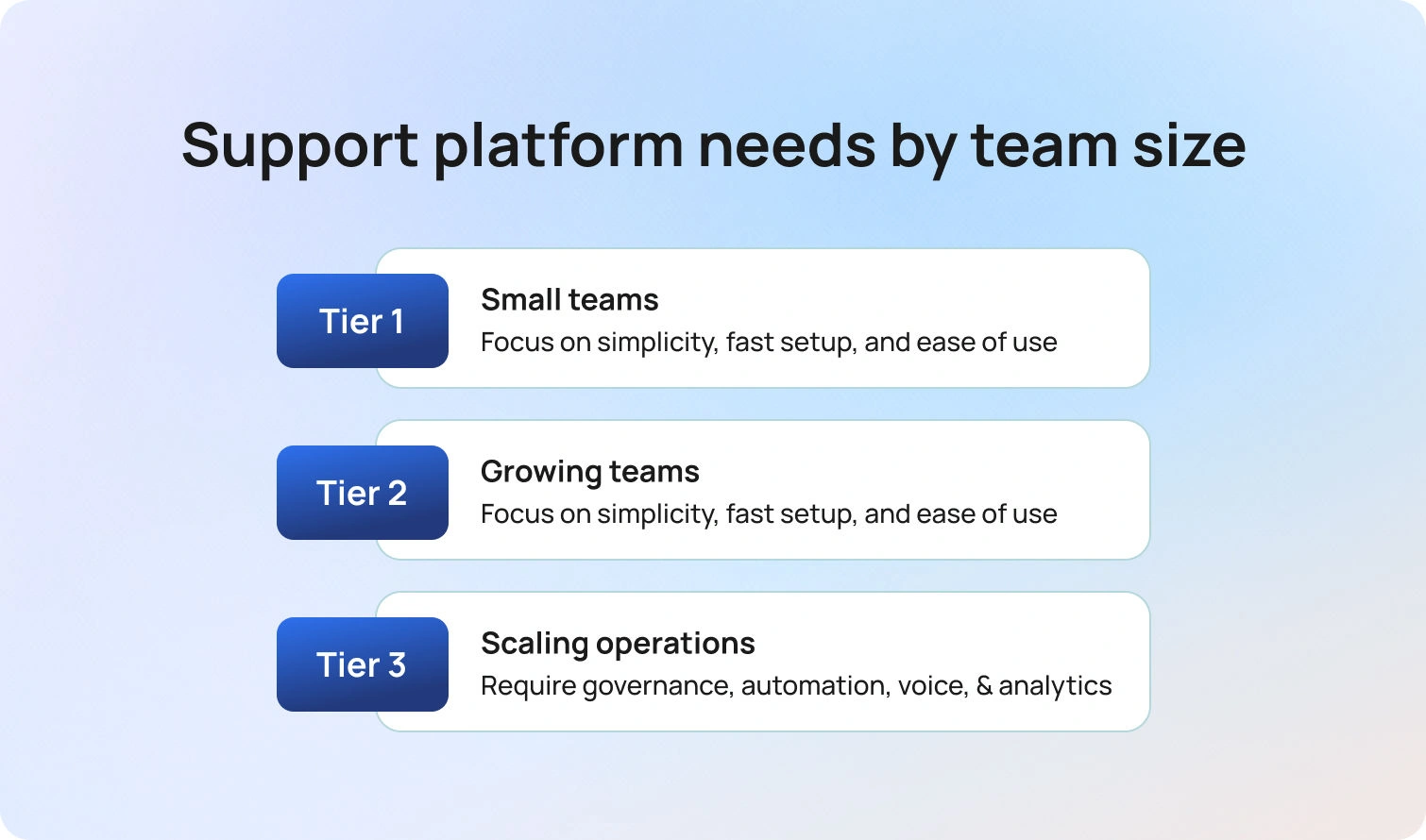
For Tier 1 teams, typically between one and ten agents, speed and simplicity matter more than deep operational tooling. These teams prioritize ease of use, fast onboarding, and minimal administrative overhead.
Tier 2 teams, often ten to thirty agents, begin to feel the weight of scale. Workflows, SLAs, reporting, and self-service infrastructure start to matter because consistency becomes harder to maintain without structure.
By Tier 3, usually thirty to one hundred agents, support becomes an operations-led function. Governance, workforce management, quality assurance, voice support, automation, and advanced analytics shift from “nice to have” to essential.
At a glance: Help Scout vs. Zendesk vs. BlueTweak
Before diving into the tier-by-tier analysis, it’s helpful to get a high-level view of how Help Scout, Zendesk, and BlueTweak stack up across the features that matter most in 2026. This snapshot highlights each platform’s core strengths, channel coverage, and operational capabilities, giving you a quick sense of which tool might suit your team before we break it down by maturity tier.
| Category | Zendesk | Help Scout | BlueTweak |
|---|---|---|---|
| Who It’s For | Structured CX teams scaling toward enterprise | Lean teams that want simplicity | Mid-market, multi-brand, ops-led teams |
| Core Strength | Ticketing-first CX suite with broad ecosystem | Shared inbox + help docs/self-service | Unified CX OS (tickets + voice + chat + bots + WFM + analytics) |
| Voice | Add-on / tier-based | Limited | Built-in |
| Omnichannel | Broad coverage (tier-dependent) | Email-first; chat optional | Built-in omnichannel |
| AI | Varies by plan and add-ons | Plan-dependent | KB-grounded + human-in-the-loop |
| KB / Self-Service | Mature Help Center tooling | Strong and straightforward | Single source of truth for agents + bots |
| WFM / QA | Add-on or partner-dependent | Not core focus | Built-in |
| Security / Admin | Advanced at higher tiers | Straightforward controls | Multi-brand governance + ops controls |
| Pricing Note | Expands with add-ons and tiering | Predictable at small scale | Designed to reduce tool sprawl |
What each platform is (and what it isn’t)
When evaluating Help Scout and Zendesk, it’s important to think beyond checklists. Each platform is built with a philosophy that shapes how teams operate, scale, and measure success.
Help Scout is designed for teams that prize simplicity and speed. Its shared inbox and lightweight knowledge base make it ideal for small teams that need to resolve tickets quickly without complex setup. The strength here is clarity: agents spend less time navigating tools and more time solving problems. But that simplicity comes at a cost; Help Scout is not built for advanced workforce management, complex routing, or multi-brand operations. As teams grow, these limitations can become bottlenecks.
Zendesk takes a more structured, ticketing-first approach. It provides depth through workflows, automations, and an extensive ecosystem of integrations. This makes Zendesk attractive for teams that expect to scale quickly or require rigorous SLA management. However, that breadth also introduces its own complexity: additional features often come as tiered add-ons, and governance can become a challenge if your team is managing multiple brands or high-volume, multi-channel operations.
BlueTweak positions itself as a unified customer experience (CX) operating system, bringing together tickets, voice, chat, bots, workforce management, analytics, and KB-grounded AI into a single platform. For teams supporting multiple regions, multilingual voicebots can further streamline global customer support without adding new platforms. This approach is designed for mid-market teams that need operational consistency across multiple brands or languages, without the burden of integrating disparate tools. Where Help Scout and Zendesk may require stitching together five different apps to cover these needs, BlueTweak consolidates them into one coherent workflow, giving leaders both visibility and control.
Which is best for your tier and team in 2026?
Selecting the right platform isn’t as much about feature volume as it is about matching operational maturity and team size with the platform’s strengths.
Tier 1 (1–10 agents): Keep it simple, don’t overbuy
For lean teams, speed and ease of use outweigh deep operational tooling. Help Scout excels here, giving teams a clear, frictionless workflow for shared inboxes and lightweight self-service. Zendesk can still work, but its complexity may be unnecessary at this stage unless you anticipate rapid growth or want to lay the groundwork for structured processes. BlueTweak may be bordering on overkill for pure Tier 1 needs unless you already need multi-brand or omnichannel functionality from the start.
Tier 2 (10–30 agents): Workflows, SLAs, and reporting start to matter
As teams grow, managing processes consistently becomes a priority. Help Scout can still be sufficient for teams that maintain simple workflows, but it’s crucial to validate reporting and SLA capabilities. Zendesk shines in this tier with its automation, structured ticketing, and reporting features, though many capabilities remain tier-dependent. BlueTweak offers a pragmatic alternative: omnichannel support, multi-brand handling, and operational visibility, all in a single stack, reducing the risk of tool sprawl. For guidance on evaluating these factors, see our article on how to choose help desk software.
Tier 3 (30–100 agents): ops-led support, higher volume, more governance
At this stage, teams need governance, workforce management, quality assurance, and analytics. Help Scout’s lightweight design may feel limiting, particularly if routing and multi-brand operations are critical. Zendesk can meet these needs, but often at the cost of added tiers and marketplace complexity. BlueTweak is designed for exactly this use case. It provided a unified stack that supports omnichannel engagement, voice, WFM, QA, and real-time analytics, all while consolidating multi-brand reporting.
Multi-brand or BPO teams (any size): segmentation and reporting are the real test
Here, the difference between tools is less about individual features and more about operational coherence. Help Scout requires careful setup to segment brands and manage permissions. Zendesk supports multi-brand workflows but often needs tiered configurations or add-ons to keep governance manageable. BlueTweak provides native multi-brand routing and reporting, giving leaders a single platform to govern complex operations without sacrificing context or oversight.
Feature-by-Feature Comparison
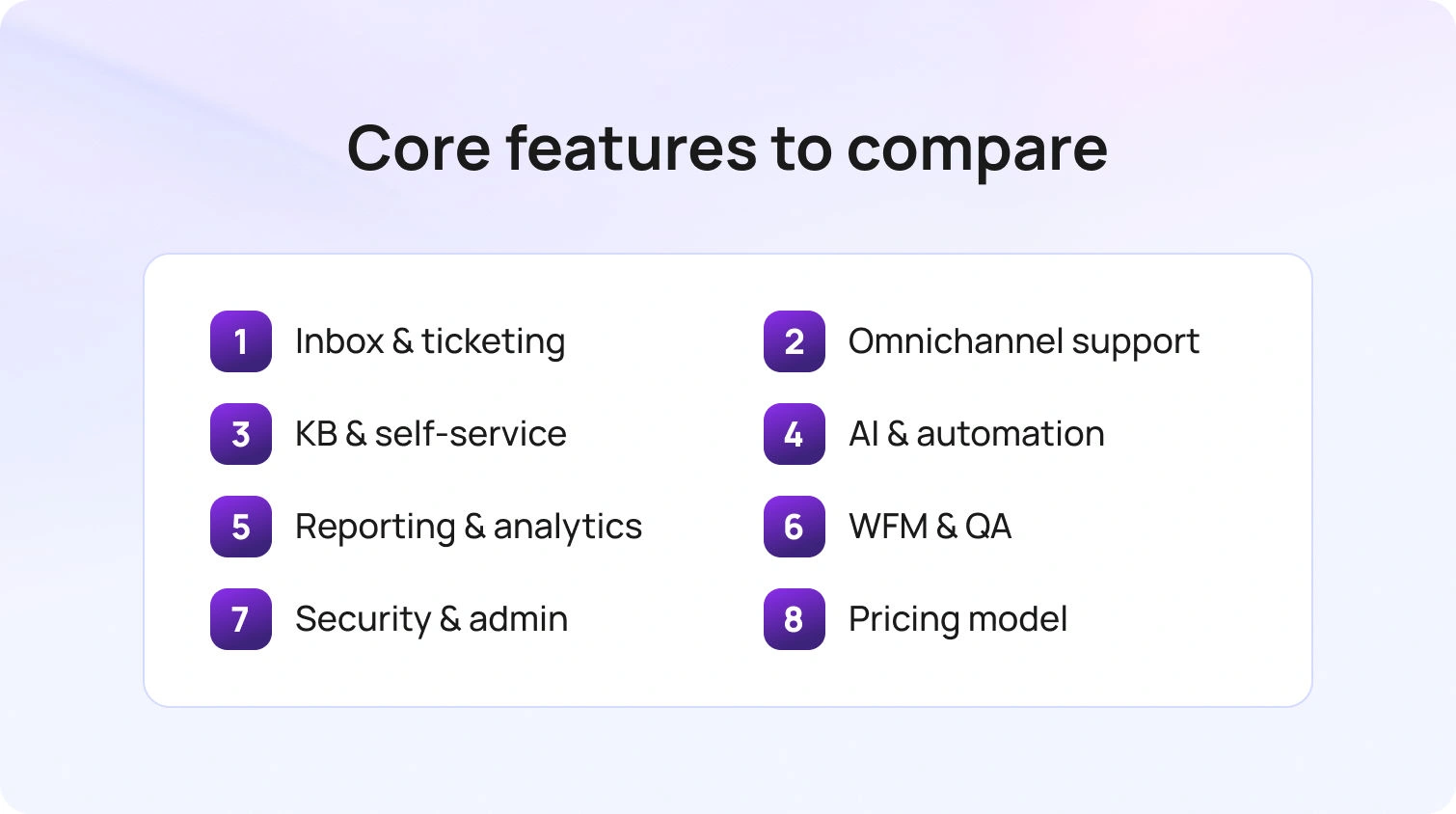
Choosing the right platform means you need to understand how each tool’s design philosophy shapes the way your team works, scales, and delivers value to customers. Two platforms might offer the same “features,” but the operational impact can be very different depending on workflow design, tier limitations, and integration requirements.
Inbox & ticketing workflows (SLAs, automations, collaboration)
- Help Scout: Optimized for speed and clarity in small teams; SLA and automation depth may be limited.
- Zendesk: Structured workflows with escalation logic; scale comes at a cost and often requires tier upgrades.
- BlueTweak: Unified queue across channels with multi-brand and ops-ready structures, reducing friction as teams scale.
Omnichannel support (email, chat, social, messaging)
- Help Scout: Primarily email-first; chat and messaging options are limited.
- Zendesk: Broad channel coverage, often tier-dependent; additional integrations may be required.
- BlueTweak: Omnichannel is built in, preserving context and minimizing tool switching.
Self-service & knowledge base (help center, content ops)
- Help Scout: Clean, approachable documentation workflows for small teams.
- Zendesk: Mature content management, but some features require add-ons.
- BlueTweak: Single source of truth for agents and bots, aligned across brands.
AI, automation, and deflection (outcome-first)
- Help Scout: Offers AI drafting and summarization depending on plan.
- Zendesk: AI varies by tier and add-ons; outcome measurement may be inconsistent.
- BlueTweak: KB-grounded AI with human-in-the-loop, designed for measurable improvements in speed, accuracy, and workload reduction. Features like proposed replies help agents respond faster while maintaining quality and consistency.
Reporting & analytics (visibility into what’s working)
- Help Scout: Adequate for small teams but limited beyond Tier 1.
- Zendesk: Advanced dashboards at higher tiers; segmentation and exports may require add-ons.
- BlueTweak: Real-time, multi-brand analytics designed for operational oversight.
WFM & QA (do you need it now, or later?)
- Help Scout: Not a core focus.
- Zendesk: May require partners or add-ons.
- BlueTweak: Built-in for teams of 20–100 agents, reducing the need for multiple vendors.
Security, admin, and compliance readiness
- Help Scout: Straightforward controls suitable for smaller teams.
- Zendesk: Advanced admin features at higher tiers.
- BlueTweak: Multi-brand governance, audit logs, and operational oversight built in.
Pricing and “true cost” by tier
When evaluating Zendesk vs Help Scout, and while figuring out where BlueTweak fits, remember that pricing isn’t just a per-agent number. The true cost of a support platform emerges as your team grows, channels multiply, and operational complexity increases. Investing in the right platform now can save time, prevent tool sprawl, and protect revenue and customer loyalty later.
Tier 1 teams (1–10 agents)
Lean teams often prioritize predictable pricing and minimal overhead. Help Scout typically fits neatly here, providing a shared inbox, basic self-service, and essential reporting at a low monthly cost. Zendesk can also work, but many of its advanced features are tier-gated, so the platform may exceed needs and add unnecessary complexity.
BlueTweak may appear overpowered for purely Tier 1 operations; however, it becomes relevant if your team is already managing multiple brands or channels, as its built-in omnichannel and voice capabilities reduce the need for additional tools later.
Tier 2 teams (10–30 agents)
Workflow automation, SLAs, multi-channel support, and basic analytics start to drive operational efficiency. As reporting expectations grow, tracking the right customer support metrics becomes essential for proving ROI and maintaining service quality at scale.
Help Scout may still suffice for teams maintaining lightweight processes, but it’s important to verify whether SLA management and reporting capabilities meet your needs. Zendesk shines here with structured workflows and dashboards, though add-ons for chat, voice, or advanced analytics can increase costs. BlueTweak consolidates these capabilities in a single platform, helping teams avoid the hidden expenses of multiple tools, fractured reporting, and administrative overhead.
Tier 3 teams (30–100 agents)
Here, the total cost of ownership extends beyond per-agent fees. Governance, workforce management, quality assurance, analytics, and multi-brand operations all influence both implementation and ongoing administration.
Help Scout’s simplicity may limit efficiency, while Zendesk can meet these needs but often requires multiple add-ons, tier upgrades, and marketplace governance, all of which increase cost and operational friction. BlueTweak positions itself as a unified CX OS: built-in WFM, QA, omnichannel, voice, and multi-brand reporting reduce the need for additional vendors, simplify oversight, and accelerate time-to-value.
To make these considerations actionable during vendor evaluation, leaders should verify the following:
- What is included vs. add-on: Confirm which capabilities are bundled versus requiring extra licenses or tier upgrades.
- AI metering and deflection measurement: Understand how AI usage is tracked, billed, and tied to workload reduction metrics.
- Channel add-ons (voice, chat, messaging): Identify which channels are included natively and which require additional costs.
- Reporting, exports, and advanced permissions: Ensure dashboards, data access, and governance align with team requirements.
- Implementation and onboarding costs: Factor in time, training, and any professional services needed to get teams operational.
- Multi-brand structure and reporting overhead: Assess how the platform handles brand segmentation, routing, and consolidated analytics.
By combining a strategic lens with this checklist, support leaders can see beyond simple per-seat fees to understand the true operational and financial impact of each platform. For reference, see BlueTweak pricing to explore how a unified approach can streamline costs and reduce vendor sprawl.
Implementation Considerations: What Actually Drives Time-to-Value
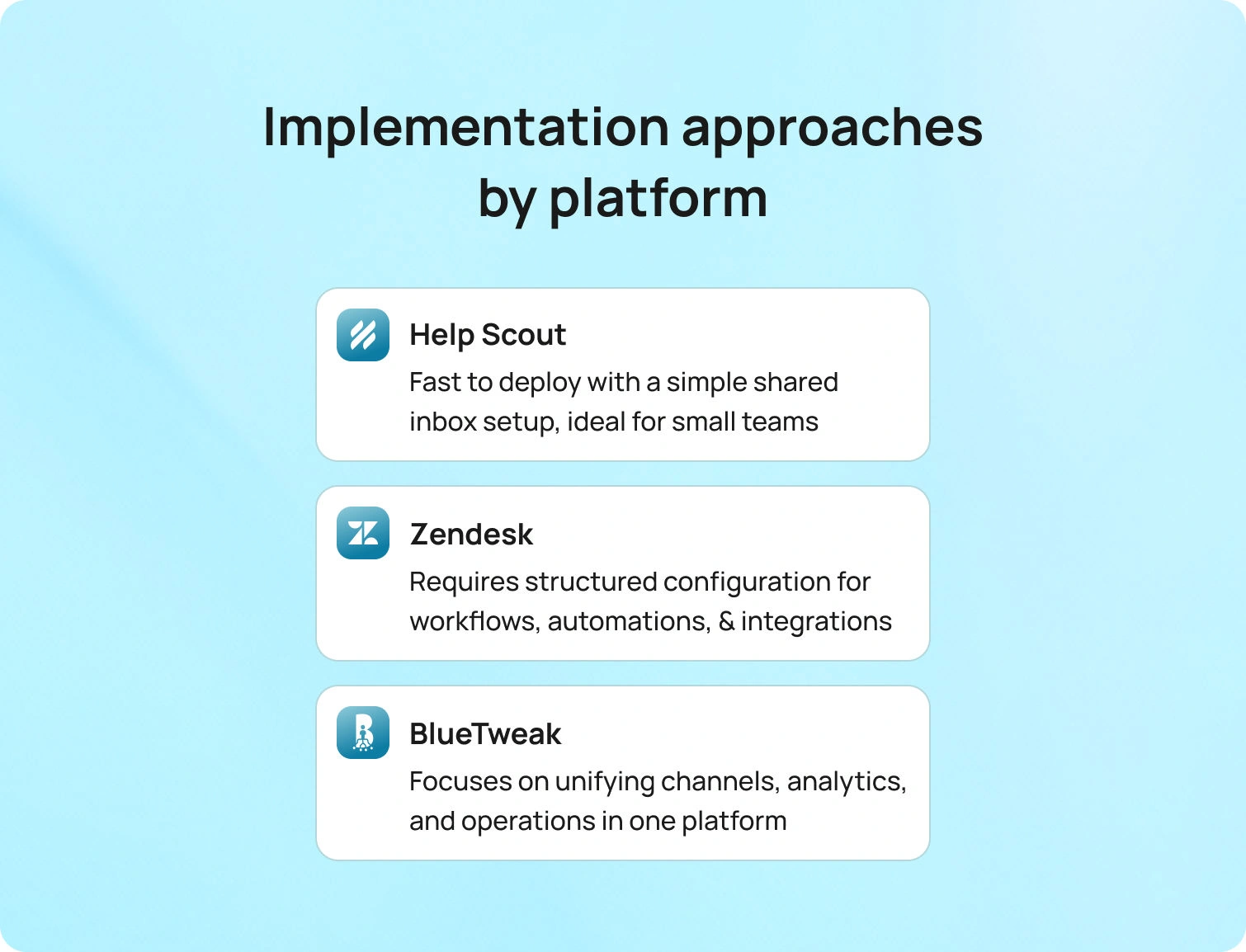
Choosing between Help Scout and Zendesk isn’t only about features or pricing. It’s about how quickly your team can operationalize the platform and begin delivering measurable improvements in response times, resolution quality, and customer satisfaction.
Implementation complexity varies significantly depending on the platform’s architecture and your operational tier. For Tier 1 teams, setup may be measured in days. For Tier 3 teams managing multiple brands and channels, it may involve structured planning, governance design, and workflow engineering.
Here’s how implementation typically differs across platforms:
Help Scout
Help Scout is generally the fastest to deploy because of its shared inbox–first philosophy. The setup process is straightforward, particularly for lean teams.
Time-to-value is primarily driven by:
- Inbox configuration and team permissions
- Tagging taxonomy design for reporting clarity
- Knowledge base structure and content migration
- Basic automation rules and saved replies
- Agent onboarding and workflow alignment
For smaller teams, this simplicity can translate into rapid adoption. However, as operational complexity increases, leaders may need to supplement reporting, QA, or workforce processes with external tools.
Zendesk
Zendesk implementation tends to require more structured planning, especially as you move up tiers. Its flexibility is a strength, but that flexibility introduces configuration depth.
Key drivers of time-to-value include:
- Historical data migration from legacy systems
- Designing triggers, automations, SLAs, and macros
- Information architecture for the Help Center
- Configuration of channel add-ons (chat, voice, messaging)
- Marketplace app selection and governance controls
For growing or enterprise teams, the upfront investment can pay off in structured workflows and reporting. However, governance and administrative overhead should be factored into both timeline and cost expectations.
BlueTweak
BlueTweak’s implementation approach centers on unification rather than extension. Instead of layering add-ons, the goal is to bring channels, analytics, and operational tooling into a single coherent system.
Time-to-value is typically influenced by:
- Unifying email, chat, voice, and messaging channels into one queue
- Importing and structuring the knowledge base for AI grounding
- Configuring multi-brand routing and consolidated reporting
- Setting up dashboards aligned to operational KPIs
- Deploying workforce management (WFM) and QA workflows
For Tier 2 and Tier 3 teams, this consolidation often shortens long-term ramp time by eliminating the need to integrate multiple systems post-launch.
How We Evaluated Zendesk vs. Help Scout
This comparison of Zendesk vs Help Scout, and BlueTweak’s positioning alongside the others, is grounded in primary vendor documentation and publicly available pricing materials.
Specifically:
- We reviewed vendor feature documentation and pricing pages.
- Any capability that varies by plan is indicated as “Varies by plan / Verify.”
- We did not use third-party review sites as validation or proof points.
- We avoided speculative claims about certifications or enterprise capabilities not clearly documented.
This approach ensures that the evaluation reflects official positioning and transparent claims rather than anecdotal ratings or marketplace commentary.
Final Thoughts: The Right Customer Service Platform Depends on Your Operational Tier
The debate around Help Scout and Zendesk often centers on features, but a better way to evaluate is when you consider operational maturity. Both are credible customer support platforms, and both can work exceptionally well when aligned with the right team profile.
For lean support teams prioritizing speed, a user-friendly interface, and lightweight workflows, Help Scout remains a cost-effective solution. It helps small to medium businesses manage support tickets, customer queries, and knowledge base content without unnecessary overhead. If your primary goal is managing customer support efficiently without complex workflows, this simplicity can be an advantage.
Zendesk, by contrast, is built for structure. Its ticketing system, workflow automation, and advanced reporting make it attractive for medium-sized businesses and large support teams that need deeper governance and automation features. As teams grow, Zendesk’s suite professional and suite enterprise tiers introduce more advanced features, customization options, and support channels, including phone support. However, those capabilities often come with additional pricing plans, add-ons, and third-party tools that increase the total cost of ownership.
BlueTweak is designed for teams that have moved beyond managing customer support reactively and are now optimizing customer support operations strategically. By unifying ticketing, voice, chat, bots, WFM, analytics, and a comprehensive knowledge base, it enables businesses to streamline customer support while reducing tool sprawl. For teams handling high volumes of customer interactions across multiple brands, the value lies not just in features, but in cohesion; one platform, one reporting layer, one governance model.
If you’re comparing any of these solutions in 2026, the debate is around which platform aligns with your support process, growth trajectory, and operational ambition.
If you’re ready to see how a unified approach can support your team’s next stage of growth, request a demo and explore how BlueTweak can help you deliver a cohesive support experience at scale.

As Head of Digital Transformation, Radu looks over multiple departments across the company, providing visibility over what happens in product, and what are the needs of customers. With more than 8 years in the Technology era, and part of BlueTweak since the beginning, Radu shifted from a developer (addressing end-customer needs) to a more business oriented role, to have an influence and touch base with people who use the actual technology.



