



How to Choose Help Desk Software: A Practical, Buyer-Ready Guide for 2026



BlueHub unifies every conversation, customer record, and automation into one powerful platform.
Explore more
Choosing help desk software starts with clear use cases, expected ticket volumes, and success metrics, followed by testing a short list of desk platforms against that reality. Priorities include a unified ticketing system with omnichannel support, intelligent routing, a robust knowledge base, automation that eliminates repetitive tasks, AI-powered features that enhance team efficiency, and analytics tied to key customer service metrics, such as response times, first-contact resolution, CSAT, and ticket backlog. A time-boxed pilot should validate CRM integration, roles and permissions, shared inbox and in-app messaging, a self-service portal, and total cost of ownership. BlueHub (by BlueTweak) offers a centralized platform worth evaluating.
Fewer tabs, faster replies, and happier customers come from a help desk solution that streamlines workflow. The right help desk system connects multiple channels, converts support requests into structured work, and provides agents with quick access to customer data and the exact next step. Leaders gain visibility into volume trends, coaching opportunities, and a consistent customer service experience across the support team.
This guide covers framing requirements, identifies key features, compares desk software options, and conducts an objective evaluation of these options. It includes copy-ready RFP criteria, a compact scoring model, and where BlueHub fits for teams seeking a customer support platform that combines ticketing, knowledge, automation, analytics, and staffing in one place.
The path below turns a crowded market into a structured, evidence-led evaluation. Capture current reality, convert it into scoreable criteria, shortlist matching desk platforms, and test them against real work.
Before browsing lists of the best help desk software, write a one-page snapshot of reality. Perfect numbers aren’t needed, just enough detail to anchor the search.
Workload and channels. List daily support tickets by email, chat, phone support, social media, web forms, and in-app messaging. Note seasonality and language mix.
Top intents. Name the ten most common customer inquiries by the plain words customers use. This will drive categories and ticket routing.
Team composition. Count support agents, team leads, QA, and folks who only jump in during peaks. Capture current roles and permission needs.
Existing stack. Note the CRM integration you require, your identity provider, internal communication tools, and the systems that hold billing, account management, and asset tracking data.
Success metrics. Pick 6 to 8 key customer service metrics already tracking or on the list to start tracking, e.g., time to first reply, average handle time, first contact resolution, reopen rate, customer satisfaction or CSAT, sentiment analysis, SLA breach rate, and ticket backlog.
It is key to start here because help desk software is mostly about matching real work to a real desk solution. Without this snapshot, every demo looks great, but it fails to solve actual problems.
Translate the snapshot into buyer criteria. Keep it simple enough to score quickly, but detailed enough to separate look-alike tools.
Ticketing system and workflow depth
Can you design an end-to-end example of a help desk workflow, from ticket creation to closure, with status rules, SLA timers, and escalations that accurately reflect reality? Are customizable workflows possible without code? Is there automated routing, intelligent routing, and automated workflows reachable from the UI?
Omnichannel support and shared inbox
Are multiple channels unified in a single queue with a shared inbox and complete customer context? Can you reply from email, chat, phone support, social media, and in-app messaging without switching tabs? Does the help desk platform normalize identities across channels?
Knowledge and self-service
Is there a built-in knowledge base and knowledge base builder? Can you create a self-service portal with search functionality, forms, and role-based access? Do articles provide suggested steps in the agent view and self-service options for customers?
Automation tools and AI-powered features
Can you streamline repetitive tasks with triggers, macros, and rules? Are there AI tools like summarization, AI agents, reply suggestions, or classification? Can AI safely assist ticket categorization and ticket routing with a visible confidence score?
Collaboration and internal notes
Can agents add internal notes, @mention colleagues, and use collaboration tools inside the ticket? Are side conversations tracked against the case? Does everyone stay on the same page without copying and pasting?
Reporting and analytics
Can leaders track team performance, volume trends, and key customer service metrics without exporting spreadsheets? Are there views by queue, label, product, and channel, as well as filters for VIP customers and parent ticket relationships?
Integrations and data flow
How easily can you integrate desk software with your CRM, data warehouse, identity management system, NPS tool, chat widget, and billing system? Do webhooks and APIs exist for custom needs?
Security, privacy, access control
Can you assign granular permissions by role and team? Is there SSO, SAML, SCIM, IP allow-listing, and data residency? Are audit trails complete when auditors ask who changed what?
Scalability and reliability
Will the desk system keep pace with growth? What are uptime, RTO, and RPO commitments? How are spikes handled? Can you partition queues by region while maintaining unified leadership views?
Pricing and total cost of ownership
Understand free plan limits, what paid plans include, and where paid plans start. Compare ticket limits, seat tiers, AI consumption, storage, and sandbox availability.
Give each criterion a weight. High weights go to core flow, automation capabilities, analytics, and integrations. This keeps the discussion grounded when a nice-to-have feature distracts the room.
BlueHub maps forms, categories, SLAs, macros, and knowledge to the same workflow, so the rules tested in evaluation are the rules that run at intake. Confidence-based AI classification and grounded reply suggestions remain human-approved by default.
A list of thirty vendors is not needed. Instead, create a short list that fits the shape of your work. Here is a pragmatic way to scan desk platforms:
The point is to match your shape to their shape. Once you pick four contenders, stop shopping and start testing.
Great demos are not proof. Replace vague trials with a tight, two-week test that uses your actual data and tickets.
Prepare a tiny blueprint before day one.
Score each vendor daily against your weighted criteria. Capture agent feedback on agent productivity, UI friction, and whether the desk process flow feels natural.
The center of a help desk platform is not a page of toggles. It is what happens when a new ticket lands. Picture this sequence and require it when testing.
Intake that collects the correct details
Tickets should arrive labeled with intent and display a minimal, category-aware form (including invoice and plan for billing, OS, and version for device issues). This eliminates human error and reduces the need for back-and-forth communication.
Classification and routing with control
Automatic ticket classification proposes a category with confidence and routes by skill, load, and region. Low-confidence cases stay one-click confirmable. AI can assist, but humans remain in charge.
First moves are attached to categories
Each category loads a macro and the matching knowledge article, so the first reply contains a real step. This keeps the help desk workflow and knowledge in sync.
Status, timers, and SLAs that match reality
Calendars, pause rules, and breach actions vary by label, channel, and tier. Holidays and customer wait states are handled natively, not in spreadsheets.
Collaboration that preserves context
Mentions, side threads, and internal notes are stored in the case history, allowing decisions to be traced and ensuring that handoffs never lose context.
Analytics that drive changes in place
Queue health, response times, FCR, status mix, and volume trends are visible by category. Owners can adjust routing or content from the same view, so insight turns into action.
The following section breaks down the capabilities that separate a solid help desk platform from another tab in the browser. For each key feature, it outlines what matters in practice and a quick way to validate it during a short trial.
The core test is speed-to-working-flow, not toggle count. Rebuild two real flows end-to-end inside the help desk platform in under an hour each and run five live tickets through them. Watch for automatic status transitions, clean parent–child handling, intact reporting after merges, and a readable audit trail with inline internal notes.
Open one case from email, one from chat, and one from phone transcription for the same contact. Confirm that the help desk system unifies identities into a single timeline, preserves macros and signatures across channels, and enables agents to respond from a single screen. If in-app messaging is the primary focus, include it in the same test thread.
Articles should drive the work, not live on an island. In the agent view, the correct article must surface automatically by category; the same content should power the self-service portal. Publish one new article and update one existing draft during the trial, then check deflection, searches with no results, and article feedback.
BlueHub’s Knowledge Base surfaces the matching article in the agent view and the self-service portal from a single source of truth, so updates go live for the next ticket without duplicate editing.
Pick three repetitive motions that happen daily and wire them up: priority by plan, tags by product, and customer update on queue change. Then enable AI classification with rationale, conversation summarization, and grounded suggested replies, all of which are subject to human approval. Success looks like fewer clicks and clearer first replies, not just novel UI.
BlueHub provides AI classification with rationale and confidence, as well as conversation summaries and grounded suggested replies, ensuring these are reviewed and approved by humans for sensitive flows. Triggers, macros, and rules reduce repetitive setup while preserving control.
Keep coordination where the record lives. Test @mentions, threaded side conversations with vendors, and file attachments inside the ticket. Later, reconstruct the decision from the case history; if any step requires digging through DMs, the collaboration model isn’t working.
Require instant context, not tab hunts. Pull plan tier, recent interactions, model/version, warranty, and asset changes straight into the case. Run three tickets and time how often agents ask for basics; that number should drop on day one.
Prove the stack fit. Connect CRM, telephony, auth, and a warehouse or BI sink. Push sample data through each path and verify that fields are populated correctly, identities remain consistent, and webhooks fire on status changes without requiring custom code.
Open a single view that shows queue health, response times, FCR, and ticket trends by category and channel. Make one routing or content change and confirm tomorrow’s report reflects it without exports. Forecasting is a bonus only if it helps schedule coverage, not decorate slides.
BlueHub displays queue health, FCR, and SLA performance in the same workspace where owners can adjust labels, routing, or content, thereby closing the loop from insight to action without requiring exports.
Grant and restrict access by role; edit an SLA and a macro; export and delete a record. Then read the audit log to see who changed what and when. If AI is on, ensure prompts, sources, and approvals are traceable.
List real limits: free plan caps, where paid plans start, metered AI, sandbox access, extra analytics seats, and success services. Model 12 months at current volume and again at 2× volume. The right help desk software is the one that survives both scenarios without surprise fees.
Use a 100-point rubric to ensure discussions remain objective.
Here is a breakdown of core customer support features.
Require a written note for any score under 7 out of 10. That note becomes your risk register after the purchase.
The goal is not to go live. It is getting better every week. Put your metrics in motion from day one.
Review these outcomes weekly for the first eight weeks. Adjust forms, labels, and macros where friction shows up. This is how a help desk workflow becomes part of the culture, not just another tool.
BlueHub tracks these KPIs by queue, label, and channel out of the box, making it easy to ship and measure weekly tweaks.
Most stalled rollouts can be traced back to a few predictable mistakes. Spot these early, sidestep them quickly, and the evaluation stays honest and on track.
Underestimating change. Set aside two hours per week for your owners to review and update forms, playbooks, and automations. The loop is how you win.
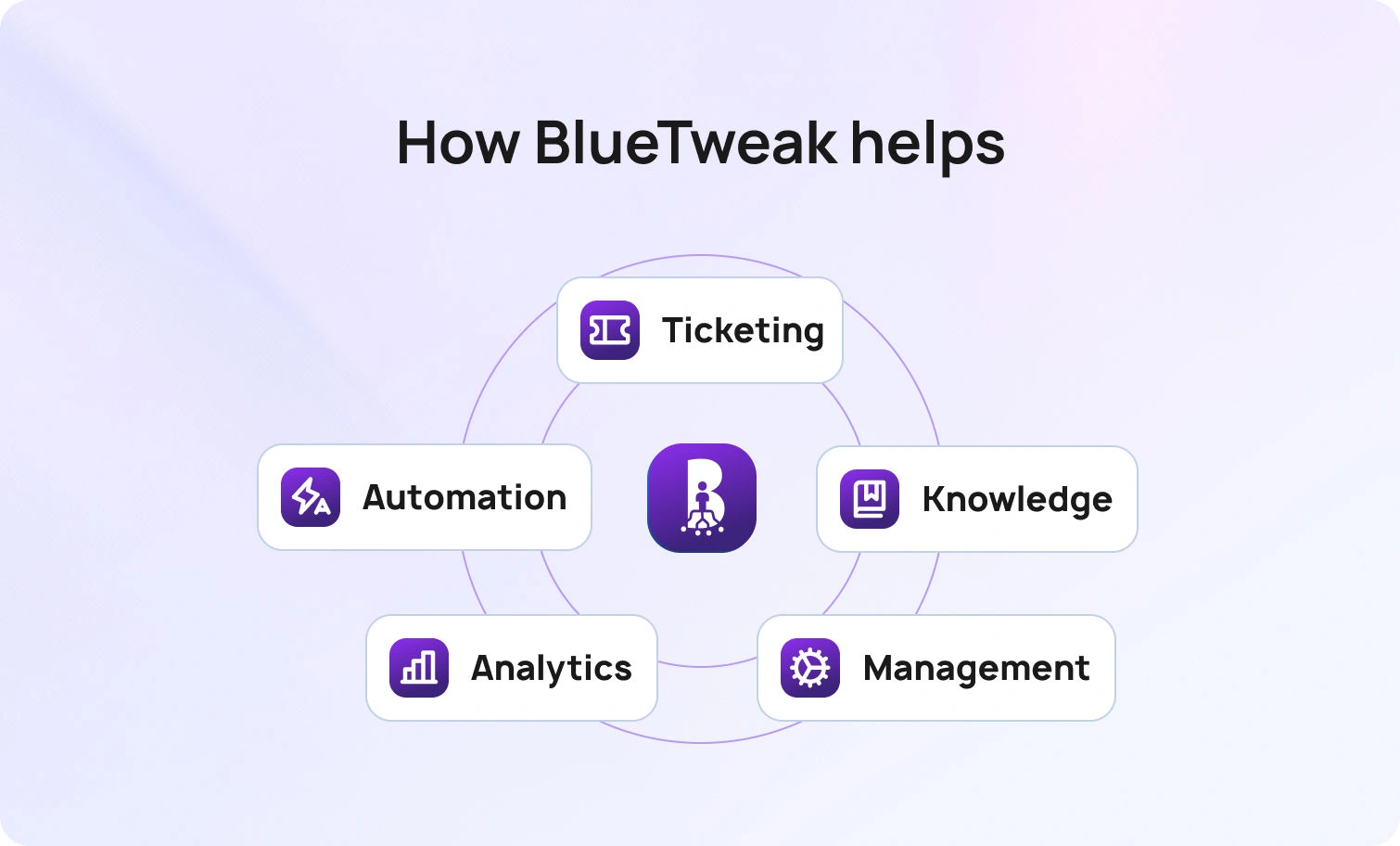
BlueHub (by BlueTweak) serves as a centralized platform for customer support, consolidating the ticketing system, knowledge base, automation, analytics, and workforce scheduling into a single workspace, allowing teams to streamline support without integrating multiple apps.
Design and run your help desk workflow. Configure steps, attach forms and service level agreements, link macros and articles, then publish. What’s designed in the workflow builder runs at intake.
Automate without losing control. Enable automated routing, status updates, and closure rules. Turn on AI-powered features like classification with rationale and grounded reply suggestions, with human approval for sensitive actions.
Keep everyone aligned. Use a shared inbox with internal notes, side conversations, and @mentions so support agents and specialists stay on the same page.
See context, answer faster. Pull approved CRM fields, account data, asset details, and prior contacts into the case so responses are informed and fast.
Publish knowledge once. Create content in the Knowledge Base Builder; BlueHub surfaces the same articles in both the agent view and the self-service portal. Updates appear for new tickets after they are published.
Measure what matters. Track FCR, response times, CSAT, and ticket trends in the same screen where leaders adjust labels, routing, or content, so insights lead directly to action.
Scale calmly. Support regional queues and product lines on one backbone. Add language detection, localized content, and regional SLAs alongside the base process to avoid forking core workflows.
Pricing clarity. Start small and expand seats or AI capacity as needed, with transparent plan limits and add-ons.
Evaluate BlueHub with the same hands-on bake-off described earlier; it’s built to connect design, execution, and measurement in one place.
Choosing a help desk platform is not about ticking boxes on a PDF; it’s about finding the right solution for your organization. It is about changing how your customer service teams work so customers get clear answers faster and agents spend time on complex requests that need human care. When you anchor the decision in your real support operations, test workflows with live data, and compare tools against key customer service metrics, the correct answer becomes obvious.
If you want a desk solution that combines ticketing, knowledge management, automation tools, AI assistance, analytics, and staffing into one centralized platform, add BlueHub to your shortlist. See how design, execution, and measurement live in one place, how automated workflows and intelligent routing cut waste, and how leaders move from insight to action without leaving the screen.
Request a BlueHub walkthrough to observe a ticket’s progression from intake to resolution across multiple channels, featuring grounded AI suggestions, streamlined ticket routing, and reports that accurately reflect the work your team actually performs. Bring three real tickets. We will run them end-to-end and let the results speak for themselves.
Workflow depth. If you cannot model your real help desk workflow inside the product, everything else becomes a workaround. The strongest tools enable you to map forms, labels, ticket priority, SLAs, macros, and knowledge to the same flow, keeping data clean for reporting.
Start with your top two. If email and chat drive most of the volume, pair them with a self-service portal and a searchable knowledge base. Add phone support, social media, and in-app messaging once your core flows feel solid. Omnichannel is valuable, but only when each channel uses the same categories and playbooks.
Add up seats, channels, storage, and AI consumption. Include implementation, sandboxes, and the cost to export data later. Confirm where paid plans start, what the free plan really includes, and how paid plans treat AI features. Price the next twelve months, not just the first month.
No. AI reduces setup and suggests grounded language, but humans’ own judgment and complex requests. Use AI-powered features to summarize threads, classify tickets, and propose replies. Keep AI agents out of the loop for sensitive interactions. Your customer service operations should stay human-led.
Track the same metrics pre- and post-go-live: first reply time, handle time, FCR, CSAT, reopen rate, SLA breaches, and ticket backlog. Add program signals, such as auto-route percentage and macro use rate. Review weekly, change one thing, and re-measure. Continuous improvement is the real win.
As Head of Digital Transformation, Radu looks over multiple departments across the company, providing visibility over what happens in product, and what are the needs of customers. With more than 8 years in the Technology era, and part of BlueTweak since the beginning, Radu shifted from a developer (addressing end-customer needs) to a more business oriented role, to have an influence and touch base with people who use the actual technology.
Quality
Administration
Workforce Management
Customer Support Analytics
Copyright BlueTweak 2025
