



28 Best Help Desk Software Options for Your Contact Center in 2026



BlueHub unifies every conversation, customer record, and automation into one powerful platform.
Explore more
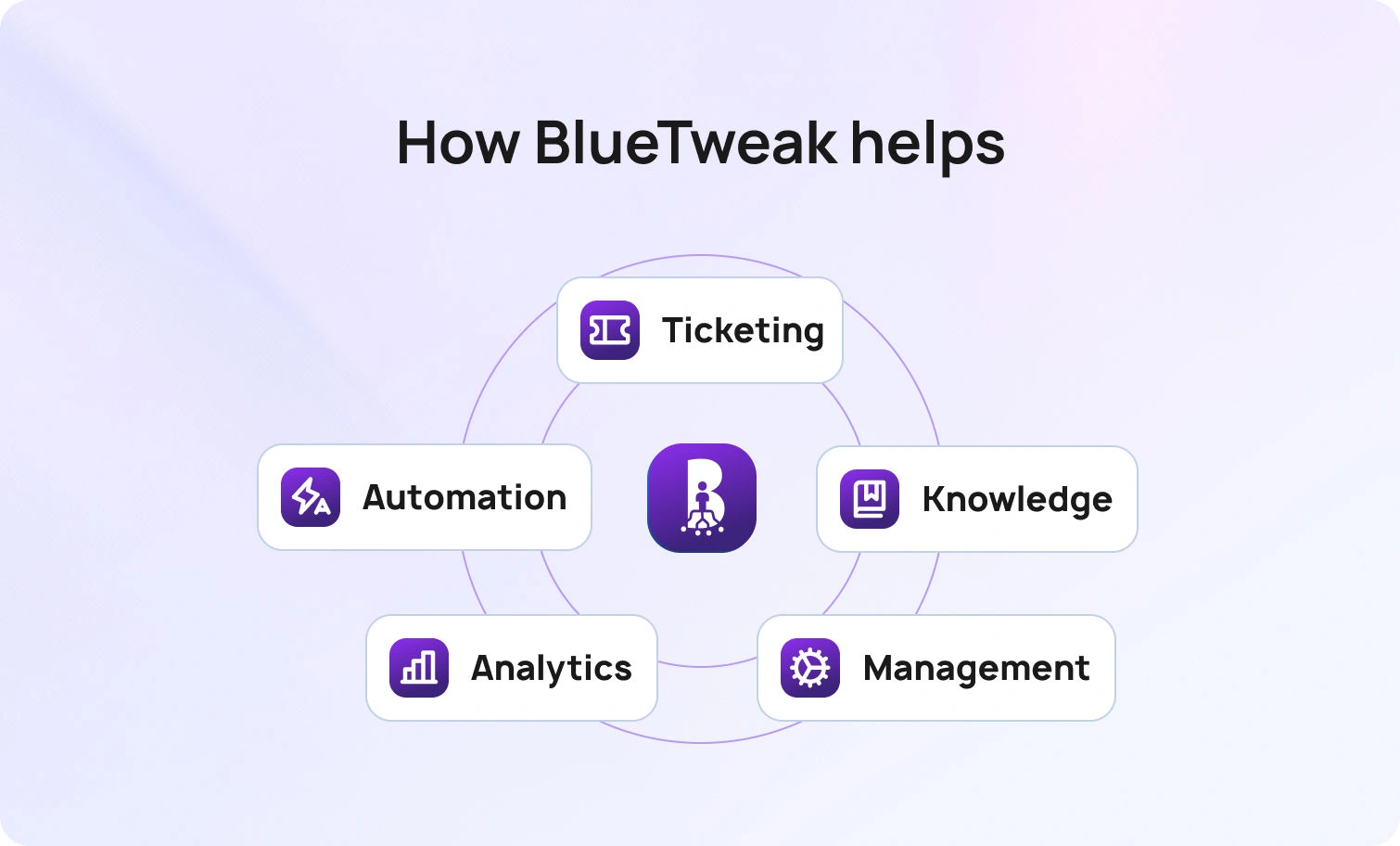
The best help desk software in 2026 does a lot more than shuffle tickets from one inbox to another. Modern support teams require unified, omnichannel tools (email, chat, and voice in one place) plus AI features like ticket classification, suggested replies, and an integrated knowledge base. Add workforce management and quality assurance, and you have a complete platform. BlueHub (by BlueTweak) bundles all of this into a single CX OS for growing teams.
You probably started with help desk software to keep things simple: one place to organize tickets, track requests, and tidy up your support queue. And for a while, that was enough. But as your team scaled, the cracks began to show.
Ticket volumes climbed. Questions started flooding in from every direction. You needed smarter routing to get the right agent on the right case, and faster. You wanted AI tools that could tag and classify tickets, read tone and sentiment, even draft quick replies using your own knowledge base.
That’s when your old software started to feel small. Maybe it didn’t support every channel. Maybe your reporting lived in one app, your workforce planning in another, and your QA data in a third. Or maybe the pricing tiers kept key features locked behind premium upgrades that doubled your costs.
You want omnichannel depth, AI-powered automation, and seamless integrations that tie your support ecosystem together. And you want predictable pricing that won’t punish you for growing.
This article examines why teams are reevaluating their help desk tools in 2026, what to consider in modern platforms, and which solutions stand out.
Help desk software has transformed from simple ticket management systems into comprehensive customer service platforms. Understanding this evolution helps you spot which desk solutions are truly modern and which are still running on outdated technology.
Then (2018): Channel silos fragmented customer conversations. Email lived in one system, chat in another, phone calls in a third. Basic ticket management handled email support requests but struggled with integrating real-time chat and voice. AI capabilities were minimal, maybe basic keyword detection for ticket assignment. Analytics were thin, focusing on ticket volume and simple resolution metrics. Knowledge bases existed, but rarely connected meaningfully to agent workflows.
Now (2026): Omnichannel support is the foundation, not an add-on. Modern help desk tools unify voice, email, chat, and social messaging into one workspace where customer context flows seamlessly between channels. Customer support automation powered by AI handles classification, summarization, and routing automatically. Suggested reply features ground responses in your knowledge base, ensuring agents give consistent, accurate answers. Call transcription software converts voice interactions to searchable text.
Many help desk software examples still operate on 2018 architecture: bolt-on integrations, channel silos, and AI features sold as expensive add-ons. These legacy desk platforms struggle to keep pace with modern customer expectations.
Buyer takeaway: Unify your support channels, integrate your knowledge base deeply into agent workflows, and consolidate analytics for a seamless experience. Avoid stacking point tools that fragment customer data and increase vendor complexity.
Modern help desk software for customer support needs to meet people where they are. Whether they want to chat on the phone or via social media, companies need to be agile. A robust help desk system consolidates these multiple support channels into a unified inbox, allowing agents to view the complete customer history regardless of how customers contact you. Seamless handoffs from chat to voice or email to chat prevent customers from repeating themselves and keep your support agents working in one workspace.
AI supports the flow from intake to resolution. Incoming messages are classified with natural language processing, which tags issue type, priority, and required skills to route work to the correct queue. Agents receive a concise AI ticket summary, as lengthy email threads or chats are distilled into key points. During the conversation, suggested replies pull trusted content from your knowledge base to speed up responses and keep them consistent, while real-time translation enables agents to assist customers in any language. In parallel, sentiment analysis flags at-risk conversations, allowing leaders to prioritize follow-up and prevent escalations. Agents are not overwhelmed with redundant tickets due to spam filtering.
A smart knowledge base does more than store articles. It integrates into agent workflows, surfacing relevant help articles mid-conversation. For customers, it enables self-service options through a customer portal, thereby reducing ticket volume and enhancing the customer experience. The best help desk tools ground their AI-proposed replies in knowledge base content, ensuring agents provide accurate and consistent information without relying on guesswork.
Call center workforce management uses ticket trends to forecast demand and schedules agents to meet it. Customer service quality assurance samples interactions, scores them against rubrics, and surfaces coaching opportunities. SLA dashboards show real-time performance by agent, team, channel, and priority. Automated ticket routing distributes workload effectively across your customer support team.
Administration features, including multi-factor authentication, audit logs, role-based permissions, and data retention policies, are non-negotiable for compliance with regulations like the General Data Protection Regulation. You need controls in place to determine who can change routing rules, access customer data, or modify system configurations. Enterprise help desk software must meet strict data security standards.
Your help desk should integrate with CRM systems (such as Salesforce or HubSpot), commerce platforms (like Shopify or Magento), telephony systems, and business intelligence tools. Open APIs and webhooks enable custom workflows without the need for middleware. The best help desk software solutions offer extensive customization options through integration capabilities that connect your entire tech stack.
Begin with a concise scorecard that tells a single story. First-contact resolution indicates whether issues are resolved on the first interaction, while average handle time reflects agent productivity. In parallel, the containment rate indicates how well your AI voicebot or AI customer service chatbot deflects tickets, and the abandonment rate signals capacity or wait-time problems. Pair these with time-to-resolution to see how quickly cases close; layer in sentiment scores to identify at-risk customers; and use CSAT to confirm that the experience was well-received.
Understand seat-based costs versus usage fees. Some help desk software SaaS platforms charge per user per month for basic features, then meter additional services such as tickets, AI interactions, or support requests separately. Others use ticket-based pricing models that scale with volume. Avoid desk platforms that require expensive add-ons for essential help desk software features, such as automated ticket routing, knowledge base integration, or AI assistance. Look for transparent pricing that includes core capabilities without forcing everything into premium tiers.
This customer help desk software comparison draws on publicly available sources, including vendor documentation, feature breakdowns, and real-world case studies.
We also reviewed public customer logos and case studies to see which platforms are being used in practice. When pricing is listed on a vendor’s site, you’ll see it here. If it’s hidden behind a quote request or varies by plan, we’ve also noted that.
The pros and cons aren’t guesses or marketing fluff, either. Our help desk tools comparison is grounded in what’s verifiable. No hype, no filler. Just a straightforward, evidence-based comparison of help desk software to help you choose the right help desk software for your team.
When evaluating top help desk software, it has to cover these foundational requirements:
These factors guided our evaluation of the best help desk tools:
Ease of use: Does it have a steep learning curve or can agents start working productively right away?
BlueHub is an all-in-one customer service solution that combines voice, email, chat, and social channels with AI-powered automation, workforce management, and quality assurance, all on one platform. BlueHub treats omnichannel support as the foundation, making it a natural fit for teams needing true unified communications.
Features:
Who Uses It: Support teams managing 20 to 100 agents who need omnichannel capabilities, AI assistance, and predictable pricing without add-on complexity.
Pricing: €65/agent/month all-in (ticketing, omnichannel, AI features, WFM, QA, analytics, APIs). See pricing for full details.
Pros:
Cons:
Zendesk is one of the most recognized names in customer service and help desk software. It started as an email ticketing system and has expanded into a comprehensive customer service platform with omnichannel capabilities, workforce management, and AI features.
Features:
Who Uses It: Mid-market to enterprise teams needing established help desk software with extensive marketplace integrations.
Pricing:
Note: Higher tiers add AI, WFM, and QA. Entry pricing covers basic desk features, but serious contact center capabilities require upper tiers.
Pros:
Cons:
Freshdesk offers affordable help desk software for customer support with a generous free tier and scalable pricing. It targets small to mid-sized teams that need basic help desk tools without the complexity of enterprise solutions.
Features:
Who Uses It: Small to mid-sized businesses needing affordable help desk software with room to scale.
Pricing:
Note: A free tier is available for small teams. Real cost scales as you add channels and AI capabilities.
Pros:
Cons:
Zoho Desk is part of the broader Zoho ecosystem, offering help desk software that integrates naturally with Zoho CRM, Zoho Analytics, and other Zoho products. It targets teams already using Zoho who want unified customer data.
Features:
Who Uses It: Small to mid-sized businesses, especially those already using Zoho products.
Pricing:
Note: A free plan is available for up to 3 users. Final price varies by region/currency.
Pros:
Cons:
Help Scout positions itself as help desk software focused on human connection. It emphasizes simplicity and an email-like experience over complex ticketing systems, appealing to teams that want to engage with customers without feeling like a corporate support machine.
Features:
Who Uses It: Small to mid-sized teams prioritizing personalized customer interactions over enterprise-grade features.
Pricing:
Note: Monthly or annual billing available. Focused on simplicity over feature depth.
Pros:
Cons:
Intercom combines help desk software with customer engagement tools, positioning itself as a platform for proactive support and sales. It’s particularly popular with SaaS companies that want to blend support with user onboarding and product messaging.
Features:
Who Uses It: SaaS and technology companies wanting to blend customer support with product engagement and sales.
Pricing:
Note: The real cost scales with the number of seats plus Financial usage. AI interactions are metered separately.
Pros:
Cons:
HubSpot Service Hub is part of the HubSpot CRM platform, offering help desk software that integrates seamlessly with HubSpot’s sales and marketing tools. It’s designed for teams already using HubSpot who want unified data across departments.
Features:
Who Uses It: Small to mid-sized businesses using HubSpot CRM who want unified sales, marketing, and service data.
Pricing:
Note: The Pro tier has historically included 5-seat bundles in some offers. Verify current bundle rules. Best value when using the full HubSpot platform.
Pros:
Cons:
Salesforce Service Cloud is enterprise-grade help desk software built on the Salesforce platform. It offers comprehensive customer service features with deep CRM integration, extensive customization, and AI through Einstein.
Features:
Who Uses It: Large enterprises needing a robust platform with extensive customization and Salesforce ecosystem integration.
Pricing:
Note: Add-ons and usage may apply. Enterprise licensing is typically billed annually.
Pros:
Cons:
ServiceNow focuses on IT service management (ITSM) but offers customer service management capabilities. It targets enterprises needing unified service operations across IT and customer-facing teams.
Features:
Who Uses It: Large enterprises needing unified service management across IT, HR, and customer support.
Pricing: Contact sales: pricing by package and contract; quote required
Note: Enterprise-focused pricing with significant implementation costs. Not suitable for small teams.
Pros:
Cons:
Jira Service Management brings Atlassian’s project management approach to help desk software. It’s particularly popular with technical teams and companies already using Jira for development.
Features:
Who Uses It: Technical teams, IT departments, and companies using Atlassian products who want unified project and service management.
Pricing:
Note: The exact price scales with the agent count. Best for technical teams.
Pros:
Cons:
Genesys Cloud CX is enterprise-grade contact center software that includes comprehensive help desk capabilities. It targets large operations needing omnichannel routing, AI, workforce management, and quality assurance at scale.
Features:
Who Uses It: Enterprise contact centers managing hundreds of agents across multiple channels with sophisticated routing and analytics needs.
Pricing:
Note: Custom pricing is available based on agent and feature requirements. Enterprise-grade pricing; smaller teams may find costs prohibitive.
Pros:
Cons:
LiveAgent is a help desk software that combines ticketing, live chat, and call center features at competitive pricing. It targets small to mid-sized teams that want all-in-one capabilities without the enterprise costs.
Features:
Who Uses It: Small to mid-sized support teams needing affordable omnichannel help desk software.
Pricing: From $15/agent/month: tiered by features; chat and call center available at entry level
Note: Competitive pricing for included features. Voice capabilities at affordable tiers.
Pros:
Cons:
Deskpro offers help desk software with both cloud and on-premise deployment options. It targets teams with specific data security requirements or those wanting control over hosting.
Features:
Who Uses It: Mid-sized teams needing flexible deployment options or specific data control requirements.
Pricing: $39–$99/agent/month (cloud; multiple tiers): on-premise tiers also offered
Note: Pricing varies significantly between cloud and on-premise. Deployment flexibility comes at a cost.
Pros:
Cons:
Gorgias specializes in help desk software for e-commerce, with deep integrations into Shopify, Magento, and other commerce platforms. It positions itself as the solution for online retailers who need support tied to order data.
Features:
Who Uses It: E-commerce brands using Shopify, Magento, or similar platforms who want order context in every support interaction.
Pricing: Ticket-based pricing: $10–$900+/month by ticket volume; AI $0.90–$1.00/interaction
Note: Unlimited seats are included with paid plans. Cost scales with ticket volume and AI usage rather than agent count.
Pros:
Cons:
Hiver transforms Gmail into a help desk software, enabling teams to manage customer inquiries directly within their inbox. It targets small teams who want simple support tools without adopting new platforms.
Features:
Who Uses It: Small teams using Gmail who want lightweight help desk functionality without learning new platforms.
Pricing: From $25/user/month: Gmail-centric help desk; monthly or annual billing
Note: Best for teams committed to Gmail. Limited features outside the email channel.
Pros:
Cons:
Front creates a shared inbox for teams to manage email, chat, and social media conversations. It positionsitself as collaborative help desk software for teams who want unified communications without traditional ticketing systems.
Features:
Who Uses It: Small to mid-sized teams wanting shared inbox collaboration without traditional help desk complexity.
Pricing:
Note: Seat caps apply to the Starter tier. Annual billing for the best rates.
Pros:
Cons:
HappyFox offers help desk software with project management and workflow automation. It targets teams that need structure without the complexity of an enterprise.
Features:
Who Uses It: Mid-sized teams needing structured help desk software with workflow management.
Pricing: Contact sales: pricing typically varies by region and contract terms
Note: Exact pricing not publicly listed. Requires a sales conversation for a quote.
Pros:
Cons:
TeamSupport focuses on B2B customer support, offering help desk software designed for complex, relationship-driven support interactions with business customers.
Features:
Who Uses It: B2B companies managing complex customer relationships and support escalations.
Pricing:
Note: Tiers vary by vendor page and third-party trackers. B2B focus reflected in pricing.
Pros:
Cons:
Kayako offers help desk software emphasizing customer journey tracking across all touchpoints. It positions itself as the platform for teams wanting a complete conversation history.
Features:
Who Uses It: Mid-sized teams prioritizing customer context and journey tracking.
Pricing: Contact sales: public pricing largely gated
Note: Some marketplaces mention free/testing tiers, but production pricing requires quote.
Pros:
Cons:
Re:amaze provides help desk software integrated with e-commerce platforms and live chat. It targets online businesses needing customer support tied to commerce data.
Features:
Who Uses It: Small to mid-sized e-commerce businesses needing integrated support and commerce data.
Pricing:
Note: Annual discount available. E-commerce focus reflected in feature set.
Pros:
Cons:
Kustomer offers customer service software with a customer-centric approach, showing complete customer timelines instead of traditional ticket-based views. It targets teams wanting relationship management over ticket management.
Features:
Who Uses It: Mid-market to enterprise teams prioritizing customer relationships over individual ticket management.
Pricing:
Note: Annual billing with minimums applies. Choice between per-seat or per-conversation pricing.
Pros:
Cons:
Gladly takes a radical approach to help desk software by organizing everything around people, not tickets. Each customer gets a single, lifelong conversation thread across all channels.
Features:
Who Uses It: Consumer brands prioritizing highly personalized service and customer loyalty.
Pricing: Unlisted on site; marketplace ranges $150–$180+/agent/month with minimums
Note: “Heroes” per-seat licensing model. Premium pricing reflects a relationship-focused approach.
Pros:
Cons:
Crisp offers help desk software built around live chat and messaging, targeting startups and small businesses needing modern customer communication tools.
Features:
Who Uses It: Startups and small businesses needing affordable live chat and help desk software.
Pricing: Flat per-workspace tiers; add agents ~€10/seat
Note: G2 lists $0–$295/workspace/month depending on features. Additional agents charged per seat.
Pros:
Cons:
HelpCrunch combines live chat, email marketing, and help desk software into one platform. It targets small businesses wanting unified customer communication tools.
Features:
Who Uses It: Small businesses wanting to combine support, marketing, and engagement in one affordable platform.
Pricing:
Note: Monthly or annual billing. Widget and automation limits by tier.
Pros:
Cons:
LiveChat specializes in live chat software with integrated help desk capabilities. It targets teams prioritizing real-time chat conversations over traditional ticketing.
Features:
Who Uses It: Teams prioritizing live chat as the primary customer communication channel.
Pricing: From $19–$41/agent/month (annual vs monthly); ChatBot add-on $52/month
Note: Team/Business/Enterprise tiers scale features. Chatbot requires a separate add-on.
Pros:
Cons:
HESK is free, open-source help desk software for teams wanting complete control and customization without licensing fees.
Features:
Who Uses It: Small teams or organizations with technical resources wanting free, customizable help desk software.
Pricing: Free (self-hosted); optional site license $49.99 one-time
Note: Open-source with no per-user fees. Requires self-hosting and technical expertise.
Pros:
Cons:
ManageEngine ServiceDesk Plus focuses on IT service management with help desk capabilities. It targets IT departments needing unified ITSM and support.
Features:
Who Uses It: IT departments and MSPs needing ITSM with help desk functionality.
Pricing:
Note: Cloud and on-premise editions. Add-ons available. Priced per technician with unlimited requesters.
Pros:
Cons:
SolarWinds Service Desk provides help desk software, integrated with IT service management and asset tracking.
Features:
Who Uses It: IT departments and MSPs needing help desk software with asset management.
Pricing:
Note: Unlimited requesters. Asset add-ons are priced separately.
Pros:
Cons:
The best help desk software in 2026 depends on your team size, channel requirements, AI needs, and operational complexity. If you’re a small team primarily handling email support with occasional chat, platforms like Help Scout, Freshdesk, or Zoho Desk offer simplicity and affordable entry pricing. If you’re an enterprise managing hundreds of agents across multiple channels, Salesforce Service Cloud, ServiceNow, or Genesys Cloud CX provide depth, but at an enterprise-level price and complexity.
For support teams managing 20 to 100 agents who need true omnichannel coverage, AI-powered features, and workforce management without vendor fragmentation, BlueHub stands out. It consolidates voice, email, chat, and social channels with AI-driven ticket summaries, suggested replies, call transcription, workforce management, and quality assurance into one platform, offering transparent pricing.
When to Shortlist BlueHub:
Request a demo to see BlueHub’s omnichannel capabilities, AI assistance, and unified analytics in action. Explore our pricing for transparent costs that include workforce management, quality assurance, and AI features without add-on complexity.
Help desk software enables businesses to manage customer questions and support requests across various channels. Modern tools consolidate email, chat, voice, and social messaging into a single platform where agents can track tickets, collaborate, and view customer history. The best platforms add routing, knowledge base integration, automation, and analytics to improve speed and quality. BlueHub is an example of a bundle that combines these capabilities into a single CX platform for growing teams.
Teams use help desk software to streamline support: organize and route tickets to the right agents, automate repetitive tasks, track time to resolution, power self-service with a knowledge base, and measure satisfaction. It centralizes conversations from email, chat, calls, and social channels into a single workspace, giving agents full context. BlueHub extends this with built-in AI (summaries, suggested replies, transcription), plus workforce management and quality assurance to reduce tool sprawl.
The best help desk software depends on whether you need just email support or omnichannel capabilities. Freshdesk offers an affordable free tier with room to scale. Help Scout provides clean email-focused support. Zoho Desk works well for teams using other Zoho products. BlueHub fits small to mid-sized teams needing voice, email, and chat with AI assistance at predictable per-agent pricing that includes workforce management and quality assurance.
As Head of Digital Transformation, Radu looks over multiple departments across the company, providing visibility over what happens in product, and what are the needs of customers. With more than 8 years in the Technology era, and part of BlueTweak since the beginning, Radu shifted from a developer (addressing end-customer needs) to a more business oriented role, to have an influence and touch base with people who use the actual technology.
Quality
Administration
Workforce Management
Customer Support Analytics
Copyright BlueTweak 2025
