How to Calculate Cost Savings From Automating Support Calls in 2026



BlueTweak is an AI Customer Support Platform that unifies every conversation, customer record, and automation into one workspace.
Explore more
Insights, trends, and practical ideas from customer experience and AI
Real-world scenarios showing how teams use BlueTweak to deliver better service
The daily blueprint that guides customer support leadership.
ROI and savings calculators for support teams
See how BlueTweak stacks up against leading customer support platforms
Working out how to calculate cost savings from automating support calls requires building a fully-loaded cost per call, then modeling how IVR, voicebots, and AI-assisted agents reduce support costs in different ways. Most teams overestimate savings by ignoring failed automation and hidden costs, which leads to inaccurate projections. This guide shows how to create a realistic, CFO-ready model that balances cost reduction with customer experience.
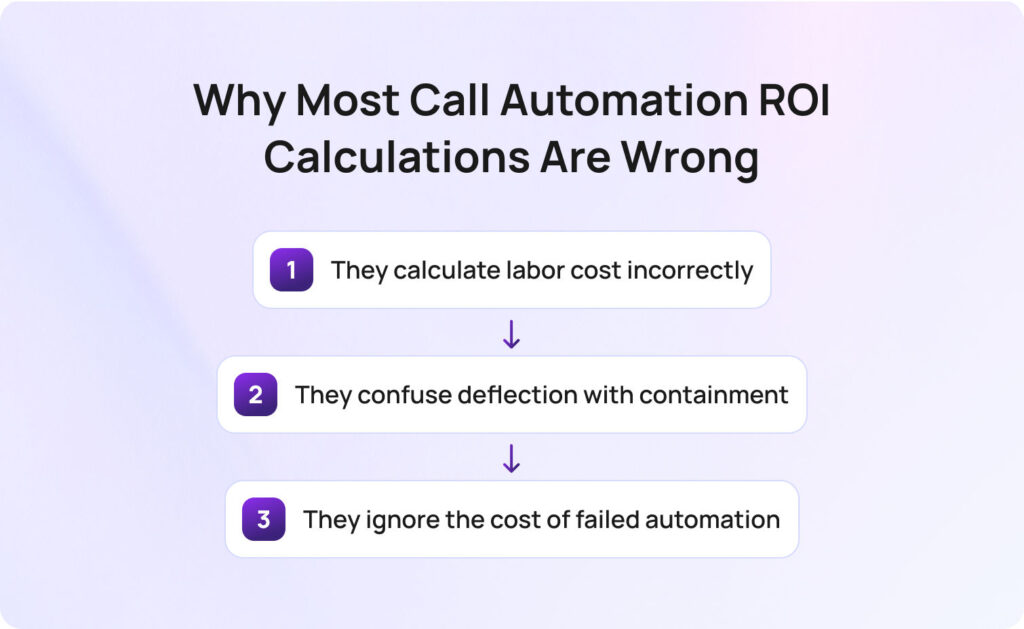
Most call automation ROI calculations are wrong because they rely on simplified cost assumptions, inaccurate performance metrics, and incomplete models of how automation impacts real-world call center operations.
Before jumping into formulas, it’s worth addressing a hard truth: most ROI models for call center cost savings are fundamentally flawed. That’s not because teams lack data; it’s because they model the wrong reality. Most customer service operations are built on a messy mix of fixed and variable operational costs, fluctuating call volume, and inconsistent agent utilization. Yet ROI models tend to flatten that complexity into a single “average cost per call”.
The result is predictable: inflated expectations, missed savings targets, and business cases that don’t stand up to CFO scrutiny. So, where do these calculations actually go wrong?
Most models divide salary by hours to estimate cost per call. That ignores idle time, training, QA, and management overhead. This, in turn, leads to a misleading view of labor costs and artificially inflated cost savings.
In reality, your call center costs are shaped by utilization, not just wages. Agents aren’t handling calls 100% of the time; they’re in training, after-call work, internal meetings, or simply waiting for the next customer interaction.
This is where many teams underestimate their true support costs. A fully-loaded model reveals that what looks like a $10 cost per call on paper is often closer to $15–$25 when you account for real-world inefficiencies. And that gap is exactly where automation creates measurable cost reduction.
A deflected call never reaches an agent. A contained call is fully resolved. These are not the same, and this distinction is critical because it directly impacts whether you actually reduce support costs or just shift them elsewhere.
A deflected interaction that leads to a callback, email follow-up, or repeat contact doesn’t eliminate demand; it delays it. In many cases, it increases customer support costs by adding friction and creating duplicate support tickets.
True cost savings come from containment; when the issue is resolved end-to-end without human intervention and without generating additional downstream work.
For teams focused on customer experience, this is also where quality comes into play. Poor containment creates frustrated customers, dragging down customer satisfaction scores.
This is the most expensive blind spot, and the least modeled. When automation fails:
But the real issue is compounded inefficiency. When a customer reaches an agent after a failed bot interaction, they often repeat information, re-explain their issue, and arrive with lower patience. That drives up AHT, reduces agent productivity, and impacts service quality across the board.
In financial terms, these are the most expensive calls in your contact center. If you don’t explicitly model this, your projected call center cost savings will always look better than reality, and your actual cost efficiency will fall short.
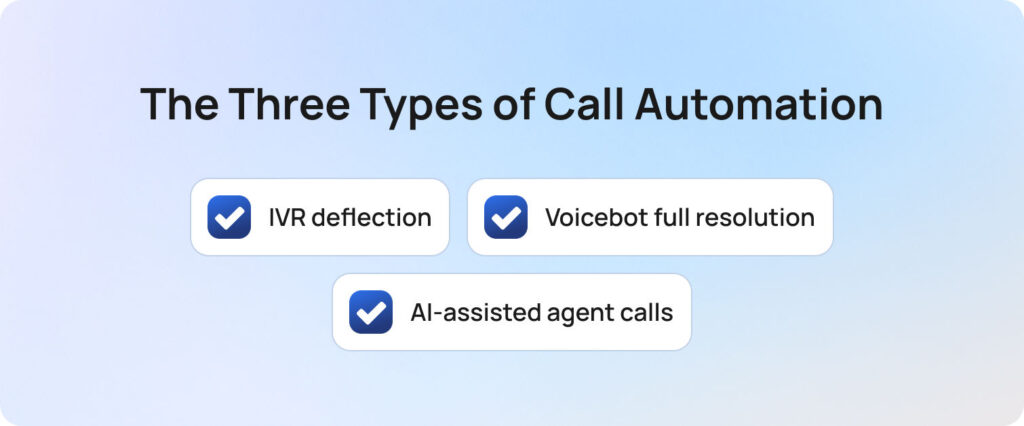
Call automation cost savings vary significantly depending on whether you use IVR deflection, voicebot containment, or AI-assisted agent support, because each impacts call volume, handle time, and cost structure differently.
Not all automation delivers the same cost savings, so treating it as one category leads to inaccurate projections and missed opportunities. The key is understanding that each type of automation impacts a different part of your cost structure, be it volume, efficiency, or quality.
This is the simplest form of self-service: calls are resolved through menus or basic voice prompts. It plays a critical role in reducing call volume, particularly for predictable, repetitive queries.
IVR is often the fastest route to initial call center cost savings, but it has a ceiling. It can’t handle nuance, and over-reliance can negatively impact customer experience if journeys become too rigid.
This is where modern AI tools fundamentally change the economics of customer support.
A voicebot doesn’t just route calls, it resolves them. Using structured customer data and knowledge bases, it can deliver instant answers across a wide range of queries.
The upside here is substantial: fewer calls reaching human agents, lower support costs, and more scalable customer service operations.
But the ROI depends entirely on execution. Poorly implemented voicebots create unnecessary support tickets, repeat calls, and degraded service quality, which erodes both savings and trust.
Here, human agents remain central, but they’re augmented by AI. Rather than reducing call volume, this approach improves how efficiently calls are handled.
According to a recent Deloitte Digital study, 64% of organizations report higher agent productivity with AI, while 39% have already achieved lower cost per contact, highlighting the measurable efficiency gains AI-assisted workflows can deliver in contact centers.
This is often the most overlooked lever for cost reduction. While it doesn’t immediately lower headcount, it allows teams to absorb growth without increasing labor costs, effectively lowering cost per call over time.
Before comparing them, it helps to see how each impacts cost structure and ROI:
| Automation Type | Primary Cost Driver | ROI Metric | Typical Savings Range | Time to Value |
| IVR deflection | Agent handling cost | Deflection rate | 10–20% cost reduction | Weeks |
| Voicebot full resolution | Agent + overhead cost | Containment rate | 25–60% cost savings | 1–3 months |
| AI-assisted agent calls | AHT + training cost | AHT reduction | 15–35% efficiency gain | 1–2 months |
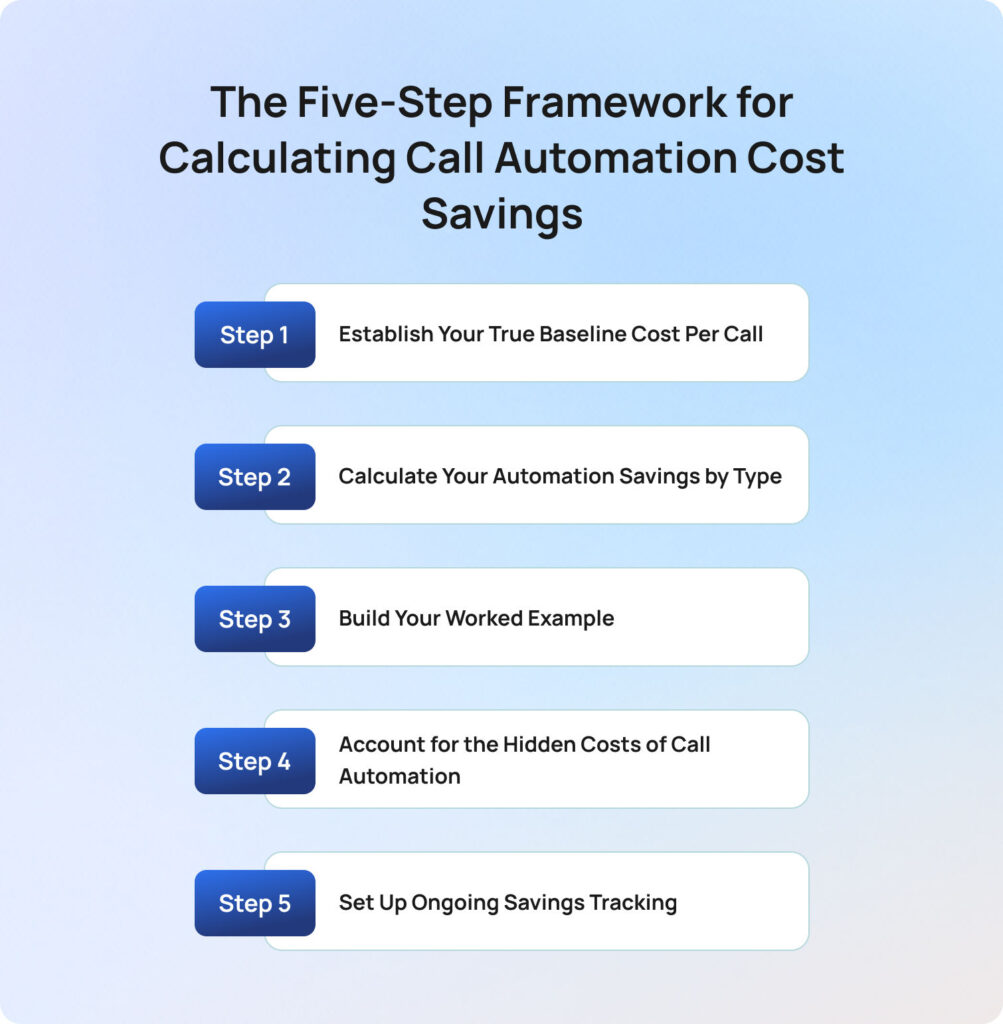
The most accurate way to calculate cost savings from automating support calls is to follow a five-step framework: establish baseline cost per call, model savings by automation type, build a financial scenario, account for hidden costs, and track performance over time.
To build a credible model, you need a structured approach. A strong framework ensures cost savings are realistic, defensible, and repeatable. So what does a reliable calculation model actually look like in practice?
Your true cost per call must include all direct and indirect costs (labor, overhead, technology, and attrition) divided by total call volume. Everything starts here, so if your baseline is wrong, your entire ROI model collapses.
Most teams underestimate their call center costs because they only model visible expenses, typically labor costs and platform fees. But in reality, a significant portion of customer support costs sits in indirect or “hidden” areas that scale differently as you automate.
The table below is a diagnostic framework showing you where support costs are often undercounted, and where automation is most likely to drive meaningful cost savings.
As you review it, ask a simple question: which of these costs are we currently excluding from our cost per call calculation? That gap is where your business case either strengthens or falls apart.
BlueTweak Call Cost Baseline Model
| Cost Component | What to Include | Common Mistake |
| Agent labor | Salary + benefits + taxes | Ignoring 25–35% uplift |
| Management overhead | Team leads and supervisors | Often excluded |
| Training costs | Onboarding + ongoing | Assumed negligible |
| QA costs | Review teams | Ignored unless large |
| Technology | CCaaS, telephony | Misallocated |
| Facility | Office space | Incorrectly excluded |
| Attrition | Replacement costs | Almost always missed |
Formula:
Fully-loaded cost per call = Total annual call center costs ÷ annual call volume
This is your true baseline for customer support costs.
Automation savings must be calculated separately for IVR deflection, voicebot containment, and AI-assisted calls, because each reduces support costs in fundamentally different ways.
Now that you’ve established your true cost per call, the next step is to model how automation changes that number.
Instead of applying a single “automation rate” across all customer support, you need to break down savings by mechanism. Each type of automation affects your call center costs differently, either by reducing call volume, lowering cost per interaction, or improving operational efficiency.
The formulas below aren’t just calculations; they represent three distinct financial levers within your contact center.
IVR deflection:
Monthly call volume × deflection rate × cost per call
This is your volume reduction lever. You’re removing calls before they ever reach human agents, which directly lowers support costs. However, this only delivers real cost savings if deflected queries are fully resolved and don’t reappear as repeat contacts.
Voicebot containment:
(Monthly volume × containment rate × cost per call) − (automation cost per interaction × contained calls)
This is your highest-impact lever for cost reduction. Every contained call removes the need for human intervention, but it also introduces a new cost per automated interaction. The key here is balancing containment rate against automation cost to ensure net cost efficiency.
AI-assisted calls:
(AHT reduction × cost per minute × call volume)
This is your efficiency lever. You’re not reducing call volume, but you are lowering the cost per call by shortening handle time and improving agent productivity. Over time, this is what allows teams to scale without increasing labor costs.
Taken together, these three approaches form the foundation of any credible call center cost savings model. The mistake isn’t using them, it’s blending them into a single assumption instead of modeling their impact separately.
A worked example turns your cost model into a decision-making tool by applying real numbers to automation scenarios and showing how savings materialize over time. At this stage, you’re moving from theory to proof.
A strong business case should demonstrate how potential cost savings play out under realistic conditions. This is what allows stakeholders to evaluate risk, understand timelines, and validate the assumptions behind your model.
Here is a practical scenario for you to consider:
Assumptions:
Baseline monthly cost: 15,000 × $18 = $270,000
From here, automation is layered in as a combination of volume reduction and efficiency gains.
The table below illustrates how different containment assumptions impact overall support costs. This is where scenario modeling becomes critical, particularly when presenting to finance teams who expect to see conservative, mid-range, and optimistic outcomes.
| Scenario | Savings | Notes |
| Conservative | ~$60,000 | 30% containment |
| Mid-range | ~$95,000 | 40% containment |
| Optimistic | ~$130,000 | 50% containment |
But this is only part of the picture. To get to true ROI, you also need to:
ROI formula: ROI % = (Net savings ÷ implementation cost) × 100
This gives you a financial model that shows how automation delivers significant savings under different conditions, and how quickly those savings offset the initial investment.
Accurate automation ROI models must include hidden costs such as integration, training, failed automation, and ongoing optimization, as these directly impact net savings. Most ROI models fall apart because the costs required to achieve them are underestimated.
Automation doesn’t operate in isolation; it sits within your existing customer service operations, which means every improvement introduces new dependencies, processes, and overhead.
The items below are not edge cases; they are standard components of any real-world deployment. Ignoring them leads to overstated cost savings and underdelivered results.
The biggest mistake we see is teams modeling savings without modeling failure. A voicebot that transfers poorly doesn’t just fail, it increases cost per call and damages customer experience.

Radu Dumitrescu, Head of Presale & Digital Transformation, BlueTweak
When you include these factors, your model becomes more conservative but also more credible; in most cases, that’s what gets a business case approved.
Call automation savings must be continuously measured using operational and experience metrics to ensure projected savings translate into real-world results.
Building the model is only the first step; the real value comes from validating and improving it over time. Without structured tracking, even well-designed automation programs drift. Cost per call can creep up, containment rates can plateau, and customer satisfaction can decline without clear visibility into why.
The table below outlines the core key metrics every contact center should track to maintain cost efficiency and service quality post-implementation.
| Metric | Formula | Target | Cadence |
| Containment rate | Resolved calls ÷ total automated | 30–50%+ | Monthly |
| Cost per call | Total cost ÷ calls | Declining | Monthly |
| CSAT delta | Automated vs agent | Neutral or higher | Monthly |
| Repeat contact rate | Repeat calls ÷ total | <10% | Monthly |
| AHT trend | Avg duration | Decreasing | Monthly |
Each of these metrics tells a different part of the story.
Tracking these together ensures you’re not just lowering support costs, but doing so while maintaining service quality and delivering a better overall experience.
The most common mistakes in call automation business cases stem from overestimating savings, underestimating complexity, and failing to model real-world customer behavior.
Even with a well-structured model, the biggest risk is in the assumptions behind the calculations. This is where many contact center leaders lose credibility internally. A model that looks strong on paper but fails to materialize in practice quickly erodes confidence, especially when projected cost savings don’t align with actual customer support costs.
So where do business cases typically break down?
A strong business case doesn’t just project lower costs, but also demonstrates how those savings will be achieved without compromising the experience that drives retention and growth.
BlueTweak enables measurable call automation ROI by aligning voice AI capabilities directly to cost, efficiency, and customer experience metrics. BlueTweak’s approach is built around a simple principle: automation should be accountable to outcomes, not just activity.
Where many AI tools operate in silos (handling either self-service, analytics, or agent support), BlueTweak connects these capabilities into a single system that directly impacts customer support costs and service quality.
This matters because ROI isn’t created by individual features. It’s created by how those features work together across your customer service operations.
So how does that translate into measurable impact?
One example comes from BlueTweak’s work with an e-commerce client, where AI-driven automation increased ticket deflection by 45% and reduced interaction time by 30%, significantly lowering overall customer support costs while improving efficiency, first contact resolution, and customer satisfaction.
To calculate cost savings from automating support calls effectively, you need a model that reflects real costs, realistic performance, and ongoing operational dynamics.
The teams that succeed with building models that hold up under scrutiny and continue to deliver as conditions change. That comes down to discipline in how the business case is structured and validated.
Remember to:
Automation has the power to reshape your entire cost structure, allowing you to deliver better customer experience at a lower cost base. And that’s where the real value sits: not just in saving money, but in building a customer support function that can scale efficiently as demand grows.
If you want to see what this looks like for your own operation, the next step is to model it with real data. BlueTweak can help you map your current call center costs, simulate automation scenarios, and identify where the biggest cost savings opportunities sit.
Whether you’re exploring voice AI for the first time or looking to optimize an existing setup, you can now book a demo to walk through your specific customer support costs and ROI potential, or start a free trial to see how BlueTweak’s AI performs on your real customer interactions.
By comparing your fully-loaded cost per call against the net cost of automated interactions, factoring in containment rates and automation costs.
Most teams achieve 30–50% in year one, improving over time with better data collection and tuning.
No, poor implementation can increase support costs, especially if failed automation leads to repeat calls.
Deflection avoids the agent; containment resolves the issue. Only containment delivers real cost savings.
Most teams see measurable call center cost savings within 1–3 months, depending on complexity and implementation quality.
As Head of Digital Transformation, Radu looks over multiple departments across the company, providing visibility over what happens in product, and what are the needs of customers. With more than 8 years in the Technology era, and part of BlueTweak since the beginning, Radu shifted from a developer (addressing end-customer needs) to a more business oriented role, to have an influence and touch base with people who use the actual technology.