


Radu Dumitrescu

As Head of Digital Transformation, Radu looks over multiple departments across the company, providing visibility over what happens in product, and what are the needs of customers. With more than 8 years in the Technology era, and part of BlueTweak since the beginning, Radu shifted from a developer (addressing end-customer needs) to a more business oriented role, to have an influence and touch base with people who use the actual technology.
Recent articles

Top 12 AI Use Cases in Customer Service Revolutionizing the Industry (2026)
What This Article Covers
This article explains why AI is essential in customer service operations today, particularly in addressing customer experience, behavior, and questions, then walks through the 12 most impactful AI use cases in customer service, highlighting how they improve customer satisfaction and agent productivity, and where a unified platform like BlueHub can help. Expect practical descriptions, what “good” looks like, and subtle checkpoints you can use during a pilot.
The 12 Most Impactful AI Use Cases in Customer Service

These are the patterns that drive the numbers in real contact centers, particularly in customer interactions. Each one is stronger when grounded in your knowledge base, connected to your ticketing system, and measured against a clearly defined KPI that reflects customer preferences.
1) Conversational AI Across Channels
Modern customer service chatbots and voicebots answer routine questions 24/7, collect context, and guide simple workflows without human intervention. With advanced natural language processing, they recognize intent, authenticate safely, fetch order or account data, and hand off cleanly when complexity appears.
In BlueHub, customer service agents rely on bots that sit on the same backbone as tickets and knowledge, so automated steps, articles, and macros stay in sync with live operations.
2) Intelligent Triage and Routing With Confidence
AI classifies incoming customer inquiries and needs by language intent, urgency, and product, and then assigns work based on skill and capacity. High-confidence cases auto-route; mid-confidence cases suggest two labels for one-click confirmation; low-confidence cases trigger a clarifier.
BlueHub demonstrates confidence and rationale inline, allowing agents to confirm in place, thereby reducing misroutes while keeping humans in control of automated responses.
3) Agent Assist Inside the Live Conversation
As agents work, AI proposes grounded replies based on information from the knowledge base that enhance customer engagement, highlight the relevant article, and suggest next steps based on the customer's history. It’s drafting help, not auto-send. BlueHub’s agent view surfaces suggestions, macros, and required fields on one screen, eliminating the need for tab-hunting and reducing response times.
4) Personalization From Unified Profiles
AI leverages the customer profiles available within the platform (including past tickets, calls, and resolutions) to summarize context, suggest replies, and guide tone across channels. It does not natively merge purchase history or other external attributes by default. Return advice reflects the plan tier; troubleshooting shifts to the customer’s device and OS; recommendations map to the behavior. Because BlueHub unifies identity resolution with ticketing, the “who” and “what” are already in context when replies are drafted.
5) Sentiment-Guided Tone and Escalation
Real-time sentiment analysis detects frustration and urgency, adjusting templates, priority, and escalation paths. Supervisors identify risks early by analyzing customer sentiment; sensitive threads receive empathetic phrasings. Rather than writing a score for each case, BlueHub reveals sentiment through Custom Views/filters and Reporting, allowing leaders to spot trends and coach exactly where it matters. Configuration and data permissions apply.
6) Multilingual Support and Real-Time Translation
Language detection, combined with controlled glossaries, delivers accurate, on-brand answers in dozens of languages, without forking workflows. BlueHub can detect language at intake, apply region-specific SLA calendars, and surface localized articles, allowing global teams to run the same workflow while providing consistent service quality and meeting local expectations.
7) Proactive Notifications Before Tickets Form
Predictive signals, such as inventory levels, shipping scans, renewal dates, and error spikes, trigger targeted outreach on the customer’s preferred channel, addressing customer questions. That’s proactive support that prevents many cases entirely. BlueHub’s workflows can schedule these nudges from the same rules that power routing and SLAs.
8) Knowledge That Powers Self-Service and Agents
One knowledge base for both paths: customers see the same, current steps that customer service representatives use in customer service strategies. AI flags gaps from “no result” searches and proposes drafts. In BlueHub, publishing a customer service solutions knowledge article updates both the agent view and the self-service portal from the same source, so a single edit improves both experiences.
9) Conversation Summaries For Clean Handoffs
When work moves from social to email or chat to phone, AI generates concise and accurate summaries: decisions made, promises given, and next actions. BlueHub stores conversation summaries in the case timeline, ensuring that handoffs never lose context and audits remain straightforward.
10) Verification Flows That Balance Speed and Safety
Guided checks request only what’s required for the channel and case type, with exceptions routed to specialists. Sensitive actions stay behind human approval. BlueHub embeds verification steps within the same workflow that drives routing and SLAs, ensuring consistent and in-flow secure checks.
11) Post-Resolution Follow-Ups That Close Loops
After a fix, AI sends a brief check-in on the original channel, invites a one-question CSAT survey, and links relevant resources. If something’s still off, the case reopens with full context, and human customer service agents can intervene. In BlueHub, these follow-ups reside in the same automation layer that manages closure and status rules, ensuring loops close consistently without the need for additional tools.
12) Journey-Level Analytics That Drive Action
Leaders see first reply, handle time, FCR, sentiment, and deflection by intent and channel, then adjust routing or content in place. BlueHub emphasizes insight-to-edit on one screen, enabling fast changes and making their impact visible in the very next reporting cycle.
Why AI Belongs in Customer Service Operations Now

Customers want fast, consistent answers across multiple channels and a single story that follows them. Support teams want fewer tabs, fewer misroutes, and workflows that don’t break under peak volume. AI closes that gap: NLP converts unstructured messages into structured work; machine learning directs cases to the correct queue; generative AI generates brand-safe text; predictive analytics identifies risks. The payoff is calmer queues, reduced operational costs, and measurable gains in customer satisfaction without losing the human touch.
What “Good” Looks Like in Practice
A credible deployment uses approved sources, keeps humans in the loop for sensitive steps, and ties every suggestion to a real workflow. Request clear confidence and rationale for predictions. Provide grounded reply suggestions with citations. Offer multilingual support, accompanied by a glossary. Consider the sentiment that can influence priority. Maintain audit trails for all actions.
BlueHub was designed around four key guardrails: identity resolution, AI assistance, routing, and reporting, all working in concert to ensure improvements stay aligned with daily work.
KPI Framework To Prove Impact
Measure before and after on a tight set: first reply time, handle time, FCR, CSAT, sentiment by channel, reopen rate, deflection/containment, abandon rate (IVR/chat), and backlog trend. Add program signals, such as auto-route percentage, label-correction rate, and agent edits, to AI drafts based on customer feedback. BlueHub’s analytics sit alongside workflow settings, allowing teams to quickly transition from insight to a published change.
From Pilot to Production
Pick two high-volume intents across two channels. Enable intent classification with confidence, knowledge-grounded suggestions, and sentiment-aware priority. Connect CRM for context. Run two weeks of production-like traffic and tune one friction point each week (a missing article, a weak macro, a confusing label). When stable, add a third channel and proactive notifications. BlueHub’s single workspace enables teams to design workflows, publish changes, monitor KPIs, and make adjustments quickly, all without switching tools.
Governance That Keeps Trust
Maintain approvals for refunds, identity checks, legal, and safety; restrict models to approved sources; log prompts and outputs; set tone guidelines for publication. In BlueHub, these controls are located beside the workflow, ensuring compliance occurs without requiring a switch to other tools.
Where BlueHub Fits

BlueHub (by BlueTweak) centralizes ticketing, knowledge, automation, analytics, and staffing, enabling the top AI customer service use cases (chatbots/voicebots, intent-based routing, agent assist, multilingual replies, sentiment-aware priority, and journey analytics) to be launched faster, which can enhance customer interactions and improve more easily.
Categories and channels map to playbooks, language detection pairs with regional SLAs, and a single article update enhances both agent guidance and self-service. Identity resolution, AI suggestions, and real-time reporting all on one screen, enabling teams to manage the entire customer journey without piecing together a complex stack.
Conclusion: Make AI Part of the Flow, Not a Sidecar
The strongest programs utilize AI to transform unstructured conversations into structured work, assist agents in determining the next step, and convert customer data into actionable guidance at the point of need. Start with identity and intent, ground replies in knowledge, and add sentiment and multilingual support to understand customer behavior, measuring results on a weekly basis.
If a single workspace that connects design, execution, and measurement to address customer needs would be helpful, request a BlueHub walkthrough and watch as one ticket moves across channels with full context, AI-guided steps, and live analytics that turn insights into actionable edits.
14 Strategies To Build A Scalable Help Desk Workflow In 2026
Why A Scalable Help Desk Workflow Matters Now
Not every delay is caused by a complex technical issue. Most begin at the start of the help desk workflow process, when an incoming ticket lacks the necessary details for the right team. That is fixable.
This article takes a practical look at how to design help desk workflows that scale: what a modern help desk ticket workflow looks like end to end, 14 strategies you can apply, the key features to prioritize in a help desk system, where automation capabilities deliver the most significant gains, which KPIs prove progress, and how BlueTweak keeps design, execution, and staffing in one place.
If the goal is to streamline support, reduce repetitive tasks, and improve customer satisfaction, follow these steps to transition from ideas to durable desk operations.
What A Modern Help Desk Workflow Really Is
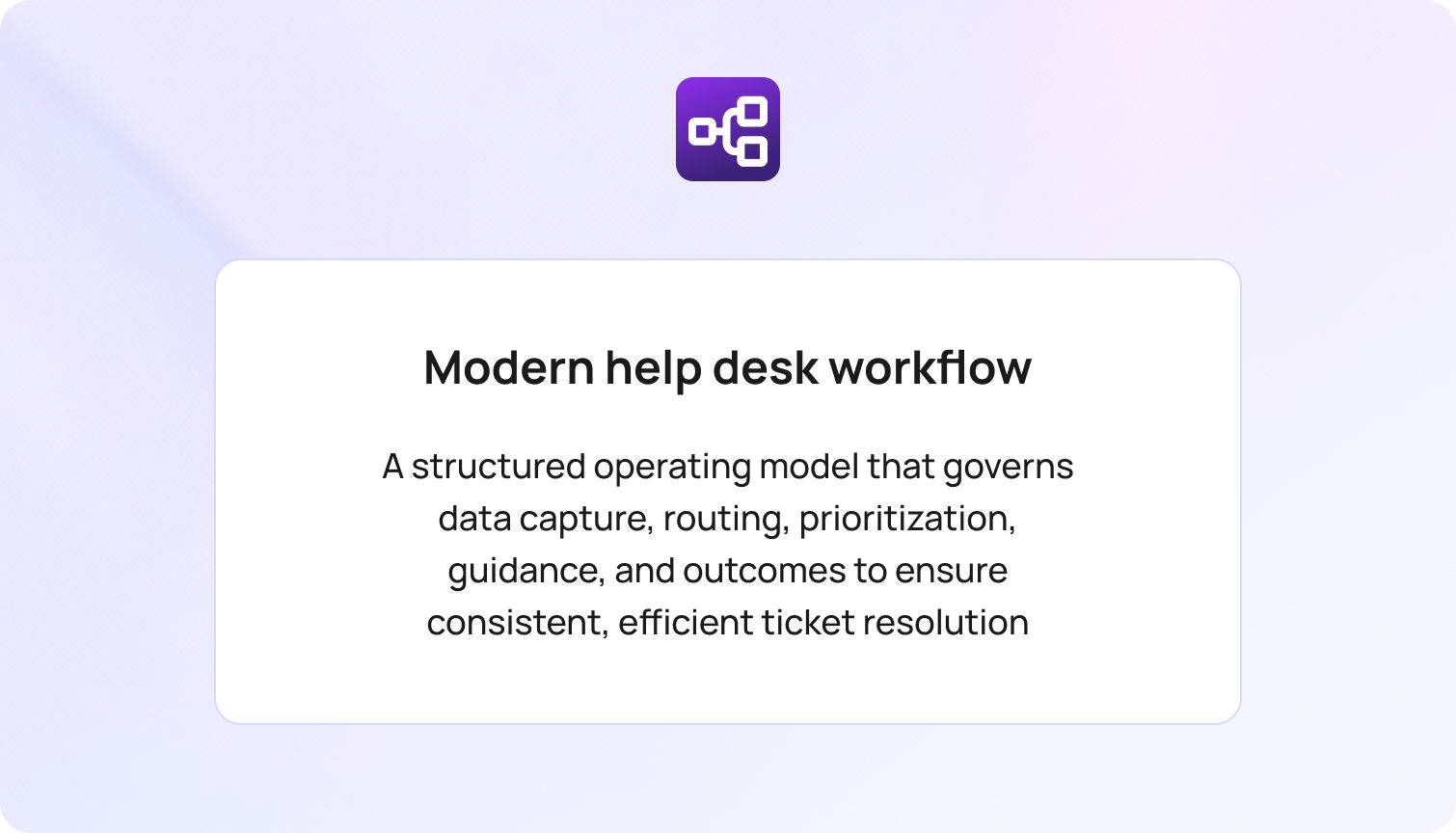
Think of the workflow as the operating model for service desk workflows. It defines who sees what, when, and with which expectations across the desk process flow. In practice, a scalable flow:
- Collects structured data at ticket creation so the correct department can act.
- Applies ticket priority and service level agreements that reflect impact.
- Surfaces the precise internal knowledge base article and macro that match the scenario.
- Keeps ticket status current without extra clicks or human error.
- Records the outcome as part of service management for audit and reporting.
The result is a repeatable path from support tickets to resolved tickets, which enhances service quality and operational efficiency.
An Example Help Desk Workflow, End-to-End
A customer cannot sign in after enabling MFA. The help desk ticket workflow auto-detects “Access: MFA” from the message, sets the appropriate service level agreements SLAs, and assigns the case to the access queue. The console opens with a short checklist, a device-specific article, and the right macro.
The agent confirms identity, checks device time drift, resets the token, and closes with an automated response and a one-question CSAT. If a broader incident is suspected, the agent links related desk tickets to a parent ticket. That is a scalable and straightforward example of a help desk workflow that reduces the number of touches and increases first-contact resolution.
14 Strategies to Build a Scalable Help Desk Workflow in 2026

1) Start With a Picture, Not a Paragraph
Draw your desk workflow before you document it. A one-page map of the desk process clarifies who is responsible for each step, which approvals are required, and which fields are mandatory. Then codify it inside your help desk software so the diagram becomes the live help desk automation workflow teams actually run.
BlueTweak fit: Admins configure steps, forms, SLAs, macros, and transitions in the same workspace, and these settings are applied at intake.
2) Capture the Correct Details at Intake
Bad intake creates slow tickets. Use category-aware forms so each new ticket collects only the fields a resolver needs: invoice number for credits, device and OS for client issues, approver for access. That keeps ticket organization clean and eliminates guesswork that can stretch response times.
BlueTweak fit: Dynamic forms align to categories. Required fields adapt when a category is selected, eliminating the need for back-and-forth to provide missing details.
3) Automate the First Three Clicks
If a step repeats dozens of times per day, automate it. Set smart defaults for ticket priority, prefill tags, trigger the first-reply macro when conditions are met, and auto-advance the ticket status when a case moves to a new queue. Streamline repetitive tasks so people solve problems instead of arranging screens.
Key benefits Include Faster response times, fewer stale tickets, a lower cognitive load, and reduced ticket volume in escalation queues.
4) Pair Every Category With a First-Move Playbook
A label without a first step is a dead end. Attach a short checklist or macro to each category so that the opening message includes a specific action. For branching paths, define clear decision points in the desk workflow process and link to a concise article in the internal knowledge base.
BlueTweak fit: Categories, playbooks, and articles live together. When admins update a category and its mappings, routing, the attached macro, and the surfaced article, all updates occur in one place.
5) Route By Skill, Then By Load
Effective ticket routing directs work to the right team members and maintains a balanced workload. Use skills for products and platforms, then apply load logic so no one drowns while a neighbor idles. Reserve rules protect a select group of agents for VIP customers or high-risk categories.
BlueTweak fit: Skills, rotations, caps, and overflow rules are configured at the workflow level. Managers can adjust routing policies from the same workspace and see changes take effect without disrupting active cases.
6) Keep Duplicate Tickets From Multiplying
Two customers report the same outage. Ten colleagues submit the exact service requests. Without care, desk tickets duplicate, and analytics blur. Use similarity detection on the subject and body, along with a clean merge flow that links children to a parent ticket. Communicate with the parent and close the loop with all linked end users when the issue is resolved.
Result: Lower noise and more transparent reporting for support operations.
7) Use SLAs That Reflect Reality, Not Wish
SLAs are a critical component of service delivery, but they must align with staffing, business hours, and the expected impact of the service. Define response and resolution targets per category and channel, add pause rules for customer waits, and route escalations to owners who can act, not just receive alerts.
BlueTweak fit: SLA calendars, pause conditions, and breach actions are configured in conjunction with the workflow. Leaders can review SLA performance by queue and time window in the same workspace and spot where to adjust coverage.
8) Build a Living Internal Knowledge Base
Agents cannot follow rules that do not exist. Keep articles concise, accurate, and aligned with their respective categories. For each, include purpose, prerequisites, steps, and one validation check. Allow agents to add internal notes and suggestions in place. Good knowledge shortens handle time, improves consistency, and powers self-service where appropriate.
BlueTweak fit: The help desk workflow can surface the matching article directly in the agent view. When content owners publish an update, the new version is displayed in subsequent applicable tickets, based on permissions and caching settings.
9) Automate Status, Notifications, and Closure
Humans forget. Workflows should not. Move tickets to Waiting on customer when a form is requested, reopen on reply, and close after a defined idle period with a polite final note. Trigger a short CSAT on closure. These micro-automations keep queues tidy and protect service quality.
Automation tip: Use templates that avoid jargon and include a link to the case for transparency and clarity.
10) Give Agents Context Without Extra Tabs
The fastest way to improve customer service is to stop context hunting. Show recent interactions, plan tier, entitlements, and recent asset management changes inside the ticket. When agents see the whole story, they take the right path the first time.
BlueTweak fit: Case layouts are configurable. When connected to your CRM and other data sources, the agent view can display selected account fields, product usage metrics, and recent interactions, enabling informed decisions to be made in context, subject to role-based permissions.
11) Connect Classification to the Workflow
AI ticket classification belongs at intake. Let the model read natural language, infer customer intent from ticket data, and suggest a category with confidence and a rationale. Tie that label to the macro, article, and SLA. If confidence is middling, present the top options for one-click confirmation. Each correction is training data for continuous learning.
Outcome: Fewer misroutes, steadier queues, and valuable insights into what customers actually ask.
12) Design For Multilingual Support Without Chaos
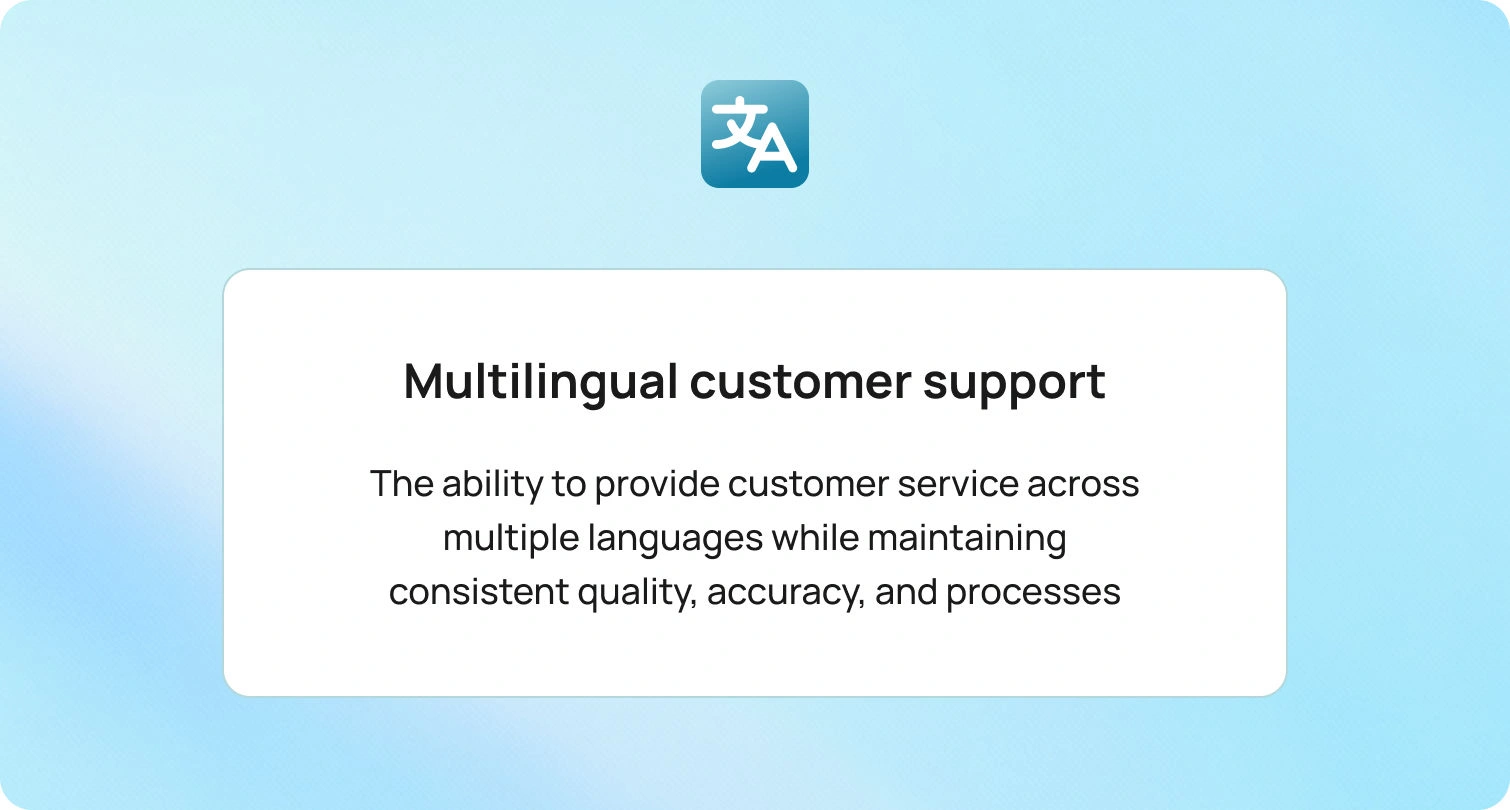
Global support requires the same help desk workflows in different language pairs. Provide a glossary for product names and sensitive phrases, localize the top articles first, and route to teams that can respond in the customer’s language. Detect language at intake so the help desk support workflow always starts in the right place.
BlueTweak fit: Language detection, localized content, and region-specific SLAs can be configured alongside the base workflow. This lets teams localize responses and policies without duplicating or forking core processes, subject to your setup and permissions.
13) Tie Workflows to Staffing So Gains Persist
When automation shortens handle time in one category, workload shifts. Connect category volume and handle time to staffing, allowing leaders to rebalance coverage without relying on spreadsheets. Good workflow management includes workforce planning.
BlueTweak fit: Workforce management features sit alongside analytics and workflows in the same workspace. This allows schedulers to adjust rosters and coverage as volume and handle time shift, based on your configuration and permissions.
14) Measure a Small Set, Improve Every Week
Dashboards do not answer customers, but they help you make better choices. Track time to first reply, SLA breaches, transfer rate, FCR, reopen rate, and customer satisfaction by category and queue. Add program signals, such as auto-route percentage, macro use, and knowledge deflection. Meet weekly, ship one change, and watch the curve bend.
BlueTweak fit: Key signals surface directly in the workspace where agents and managers work. Owners can adjust labels and flows in place, and, once changes are published, see their impact reflected in the next reporting cycle, based on your configuration.
How BlueTweak Supports Scalable Help Desk Workflows

BlueTweak is desk software built for help desk workflows at scale. It combines ticketing, the internal knowledge base, workflow management, analytics, and workforce scheduling into a single workspace. Teams design a help desk automation workflow, publish it, and run it at intake without switching tools.
Design and run. Build the flow where the work happens. Attach forms, SLAs, and macros, and then publish them in the same place where agents handle cases.
Automate the routine. Use automated responses, automatically assigned owners, and status transitions that keep ticket status current without manual effort.
Classify with care. AI assists with labels and provides rationale. High-confidence predictions can route automatically. Lower confidence presents top options for one-click confirmation.
Surface context. Agents view customer tier, plan, recent contacts, and other approved fields within the case, allowing them to make informed decisions with context.
Prevent noise. Merge duplicate tickets, link related issues to a parent ticket, and send coordinated updates from a single location.
Measure and staff. Owners track outcomes by label, queue, and time. Schedulers adjust coverage as volume shifts, using the same workspace.
None of this replaces people. It removes the drag that keeps people from doing their best work.
The Building Blocks That Make or Break a Workflow
Service level agreements that agents trustSLA promises must match headcount, time zones, and impact. Calendars, business hours, and pause conditions keep SLA charts accurate. When a breach threshold is reached, BlueTweak triggers targeted actions, such as priority bumps, owner alerts, or auto-updates, so teams respond with intent rather than in a state of panic.
Knowledge that matches the workArticles live beside categories and macros. When the workflow changes, the article updates simultaneously. Agents suggest improvements in-line. This is how teams improve customer satisfaction week after week.
Governance without ceremonyOwners manage categories, flows, and desk automation rules with a short change log. Audit trails show who changed what and why. Exports exist for audits, but day-to-day improvements occur where the queue resides.
The Human Side of a Scalable Workflow
Automation is not the star. People are. Good help desk operations free team members to use judgment and empathy. Training stays short and close to the work. New hires learn by following guided steps, reading the short article, and sending a clear message. Veterans leave fewer open loops because the system removes setup chores. Leaders spend less time triaging and more time coaching. The customer interactions that used to feel like a scramble become predictable, respectful exchanges that build trust.
Analytics That Drive Action

Track a small, durable set of KPIs: time to first reply, handle time, transfer rate, first-contact resolution, reopen rate, and CSAT by category and queue. Add program signals, such as auto-route percentage, macro adoption, and label correction rate. Monitor the watch abandonment rate and sentiment to identify friction early. The point is not to drown in charts. It is to find one edit per week that moves the number.
BlueTweak fit: These signals appear in the same workspace where owners adjust labels, routing, or content, so changes move quickly from insight to action.
ROI Without The Hand-Waving
Minutes saved at intake become more resolved tickets per shift. Fewer transfers mean fewer apologies and higher CSAT. Clean categories improve planning. When the first responder sees the proper context, the first reply contains a real step instead of another question. Those minutes compound across thousands of tickets. A stable help desk support workflow reduces overtime, keeps burnout at bay, and produces numerous benefits that outlast a quarter.
Expect clearer visibility into desk system health, steadier service desk performance, and a more predictable customer service experience across channels.
Conclusion: Build Once, Learn Always
A scalable help desk workflow is not a PDF in a folder. It is a living system that guides how your help desk operations meet customer issues every day. When the help desk process ties intake, intelligent routing, first-move playbooks, knowledge, SLAs, and analytics together in the same workspace, queues calm down, agent productivity rises, and customer satisfaction follows.
See BlueTweak in action. Request a walkthrough to observe a live help desk workflow from intake to resolution, including automatic ticket classification, ticket routing, knowledge surfacing, and measurable outcomes that demonstrate the impact of the change.

Essential Customer Support Features Travel Agencies Count On During Peak Season
In this article, you will discover the best practices and strategies that successful travel agencies rely on to navigate the summer peak season. In this article, you will learn:
- Key support features that help travel agencies manage high volumes and demanding customer expectations.
- Effective tools and strategies, including proactive communication, omnichannel support, automation, and AI, to streamline operations.
- How to enhance customer experience through multilingual support, smart ticket management, and self-service options.
- Ways to scale your support system as your agency grows and to prepare proactively for peak seasons.
Armed with these insights, your travel agency can convert operational challenges into opportunities for growth, loyalty, and superior service.
Silence can cost you more than you think. Around 76% of customers expect immediate responses when contacting support during peak periods, and 1 in 5 say the wait time is too long.
For travel agencies, the summer season is both a goldmine and a pressure cooker. Bookings soar, itineraries shift by the hour, and customer expectations skyrocket. From last-minute cancellations to gate changes and language barriers, summer brings an operational storm that only the best-prepared agencies can weather.
In the last few years, the margin of error has never been smaller. A delayed reply, a missed inquiry, or an overwhelmed support agent can cost you not just a booking, but long-term trust.
That’s why the smartest travel agencies are rethinking their customer support systems now. Because with the right tools in place, what feels like a very cold shower for others can become your season of opportunity.
1. Proactive Support with the Right Customer Support Tools
If you're still waiting for customer issues to land in your inbox before you act, you're already behind. A proactive approach turns your customer support department from a reactive fire-fighter to a trusted travel partner.Some of the features that make or break your support app
- Auto-tagging high-priority messages so agents can jump on time-sensitive issues first.
- Trigger-based workflows that automatically prioritize or escalate tickets when keywords like “cancellation” or “missed flight” are detected.
- Follow-up automations for unreplied customer messages to prevent tickets from falling through the cracks.
With the right customer support system tools for travel agencies, your support software can anticipate problems and act on your behalf. This kind of proactive communication builds trust and reduces incoming volume.
During peak season, proactive customer support reduces inbound load by 20–40%
and positions your travel agency as reliable, responsive, and modern.
2. Using Customer Profile Software to Improve Response Speed and Accuracy
When a customer DMs you on Facebook Messenger, follows up via email, and calls your hotline within the same hour, it shouldn't feel like three separate conversations.Challenges:
- Disjointed systems
- Lost context
- Slower resolution time
- Frustrated travelers
An omnichannel inbox gives your agents a single, unified view of every customer, across every channel: email, chat, social, WhatsApp, and phone.
Customer support agents who are working in the travel industry can see the full history, reply faster, and avoid double-handling. This is no longer a luxury, it’s the baseline for summer-ready support.
And when paired with a dynamic customer profile
, the experience becomes even more powerful. Tools like Customer Profile Software
feature allow agents to instantly access a traveler’s history (past conversations, preferences, current tickets) in one place. This context empowers agents to resolve issues faster and tailor every response to the traveler’s unique journey.Pro tip
: Look for a solution that supports omnichannel workflows with built-in automations for assignment, priority tags, and auto-responses. Travel agencies using omnichannel customer support platforms report a 25–35% reduction in resolution time.
3. Balancing Speed and Empathy with Smart Automation in Travel Customer Support
Travel agencies using rule-based customer support automation and AI see up to 60% faster resolution time,
without increasing headcount.
When customer volume spikes, even the best agents can’t keep up. But customer support doesn’t replace your team, it frees them up to focus on the interactions that actually need human empathy.Use customer support automation for:
- First-response messages: Let customers know you’re on it.
- Smart routing: Automatically assign tickets based on criteria like topic, urgency, or language, so the right agent handles it faster.
- Sentiment analysis and categorization: Understand customer tone and issue type without manual tagging.
- Auto-closing resolved tickets: Keep your queue clean and focused.
And yes,AI-powered assistants
are now advanced enough to handle full conversations
, especially for repeated tasks like sending boarding passes or confirming itineraries.Read more about: The Impact of AI-Driven Customer Service Automation on Business Performance
4. The Role of AI-Powered Customer Support in Modernizing the Travel Industry
Not all AI is created equal. If you're using generic bots or chat widgets that don’t understand the nuances of travel, you're missing the point.What can travel-specific AI do:
- Speak in travel terms (“layover,” “e-ticket,” “baggage allowance”)
- Answer FAQs based on your own knowledge base
The best customer support systems
is powered by large language models (LLMs) fine-tuned for travel, which means they not only understand the context, but they also adapt to it.Example:
A customer types,“How much luggage can I bring on my flight to Rome?”
, your AI chatbot or voicebot can instantly respond with baggage allowance information based on the airline and travel class stored in the booking details or linked knowledge base. It can also suggest where to add extra bags, all without agent involvement.
AI chatbots improve customer engagement by 40%
, and virtual assistants can handle up to 70% of inquiries
5. Multilingual Customer Support That Actually Scales
74% of customers prefer support in their own languageSummer doesn’t just bring more travelers; it brings more types of travelers. Tourists from different countries speak different languages, with different expectations. If your customer support can’t keep up linguistically, you risk friction before a trip begins.Challenges:
- Hiring native speakers for every market is expensive and logistically tough.
- Machine translation is often clunky, slow, or contextually wrong.
- Miscommunication leads to missed flights, unhappy travelers, and refund requests.
Multilingual customer support for travel, powered by AI and language detection.
Modern platforms can:
- Instantly detect the customer’s language.
- Auto-translate incoming messages and outgoing replies in real time.
- Let agents write in one language while delivering replies in another.
- Adapt tone and nuance (yes, even with sarcasm or idioms!).
: Travel agencies using multilingual AI see a 70% drop-in escalation rate for non-native speakers and can support global customers without growing headcount.Read more about: Multilingual Customer Support Feature & Global Business Operations

6. Ticket Management: When tickets are tagged right, clarity follows
Tagging and auto-triage of customer tickets reduce agent handling time by up to 35%.
Picture this: hundreds of tickets pouring in daily. Some are urgent ("My child’s passport is lost"), some can wait ("Can I add a bag to my flight next week?"), and others are already resolved but still sitting in the queue. Now imagine sorting all that manually.
Ticket chaos is the silent killer of summer performance.What you need instead:
- Smart tagging: Automatically label messages by intent, refund, rebooking, upgrade.
- Dynamic routing: Assign tickets from customers based on urgency, language, agent expertise, or shift availability.
- Auto-close rules: Clean up stale threads without agent input.
With smart ticket management, you turn volume into visibility. Instead of being overwhelmed, your team can focus on what matters most, fast.Manager insight
: Dashboards showing real-time queue health help supervisors make better staffing decisions and spot problem areas early.
7. Self-Service Tools: A Win for Travelers and Travel Agents
Not every issue needs a conversation. Today’s travelers want quick answers to simple questions, and your agents deserve to spend their time on more complex, high-value interactions. 88% of customers expect online self-service options, and agencies using them deflect up to 40% of inbound inquiries.That’s where modern self-service steps in:
it empowers customers to help themselves, while giving your team the space to focus where they’re needed most.
Build a self-service ecosystem that supports both sides:
- 24/7 AI Chatbot: Always-on support for repetitive questions, giving customers instant answers and freeing agents from handling the same requests repeatedly. It pulls information directly from the knowledge base to generate the most relevant response for each inquiry.
- Easy content management: Keep your knowledge base updated without technical skills, so your content stays current even during peak season.
Travelers get fast, hassle-free support. Travel agents get fewer repetitive tickets and more time to handle the complex ones, a better experience on both ends.
8. Customer Service Analytics & Reporting: Eyes on the Storm
What you can’t see, you can’t fix. During the summer peak, support leaders need real-time visibility into what’s working, and what’s breaking.Critical metrics to track:
- Ticket volume trends (by channel, time of day, issue type)
- Agent performance (speed, accuracy, resolution rate)
- Customer satisfaction (CSAT) and response time
- Busiest routes or customers generating the most volume
But numbers are only useful if they lead to action. The best reporting tools offer dashboards,alerts
, and forecasts
to help you shift resources and adjust processes instantly.Strategic edge
: Real-time analytics help you allocate staff, spot emerging issues, and improve efficiency, even mid-season. Support teams using analytics reduce overstaffing and underperformance by up to 25%.
9. Built to Scale: What Travel Agencies Need as They Grow
The tools you started with may have worked when your team was small, but they won’t support your growth across markets, languages, and high-volume seasons. Especially not during the summer surge.
As your travel business expands, your support should scale effortlessly with you. Look for a platform that:
- Offers open API integrations: Easily connects with the tools you already use, from CRMs to booking engines and payment processors, so your workflows stay seamless.
- Supports multi-country operations: Serve customers across different countries with localized workflows, time zones, and region-specific rules.
- Handles multi-language interactions: Automatically detects and supports multiple languages, so travelers get help in their own language without agent strain.
- Enables role-based and regional permissions: Set specific access levels and workflows for different brands, departments, or country teams, all from one platform.
- Provides unified reporting with local drill-downs: Get a global overview of performance, but still zoom in by region, brand, or team when needed.
- Adapts to different business models: Whether you're operating B2B, B2C, or white-label travel services, the right system should support them all.
Invest in tools that scale with your business, not ones you’ll outgrow in two years. Travel agencies that consolidate their support stack report 15–20% annual savings on operational costs.Read more about: Top Features to Look for in a Customer Support Platform: A Comprehensive Guide
10. Don’t Let the Peak Season Catch You Off Guard: Pre-Season Support Prep
Too many travel agencies wait for the first sign of summer chaos before upgrading their customer support systems. But by then, it’s too late. The missed calls, the unanswered DMs, the refund delays, they’ve already happened.Instead, be the travel agency that gets ready before the flood:
- Proactive alerts
- Unified omnichannel inbox
- Smart automations to scale without stress
- AI assistants trained for travel
- Multilingual support across every touchpoint
- Self-service that deflects the predictable
- Analytics that guide your team in real time
- Ticket systems that stay clean and efficient
- Tech that grows with your operation
Don’t let your busiest season become your most vulnerable. The tools exist. The playbook is clear. What’s left is the decision to act, before the surge hits.
Delivering exceptional customer support during the summer rush is about exceeding expectations under pressure. Travel agencies that proactively invest in scalable, AI-powered, multilingual, and data-driven support tools will not only survive the summer, but they’ll also set themselves apart in the market.
Every stat shows that travelers demand speed, clarity, and empathy. With the right setup, your team can meet those needs effortlessly and build lasting customer loyalty that makes customers come back.
BlueHub is the all-in-one support platform built for peak periods challenges. From omnichannel inboxes and smart automations to trained AI and multilingual support, BlueHub gives you the tools to respond fast, stay efficient, and delight customers.
💡 Ready to turn the summer rush into a growth opportunity? Discover how BlueHub can help:/customer-service-solution
Frequently asked questions
1. Why is an omnichannel inbox essential for travel agencies during peak season?
Because customers don’t stick to one channel. An omnichannel inbox unifies email, chat, phone, and social media into a single view, so agents never miss a message or repeat a conversation. It reduces confusion, speeds up resolution, and delivers a smoother experience when speed matters most.
2. How does automation help during high-volume travel periods without replacing human agents?
Automation handles repetitive tasks, like routing, tagging, and sending first replies, so agents can focus on complex or sensitive cases. During peak season, this means fewer delays, fewer errors, and a more human touch where it counts.
3. What makes travel-specific AI better than generic customer support bots?
Generic AI often misses the context that matters in travel. Travel-specific AI understands industry terms like “layover,” “e-ticket,” or “baggage allowance,” and can respond using information from your own knowledge base, all without agent intervention.
4. Can I offer multilingual support without hiring native speakers for every language?
Yes. AI-powered multilingual tools can detect a customer’s language, translate in real time, and maintain tone and nuance. This gives travelers support in their native language, reduces misunderstandings, and keeps global operations lean.
5. What can I do right now to manage support more effectively during the summer peak?
Start with high-impact tools that deliver immediate relief: enable auto-tagging and smart routing to reduce agent fatigue, activate multilingual support to handle global travelers, and deploy AI assistants for common requests. Platforms like BlueHub
offer all of this out of the box, including real-time dashboards to help you stay agile, spot issues early, and keep your team performing under pressure.

How AI Is Transforming Customer Service: Impact, Risks, and Strategic Opportunities
The impact of AI on customer service is no longer confined to innovation teams or IT roadmaps. In 2026, it became a board-level concern.
Customer expectations have fundamentally changed. Speed, personalisation, and always-on availability are today's baseline. In this environment, customer expectations are no longer shaped by industry standards, but by the best digital experiences they encounter elsewhere, raising the baseline for every interaction.
At the same time, rising operational costs and pressure on support teams are forcing organisations to rethink how customer service operations are designed and delivered. What is particularly significant is that this shift is not driven solely by improvements within customer service itself, but by rising benchmarks set across digital experiences more broadly.
In this context, the impact of AI on customer service is not simply about accelerating response times. It is about enabling organisations to meet a fundamentally higher expectation for continuity, personalisation, and contextual awareness in every interaction.
AI-Automatable Tasks in Customer Service
AI in customer service refers to the use of artificial intelligence to automate, optimise, and enhance customer service interactions and operational workflows. To understand the AI impact on customer service, it is important to look beyond surface-level automation and examine how AI systems are reshaping the core components of service delivery.
From Reactive Support to Always-On Engagement
AI-powered customer service chatbots and AI agents have transformed how businesses handle customer queries. Instead of relying on human agents to respond manually, organisations can now manage thousands of customer conversations simultaneously across channels.
This shift is particularly significant in high-volume environments like contact centers, where AI-powered customer service ensures that routine inquiries are resolved instantly, freeing human support teams to focus on complex customer issues. Natural language processing plays a critical role here. By understanding context, tone, and intent, AI systems can respond in ways that feel increasingly human, improving both service quality and customer experience.
Operational Intelligence Through Automation
One of the most underappreciated aspects of the impact of AI on customer service efficiency is how it improves decision-making behind the scenes. AI does not just route customer support tickets; it learns from them.
By analysing customer data, machine learning models can predict ticket volumes, identify recurring customer issues, and automatically prioritise high-risk or high-value interactions. This creates a more adaptive system where customer service operations continuously improve over time, rather than relying on static workflows.
Understanding Customer Sentiment at Scale
Customer sentiment has traditionally been difficult to measure in real time. Through sentiment analysis, businesses can now analyse customer sentiment during live interactions, allowing them to gauge customer emotions and adjust responses dynamically.
This has a direct impact on improving customer satisfaction. Instead of reacting after a poor experience, organisations can intervene during the interaction itself, addressing customer needs before frustration escalates.
Self-Service as a Strategic Advantage
Self-service is no longer just a cost-saving mechanism. Today it is a core part of modern customer service strategies. AI-driven knowledge bases and interactive tools empower customers to resolve customer inquiries independently, often faster than waiting for human agents.
More importantly, these systems continuously improve by learning from customer feedback and behaviour, ensuring that information stays relevant and aligned with evolving customer expectations.
Back-End Transformation and Efficiency Gains
While much of the conversation focuses on customer-facing AI, the real efficiency gains often come from backend automation. AI systems streamline processes such as analysing customer data, managing compliance with robust data protection measures, and automating internal workflows. This is where the impact of AI on customer service operations becomes most tangible, reducing operational costs while increasing accuracy and consistency.
Read more about: Driving Business Scalability with Smart Customer Support and Automated Ticket Routing
Risks of Not Adopting AI in Customer Service
The impact of not adopting AI in customer service includes rising costs, declining customer satisfaction, and increasing competitive disadvantage. Choosing not to implement AI is now a strategic risk.
Inefficiency Becomes Compounded Over Time
Without AI, customer service teams remain dependent on manual processes. As customer demand grows, so do customer service costs, often without corresponding improvements in service quality. Over time, this creates a widening gap between organisations that have embraced automation and those that have not.
Customer Expectations Continue to Rise
Customer expectations are shaped by the best experiences they have had, not just within your industry. If competitors are using AI to deliver faster, more personalised support, customers will expect the same everywhere. Failure to meet these expectations leads directly to declining customer satisfaction and weakened customer relationships.
Human Teams Carry the Burden
Without AI support, human customer service teams are forced to handle repetitive customer requests at scale. This leads to burnout, lower morale, and higher attrition across support teams. Organisations that delay AI adoption often end up with less effective human support as a result.
Competitive Positioning Erodes
The AI impact on customer service operations has become a key differentiator. Businesses that use predictive analytics and AI customer service solutions can anticipate customer needs, deliver personalised support, and continuously optimise their service strategies. Those who do not are left reacting instead of leading.
Read more about: The Impact of AI on Customer Support Efficiency, Workforce Dynamics, and Human-AI Collaboration
Benefits of AI in Customer Service
The impact of AI on customer service represents a fundamental shift in how organisations design customer service operations, moving from reactive support models to proactive, insight-driven systems that directly influence business growth.
AI is giving organisations the ability to understand customer interactions at a level of depth and scale that simply was not possible before. Every customer query, every conversation, every moment of friction becomes a data point that can be analysed, learned from, and acted on. This is why the impact of AI on customer service efficiency is only part of the story. The bigger shift is strategic: customer service is becoming a source of intelligence, not just resolution.
From Cost Center to Commercial Lever
Traditionally, customer service costs have been measured against volume: more customer requests meant more headcount, more overhead, and more pressure to reduce time spent per interaction. Efficiency was the goal, but often at the expense of service quality.
AI changes that equation. By automating routine tasks and handling routine inquiries at scale, AI-powered customer service dramatically reduces the marginal cost of each interaction. But more importantly, it frees up capacity to focus on higher-value activities. When organisations start analysing customer data effectively, patterns emerge: recurring objections that point to product issues, behavioural signals that indicate churn risk, and opportunities to anticipate customer needs before they are expressed.
This is where the AI impact on customer service operations becomes commercially significant. Customer service stops being reactive and starts influencing retention, expansion, and overall business growth.
Redefining the Customer Experience in Real Time
The impact of AI in customer service is perhaps most visible in the customer experience itself, but even here, the change runs deeper than speed. Yes, AI delivers faster responses. Yes, it enables 24/7 availability. But those are quickly becoming baseline expectations.
What differentiates leading organisations is how they use AI to enhance customer service in context. By combining natural language processing with real-time access to customer data, AI systems can understand not just what a customer is asking, but why; adjust tone and responses based on customer sentiment; and deliver personalised support that reflects customer preferences and history.
Customers no longer have to repeat themselves across channels. They experience a coherent, responsive service layer that adapts to them. This is the real AI impact on customer service performance: not just faster answers, but more relevant ones. And this relevance is what drives increasing customer satisfaction, deeper customer engagement, and stronger long-term customer relationships.
Augmenting Human Agents, Not Replacing Them
There is a persistent narrative that AI will replace human customer service teams. In practice, the opposite tends to be true in organisations that implement it well.
Most customer service agents are not spending their time on complex problem-solving. They are handling repetitive customer requests, navigating fragmented systems, and managing high volumes of low-value interactions. By taking ownership of routine tasks such as password resets, order updates, and basic troubleshooting, AI removes the cognitive and operational load that typically slows down support teams.
The effect is twofold. Agent productivity increases, and the quality of work improves. When agents are no longer overwhelmed by volume, they can engage more thoughtfully in customer conversations, leading to better outcomes and a stronger customer experience. The most effective customer service strategies are not built on replacement, but on collaboration: AI handles scale and consistency, while human agents deliver nuance and trust.
"The real impact of AI on customer service is visibility. For the first time, organisations can truly understand customer interactions at scale and act on that insight in real time. The businesses that will thrive will not be the ones that automate the most, but the ones that learn the fastest." — Radu Dumitrescu, Head of Automation & Digital Transformation, BlueTweak
Read more about: The Future of AI in Business Operations
Real-World Application: From Theory to Execution
Implementing AI in customer service means embedding artificial intelligence into customer service operations in a way that delivers measurable improvements in efficiency, service quality, and customer satisfaction. There is often a gap between understanding the potential of AI and realising it in practice. AI initiatives do not fail because the technology is not capable, but because they are treated as isolated tools rather than part of a broader transformation of customer service operations.
Successful implementations tend to share a few characteristics: they align AI systems with clearly defined customer service strategies; they prioritise seamless integration across channels and platforms; and they ensure human support teams are enabled, not sidelined, by the technology.
A practical example of this can be seen in a recent BlueTweak deployment within a high-growth e-commerce environment, where rising volumes of customer inquiries were putting significant strain on support teams. By implementing AI-powered customer service capabilities — including automated ticket classification, intelligent routing, and AI agents trained on historical customer data — the organisation was able to resolve a substantial proportion of routine inquiries without human intervention.
The result was a marked improvement in customer service efficiency, including faster response times, reduced operational costs, and a measurable uplift in agent productivity. Human agents were freed to focus on complex customer issues and higher-value customer interactions, demonstrating how the impact of AI on customer service extends beyond automation to fundamentally improving service quality and overall customer experience.
Final Thoughts: The Future of Customer Service Is Hybrid
AI is no longer a question of if, but how well. The gap is widening between organisations that are embedding AI into their customer service operations strategically and those still treating it as a bolt-on tool.
For leaders, the opportunity is clear, but so is the challenge. It is not enough to implement AI tools. To realise the full impact of AI on customer service efficiency and performance, organisations need to rethink how their customer service function operates at a fundamental level. That means redesigning workflows, redefining the role of human agents, and building feedback loops that turn customer interactions into continuous insight.
A useful way to frame this is through three practical questions: Where are you still relying on human agents for routine tasks that AI could handle more efficiently? How effectively are you using customer data to understand and anticipate customer needs? And are your customer service strategies designed for scale, or constrained by legacy processes?
Ultimately, the impact of AI in customer service is about building a system that learns, adapts, and improves with every customer interaction. If you are exploring how to implement AI in your own customer service operations, start a free trial and see how AI can transform your customer service workflows in real time.

The Transformative Impact of Automating Customer Service Processes: A Comprehensive Analysis of Routing, Classification, Categorization, and Sentiment Analysis
The integration of automation technologies in customer service - specifically in ticket routing, classification, categorization, and sentiment analysis - has transformed how businesses interact with customers, manage operations, and scale.
By leveraging artificial intelligence (AI) and machine learning (ML), organizations achieve significant improvements in operational efficiency, customer satisfaction, brand reputation, and business growth, while empowering agents to focus on high-value tasks.
Automating customer service through AI ensures that businesses can streamline their customer service process and deliver consistent, high-quality support.
Operational Efficiency and Service Quality Enhancement
Streamlined Ticket Routing and Prioritization
Automated ticket routing systems eliminate manual assignment processes by using AI to analyze ticket content, agent expertise, and workload distribution. AI-driven systems categorize incoming queries based on keywords, urgency, and historical data, ensuring tickets are directed to the most qualified agents in real time. This reduces resolution times by up to 30%, experts say.
By prioritizing high-impact issues - such as billing disputes or technical emergencies - automated customer service system ensures critical cases receive immediate attention, minimizing escalations and operational bottlenecks.
Predictive analytics further enhance routing accuracy by forecasting ticket volumes and agent availability, enabling proactive resource allocation during peak periods. Studies show that AI routing can reduce average handling time (AHT) by 25%, as tickets bypass redundant triage stages and reach specialized agents faster.
Automated Classification and Categorization
AI for customer service process automation powers classification tools that parse customer inquiries to assign them to predefined categories, eliminating human error in manual sorting. Natural language processing (NLP) models analyze context and intent, even detecting nuanced language like sarcasm or urgency.
Experts report that automated categorization reduces ticket misassignment rates by 40%, allowing agents to resolve issues 50% faster.
Scalability is another critical advantage. As ticket volumes grow, automated customer service systems maintain consistent accuracy, whereas manual processes become unwieldy. Studies show that SaaS companies handling large ticket volumes have experienced 70% faster categorization times after implementing ML-driven tools.
Real-Time Sentiment Analysis for Proactive Support
Sentiment analysis tools, a key feature of customer service automation software, evaluate customer emotions in real time across various channels, detecting frustration or dissatisfaction early. This allows companies to escalate issues before they escalate into complaints or public relations crises.
Experts say that sentiment analysis can reduce customer churn by 15% by identifying at-risk clients and offering personalized resolutions.
These tools also empower agents with actionable insights. During interactions, real-time sentiment scores guide agents to adjust their tone or offer compensatory measures, improving first-contact resolution (FCR) rates by 20%. Over time, aggregated sentiment data reveals trends in customer pain points, informing product improvements and training programs.
Automated customer service systems ensure these insights are seamlessly integrated into the customer service process, enhancing overall efficiency and customer satisfaction.
Read more about: Effective Communication Strategies for Customer Support
Elevating Customer Experience and Brand Loyalty
Personalized and Consistent Interactions
Automation ensures customers receive tailored support by routing them to agents with relevant expertise. This personalization enhances resolution quality, with studies showing 68% of customers report higher satisfaction when paired with skilled representatives.
Sentiment analysis further refines personalization by enabling empathetic responses. Agents receive alerts when customers exhibit frustration, allowing them to deploy de-escalation tactics or compensatory offers. Experts report that this approach can lead to a 25% increase in positive reviews, as customers feel heard and valued.
24/7 Availability and Multichannel Support
Automated customer service systems provide round-the-clock service, resolving common queries via chatbots or self-service portals outside business hours. Multichannel integration ensures seamless experiences across email, social media, and live chat.
Sentiment analysis tools unify feedback from these channels, offering a holistic view of customer emotions and enabling cohesive responses. Experts say that multichannel integration can improve Net Promoter Score (NPS) by 40% when centralized data is used to identify and address recurring issues.
Brand Reputation Management
Proactive sentiment monitoring, enabled by customer service automation software, safeguards brand image by flagging negative trends early. For example, a spike in negative social media posts about a product defect can trigger immediate damage control, such as issuing recalls or public apologies.
Studies show that automating customer service through sentiment analysis can reduce crisis escalation rates by 30%. Positive sentiment data also fuels marketing strategies. Brands use authentic testimonials to attract new customers, leading to higher conversion rates. Experts report that featuring positive sentiment in campaigns can increase conversion rates by 18%.
Automated customer service systems ensure that these insights are seamlessly integrated into the customer service process, enhancing both customer satisfaction and brand loyalty.
Driving Business Growth and Innovation
Cost Reduction and Resource Optimization
Automation reduces labor costs by handling repetitive tasks, allowing businesses to reallocate agents to complex issues. Experts say that automation can reduce operational costs by 22%, with predictive analytics helping minimize overstaffing by forecasting demand, optimizing shift schedules, and reducing idle time.
Self-service portals and chatbots deflect up to 40% of routine inquiries, further lowering ticket volumes. This efficiency enables leaner teams to manage larger customer bases without burnout. Studies report a 50% increase in handled tickets per agent after deploying chatbots for FAQs.
Data-Driven Decision Making
Aggregated data from routing, categorization, and sentiment analysis, powered by customer service automation software, informs strategic decisions. Product teams use customer feedback trends to prioritize feature updates, while marketing departments tailor campaigns based on sentiment profiles.
Studies show that analyzing sentiment data can improve user engagement by 30%, as businesses adjust their products to address customer frustrations. Businesses also identify upsell opportunities by analyzing positive sentiment. Customers expressing satisfaction with a product may receive targeted offers for complementary services, increasing average order value by 15%.
Automated customer service systems ensure that these insights are seamlessly integrated into the customer service process, driving both customer satisfaction and business growth.
Scalability and Market Expansion
Automation facilitates seamless scaling into new markets. Multilingual sentiment analysis and routing tools adapt to regional preferences, ensuring culturally relevant support. Experts say that AI-driven translation and routing can reduce localization costs by 60%, making market expansion more cost-effective.
Additionally, automated systems handle sudden demand surges—such as holiday sales or product launches—without requiring temporary hires. Predictive routing can manage significant ticket volume increases, ensuring businesses maintain high satisfaction rates despite demand spikes.
Read more about: The Evolution of Customer Support Technology: From call centers to AI
Empowering Agents and Redefining Roles
Reduced Burnout and Enhanced Job Satisfaction
By automating mundane tasks like ticket sorting and data entry, agents can focus on more meaningful problem-solving. Studies show that 74% of agents report higher job satisfaction after automation reduces their administrative workload. Balanced ticket distribution also prevents overload, with AI ensuring equitable workload sharing across teams.
Skill Development and Career Growth
Agents transition from generalists to specialists as automation handles routine inquiries. Experts say that technical support agents engage more deeply with complex cases, honing expertise that can lead to promotions or leadership roles. Training programs informed by sentiment data also improve soft skills, such as empathy and conflict resolution.
Collaborative Human-AI Workflows
AI augments agent capabilities through real-time suggestions. During chats, sentiment analysis tools recommend responses or alert agents to upsell opportunities. Studies show that AI-guided scripts can increase cross-sell success rates by 35%.
Read more about: The Perfect Duo: AI Chatbots and Human Agents in Harmony for Customer Support
The automation of routing, classification, categorization, and sentiment analysis, powered by customer service automation systems, creates a synergistic ecosystem that elevates every facet of customer service.
Operational efficiencies translate into faster resolutions and cost savings, while enhanced customer experiences bolster brand loyalty and market share. Agents thrive in roles that prioritize creativity and critical thinking, driving innovation from within. Businesses that strategically integrate AI to deliver scalable, empathetic customer experiences are well-positioned to meet contemporary demands and anticipate future challenges in an ever-evolving marketplace.
Automating customer service through automated customer service systems ensures that businesses can streamline their customer service process and remain competitive in a dynamic environment.

Navigating the Complex Landscape of Customer Support Platforms: A Strategic Framework for Informed Decision-Making
Selecting the right customer support platform has become a mission-critical decision for organizations, as customer experience increasingly defines competitive differentiation. The growing number of solutions offering AI, automation, and omnichannel capabilities has led to a paradox of choice, with 72% of enterprises reporting decision fatigue when evaluating support technologies.
Studies show that a structured methodology is essential for cutting through marketing hype and aligning platform capabilities with organizational objectives. Analyzing industry-leading customer support platforms and their operational frameworks reveals seven core evaluation dimensions. A phased selection process, validated by enterprise deployment outcomes, provides a practical approach to making informed decisions.
The Strategic Imperative of Customer Support Platform Alignment
Reimagining Support Systems as Experience Engines
Customer support platforms have evolved beyond transactional ticketing systems into intelligent experience hubs that influence every touchpoint in the customer lifecycle. Research indicates that organizations using well-aligned support technologies achieve 42% higher customer retention rates and 31% greater cross-sell conversion rates compared to industry averages. This transformation requires customer support platform selection criteria to go beyond basic functionality and incorporate strategic experience orchestration capabilities.
The Cost of Misalignment: Quantitative Risk Analysis
Data from 214 enterprise platform migrations shows that organizations using poorly matched support systems experience 27% higher customer churn rates and require 38% more support staff to maintain equivalent service levels. These inefficiencies stem from three primary mismatch categories:
- Capability-Requirement Gaps (58% of cases): Customer support platforms lacking essential features like AI-driven routing or multilingual support.
- Scalability Limitations (29%): Systems unable to handle 150%+ volume spikes during peak periods.
- Integration Debt (13%): Incompatible APIs creating data silos across CRM and marketing systems.
This risk landscape highlights the need for rigorous selection methodologies that map platform architectures to both current operational needs and future growth trajectories.
Read more about: Driving Business Scalability with Smart Customer Support and Automated Ticket Routing
Deconstructing Platform Capabilities: Cutting Through the Buzzword Fog
The AI Maturity: From Chatbots to Predictive Analytics
Although 89% of customer support platforms claim AI capabilities, only 34% meet functional AI implementation criteria in customer service contexts. Organizations must differentiate between three tiers of AI maturity:
- Tier 1: Basic Automation
- Rule-based chatbots handling 15-20% of tier-1 inquiries
- Static knowledge base article recommendations
- Example: Early chatbot implementations in customer service platforms
- Tier 2: Context-Aware Systems
- NLP engines processing customer sentiment in real-time
- Dynamic ticket routing based on agent expertise graphs
- Example: Platforms utilizing emotion detection algorithms
- Tier 3: Predictive Experience Optimization
- Machine learning models forecasting support demand curves
- Prescriptive analytics suggesting product improvements
- Example: AI-driven predictive case deflection systems
Advanced AI implementations have demonstrated up to 40% reductions in handle time, while basic chatbots typically achieve only 8-12% deflection rates.
Omnichannel vs. Multichannel: Architectural Distinctions Matter
The industry's shift toward omnichannel support has created confusion, with 68% of vendors mislabeling multichannel systems as omnichannel. Key differentiators include:

Customer support platforms that achieve true omnichannel operation use unified inbox architectures to maintain conversation context across multiple communication channels.
The Seven-Pillar Evaluation Framework
- Pillar 1: Experience Delivery Architecture
- Evaluate the platform’s ability to orchestrate context-aware interactions across the customer journey.
- Pillar 2: AI and Automation Depth
- Assess machine learning implementation through training data sources, model refresh cycles, and integration with external data lakes.
- Pillar 3: Scalability Elasticity
- Test platform performance under load scenarios mirroring 300% of peak historical volumes.
- Pillar 4: Ecosystem Integration
- Map required integrations against platform API specifications to ensure smooth interoperability.
- Pillar 5: Security and Compliance Posture
- Evaluate compliance standards, data residency controls, and real-time anomaly detection.
- Pillar 6: Total Cost of Ownership
- Consider AI training costs, integration maintenance, and compliance auditing expenses.
- Pillar 7: Vendor Viability
- Assess vendor roadmaps against industry-critical capabilities to ensure long-term sustainability.
Read more about: The Impact of AI on Customer Support Efficiency, Workforce Dynamics, and Human-AI Collaboration
The Phased Selection Methodology
Phase 1: Requirements Blueprinting
- Map 150-200 process touchpoints across all support channels.
- Quantify current metrics (e.g., CSAT, FCR, AHT).
- Define 24-month scalability requirements.
- Identify must-have vs. nice-to-have AI capabilities.
Phase 2: Technical Shortlisting
Apply weighted scoring across the seven evaluation pillars to determine suitable platform candidates.
Phase 3: Operational Validation
Conduct 90-day proof-of-concept trials measuring:
- Time to competency (agent proficiency curve)
- Deflection rate improvements
- Customer effort score reductions
Phase 4: Implementation Planning
Develop a 180-day rollout roadmap addressing:
- Data migration strategies (phased vs. big bang)
- Change management programs
- KPI baseline adjustments
Customer support platforms with strong professional services can reduce go-live timelines by up to 40% compared to self-managed implementations.
Read more about: The Future of AI in Business Operations
Future-Proofing Considerations
The Rise of Generative AI in Customer Support
Early adopters of generative AI see up to 55% reductions in response time through:
- Automated content generation
- Real-time interaction summarization
- Predictive next-best-action suggestions
Quantum Readiness
Leading customer support platforms are preparing for post-quantum cryptography standards, committing to security upgrades in the coming years.
Sustainable Support Economics
Some customer support platforms are innovating with carbon-aware routing, reducing energy consumption through intelligent workload distribution.
Choosing a customer support platform requires both strategic vision and technical rigor. By applying the seven-pillar framework and phased validation methodology, organizations can move beyond vendor hype to identify platforms that drive both immediate efficiency gains and long-term experience differentiation.
As AI capabilities evolve, the true competitive edge will lie in how platforms anticipate customer needs rather than merely responding to them. Organizations that align their platform architecture with emerging experience paradigms will be best positioned to transform customer support from a cost center into a revenue-generating function.

9 Biggest AI Customer Support Challenges in 2026 (and How to Fix Them)
Implementing AI in Support
Artificial intelligence is now everywhere in customer support: Conversational AI and predictive analytics. Companies are rushing to implement these AI-driven tools to handle routine tasks, cut costs, and scale faster.
Still, implementing AI in customer service is easier said than done.
Below, we cut through the hype and talk about the real AI customer support challenges businesses face and (more importantly) how to solve them.
What Are the Challenges of AI in Customer Support?
The challenges of using AI in customer support aren't just technical problems you can code your way out of. They are organizational, cultural, ethical, and financial obstacles that require holistic solutions.
Here are the main challenges of AI-powered customer support systems:
- Integration nightmares with existing systems that weren't built for AI
- Data quality issues that make AI systems rely on garbage information
- Missing a strategy that leads to implementing AI for AI's sake
- Balancing automation with human touch so you don't lose emotional intelligence
- Security risks when handling customer data through AI
- Organizational resistance from support agents who see AI as a threat
- Algorithmic bias that can damage your brand
- High costs that make ROI unclear
- Customer skepticism about interacting with machines
9 Challenges of AI in Customer Support
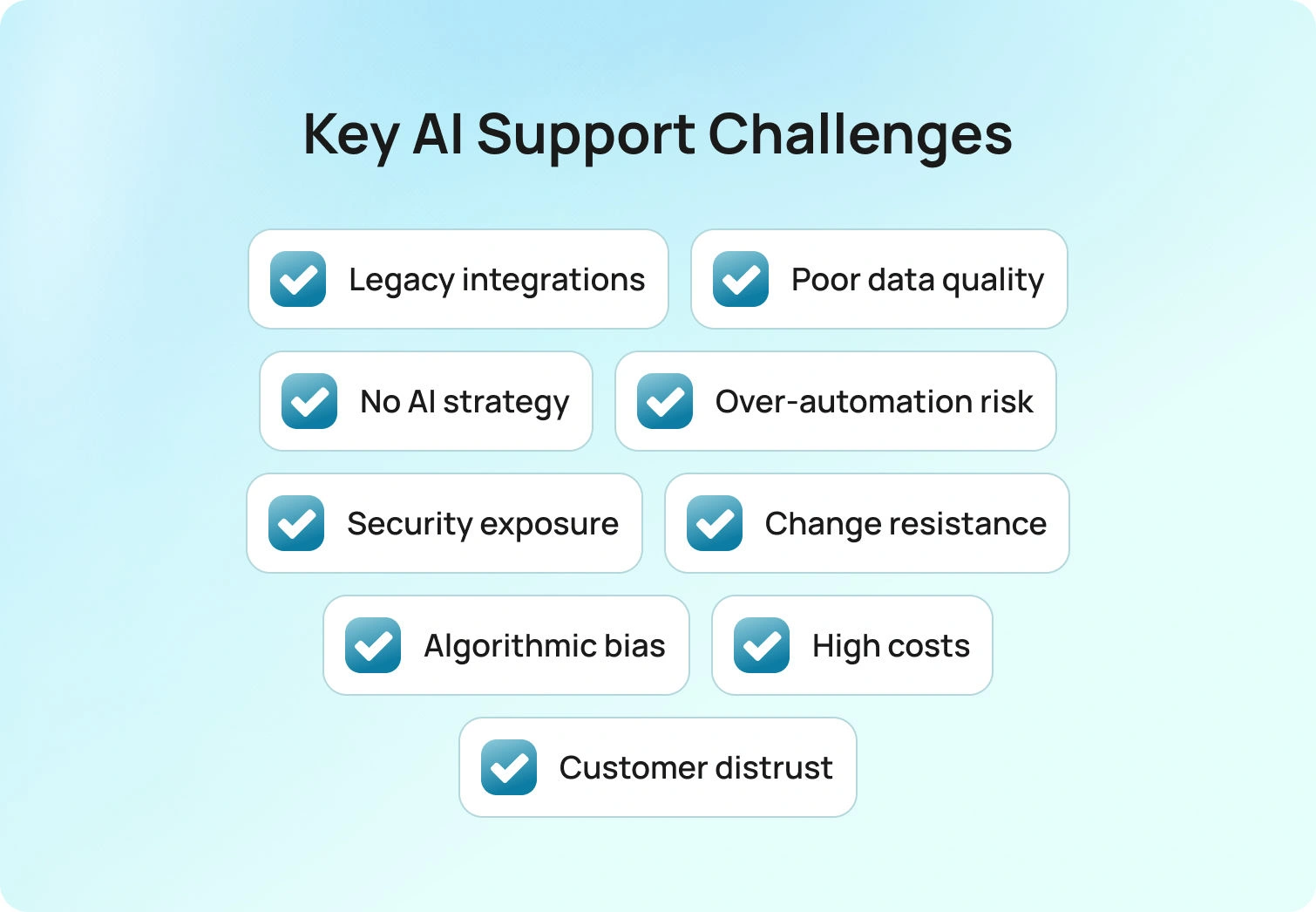
Below, we’ll break down each of these challenges of using AI for customer support and how to solve them.
1. Integration with Legacy Customer Support Systems
Most companies’ existing systems aren't ready for AI. You've got customer service platforms that are 10, 15, or 20 years old, built before anyone considered machine learning or natural language processing.
These legacy systems have incompatible data formats, outdated architecture, and limited API capabilities. When you try to plug in AI tools, nothing fits together properly. You end up needing middleware, custom APIs, and extensive engineering work just to make things talk to each other.
The Fix:
Start with a realistic assessment of what you're working with. Can your current customer support platform handle AI features, or do you need to modernize first?
Some businesses take a phased approach, implementing AI capabilities in stages rather than overhauling everything at once. Others choose platforms, like BlueTweak, that have AI functionality built in from the ground up, so you're not fighting your tech stack at every step.
Want to learn more? Get a 14-day free BlueTweak Trial
Get Trial2. Data Management and Quality Issues
AI systems rely on clean, structured, and consistent data. Unfortunately, most companies’ customer data is not up to scratch.
You've got:
- Siloed databases across departments
- CRM systems that don't talk to billing
- Support tickets in one place
- Calls in different systems
- Chat transcripts somewhere else
When you try to train AI on this fragmented chaos, you get AI-powered chatbots that give generic responses or factually wrong information.
An AI chatbot trained on incomplete customer interaction histories will confidently tell customers things that aren't true. That erodes trust fast.
Then there's the ongoing maintenance issue. Customer inquiries change. Products evolve. If your training data is from 2022 and it's now 2026, your AI is working with outdated information. It needs continuous updates, which requires robust processes and governance.
The Fix:
Data cleansing isn't pretty, but it's necessary. Before you implement AI, audit your data ecosystem.
- Where is customer information stored?
- What's the data quality like?
- What data is missing?
You'll need data transformation pipelines to create consistency across sources. Some companies use AI-powered tools to help clean and normalize data, which sounds ironic but actually works.
Also, build data governance frameworks that address compliance (GDPR, CCPA, etc.) and regularly verify data quality. This isn't a one-time project; it's an operational shift. Modern AI customer support platforms with real-time data ingestion can help maintain relevance without constant manual updates.
3. Missing Strategic Vision for AI Implementation
Many companies implement AI reactively. They see competitors doing it, so they rush to deploy AI chatbots without thinking through why or how.
Failed AI projects in customer service often stem from poorly defined customer support metrics, scattered data, and inadequate cross-departmental collaboration. When you don't have clear goals, you can't measure success (and you definitely can't optimize).
The Fix:
Start with strategy, not technology. What specific customer service challenges are you trying to solve? Where do routine tasks waste your team's time? What are your customers' expectations around response speed and availability?
Here's how one e-commerce team moved from reactive AI experimentation to a structured implementation that delivered measurable results: BlueTweak's AI-Powered Customer Support Transformation for E-Commerce Client
Map your customer success metrics before touching any AI tools. Define clear KPIs like:
- First-contact resolution rates
- Customer satisfaction (CSAT) scores
- Average handle time
- Ticket deflection rates
- Cost per interaction
Then identify high-impact use cases where AI opens up real value. That might be automated ticket routing. Maybe it's sentiment analysis to catch escalating issues early. Or perhaps it's handling the bulk of support requests, such as password resets and basic FAQs.
Use process mining tools to objectively analyze existing workflows. Find the spots where AI can actually help. Check out our guide on customer support strategies to see where AI fits into the bigger picture.
he biggest mistake we see is companies treating AI implementation as a technology project when it's really a business transformation project. The teams that succeed aren't the ones with the most sophisticated models. They're the ones who spent time defining what 'better' actually looks like before they wrote a single line of integration code.
— Radu Dumitrescu, Head of Presale & Digital Transformation, BlueTweak
4. Balancing Automation with the Human Touch
AI is great at repetitive tasks and routine queries. It can handle hundreds of customer inquiries simultaneously, 24/7, without getting tired or frustrated.
But AI isn’t great at emotional intelligence.
When a customer is dealing with a billing dispute, a service outage, or a genuinely upsetting problem, they want human empathy. They want someone who gets it. AI-powered chatbots that respond with canned sympathy feel hollow and often make things worse.
The risk of over-automation is real. If customers feel like they're stuck in an AI loop with no way to reach a real person, they bail. And they tell their friends about it.
The Fix:
Build hybrid support models that leverage both AI and human expertise. Use AI customer support chatbots to triage incoming support requests using natural language processing. Let them handle straightforward customer queries. But make escalation to human support seamless and obvious.
For complex issues, route customers to support agents equipped with AI-assisted tools, such as real-time response suggestions or AI-powered ticket summaries that provide agents with full context instantly.
Train your AI to recognize signals of frustration and escalate proactively. If a customer repeats themselves or uses language that indicates anger, that's a trigger for human intervention.
5. Security and Privacy Risks
AI-powered chatbots handle sensitive customer data: payment information, personal identifiers, and account details. That’s what makes them attractive targets for cyberattacks.
The challenges of AI in customer support include ensuring robust security measures at every touchpoint. AI algorithms must be auditable to demonstrate ethical data use. You need to comply with evolving regulations like GDPR, CCPA, HIPAA, and the EU's AI Act.
The Fix:
Build security into your AI implementation from day one. That means:
- End-to-end encryption for data in transit and at rest
- Regular security audits and penetration testing
- Access controls that limit who can see what data
- Federated learning frameworks that keep relevant information on-premises
- AI explainability tools that make decision-making processes transparent
Also, implement granular consent management systems so customers understand what data is collected and how it is used, and have clear opt-out mechanisms. Work with AI vendors that take security seriously and have proven compliance frameworks. Modern omnichannel customer support platforms should have security and compliance built into their architecture.
6. Organizational Culture and Change Management
Customer service agents often see AI as a threat to their jobs. They worry about being replaced. That leads to resistance, disengagement, and sometimes active opposition to AI implementations.
Ultimately, if your support agents feel they're being automated out of existence, they won't help make the AI work. They might even sabotage it (consciously or unconsciously) by not using it properly or by highlighting every failure.
The Fix:
Change management starts with communication. Be transparent about what AI will and won't do. Position it as an augmentation, not a replacement. Show agents how AI-driven tools and abilities can handle boring, repetitive tasks so they can focus on interesting, meaningful work.
Involve support agents in the co-design of AI implementations. Let them test tools, provide feedback, and help shape how AI fits into their workflows. When people feel ownership, resistance drops dramatically.
Celebrate successes. When AI helps solve a customer issue faster or provides accurate information that saves time, recognize it. Show the team that this tool makes their lives easier.
7. Algorithmic Bias and Ethical Concerns
AI systems learn from training data. If that data reflects historical biases (racial, gender, socioeconomic), the AI will perpetuate those biases.
The problem is that bias can be subtle. Perhaps your AI routes certain customer inquiries to less-experienced agents based on implicit assumptions in the training data. Maybe it provides different levels of service based on factors it shouldn't be considering.
When customers can't get explanations for AI decisions (like why a refund request was denied), they perceive the process as opaque and unfair. That destroys trust.
The Fix:
Implement ethical AI governance frameworks from the start. That includes:
- Diverse data sampling to reduce bias in training sets
- Continuous bias monitoring to catch problems early
- Regular audits of AI decision-making patterns
- "Right to explanation" interfaces that let customers request human reviews
Transparency builds trust. When customers understand how AI makes decisions and know they can escalate to a human, they're more comfortable with the technology.
This is an area where customer service leaders need to be proactive. Waiting until you have a bias scandal is too late.
8. Financial and Resource Constraints
Custom AI chatbot development, cloud infrastructure for AI systems, and ongoing model training costs can add up. ROI timelines often stretch beyond 18 months, which makes many businesses nervous.
For small and midsize companies, these numbers are daunting. You're looking at a major upfront investment with uncertain returns.
Then there are hidden costs nobody warns you about:
- Ongoing maintenance to update natural language processing models
- Training data management
- Integration work with existing systems
- Staff training and change management
- Compliance and security measures
Open-source AI tools can provide cost-effective entry points, but they require technical expertise to customize and maintain.
The Fix:
Build a realistic business case before committing. Calculate not just implementation costs but ongoing operational expenses. Factor in necessary adjustments and iterations—your first AI deployment won't be perfect.
Look for phased implementation approaches that let you validate ROI before scaling. Start with a pilot program targeting one high-impact use case. Measure results. Adjust. Then expand. Consider platforms that offer AI as part of an integrated solution rather than requiring separate AI vendor relationships.BlueHub (by BlueTweak) includes AI functionality such as AI chatbots, voicebots, and suggested reply features as part of the core platform.
9. Customer Acceptance and Experience Gaps
Some customers don't like AI customer support.
They don't trust it. They find it impersonal. They've had too many bad experiences with AI chatbots that couldn't understand their questions or kept them trapped in unhelpful loops.
Customer expectations have also become more sophisticated. People can tell when they're talking to AI, and many actively seek ways to bypass it and reach human agents.
The Fix:
Focus on customer experiences. Design AI interactions that feel helpful.
That means:
- Making escalation to humans obvious
- Using customer data to personalize interactions
- Being transparent about AI
- Allowing seamless toggling
- Continuously improving based on customer feedback
Personalized experiences matter. AI that can create relevant, context-aware responses (not generic responses) earns trust. But be careful not to over-personalize in ways that feel intrusive.
Also, offer self-service options that empower customers who prefer solving problems independently. A robust knowledge base with AI-powered search can deflect many support requests while maintaining high customer satisfaction.
Make AI Work in Customer Support with BlueTweak
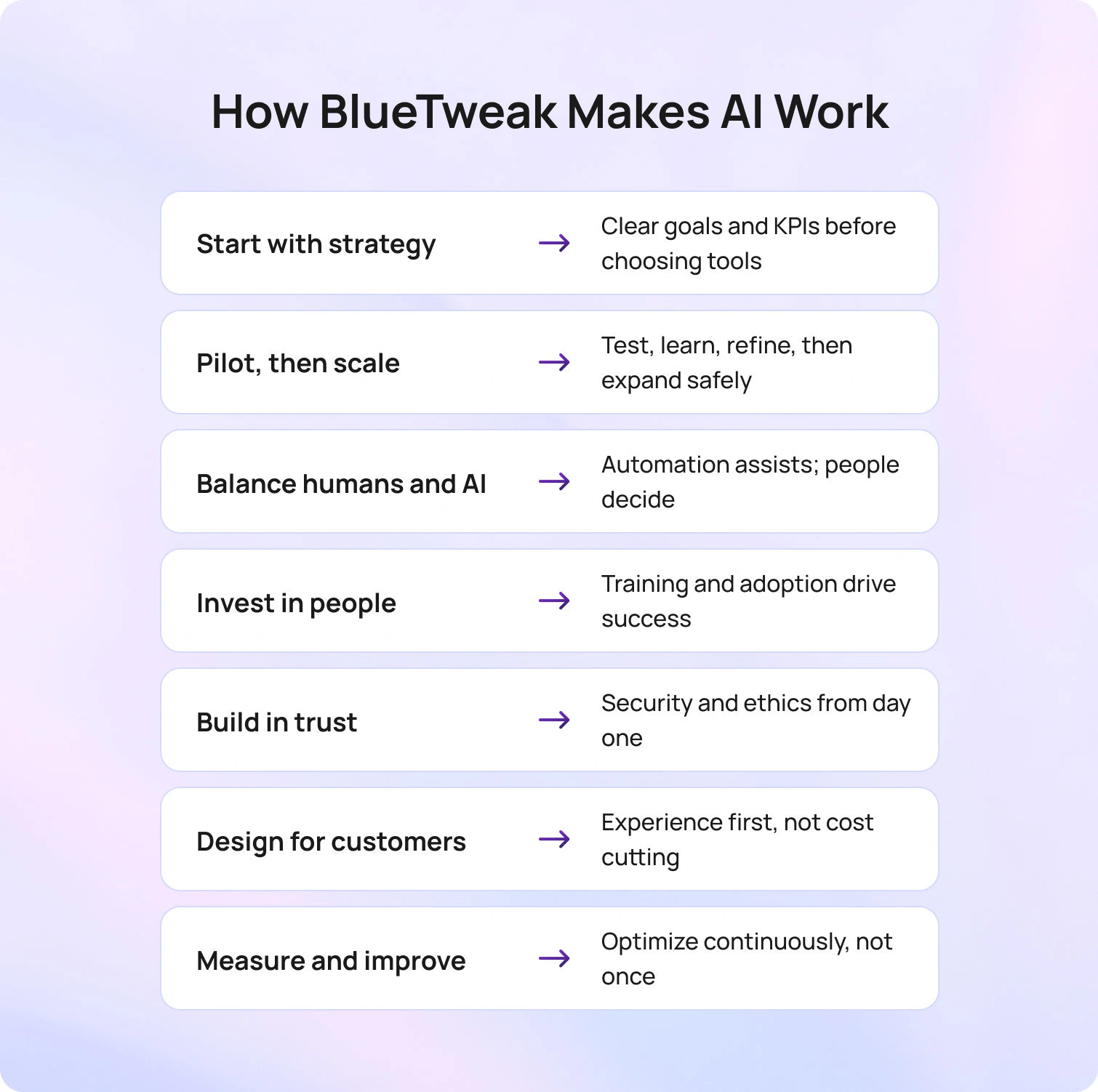
Yes, the challenges of AI-powered customer support systems are real and substantial. But they're not insurmountable.
The companies that succeed with implementing AI in customer service do a few things consistently:
- They start with strategy, not technology – Clear goals, defined use cases, measurable KPIs
- They take a phased approach – Pilot programs, validation, iteration, then scaling
- They balance AI with human expertise – Hybrid models that play to each's strengths
- They invest in their people – Training, change management, cultural buy-in
- They prioritize security and ethics – From day one, not as an afterthought
- They focus on customer needs – Not just cost reduction, but better customer experiences
- They measure and optimize continuously – AI isn't set-it-and-forget-it
Artificial intelligence AI has a pivotal role in the future of customer support. It can handle routine tasks at scale, provide predictive analytics that anticipate customer needs, and free up human agents to do what they do best.
But AI isn't magic. It's a tool that requires thoughtful implementation, ongoing maintenance, and constant refinement.
BlueTweak integrates AI-powered features, including intelligent chatbots, voicebots, ticket summarization, and proposed replies, into a unified platform built for real-world use. Request a demo to see it in action.
Request a demo today
Request Demo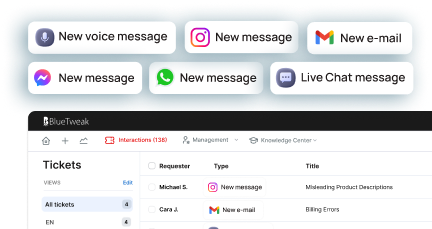

Automated Ticket Routing and Prioritization for Scalable Customer Support
The Growing Need for Automated Ticket Routing and Prioritization in Modern Customer Support
Year-on-year, customer expectations continue to rise. According to Microsoft’s most recent Global State of Customer Service report, 90% of consumers say customer service is important when choosing and remaining loyal to a brand. In parallel, PwC’s 2025 Customer Experience Survey reports that one in three customers stop doing business with a brand they love after a poor customer experience.
At the same time, support volumes are increasing across chat, email, and voice channels as digital engagement expands. This is where automated ticket routing and prioritization become essential.
Rather than relying on manual triage, organizations are adopting AI-driven systems that classify, prioritize, and distribute tickets in real time. These systems reduce delays, improve first contact resolution (FCR), and help teams scale without proportional increases in staffing.BlueTweak integrates automated ticket routing functionality across chat, voice, and email. The result is a structured, omnichannel support operation where tickets reach the right agent at the right time, with the right context.
Why Automated Ticket Routing Is Critical for Growth
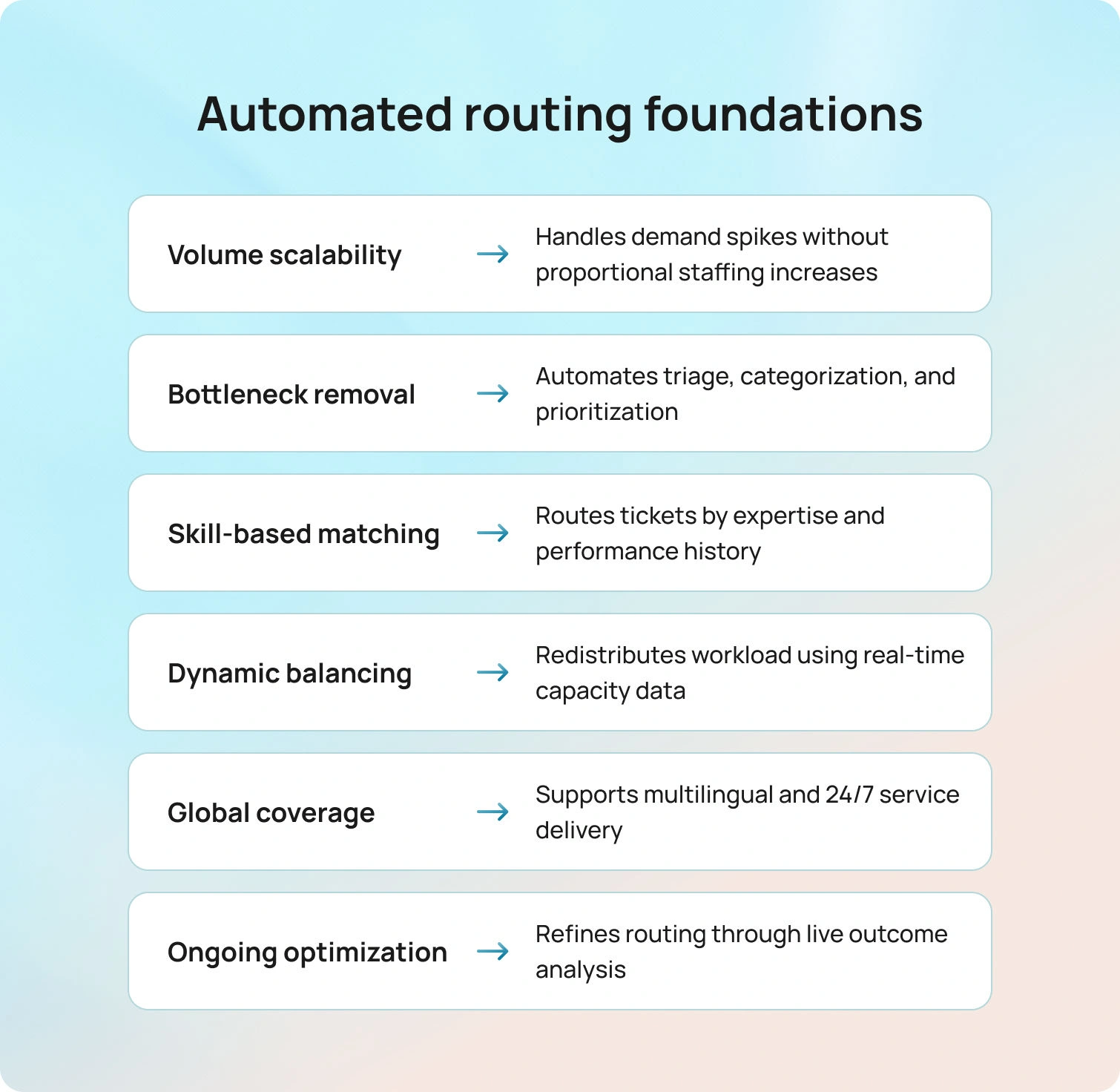
As businesses expand into new markets, launch new products, or add communication channels, support complexity increases. Manual systems struggle to keep pace.
Automated ticket routing and prioritization address this challenge by:
- Classifying tickets using natural language processing (NLP)
- Identifying sentiment and urgency
- Assigning tickets based on agent expertise
- Balancing workloads dynamically
Recent CX benchmarking studies show that organizations using AI-assisted routing report measurable improvements in average handle time and first response time compared to manual workflows.
BlueTweak’s automated ticket routing feature operates across voice, chat, and email. Every interaction becomes a structured ticket that is automatically classified, tagged, summarized, and routed to the appropriate queue.
This reduces administrative overhead and allows agents to focus on resolution and empathy rather than sorting tasks.
Managing Demand Surges Without Increasing Headcount
Seasonal spikes, marketing campaigns, and product releases can increase ticket volumes hugely. As ticket volume grows, traditional models often rely on overtime, temporary hires, or manual redistribution of work across the IT team and support agents. This approach introduces delays, increases the risk of human error, and places additional strain on customer relationships during critical growth periods.
Automated ticket routing functionality provides a more stable alternative.
When a customer submits a request, whether through chat, email, web form, or voice calls, the ticket is automatically assigned based on predefined criteria such as skill set, availability, customer status, and contractual obligations. Instead of supervisors manually sorting incoming requests, AI routing evaluates ticket data in real time and dynamically distributes work across the IT team or customer support teams.
This enables organizations to prioritize tasks intelligently and protect service continuity during peak demand. In practice, that means:
- High-priority tickets linked to a critical incident or service outage are surfaced immediately
- Tickets tied to contractual obligations are escalated according to SLA requirements
- Customer status is factored into routing decisions to support key accounts
- Routine or repetitive tasks are handled through workflow automation
- Complex issues are directed to experienced support agents without unnecessary transfers
As a result, complex issues reach the right specialists faster, while lower-risk support requests are processed efficiently without escalation loops.
Several key features make this possible:
- Real-time ticket data analysis across channels
- AI routing that continuously adapts to workload changes
- Automatically assigned tickets based on operational rules and AI insights
- Workflow automation that helps automate processes previously handled manually
Rather than relying on manual processes, tickets are automatically assigned according to structured logic. This reduces bottlenecks during demand spikes and minimizes delays that could lead to frustrated customers.
Workforce management tools within BlueTweak complement this model by forecasting capacity needs and monitoring active queues. Managers gain visibility into ticket data trends, enabling proactive decisions before performance drops. When incoming requests increase unexpectedly, the system adapts without requiring immediate hiring or redistribution of responsibilities across the IT team.
Importantly, automated ticket routing and prioritization do more than distribute workload. It strengthens the overall support process by reducing dependency on supervisors, limiting human error, and ensuring high-priority tickets are handled appropriately even when pressure is highest.
The result is operational resilience. Even as ticket volume grows, support agents remain focused on resolution rather than administrative sorting. Service continuity is preserved, customer relationships remain protected, and growth does not come at the expense of stability.
From Manual Triage to Intelligent Prioritization
Manual triage is one of the most time-consuming elements of support operations. Agents often spend significant time reviewing and assigning tickets before resolving them.
Automated ticket prioritization and routing change this model. AI models evaluate incoming tickets for:
- Keywords and contextual cues
- Customer history
- Sentiment signals
- Service-level agreements (SLAs)
Urgent or high-value cases are flagged automatically. Routine inquiries are directed to appropriate queues or, when possible, handled through automation.
Within BlueTweak, this process is enhanced by:
- AI Ticket Summary for fast context absorption
- Proposed Reply (Suggested Reply) to reduce time to first response
- Smart knowledge base retrieval for accurate information
This layered automation supports consistency and speed without removing human oversight.
Skill-Based Routing and Omnichannel Context
Not all issues are equal. Technical cases require specialists. Billing concerns require a different skill set. Multilingual inquiries require language expertise.
Automated ticket routing ensures each ticket reaches the most appropriate agent based on:
- Historical resolution performance
- Certification or specialization
- Language fluency
- Channel experience
BlueTweak’s omnichannel architecture ensures that chat, voice, and email interactions are unified within a single customer profile. Agents see full interaction history, sentiment trends, and prior resolutions before responding.
This reduces transfers and improves first contact resolution rates.
Multilingual and Time-Zone Agnostic Support
Global organizations operate across languages, regions, and time zones. As businesses expand digitally, support teams must manage customer inquiries that arrive 24/7 and in multiple languages, often simultaneously.
Without structured automation, this complexity increases misrouting, response delays, and inconsistent service quality.
Automated ticket routing and prioritization play a central role in solving this challenge. AI-powered translation models can detect the language of incoming tickets instantly and translate them in real time. From there, automated ticket routing functionality assigns each inquiry to regionally appropriate teams or language-qualified agents.
This ensures that urgent tickets are not delayed simply because they arrive outside standard working hours or in a less common language.
Within BlueTweak, real-time chat translation supports seamless cross-border conversations, while voice and email interactions are converted into structured tickets that can be classified, summarized, and routed automatically. Because BlueTweak is API-open, organizations can integrate external translation engines, CRM platforms, workforce management systems, and monitoring tools to refine routing logic further.
For example, routing rules can prioritize:
- High-value customers in specific regions
- Regulatory-sensitive inquiries that require local expertise
- Time-critical cases outside primary operating hours
This approach supports global scalability without duplicating infrastructure in every market.
As multilingual engagement continues to increase, automated ticket routing and prioritization ensure that service quality remains consistent regardless of geography. Instead of treating global expansion as an operational burden, organizations can design support workflows that scale predictably and sustainably.
Predictive Capacity Planning and Continuous Optimization
Automation does not stop at ticket distribution.
Modern automated ticket routing functionality includes predictive analytics that:
- Forecast staffing needs weeks in advance
- Identify recurring issue clusters
- Highlight performance bottlenecks
- Refine routing logic based on CSAT correlations
BlueTweak combines analytics dashboards, quality monitoring, and workforce management to help leaders track KPIs such as:
- First Call Resolution (FCR)
- Transfer Rate
- Sentiment Score
- Abandon Rate
Machine learning models continuously adapt routing rules based on new data. This supports long-term scalability and operational resilience.
ROI and Real Cost Savings
The financial case for automated ticket routing and prioritization is measurable across cost control, productivity, and long-term value creation.
Industry research shows that realizing meaningful returns from AI investments typically takes time. According to Deloitte’s 2025 survey of more than 1,800 business leaders, most organizations report satisfactory ROI from AI initiatives only after two to four years (longer than the typical payback period for traditional technology projects), suggesting that automation should be viewed as a strategic, multi-year investment rather than a quick fix.
When AI is implemented at scale and aligned with broader operational goals, its value compounds. Accenture’s research finds that organizations that scale AI strategically can achieve up to three times the return on their AI investments compared with those who do not scale beyond pilots and point solutions.
These efficiencies translate into concrete operational benefits:
- Lower misrouting rates and reduced repeat contacts
- Faster average response and handling times
- Fewer escalations requiring senior specialist involvement
- Decreased overtime during volume surges
- Faster knowledge transfer and onboarding through AI-assisted replies
Beyond cost savings, AI-driven support modernization is correlated with higher productivity and revenue growth: companies with more mature AI-led operations report significantly greater improvements in productivity and revenue metrics than their less advanced peers.
Because BlueTweak integrates automated routing with summarization, proposed replies, spam detection, and a unified knowledge base, organizations with BlueTweak avoid the inefficiencies of disconnected tools and better capture these ROI benefits. This integrated, scalable approach supports predictable growth and underscores automation as a strategic investment rather than a short-term expense.
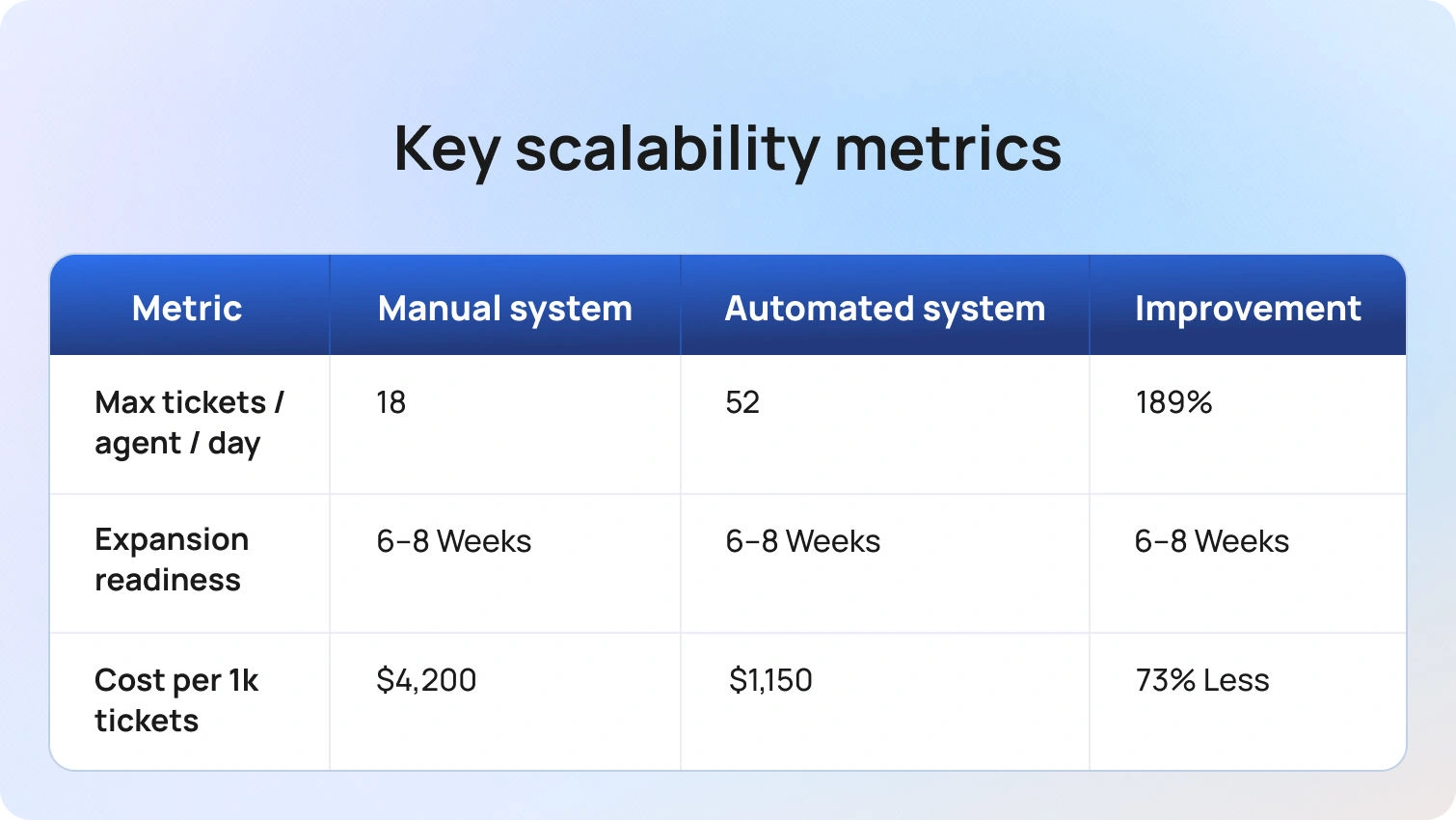
Optimization Practices
Implementing automated ticket routing and prioritization is not a one-time configuration. The real value comes from continuous refinement based on live performance data.
As customer behavior shifts, product lines evolve, and new markets open, routing logic must adapt. Static workflows quickly become outdated. Organizations that treat automated ticket routing as an evolving system, rather than a fixed ruleset, consistently see stronger performance outcomes.
One of the most effective approaches is structured experimentation. Teams can A/B test routing logic adjustments by comparing different prioritization models. For example, one routing stream might prioritize sentiment signals more heavily, while another may weigh customer lifetime value or SLA thresholds. By monitoring changes in First Contact Resolution (FCR), average handle time, and customer satisfaction (CSAT), leaders can determine which logic structure produces measurable improvement.
Sentiment-based prioritization thresholds also require ongoing review. If the system flags too many tickets as “urgent,” queues become congested, and the benefit of automated ticket prioritization and routing diminishes. Conversely, thresholds that are too strict may delay genuinely high-risk interactions. Regular calibration ensures that urgency signals align with real operational impact.
Knowledge infrastructure plays an equally important role. Automated ticket routing functionality performs more effectively when classification models are supported by a well-maintained knowledge base. As new issue types emerge, knowledge articles should be updated and embedded into routing and suggested reply logic. This strengthens AI accuracy while reducing resolution time.
Within BlueTweak, the smart knowledge base integrates directly with classification, summarization, and proposed reply features. When routing logic improves, suggested replies become more relevant. When knowledge articles are refined, response accuracy increases. Optimization, in this sense, is interconnected, not siloed.
Another critical practice is systematic misroute analysis. Even highly trained AI models occasionally assign tickets to the wrong queue. Rather than treating these as isolated errors, high-performing support teams review misrouted ticket patterns monthly. They examine whether misclassification stems from ambiguous language, new issue categories, or evolving customer terminology. These insights feed back into automated ticket routing and prioritization models, strengthening future performance.
Finally, performance data must be tied to operational KPIs. Automated routing should be evaluated not only by speed, but by outcomes such as:
- First Call Resolution (FCR)
- Transfer Rate
- Sentiment Score trends
- Abandon Rate
- Agent workload distribution
BlueTweak’s analytics, quality monitoring, and workforce management modules provide real-time visibility into these indicators. Managers can adjust routing logic, rebalance queues, and refine prioritization rules without disrupting the broader omnichannel workflow.
Optimization is not about increasing automation for its own sake. It is about aligning automated ticket routing and prioritization with measurable service outcomes. When routing logic, knowledge intelligence, and agent workflows operate in sync, support operations become more predictable, scalable, and resilient.
The Future of Automated Ticket Routing and Prioritization in AI-Driven Support Operations
Customer support is shifting from reactive ticket management to predictive service orchestration. In the past, support systems were designed to respond to incoming volume. Tickets arrived. Teams triaged them. Supervisors redistributed work when queues became congested. Even early automation focused primarily on speed rather than intelligence.
But today, that model is changing. Automated ticket routing and prioritization are evolving into a predictive control layer for the entire support operation. Instead of simply assigning tickets faster, AI models are beginning to anticipate workload pressure, detect systemic issues before they escalate, and dynamically adapt routing logic in real time.
This shift is being driven by three structural changes.
First, organizations now generate significantly more operational data than they did even a few years ago. Voice transcripts, chat logs, sentiment signals, CRM histories, and workforce performance metrics all feed into service workflows. As training datasets expand, automated ticket routing becomes more precise, reducing misclassification and improving First Contact Resolution (FCR).
Second, enterprise AI adoption has matured. Deloitte’s State of AI in the Enterprise report highlights that organizations are moving beyond isolated AI pilots toward scaled deployment embedded in core business workflows. The emphasis is shifting from experimentation to real-time decision support and operational resilience. In support environments, this means routing systems are no longer static rule engines. They are adaptive systems integrated with monitoring tools, analytics dashboards, and workforce management data.
When anomaly detection systems identify service degradation, failed transactions, or regional disruptions, pre-emptive tickets can be generated and automatically routed to the appropriate team. In this model, automated ticket prioritization and routing activate internal workflows before inbound volume spikes.
Third, AI containment is increasing. Voicebots and chatbots now resolve a growing percentage of routine inquiries without the need for escalation. This means that the tickets reaching human agents are more complex and of higher value. Routing logic must therefore evolve beyond simple load balancing. It must align specialist expertise, language capabilities, and historical performance data with nuanced customer needs.
Industry research indicates that investment in AI-driven service infrastructure continues to rise, with leaders prioritizing scalability and resilience over short-term cost savings. Automated ticket routing and prioritization are becoming foundational infrastructure within this broader shift.
Organizations that treat routing as a static configuration risk bottlenecks as complexity grows. Those that treat it as an adaptive intelligence layer gain structural advantages:
- More stable performance during volume surges
- Lower transfer rates
- Improved sentiment recovery
- Predictable scalability across regions and channels
BlueTweak is built around this architectural evolution. Its automated ticket routing operates within a unified omnichannel environment where chat, voice, and email interactions are converted into structured tickets enriched by AI summarization, sentiment analysis, and smart knowledge base intelligence.
Because BlueTweak is API-open, routing logic can integrate with CRM systems, monitoring tools, workforce management platforms, and external AI services. Classification, prioritization, proposed replies, spam detection, and contextual data enrichment operate as a coordinated system rather than disconnected tools.
Automation manages classification, prioritization, and distribution. Agents focus on judgment, empathy, and resolution.
Looking ahead, organizations that scale successfully will not simply respond faster. They will design support systems that learn continuously. Automated ticket routing and prioritization will sit at the center of that design, balancing operational control with human expertise and enabling sustainable, data-driven growth.
Final Thoughts: Automated Ticket Routing and Prioritization as the Foundation of Scalable Customer Support
In 2025, the “One-Minute Rule” emerged as a new customer experience benchmark; the expectation that brands acknowledge or respond to customer inquiries within 60 seconds across digital channels.
But in 2026, businesses are realizing that speed alone is not the full story.
The deeper shift is structural, and customer support operations must now handle higher volumes, more channels, more languages, and more complex inquiries, all while maintaining consistency, compliance, and cost control.
Meeting a one-minute response expectation is not simply about agent performance; it’s about system design. This is where automated ticket routing and prioritization become foundational.
Without automated ticket routing functionality, teams rely on manual triage, supervisor intervention, and reactive queue balancing. That model does not scale predictably. As volume increases, misroutes rise, first response times slip, escalations compound, and operational pressure builds.
Automated ticket prioritization and routing replace reactive management with structured intelligence.
Incoming tickets are instantly classified based on context, keywords, sentiment, and customer history. Urgent issues surface automatically. Skill-based routing directs cases to the right team the first time. Workloads are balanced dynamically to prevent burnout while protecting service levels.
The impact goes beyond speed. Organizations that invest in automated ticket routing and prioritization strengthen core service KPIs:
- Improved First Call Resolution (FCR)
- Lower transfer rates
- Reduced abandonment
- More stable sentiment scores
- Greater workload predictability
Scalability is about maintaining performance quality as complexity grows, as much as it is about handling an increase in ticket volume.
BlueTweak approaches this as infrastructure, not a feature add-on.
Its automated ticket routing feature operates within a unified omnichannel architecture that connects chat, voice, and email. Each interaction is converted into a structured ticket enriched by AI summarization, sentiment analysis, proposed replies, and knowledge base intelligence before reaching an agent.
Automation handles classification, prioritization, and distribution, while agents focus on judgment, empathy, and resolution.
As organizations expand into new markets, launch new services, or increase digital engagement, automated ticket routing and prioritization ensure that support capacity evolves in parallel with business growth.
The One-Minute Rule may define customer expectations at the surface level. But beneath that expectation lies something more important: intelligent routing architecture that enables sustainable, scalable service delivery.
BlueTweak is built to support that transition, helping organizations design support operations that are faster, more structured, and ready for long-term growth.
Request a demo to see how BlueTweak can strengthen your automated ticket routing and prioritization strategy.

The Transformative Impact of Multilingual Customer Support Feature on Global Business Operations
The multilingual translation feature has fundamentally reshaped how businesses engage with global audiences, breaking down linguistic barriers and enabling smooth cross-cultural communication. A customer support platform powered by advancements in artificial intelligence (AI), have transitioned from rudimentary word-for-word translation tools to sophisticated systems capable of understanding context, cultural nuances, and industry-specific terminology.
By integrating technologies such as neural machine translation (NMT), translation memory (TM), and real-time translation capabilities, modern have optimized workflows, reduced costs, and enhanced the quality of multilingual content.
However, the adoption of this tool is not without challenges, including occasional quality inconsistencies, complex integration, and the need for human oversight. For businesses, strategic implementation has led to measurable gains in market reach, customer satisfaction, and revenue growth, particularly when combined with robust localization strategies.
I. The Evolution of Multilingual Translation Support Platforms
From Manual Processes to AI-Driven Translation Automation
The history of translation technology reflects a journey from labor-intensive manual processes to highly automated, AI-powered systems. Early machine translation (MT) systems, developed in the mid-20th century, relied on rule-based algorithms that often produced stilted, inaccurate translations due to their inability to handle syntax, idioms, or cultural context.
The introduction of statistical machine translation in the 1990s marked a significant improvement by leveraging large bilingual datasets to predict translations probabilistically. However, it wasn’t until the emergence of neural machine translation (NMT) in the 2010s that translation quality saw a quantum leap. NMT models, built on deep learning architectures, analyze entire sentences rather than individual words, enabling context-aware translations that better preserve meaning and tone.
Modern translation platforms now combine NMT with complementary technologies such as translation memory (TM), which stores previously translated segments for reuse, and terminology management systems, ensuring consistency across projects.
For instance, translation tools that enhance AI, not only retrieve exact matches, but also suggest contextually appropriate alternatives based on tone and industry-specific jargon. This integration has been pivotal in industries like legal, healthcare, and e-commerce, where precision and consistency are non-negotiable.
The Rise of Translation Management Systems (TMS)
The feature represents a paradigm shift in how organizations handle multilingual content. A good customer support platform centralizes translation workflows, offering features like automated project tracking and real-time collaboration. By eliminating silos between departments, this feature enables enterprises to manage translations while maintaining brand consistency.
A critical innovation is continuous localization, which automates the translation of dynamic content such as software strings, website updates, and social media posts. AI-driven systems detect changes in source content, trigger translations, and deploy updates across multilingual platforms without manual intervention. This capability is particularly valuable for agile enterprises operating in fast-paced markets, where delays in localization can hinder time-to-market and competitive advantage.
Read more about: The Future of AI in Business Operations
II. Advantages of Modern Multilingual Translation Tool for Customer Support
Enhanced Efficiency and Scalability
AI-powered translation platforms excel in processing large volumes of content rapidly. For instance, a single system can translate documents into dozens of languages simultaneously, a task that would require an army of human translators.
This scalability is indispensable for global enterprises managing multilingual websites, product catalogs, and customer support portals. Automation further streamlines workflows by handling repetitive tasks such as file formatting, quality assurance checks, and terminology validation, freeing linguists to focus on creative and nuanced aspects of translation.
Cost Reduction and ROI Acceleration
The financial benefits of translation platforms are multifaceted. By automating the initial translation phase, businesses reduce reliance on expensive human translators for routine tasks. Post-editing machine-translated content typically costs 30–50% less than traditional human translation, according to industry estimates. For instance, one of our clients’ hybrid AI-human model claims to reduce localization costs by up to 70% while maintaining high-quality standards. These savings are particularly impactful for startups seeking to enter global markets without exorbitant upfront investments.
Moreover, translation platforms for customer support service minimize hidden costs associated with errors and inconsistencies. AI-driven quality assurance tools flag mistranslations, formatting issues, and terminology deviations before publication, mitigating risks like brand dilution or legal liabilities.
For example, a mistranslated product description could lead to regulatory fines in markets with strict labeling laws. By catching such errors early, platforms prevent costly revisions and reputational damage.
Improved Customer Experience and Market Penetration
Localization is a cornerstone of customer-centric global strategies. Research indicates that 68% of consumers are more likely to purchase from brands offering support in their native language, while 64% of U.S. consumers would pay a premium for such experiences. Customer support platforms that integrate cultural adaptation enable businesses to resonate deeply with local audiences.
The ability to rapidly localize content also supports agile market entry. For instance, a company used a localization system to launch its app in a new region within three months, adapting interfaces to local languages and regulatory requirements. This speed-to-market allowed the firm to capitalize on emerging trends ahead of competitors, securing a 15% market share within a year
These tools not only save money by lowering translation costs but also help avoid costly errors that can harm brand reputation. As organizations continue to embrace these innovative solutions, the potential for enhanced multilingual customer service and stronger market presence will only grow!
Read more about: The Hidden Costs of Inefficient Customer Support Systems
III. Disadvantages and Limitations of Current Solutions
Quality Variability and Contextual Gaps
Despite significant advancements, machine translation (MT) still faces challenges with complex linguistic constructions. Idioms, sarcasm, and culturally specific references often lead to awkward or inaccurate translations. For instance, early attempts to translate literary texts frequently distorted metaphors and disrupted narrative flow, necessitating considerable human revision.
Quality inconsistencies become even more pronounced in specialized fields that require expert knowledge. Medical translations, for example, demand precision in terminology to avoid potentially life-threatening errors. As a result, human experts are still essential to validate outputs, especially in high-stakes situations.
Integration and Operational Challenges
Adopting translation platforms often requires overhauling legacy systems, a process that comes with significant technical and organizational challenges. Enterprises that use multiple CMS, CRM, and ERP systems encounter difficulties with integration, as only 29% of language service providers (LSPs) offer direct connectors for popular platforms. According to a 2024 survey, 43% of localization projects were delayed due to internal resistance and insufficient training.
Data security is another major concern. While cloud-based systems offer scalability, they also require businesses to entrust sensitive content to third-party servers. A breach in a translation provider’s system can expose proprietary information, as demonstrated by a 2023 incident where a major LSP leaked unreleased product specifications during a cyberattack.
Businesses need to balance these limitations with the advantages to ensure they provide reliable multilingual support while keeping sensitive information safe.
AI translation tools offer significant advantages, including rapid and cost-effective translations that enhance communication efficiency. Additionally, these tools continuously improve through machine learning, ensuring higher quality and more accurate translations over time, which ultimately leads to a better customer experience.
Read more about: Customer Support Challenges and How the Right Software Can Solve Them
IV. Multilingual Customer Support: Business Impact and Strategic Value
Revenue Growth and Competitive Differentiation
Companies investing in translation and localization report significant financial returns. Firms that increased translation budgets were 1.5 more likely to experience revenue growth, while those prioritizing multilingual customer experiences saw 2.67 higher profit margins. Localization also plays a key role in customer retention, 74% of consumers are more likely to repurchase from brands that offer post-sale support in their native language.
Risk Mitigation and Compliance
Translation feature aid compliance with regional regulations, such as the EU’s General Data Protection Regulation (GDPR) and California’s Consumer Privacy Act (CCPA). Automated tools ensure that privacy policies, terms of service, and consent forms are accurately translated, reducing legal risks.
Investing in multilingual customer support delivers significant business impact, driving revenue growth and enhancing competitive advantage. Companies that prioritize translation and localization not only see higher profits but also improve customer retention by providing essential support in native languages. Furthermore, automated translation tools help mitigate risks and ensure compliance with regulations like GDPR and CCPA, safeguarding businesses from potential legal issues and reinforcing trust with their customers.
Read more about: Reducing Customer Support Costs: Efficiency without Sacrificing Quality
V. Challenges and Best Practices
Overcoming Organizational Silos
Enterprises often struggle with fragmented translation efforts across departments. A global retailer, for instance, found that its marketing and customer service teams used separate LSPs, leading to inconsistent brand messaging in Spanish markets. By adopting a unified translation system and establishing a central localization office, the company reduced redundant spending by 35% and improved message alignment.
Selecting the Right Technology Partner
Choosing a platform requires evaluating scalability, integration capabilities, and support. Businesses should prioritize vendors with robust API support, enabling custom integrations with proprietary systems.
Multilingual Customer Support feature have irrevocably altered the global business landscape, empowering organizations to transcend linguistic barriers and cultivate meaningful connections with diverse audiences. While challenges like quality assurance and system integration persist, the strategic adoption of these tools, coupled with human expertise, delivers unparalleled efficiencies, cost savings, and market opportunities.
As AI continues to evolve, future platforms will likely achieve near-human translation quality while further automating complex workflows. For businesses, the imperative lies in selecting solutions that align with their operational needs and cultural objectives, ensuring that language becomes a bridge rather than a barrier to global success.
Read more about: The Future of Customer Support: 6 Trends to Watch in 2025
In a world where effective communication is key, BlueHub's Multilingual Customer Support solution offers a seamless way to connect with a global audience. Utilizing advanced Neural Machine Translation techniques, our platform ensures accurate and meaningful translations tailored to various contexts and industry needs. This not only enhances the customer experience by catering to their preferred language but also improves agent productivity, allowing for efficient management of multilingual inquiries.



