



TL;DR
The best customer support knowledge base software helps customers resolve issues independently while giving agents instant access to accurate information. We compared the best knowledge base software for customer support, evaluating ten leading platforms based on AI-powered search, knowledge base management, analytics, collaboration features, pricing, and customer experience. BlueTweak stands out for businesses that want customer service knowledge base software combined with omnichannel support, AI automation, workforce management, and quality assurance in one platform.
Customers expect instant answers, but many businesses still rely on outdated internal documentation spread across multiple tools. When agents spend time searching for relevant articles instead of helping customers, response times increase and customer experience suffers.
The right customer support knowledge base software centralises internal knowledge management, improves search quality, and helps customers resolve issues independently. Platforms like BlueTweak go even further by combining AI-powered search, customer service knowledge base management, omnichannel support, and workforce management in a single solution.
In this guide, we'll compare ten of the best knowledge base software platforms based on features, pricing, AI capabilities, integrations, and overall value.
Pick a Knowledge Base That Deflects Tickets
Choosing recommended knowledge management software for customer support isn't about who can host the most articles. It's about whether customers can actually solve their own problems or whether you've just built a prettier maze for agents to navigate.
A knowledge base ranges from glorified document storage to real knowledge platforms with AI-powered answer suggestions, multilingual support, and analytics that show whether self-service is doing its job.
Some tools help deflect tickets. Others just add another system to maintain without moving the needle.
The knowledge base question we hear most often isn't ‘where do we store our articles?', it's ‘why are customers still opening tickets after we published the answer?' That gap between content existing and content working is exactly where most implementations fail. A knowledge base that can't prove deflection isn't a support asset; it's a maintenance burden.
The 10 knowledge base tools genuinely reduce support volume, and we'll show you which ones are worth your consideration.
Best Customer Support Knowledge Base Software At a Glance
Every platform takes a different approach to knowledge base management. Some focus on standalone internal knowledge bases, while others combine customer service knowledge base software with AI-powered support, automation, and omnichannel capabilities. Use the comparison table below for a quick overview before exploring each platform in more detail.
| Platform | Starting Price | AI-Powered Search / Grounding | Standalone KB |
|---|---|---|---|
| BlueTweak | €65/agent/month | Yes, native KB-grounded AI | No (unified customer service platform) |
| Zendesk Guide | Included with Suite plans (from $55/agent/month) | Partial (higher tiers) | No |
| Freshdesk | Free (up to 10 agents) | Partial (higher tiers) | No |
| Zoho Desk | Free (up to 3 agents) | Partial (Enterprise plan) | No |
| Help Scout | Free (up to 5 users) | Limited (usage-based AI) | No |
| Intercom | $29/seat/month | Yes (Fin AI, usage-based) | No |
| Salesforce Knowledge | $175/user/month | Yes (Einstein AI) | No |
| HubSpot Service Hub | Free (KB from Professional plan) | Yes (Professional+) | No |
| Document360 | Custom pricing | Yes (AI Premium Suite) | Yes |
| Guru | Custom pricing | Yes | Yes |
While every platform in this comparison helps organizations manage and share knowledge, they serve different needs. Dedicated knowledge management platforms such as Document360 and Guru focus on creating and maintaining documentation, while customer service platforms like BlueTweak, Zendesk, and Freshdesk combine knowledge base functionality with ticketing, AI-powered support, and omnichannel customer service. The best choice depends on whether you're looking for a standalone knowledge base or a complete customer support solution.
10 Customer Support Knowledge Base Software Options for 2026
Below are the current knowledge management platforms evaluated by customer service teams. Pricing and features are based on vendor websites as of January 2026. Where pricing is not transparent, we note “Contact sales” or “Custom pricing.”
1. BlueTweak: Best for Unified AI-Powered Customer Support

BlueTweak delivers an all-in-one CCaaS platform merging voice, chat, email, and social with AI automation, workforce management, and an integrated knowledge base. Built for mid-market operations (20-100 agents), it provides KB-grounded AI ensuring support agents and customers receive accurate, sourced answers.
Best for: Mid-market customer service teams that want customer service knowledge base software alongside omnichannel support, AI automation, workforce management, and quality assurance. BlueTweak helps businesses reduce context switching by giving internal teams, technical teams, and customer-facing agents instant access to up-to-date knowledge from a single platform.
Key features:
- Centralized knowledge base with hierarchical organization
- KB-grounded AI for agent assist and customer self-service
- AI-powered reply suggestions citing knowledge articles
- Approval workflows and version control
- Multilingual support across 35+ languages
- Search with intent understanding
- Analytics showing deflection and article performance
- Customer support automation workflows
- Customer service quality assurance is built in
- Customer service analytics dashboards
"A knowledge base isn't successful because it contains thousands of articles. It's successful when customers stop opening tickets because they find the right answer immediately." — Radu Dumitrescu, Head of Presales & Digital Transformation at BlueTweak
Pros:
- KB integrated with omnichannel support, eliminating tool sprawl.
- AI grounding prevents agents from providing incorrect information.
- Multilingual capabilities support global operations.
- Analytics show that a knowledge base reduces support tickets.
- Included in a unified platform (no separate KB subscription).
Cons:
- Newer platform versus established KB-only vendors.
- Best for teams wanting a full support platform, not a standalone KB.
- Requires setup alongside broader platform implementation.
- Smaller ecosystem than dedicated knowledge tools.
BlueTweak in Action:
The Europe Direct Contact Centre (EDCC) transformed its knowledge-driven customer support with BlueTweak by combining AI-powered message categorisation, intelligent duplicate detection, advanced filtering, and seamless knowledge base integration. Agents gained instant access to accurate, relevant information while project managers benefited from real-time reporting, quality assessments, and greater visibility into team performance.
The results were significant: workflow efficiency improved by 35%, the introduction of automated quality assessments reduced time wastage by 43%, and deeper integration with the knowledge base and existing systems delivered a 36% increase in overall operational efficiency. The project demonstrates how the right customer service knowledge base can streamline internal knowledge management, improve agent productivity, and deliver faster, more consistent customer assistance.
Pricing:
- €65/agent/month (includes ticketing, voice, email, chat, social messaging, AI-powered assistance, workforce management, quality assurance, reporting, and integrations)
- AI usage is charged separately on a transparent, pay-per-interaction basis, making it easier to predict costs as support volumes grow. BlueTweak doesn't gate core platform features behind higher pricing tiers, and all plans include unlimited users and integrations
Want to understand the business impact before switching platforms? Use BlueTweak's ROI Calculator to estimate how AI-powered search, automation, and knowledge management can reduce ticket volumes and improve agent productivity.
2. Zendesk: Best for Large Teams Already Using the Zendesk Ecosystem

Zendesk provides a cloud-based help desk with a guide knowledge base included in Suite plans. Strong for teams wanting integrated ticketing and KB without separate subscriptions.
Best for: Zendesk is best for growing and enterprise customer service teams that already use the Zendesk ecosystem and want an integrated customer service knowledge base with extensive third-party integrations. It's a strong option for organizations prioritising scalability, although advanced AI, workforce management, and quality assurance capabilities are reserved for higher-tier plans.
Key features:
- Guide knowledge base with article editor
- Content blocks and templates
- Multi-brand support
- Multilingual capabilities
- Basic AI for article suggestions
- Workflow automation for publishing
- Analytics and reporting
- Integration with Zendesk Support
Pros:
- Integrated with the ticketing platform.
- Multi-brand KB support.
- Good multilingual capabilities.
- Strong marketplace ecosystem.
Cons:
- Advanced features require higher tiers.
- AI grounding is less sophisticated than specialized tools.
- Primarily designed for the Zendesk ecosystem.
- Can feel limited when dealing with complex knowledge needs.
Pricing:
- Support Team: $19/agent/month (billed annually)
- Suite Team: $55/agent/month (billed annually)
- Suite Growth: $89/agent/month (billed annually)
- Suite Professional: $115/agent/month (billed annually)
- Suite Enterprise: From $169/agent/month (billed annually)
Note: Zendesk includes its customer service knowledge base within Suite plans, but capabilities such as advanced AI, workforce management, and quality assurance are primarily available on higher tiers. Businesses should factor in these upgrades when evaluating the total cost of ownership.
3. Freshdesk: Best for Small Teams Wanting Simple Knowledge Management
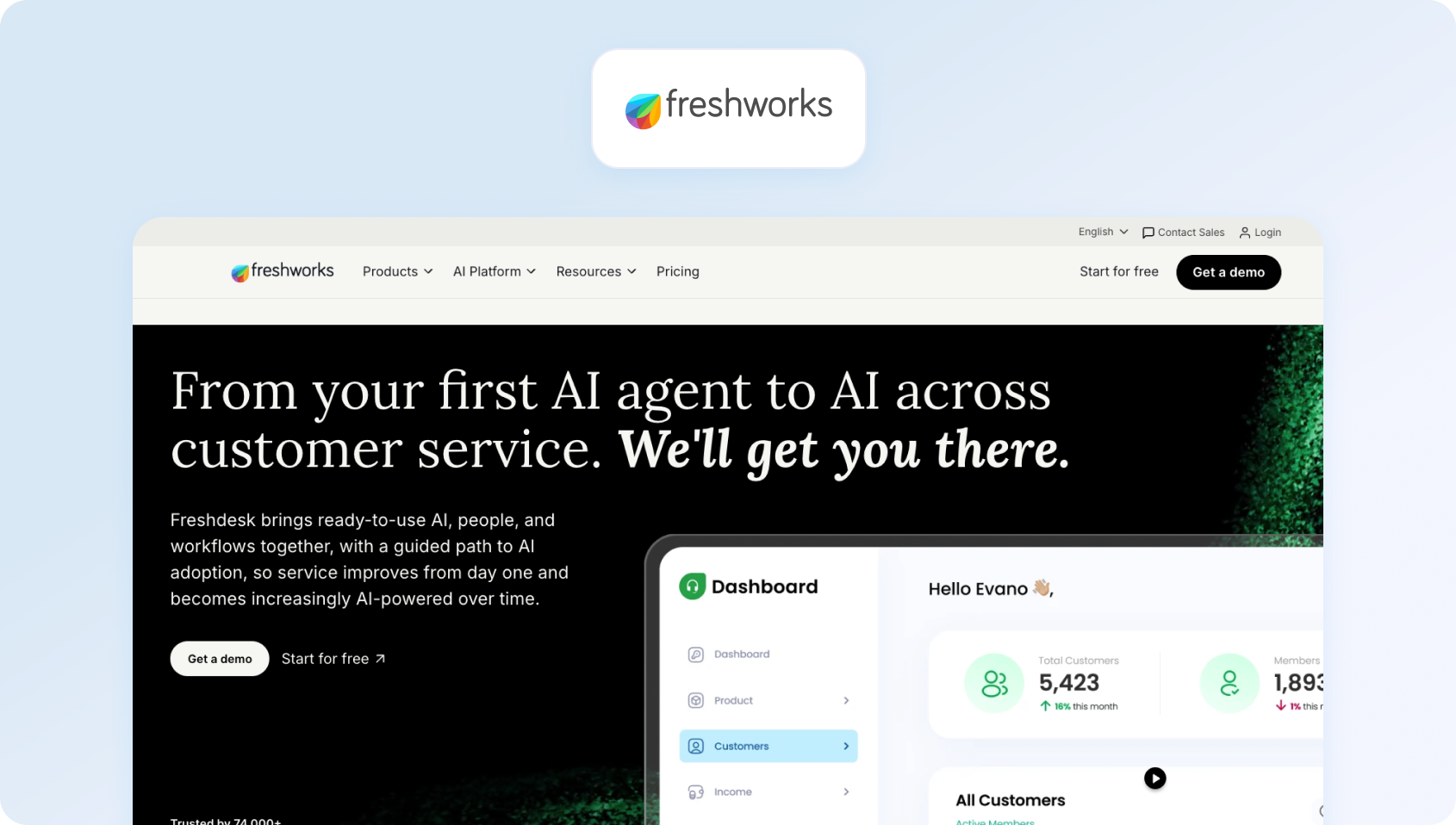
Freshdesk offers a cloud-based help desk with a built-in knowledge base. An affordable option for small teams seeking basic knowledge management alongside ticketing.
Best for: Freshdesk is best for small and growing customer service teams that want an affordable help desk with a built-in customer service knowledge base. It's well suited to businesses looking for straightforward ticket management, self-service, and basic automation, although more advanced AI, analytics, and customisation require higher-tier plans.
Key features:
- Knowledge base with an article editor
- SEO-optimized help center
- Multilingual support
- Article suggestions
- Basic analytics
- Integration with Freshdesk ticketing
Pros:
- Affordable for small teams.
- Integrated with ticketing.
- SEO capabilities for public help centers.
- Easy setup and use.
Cons:
- Basic knowledge features compared to specialized tools.
- Limited workflow automation.
- AI capabilities require add-ons.
- Better as a ticketing platform than a knowledge management system.
Pricing:
- Free: $0 (basic ticketing for up to 10 agents)
- Growth: $19/agent/month (billed annually)
- Pro: $49/agent/month (billed annually)
- Enterprise: $79/agent/month (billed annually)
Note: Freshdesk includes a customer-facing knowledge base across its plans, making it accessible for smaller teams. However, businesses needing advanced AI, deeper knowledge base management, custom workflows, or enterprise-level analytics should expect to move to the higher tiers as their support operation grows.
4. Intercom: Best for SaaS Teams Delivering In-Product Self-Service

Intercom combines messaging, chatbot, and articles in its knowledge base. Strong for SaaS companies wanting proactive customer engagement with embedded help.
Best for: Intercom is best for SaaS and technology companies that want to combine proactive customer messaging with a customer-facing knowledge base and AI-powered support. It's a strong choice for businesses focused on in-product customer assistance, although advanced automation and AI costs can increase as usage grows.
Key features:
- Articles knowledge base
- In-product help widgets
- Fin AI bot accessing articles
- Multilingual support (45+ languages)
- Content targeting by user attributes
- Analytics and reporting
Pros:
- Strong in-product help experience.
- Modern interface and authoring.
- Good multilingual bot capabilities.
- Effective for SaaS use cases.
Cons:
- Less comprehensive than dedicated KB tools.
- Limited workflow automation.
- Primarily designed for chat-first support.
- Not ideal for complex documentation needs.
Pricing:
- Essential: $29/seat/month (billed annually)
- Advanced: Custom pricing
- Expert: Custom pricing
- Fin AI Agent: $0.99 per resolved conversation (usage-based)
Note: Intercom combines per-seat pricing with usage-based AI costs, making it important to evaluate total cost of ownership as conversation volumes increase. While its customer service knowledge base integrates well with chat and in-app messaging, businesses requiring deeper knowledge base management, internal documentation, or enterprise search capabilities may find dedicated knowledge base software platforms offer greater flexibility.
5. Help Scout: Best for Small Teams Prioritising Simple Self-Service
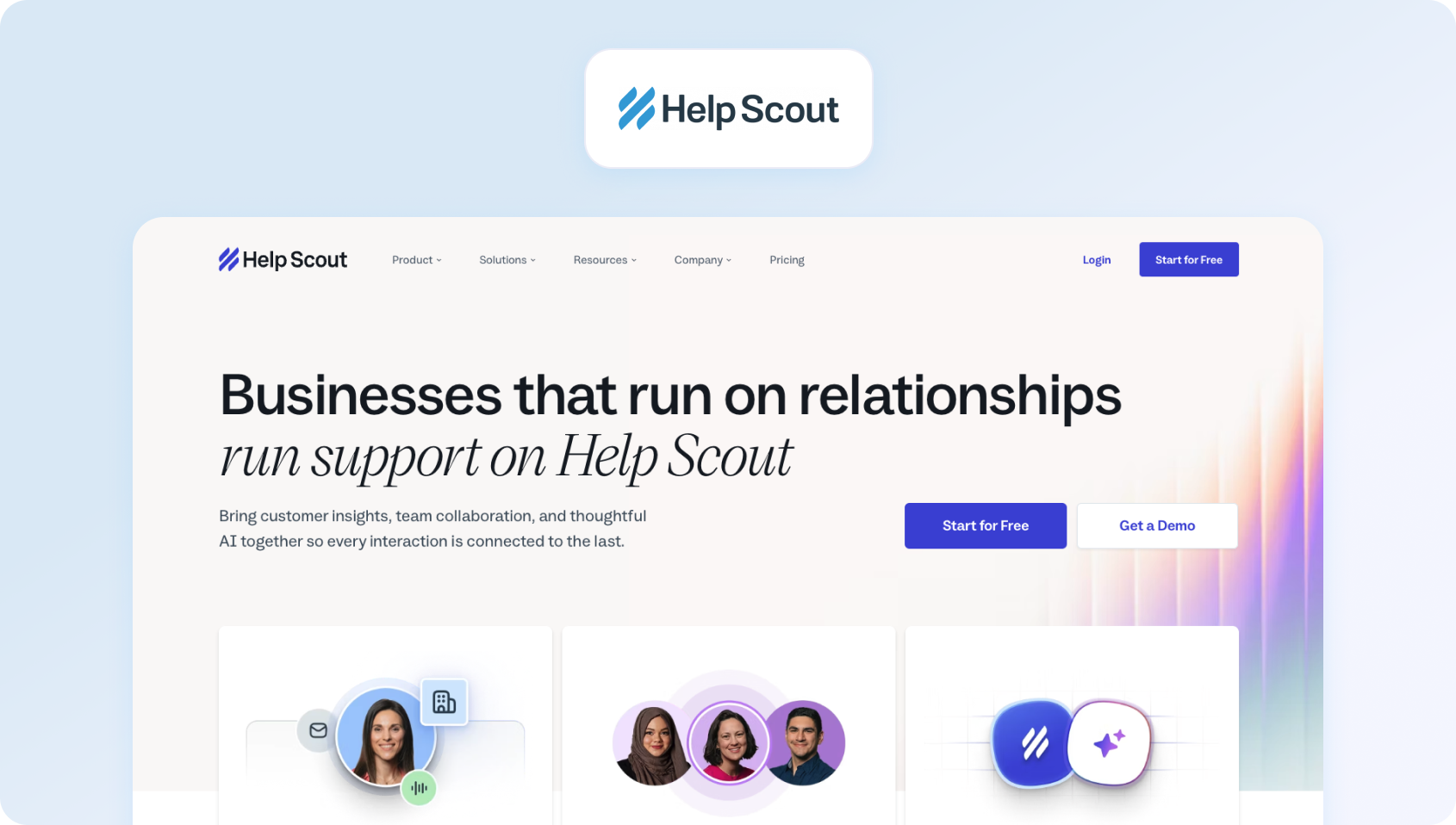
Help Scout provides an email-centric help desk with a Docs knowledge base. Clean authoring experience emphasizing simplicity for small teams.
Best for: Help Scout is best for small to mid-sized customer service teams that want a straightforward shared inbox alongside an easy-to-manage customer service knowledge base. It's ideal for businesses focused on delivering personalised support and enabling customers to resolve issues independently without the complexity of enterprise help desk platforms.
Key features:
- Docs knowledge base
- Simple article editor
- Site customization and branding
- Basic search functionality
- Suggested articles in tickets
- Analytics on article performance
Pros:
- Clean, simple authoring experience.
- Good for straightforward documentation.
- Affordable for small teams.
- Integrated with Help Scout tickets.
Cons:
- Basic features compared to specialized tools.
- Limited workflow and approval capabilities.
- Missing advanced search and AI.
- Not designed for complex knowledge management.
Pricing:
- Free: $0 (up to 5 users)
- Standard: $25/user/month (billed annually)
- Plus: $45/user/month (billed annually)
- Pro: $75/user/month (billed annually)
Note: Help Scout includes its Docs customer-facing knowledge base across all plans, making it an accessible option for smaller teams. However, organizations that need advanced knowledge base management, AI-powered search, enterprise search, or more sophisticated analytics and collaboration features may need to supplement it with other tools or consider more comprehensive platforms.
6. Zoho Desk: Best for Businesses Using the Zoho Ecosystem

Zoho Desk offers context-aware ticketing with a built-in knowledge base. Affordable option for teams in the Zoho ecosystem.
Best for: Zoho Desk is best for small and mid-sized businesses already using Zoho products that want an integrated customer service knowledge base alongside help desk software. It's a good fit for organizations looking to connect customer support with CRM systems, automation, and other Zoho applications without investing in a separate knowledge management platform.
Key features:
- Knowledge base with article editor
- Community forums
- Multilingual support
- Article suggestions for agents
- Basic analytics
- Integration with the Zoho suite
Pros:
- Very affordable pricing.
- Good for Zoho ecosystem users.
- Community forum capabilities.
- Decent multilingual support.
Cons:
- Interface feels dated.
- Limited compared to specialized KB tools.
- Basic workflow automation.
- Best within the Zoho environment.
Pricing:
- Free: $0 (up to 3 agents)
- Standard: $14/agent/month (billed annually)
- Professional: $23/agent/month (billed annually)
- Enterprise: $40/agent/month (billed annually)
Note: Zoho Desk includes both internal and customer-facing knowledge base capabilities, making it a cost-effective option for growing support teams. However, businesses requiring advanced AI-powered search, enterprise search, deeper knowledge base management, or more sophisticated analytics may need to evaluate whether the higher-tier plans provide enough flexibility for long-term growth.
7. Salesforce Knowledge: Best for Enterprises Standardising on Salesforce
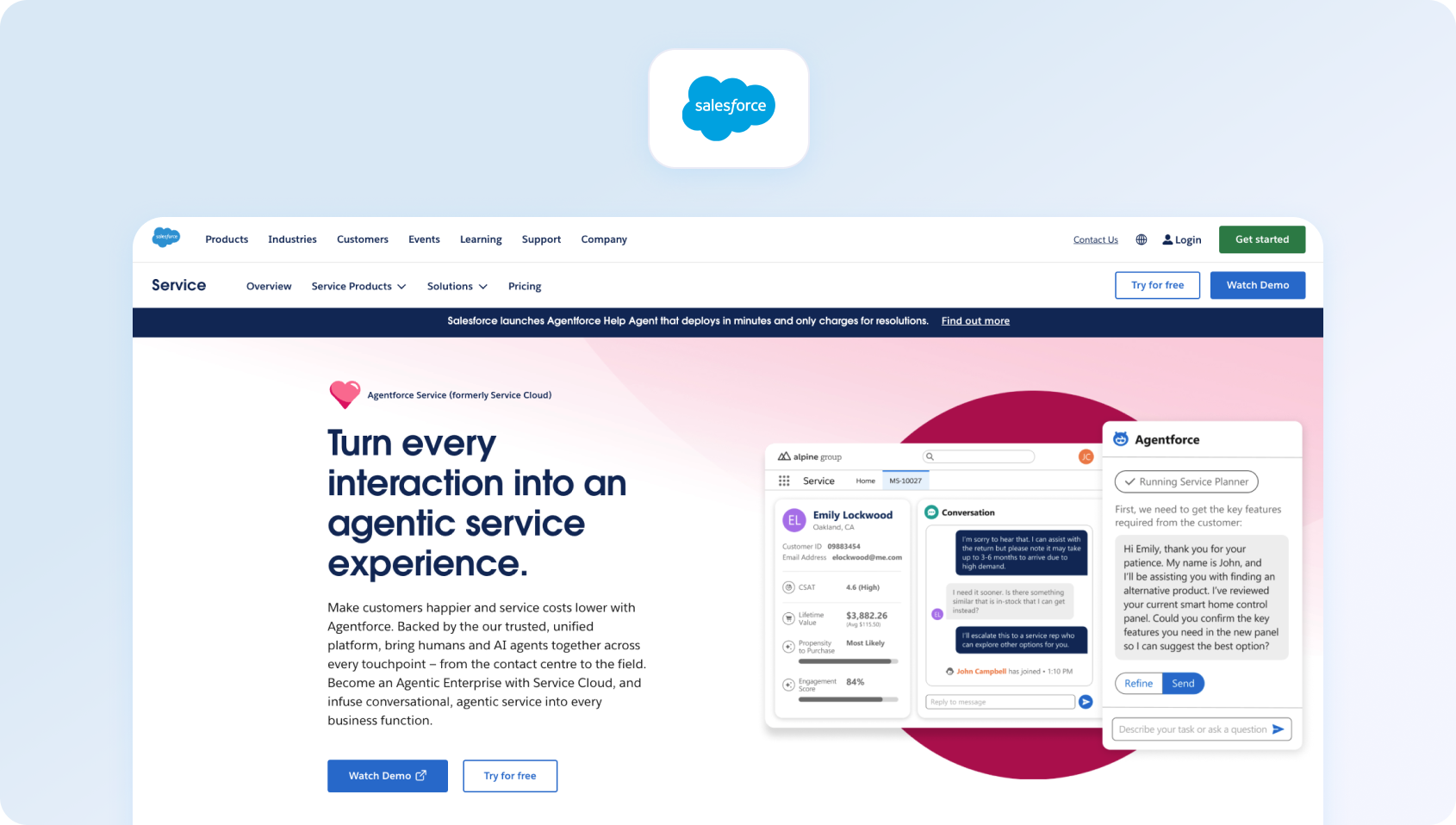
Salesforce Knowledge provides enterprise knowledge management within Service Cloud. Sophisticated capabilities for large organizations that are already invested in the Salesforce ecosystem.
Best for: Salesforce Knowledge is best for large enterprises already using Salesforce CRM that want enterprise-grade knowledge base management integrated with their customer service operations. It's a strong choice for organizations managing complex support environments, although its advanced capabilities and pricing are better suited to businesses with significant Salesforce investment.
Key features:
- Rich article editor with templates
- Approval workflows and versioning
- Multi-channel publishing
- Data categories and tagging
- Einstein AI for article recommendations
- Multilingual capabilities
- Advanced analytics
- Deep Salesforce integration
Pros:
- Sophisticated enterprise features.
- Deep Salesforce ecosystem integration.
- Advanced workflow capabilities.
- Strong analytics and reporting.
Cons:
- Expensive, especially with required add-ons.
- Complex requiring Salesforce expertise.
- Overkill without Salesforce investment.
- Steep learning curve.
Pricing:
- Enterprise: $175/user/month (includes Salesforce Knowledge)
- Unlimited: $350/user/month
- Agentforce 1 Service: $550/user/month
Note: Salesforce Knowledge is available from the Enterprise plan upwards and is designed to work seamlessly within the wider Salesforce ecosystem. While it offers robust knowledge base management, workflow automation, and AI-powered customer assistance, organizations should consider the overall cost of ownership, as additional Salesforce products and higher-tier plans may be needed to unlock the full customer service experience.
8. HubSpot Service Hub: Best for Businesses Using the HubSpot CRM Platform

HubSpot Service Hub includes a knowledge base as part of the customer service platform. Good for teams wanting unified marketing, sales, and service tools.
Best for: HubSpot Service Hub is best for small and mid-sized businesses already using HubSpot CRM that want a customer service knowledge base integrated with their sales, marketing, and customer support data. It's a strong option for organizations looking to deliver a connected customer experience, although many advanced service features are only available on higher-tier plans.
Key features:
- Knowledge base included (Professional tier+)
- Article editor with templates
- Help desk workspace integration
- Breeze AI agent (Professional+)
- SEO optimization
- Analytics and reporting
- Integration with HubSpot CRM
Pros:
- Integrated with the HubSpot ecosystem.
- Good for unified CRM/service approach.
- AI agent in the Professional tier.
- Strong reporting capabilities.
Cons:
- KB only in the Professional tier ($100/seat).
- Features gated behind expensive tiers.
- Better for HubSpot users than a standalone KB.
- Complex pricing with add-ons.
Pricing:
- Free: $0
- Starter: $20/seat/month (billed annually)
- Professional: $90/seat/month (billed annually)
- Enterprise: $150/seat/month (billed annually)
Note: HubSpot Service Hub includes its customer-facing knowledge base from the Professional plan onwards, alongside customer feedback tools and advanced automation. Businesses planning to use HubSpot's AI capabilities should also factor in HubSpot Credits, as higher usage may require additional purchases beyond those included with paid plans.
9. Document360: Best for Businesses Needing Dedicated Knowledge Base Management
Document360 delivers dedicated knowledge base software for both internal and external documentation. Strong for teams wanting sophisticated knowledge management without bundled support tools.
Best for: Document360 is best for organizations that want a dedicated knowledge management platform to build both internal and customer-facing knowledge bases. It's well suited to teams managing extensive internal documentation, user manuals, and self-service content, particularly where advanced authoring workflows and governance are priorities.
Key features:
- Internal and external knowledge bases for team collaboration
- Rich editor with content blocks
- Workflow builder and approvals
- Custom domains and SEO tools
- Auto-translation capabilities
- AI writing agent
- AI search and answer
- Analytics and integrations
- Version control and audit trails
Pros:
- Purpose-built for knowledge management.
- Sophisticated authoring and workflows.
- Good AI capabilities with an add-on.
- Strong for complex documentation needs.
Cons:
- Custom pricing requires sales engagement.
- AI features are a paid add-on.
- Standalone tool requiring a separate support platform.
- Implementation complexity for advanced features.
Pricing:
- Professional: Custom pricing
- Business: Custom pricing
- Enterprise: Custom pricing
- AI Premium Suite: Paid add-on
Note: Document360 is purpose-built for knowledge base management rather than customer support, making it a strong choice for organizations that need sophisticated authoring, version control, and collaboration features. However, businesses looking for integrated ticketing, customer assistance, or omnichannel support will need to pair it with other tools, while AI capabilities require the separate AI Premium Suite.
10. Guru
Guru provides an AI-powered knowledge management platform emphasizing verification and search across existing tools. Unique approach surfacing knowledge wherever teams work.
Best for: Teams looking for AI-powered knowledge management with a browser extension and Slack integration.
Key features:
- Verified knowledge base with trust indicators
- AI chat and research capabilities
- Enterprise AI search across tools
- Browser extension and Slack integration
- Governance controls and workflows
- Analytics on knowledge usage
- Integration with existing tools
Pros:
- Unique verified knowledge approach.
- Strong AI search capabilities.
- Browser extension for easy access.
- Good for distributed knowledge.
Cons:
- Different model from traditional KB.
- Requires cultural adoption.
- AI credits have usage limits.
- May not suit teams that only want a centralized KB.
Pricing:
- Custom pricing (contact sales)
Note: Guru no longer publishes standard per-seat pricing. Instead, pricing is tailored based on factors such as organization size, knowledge complexity, and AI requirements. The platform includes AI-powered enterprise search, knowledge verification, governance controls, and implementation support, making it well suited to larger organizations seeking a comprehensive internal knowledge management solution.
Why Teams Look for Customer Support Knowledge Base Software in 2026
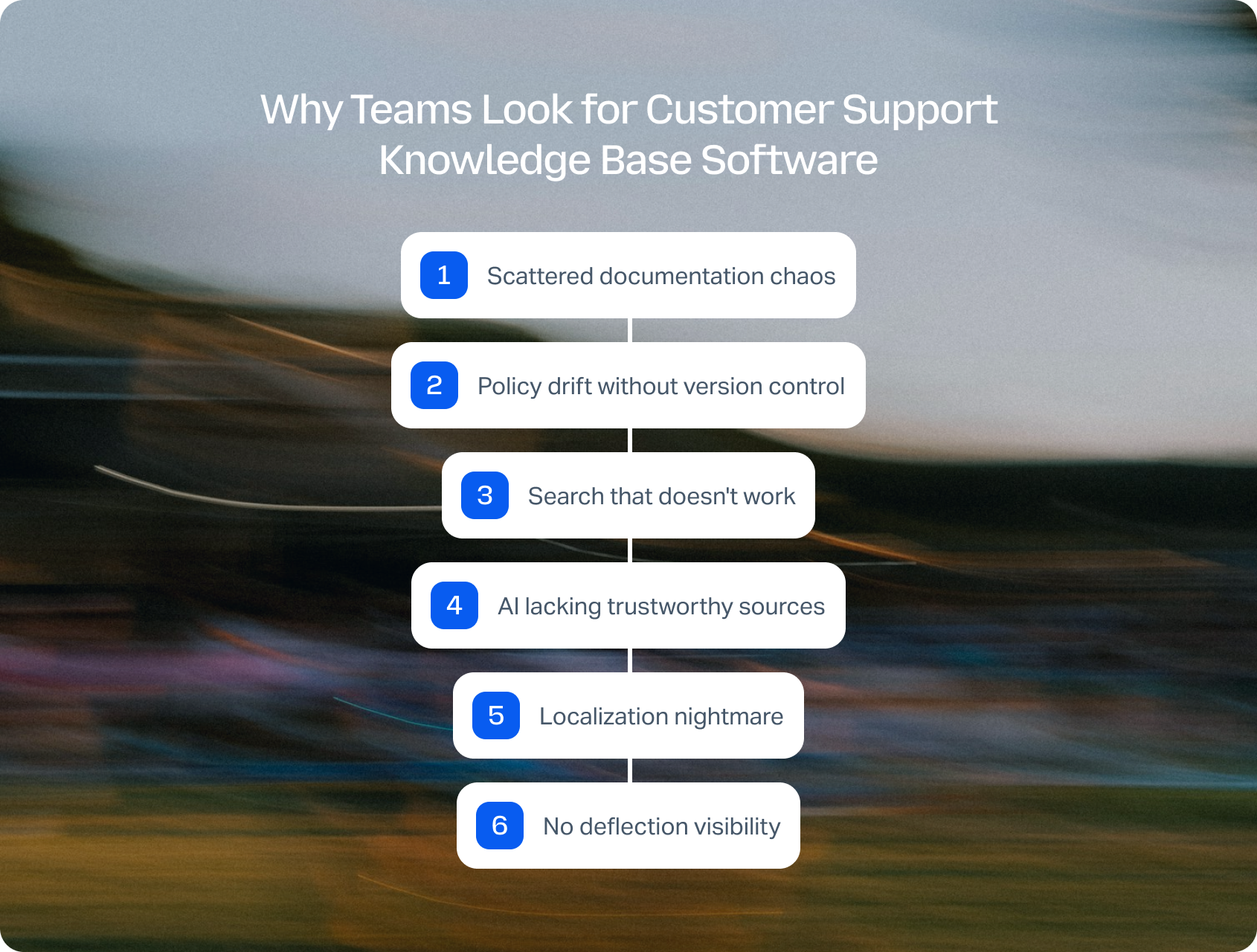
As customer support teams grow, knowledge management becomes increasingly difficult to maintain. Without a central source of truth, agents deliver inconsistent answers, customers struggle to find relevant information, and support teams spend valuable time searching for documentation instead of resolving issues. Sometimes it's support agents giving contradictory answers because nobody knows which policy doc is current, and other times it's customers abandoning self-service portals when search functionality fails to surface relevant content.
Common triggers pushing teams toward dedicated customer support knowledge base software:
Scattered documentation chaos
Your company knowledge lives across Google Docs, Confluence, Notion, SharePoint, and individual email inboxes. Support agents waste time hunting for answers while customers wait. New team members spend weeks learning where to find information. You need a centralized platform consolidating institutional knowledge with a logical structure.
Policy drift without version control
Someone updates a refund policy doc, but three older versions circulate internally. Customer-facing employees reference outdated procedures, creating inconsistent support experiences. You need a knowledge management system with approval workflows, version control, and audit trails, ensuring only the right people have access to current documentation.
Search that doesn't work
Your current knowledge base uses basic keyword matching. Customers searching “cancel subscription” find nothing because articles say “terminate account.” Support volume climbs as self-service fails. You need semantic search to understand intent, handling typos, and suggesting relevant information regardless of exact phrasing.
AI lacking trustworthy sources
Your chatbot hallucinates answers or provides generic responses, frustrating customers. Unlike traditional knowledge bases, where AI can't cite sources, modern knowledge management platforms ground AI responses in verified documentation. You need AI customer support knowledge base integration to ensure accurate, attributed answers.
Localization nightmare
You support multiple markets, but translating articles manually takes weeks. Customer support AI translation helps, but managing multilingual content versions, approvals, and fallbacks overwhelms small teams. You need a knowledge base platform handling localization workflows at scale.
No deflection visibility
You publish articles, but can't prove whether customers find answers independently or give up and create support tickets. You need analytics showing search terms with no results, article helpfulness ratings, deflection rates, and paths revealing where self-service breaks down.
Reading about knowledge base software is one thing, but seeing how it works in practice is another. Book a personalised BlueTweak demo to see how AI-powered ticketing, phone support, workforce management, quality assurance, and omnichannel customer service come together in a single platform. We'll show you how teams automate ticket routing, improve agent productivity, and deliver faster, more consistent customer support.
What to Look for in Customer Support Knowledge Base Software
Not every knowledge base software platform solves the same problems. Beyond storing articles, the right solution should improve search quality, simplify internal knowledge management, and help both customers and agents find instant answers.
When comparing knowledge base software platforms, focus on the capabilities that will have the biggest impact on customer experience, internal knowledge management, and long-term scalability.
1. Authoring experience and workflows
Rich editor supporting formatting, reusable content blocks, templates, and variables. Draft→review→approve→publish workflow with scheduled updates. Bulk operations for maintaining multiple team members' contributions efficiently.
2. Information architecture
Collections and categories organize content logically. Tags, redirects, and related article suggestions. Semantic search handles typos and synonyms. Search functionality customers actually use successfully.
3. AI grounding and agent assist
KB-grounded suggested replies help support agents respond accurately. Best AI chatbot and voicebot answers citing knowledge base sources. Guardrails scoping sources, auditing AI decisions, and enabling rollback when needed.
4. Localization depth
Multiple language support with string extraction, translation memory, side-by-side comparison, per-locale approval workflows, and intelligent fallbacks when translations lag.
5. Delivery and experience
Theming matching brand standards. Custom domains. Embeddable widgets and in-product help. Accessibility (WCAG compliance). SEO optimization (schema markup, sitemaps). Performance via a CDN ensures fast global load times.
6. Analytics proving value
Search terms yielding no results reveal knowledge gaps. Article helpfulness scores. Self-service rates and deflection metrics. Alerts flagging stale content needing updates. Customer service analytics showing FCR improvements.
How to Measure Knowledge Base Success
The best customer service knowledge base doesn't just reduce ticket volume; it delivers measurable improvements across customer experience and agent productivity. Before investing in the right knowledge base tool, define the metrics you'll use to measure success. The best platforms improve both customer self-service and agent productivity, making it easier to demonstrate ROI over time.
| KPI | What It Measures |
|---|---|
| Self-service rate and deflection percentage | How many customers resolve their issue independently without opening a support ticket |
| Search success rate and no-result rate | How often searches return useful content — and where gaps in your knowledge base exist |
| Article helpfulness ratings | Whether customers find individual articles useful, flagging content that needs improvement |
| First Contact Resolution (FCR) uplift | Improvement in agents resolving issues on the first interaction, driven by faster access to accurate information |
| Time-to-publish for new articles | How long it takes to move new content from draft to live — a signal of authoring and approval workflow efficiency |
| Percentage of stale content | Share of articles that haven't been reviewed or updated within a defined period, indicating knowledge base health |
| CSAT for self-service experiences | Customer satisfaction scores specifically for self-service journeys, showing whether the knowledge base experience meets expectations |
Track these customer support metrics before and after implementing your new platform to demonstrate ROI and identify opportunities for continuous improvement.
Consider Multi-Brand Knowledge Management
If you support multiple brands, regions, or business units, make sure your knowledge base software supports separate customer-facing knowledge bases, role-based permissions, isolated analytics, and audit trails. These capabilities help maintain consistent customer experiences while preventing content from being shared with the wrong audience.
How We Evaluated These Knowledge Management Platforms
We reviewed vendor websites, pricing pages, official documentation, help centers, and marketplace listings. Features were verified against public sources and cross-referenced with published customer examples.
Pricing reflects publicly available information as of January 2026. Custom pricing notes “Contact sales.”
Pros and cons derive from documented capabilities and verified patterns. This evaluation uses public information subject to change; verify directly with vendors and request trials before purchasing.
BlueTweak meets every capability listed above, combining AI-powered search, customer service knowledge base management, omnichannel support, workforce management, quality assurance, and analytics in a single platform. With transparent pricing from €65/agent/month, businesses don't need to purchase separate add-ons for AI grounding or knowledge base functionality.
Scoring Rubric
| Criteria | What to Look For |
|---|---|
| Authoring experience | Editor quality, workflow maturity, and template availability |
| Search effectiveness | Semantic understanding, typo tolerance, and relevance of results |
| AI grounding quality | Source attribution, answer accuracy, and guardrails preventing hallucinations |
| Localization depth | Number of languages supported and workflow maturity for managing translations |
| Analytics value | Deflection metrics, knowledge gap identification, and actionability of insights |
| Governance rigor | Version control, audit trails, role-based access, and security standards |
| Integration breadth | Help desk, CRM, commerce, and voice connections via native integrations and APIs |
| Total cost | Seat and usage fees, AI add-on costs, and realistic TCO beyond headline pricing |
| Criteria | What to Look For |
|---|---|
| Authoring experience | Editor quality, workflow maturity, and template availability |
| Search effectiveness | Semantic understanding, typo tolerance, and relevance of results |
| AI grounding quality | Source attribution, answer accuracy, and guardrails preventing hallucinations |
| Localization depth | Number of languages supported and workflow maturity for managing translations |
| Analytics value | Deflection metrics, knowledge gap identification, and actionability of insights |
| Governance rigor | Version control, audit trails, role-based access, and security standards |
| Integration breadth | Help desk, CRM, commerce, and voice connections via native integrations and APIs |
| Total cost | Seat and usage fees, AI add-on costs, and realistic TCO beyond headline pricing |
How to Choose the Right Customer Support Knowledge Base Software
The best customer support knowledge base software helps customers resolve issues independently, gives agents instant access to accurate information, and improves the overall customer experience. As you evaluate different knowledge base software platforms, focus on the capabilities that will have the biggest long-term impact, including AI-powered search, knowledge base management, collaboration features, analytics, integrations, and transparent pricing.
If your organization needs a standalone internal knowledge base, dedicated documentation platform, or enterprise search solution, there are several strong options available. However, if you're looking for a unified customer service platform that combines a customer-facing knowledge base with AI-powered automation, omnichannel support, workforce management, quality assurance, and reporting, BlueTweak offers one of the most comprehensive solutions in this comparison.
Ready to see how BlueTweak can transform your customer support? Book a personalized demo to explore its AI-powered knowledge base, automation, and omnichannel capabilities, or start a 14-day free trial to experience how a modern customer service platform can help your team answer questions faster, reduce ticket volumes, and deliver better customer experiences.

As Head of Digital Transformation, Radu looks over multiple departments across the company, providing visibility over what happens in product, and what are the needs of customers. With more than 8 years in the Technology era, and part of BlueTweak since the beginning, Radu shifted from a developer (addressing end-customer needs) to a more business oriented role, to have an influence and touch base with people who use the actual technology.



