



The Transformative Impact of Multilingual Customer Support Feature on Global Business Operations

The multilingual translation feature has fundamentally reshaped how businesses engage with global audiences, breaking down linguistic barriers and enabling smooth cross-cultural communication. A customer support platform powered by advancements in artificial intelligence (AI), have transitioned from rudimentary word-for-word translation tools to sophisticated systems capable of understanding context, cultural nuances, and industry-specific terminology.
By integrating technologies such as neural machine translation (NMT), translation memory (TM), and real-time translation capabilities, modern have optimized workflows, reduced costs, and enhanced the quality of multilingual content.
However, the adoption of this tool is not without challenges, including occasional quality inconsistencies, complex integration, and the need for human oversight. For businesses, strategic implementation has led to measurable gains in market reach, customer satisfaction, and revenue growth, particularly when combined with robust localization strategies.
I. The Evolution of Multilingual Translation Support Platforms
From Manual Processes to AI-Driven Translation Automation
The history of translation technology reflects a journey from labor-intensive manual processes to highly automated, AI-powered systems. Early machine translation (MT) systems, developed in the mid-20th century, relied on rule-based algorithms that often produced stilted, inaccurate translations due to their inability to handle syntax, idioms, or cultural context.
The introduction of statistical machine translation in the 1990s marked a significant improvement by leveraging large bilingual datasets to predict translations probabilistically. However, it wasn’t until the emergence of neural machine translation (NMT) in the 2010s that translation quality saw a quantum leap. NMT models, built on deep learning architectures, analyze entire sentences rather than individual words, enabling context-aware translations that better preserve meaning and tone.
Modern translation platforms now combine NMT with complementary technologies such as translation memory (TM), which stores previously translated segments for reuse, and terminology management systems, ensuring consistency across projects.
For instance, translation tools that enhance AI, not only retrieve exact matches, but also suggest contextually appropriate alternatives based on tone and industry-specific jargon. This integration has been pivotal in industries like legal, healthcare, and e-commerce, where precision and consistency are non-negotiable.
The Rise of Translation Management Systems (TMS)
The feature represents a paradigm shift in how organizations handle multilingual content. A good customer support platform centralizes translation workflows, offering features like automated project tracking and real-time collaboration. By eliminating silos between departments, this feature enables enterprises to manage translations while maintaining brand consistency.
A critical innovation is continuous localization, which automates the translation of dynamic content such as software strings, website updates, and social media posts. AI-driven systems detect changes in source content, trigger translations, and deploy updates across multilingual platforms without manual intervention. This capability is particularly valuable for agile enterprises operating in fast-paced markets, where delays in localization can hinder time-to-market and competitive advantage.
Read more about: The Future of AI in Business Operations
II. Advantages of Modern Multilingual Translation Tool for Customer Support
Enhanced Efficiency and Scalability
AI-powered translation platforms excel in processing large volumes of content rapidly. For instance, a single system can translate documents into dozens of languages simultaneously, a task that would require an army of human translators.
This scalability is indispensable for global enterprises managing multilingual websites, product catalogs, and customer support portals. Automation further streamlines workflows by handling repetitive tasks such as file formatting, quality assurance checks, and terminology validation, freeing linguists to focus on creative and nuanced aspects of translation.
Cost Reduction and ROI Acceleration
The financial benefits of translation platforms are multifaceted. By automating the initial translation phase, businesses reduce reliance on expensive human translators for routine tasks. Post-editing machine-translated content typically costs 30–50% less than traditional human translation, according to industry estimates. For instance, one of our clients’ hybrid AI-human model claims to reduce localization costs by up to 70% while maintaining high-quality standards. These savings are particularly impactful for startups seeking to enter global markets without exorbitant upfront investments.
Moreover, translation platforms for customer support service minimize hidden costs associated with errors and inconsistencies. AI-driven quality assurance tools flag mistranslations, formatting issues, and terminology deviations before publication, mitigating risks like brand dilution or legal liabilities.
For example, a mistranslated product description could lead to regulatory fines in markets with strict labeling laws. By catching such errors early, platforms prevent costly revisions and reputational damage.
Improved Customer Experience and Market Penetration
Localization is a cornerstone of customer-centric global strategies. Research indicates that 68% of consumers are more likely to purchase from brands offering support in their native language, while 64% of U.S. consumers would pay a premium for such experiences. Customer support platforms that integrate cultural adaptation enable businesses to resonate deeply with local audiences.
The ability to rapidly localize content also supports agile market entry. For instance, a company used a localization system to launch its app in a new region within three months, adapting interfaces to local languages and regulatory requirements. This speed-to-market allowed the firm to capitalize on emerging trends ahead of competitors, securing a 15% market share within a year
These tools not only save money by lowering translation costs but also help avoid costly errors that can harm brand reputation. As organizations continue to embrace these innovative solutions, the potential for enhanced multilingual customer service and stronger market presence will only grow!
Read more about: The Hidden Costs of Inefficient Customer Support Systems
III. Disadvantages and Limitations of Current Solutions
Quality Variability and Contextual Gaps
Despite significant advancements, machine translation (MT) still faces challenges with complex linguistic constructions. Idioms, sarcasm, and culturally specific references often lead to awkward or inaccurate translations. For instance, early attempts to translate literary texts frequently distorted metaphors and disrupted narrative flow, necessitating considerable human revision.
Quality inconsistencies become even more pronounced in specialized fields that require expert knowledge. Medical translations, for example, demand precision in terminology to avoid potentially life-threatening errors. As a result, human experts are still essential to validate outputs, especially in high-stakes situations.
Integration and Operational Challenges
Adopting translation platforms often requires overhauling legacy systems, a process that comes with significant technical and organizational challenges. Enterprises that use multiple CMS, CRM, and ERP systems encounter difficulties with integration, as only 29% of language service providers (LSPs) offer direct connectors for popular platforms. According to a 2024 survey, 43% of localization projects were delayed due to internal resistance and insufficient training.
Data security is another major concern. While cloud-based systems offer scalability, they also require businesses to entrust sensitive content to third-party servers. A breach in a translation provider’s system can expose proprietary information, as demonstrated by a 2023 incident where a major LSP leaked unreleased product specifications during a cyberattack.
Businesses need to balance these limitations with the advantages to ensure they provide reliable multilingual support while keeping sensitive information safe.
AI translation tools offer significant advantages, including rapid and cost-effective translations that enhance communication efficiency. Additionally, these tools continuously improve through machine learning, ensuring higher quality and more accurate translations over time, which ultimately leads to a better customer experience.
Read more about: Customer Support Challenges and How the Right Software Can Solve Them
IV. Multilingual Customer Support: Business Impact and Strategic Value
Revenue Growth and Competitive Differentiation
Companies investing in translation and localization report significant financial returns. Firms that increased translation budgets were 1.5 more likely to experience revenue growth, while those prioritizing multilingual customer experiences saw 2.67 higher profit margins. Localization also plays a key role in customer retention, 74% of consumers are more likely to repurchase from brands that offer post-sale support in their native language.
Risk Mitigation and Compliance
Translation feature aid compliance with regional regulations, such as the EU’s General Data Protection Regulation (GDPR) and California’s Consumer Privacy Act (CCPA). Automated tools ensure that privacy policies, terms of service, and consent forms are accurately translated, reducing legal risks.
Investing in multilingual customer support delivers significant business impact, driving revenue growth and enhancing competitive advantage. Companies that prioritize translation and localization not only see higher profits but also improve customer retention by providing essential support in native languages. Furthermore, automated translation tools help mitigate risks and ensure compliance with regulations like GDPR and CCPA, safeguarding businesses from potential legal issues and reinforcing trust with their customers.
Read more about: Reducing Customer Support Costs: Efficiency without Sacrificing Quality
V. Challenges and Best Practices
Overcoming Organizational Silos
Enterprises often struggle with fragmented translation efforts across departments. A global retailer, for instance, found that its marketing and customer service teams used separate LSPs, leading to inconsistent brand messaging in Spanish markets. By adopting a unified translation system and establishing a central localization office, the company reduced redundant spending by 35% and improved message alignment.
Selecting the Right Technology Partner
Choosing a platform requires evaluating scalability, integration capabilities, and support. Businesses should prioritize vendors with robust API support, enabling custom integrations with proprietary systems.
Multilingual Customer Support feature have irrevocably altered the global business landscape, empowering organizations to transcend linguistic barriers and cultivate meaningful connections with diverse audiences. While challenges like quality assurance and system integration persist, the strategic adoption of these tools, coupled with human expertise, delivers unparalleled efficiencies, cost savings, and market opportunities.
As AI continues to evolve, future platforms will likely achieve near-human translation quality while further automating complex workflows. For businesses, the imperative lies in selecting solutions that align with their operational needs and cultural objectives, ensuring that language becomes a bridge rather than a barrier to global success.
Read more about: The Future of Customer Support: 6 Trends to Watch in 2025
In a world where effective communication is key, BlueHub's Multilingual Customer Support solution offers a seamless way to connect with a global audience. Utilizing advanced Neural Machine Translation techniques, our platform ensures accurate and meaningful translations tailored to various contexts and industry needs. This not only enhances the customer experience by catering to their preferred language but also improves agent productivity, allowing for efficient management of multilingual inquiries.

AI Chatbots in Customer Service: 2026 Use Cases and Future Trends
How AI Chatbots in Customer Service Work (and Why They Matter in 2026)
Customer expectations have fundamentally shifted. Today’s customers expect instant, accurate, and personalised support across every digital channel, 24/7. Traditional support models, built around human-only teams, struggle to keep pace with rising interaction volumes and omnichannel complexity.AI chatbots in customer service address this gap by combining automation, natural language processing (NLP), and machine learning to simulate human conversation at scale. Unlike early rule-based systems, modern AI-powered chatbots in customer service can interpret intent, understand context, analyse sentiment, and generate accurate, conversational responses in real time.
What Are AI Chatbots in Customer Service?
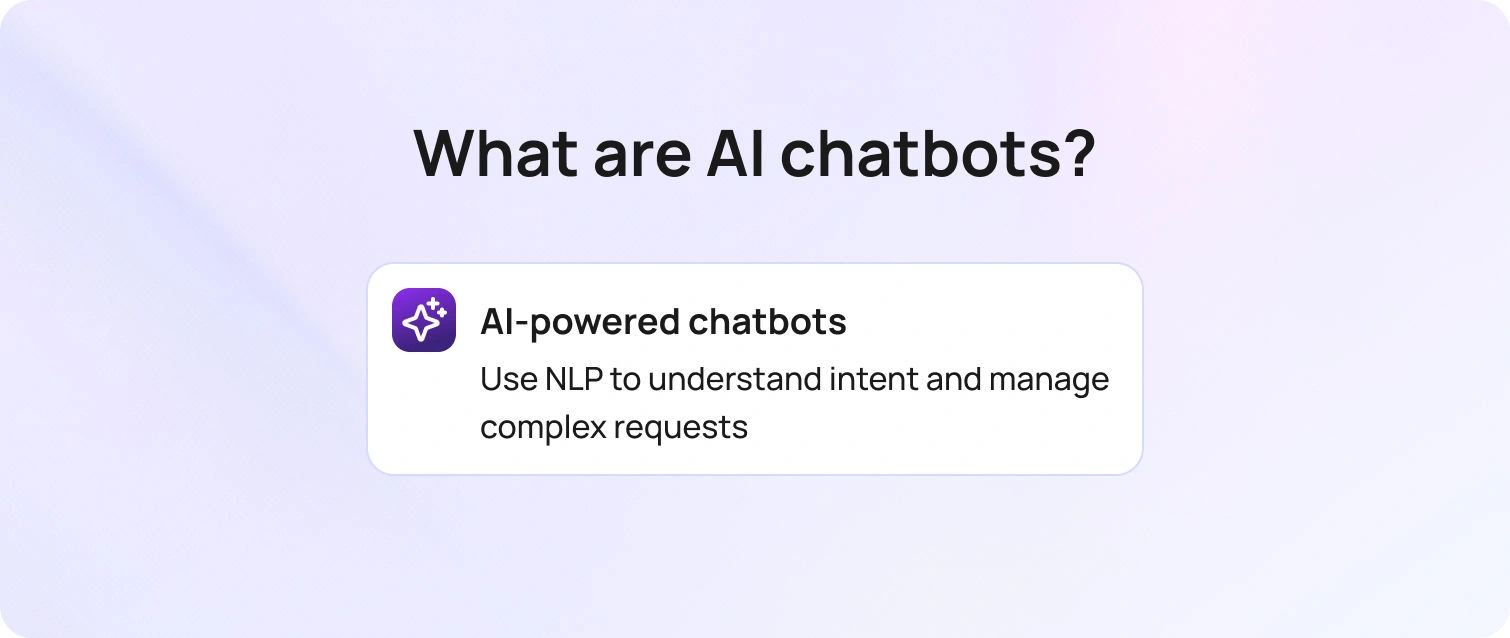
AI chatbots in customer service are intelligent software applications designed to handle customer interactions through text or voice. Acting as virtual assistants, they help customers:
- Resolve FAQs
- Track orders and manage accounts
- Navigate troubleshooting workflows
- Complete transactions
- Access support documentation
- Connect with human agents when needed
You’ll typically find AI chatbots embedded across websites, helpdesk platforms, messaging apps, social media channels, and mobile applications — creating consistent support across touchpoints. Their purpose is not to replace human agents, but to enhance the efficiency of customer service departments by automating repetitive interactions and supporting human teams with intelligent assistance.
How AI Chatbots Work
At a technical level, AI in customer service chatbots follows a structured process:
1. Message Processing
The chatbot receives a query and uses NLP to break down the language structure and context.
2. Intent Recognition
Machine learning models identify what the customer wants — even when phrased differently.
3. Response Generation
The chatbot retrieves or generates a response using:
- Pre-trained data
- Knowledge base integrations
- API-connected systems
- CRM and historical context
4. Continuous Learning
AI-powered chatbots refine performance over time by learning from previous interactions, improving accuracy and relevance.
This progression from rule-based scripts to contextual, generative AI has significantly expanded how AI chatbot use cases in customer service can be applied in 2026.
How AI Chatbots Are Used in Customer Service in 2026
Modern AI-based chatbots in customer service go far beyond answering simple FAQs. Today, they are deployed to:
- Automate Tier 1 support and reduce ticket volume
- Guide users through structured workflows
- Handle order status and account queries
- Pre-qualify customers before human handoff
- Support omnichannel communication
- Maintain conversation continuity across platforms
For customer service departments, AI for chatbots in customer service reduces repetitive workload while improving response speed, consistency, and scalability.
Platforms like BlueTweak enable organisations to deploy AI agents that combine intelligent automation with seamless human escalation, ensuring complex or emotionally sensitive issues are handled appropriately.
Implementing AI chatbots in customer service allows organisations to:
- Provide 24/7 availability
- Reduce response times from minutes to seconds
- Lower operational costs
- Handle high volumes of simultaneous conversations
- Deliver personalised experiences at scale
Chatbots act as a first layer of intelligent support, resolving routine inquiries instantly while freeing human agents to focus on high-impact, complex interactions. When implemented strategically, AI chatbots shift customer support from reactive ticket handling to scalable, intelligent engagement.
AI Chatbot Use Cases in Customer Service
Understanding how AI chatbots are used in customer service helps businesses move beyond basic automation and toward meaningful operational impact. Below are the most effective and widely adopted AI chatbot use cases in customer service today.
1. Automated First-Line Support (Tier 1 Deflection)
One of the most common AI chatbot use cases in customer service is handling high-volume, low-complexity queries at scale. These typically include:
- Order status requests
- Password resets
- Subscription updates
- FAQ responses
- Basic troubleshooting steps
Instead of customers waiting in queues, AI-powered chatbots in customer service provide immediate responses. This dramatically reduces ticket volumes and allows human agents to focus on complex, high-value interactions.For customer service departments, this use case alone can deflect 50–80% of repetitive inquiries, significantly improving operational efficiency.
2. Omnichannel Customer Engagement
Modern customers don’t interact through a single channel. They move between websites, mobile apps, WhatsApp, Messenger, and social platforms, often within the same journey.
AI in customer service chatbots enables consistent support across all these touchpoints. A well-integrated AI chatbot can:
- Maintain conversation history across channels
- Recognise returning users
- Deliver consistent answers regardless of platform
This ensures customers receive a unified experience rather than fragmented interactions. For brands operating globally or at scale, this omnichannel capability is essential.
3. Intelligent Customer Data Collection & Smart Routing
Another critical AI chatbot use case in customer service is pre-qualification and routing. Instead of transferring customers blindly between departments, AI chatbots in customer service can:
- Identify customer intent
- Collect relevant context (account number, issue type, urgency)
- Detect sentiment
- Route the query to the correct specialist
By the time a human agent joins the conversation, they already have full context. This reduces handling time, improves first-contact resolution rates, and eliminates the frustration of customers repeating themselves.
4. Self-Service Enablement & Guided Workflows
Customers increasingly prefer solving problems independently, as long as the process is simple and fast. AI-powered chatbots in customer service can guide users through structured workflows such as:
- Product setup instructions
- Returns and refund processes
- Technical diagnostics
- Account configuration steps
When integrated with knowledge bases or external databases via APIs, chatbots can surface real-time, accurate information, empowering customers without human intervention.
This shift toward self-service reduces operational strain while improving customer autonomy.
5. Personalised Support at Scale
One of the most strategic advantages of AI in customer service chatbots and personalization is contextual awareness. Unlike rule-based bots, AI-driven systems can analyse:
- Previous purchase history
- Browsing behaviour
- Past support interactions
- Customer tier or subscription level
Using this data, AI chatbots in customer service can tailor responses, suggest relevant solutions, and even anticipate needs. For example:
- Offering renewal reminders before expiry
- Suggesting upgrades based on usage
- Prioritising high-value customers automatically
This level of hyper-personalisation would be difficult to replicate manually at scale.
6. Proactive Customer Support & Predictive Engagement
Beyond reactive conversations, advanced AI-based chatbots in customer service can initiate engagement. Examples include:
- Triggering a chat when a user spends extended time on a checkout page
- Offering help if a user revisits a help article multiple times
- Alerting customers to potential service disruptions
This proactive layer turns AI chatbots from simple responders into customer experience enhancers.
7. Multilingual & Global Support
For international businesses, scaling multilingual support is expensive and complex. AI-powered chatbots can:
- Detect language automatically
- Provide instant translated responses
- Maintain consistent tone and policy compliance
This enables global customer service without dramatically expanding human headcount.
Benefits and Challenges of AI Chatbots in Customer Service
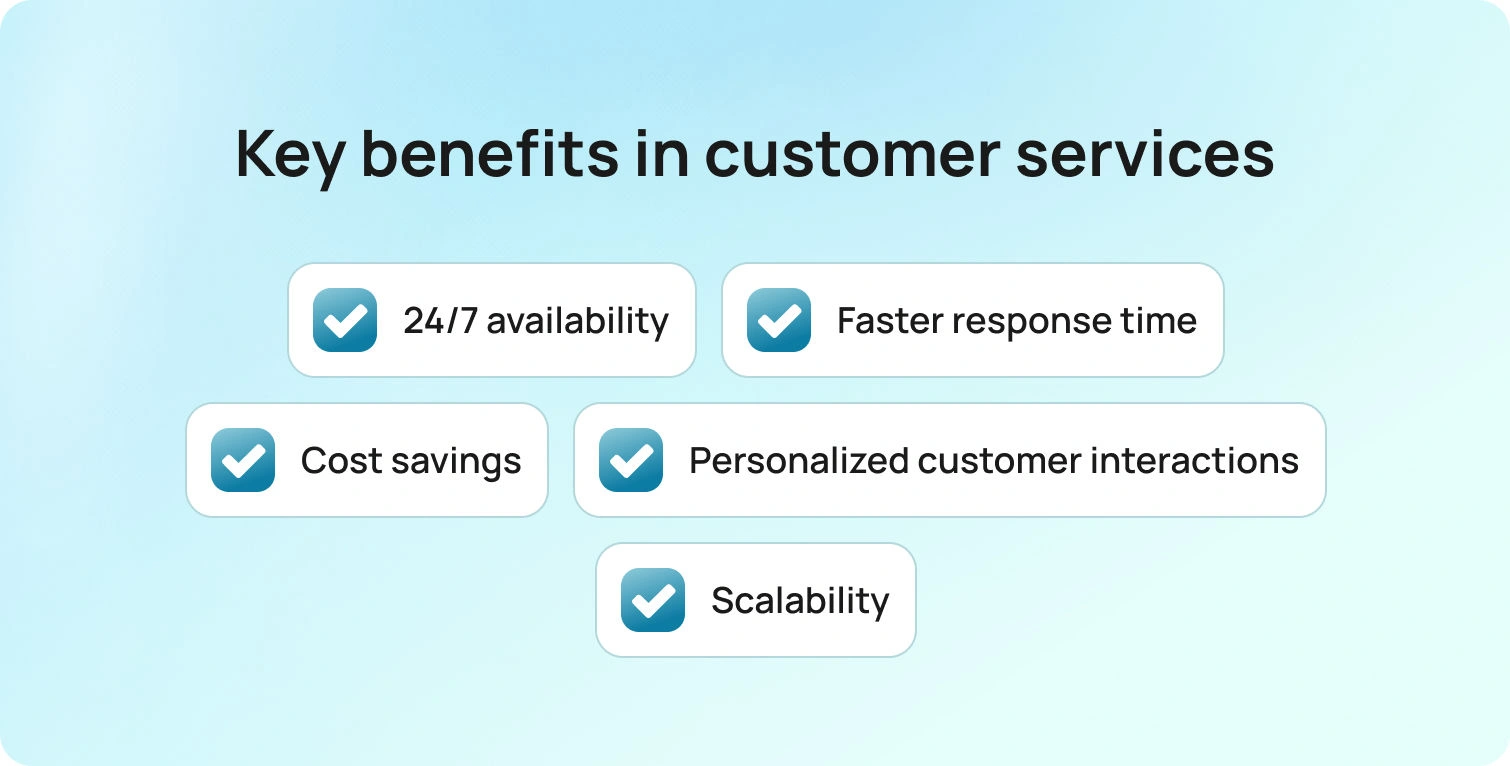
While the advantages of AI chatbots in customer service are significant, successful implementation requires understanding both their strengths and their limitations. Businesses that approach deployment strategically see the greatest return on investment.
The Benefits of AI Chatbots in Customer Service
1. 24/7 Availability
AI-powered chatbots in customer service operate around the clock, ensuring customers receive immediate support regardless of time zone or business hours.
2. Faster Response Times
Unlike human teams, chatbots can handle thousands of conversations simultaneously. This reduces wait times from minutes to seconds and improves overall customer satisfaction.
3. Cost Efficiency and Scalability
One of the primary benefits of AI chatbots in customer service is cost reduction. By automating repetitive Tier 1 queries, businesses reduce operational expenses while scaling support capacity without expanding headcount.
4. Consistency Across Channels
AI in customer service chatbots ensures consistent messaging across websites, apps, and messaging platforms, reducing variability in customer experience.
5. Personalization at Scale
Through AI in customer service chatbots and personalization, businesses can tailor responses using historical data, preferences, and previous interactions — something difficult to replicate manually at scale.
Common Challenges Associated with Deploying AI Chatbots in Customer Service

Despite their advantages, there are several challenges organisations must address.
1. Handling Complex or Nuanced Queries
A common challenge associated with deploying AI chatbots in customer service is managing ambiguous, emotionally sensitive, or highly technical requests. AI may misinterpret intent if not properly trained.
2. Limited Emotional Intelligence
While AI can analyse sentiment, it cannot genuinely empathise. In sensitive situations (think: complaints, billing disputes, service failures), human oversight remains critical.
3. Risk of Robotic Interactions
Poorly configured bots can feel scripted or unnatural. Without conversational optimisation, this can frustrate customers rather than assist them.
4. Data Privacy and Security Concerns
AI-based chatbots in the customer service process handle large volumes of customer data. Businesses must ensure compliance with privacy regulations and implement strong security protocols.
5. Integration with Existing Systems
Integrating AI chatbots with CRM platforms, helpdesks, and internal databases can be technically complex. Without seamless integration, chatbots cannot deliver full value.
Why a Hybrid Model Delivers the Best Results
The most effective approach combines automation with human expertise. A hybrid system allows AI chatbots to:
- Resolve routine inquiries instantly
- Gather context and pre-qualify customers
- Escalate complex cases to live agents seamlessly
This balance ensures efficiency without sacrificing empathy.
When implemented thoughtfully, AI-powered chatbots in customer service enhance, rather than replace, human support teams.
Best Practices and Proven Results of AI Chatbots in Customer Service
Successfully implementing AI-powered chatbots in customer service requires more than deploying software. The most effective organisations combine clear strategy, continuous optimisation, and human oversight, supported by measurable performance gains.
Best Practices for Implementing AI Chatbots
To maximise the effectiveness of AI chatbots in customer service, businesses should follow these core principles:
1. Define Clear Objectives
Identify which areas of the customer service department AI should improve, whether that’s reducing ticket volume, improving response time, or enhancing personalization.
2. Start Small and Scale Gradually
Begin with automating simple, high-volume queries (eg, FAQs or order tracking). Once performance is stable, expand into more advanced AI chatbot use cases in customer service.
3. Monitor and Optimise Continuously
AI chatbots improve over time, but only with proper oversight. Regularly analyse conversations, refine intent detection, and update knowledge bases based on customer feedback.
4. Maintain a Human Backup
Even advanced AI-based chatbots in customer service cannot replace human judgment entirely. Ensure seamless escalation paths to live agents for complex or emotionally sensitive issues.
The Impact of AI Chatbots in Customer Service

As AI technology evolves, industry research shows that conversational AI and agentic automation are becoming central to how organisations deliver customer support. Rather than hype, adoption is grounded in measurable operational improvements and strategic shifts. A large majority of customer service leaders are actively exploring or piloting conversational AI technologies, reflecting the increasing strategic importance of automation in service operations. According to Gartner, 85 % of customer service leaders plan to explore or pilot customer-facing generative AI solutions like conversational chatbots by 2025, a clear signal of where support strategy is headed.
Improved Customer Satisfaction
AI chatbots significantly reduce wait times by providing immediate responses to common queries. Large enterprises such as Bank of America have demonstrated how AI-powered virtual assistants can support millions of customer interactions at scale, offering fast answers and seamless handoff to human agents when needed.
By minimising delays and ensuring consistent support availability, businesses improve customer satisfaction while maintaining service quality.
Cost Efficiency and Savings
Automating routine and repetitive inquiries reduces pressure on support teams and lowers operational overhead. Industry research consistently shows that organisations implementing AI in customer service experience meaningful cost efficiencies, particularly when automation is applied to high-volume, low-complexity requests.
Rather than replacing human agents, AI enables teams to operate more strategically and efficiently.
Scalability
Customer expectations for 24/7 support continue to rise. AI chatbots allow organisations to scale without proportionally increasing headcount.
Analyst forecasts indicate that conversational AI and virtual assistants will handle a growing share of customer service interactions in the coming years, reflecting their expanding role in modern support infrastructure.
Faster Response Times
One of the most immediate benefits of AI chatbot deployment is speed. Automated systems eliminate queue times for standard queries and provide instant, consistent answers. Industry research shows 82 % of customers prefer chatbot support for immediate answers, underlining the value of fast, automated service. A reduction in response time improves overall customer experience and helps businesses meet rising expectations for immediacy across digital channels.
Personalization at Scale
Modern AI chatbots use customer data, conversation history, and behavioural insights to tailor responses in real time. As personalisation becomes a competitive differentiator, conversational AI enables brands to deliver relevant, contextual support experiences without manual intervention.
Consumers increasingly expect brands to understand their needs and preferences, and AI plays a critical role in delivering that at scale.
Increased Operational Efficiency
Research highlights that AI tools assist a human workforce by summarising tickets, suggesting relevant content, or handling initial triage, allowing human agents to focus on complex, high-value cases. This division of labour improves overall service quality while optimising workforce productivity.
Improved Customer Retention
Convenience, speed, and availability are key drivers of loyalty. When customers can resolve issues quickly, without long wait times or unnecessary friction, satisfaction and long-term retention improve.
AI chatbots contribute to this experience by ensuring support is always accessible and consistent.
Adoption Challenges and the Importance of Hybrid AI
Despite clear advantages, implementation is not without barriers. Common challenges associated with deploying AI chatbots in customer service include:
- Integration with existing CRM and helpdesk systems
- Handling complex or emotionally sensitive conversations
- Maintaining conversational quality and avoiding robotic responses
This is why the most effective organisations adopt a hybrid approach, combining AI automation with human oversight to deliver both efficiency and empathy.
How BlueTweak Delivers Intelligent AI Chatbots in Customer Service
Effective AI in customer service is achieved by applying the right level of intelligence to the right interaction. BlueTweak’s approach combines structured workflows, natural language understanding, and generative AI to create a chatbot experience that is both scalable and context-aware.
Multi-Level Support for Every Customer Need
BlueTweak’s AI chatbot operates across three interaction levels to provide tailored, scalable support:
1. Button-Based Interactions
Structured workflows with predefined options guide users quickly to relevant answers, ideal for high-volume, repetitive queries.
2. Keyword-Based Responses
Using Natural Language Processing (NLP), the chatbot detects intent and delivers dynamic, context-aware answers.
3. Generative AI Responses
Advanced AI analyzes queries in real time to generate personalized responses based on context, history, and available data.
This layered approach ensures the right level of intelligence is applied to each interaction.
Seamless Integration for Smarter Conversations
Through API integrations with CRMs, helpdesk systems, and external databases, BlueTweak’s AI chatbot:
- Retrieves real-time data
- Maintains conversation history
- Delivers accurate, up-to-date responses
This integration reduces resolution time and improves overall customer satisfaction, while ensuring AI works as part of your existing ecosystem, not alongside it.
The Future of AI Chatbots in Customer Service
AI chatbots are no longer experimental tools; they are becoming foundational to modern customer support strategies. As AI technology evolves, we can expect:
- Conversational AI with emotion detection
Systems that recognise tone and adjust responses accordingly. - More human-like dialogue
Continued advances in NLP will make conversations increasingly fluid and natural. - Hyper-personalization
AI in customer service chatbots and personalization will enable predictive recommendations based on behaviour and history. - Voice and multimodal integration
Chatbots integrated with voice assistants and digital channels for seamless cross-platform experiences.
The future of AI in customer service chatbots is in augmenting human ability. Businesses that adopt a balanced, hybrid model will deliver faster support, stronger relationships, and measurable operational gains.
Explore how organisations are already transforming their support operations in our customer success stories. Customer expectations are rising, support teams are stretched, and response times matter more than ever. BlueTweak’s AI chatbots help you stay ahead, without increasing headcount. See exactly how in a 30-minute demo tailored to your customer journey.

Balancing AI and Human Touch in Customer Service
Customer service is one of the most critical touchpoints for businesses, directly influencing customer satisfaction, retention, and loyalty. With the rise of AI, companies now have the ability to automate many aspects of customer service, offering quicker responses and more consistent support. However, a key challenge remains: how can businesses balance automation with the human touch? While AI can improve efficiency, there are situations where human interaction is essential.
Key Benefits of AI in Customer Service
- Efficiency and Scalability
One of the most immediate benefits of AI in customer service is its ability to handle large volumes of interactions simultaneously. AI chatbots and virtual assistants are capable of responding to common customer inquiries instantly, reducing wait time and improving overall customer satisfaction. Furthermore, AI can provide 24/7 support, allowing businesses to cater to global customers in different time zones without additional staffing costs. This scalability enables businesses to expand their customer service operations without a proportional increase in overhead.
- Consistency in Responses
AI ensures that customers receive consistent answers across all interactions. While human agents may inadvertently give different answers or introduce errors, AI systems are programmed to provide accurate and uniform responses. This is especially useful for handling frequently asked questions, troubleshooting guides, and order tracking, ensuring that customers always receive the correct information.
- Cost Efficiency
AI-powered tools can significantly reduce operational costs for businesses by automating routine tasks. By handling repetitive inquiries, AI allows human agents to focus on more complex or higher-value tasks, ultimately increasing overall productivity. This can lead to cost savings, particularly for businesses that receive a high volume of customer inquiries daily.
Read more about: Enhancing the Customer Experience with AI Customer Support Platforms
The Importance of the Human Touch in Customer Service
While AI excels at handling repetitive tasks, there are certain aspects of customer service that require human intervention. Customers often turn to businesses for personalized support when dealing with complex issues, complaints, or emotional concerns. Human agents possess empathy, intuition, and problem-solving abilities that AI cannot yet replicate. A well-trained human agent can de-escalate a frustrated customer, provide tailored solutions, and create positive emotional connections that foster customer loyalty.
- Empathy and Emotional Intelligence
In Customer Service, AI lacks the ability to understand human emotions in the way a trained customer service representative does. While AI can analyze language patterns and identify certain keywords, it cannot sense the underlying emotions that may be present in a conversation. For example, a customer who is upset about a late delivery may need reassurance and a personalized apology, something an AI system may struggle to provide. Human agents excel at providing empathy, understanding, and personalized attention, which can turn a negative experience into a positive one.
- Complex Problem-Solving
While AI is great for answering basic inquiries, some customer issues require a higher level of problem-solving. Whether it’s an unusual technical issue, a billing dispute, or a request for a custom solution, human agents are better equipped to handle complex problems that require nuanced judgment and creativity. In Customer Service, human agents also have the flexibility to go off-script, adapt to unique situations, and make decisions that AI systems cannot yet match.
Read more about: The Perfect Duo: AI Chatbots and Human Agents in Harmony for Customer Support
How to Achieve the Perfect Balance
To balance automation using AI and human touch in customer service, businesses need to adopt a hybrid approach. Here’s how:
- Automated Repetitive Tasks
AI should be used in customer service to handle tasks like providing FAQs, order updates, and troubleshooting guides. By automating these processes, businesses can free up human agents for more personalized interactions.
- Human Intervention When Necessary
For more complex or emotionally charged issues, customers should have easy access to a human agent. This ensures that customers receive the empathy and personalized service they need when dealing with difficult situations.
- AI Augmentation for Human Agents
AI can also assist human agents by providing real-time insights, suggesting responses, and helping agents resolve issues faster. This way, agents can leverage AI to improve their efficiency without losing the human touch.
Read more about: AI Customer Support vs. Human Support: Finding the right balance
Challenges to Balancing AI and Human Interaction in Customer Service
- Customer Expectations
Customers today expect fast responses. Balancing automation and human intervention require careful planning to ensure customers don’t have to wait too long for help when they need it.
- Employee Training
Human agents must be trained to work alongside AI tools. This means equipping them with the skills to handle escalations, personalize interactions, and make the most out of AI-generated insights.
The key to outstanding customer service in the age of AI lies in balancing automation with human empathy. While AI can handle routine tasks, human agents are irreplaceable when it comes to complex issues and emotional intelligence. By integrating both AI and human touch effectively, businesses can provide fast, efficient, and empathetic customer service that meets the needs of customers.

Effective Communication Strategies for Customer Support
Effective communication is the cornerstone of any successful customer support strategy. As businesses strive to meet the needs of increasingly demanding customers, ensuring that communication is clear, empathetic, and solution-oriented is critical. A customer’s perception of your brand is often shaped by their interaction with your support team, making communication one of the most influential factors in customer retention and satisfaction.
What is a Customer Communication Strategy
A customer communication strategy is a cohesive, big-picture business plan for connecting with prospective and existing customers, supported by specific tactics to achieve branding, marketing, and customer service goals. It involves understanding how customers want to receive information and creating a long-term communication strategy. A customer communication strategy can speed up communication, ensure message consistency, enhance customer retention, and improve customer acquisition.
Active Listening and Empathy: Building Trust and Understanding
One of the most fundamental principles in effective communication strategy for customer support is active listening. It’s not just about hearing what the customer says, but fully engaging with their concerns. When customers feel heard, they are more likely to trust the business, even in situations where a solution may not be immediately available. Empathy plays a key role in this process. Understanding the emotional context behind a complaint or request allows agents to provide responses that resonate on a personal level.
In customer service, active listening means allowing the customer to express their thoughts without interruption, reflecting their feelings, and validating their experiences. Empathetic responses show that you genuinely care about their situation, which helps diffuse negative emotions and fosters a positive relationship.
Read more about: The Role of Soft Skills in Customer Support: Training for Empathy and Communication
Clarity and Simplicity: Avoiding Misunderstandings
The customer support experience should be as easy to understand as possible. Clear and simple communication ensures that customers don’t feel overwhelmed by technical jargon or overly complex instructions. When providing solutions or answering questions, use concise language that gets to the point. Avoiding unnecessary complexity in your responses can significantly reduce the chances of misunderstandings and help customers grasp the solution quickly.
Furthermore, written communication, such as email or chat, should be especially clear, as tone can be harder to convey without verbal cues. Utilizing bullet points, step-by-step instructions, and simple phrases can ensure that customers easily follow along.
Read more about: Voice vs. Text in Customer Support Service: Choosing the right medium for your audience
Use of Positive Language: Shifting the Customer's Mindset
The language used by support agents should always focus on positivity and solutions. Customers often reach out with frustration, and it’s easy for interactions to spiral into negativity. By using positive language, agents can steer conversations toward constructive outcomes. This subtle shift in language fosters a more collaborative and hopeful atmosphere, making the customer feel empowered rather than dismissed.
Positive language also helps agents to maintain a professional demeanor during difficult interactions. By focusing on solutions rather than problems, customers are more likely to walk away with a positive experience, even if their issue isn’t immediately resolved.
Adapting to Communication Styles: Personalizing the Experience
Each customer has their unique preferences when it comes to communication. Some may prefer quick, direct answers, while others may appreciate more detailed explanations. By recognizing and adapting to the customer’s communication style, agents can make interactions feel more personal and relevant. For example, a customer who asks for technical assistance might prefer a detailed breakdown of the solution, while someone reaching out with a billing question might only need a brief clarification.
Training your team to recognize different customer communication styles can enhance the overall experience. This can be achieved by using tools that allow agents to track customer preferences or by analyzing previous interactions to understand how a customer prefers to communicate. By tailoring responses to the individual customer, you can improve the relationship and increase the likelihood of resolving the issue in the most efficient and satisfying manner.
Read more about: Customer Experience vs. Customer Service: Understanding the Difference
Utilizing Technology: Enhancing Communication with AI and Automation
While human communication is at the heart of customer support, technology plays an important role in supporting and enhancing these interactions. AI-powered chatbots, for example, can be used to answer frequently asked questions, provide troubleshooting tips, or direct customers to the right resources. By handling repetitive inquiries, AI allows human agents to focus on more complex or emotional customer issues.
Additionally, automation tools such as CRM systems can streamline communication by providing agents with quick access to customer data, prior interactions, and issue histories. This information allows agents to respond faster and more accurately, reducing wait time and increasing the effectiveness of the communication. With AI and automation, businesses can scale their customer support efforts while still maintaining a personalized and effective communication strategy.
Omnichannel Approach: Ensuring Consistency Across Touchpoints
Customers interact with businesses through a variety of channels, including phone, email, chat, social media, and self-service portals. It’s crucial that communication across all channels remains consistent and of high quality. Whether a customer reaches out via WhatsApp or other live chat window, they should experience the same level of professionalism and clarity.
Integrating all communication channels into a single system, such as a unified ticketing platform, ensures that customer interactions are logged and accessible regardless of the channel. This means that agents can pick up on previous conversations, avoid repetition, and offer more relevant solutions. Additionally, ensuring that responses are timely and consistent across touchpoints reinforces trust and creates a more cohesive brand experience for the customer.
Read more about: The Importance of Tone in Written Support: Crafting Effective Communication
Effective communication strategy in customer support is essential for building trust, improving satisfaction, and fostering customer loyalty. By focusing on active listening, clear and simple language, positive phrasing, adapting to communication styles, and leveraging technology, businesses can significantly enhance their customer support operations. In 2025, communication will continue to be one of the most important factors in driving customer success and differentiating your brand from the competition. Implementing these strategies will help create a customer support experience that is not only efficient but also memorable and positive.

The Hidden Costs of Inefficient Customer Support Systems
An inefficient customer support system can lead to significant hidden costs that are often overlooked. These costs not only affect your bottom line but can also have a long-term impact on customer loyalty, employee satisfaction, and overall business growth.
1. Lost Revenue: How Slow and Ineffective Support Drives Customers Away
When customers experience slow or ineffective support, their likelihood of remaining loyal diminishes. Delayed responses or unresolved issues frustrate customers, leading them to seek alternatives, resulting in lost revenue. Studies have shown that dissatisfied customers are far more likely to switch to a competitor, making efficient support a critical factor for customer retention.
To avoid this, businesses must invest in automated and responsive customer support solutions that ensure timely and accurate responses across all channels.
Read about BlueHub customer support system: AI Assisted Message Routing and Classification
2. Agent Burnout: The Impact of Manual, Repetitive Tasks on Employee Satisfaction
Customer support agents face high levels of stress when forced to deal with manual and repetitive tasks without automation. Over time, this can lead to burnout, high turnover rates, and decreased productivity. Burnt-out employees are less likely to engage with customers positively, which affects the overall service quality.
To reduce agent burnout, implement automated tools such as chatbots for handling repetitive inquiries, and provide training for handling more complex issues efficiently. This reduces the burden on agents and improves job satisfaction.
Read about BlueHub customer support system: AI Agent Augmentation
3. Missed Upsell Opportunities: The Cost of Poor Customer Engagement
Ineffective support systems can result in missed opportunities for upselling and cross-selling. A well-trained, well-supported agent can identify these opportunities during customer interactions. However, if the system is inefficient, agents may not have the time or tools to take advantage of these chances.
Ensuring that agents have access to customer history, preferences, and purchase behaviors can help in identifying upsell opportunities. Implement CRM systems that provide real-time insights during customer interactions.
Read about BlueHub customer support system: Intelligent Knowledge Base System
4. Reputational Damage: How Negative Customer Experiences Can Harm Your Brand
In an era where customer reviews are readily shared online, a poor customer service experience can quickly lead to reputational damage. Unhappy customers are more likely to leave negative reviews, which can discourage potential customers from doing business with your company.
Proactive customer service, such as quick issue resolution and personalized support, can prevent negative experiences from escalating. Monitoring social media and review platforms for feedback also helps businesses address problems before they tarnish the brand.
5. Higher Operational Costs: The Burden of Inefficient Processes
Inefficient customer support systems lead to higher operational costs. Without proper automation and streamlined processes, it takes more time and resources to resolve customer issues. This results in higher labor costs, increased use of support infrastructure, and slower resolution times, all of which negatively impact profitability.
To lower operational costs, businesses should adopt customer support software that integrates automation, self-service options, and streamlined workflows. These systems allow agents to handle more tickets efficiently, reducing the overall time spent on each inquiry.
Read about BlueHub customer support system: Ticketing System: Automate Repetitive Tasks
How to Address the Hidden Costs of Inefficient Customer Support Systems
- Assess Your Current Support System
Start by auditing your existing support processes to identify bottlenecks, inefficiencies, and areas where customer satisfaction is low. Use customer feedback, agent performance metrics, and resolution times to measure current efficiency levels.
- Invest in Automation and Self-Service
Implement customer support automation tools like AI-driven chatbots, automated ticket routing, and self-service options such as FAQ sections or knowledge bases. These tools reduce the burden on agents and provide customers with immediate solutions to common problems.
- Train Your Support Team Regularly
Equip your team with the necessary skills and knowledge to handle complex customer inquiries. Regular training ensures that they can use the support tools effectively, stay up-to-date with product changes, and improve customer interactions.
- Implement Comprehensive Reporting and Analytics
Use analytics to monitor customer support performance in real-time. This includes tracking customer satisfaction scores (CSAT), net promoter scores (NPS), and response times. Data-driven insights help in identifying inefficiencies early and making informed decisions to enhance the system.
Read more about BlueHub - Customer Support software features!
Key Takeaways for Optimizing Customer Support
- Streamline Your Processes: Eliminate unnecessary steps in the support process and prioritize solutions that improve speed and efficiency.
- Focus on Customer-Centric Solutions: Ensure your support tools and practices are tailored to meet the needs of your customers, providing them with seamless service experiences.
- Leverage Technology: Implement robust customer support platforms with built-in automation and reporting tools to reduce manual work and lower operational costs.
- Monitor and Adapt Continuously: Customer expectations evolve, so your support system should be regularly updated to stay efficient and relevant.
Read more about: Enhancing the Customer Experience with AI Customer Support Platforms
The hidden costs of inefficient customer support systems are multifaceted, ranging from lost revenue to reputational damage. Addressing these inefficiencies requires a proactive approach that combines technology, employee training, and data-driven insights. By optimizing your customer support operations, you not only reduce operational costs but also build a loyal customer base that contributes to long-term business success.

5 Indicators It’s Time to Upgrade Your Customer Support Software
Customer support software is a key element of any successful business. As your company grows and customer demands evolve, your customer support software must keep pace to ensure efficiency and satisfaction.
Reasons to Consider Upgrading your Current Customer Support Solution
1. Increased Customer Complaints About Response Times
When customers begin to express dissatisfaction with how long it takes to get their issues resolved, this signals a performance bottleneck in your system. Response times are critical, and outdated customer support software may no longer be able to handle the volume of incoming queries efficiently.
How to Address This:
- Analyze Response Time Data: Assess the average time it takes to respond and resolve queries and compare this with industry benchmarks.
- Check for Workflow Inefficiencies: If your system isn't automating routine tasks or providing agents with relevant information promptly, it's likely time for an upgrade.
2. Lack of Integration with Other Tools
As businesses grow, they adopt multiple customer software tools—such as CRM systems, communication platforms, and e-commerce services. If your current customer support software doesn’t integrate smoothly with these tools, your team wastes time on manual data entry, and customer interactions become fragmented.
How to Address This:
- Evaluate Integration Needs: Identify the essential tools your business uses and ensure that your upgraded software can seamlessly integrate with these platforms.
- Consider Future Scalability: Choose a solution that offers open APIs or native integrations with the tools you plan to use in the future.
Read more about: Creating Seamless Customer Journeys through Integrated Support Systems
3. Limited Reporting and Analytics
Effective customer support requires deep insights into your team’s performance and customer behavior. If your customer support software lacks comprehensive reporting features, you won't be able to track KPIs such as response times, resolution rates, and customer satisfaction effectively.
How to Address This:
- Define the Key Metrics You Need: List out the data you need to monitor, such as ticket volumes, response rates, and customer satisfaction scores.
- Ensure Data is Actionable: Choose customer support software that provides advanced reporting capabilities and visual dashboards to help you make data-driven decisions.
4. Difficulty Scaling with Growth
As your customer base grows, so do your support needs. If your customer support software is struggling to keep up—whether through limited seat licenses, high costs for adding agents, or inefficient performance with larger volumes—this is a clear sign of outgrowing your current system.
How to Address This:
- Evaluate Scalability Options: Look for software solutions that allow for easy addition of agents and ticket volume without incurring significant costs.
- Prioritize Cloud-Based Solutions: Cloud-based customer support software typically offers better flexibility and scalability to meet the growing demands of your business.
5. Poor User Experience for Agents
Your customer support team is the front line of your business. If they find the software cumbersome to use or unintuitive, it negatively impacts productivity and morale. Common signs include difficulty navigating the interface, repetitive manual tasks, and the lack of helpful features like knowledge bases or canned responses.
How to Address This:
- Get Feedback From Agents: Conduct a survey to identify the most common pain points your support team experiences with the current system.
- Demo New Solutions With Agents: Involve your support staff in testing new customer support software options to ensure the new system meets their needs and improves productivity.
Read more about: The Evolution of Chatbots: Enhancing Customer Support with AI
Steps to Successfully Upgrade Your Customer Support Software
1. Assess Your Current and Future Needs
Before selecting new customer support software, thoroughly assess your current challenges and what your future requirements will look like as your business grows. This includes agent capacity, reporting needs, automation features, and integration capabilities.
2. Research the Market
Identify the top customer support software providers that offer solutions for your business size and industry. Be sure to check customer reviews, case studies, and request demos from vendors.
3. Trial and Test
Run pilot programs or trials to compare how different customer support solutions perform in your actual support environment. This will allow you to make informed decisions based on real-world use cases.
4. Plan the Transition
Upgrading customer support software isn’t just about installation—it’s about training, data migration, and minimizing downtime. Plan for a phased roll-out to ensure a smooth transition for both your team and customers.
5. Monitor and Adjust
Once the new system is in place, monitor performance metrics closely in the first few months to ensure you’re seeing improvements. Be prepared to adjust workflows and processes as your team adapts to the new tools.
Features to Look for in a New Customer Support Software
- Omnichannel Support: Ensure the software allows for seamless communication across email, chat, social media, and phone.
- Automation Capabilities: Look for automation features that streamline ticket routing, escalations, and follow-up reminders.
- Customizable Workflows: Your support team should be able to tailor processes to your specific business needs without extensive IT involvement.
- Self-Service Options: Offering customers self-service portals and knowledge bases can significantly reduce support volume.
- Security Compliance: Make sure the new software adheres to the relevant data protection laws in your region, such as GDPR.
Read more about BlueHub - Customer Support software features!
Recognizing the signs that it’s time to upgrade your customer support software is critical to maintaining high-quality service as your business evolves. By addressing inefficiencies, embracing scalability, and improving integration, you can ensure your support team is equipped to meet both current and future demands effectively.

Customer Support Challenges and How the Right Software Can Solve Them
Delivering high-quality customer support is vital for the success of any business, yet it presents several challenges that companies must address effectively. For customer-centric organizations, using well-designed support tools is not an option but a necessity to streamline operations and enhance service quality.
Key Customer Support Challenges
1. Inefficient Ticket Management
Managing support tickets manually or with inadequate systems can quickly overwhelm support teams. As the volume of inquiries increases, teams struggle to organize and prioritize tickets, leading to delays in resolution and customer dissatisfaction.
2. Lack of Personalization
Modern customers expect personalized support. Failing to recognize repeat customers or not offering context-based responses leads to frustrating interactions. The absence of customer history and preferences can impede the support experience.
3. Multichannel Complexity
Customers interact through various channels—email, phone, live chat, and social media. Without proper software, managing multiple touchpoints becomes chaotic, and ensuring a seamless experience across all platforms becomes almost impossible.
Read about BlueHub - Helpdesk software features: AI Assisted Message Routing and Classification
4. Inconsistent Response Times
Inconsistent response time are a major contributor to negative customer experiences. Without effective tracking and automation, teams may struggle to address issues in a timely manner, causing a backlog of inquiries that lower customer satisfaction.
5. Lack of Data-Driven Insights
Support teams often rely on gut feelings or superficial metrics to measure success. Without detailed analytics, businesses miss opportunities to improve their services, resulting in inefficiencies and repeated mistakes.
6. Difficulty in Scaling Support Operations
As businesses grow, customer support requirements become more complex. Many companies find it difficult to scale their support systems without the right tools in place to manage an increasing number of inquiries.
Read more about: Creating Seamless Customer Journeys through Integrated Support Systems
How the Right Software Solves These Challenges
1. Centralized Ticket Management
Robust customer support software can streamline ticket management by consolidating all inquiries into one dashboard. This centralization allows teams to track, prioritize, and assign tickets efficiently, ensuring no request is overlooked.
Key Features:
- Automated ticket categorization based on urgency or type.
- Assignment rules to direct tickets to the most suitable team member.
- SLA tracking to ensure response times are met.
Read about BlueHub - Helpdesk software features: Helpdesk Ticketing System
2. Personalized Customer Interactions
The right customer support software enables personalized interactions by maintaining a comprehensive customer database. By storing customer profiles, previous inquiries, and preferences, support agents can offer tailored solutions quickly.
Key Features:
- Customer profiles with history of interactions.
- Contextualized responses powered by AI.
- Automated follow-ups to ensure satisfaction.
3. Unified Multichannel Support
Support platforms that integrate with various communication channels provide a unified experience for both customers and support agents. This enables teams to handle all channels in a single interface, reducing confusion and delays.
Key Features:
- Omnichannel support across email, phone, live chat, and social media.
- Cross-channel reporting to measure performance consistently.
- Channel-switching without losing conversation context.
4. Response Time Automation
Automated workflows ensure that no ticket lingers unanswered for too long. With automation tools, response times can be dramatically improved by setting predefined actions for certain triggers, like escalating high-priority issues.
Key Features:
- Automated responses to common inquiries.
- Alerts and notifications for overdue tickets.
- Workflow automations to route tickets based on priority or department.
5. Actionable Analytics and Reporting
Advanced customer support software provides detailed analytics on various performance metrics. This data can be used to evaluate agent performance, customer satisfaction, and operational efficiency, helping companies make data-driven decisions.
Key Features:
- Real-time dashboards for tracking KPIs (e.g., first response time, resolution time).
- Customer satisfaction (CSAT) and Net Promoter Score (NPS) tracking.
- Customizable reports for trend analysis.
Read about BlueHub - Helpdesk software features: Customer Support Analytics
6. Scalability for Growing Teams
The right helpdesk software is designed to scale alongside the business, making it easy to add more users or features as the company grows. This flexibility ensures that the system continues to meet the business's evolving needs without requiring a complete overhaul.
Key Features:
- User roles and permissions to manage larger teams.
- Integration with other business tools (e.g., CRM systems).
- Cloud-based architecture for flexibility and remote access.
Read more about: Customer Experience vs. Customer Service: Understanding the Difference
How to Implement the Right Customer Support Software
1. Evaluate Your Current Needs
- Conduct a Support Audit: Identify the gaps in your current support operations. Focus on areas where your team is struggling, such as response times, ticket organization, or multichannel communication.
- Determine Priorities: Clarify what matters most for your business—whether it’s improving efficiency, enhancing customer satisfaction, or better managing data.
2. Focus on Integrations
Ensure the software integrates smoothly with your existing tools, such as CRM, marketing automation, or other communication channels. Integration ensures that data flows seamlessly across departments and tools.
3. Train Your Support Team
Adopt a comprehensive training plan to help your team fully leverage the software’s capabilities. This includes:
- Basic Functionality Training: Ensuring your team understands how to use ticketing, automation, and analytics features.
- Ongoing Skill Development: Regularly update your team's knowledge as new software features or updates are released.
Key Benefits of Implementing the Right Software
- Enhanced Efficiency: Automation and centralized management reduce manual work and human error.
- Improved Customer Satisfaction: Faster response times and personalized support lead to better customer experiences.
- Data-Driven Decision Making: Analytics enable companies to refine their support strategies based on real performance data.
- Cost-Effective Scaling: As your business grows, the software scales without significant additional costs or complexity.
- Unified Communications: Support teams manage all channels from one place, reducing confusion and improving response accuracy.
Read more about: Benefits of Using Chatbot Templates to improve Customer Experience
The challenges of customer support are clear, but the right software can transform how a company manages its support operations. By centralizing ticket management, providing multichannel support, enabling personalization, and offering robust data analytics, the right tools allow businesses to not only meet but exceed customer expectations. Investing in a comprehensive customer support solution is an essential step toward optimizing performance, ensuring scalability, and driving customer loyalty.

How to Boost Customer Satisfaction: Top 5 Must-Have Features for Support Software
Customer support satisfaction is a key factor that can make or break a business. In today's competitive landscape, providing excellent customer service is more critical than ever. To meet rising expectations, businesses need efficient support software that not only resolves customer issues quickly but also enhances the overall experience. Below are five essential features that every customer support software should offer to help businesses boost customer satisfaction and improve the quality of their customer service operations.
1. Omnichannel Customer Support
Omnichannel customer support has become a non-negotiable feature for any modern support software. Customers expect to interact with businesses on their terms, using their preferred communication platforms, whether that’s email, live chat, phone, social media, or even messaging apps. Omnichannel customer support enables a seamless transition between these platforms, providing a unified experience for both the customer and the support team.
By integrating all communication channels into a single interface, support agents can manage multiple conversations without losing context, improving efficiency and response times. This feature ensures that customer inquiries don’t get lost between platforms, which can reduce frustration and lead to quicker resolution of issues. Furthermore, it allows customers to switch between channels without having to repeat information, making their experience smoother and more enjoyable.
2. Self-Service Options for customer support satisfaction
Customers value quick solutions and autonomy, offering self-service options is essential for boosting customer satisfaction. A well-designed knowledge base with comprehensive articles and step-by-step guides can drastically reduce the number of incoming support requests. Customers appreciate the ability to troubleshoot at their convenience, while businesses benefit from fewer repetitive queries. The key to a successful self-service portal is ensuring that it’s easy to navigate, regularly updated with accurate information, and covers a wide range of potential customer issues.
Providing robust self-service options not only enhances the customer experience but also lightens the load for support teams, allowing them to focus on more complex or high-priority issues. This balance helps in delivering faster resolutions and improving overall service efficiency.
Read more about: Creating Seamless Customer Journeys through Integrated Support Systems
Real-Time Insights for Rapid Response
One of the primary advantages of feedback integration in omnichannel AI-driven platforms is the ability to capture real-time insights. Customers can provide feedback instantly, allowing businesses to identify and address issues promptly. This rapid response mechanism ensures that customer concerns are not only acknowledged but swiftly resolved, contributing to increased satisfaction and loyalty.
Survey Feature: Unveiling the Customer Experience Landscape
At the heart of feedback integration strategies lies the survey feature—a powerful tool that enables businesses to gain nuanced insights into the customer experience. Surveys can be strategically deployed at various touchpoints, gauging satisfaction levels, identifying pain points, and uncovering areas for improvement.
3. Automated Ticketing System
Managing large volumes of customer support inquiries can be overwhelming without an effective system in place. This is where automated ticketing becomes invaluable. Use an automated ticketing system to boost customer satisfaction!
An automated ticketing system helps organize, prioritize, and route customer inquiries to the right support agents based on predefined criteria such as urgency, topic, or department.
With automated ticketing, support teams can ensure that critical issues are addressed quickly, while less urgent matters are managed in an appropriate time frame. Additionally, the system can assign tickets to agents with the specific skills required to resolve issues, further speeding up the process and improving the quality of responses.
Read about BlueHub - Helpdesk software features: Automate Repetitive Tasks and Streamlining Processes
Automation also reduces the risk of human error, ensuring that no ticket goes unanswered or overlooked. By streamlining the entire support process, automated ticketing enhances efficiency, improves response times, and boosts overall customer satisfaction.
4. Personalization
Customers expect more than just a generic response when they reach out for support. Personalization is a powerful tool that can significantly improve the customer experience by showing that the business understands and values each individual customer.
Support software equipped with personalization features allows agents to access customer history, preferences, and past interactions. This enables agents to tailor their responses to the specific needs and circumstances of each customer, making interactions feel more human and thoughtful.
Read about BlueHub - Helpdesk software features: Personalized ChatGPT in Helpdesk Software
For example, if a customer has contacted support about a recurring issue, the agent can acknowledge the past problem and proactively offer a solution, instead of making the customer re-explain their situation. Personalization fosters a sense of loyalty and trust, as customers feel that the company recognizes their unique concerns and provides a solution that works for them.
Incorporating personalization into support processes not only improves customer satisfaction but also strengthens long-term relationships, driving customer retention and loyalty.
Incorporating personalization into your support processes helps you boost customer satisfaction - not only does it improve customer satisfaction, it also strengthens long-term relationships, boosting customer retention and loyalty.
Read more about: Customer Experience vs. Customer Service: Understanding the Difference
5. Analytics and Reporting
To consistently improve customer support satisfaction and service quality, businesses need actionable insights into their support operations. Analytics and reporting tools built into support software allow companies to track performance metrics and gain valuable insights into customer interactions.
Key metrics such as average response time, first-call resolution rates, support customer satisfaction scores, and ticket volume trends help businesses identify strengths and areas for improvement. By analyzing these data points, companies can make informed decisions about resource allocation, training needs, and process adjustments.
Real Time Reporting Software: Experience a new level of accuracy in customer support with Real Time Reporting Software!
For instance, if reports show that a particular issue is generating a high volume of support requests, businesses can update their knowledge base to address the problem or develop proactive communication strategies to resolve it before customers need to reach out. Continuous analysis of support metrics leads to optimized workflows, improved response times, and a better overall customer experience.
Additionally, analytics can help businesses gauge customer sentiment and satisfaction through post-interaction surveys and feedback forms. This data provides insights into how customers feel about their support experience, enabling companies to fine-tune their approach to meet or exceed customer expectations.
Read more about: Elevating Customer Support: Indicators It’s Time to Improve Customer Experience
Customer satisfaction is a critical measure of a company's success, and having the right support software in place is essential to maintaining high levels of satisfaction. By integrating features like omnichannel support, self-service options, automated ticketing, personalization, and analytics, businesses can provide faster, more efficient, and personalized customer service experiences.
These features help streamline support operations, reduce response time, and empower customers to find solutions independently, leading to improved satisfaction and stronger customer loyalty. Investing in support software with these capabilities not only enhances the quality of service but also drives long-term business growth through more satisfied, loyal customers.

Creating Seamless Customer Journeys through Integrated Support Systems
The modern customer journey is a winding path, with touchpoints across websites, social media, email, and phone calls. A fragmented support system, with each channel operating in isolation, can leave customers frustrated and feeling unheard. This is where integrated support systems come in – your secret weapon for crafting seamless customer journeys that build loyalty and satisfaction.
Why Integration Matters
Imagine a customer encountering an issue. They jump online to find an answer in your knowledge base, but it's clunky and unhelpful. Frustrated, they switch to chat, only to discover the agent can't access their purchase history. This disjointed experience reflects poorly on your brand and wastes valuable customer time.
An integrated support system connects various tools and platforms into a unified whole. This means:
- Centralized Customer Data: All customer interactions (including tickets submitted!), purchase history, and support requests are accessible in one place. Imagine a support agent being able to see a customer's recent activity and past interactions within the same platform – that's the power of integration! Personalized and efficient support becomes a reality.
- Omnichannel Consistency: Customers can seamlessly switch between channels (phone, email, chat) without repeating information. The context of their issue follows them, ensuring a frustration-free experience. Let's say a customer starts a chat about a shipping issue but needs to switch to a phone call. With an integrated system, the agent answering the phone can see the entire chat history, eliminating the need for the customer to explain everything again.
- Streamlined Workflows: Agents can leverage knowledge base articles, canned responses, and internal resources within the same platform, allowing for faster resolution times. Additionally, analytics data from your ticketing system can help identify common support issues and guide the creation of self-service resources in your knowledge base, further reducing workload for your team.
The Power of a Unified View
Think of a unified view of customer interactions as having a complete picture of your customer's journey with your brand. By integrating your CRM, ticketing system, and analytics platform, you can see a customer's past interactions, website behavior, and even purchase history – all in one place. This empowers you to:
- Personalize Support: Tailor your support interactions to the customer's specific needs and past experiences.
- Identify Upsell Opportunities: Leverage customer data to identify opportunities for recommending relevant products or services.
- Proactive Problem-Solving: Analyze customer behavior to identify potential issues before they arise and proactively reach out with solutions.
Read more about: Ticket Data for Proactive Support: Building Long-Term Relationship
Building a Collaborative Culture
- Shared Goals and Metrics: Align support, sales, and marketing teams around common goals like customer satisfaction and retention. Track key metrics across departments to identify areas for improvement.
- Regular Communication: Facilitate regular communication between teams to share customer insights and best practices.
- Shared Knowledge Base: Develop a central knowledge base accessible to all departments. This ensures everyone has access to the latest information on products, services, and support procedures.
Read more about: Empowering BPO Success: How Conectys Elevated Support with BlueHub
The Road to Customer Centricity
Seamless customer journeys are the cornerstone of building lasting customer relationships. By integrating your support systems, you empower your agents, personalize interactions, and anticipate customer needs.
This translates to happier customers, increased loyalty, and a competitive edge. Investing in an integrated support system isn't a one-time fix; it's a commitment to a customer-centric future where your business thrives on understanding and exceeding customer expectations at every touchpoint.
BlueHub Helpdesk software - check our omnichannel helpdesk software with advanced features!



