15 Strategies to Reduce Customer Support Calls Without Hurting CX


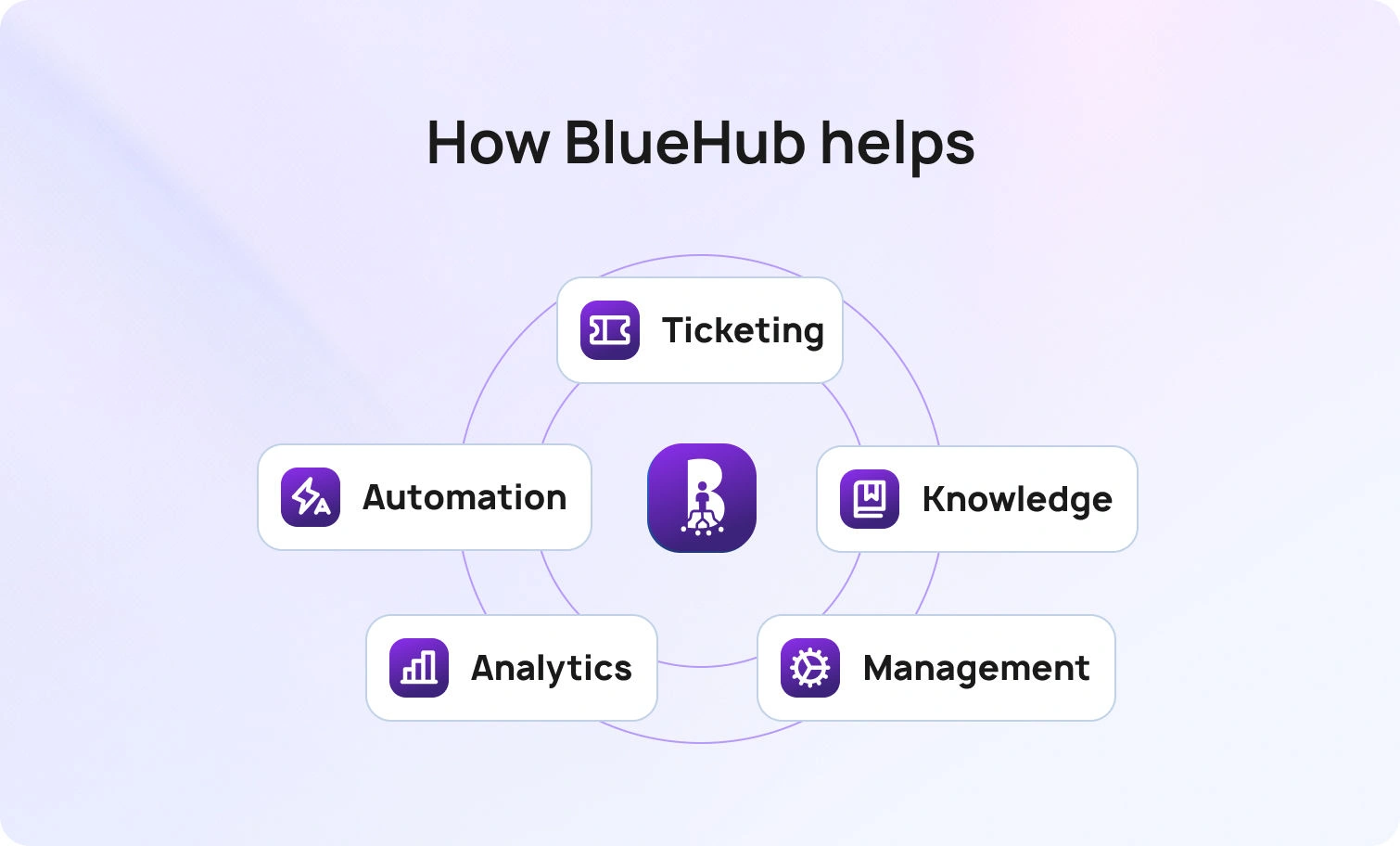
BlueHub unifies every conversation, customer record, and automation into one powerful platform.
Explore more
Fewer calls come from faster answers, strong self-service, and explicit routing. This article outlines 15 strategies to reduce customer support calls without hurting CX, including more brilliant knowledge base design, automation of routine tasks, signal-driven routing, and better workforce planning. Outcomes include lower ticket volume, shorter handle times, higher first-contact resolution rates, and measurable cost savings.
A high call volume typically indicates friction, such as missing or hard-to-find information, unclear intake, or routing gaps that necessitate repeat contacts. High call volume can also negatively impact support staff morale and lead to burnout due to increased workloads and stress. Modern teams handle customer interactions across multiple channels, so issues multiply when context drops between systems. Customers expect consistent outcomes and tone, whether a conversation occurs in chat, email, voice, social media, or a self-service portal. When accurate information and clear paths exist at the moment of need, incoming calls decline and ticket volume follows.
Reducing calls is not about blocking access to humans. The goal is straightforward: automate routine tasks with comprehensive knowledge bases, then reserve human intervention for complex issues that benefit from expertise and empathy. Automation and streamlined operations not only reduce workload but also improve operational efficiency across departments. Clean routing, structured intake, and a unified ticketing system streamline the support process by ensuring tickets are handled efficiently and routed correctly, eliminating unnecessary handoffs and reducing the time to resolution. Benefits include lower average handling times, fewer repeat tickets, and more reliable service levels across multiple channels.
This article outlines 15 practical strategies to reduce customer support calls and ticket volume, while enhancing customer satisfaction and improving the overall support experience. It explains the implementation steps, key metrics to track.
Before the list, a quick orientation. The strategies below begin with foundational elements that reduce ticket volume across the board: a smart knowledge base, a self-service portal that customers prefer, and routing that preserves conversations intact. Later sections cover automation, analytics, workforce management, and quality assurance. Each strategy aligns with core KPIs, including first contact resolution, abandonment, average handling time, repeat tickets, and sentiment.
Effective support strategies are designed to both reduce call volume and improve customer satisfaction by tracking customer feedback, enhancing internal collaboration, and fostering a supportive community.
Implementing these customer support strategies delivers key benefits, including improved efficiency, reduced support workload, and increased customer loyalty.
A knowledge base is often the first place customers look for answers, and relevant knowledge base articles written in the customer’s language reduce customer support tickets before they start.
The strongest articles lead with the answer, followed by clear steps, expected results, and screenshots. Titles that mirror real search queries, such as password resets, billing changes, shipping status, or subscription updates, help readers find the right page. Cross-links between related topics guide the jump from broad questions to precise solutions without opening a support ticket. Searchability, precise categorization, and regular updates are key components of an effective knowledge base.
Strong governance keeps quality high. Each content area has an owner and a review schedule, with outdated material retired. Zero-result searches and bot fallbacks surface gaps that need new or revised content. With steady upkeep, the knowledge base becomes a reliable self-service engine that reduces the support load and improves the customer experience.
BlueHub (by BlueTweak) fit: The smart knowledge base powers suggested replies for agents, grounds chatbot and voicebot answers, and ensures consistent answers across chat, email, and voice.
Incoming tickets drop when the self-service portal provides a quicker path to accurate answers than contacting support. List top tasks at the top of the page, align categories with real customer inquiries, and surface context-aware suggestions. The portal should also provide access solutions, such as knowledge bases and self-service resources, that empower users to resolve issues independently.
For escalations, structured forms should capture intent, product or brand, language, and relevant IDs so the ticketing system starts with context instead of guesswork.
BlueHub Fit: The portal leverages a smart knowledge base and consolidates escalations into a single queue for email, chat, and voice.
A community forum provides a space for peer-to-peer support and the sharing of reusable solutions. Threads capture real language, edge cases, and step-by-step fixes that mirror how customers ask questions.
Clarity starts with structure. Accepted answers sit at the top, tags group threads by topic, and links point back to the right knowledge base articles. Recognition programs keep experts engaged and encourage steady contributions. The payoff is practical: fewer repetitive queries, lower ticket volume, and faster access to accurate information.
Contextual help reduces calls by solving problems where they occur. An in-app help panel can show relevant knowledge base articles based on the current page or error, and is designed to quickly identify and address common customer problems. The goal is to help customers solve problems efficiently without needing to contact support. Guided flows, tooltips, and empty-state guidance prevent common missteps. Product analytics point to friction points, so help appears before frustration builds.
BlueHub Fit: The help center uses the smart knowledge base for answers and escalates with full context into one queue for email, chat, and voice.
Duplicate contacts add noise and slow queues. Structured intake, account identifiers, and clear routing rules keep a single conversation thread across channels. The assignment should consider brand, skill, language, intent, and urgency so that the first agent is the right agent. That approach reduces transfers, shortens time to first response, and improves efficiency. Layering sentiment and priority signals helps frustrated customers and high-value accounts reach the front of the line without breaking SLAs.
BlueHub Fit: An omnichannel queue unifies chat, email, and voice, while automatic routing, a smart knowledge base, spam detection, real-time chat translation, and sentiment tracking help triage and prioritize without manual effort.
Many customer questions do not require a conversation. Automate high-volume, low-risk workflows such as password resets, order lookups, status updates, appointment changes, and policy-bound refunds. Automation tools streamline these processes, freeing up agents to focus on more complex issues. Provide confirmations and a human fallback to maintain trust and confidence. These automations reduce the average handling time and eliminate repetitive queries that rarely require agent expertise.
BlueHub Fit: Workflow automation handles routine tasks and records outcomes within the ticket, preserving omnichannel context.
Bots reduce support ticket volume when grounded in a verified knowledge base and guided by confidence thresholds. Chatbots and voicebots are designed to reduce support tickets by efficiently handling common customer queries, providing instant responses, and freeing up human agents for more complex issues. When a question is out of scope, a smooth handoff to a live agent should occur, including transcript and metadata. Analytics from bot fallbacks should feed knowledge base improvements.
Chatbots absorb repetitive queries at scale. Voicebots capture intent, authenticate callers, provide status updates, and route calls with context, which reduces the need for agents to handle routine tasks.
BlueHub Fit: Native, multilingual bots use citations from the knowledge base, respect guardrails, and escalate with full context.
Long threads and complex histories can slow down the resolution. AI assist can summarize conversations, capture structured fields, and draft replies with citations to relevant knowledge base articles. The effect is faster first-contact resolution, a consistent tone, and less time spent searching for context.
Additionally, AI assist helps reduce ticket resolution time by giving agents quick access to the information they need to resolve issues efficiently.
BlueHub Fit: Suggested replies surface accurate answers from the knowledge base, while AI ticket summaries reduce reading time for support agents.
Macros and templates maintain consistency in language while reducing friction in each interaction. Paired with dynamic fields for personalization and deep links to the exact knowledge base article, replies land accurate and complete the first time. Checklists cover edge cases, such as regional compliance or warranty terms, ensuring that steps are not missed under pressure. Taken together, this standardization lowers average handling time and cuts repeat tickets.
Outages, product changes, or supply delays can spark call spikes. Late or unclear updates frustrate customers and inflate ticket volume. Proactive communication across status pages, targeted email or SMS, social posts, and in-product banners sets expectations early. Include scope, timelines, any necessary workarounds, and links to relevant knowledge base articles. Clear, consistent updates cut repetitive queries and stabilize sentiment.
BlueHub Fit: Analytics highlight surges, enabling teams to publish coordinated updates. Meanwhile, canned responses, bots, and the smart knowledge base maintain consistent messaging across chat, email, and voice.
Reducing calls does not mean hiding a phone number. Escalation should be simple, with full context carried forward. Agents need a clear view of what has already happened: articles viewed, bot steps completed, device or browser details, and account data. With that information inside the ticket, resolution starts at step three instead of step zero. The result is faster answers, fewer handoffs, and less frustration. Clean escalation also lowers abandonment and prevents parallel contacts across channels for the same problem.
Understaffing leads to long waits and increased channel hopping. Overstaffing adds cost without benefit. Workforce management that combines real-time and historical analytics enables schedules to align with demand by intent, language, and channel. Better alignment prevents burnout, maintains steady service levels, and protects response times. Intraday moves then shift agents between queues to absorb spikes without breaking SLAs.
BlueHub Fit: Forecasting and scheduling features balance workloads across email, chat, and voice, with dashboards that track essentials such as handle time and abandonment rate.
Random sampling misses systemic patterns. Auto-QA can flag tone issues, policy risks, or inaccuracies at scale. Human review then provides targeted coaching and updates macros or knowledge base content as needed.
It is also essential to gather feedback from customers and utilize it to refine support processes and content. Closing the loop prevents repeat tickets and maintains consistent service quality.
BlueHub Fit: Quality reviews and analytics help target coaching, and updates flow back into macros and the knowledge base to improve daily operations.
Multiple tools produce context loss, duplicate data, and reporting delays. Consolidation around an omnichannel platform eliminates brittle integrations and duplicate licenses. Modern contact centers benefit from unified solutions that streamline operations, enhance agent efficiency, and improve the overall customer experience. For example, a proactive software company can leverage platform consolidation to reduce support workload, improve customer self-help resources, and optimize overall efficiency. A single data model enables cross-channel reporting that reveals patterns silos cannot show. Consolidation reduces customer service costs and simplifies governance.
BlueHub Fit: Channels, routing, a smart knowledge base, bots, analytics, and workforce management operate in one platform. Integrations stay open through APIs.
Visible data drives improvement. Track ticket volume by intent and channel, deflection from self-service, first contact resolution, average handling time, abandonment, sentiment, and repeat tickets inside 14 days. Incorporate user feedback into the optimization process to identify common issues and refine support features. Then, connect automation to outcomes, such as password resets completed without human intervention or the bot containment rate for status queries.
These practices are designed to ensure customers have a seamless and practical support experience. Publish a monthly deltas report that identifies what has improved, what has regressed, and which strategies should be scaled next.
BlueHub Fit: Real-time dashboards and historical analytics give support, product, and leadership a shared view of performance. Reporting creates clear ownership and follow-through.
Concrete math clarifies impact. Consider a contact center that handles 20,000 monthly contacts across multiple channels at an average variable cost of $4 per contact. A 20% reduction in ticket volume through self-service and automation equals 4,000 fewer contacts. At $4 per contact, that is $16,000 in monthly operating expense avoided.
Reducing ticket volume not only saves costs but also eases the workload on the customer support team, allowing them to dedicate more time to complex customer issues rather than routine inquiries. If first contact resolution increases from 62% to 72%, the average handling time typically drops as well, thereby opening capacity that would otherwise require additional headcount.
Multilingual capability adds a top-line effect. When chat and voice can serve customers in native languages and switch mid-conversation, more prospects complete inquiries and fewer abandon forms. For a site with 80,000 monthly visits and a chat conversion rate of 2.0%, enabling multilingual chat that increases conversion to 2.6% generates approximately 480 additional engaged leads per month. That same capability in post-sale support reduces repeat tickets caused by language misunderstandings and improves sentiment score for global regions, which correlates with higher retention.
Unified tools also remove license and integration costs. Replacing three or four systems with a single platform cuts overlap, decreases integration maintenance, and shortens onboarding time for new agents. Fewer moving parts reduce error rates that trigger incoming calls.
Effective optimization resembles a standing experiment cadence, rather than ad-hoc changes. A practical approach:
These practices are designed to enhance customer satisfaction by reducing support tickets, improving self-service options, and ultimately delivering better service through continuous feedback and support strategy enhancements.
Dynamic adaptation should feed on zero-result searches, bot fallbacks, and QA flags. A monthly optimization review selects three winning changes and retires underperformers. This steady cycle moves KPIs in the right direction without large swings or risky bets.
Customer experience leaders expect support platforms to advance in three practical ways:
As support platforms evolve, streamlining support processes and empowering the support team with new tools will be essential for future success.
Platforms that combine omnichannel ticketing, a smart knowledge base, AI assist, bots, analytics, workforce management, and QA in one place will set the pace. Buyers will expect open APIs, data residency options, and ISO-aligned controls as standard. BlueHub aligns with this direction by keeping AI grounded in the knowledge base, staying API-open, and providing the operational controls required for scale.
Reducing customer support calls without hurting CX requires a connected system. Comprehensive knowledge bases, a self-service portal that customers prefer, structured intake, automatic routing, and automation for routine tasks create fewer tickets and faster resolutions. Analytics, workforce management, and quality assurance help maintain steady performance as volume fluctuates. Consolidation reduces customer service costs and removes points of failure between tools.
BlueHub combines these pieces into a single platform centered around chat, email, and voice. The application includes proposed reply, classification, summarization, real-time chat translation, spam detection, and automatic routing features. Workforce management and analytics tie everything together, enabling the customer service team to monitor key metrics, including first-contact resolution, abandonment rate, containment rate, and average handling time.
The outcome is fewer calls, fewer tickets, and higher confidence in service quality. By consistently meeting customer expectations and providing excellent support, organizations can foster loyal customers who return and advocate for the brand.
Request a demo to see BlueHub reduce ticket volume while improving customer satisfaction.
Make self-service faster than waiting, and when escalation is needed, pass full context into the ticket so agents start with the correct information. In BlueHub, bots collect details, verify identity, and attach the conversation to a unified ticket, reducing volume while maintaining satisfaction.
Password resets, order status, appointment changes, and policy-safe refunds. BlueHub ships these as guided flows and voicebot intents, cutting repetitive contacts and average handle time so agents can focus on complex issues.
Track first-contact resolution, repeat tickets within 14 days, abandonment, and sentiment by intent. If deflection rises while these hold or improve, CX is healthy. BlueHub’s dashboards show these signals side by side, making trade-offs obvious.
Not required, but it helps. A unified platform removes context gaps and duplicate effort. BlueHub combines ticketing, knowledge, bots, analytics, workforce management, and QA in one workspace, simplifying operations and producing reliable cross-channel reporting.
As Head of Digital Transformation, Radu looks over multiple departments across the company, providing visibility over what happens in product, and what are the needs of customers. With more than 8 years in the Technology era, and part of BlueTweak since the beginning, Radu shifted from a developer (addressing end-customer needs) to a more business oriented role, to have an influence and touch base with people who use the actual technology.
Quality
Administration
Workforce Management
Customer Support Analytics
Copyright BlueTweak 2025