TL;DR

AI customer support software now pairs knowledge-grounded chatbots and voicebots with agent copilot tools (summaries, suggested replies, intelligent routing) to deflect questions and accelerate resolution. These unified platforms bundle omnichannel (email, chat, voice, messaging), native WFM/QA, and transparent pricing. This guide examines the leading platforms to consider in 2026.

Before You Choose: Context for 2026 AI Support

Customer support requests have jumped to millions of interactions per month across chat, voice, email, and social messaging, but human agents alone can’t scale efficiently. AI customer service stepped in to automate repetitive tasks, maintain response times, and continuously improve outcomes through machine learning.ย 

However, pilots have become platform decisions: CFOs now focus on total cost of operation, time-to-value, and whether AI actually grounds answers in your knowledge base or hallucinates under pressure.ย 

Below is a walk-through of vetted AI customer support software options, scoring each on omnichannel depth, AI coverage (including agentic bots and copilot assist), native WFM/QA, security standards, and pricing clarity.ย 

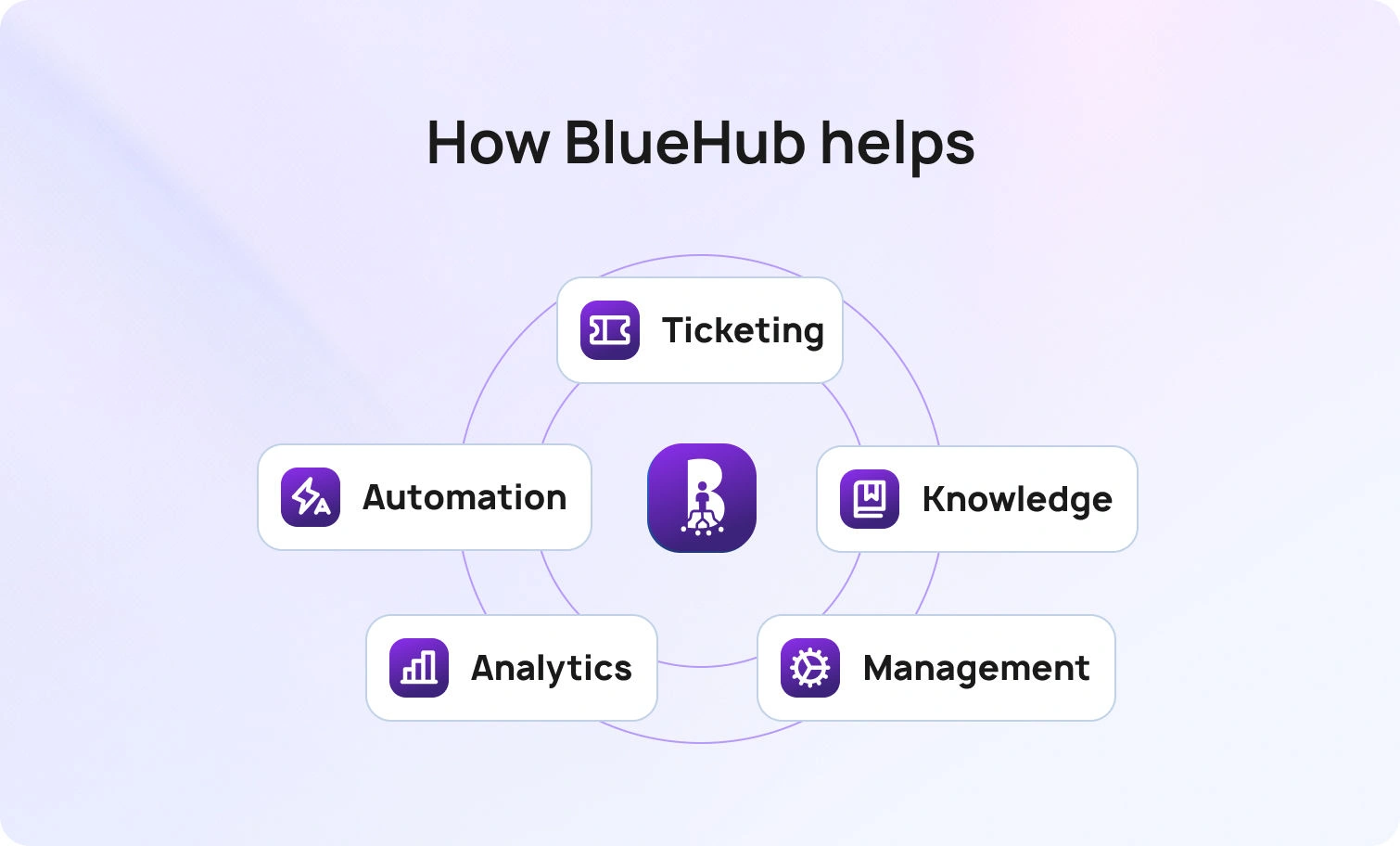
We spotlight BlueHub for its all-in-one approach, which includes ticketing, multilingual voicebot and chatbot, call transcription, suggested replies, workforce management, and analytics, all in a single subscription. This makes it the most comprehensive fit for mid-sized teams ready to move quickly.

What Is AI Customer Support Software & Why Teams Are Upgrading Now

AI customer support software uses large language models (LLMs) and machine learning to automate customer service workflows. Core functionality includes:

  • Agentic bots (AI chatbot, AI voicebot) that resolve common questions end-to-end without human agents.
  • Agent copilot tools (ticket summaries, suggested replies, intelligent routing) that reduce manual work and response times.
  • Knowledge-grounded answers that pull context from your knowledge base, CRM, or external APIs (minimizing hallucinations).
  • Quality assurance and analytics that monitor sentiment, assess support interactions, and predict next steps.

Teams are upgrading now because omnichannel volume (chat, voice, email, WhatsApp) has outpaced headcount, personalized customer experience expectations have risen, and legacy helpdesks cannot deliver real-time insights or secure integration with enterprise data.

Technology Overview: From Point Tools to AI-Assisted CX Platforms (2018โ†’2026)

What changed: Teams transitioned from using separate helpdesk, bot, QA, and WFM vendors to a unified customer service software that combines LLM-assisted workflows (agent copilot, summaries, and canned responses) with knowledge-grounded automation and omnichannel coverage.

Why it changed: Rising volumes in messaging and voice, multi-brand complexity for BPOs, and CFOs focusing on TCO rather than business feature checklists. Older stacks required custom connectors, siloed analytics, slow handoffs, and inconsistent tagging.

How older stacks worked: One vendor for ticketing, another for chat, a third for voice/telephony, separate QA scorecards, and spreadsheet-based workforce forecasting. Data rarely flowed cleanly, agents toggled between five tabs, and analytics lagged by days.

Buyer implications in 2026: Prioritize KB-grounded AI (voice + text), clean handoffs into your ticketing system, native WFM and quality assurance, role-based analytics, and transparent pricing. Confirm security controls (MFA, audit logs, data-location options) and avoid platforms that gate voice or AI features behind enterprise SKUs.

How We Evaluated Each AI Customer Support Platform

Our ranking criteria will help you find the right solution with confidence. We focused on identifying software that meets basic requirements, deciding to focus on the following:

  • Features: Checked against the must-have checklist below; marked Meets / Partial / Not evident using public documentation and demos.
  • Who uses it: Drawn from public case studies and customer logos; noted TBD if unclear.
  • Pricing: From published pricing pages; if absent, we note the stated model and flag contact sales.
  • Pros/cons: Evidence-based strengths and gaps tied to checklist criteria. No marketing superlatives, just what teams at 20โ€“100 agents will encounter.

Must-Have Capability Checklist

  1. Omnichannel: Email, chat, voice, web forms, social messaging (WhatsApp, Facebook Messenger), AI chatbot, and AI voicebot on the same AI agent platform.
  2. Multilingual AI (voice + text) & grounding: Conversations in multiple languages; KB-aware answers using embeddings + LLM; API pulls for external data.
  3. WFM & QA: Native workforce management (forecasting, real-time monitoring, shift scheduling) and quality assurance (scoring, feedback loops, performance reviews).
  4. Analytics & dashboards: Real-time KPIs (SLA, CSAT, NPS, FCR, AHT) with drill-down by agent, channel, or topic; role-based access.
  5. Security & compliance: MFA, audit logs, role-based permissions, data-location options (on-prem or regional cloud).
  6. APIs & integrations: Unlimited SaaS connectors (Salesforce, SAP, Outlook/Teams, WhatsApp/Messenger, Power BI, UiPath); chatbot API hooks for external databases.
  7. Pricing clarity: Single all-in price covering ticketing, messaging, help center, voice, AI features, analytics, integrations, and SLAsโ€”no hidden add-ons.
  8. AI voicebot: Full conversational IVR replacement with LLM-powered intent recognition, dynamic responses, and seamless agent handoff.
  9. Suggested reply: Contextual reply drafts (email/chat) pulled from KB and past tickets to accelerate agent responses.

Scoring Rubric

  • Fit for 20โ€“100 agents: Pricing and complexity scaled for mid-market; not SMB-only or enterprise-mandatory.
  • Omnichannel depth (incl. voice): Native telephony/voice channel, not bolted-on partner integrations.
  • AI coverage (agentic + copilot + KB-grounding): Both autonomous bots and agent-assist tools; solve problems tied to your content.
  • WFM/QA native: Built-in workforce planning and quality scoringโ€”no third-party add-ons required.
  • Time-to-value: Weeks to go live, not months of professional services.
  • Total cost to operate (TCO): Transparent per-agent or tiered pricing; minimal hidden fees.
  • Security & control: MFA, granular permissions, audit trails, data residency options.

15 Best AI Customer Support Software to Consider in 2026

These platforms pair knowledge-grounded chatbots and voicebots with agent copilots to deflect routine work and speed resolution.

1. BlueHub (by BlueTweak) โ€“ Editor’s Choice

BlueHub is an AI-native omnichannel platform built for contact centers and CX teams that want everything in one place. It combines automated ticket routing with conversational AI, providing agents with real-time assistance through call transcription, ticket summaries, and suggested replies.ย 

The platform includes native workforce management for forecasting and scheduling, quality assurance tools for scoring and coaching, and granular analytics to track SLA, CSAT, and agent performance across every channel. Native voice and telephony options, no separate vendor for WFM, no bolt-on QA tool. It’s a true customer service solution that handles email, chat, SMS, WhatsApp, Facebook Messenger, and phone in one unified inbox with customer profiles and administration controls.

Who Uses It: BPO providers and internal CX teams (20โ€“100+ agents) across e-commerce, telecom, finance, and healthcare.

Key Features:

  • Customer support automation: Intelligent routing, auto-classification, sentiment analysis.
  • AI voicebot & chatbot: Multilingual, KB-grounded conversations and seamless agent handoff.
  • Copilot assist: Call transcription, ticket summaries, suggested replies in under 10 seconds.
  • Omnichannel inbox: Email, chat, voice, SMS, WhatsApp, Facebook Messenger unified.
  • Native WFM & QA: Forecasting, real-time dashboards, shift planning, scoring, feedback loops.
  • Multilingual AI: Translation across all channels (voice + text).
  • Analytics: Live SLA, CSAT, NPS, FCR, AHT by agent/channel/topic; custom reports.
  • Security: Role-based permissions, MFA, audit logs, data-location options (cloud or on-prem).
  • Integrations: Unlimited API access; pre-built connectors for Amazon, Shopify, ChatGPT, and more.
  • Knowledge base: Self-service portal + agent assist; embeddings + LLM for accurate answers.

Pricing:

  • โ‚ฌ65/agent/month all-in (ticketing, omnichannel, AI features, WFM, QA, analytics, integrations)

Pros:

  • Only platform bundling agentic AI (voicebot + chatbot), copilot tools, native WFM/QA, and full omnichannel
  • No feature gating
  • Transparent tier-based pricing; unlimited users and integrations included
  • Fast time-to-value (weeks, not months); onboarding support from the BlueTweak team
  • Multilingual across voice and text with KB-grounding to prevent hallucinations
  • Built for BPOs: multi-tenant, multi-brand configuration in one instance

Cons:

  • Newer brand compared to Zendesk/Salesforce legacy
  • AI usage scales with volume; per-interaction pricing available

Request a demo to see how BlueHub’s unified AI customer support software handles voicebot deflection, agent copilot workflows, and real-time workforce analytics in one subscription.

2. Zendesk

Zendesk is a cloud-based helpdesk software AI customer support platform with AI add-ons for ticket summarization, intent detection, and chatbot automation. Its processes cover email, chat, voice (via partner integrations), and messaging, but charges separately for advanced AI and WFM features.

Who Uses It: SMBs to enterprises across industries; strong in SaaS, e-commerce, and tech support.

Key Features:

  • Omnichannel ticketing with macros and automation
  • Answer Bot (knowledge-base chatbot, text-only)
  • AI-powered workflow automation
  • Basic reporting dashboards
  • Zendesk Talk (voice via Twilio partnership)

Pricing:

  • Suite Team: $55/agent/month (billed annually)
  • Suite Growth: $89/agent/month (billed annually)
  • Suite Professional: $115/agent/month (billed annually)
  • Suite Enterprise: $150+/agent/month (billed annually)
  • Voice, WFM ($25/agent/month), QA ($35/agent/month), and premium AI cost extra

Pros:

  • Mature ecosystem with an extensive app marketplace
  • Familiar UI for many teams
  • Decent integration library

Cons:

  • Voice is partner-dependent (Twilio); not native
  • WFM and advanced AI are gated behind enterprise tiers
  • TCO climbs quickly with add-ons
  • No native voicebotโ€”only text-based Answer Bot

3. Intercom

Intercom mixes live chat, chatbot (Fin AI), and helpdesk ticketing with a focus on proactive engagement, best practices, and sales conversations. It includes basic email/messaging but limited native voice support.

Who Uses It: SaaS companies, product-led growth teams, and digital-first businesses that engage with in-app chat.

Key Features:

  • Fin AI chatbot (GPT-powered, KB-grounded, text-only)
  • Live chat and messaging
  • Product tours and proactive campaigns (Series)
  • Basic ticketing system
  • Reporting dashboards

Pricing:

  • Essential: $29/seat/month (billed annually); monthly pricing starts ~$39/seat/month
  • Advanced: $85/seat/month (billed annually)
  • Expert: $132/seat/month (billed annually)
  • Fin AI Agent: $0.99 per resolution (minimum 50 resolutions/month = $49.50 baseline)
  • Copilot add-on: $35/seat/month for unlimited agent assist
  • No native voice; integrations required for telephony and video

Pros:

  • Strong chatbot UX with modern interface
  • Proactive messaging capabilities
  • Quick setup for digital channels

Cons:

  • Expensive at scale (per-resolution AI fees add up fast)
  • No native voice or voicebot
  • Analytics is limited compared to contact-center platforms

4. Freshdesk (Freshworks)

Freshdesk offers ticketing, email, chat, phone (Freshcaller), and Freddy AI for chatbot and agent assist. WFM and advanced analytics are available in higher tiers or separate Freshworks products.

Who Uses It: SMBs and mid-market teams; popular in retail, hospitality, and education.

Key Features:

  • Omnichannel ticketing (email, chat, phone, social)
  • Freddy AI chatbot (text-only)
  • Ticket automation and workflow rules
  • Freshcaller (cloud telephony add-on)
  • Team collaboration tools
  • Basic reporting

Pricing:

  • Free: $0 for up to 2 agents (6 months, then requires upgrade)
  • Growth: $15/agent/month
  • Pro: $49/agent/month
  • Enterprise: $79/agent/month
  • Freddy AI Copilot: $29/agent/month (add-on)
  • Freddy AI Agent: Usage-based pricing per resolution
  • WFM via separate Freshworks suite

Pros:

  • Affordable entry point
  • Easy onboarding with an intuitive interface
  • Decent AI chatbot for text channels

Cons:

  • Voice and WFM bolt-ons inflate TCO
  • Freddy AI is less advanced than LLM-native platforms

5. Salesforce Service Cloud (Einstein for Service)

Salesforce Service Cloud‘s website integrates CRM data with omnichannel case management and Einstein AI for predictive routing, chatbots, and sentiment analysis. Voice via third-party CTI or Amazon Connect integration.

Who Uses It: Enterprise companies already in the Salesforce ecosystem; finance, healthcare, and B2B services.

Key Features:

  • Einstein Bots (text chatbot, no voicebot)
  • Omnichannel case management
  • Einstein AI for case classification and routing
  • Field service management
  • Einstein analytics and dashboards
  • Workflow automation
  • Secure CRM integration

Pricing:

  • Service Cloud Essentials: ~$75/user/month
  • Enterprise Edition: ~$165/user/month
  • Unlimited Edition: ~$330/user/month
  • Einstein AI add-on: $50/user/month (requires Enterprise or Unlimited Edition)
  • Agentforce add-on (newer AI): $125/user/month
  • Voice, WFM, and advanced features require higher tiers or additional products

Pros:

  • Deep CRM context for Salesforce-native organizations
  • Enterprise-grade security and compliance
  • Powerful for teams already invested in Salesforce

Cons:

  • Complex setup requiring months of implementation
  • High TCO with layered licensing
  • Voice not native; requires third-party integration to communicate
  • Einstein Bots text-only (no voicebot)
  • WFM via separate products

6. Genesys Cloud CX (Genesys AI)

Genesys Cloud CX is a contact-center platform with native voice, digital channels, WFM, QA, and solutions for predictive routing, sentiment analysis, and agent assist.

Who Uses It: Large contact centers (100+ agents) in telecom, financial services, healthcare, utilities.

Key Features:

  • Omnichannel (voice, chat, email, SMS, messaging)
  • Genesys AI (routing, bots, transcription, analytics)
  • Native WFM and QA tools
  • Real-time analytics and performance monitoring
  • Workforce engagement management

Pricing:

  • Genesys Cloud CX 1: ~$75/user/month
  • Genesys Cloud CX 2: ~$110/user/month (includes AI features)
  • Genesys Cloud CX 3: ~$140/user/month
  • Enterprise contracts often require custom quotes

Pros:

  • Full contact-center stack with robust voice
  • Native WFM/QA included
  • Strong compliance controls for regulated industries

Cons:

  • Overkill for <100 agents
  • Steep learning curve
  • Slower time-to-value
  • High total investment

7. Ada

Ada is a no-code AI chatbot platform (text-only) that automatically handles customer service inquiries via chat and messaging. No native ticketing, voice, or WFM. It integrates with external helpdesks.

Who Uses It: E-commerce, fintech, SaaS; companies seeking chatbot-first automation with low IT overhead.

Key Features:

  • GPT-powered chatbot (text-only)
  • Knowledge-base grounding
  • Multilingual support (45+ languages)
  • Analytics dashboard
  • Integrations (Zendesk, Salesforce, Shopify)

Pricing:

  • Custom pricing; typically starts ~$500โ€“$1,000/month base
  • Per-resolution fees apply
  • No public pricing available

Pros:

  • Fast chatbot deployment
  • Strong text automation
  • Multilingual capabilities
  • Easy for non-technical companies

Cons:

  • Text-only (no voice or voicebot)
  • No native ticketing or WFM
  • Must integrate with a separate helpdesk
  • Limited visibility into agent workflows or quality assurance

8. Forethought

Forethought is a generative AI platform that focuses on automating customer support, featuring multi-agent capabilities (Discover, Solve, Triage, Assist). It trains on historical tickets to power agentic workflows and agent copilot features.

Who Uses It: E-commerce, SaaS, and technology companies (mid-market to enterprise) with 20,000+ historical tickets; brands like D2L and Lime.

Key Features:

  • Multi-agent system (Discover for insights, Solve for automation, Triage for routing, Assist for agent copilot)
  • Omnichannel AI Agent (chat, email, voice)
  • Autoflows (no-code workflow automation using natural language)
  • AI-powered insights and knowledge gap detection
  • Integrates with Zendesk, Salesforce, ServiceNow, Freshdesk, Kustomer, Talkdesk
  • Multilingual support (100+ languages)

Pricing:

  • Custom pricing based on ticket volume and agents
  • Tiered plans: Basic, Professional, Enterprise
  • No public pricing; requires sales quote
  • Solve/Triage priced by ticket volume; Assist priced per agent

Pros:

  • Strong for teams with large historical ticket datasets
  • Natural language workflow builder (Autoflows)
  • Multi-agent approach covers discovery, automation, routing, and assistance
  • High reported ROI (15x average)

Cons:

  • Requires ~20,000 past tickets for optimal AI performance
  • No public pricing transparency
  • Complex implementation for smaller teams
  • No native ticketing, voice, or WFMโ€”integrates with external helpdesks

9. Gorgias

Gorgias is an e-commerce-focused helpdesk with deep integrations for Shopify/BigCommerce/Magento, as well as AI Agent capabilities for order management, refunds, and product recommendations.

Who Uses It: E-commerce brands (especially Shopify stores) with moderate to high order volumes; trusted by 15,000+ brands.

Key Features:

  • Deep e-commerce integrations (Shopify, BigCommerce, Magento)
  • AI Agent (text-only chatbot) for order tracking, cancellations, and refunds
  • Omnichannel inbox (email, chat, SMS, social, voice)
  • Automated workflows and macros
  • Revenue-driving features (upsells, product recommendations)
  • 100+ e-commerce app integrations

Pricing:

  • Starter: $10/month (50 tickets included)
  • Basic: $60/month (300 tickets included)
  • Pro: $360/month (2,000 tickets included)
  • Advanced: Custom pricing
  • AI Agent resolutions: $0.90 each (annual) or $1.00 each (monthly)
  • Overage fees apply beyond plan limits

Pros:

  • Best-in-class for Shopify/e-commerce stores
  • Order management directly in Helpdesk
  • Revenue-focused features (product recommendations, cart recovery)
  • Affordable entry point for small e-commerce teams

Cons:

  • Primarily Shopify-focused; limited value for non-e-commerce
  • AI Agent text-only (no voicebot)
  • Double-billing concern (AI resolutions count as both AI charges and billable tickets)
  • No native WFM or QA tools

10. Help Scout

Help Scout is an email-first helpdesk with a shared inbox, knowledge base, and live chat. It has recently shifted to a contact-based pricing model (unlimited users) and includes basic AI features in all plans.

Who Uses It: SMBs and mid-market teams prioritizing simplicity and collaboration; popular with SaaS, professional services, and non-profits.

Key Features:

  • Shared inbox with collaboration tools
  • Knowledge base (Docs) with AI-powered search
  • Live chat (Beacon) with proactive messaging
  • AI Assistant (included): summaries, reply drafts, translation, tone adjustment
  • Automated workflows and saved replies
  • 100+ integrations (Salesforce, Jira, HubSpot, Zapier)

Pricing:

  • Free: $0 (up to 2 mailboxes, 25 contacts, 30-day data retention)
  • Standard: $50/month base (includes 1,000 contacts, unlimited users)
  • Plus: $100/month base (includes 2,000 contacts, unlimited users)
  • Pro: $200/month base (includes 5,000 contacts, unlimited users)
  • Pricing scales by 3-month average contacts, helped (not per-seat)

Pros:

  • Unlimited users on all paid plans
  • AI features included (no usage fees)
  • Simple, email-centric interface
  • Strong for teams valuing ease of use over feature depth
  • 24/6 support included

Cons:

  • Contact-based pricing is unpredictable for growing or seasonal teams
  • No native voice or voicebot
  • No native WFM or QA
  • Limited AI customization (only trains on Help Scout content)
  • Analytics limited (2-year data retention on Standard)

11. Ultimate (Ultimate.ai)

Ultimate.ai is an AI-powered customer support automation platform specializing in virtual agents for chat, email, and social channels. It integrates with existing helpdesks (Zendesk, Salesforce, Freshdesk) to automate support requests.

Who Uses It: E-commerce, SaaS, and enterprise brands seeking to automate 60-80% of repetitive support inquiries across digital channels.

Key Features:

  • AI-powered virtual agents (chat, email, social media)
  • No-code conversation builder
  • Seamless CRM integration (Zendesk, Salesforce, Intercom, Freshdesk)
  • Multilingual support (20+ languages with native fluency)
  • Analytics and reporting (automation rates, resolution tracking)
  • Knowledge base integration
  • Automated ticket triage and routing

Pricing:

  • Custom pricing only (no public plans)
  • Average annual cost: ~$47,000 (based on industry data)
  • Range: $47,000โ€“$200,000 annually, depending on scale
  • Priced by automated resolution (AR)
  • No free plan; contact sales for a quote

Pros:

  • Strong automation rates (60-80% of inquiries)
  • No-code platform accessible to non-technical teams
  • Multilingual capabilities with native fluency
  • Integrates with major helpdesks without replacing them
  • Fast deployment (minutes to hours)

Cons:

  • No public pricing transparency
  • No native ticketing, voice, or WFMโ€”requires external helpdesk
  • Text-only (no voicebot capability)
  • Limited to augmenting existing platforms rather than replacing them
  • Smaller feature set compared to full CCaaS platforms

12. NICE CXone

NICE CXone (formerly NICE inContact) is an enterprise cloud contact center platform with omnichannel routing, AI-powered automation (Enlighten AI), native WFM, QA, and analytics.

Who Uses It: Enterprise contact centers (500+ agents) across healthcare, finance, retail, telecom, and government requiring compliance and scale.

Key Features:

  • Omnichannel (voice, digital, social, SMS, chat, email)
  • Enlighten AI (routing, sentiment analysis, agent assist, real-time guidance)
  • Native WFM and QA with automated evaluation scoring
  • CXone Mpower (unified AI + CXone platform)
  • Real-time and historical analytics with dashboards
  • Agent Assist Hub with in-conversation coaching
  • Compliance tools (GDPR, HIPAA, PCI DSS)
  • Journey orchestration across touchpoints

Pricing:

  • Digital Agent: $71/user/month (digital channels only)
  • Voice Agent: $94/user/month (voice + basic digital)
  • Omnichannel Agent: $110/user/month
  • Essential Suite: $135/user/month (adds WFM/QA)
  • Core Suite: $169/user/month
  • Advanced Suite: $209/user/month
  • Ultimate Suite (Mpower): $249/user/month
  • Custom enterprise pricing available

Pros:

  • Gartner Magic Quadrant Leader (11+ consecutive years)
  • Full CCaaS stack with robust voice and AI
  • Native WFM/QA included in higher tiers
  • Substantial compliance and security for regulated industries
  • Proven scalability (handles billions of interactions)

Cons:

  • Overkill and expensive for <500 agents
  • Complex configuration; steep learning curve
  • Slow implementation (months)
  • High TCO with a tiered pricing model
  • Users report pricing complexity and unexpected costs

13. Sprinklr Service

Sprinklr Service is an enterprise unified CXM platform designed for large organizations managing customer service across 30+ digital and social channels with AI automation and analytics.

Who Uses It: Enterprise brands (Fortune 500) across retail, telecom, hospitality, and financial services, managing high-volume social/digital support.

Key Features:

  • Omnichannel (30+ channels: email, voice, social media, messaging, review sites)
  • Conversational AI bots (handle complex scenarios)
  • Unified agent desktop with case management
  • Blended contact center (voice + digital)
  • LiveChat and self-service tools
  • Premium analytics with custom dashboards
  • Social listening and sentiment analysis
  • Integration with Sprinklr Social, Marketing, and Insights suites

Pricing:

  • Advanced (Self-Serve): $249/seat/month (billed annually)
  • Enterprise: Custom pricing (contact sales)
  • Average annual cost: ~$61,000+ based on enterprise deals
  • No free plan; 30-day free trial available
  • Setup/onboarding fees apply

Pros:

  • Best for enterprise teams managing high-volume social/digital support
  • Deep social media and review site integrations
  • Unified CXM approach (service, social, marketing, insights)
  • Strong analytics and reporting
  • Handles complex, multi-brand operations

Cons:

  • No transparent pricing (requires sales contact)
  • Expensive for mid-market ($249/seat minimum)
  • Complex setup and onboarding
  • Primarily digital/social-focused; voice is an add-on
  • Long sales cycles; 90-day contract change notice

14. Talkdesk CX Cloud

Talkdesk is an enterprise cloud contact center platform with native voice, omnichannel routing, AI automation, WFM, and industry-specific solutions for healthcare, retail, and financial services.

Who Uses It: Mid-market to enterprise contact centers (100+ agents) across healthcare, retail, financial services, and hospitality.

Key Features:

  • Native voice with advanced telephony
  • Omnichannel (voice, email, chat, SMS, WhatsApp, social)
  • AI-powered routing and sentiment analysis
  • Agent Assist with real-time recommendations
  • Native WFM (forecasting, scheduling, adherence monitoring)
  • Native QA (automated scoring, feedback)
  • Industry-specific solutions (healthcare, retail, finance)
  • Real-time and historical analytics
  • Compliance (HIPAA, PCI, GDPR)

Pricing:

  • CX Cloud Essentials: ~$75/user/month
  • CX Cloud Elevate: ~$95/user/month
  • CX Cloud Elite: ~$125/user/month
  • Custom enterprise pricing
  • Industry add-ons are priced separately

Pros:

  • Full enterprise CCaaS with strong voice
  • Native WFM/QA in all tiers
  • Industry-specific pre-built solutions
  • Strong compliance for regulated industries
  • Flexible integrations (Salesforce, Zendesk, Microsoft)

Cons:

  • Expensive for <100 agents
  • Complex implementation
  • Steep learning curve
  • High TCO at enterprise scale

15. LivePerson

LivePerson is a conversational AI platform that specializes in messaging-first customer engagement across web, mobile, SMS, and social channels, utilizing generative AI and LLM orchestration.

Who Uses It: Enterprise brands (retail, telecom, finance, hospitality) prioritizing digital-first, messaging-based customer engagement over voice.

Key Features:

  • Conversational Cloud platform (messaging-first)
  • Omnichannel messaging (SMS, WhatsApp, Apple Business Chat, Facebook, web, app)
  • Generative AI and LLM orchestration (Bring Your Own AI)
  • Intent Manager and Conversation Builder (no-code bot builder)
  • Agent Assist and Conversation Copilot
  • Analytics Studio (voice + text conversation analysis)
  • Integration with Apple Pay for in-chat transactions
  • Compliance (GDPR, HIPAA, PCI DSS, CCPA)

Pricing:

  • Custom pricing only (no public plans)
  • Average annual cost: ~$61,000 (based on Vendr data)
  • Range: $61,000โ€“$110,000 annually, depending on scale
  • Usage-based fees for AI resolutions
  • No free plan; free trial available

Pros:

  • Messaging-first platform (ideal for digital-first brands)
  • Handles 1 billion+ conversations monthly
  • Strong LLM/generative AI capabilities
  • BYOAI (Bring Your Own AI) flexibility
  • Deep social and messaging integrations

Cons:

  • No transparent pricing (requires sales contact)
  • Expensive for SMBs
  • Messaging-focused; limited native voice
  • Complex setup and navigation
  • Not ideal for voice-heavy contact centers

ย The Best AI Customer Support Software for 2026

The right AI customer support software gives you real omnichannel coverage, autonomous bots and agent-assist tools, and native WFM/QA.ย 

If you’re running a 20โ€“100 agent team and need everything in one platform without the headache of managing multiple vendors, BlueHub delivers. It’s built for companies that want predictable costs, fast deployment, and measurable results.

Want to see BlueHub in action? Book a demo and learn how one platform replaces five tools while delivering measurable gains.

FAQ

What is AI customer support software?

AI customer support software uses ML and large language models to automatically perform customer service tasks, enhancing the overall efficiency. It spans agentic bots and copilot tools to reduce costs, maintain response times, and continuously improve customer experience.

How do per-resolution pricing models affect budgeting?

Per-resolution models (e.g., Intercomโ€™s Fin AI at $0.99/resolution) can rise unpredictably. Platforms like BlueHub offer per-agent subscriptions with separate AI usage fees (per interaction) to provide more predictable TCO. Always model volume scenarios before committing.

What’s best if voice/telephony is the priority?

Choose platforms with native voice and AI voicebot (BlueHub, Genesys Cloud CX) rather than bolt-on integrations (Zendesk + Twilio). Native voice guarantees tighter data flow, unified analytics, and faster implementation.

How do platforms differ on WFM, QA, and analytics?

BlueHub and Genesys include native workforce management and quality assurance in base tiers. Zendesk, Freshdesk, and Salesforce gate WFM/QA behind enterprise SKUs or separate products, increasing complexity and price.

Can we securely ground AI in our proprietary knowledge base or CRM?

Yes. Look for platforms with KB embeddings and LLM (BlueHub, Ada, Salesforce Einstein) that pull context from your internal content center without exposing raw information to public models. Confirm role-based permissions, audits, and data location options to ensure compliance with security standards.